B-Skin - Wrap Base Mesh Topology onto Scans
1 month of Skillshare
Available with PurchaseFree
All memberships will be billed automatically on a recurring basis until canceled. If eligible for a free trial, cancel before the trial ends to avoid being charged. Offer only valid for new paid subscribers. See full terms of service here.
About this product

Junaid Alam
3D Artist
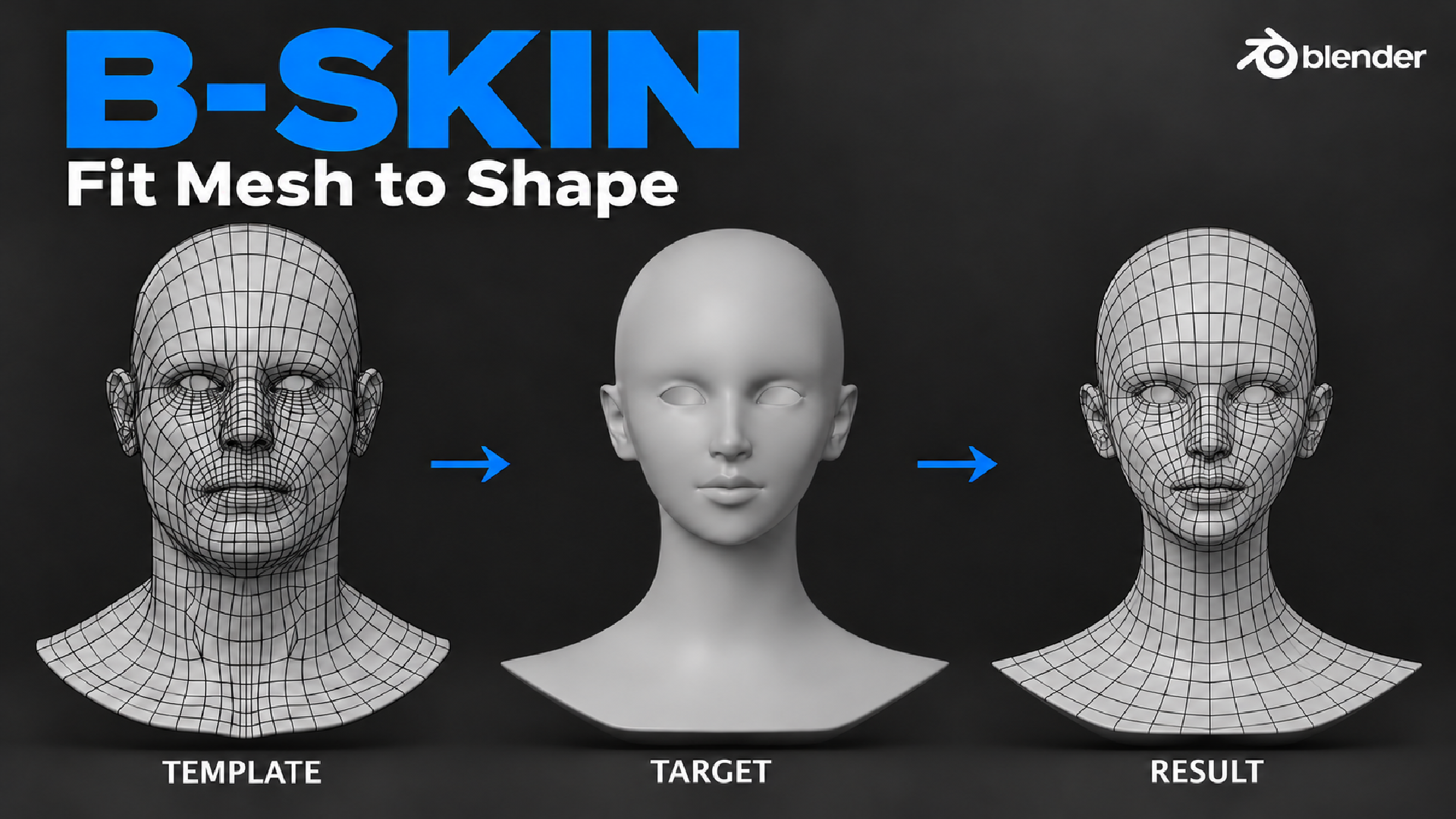
Wrap your clean base mesh onto any 3D scan or sculpt in Blender, and keep its topology, UVs and vertex groups.
The problem
You have a clean head or body with good edge loops, UVs and vertex groups. Then a new sculpt or 3D scan arrives, and you are back to retopology. Shrinkwrap pulls the mesh onto the surface, but eyes, lips and ears slide to the wrong place.
The solution
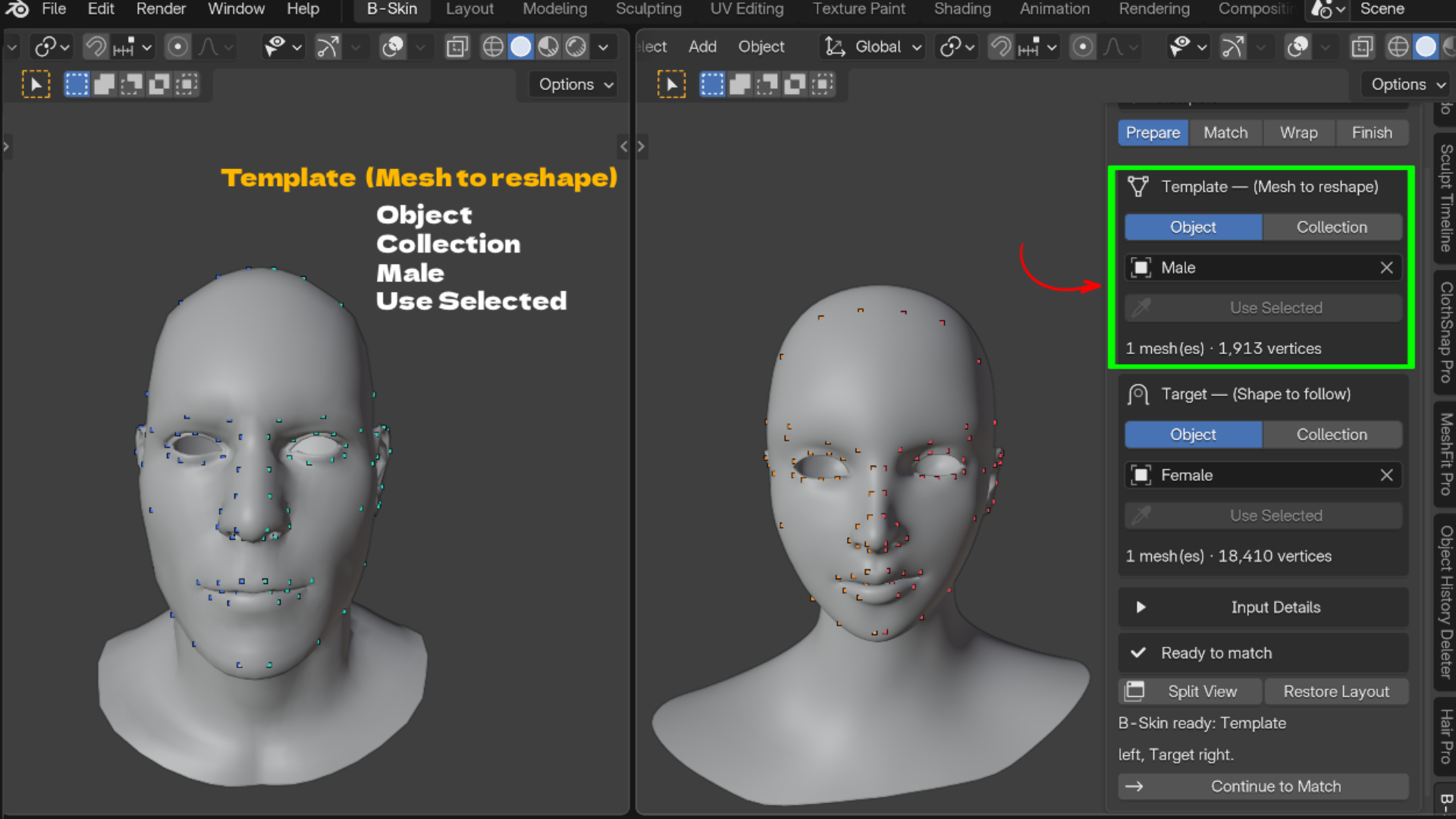
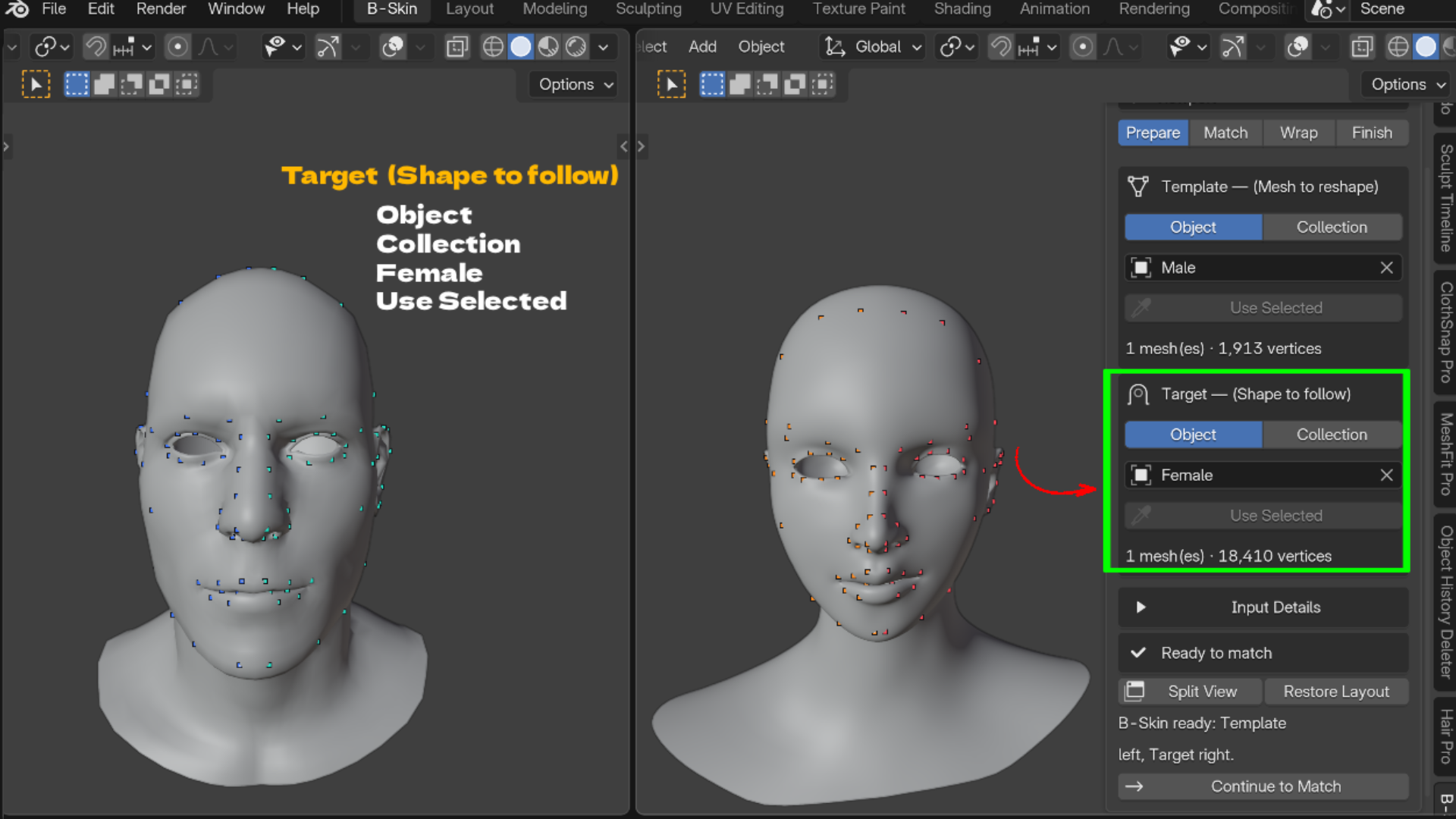
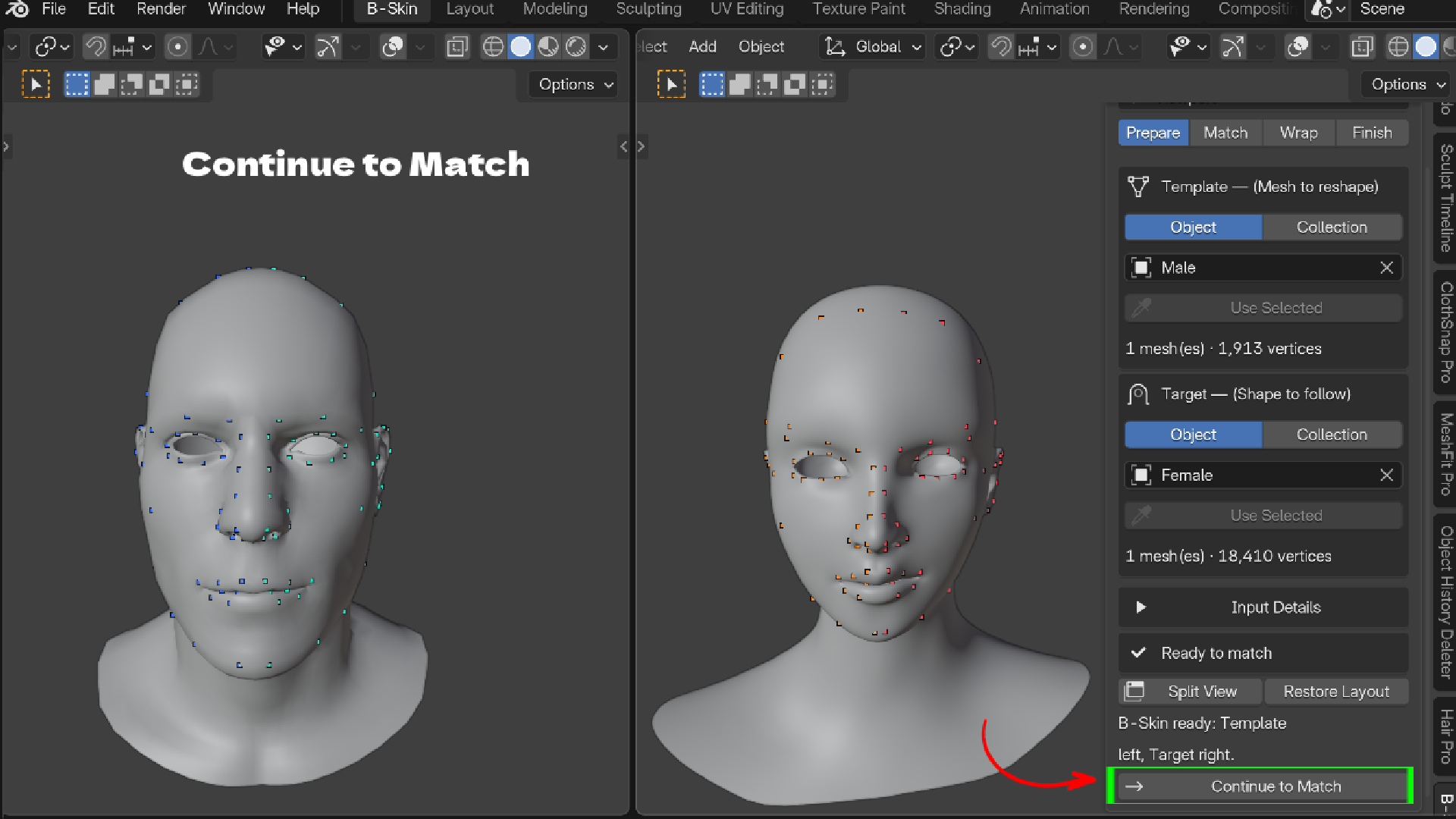
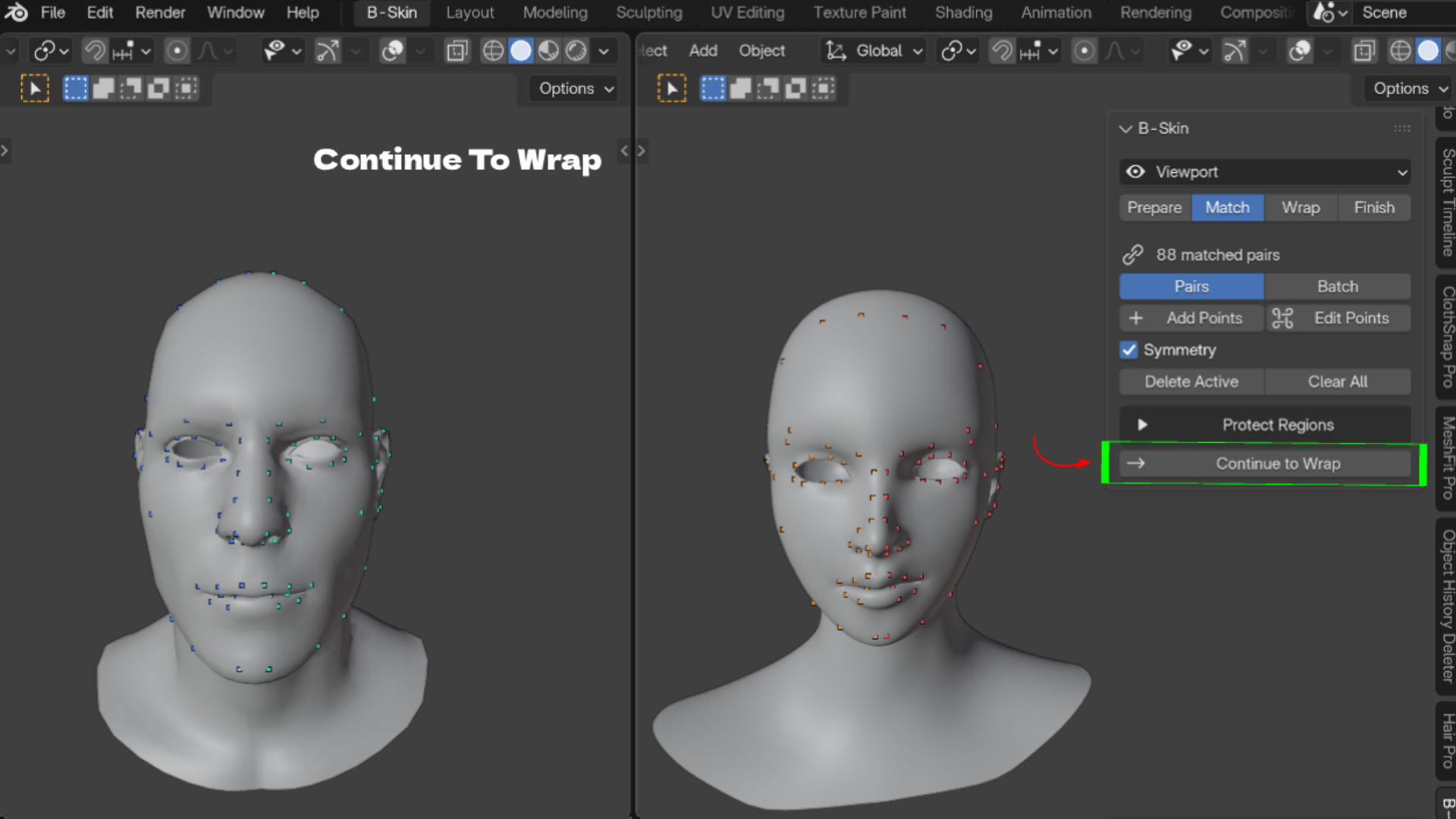
B-Skin reshapes your existing mesh (the Template) to follow another mesh (the Target). The Template keeps its vertex count, vertex order, UVs, vertex groups and materials. Only the shape changes. Everything happens in the 3D Viewport sidebar in four steps: Prepare, Match, Wrap, Finish.
Key Features
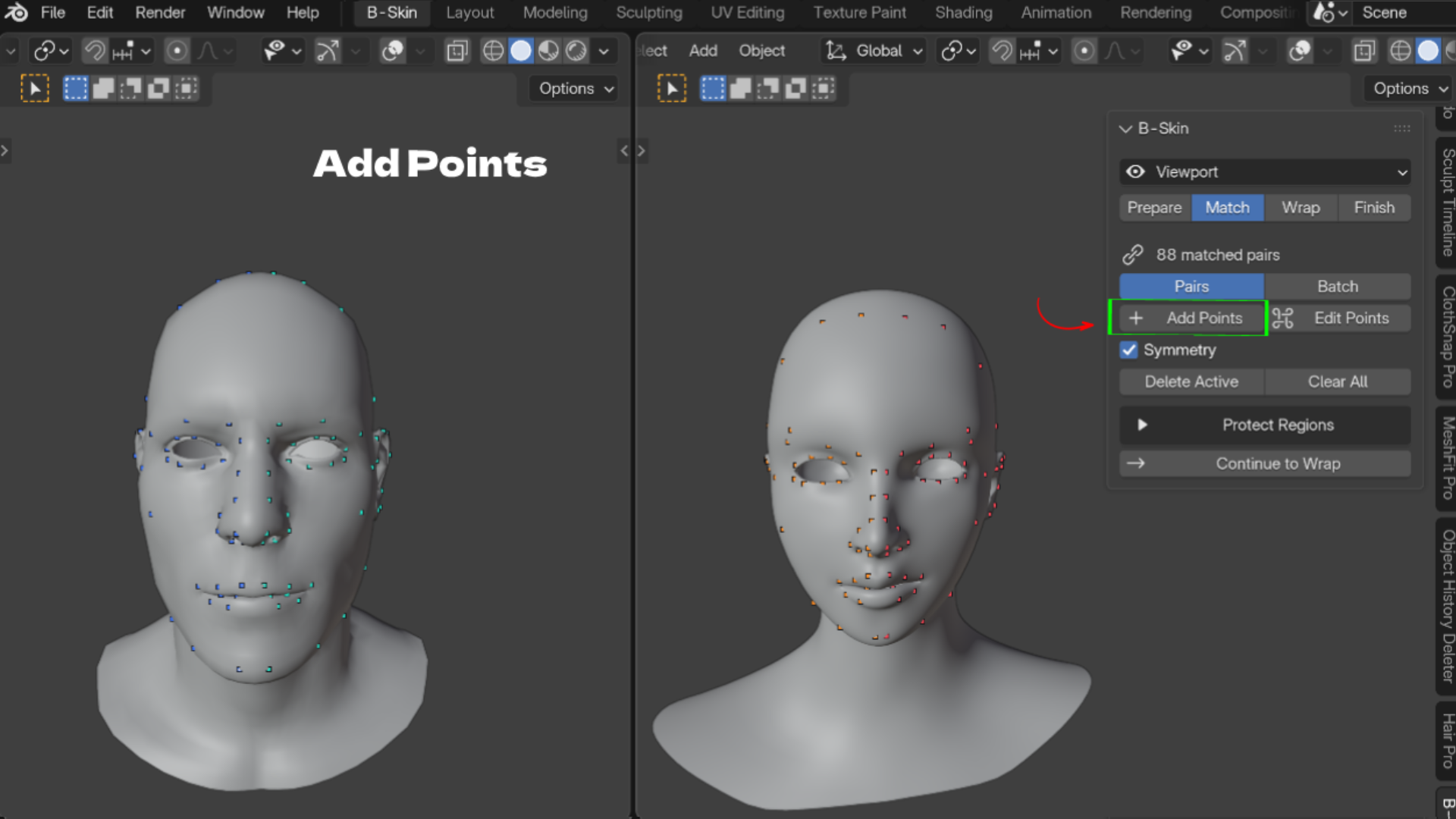
- Landmark point pairs: click the nose tip, mouth and eye corners on both meshes, one pair at a time or in batches. Features land where they belong.
- Symmetry and Loop Guides: mirror and center points, and turn edge loops into evenly spaced pairs. Half the clicking on symmetrical characters.
- Object or Collection inputs: wrap heads with separate eyes, teeth or clothing parts. Keep Seams Together stops parts splitting apart.
- Protect Regions: Keep in Place, Preserve Local Shape and Ignore Target Surface vertex groups, plus Detect Interior for mouth bags and eye sockets.
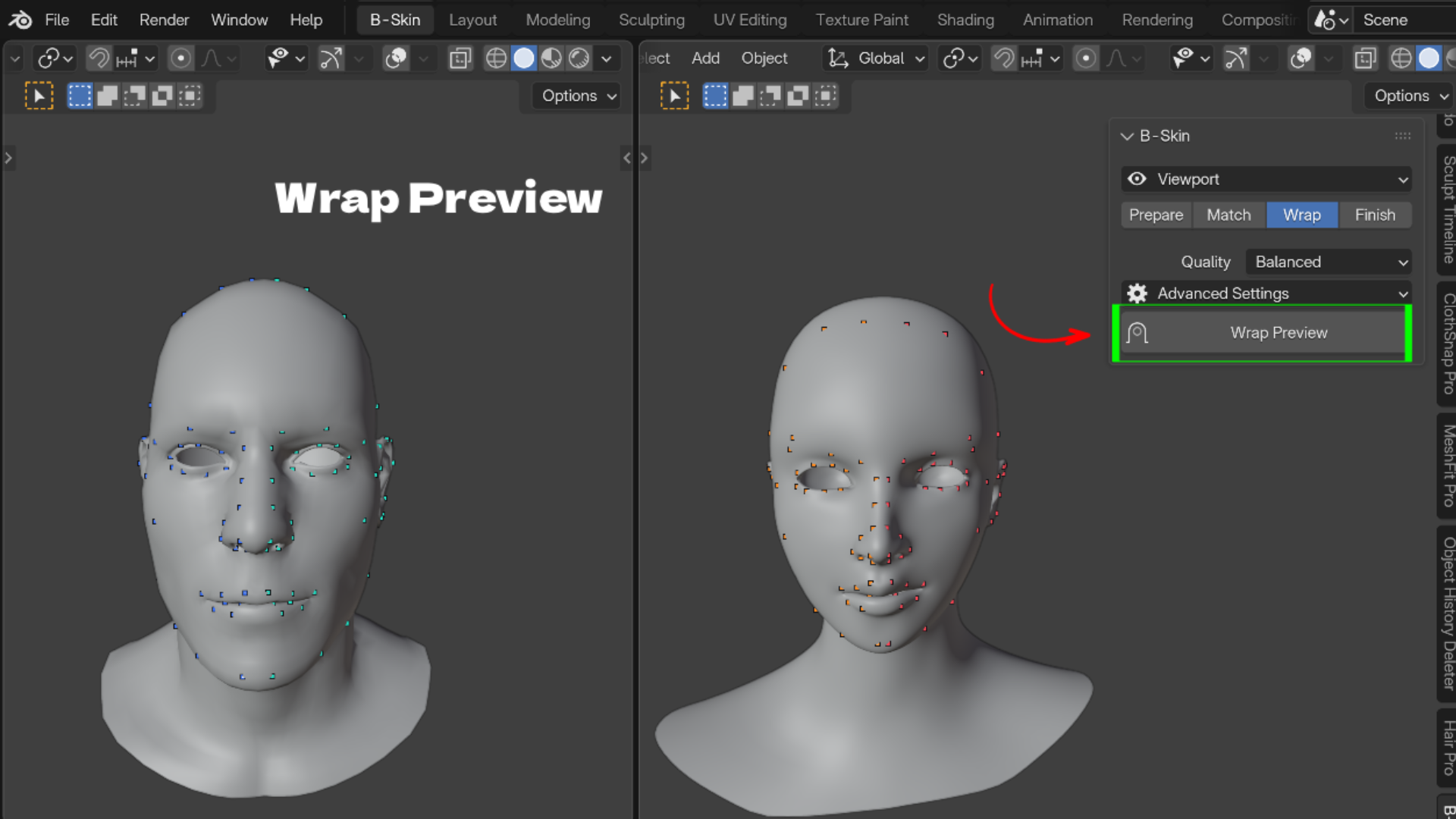
- Quality presets: Fast, Balanced and Best, with advanced Alignment, Surface Matching and Detail Preservation settings.
- Editable Wrap Preview: a Result Blend slider to compare before and after. Nothing is applied until you finish.
- Refine brushes: Move Surface, Smooth and Move Landmarks with symmetry and per stroke undo.
- Texture transfer: bake Texture, Vertex Color, Normal Map or Cavity from the scan onto your UVs, up to 8192 pixels.
- Save and load points: reuse point sets as presets for the next scan.
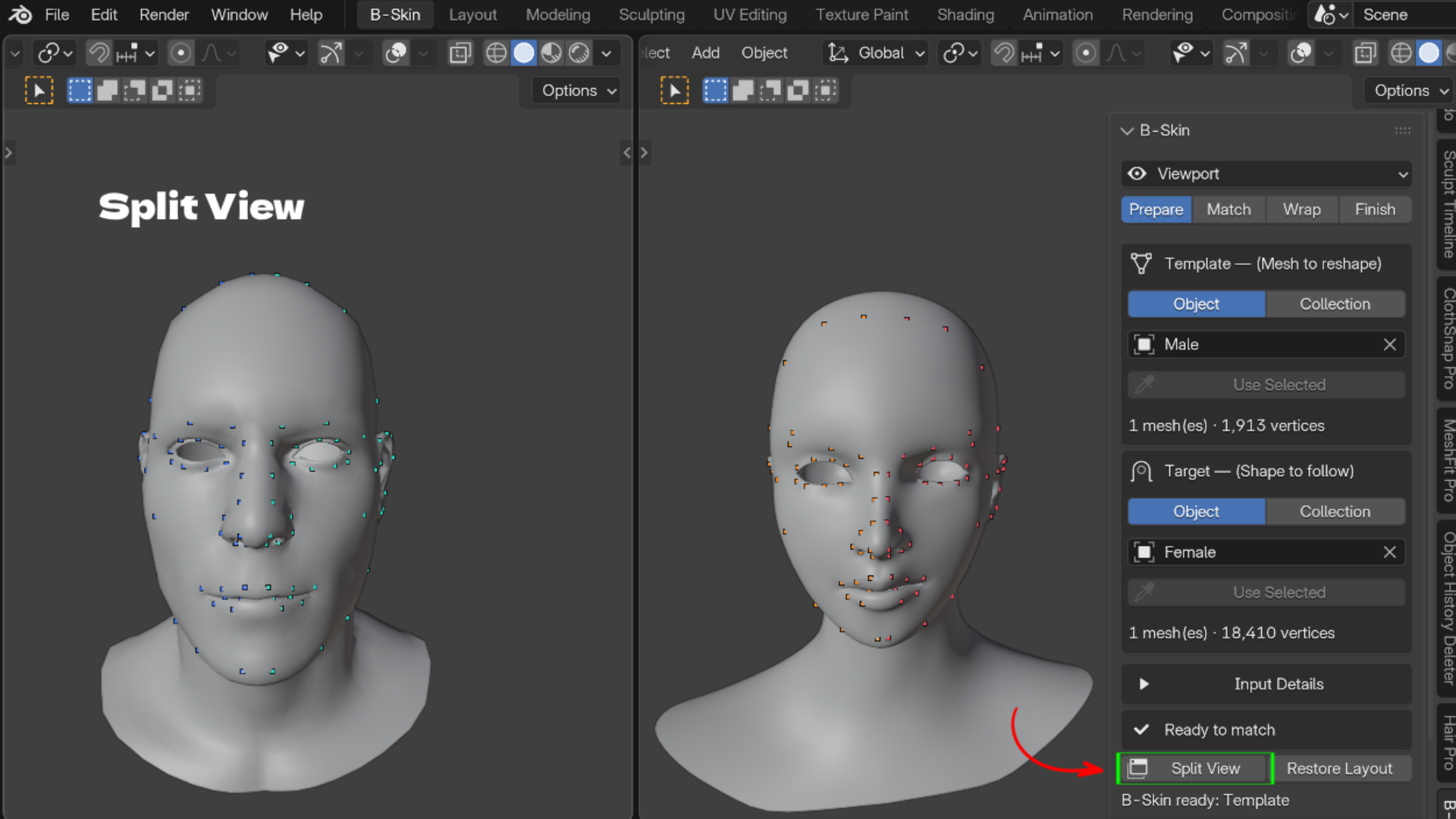
- Split View and Sync Views: Template and Target side by side with mirrored navigation.
Who It Is For
- Character artists fitting one base mesh to many sculpts
- Scan artists turning photogrammetry into clean, animation ready topology
- Game artists who need every head variant to share the same UVs and vertex order
- Stylized artists pushing a base mesh into cartoon shapes
What's Included
- B-Skin 1.5.0 add-on ZIP (Blender extension format)
- README, TUTORIAL and WORKFLOW docs inside the ZIP
- Blender 4.2 or newer. License: GPL-3.0-or-later
Install
- Download the ZIP. Do not unzip it.
- In Blender open Edit > Preferences > Get Extensions, open the top right menu and choose Install from Disk.
- Select the ZIP, then press N in the 3D Viewport and open the B-Skin tab.
FAQ
Does it keep my UVs, vertex order and vertex groups?
Yes. Only vertex positions change.
Is it destructive?
No. The wrap is an editable preview, and Create Copy leaves the original Template untouched.
Can I wrap onto a stylized or cartoon sculpt?
Yes. Use more landmark pairs and try Progressive Elasticity for large shape changes.
Does it retarget rigs or facial expressions?
No. B-Skin fits the neutral mesh only.
How do I get support?
Email admin@blenderustad.com or visit blenderustad.com.
FAQs
What are digital products?
Digital products at Skillshare are expertly crafted tools, resources, and templates developed by top creatives that are available to you for purchase. With a wide range of resources to suit every creative need, they are actionable, making your learning experience real and unforgettable.
How can I purchase a digital product?
Anyone can purchase a digital product on Skillshare — click Buy now to enter your payment information and complete your purchase. Once payment is complete, all files will be available for download instantly from this page. You'll also receive an email with a link to download your digital product after purchase.
Is there a limit to how many times I can download a digital product?
No, there is no limit to how many times you can download a digital product. Even if a product is removed by the creator, you can still access the download page in most cases by logging in to your Skillshare account.
Can I get a refund or cancel my digital product purchase?
Digital products are non-refundable and cannot be returned or canceled. To learn more, see our refund policy in the Skillshare Help Center.
Can I make and sell my own digital products?
Absolutely! Visit How can I sell a digital product on Skillshare? to learn how you can create, list and sell your own digital products on Skillshare.