Conversation Heart Animation Assets for ToonSquid
1 month of Skillshare
Available with PurchaseFree
All memberships will be billed automatically on a recurring basis until canceled. If eligible for a free trial, cancel before the trial ends to avoid being charged. Offer only valid for new paid subscribers. See full terms of service here.
About this product

Jonah Brown
Animator, Digital Artist
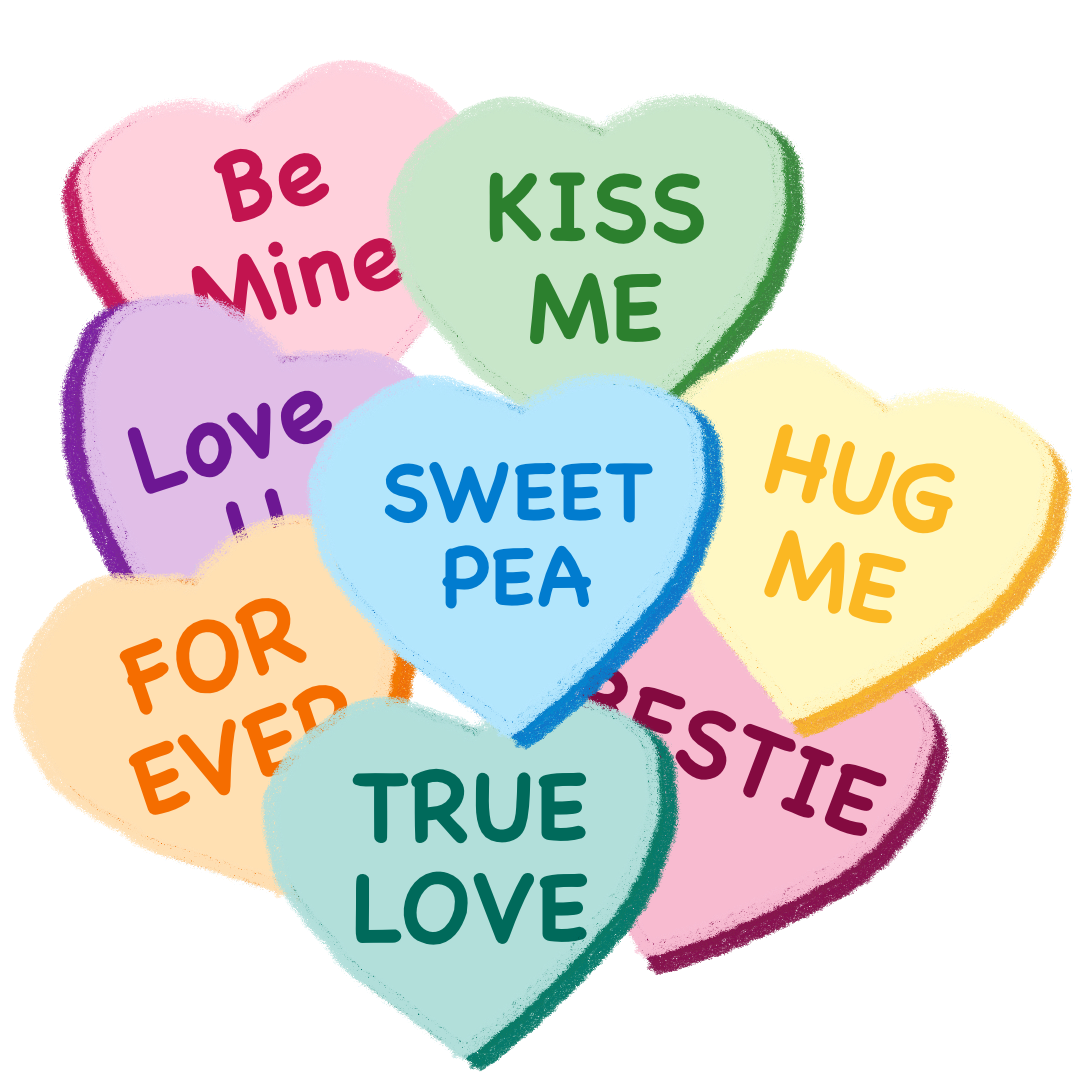
Bring instant charm and personality to your animations with this Conversation Heart Animation Asset Pack, created specifically for ToonSquid on iPad.
This pack features candy-inspired conversation hearts with a soft, hand-drawn feel—ideal for Valentine’s Day animations, social media clips, short films, or playful motion studies. Whether you’re a beginner learning animation basics or an experienced creator looking for ready-made assets, these hearts are easy to animate and fully customizable.
What’s Included
Conversation heart characters in a cohesive, playful style
Editable text on each heart, allowing you to customize the messages
Soft pastel colour palette inspired by classic candy hearts
Clean shapes ideal for simple rigs, squash and stretch, and looping motion
Packaged both as a ready-to-use ToonSquid project file and as individual assets
Optimized for use in ToonSquid on iPad
Suitable for short animations, reels, stickers, and GIF-style projects
Perfect For
Valentine’s Day animation projects
Beginner-friendly ToonSquid practice exercises
Social media animations and short clips
Classroom or homeschool animation lessons
Personalized animated greetings and messages
Skill Level
Beginner to intermediate
No advanced rigging required—great for learning timing, motion, and expression.
Software
Designed for ToonSquid (iPad)
Just open the project file or import the individual assets, animate, and have fun.
This pack is designed to save setup time while giving you full creative freedom to personalize and animate each heart your way.
FAQs
What are digital products?
Digital products at Skillshare are expertly crafted tools, resources, and templates developed by top creatives that are available to you for purchase. With a wide range of resources to suit every creative need, they are actionable, making your learning experience real and unforgettable.
How can I purchase a digital product?
Anyone can purchase a digital product on Skillshare — click Buy now to enter your payment information and complete your purchase. Once payment is complete, all files will be available for download instantly from this page. You'll also receive an email with a link to download your digital product after purchase.
Is there a limit to how many times I can download a digital product?
No, there is no limit to how many times you can download a digital product. Even if a product is removed by the creator, you can still access the download page in most cases by logging in to your Skillshare account.
Can I get a refund or cancel my digital product purchase?
Digital products are non-refundable and cannot be returned or canceled. To learn more, see our refund policy in the Skillshare Help Center.
Can I make and sell my own digital products?
Absolutely! Visit How can I sell a digital product on Skillshare? to learn how you can create, list and sell your own digital products on Skillshare.