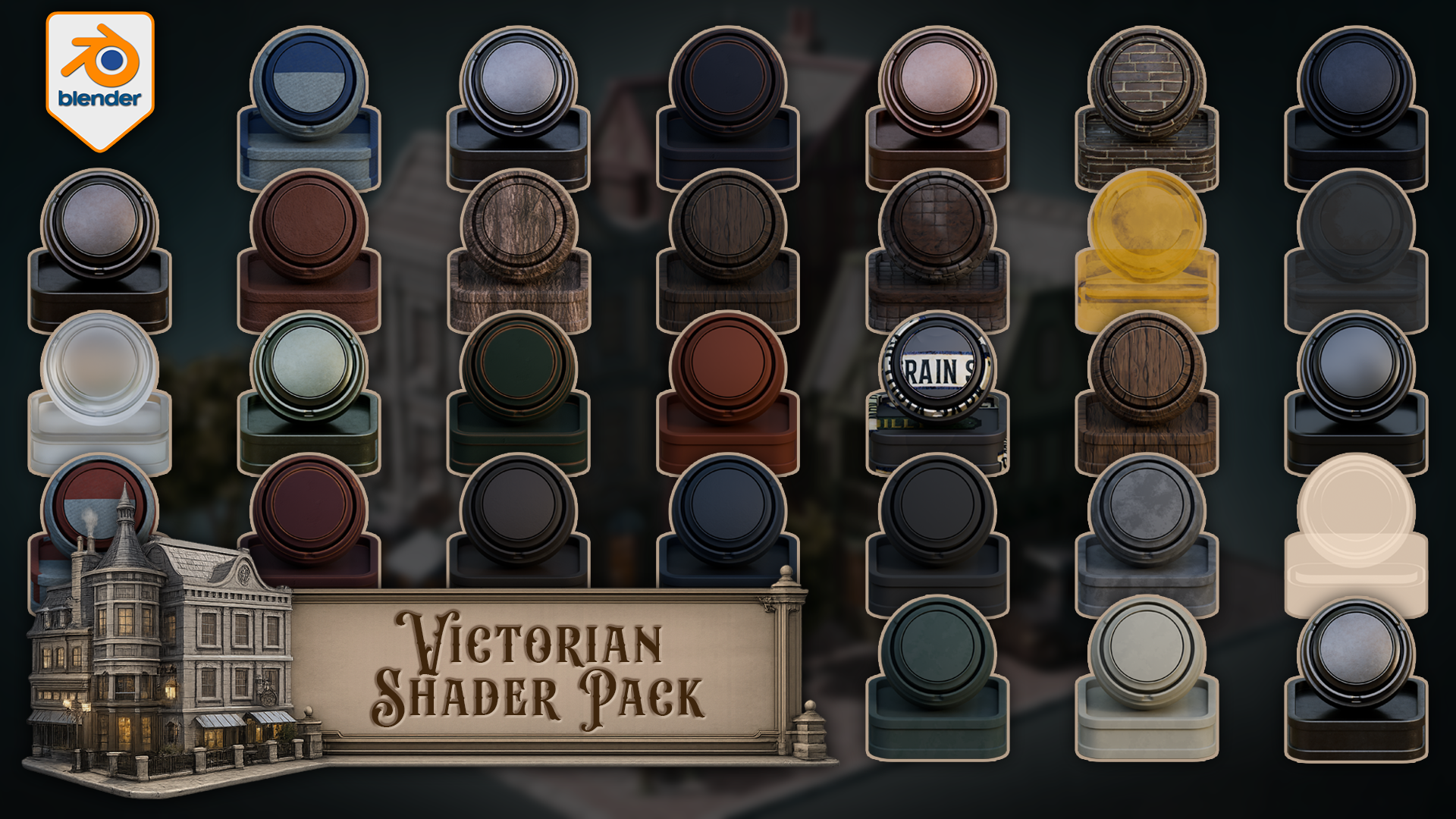
Victorian Shader Pack for Blender 5 Cycles
1 month of Skillshare
Available with PurchaseFree
All memberships will be billed automatically on a recurring basis until canceled. If eligible for a free trial, cancel before the trial ends to avoid being charged. Offer only valid for new paid subscribers. See full terms of service here.
About this product

3D Tudor
Bestselling Blender Author & 3D Educator
https://youtu.be/aeCjPocOxkk
Build Victorian streets, aged shopfronts, period interiors, darker architectural scenes, and atmospheric environment work with a connected set of Victorian materials and shaders for Blender.
This pack includes one downloadable Blender file with 33 materials and shaders already set up for Blender 5 Cycles. The collection covers painted wood, natural wood, worn metals, brass, stone, roof surfaces, clay, brick, wall finishes, glass, lit windows, curtains, cloth, bark, leaves, leather, rubber, street signs, and a floor shader that blends between three materials using vertex paint.
Every shader has been built around practical scene use. The point is not to give you a folder of disconnected swatches. The point is to give you a Victorian themed shader library that can support a full environment without every material fighting for attention.
Included in the pack
- Floor shader with three-material vertex paint blending
- Car metal blue
- Car metal light
- Light metal
- Blue metal
- Black metal
- Brass metal
- Green metal
- Green painted wood
- Blue painted wood
- Light wood
- Dark wood
- Red painted wood
- Stone
- Roof material
- Second roof material
- Clay
- Rubber
- Leather
- Tree bark
- Leaves with alpha setup
- Blue cloth
- Red cloth
- Track glass
- Basic Glass BSDF material
- Street light glass with emission
- Lit window glass with emission
- Unlit window glass
- Curtains
- Green wall
- Grey wall
- Bricks
- Street signs
Victorian environments need material hierarchy. Some surfaces need to carry age and detail, such as painted wood, brick, brass, roof materials, stone, and signage. Other surfaces need to stay quieter, such as rubber, leather, plain glass, cloth, and wall finishes. That balance is what helps a scene feel designed rather than patched together.
The edge-wear materials are especially useful for period scenes. Painted wood, metal, brass, stone, roof, clay, and wood variants can add controlled wear to the parts of the scene where age matters most: doors, trims, frames, signs, props, railings, shopfronts, roofs, and street details.
The floor shader is the more advanced setup in the pack. It blends between three different materials using vertex paint, giving you a practical way to break up ground surfaces without building a separate masking workflow every time you want variation. This is useful for streets, thresholds, paths, building edges, and worn floor areas.
The glass and window materials give you several scene-support options as well. You get basic glass, track glass, street light glass with emission, lit window glass with emission, unlit window glass, and curtains. That means you can build darker facades, warm lit windows, lamp details, and interior dressing without forcing every window into the same material role.
Created for Blender 5 and built for Cycles.
This pack is not sold as an EEVEE-ready release. Some materials may display in other Blender render workflows, but Cycles is the intended renderer.
You can use the materials directly in the included Blender file, copy preview objects with their materials into your own scene, append the shaders you need into another Blender project, or add them to your own Asset Browser setup for faster reuse.
If you want a practical Victorian shader pack for worn wood, aged metal, brickwork, roof surfaces, lit windows, curtains, signs, darker walls, and vertex-painted floor variation inside Blender, this gives you a clean place to start.
Happy modelling everyone!
Neil – 3D Tudor
FAQs
What are digital products?
Digital products at Skillshare are expertly crafted tools, resources, and templates developed by top creatives that are available to you for purchase. With a wide range of resources to suit every creative need, they are actionable, making your learning experience real and unforgettable.
How can I purchase a digital product?
Anyone can purchase a digital product on Skillshare — click Buy now to enter your payment information and complete your purchase. Once payment is complete, all files will be available for download instantly from this page. You'll also receive an email with a link to download your digital product after purchase.
Is there a limit to how many times I can download a digital product?
No, there is no limit to how many times you can download a digital product. Even if a product is removed by the creator, you can still access the download page in most cases by logging in to your Skillshare account.
Can I get a refund or cancel my digital product purchase?
Digital products are non-refundable and cannot be returned or canceled. To learn more, see our refund policy in the Skillshare Help Center.
Can I make and sell my own digital products?
Absolutely! Visit How can I sell a digital product on Skillshare? to learn how you can create, list and sell your own digital products on Skillshare.