Stylized Spooky Material & Shader Pack for Blender
1 month of Skillshare
Available with PurchaseFree
All memberships will be billed automatically on a recurring basis until canceled. If eligible for a free trial, cancel before the trial ends to avoid being charged. Offer only valid for new paid subscribers. See full terms of service here.
About this product

3D Tudor
Bestselling Blender Author & 3D Educator

Build haunted villages, eerie Tudor buildings, fantasy streets, and darker environment scenes with a connected set of stylized spooky materials and shaders for Blender.
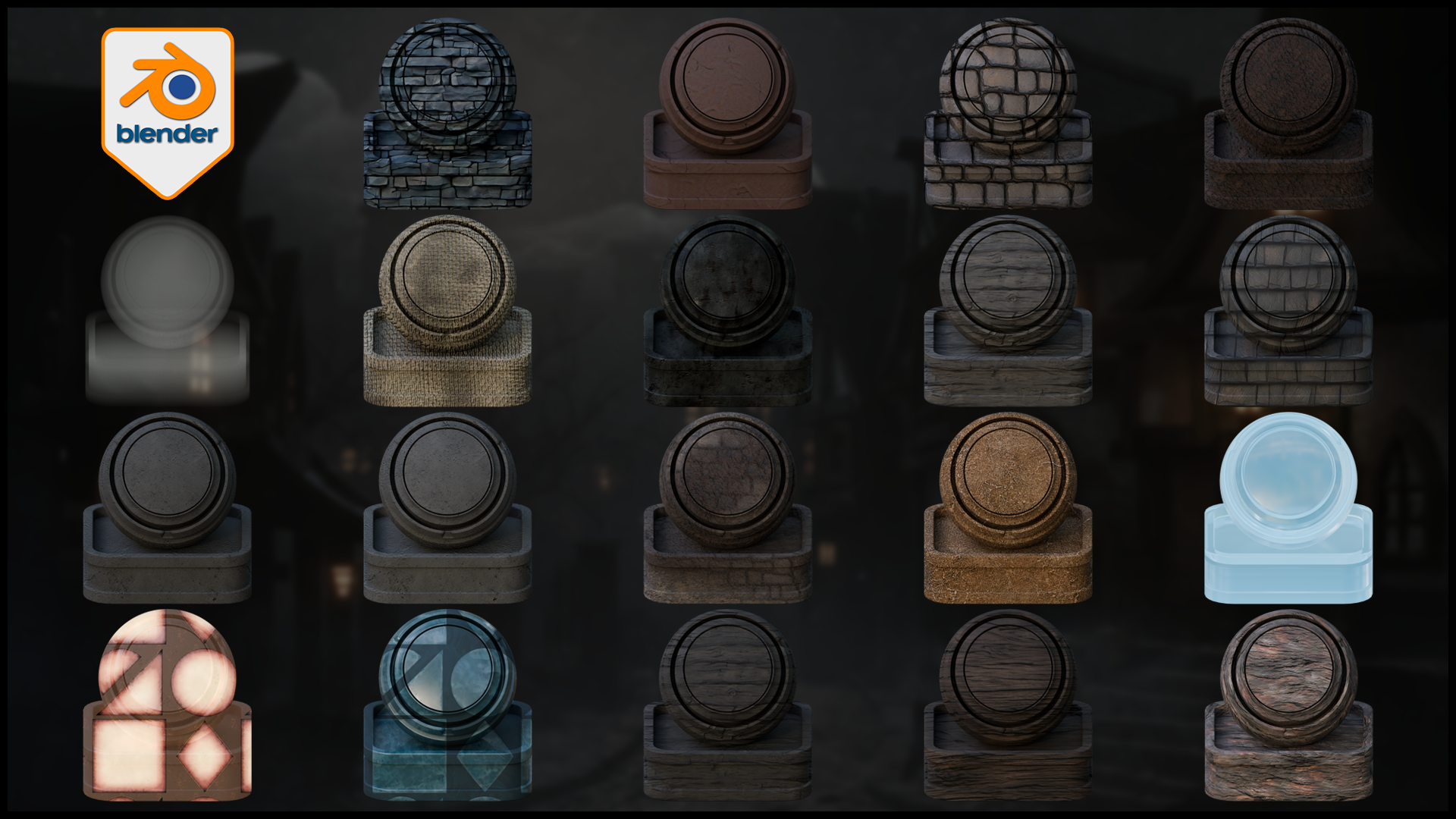
This pack includes one downloadable Blender file with all materials already set up and ready to use inside Blender. Every material is named properly, organised in a clean collection, and shown on preview bases so it is easy to browse, test, and apply to your own meshes.

Blender 5 viewport overview of the 3D Tudor stylized spooky material pack, showing the full shader collection inside Blender for fast scene building, material checking, and pack-wide workflow proof
Included in the pack:
Bark
Bricks
Clay
Cobblestones
Dirt
Fog Volume
Linen Fabric
Metal
Old Wood Dark
Wood Light
Roof Tiles
Stone Dark
Stone Light
Walls
Window Lights (lit and unlit)
Wood Red
Terrain Material
Water
This is not a random set of disconnected surfaces. The pack is built to work as one visual system across wood, plaster, stone, roofing, ground, cloth, windows, fog, and simple water, so it is much easier to keep a full spooky environment scene consistent.
Most of the materials are simple and practical to use. The terrain material is the more advanced setup, using vertex paint to blend different ground looks and break up repetition. The fog volume gives you local atmospheric control inside the scene, and the lit and unlit window lights make it easy to shift the mood of a building without losing surface detail.

Blender 5 screenshot of the 3D Tudor Terrain shader from the 3DT stylized spooky material pack, using vertex-painted material blending to mix dirt, wet ground, and stone for non-repeating spooky terrain.
The pack is built for Blender Cycles. Some materials may also work in Eevee, but this release was created for Cycles and that is the intended renderer.
Created for Blender 5.
You can use the materials directly in the included Blender file, copy the preview asset with its material into your own scene, add them to the Asset Manager for quicker reuse, or append the materials you need into another Blender project.
If you want a practical shader pack for building spooky houses, worn walls, crooked roofs, darker stonework, timber framing, foggy streets, and atmospheric village scenes faster inside Blender, this pack gives you a clean place to start.
Happy modelling everyone!
Neil
FAQs
What are digital products?
Digital products at Skillshare are expertly crafted tools, resources, and templates developed by top creatives that are available to you for purchase. With a wide range of resources to suit every creative need, they are actionable, making your learning experience real and unforgettable.
How can I purchase a digital product?
Anyone can purchase a digital product on Skillshare — click Buy now to enter your payment information and complete your purchase. Once payment is complete, all files will be available for download instantly from this page. You'll also receive an email with a link to download your digital product after purchase.
Is there a limit to how many times I can download a digital product?
No, there is no limit to how many times you can download a digital product. Even if a product is removed by the creator, you can still access the download page in most cases by logging in to your Skillshare account.
Can I get a refund or cancel my digital product purchase?
Digital products are non-refundable and cannot be returned or canceled. To learn more, see our refund policy in the Skillshare Help Center.
Can I make and sell my own digital products?
Absolutely! Visit How can I sell a digital product on Skillshare? to learn how you can create, list and sell your own digital products on Skillshare.