Arabian Shader Pack for Blender: 31 Stylized Mater
1 month of Skillshare
Available with PurchaseFree
All memberships will be billed automatically on a recurring basis until canceled. If eligible for a free trial, cancel before the trial ends to avoid being charged. Offer only valid for new paid subscribers. See full terms of service here.
About this product

3D Tudor
Bestselling Blender Author & 3D Educator
Build stronger Arabian-inspired Blender scenes with one shader library designed to work as a coherent visual system.
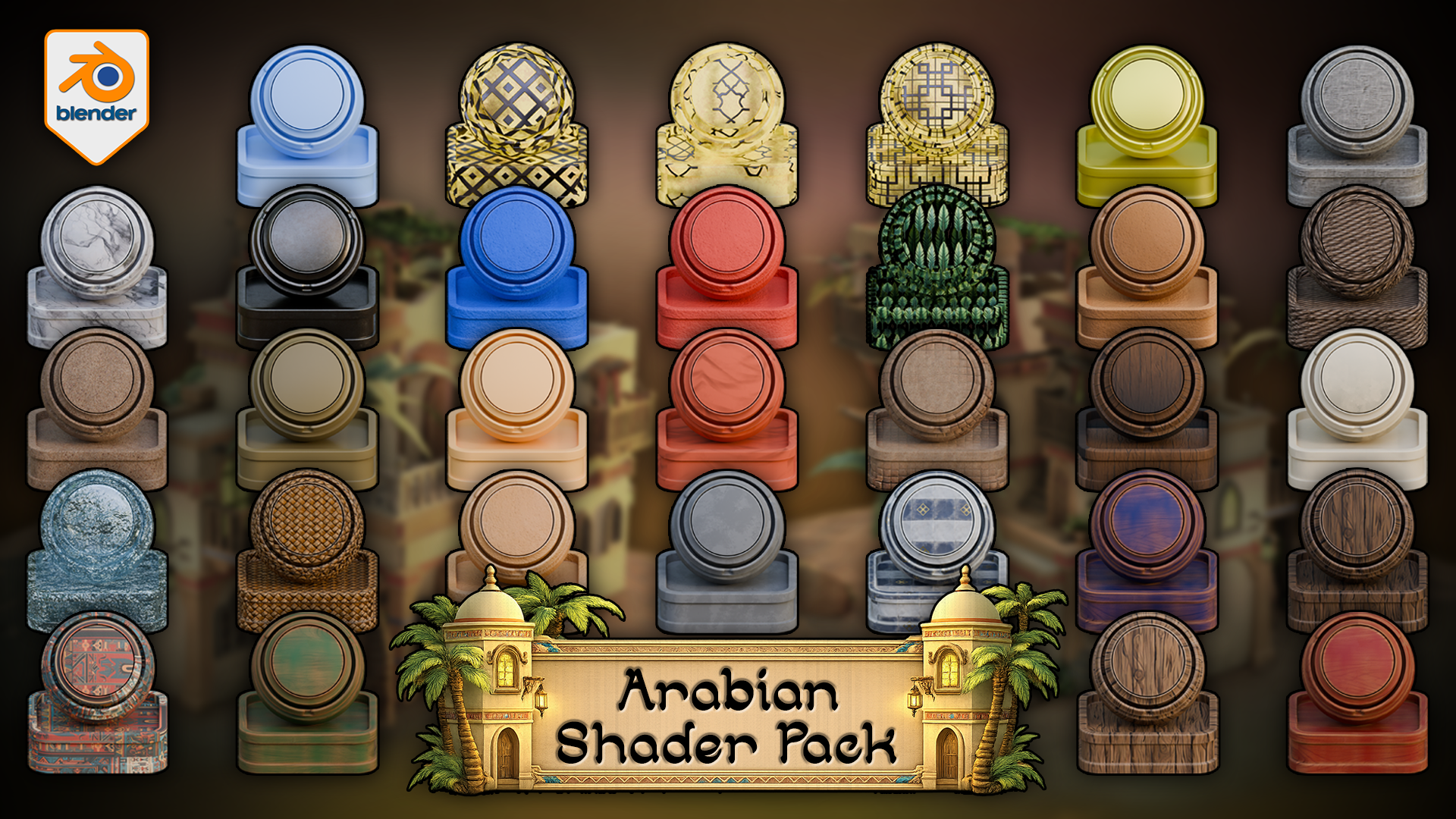
 Arabian Shader Pack for Blender hero image showing a stylized material library with plaster, stone, wood, marble, woven detail, foliage, ornamental panels, tiled surfaces, and scene-building accents.
The Arabian Shader Pack for Blender includes 31 verified materials built for stylized architecture, props, courtyards, trims, foliage, glowing windows, terrain blending, and water. Rather than patching a scene together from unrelated shaders, this pack gives you a controlled material library designed for hierarchy, contrast, and practical reuse inside Blender.
 Rendered Blender 5 viewport demo of the vertex-paint floor shader, where Red reveals stylized stone tiles through sand, Blue controls visibility, and Green plus Alpha stay free for custom extensions.
Inside the pack, you get 24 texture-based materials, 1 fully procedural water shader, 4 simple solid-colour materials, 13 materials with automatic edge wear, 4 displacement-enabled materials, 1 alpha-cutout foliage material, and 3 emissive window shaders. All textured materials include adjustable tiling, which makes the library easier to scale across different asset sizes and scene roles.
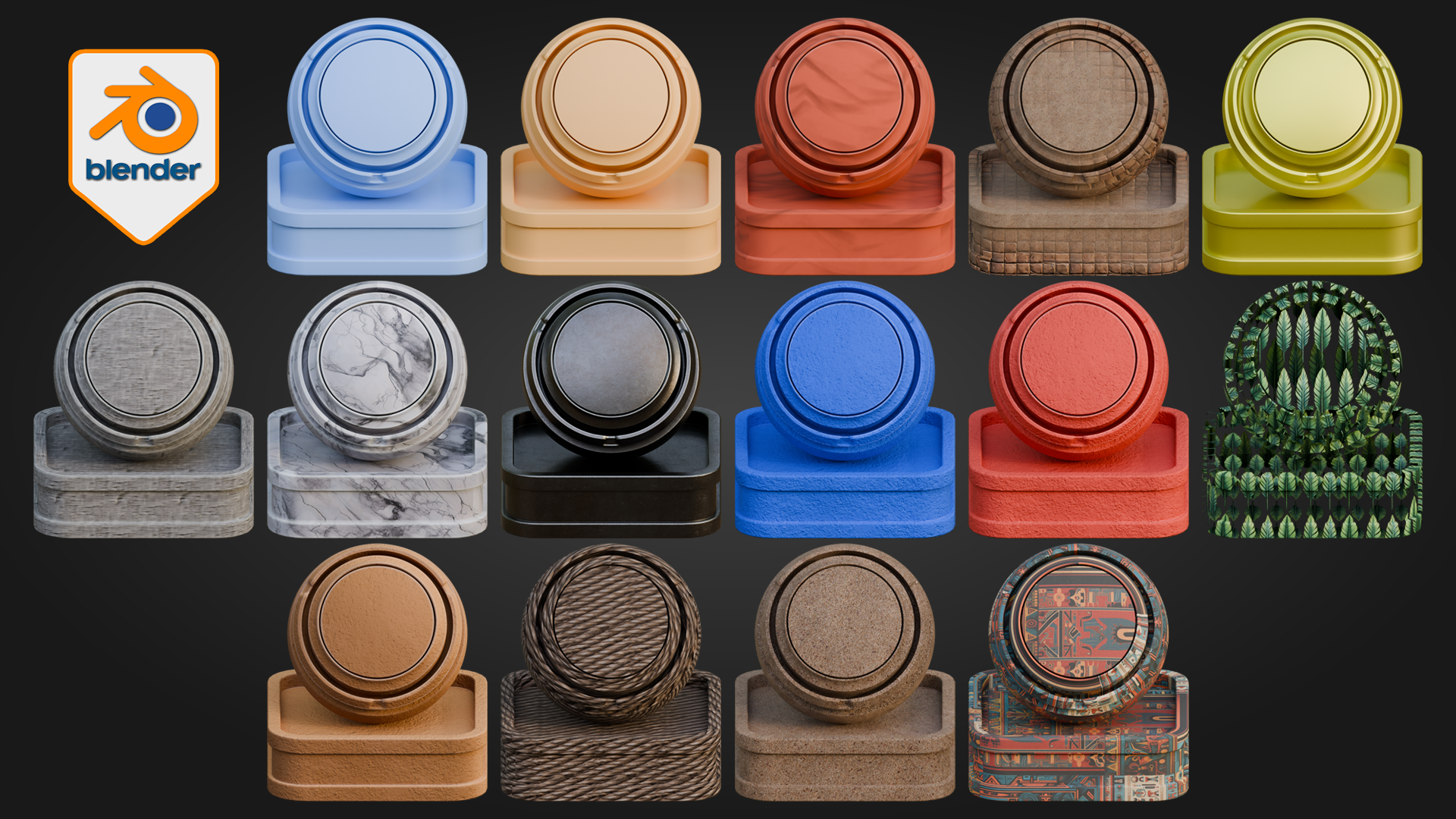
 Blender material contact sheet previewing stylized plaster, marble, woven fibres, painted surfaces, foliage-card shading, and ornamental Arabian patterns from the pack.
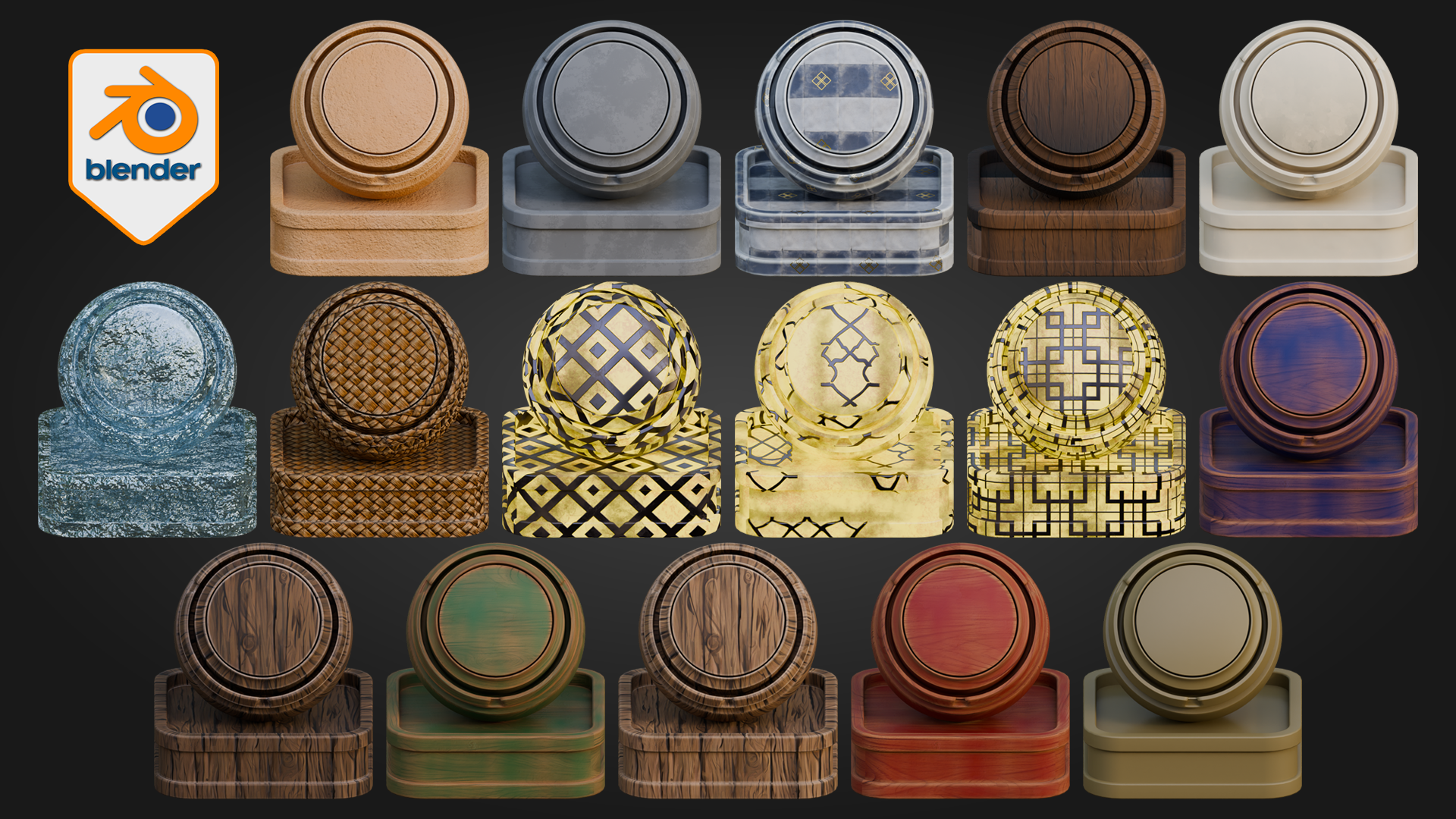
 Second Blender material contact sheet showing wood variants, tiled ceramic surfaces, translucent blue specialty shading, woven fibres, and cream-and-gold ornamental finishes.
The material coverage is built for real scene work: painted woods, natural woods, stone, marble, wall finishes, rope, weave, sand, decorative patterned surfaces, metallic accents, palm leaves, lit window shaders, and procedural water. Some materials are deliberately simple for quieter support areas and blocking. Others are more layered and are designed to carry visual weight on doors, trims, beams, courtyards, hero props, and decorative architecture. That balance is what helps a scene feel controlled rather than noisy.
Node & Control Highlights
Floor shader
Red reveals stylized stone tiles through sand
Blue controls visibility
Green and Alpha remain free for custom use
Tiling, displacement, and normal strength can be adjusted for stronger or softer ground depth
Water shader
Adjust water colour
Control wave scale
Tune transparency and refraction
Adjust glow and displacement for calmer or more active water surfaces
Edge-wear materials
Wear amount, tiling, and surface breakup can be pushed or softened depending on whether the material is being used on cleaner props or more weathered architectural surfaces.
One of the standout features is the floor shader. It uses an interactive vertex-paint workflow directly inside Blender, where Red reveals stylized stone tiles through sand, Blue controls visibility, and Green plus Alpha remain free for custom use. That makes it especially useful for courtyards, thresholds, walkways, and larger ground areas where a single flat surface quickly becomes dull.
To use it, apply the material to a mesh with enough geometry to paint on, make sure the mesh is unwrapped, switch to Vertex Paint mode, paint Blue across the surface to make it visible, then paint Red where you want the stylized stone tiles to emerge through the sand. The result updates directly in the Blender viewport as you work, which makes the material much faster to use than building a separate masking workflow around the same job.
 Applied Blender environment render showing the Arabian Shader Pack in use across plaster walls, trim, rooftops, ground surfaces, doors, balconies, and palm-framed architectural details.
The pack also extends beyond isolated object surfacing. Emissive windows, alpha foliage, adjustable tiling, displacement on key materials, and fully procedural water help the shader library support full Blender environments rather than single props alone. The result is a stronger starting point for artists who want scene cohesion, material hierarchy, and practical reuse in stylized Arabian-inspired work.
In larger scenes, the pack is strongest when displacement is used deliberately rather than pushed across every surface by default. The simpler materials keep support areas lighter and quieter, while the more layered shaders and deeper displacement are better reserved for focal surfaces where the extra depth actually pays off.
This pack is built for Blender 5 and for Cycles. It is designed for artists building and surfacing scenes directly inside Blender. For artists who later adapt their work into broader pipelines, the strongest fit still begins with Blender scene-building and surfacing first rather than expecting one-click parity outside that workflow.
Happy modelling everyone!
Neil
FAQs
What are digital products?
Digital products at Skillshare are expertly crafted tools, resources, and templates developed by top creatives that are available to you for purchase. With a wide range of resources to suit every creative need, they are actionable, making your learning experience real and unforgettable.
How can I purchase a digital product?
Anyone can purchase a digital product on Skillshare — click Buy now to enter your payment information and complete your purchase. Once payment is complete, all files will be available for download instantly from this page. You'll also receive an email with a link to download your digital product after purchase.
Is there a limit to how many times I can download a digital product?
No, there is no limit to how many times you can download a digital product. Even if a product is removed by the creator, you can still access the download page in most cases by logging in to your Skillshare account.
Can I get a refund or cancel my digital product purchase?
Digital products are non-refundable and cannot be returned or canceled. To learn more, see our refund policy in the Skillshare Help Center.
Can I make and sell my own digital products?
Absolutely! Visit How can I sell a digital product on Skillshare? to learn how you can create, list and sell your own digital products on Skillshare.