first GNS3 topology lab
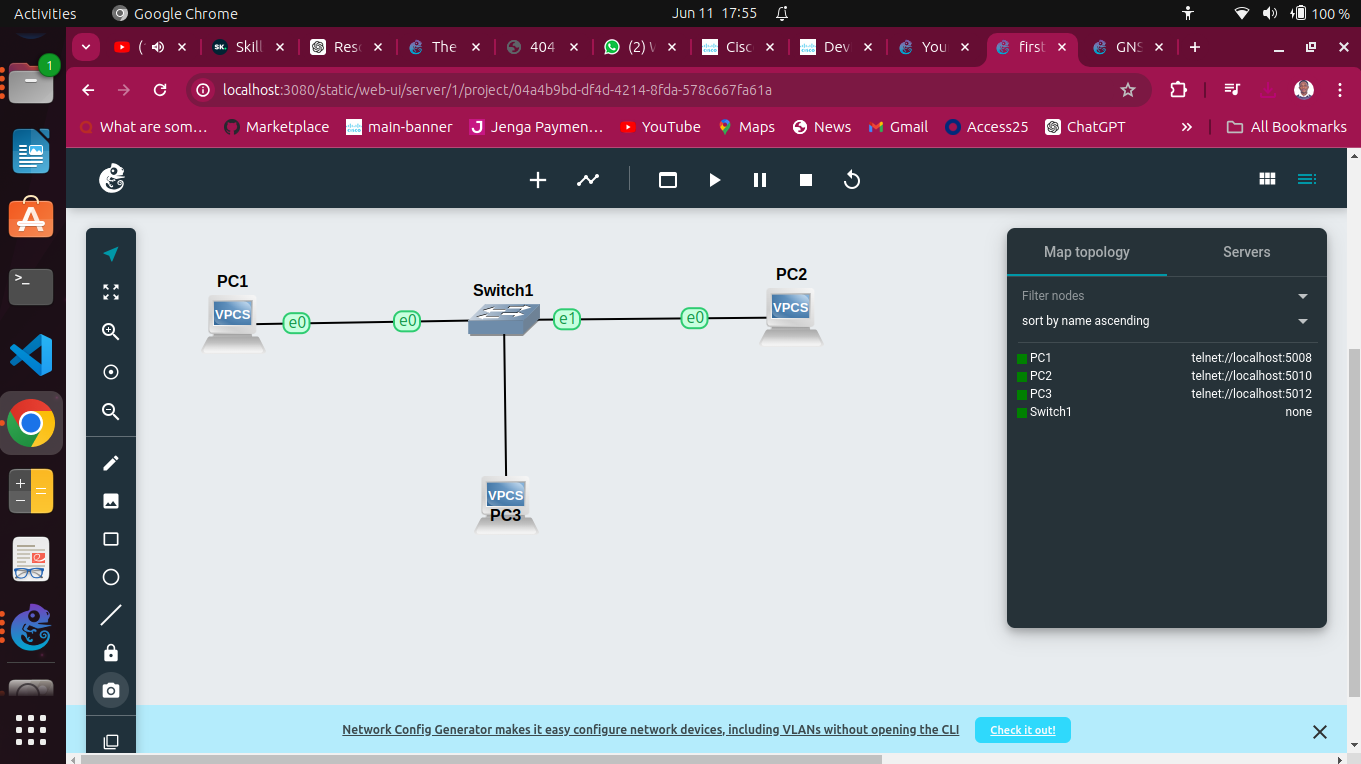
-
Setup Environment:
- Ensure GNS3 and GNS3-VM are up and running.
- Familiarize myself with the Topology Summary, Server Summary, and Console panes.
-
Building the Topology:
- Drag and drop an Ethernet switch and two VPCS nodes (PC-1 and PC-2) from the Devices Toolbar into the Workspace.
- Connect the devices using the Add a Link tool.
-
Power and Configure Devices:
- Power on devices using the green "Play" button.
- Assign IP addresses to VPCS nodes:
- PC-1: 10.1.1.1 255.255.255.0
- PC-2: 10.1.1.2 255.255.255.0
- Test connectivity with ping commands.
-
Add More Devices:
- Add a third VPCS node (PC-3), assign IP 10.1.1.3 255.255.255.0, and ensure connectivity with other nodes.
-
Save Configurations:
- Save VPCS configurations to preserve settings.