Photo Editing Mock-up Scenes
Most of the adjustments you might need to make to your mock-up scenes won’t be too drastic, and some might not even be obvious — but it’s always a good idea to try making small tweaks to see if there are actually some issues that aren’t super apparent until you fix them. It might sound like perfectionism, but it is all in the details — and when working with photos or photorealistic images you should not underestimate how they communicate on the subliminal level through the colour temperature, sharpness, contrast and texture.
Here are some examples you see in passing in the class (and a few extra) that had a different level of editing applied to them — and the reason behind these edits.
Bath Salt Jar Mock-Up
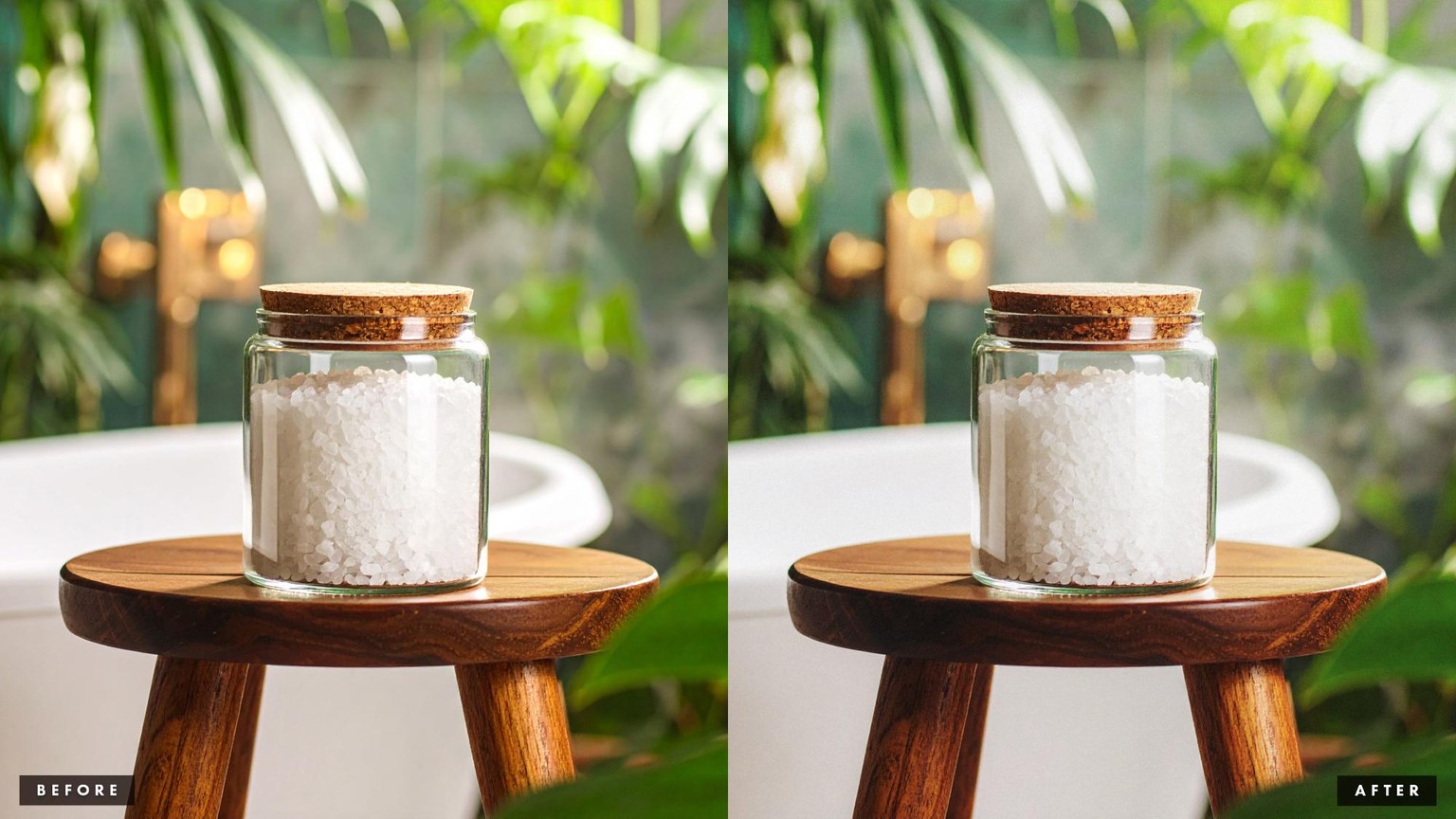
At the first glance, this image looked perfectly good, but when I started playing with the adjustments and comparing the before and after, I realised that it was a bit too warm for my liking, a bit too crisp, and could benefit from a little contrast boost.
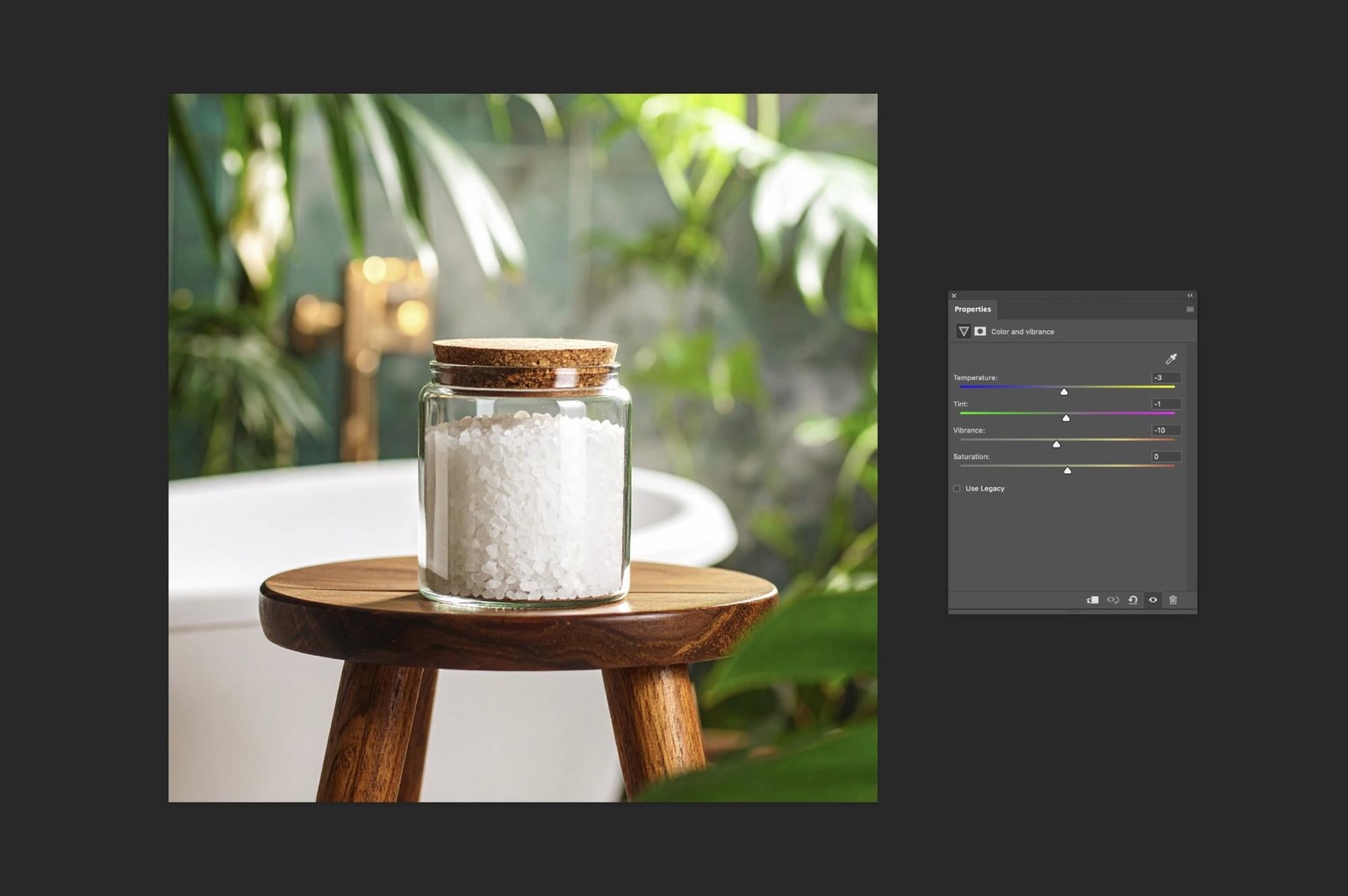
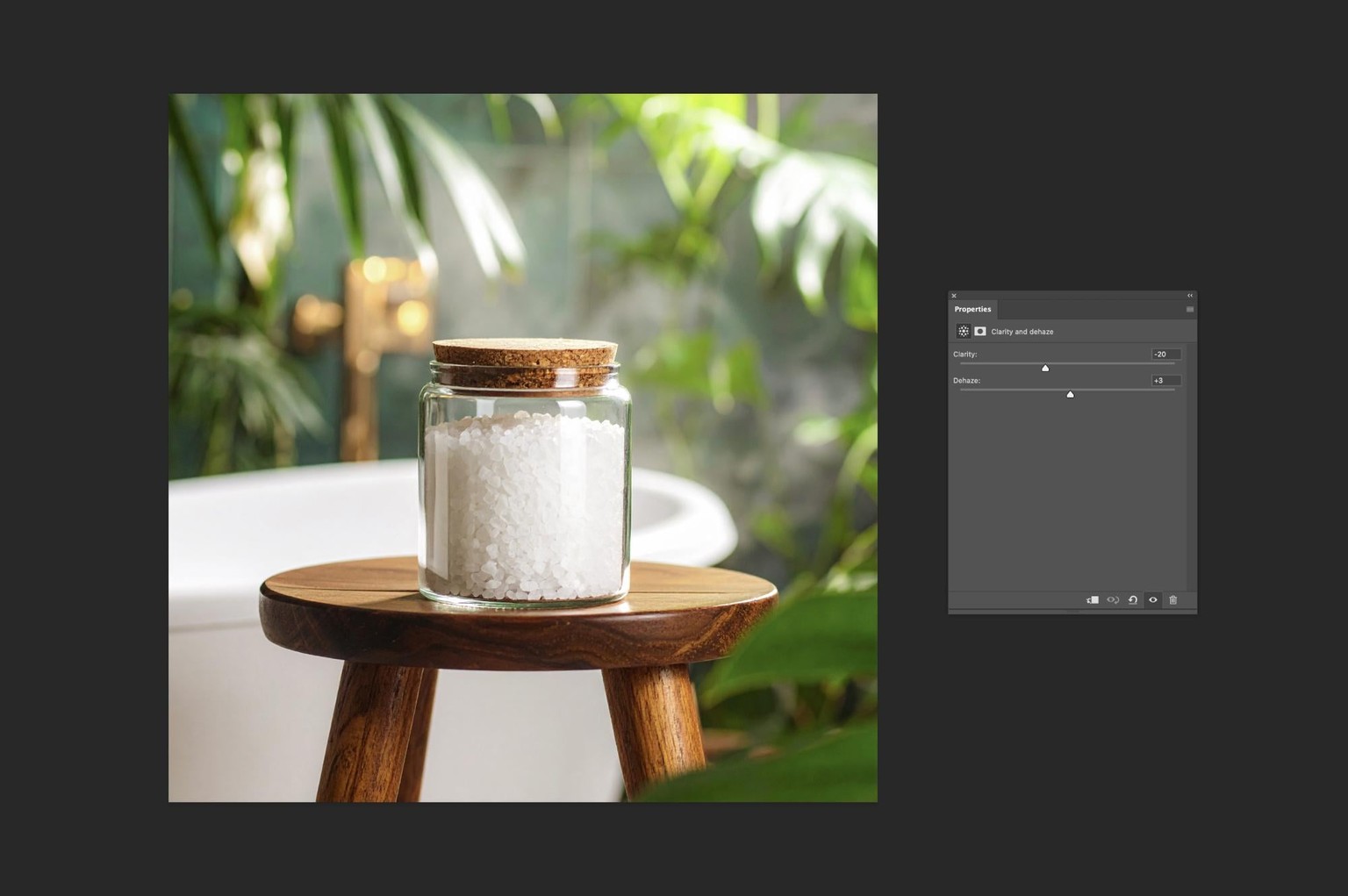
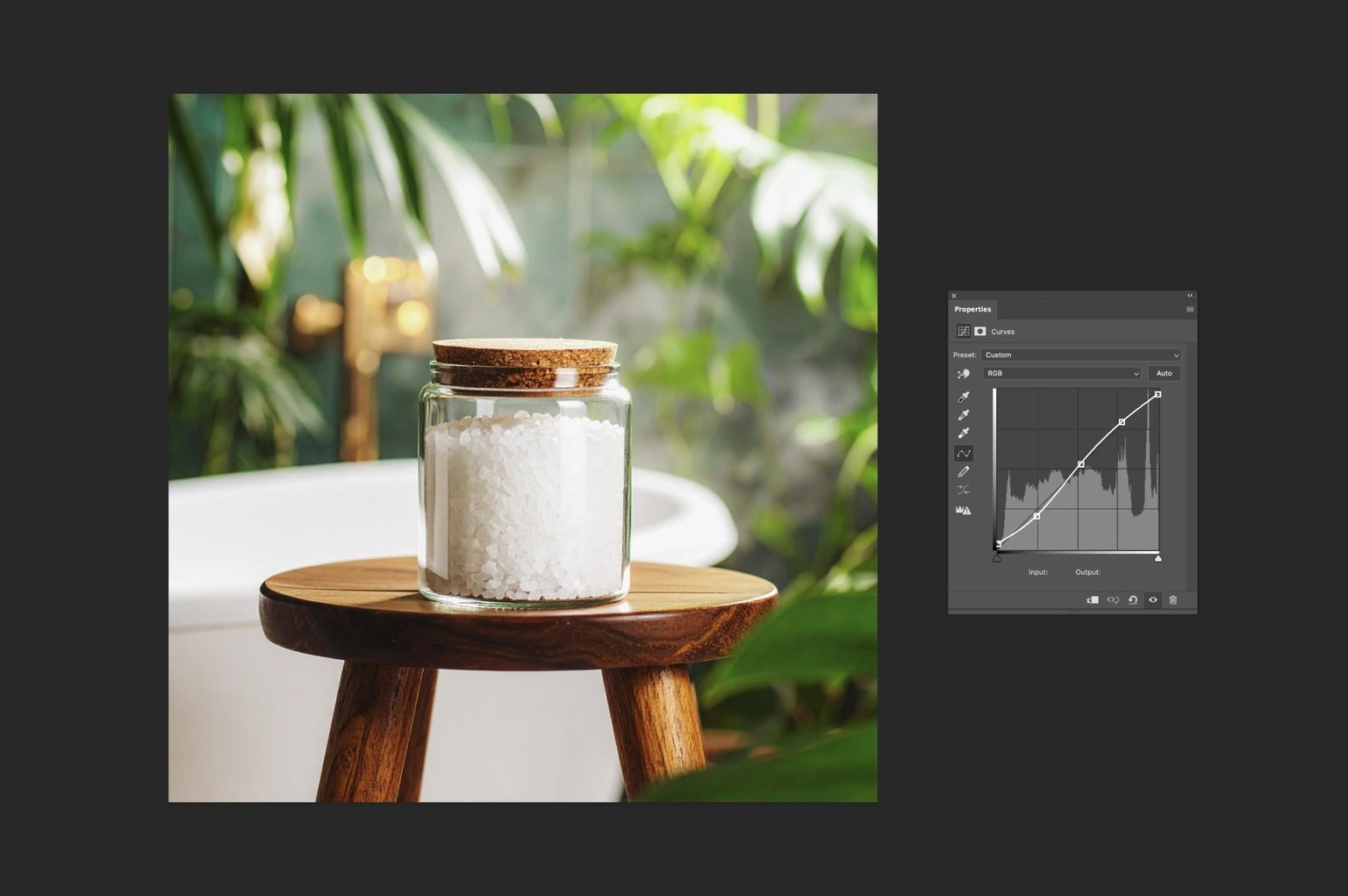
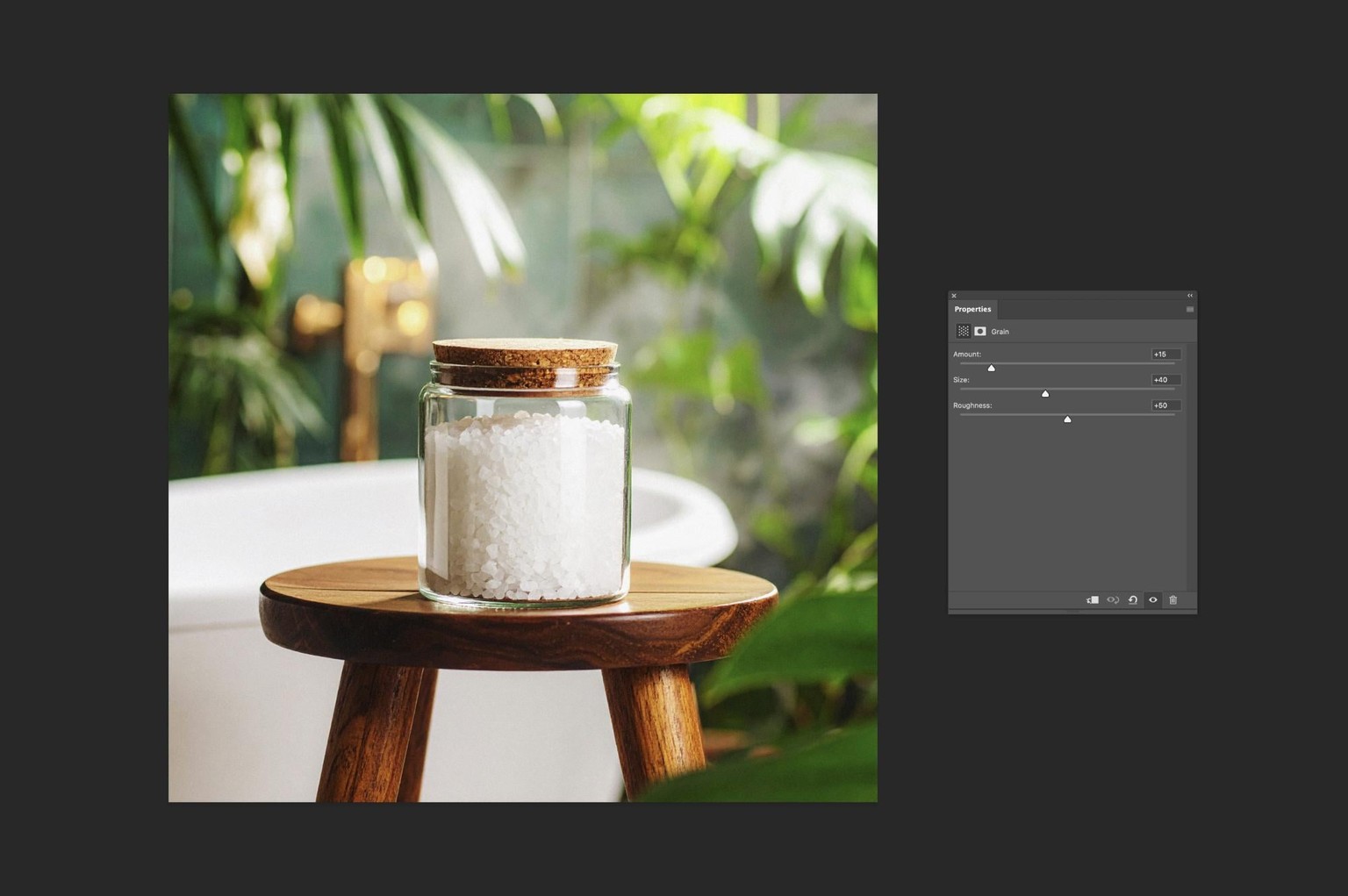
As it is a bathroom product, making the image a little cleaner (and slightly colder), helps to communicate the concept of cleansing and re-invigoration.
Packaging Box in a High-Tech Control Room
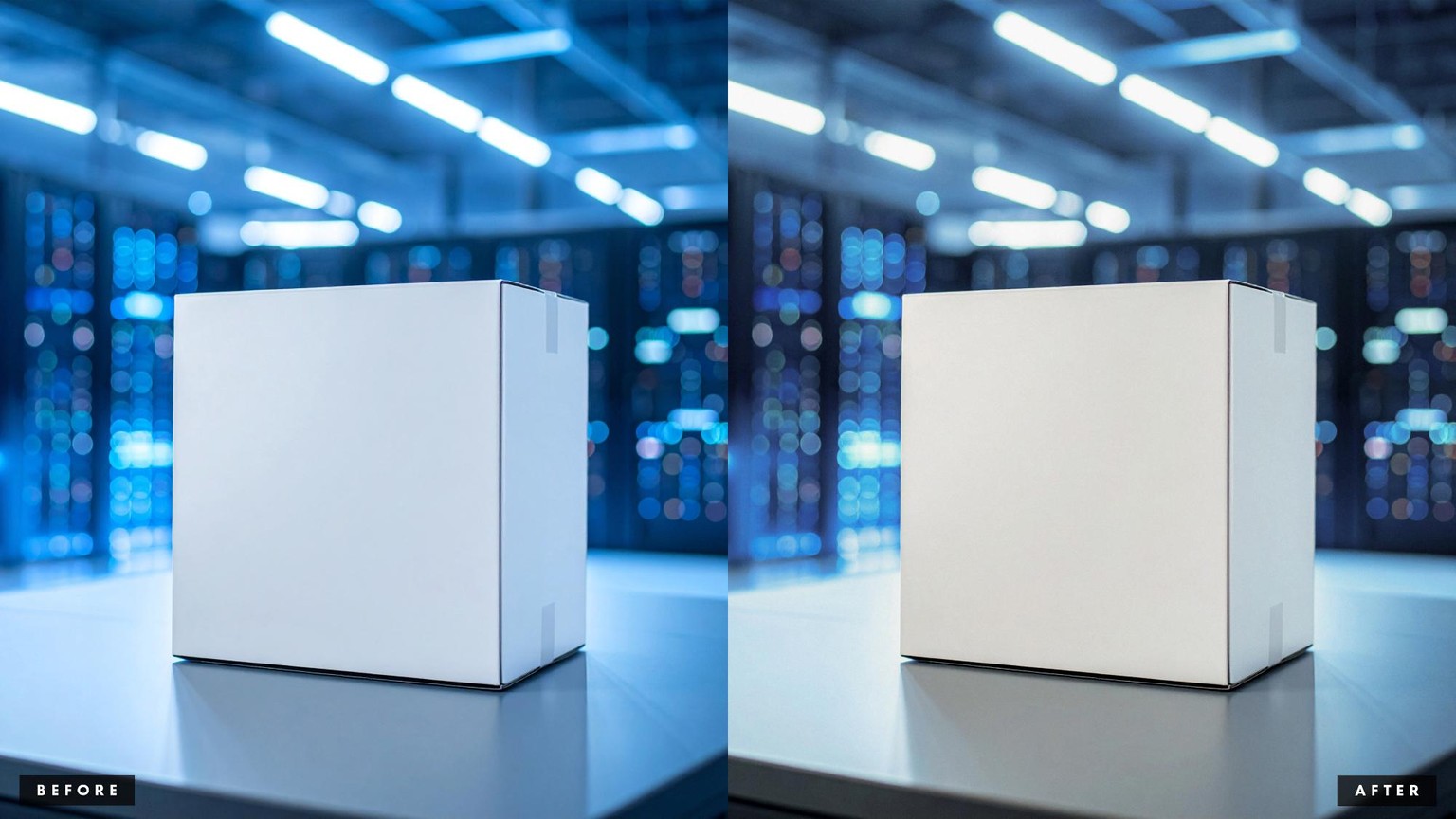
Given the futuristic environment, the original image overall was really cold, lacked contrast and appeared to generally have cold lighting. This could work as an aesthetic, but to have a cleaner image and to avoid making it look as if it has a wrong white balance, I made some drastic changes to the temperature and tint, and also played with the balance between the vibrance and saturation to create a more natural look of the out of focus scene in the background.
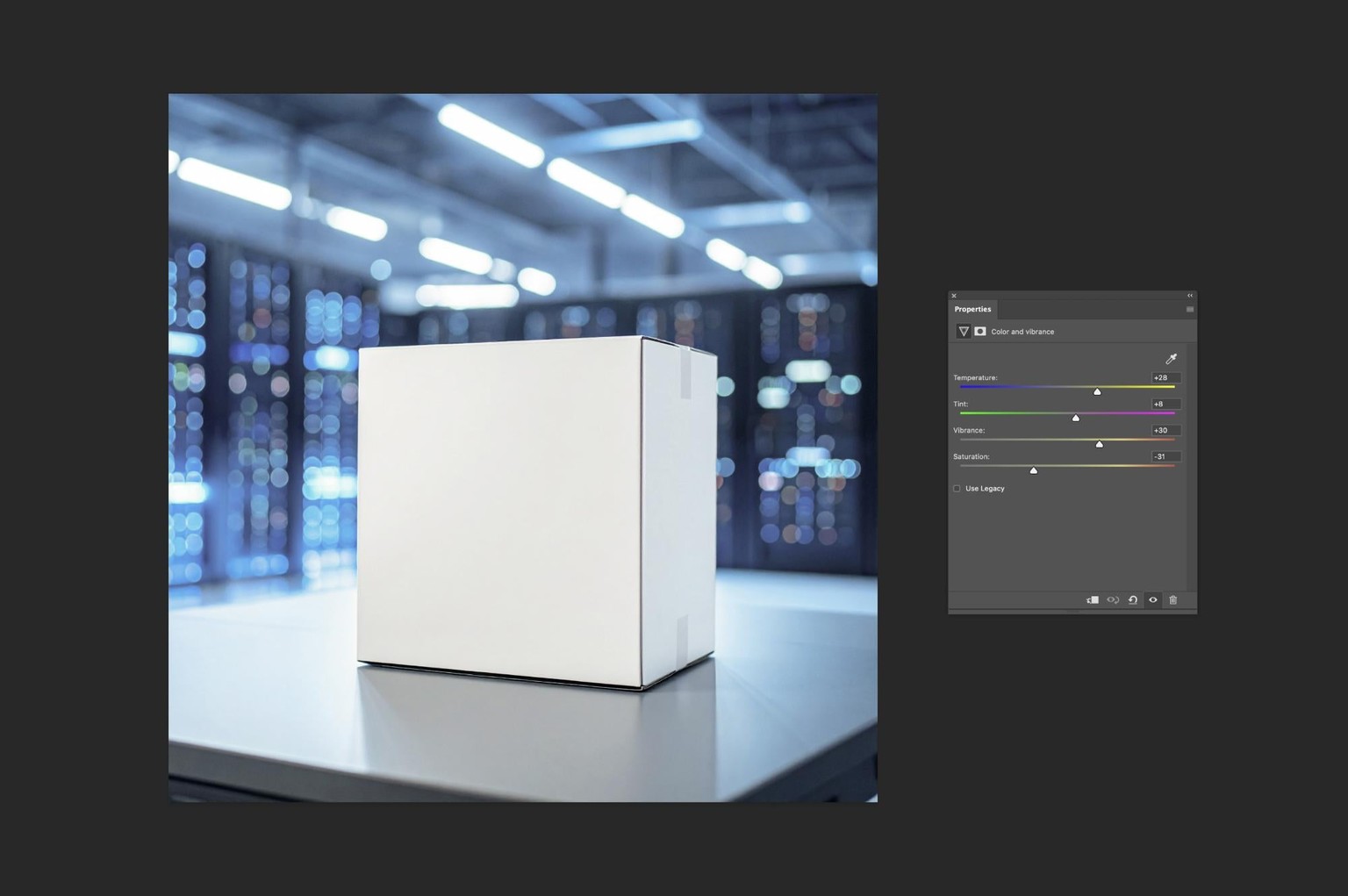
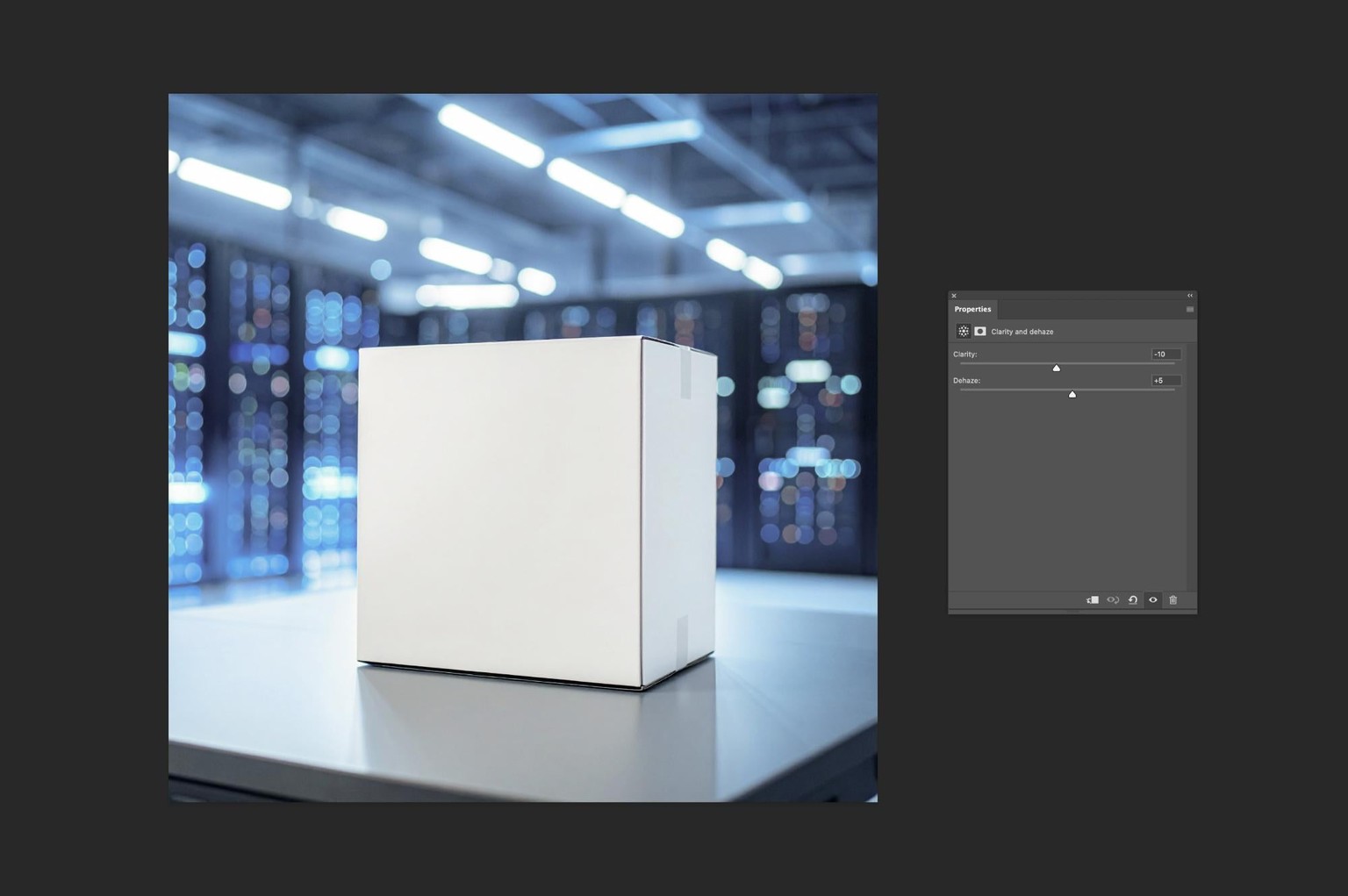
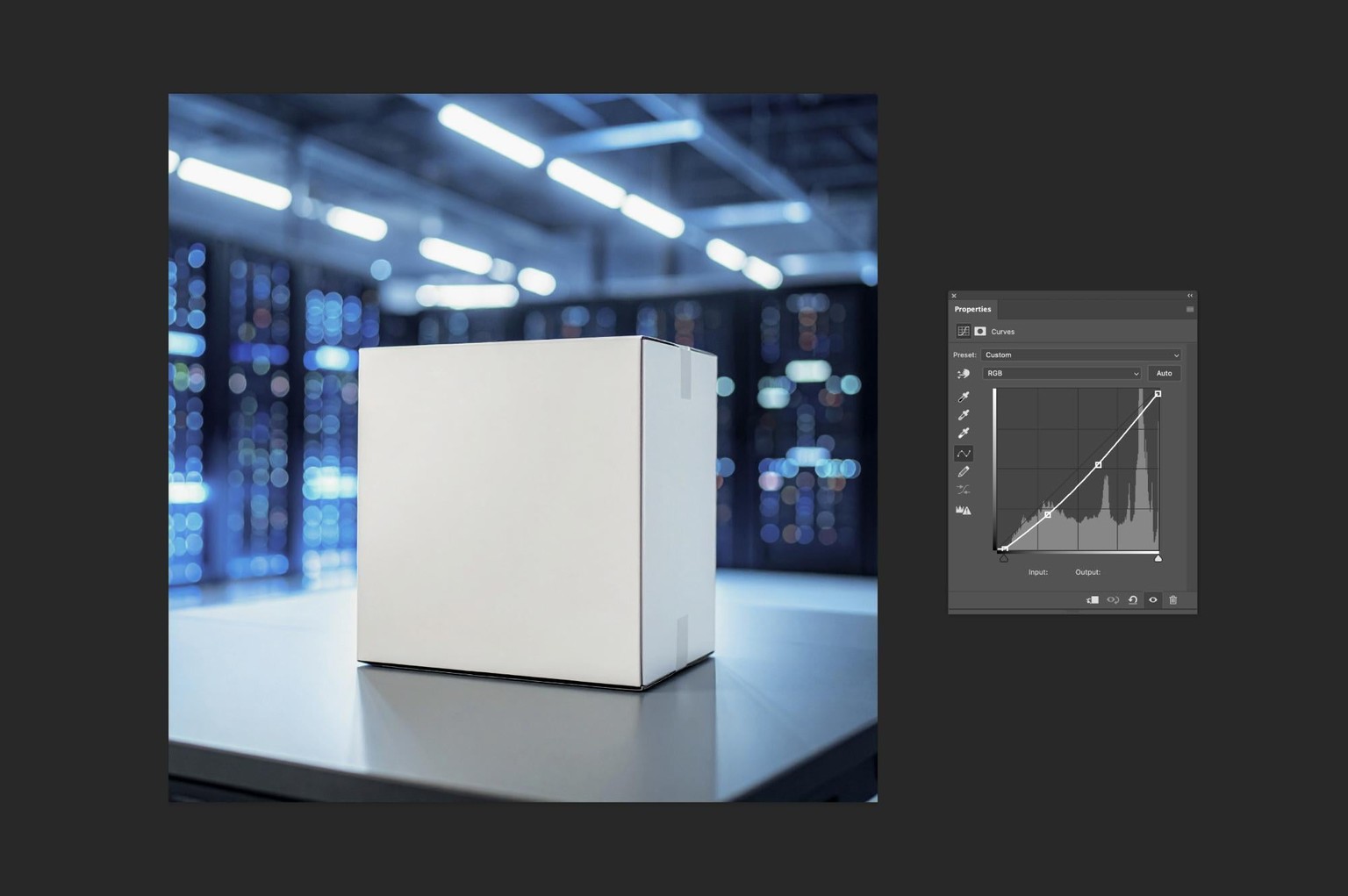
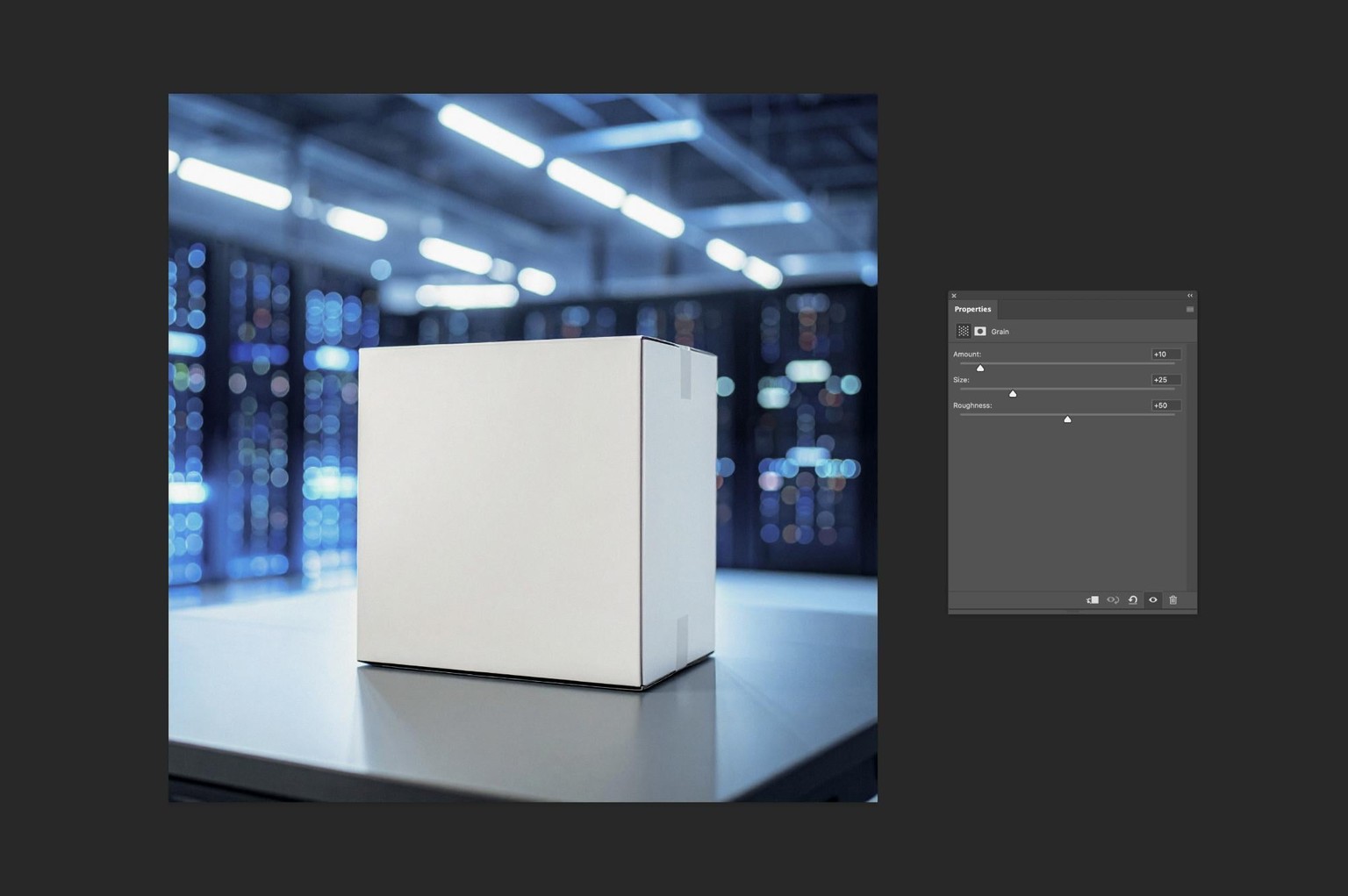
I also made the image a little darker by lowering the midtones and shadows to add more depth and character to the scene.
Picture Frame in the Home Gym Nook
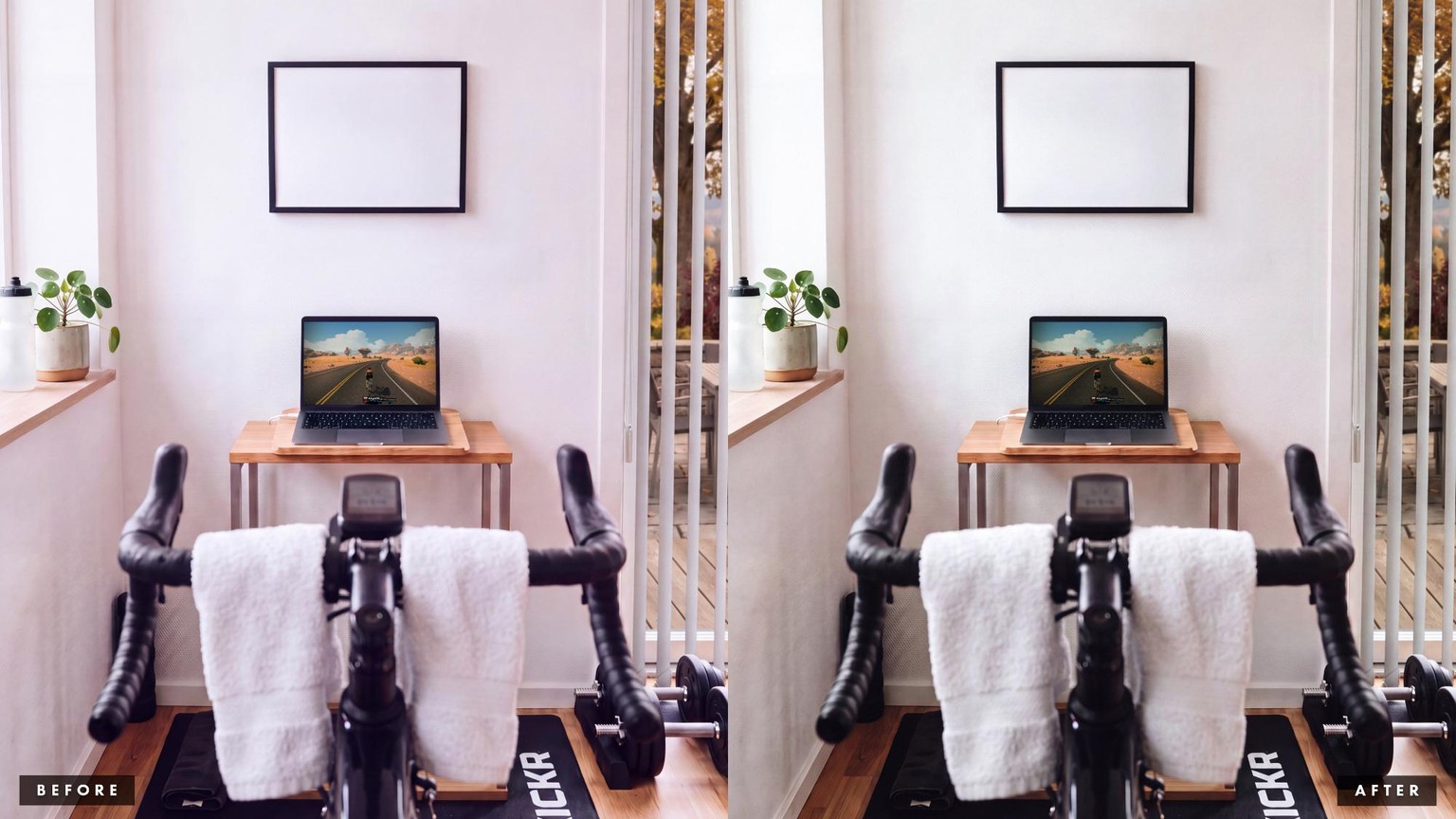
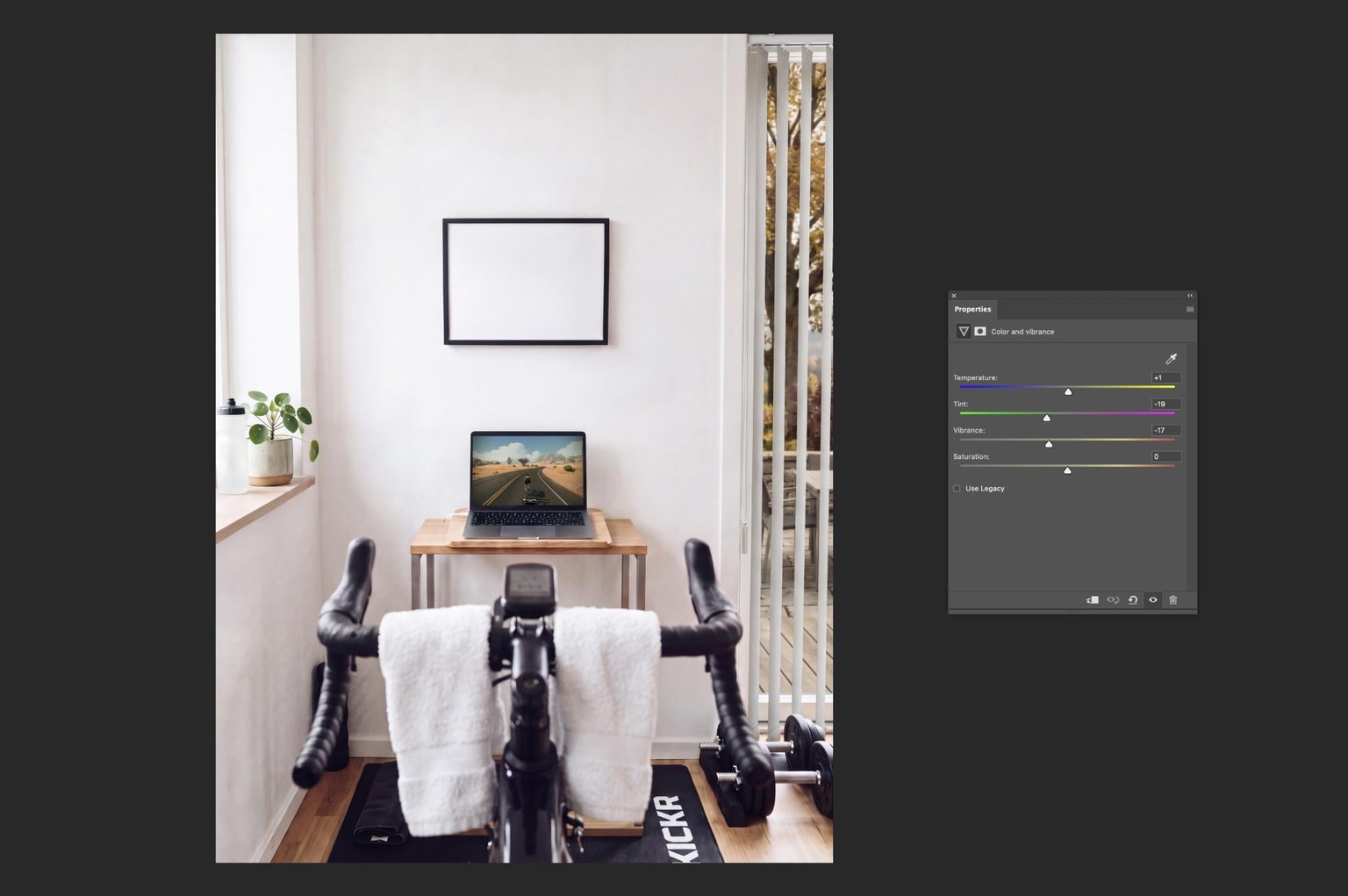
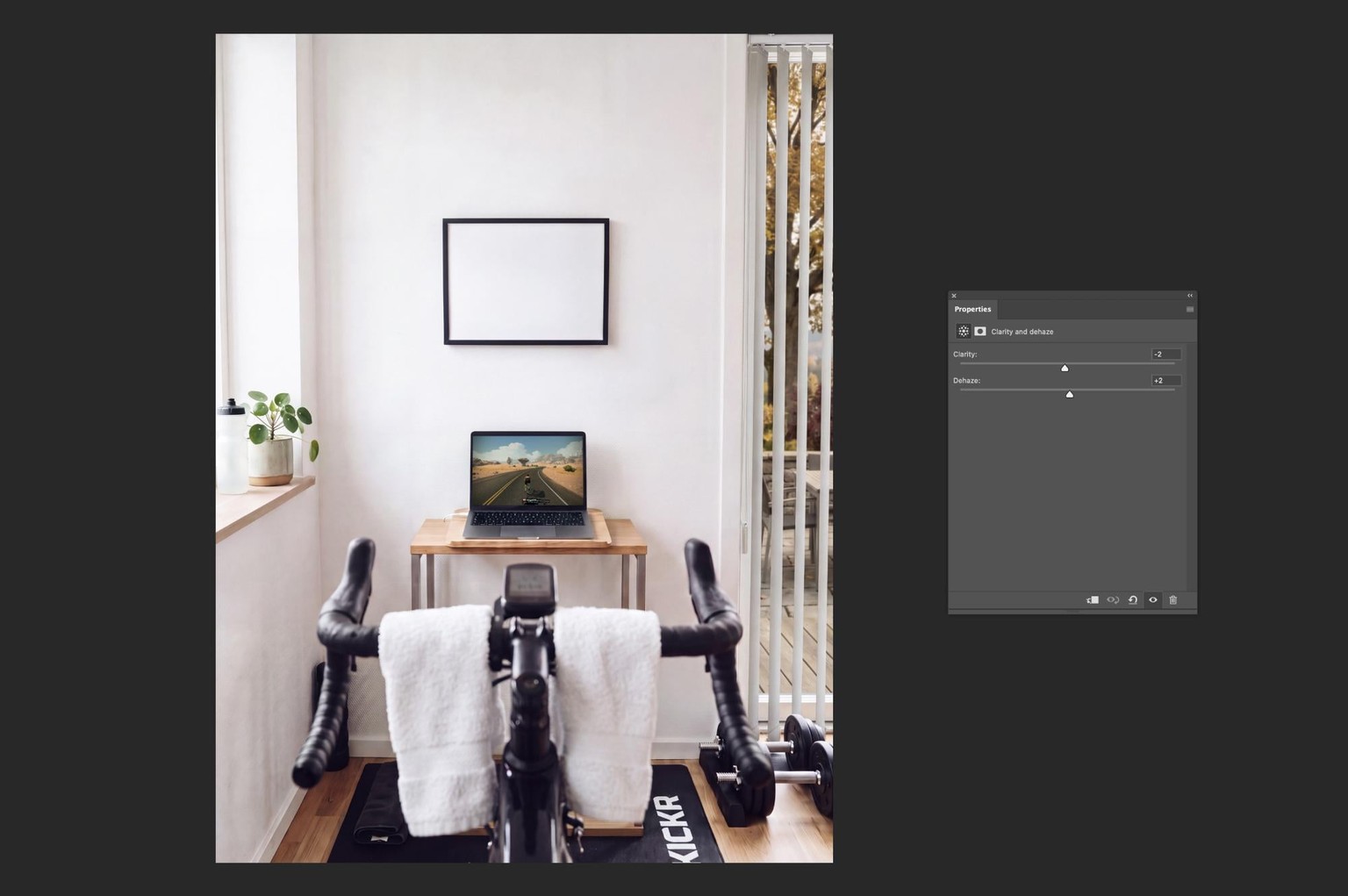
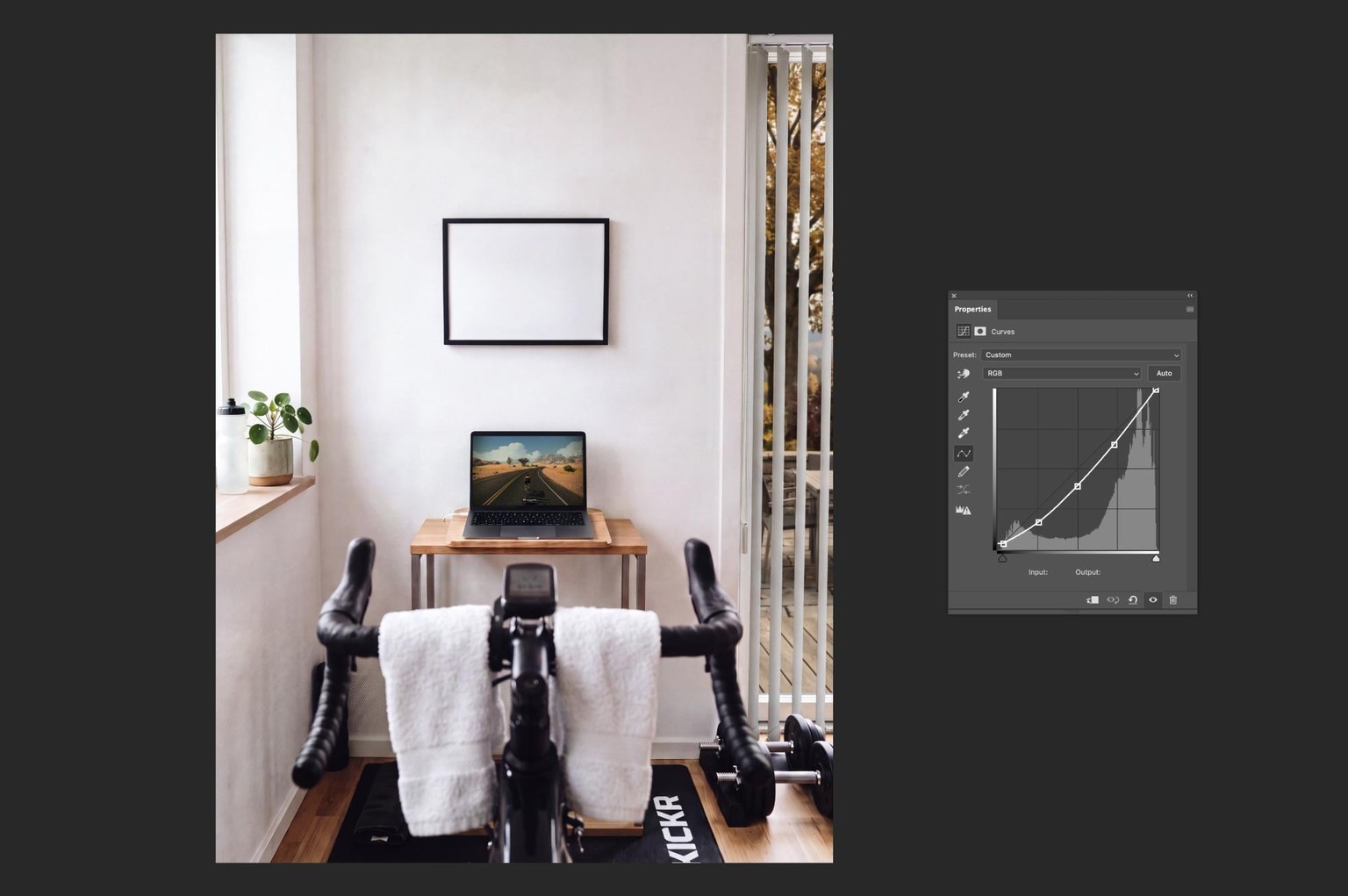
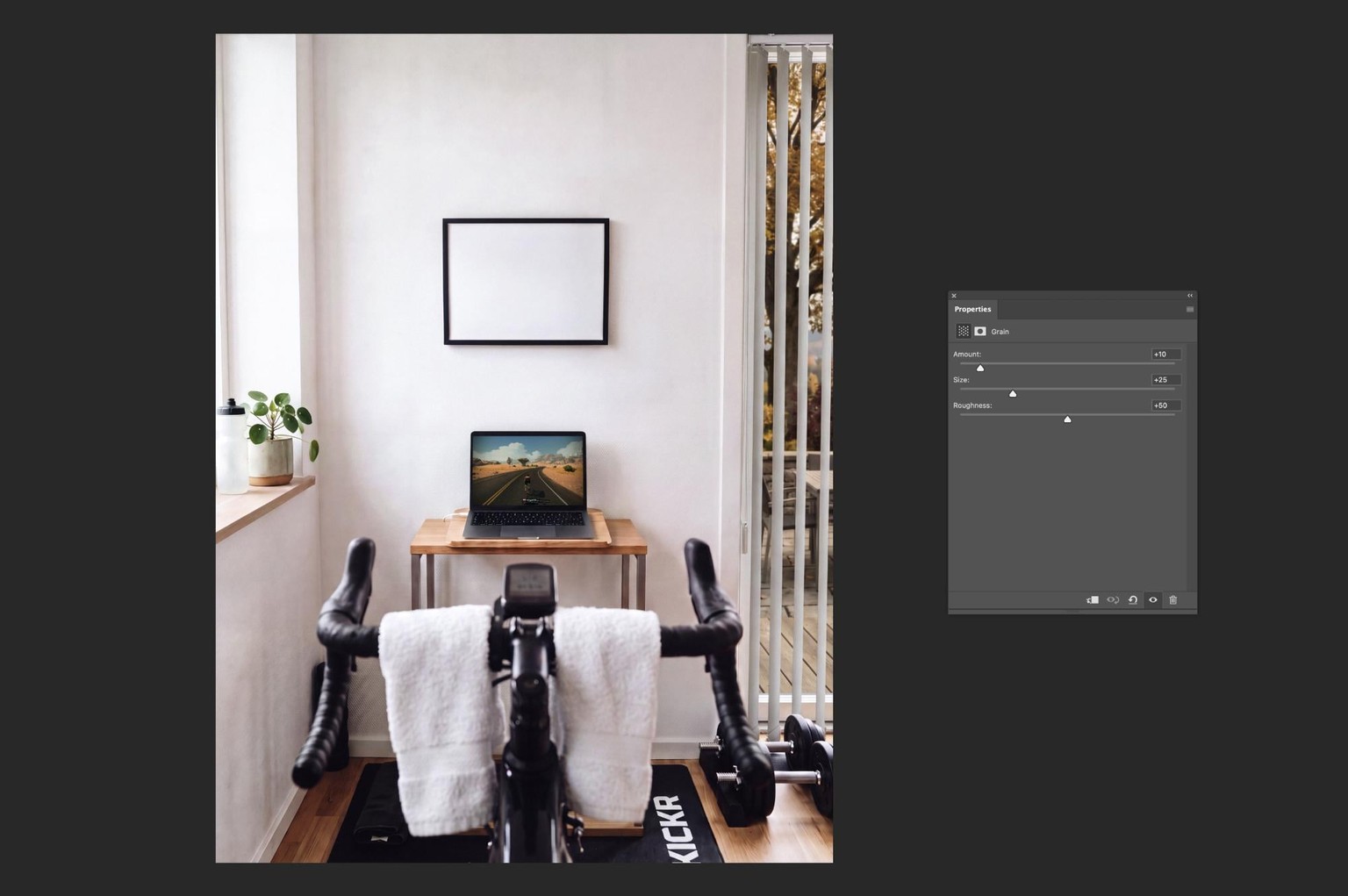
This image obviously had a lot of magenta cast, and compensating for it using the Tint and a bit of Temperature was the biggest adjustment to this image. For my liking, the image was also a little too light, so I made the midtones and the adjacent tones a little darker, which helped to add a bit more depth to the image and make it look like an indoor workout on a overcast late autumn day.
Silk Dress
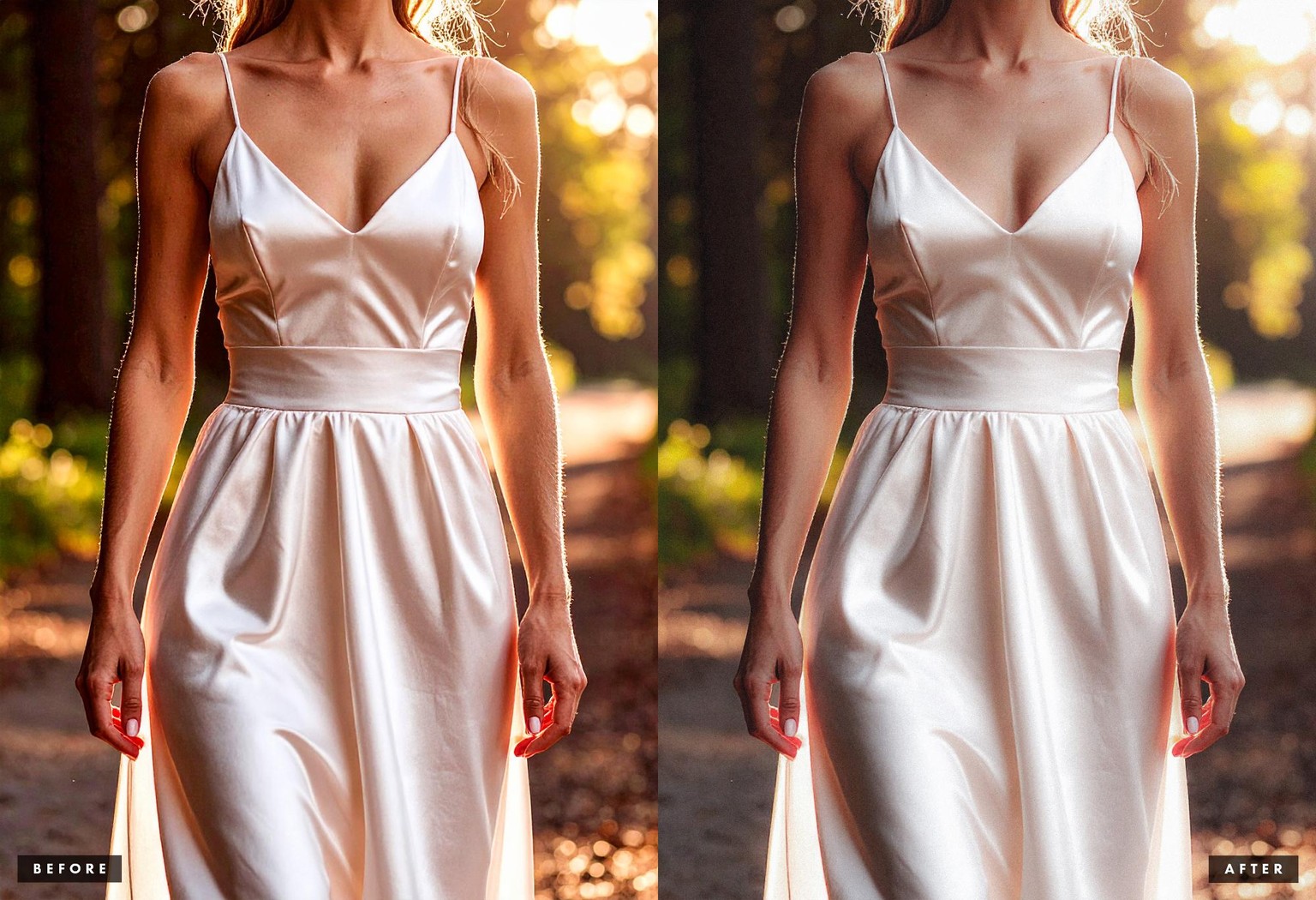
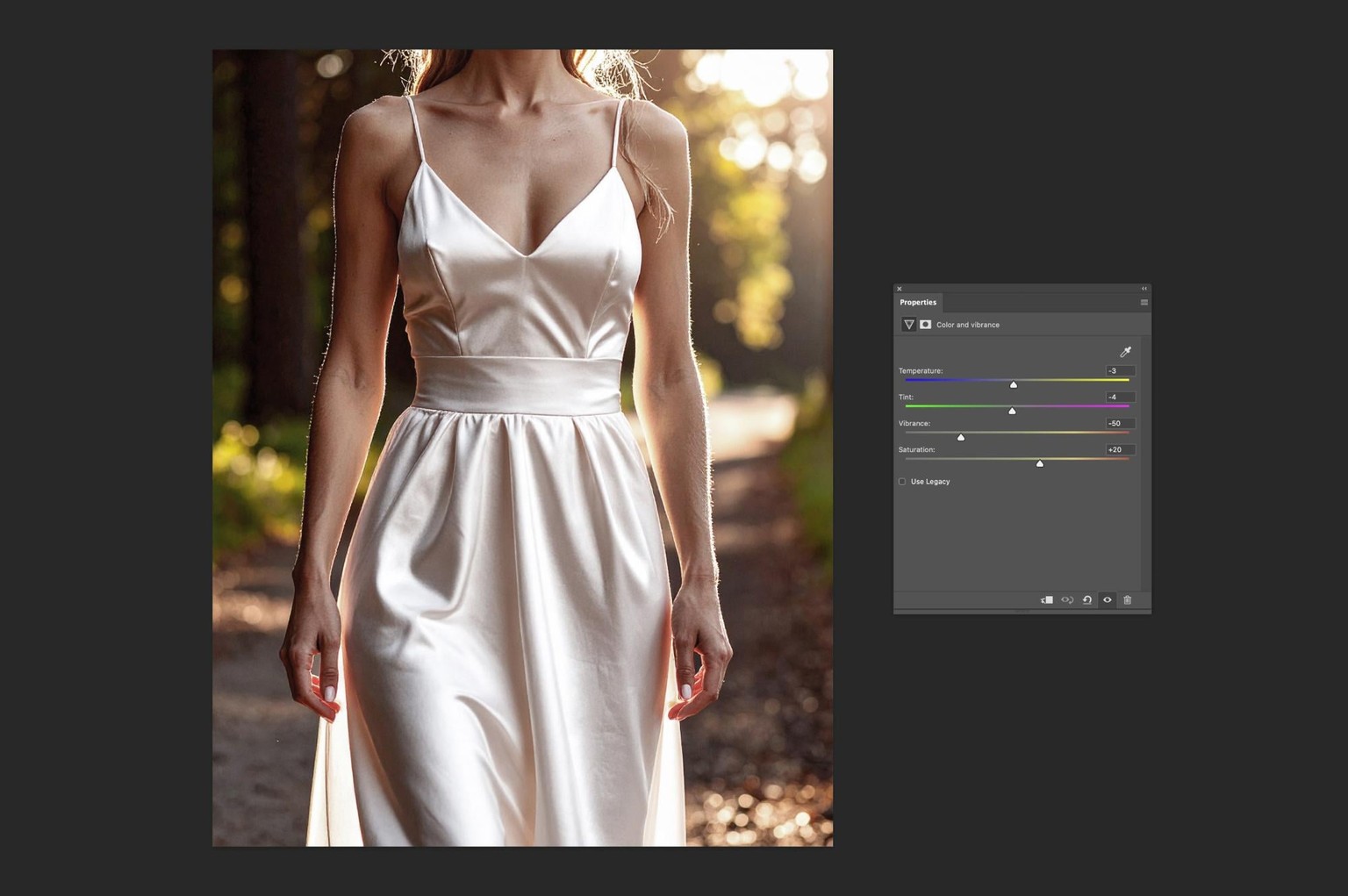
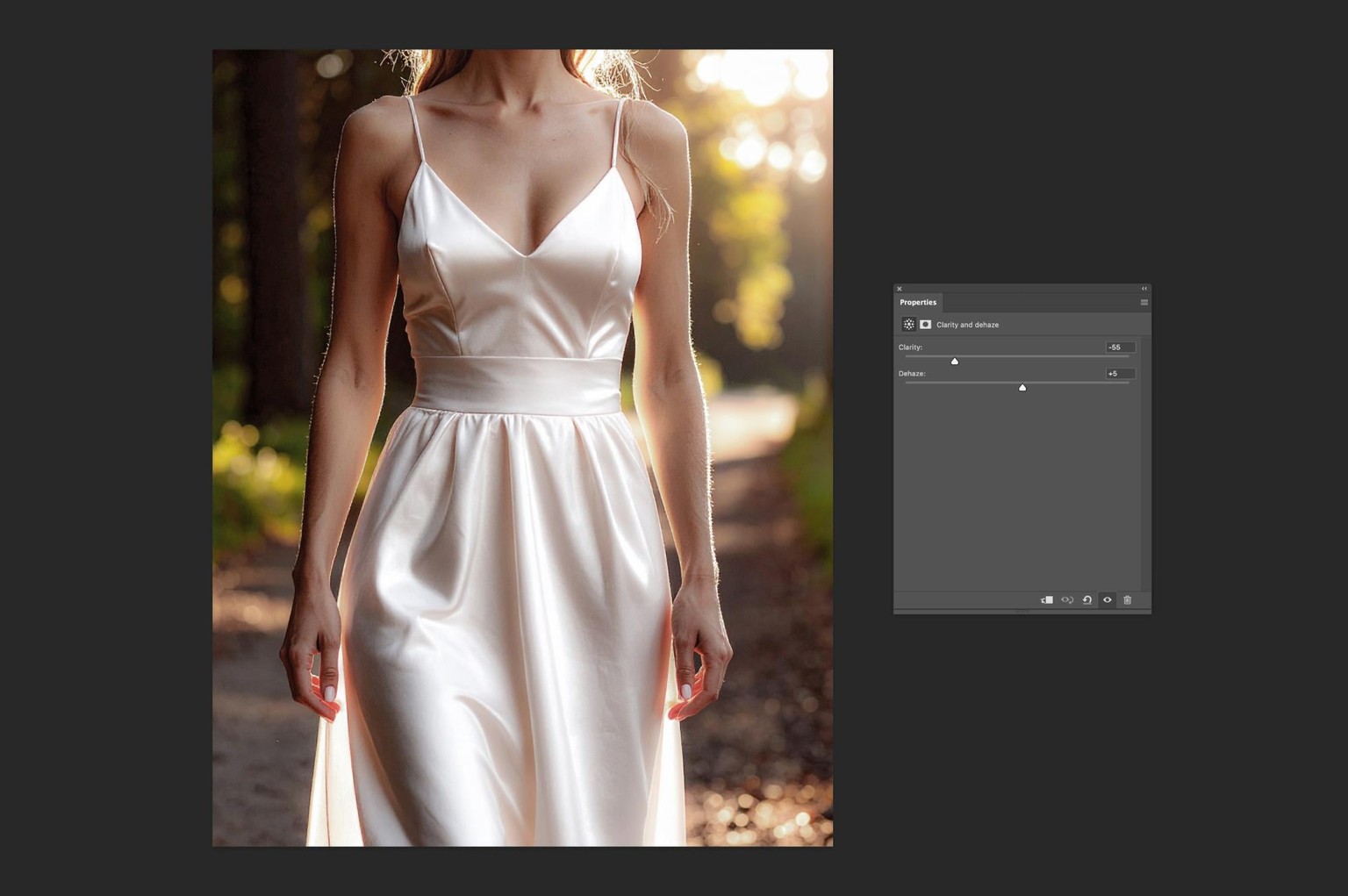
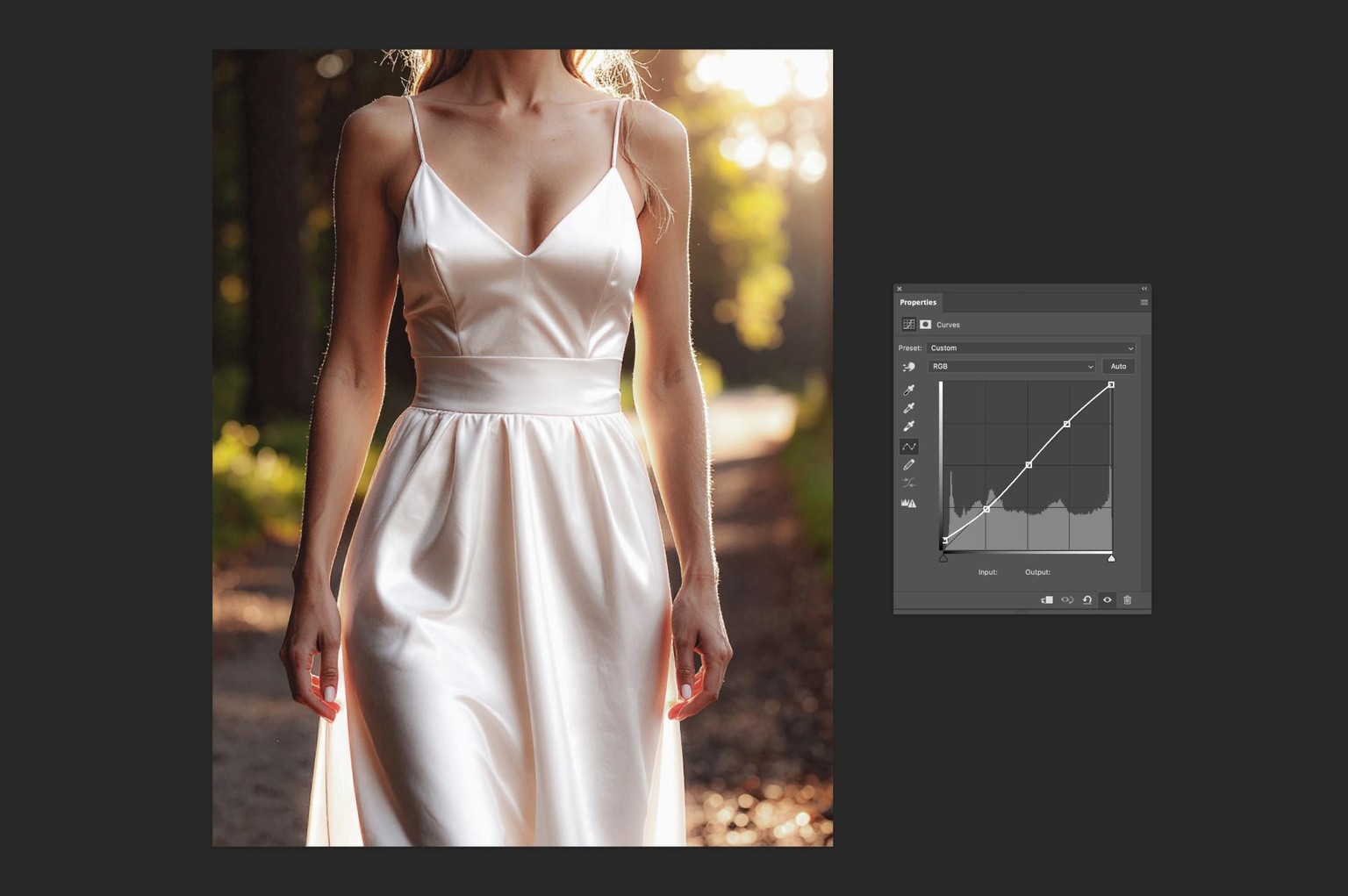
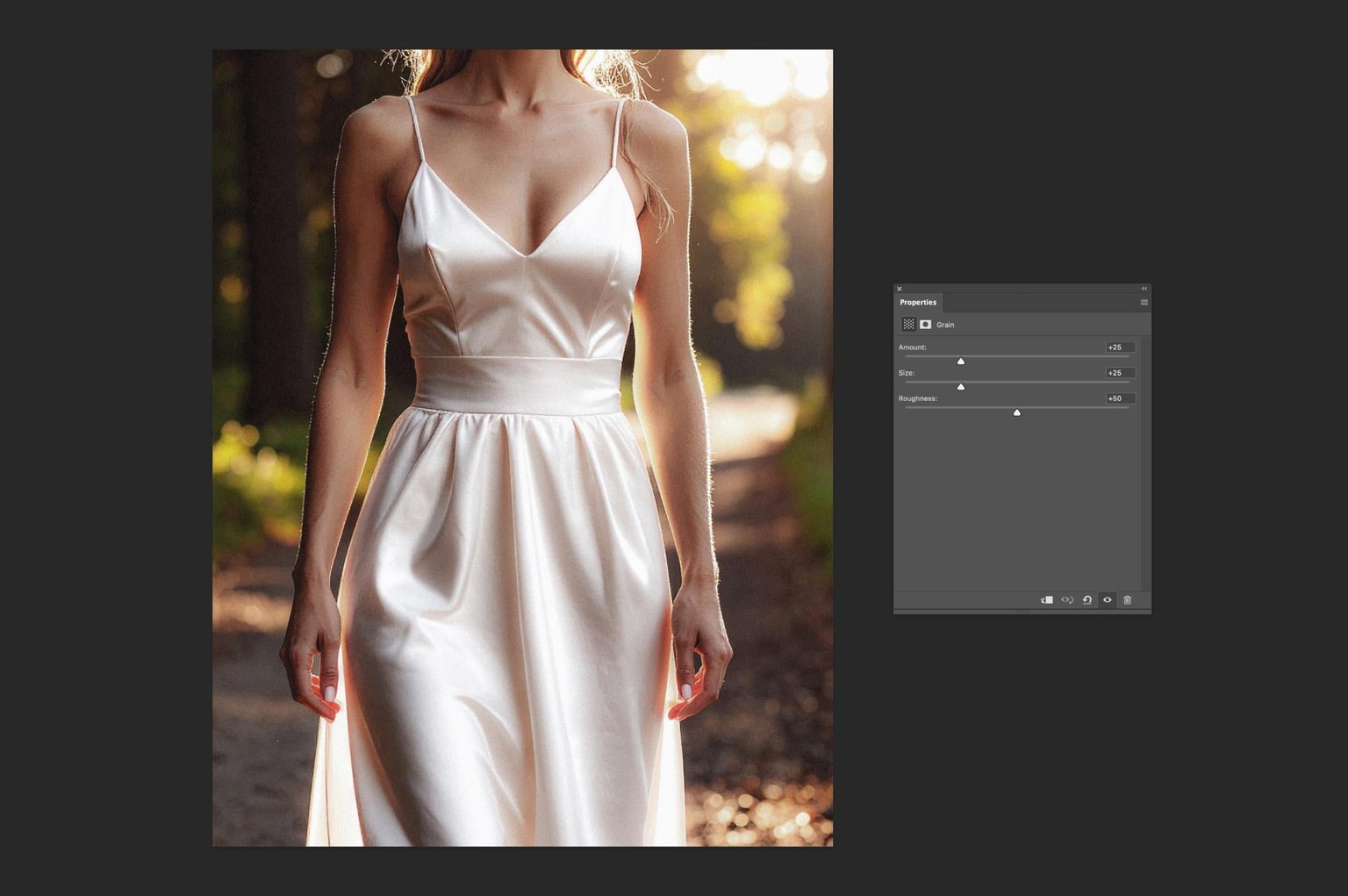
Whilst this image has beautiful light, great composition for a mock-up and great details, the original was looking way too crisp and overly processed, so the major adjustment was lowering the Clarity to create a more natural look. The skin tones also looked a little too saturated, so I compensated for this by lowering the Vibrance, whilst increasing the overall Saturation to keep the colours of the outdoor scene more natural.
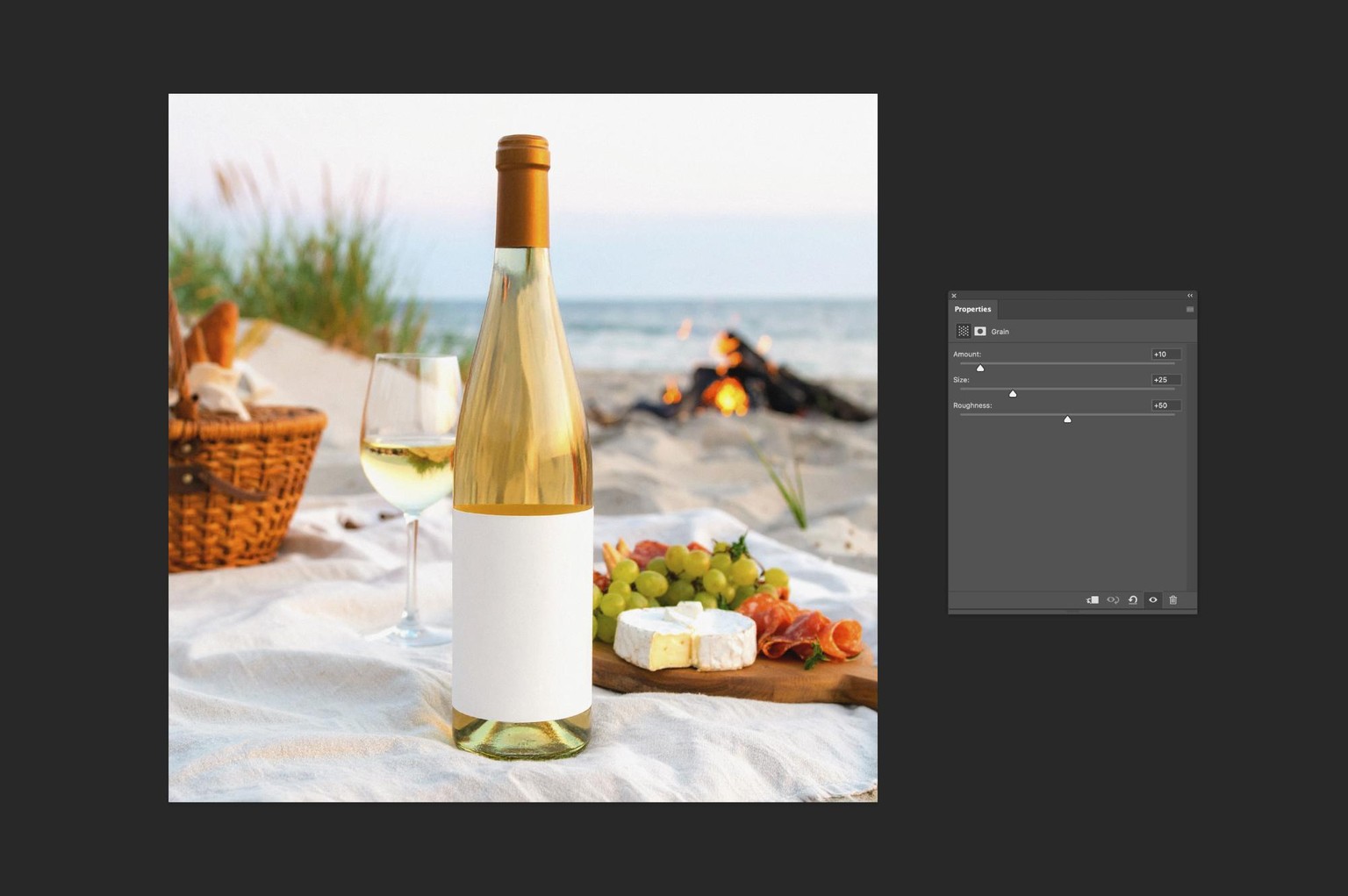
Picnic on the Beach: Wine Bottle
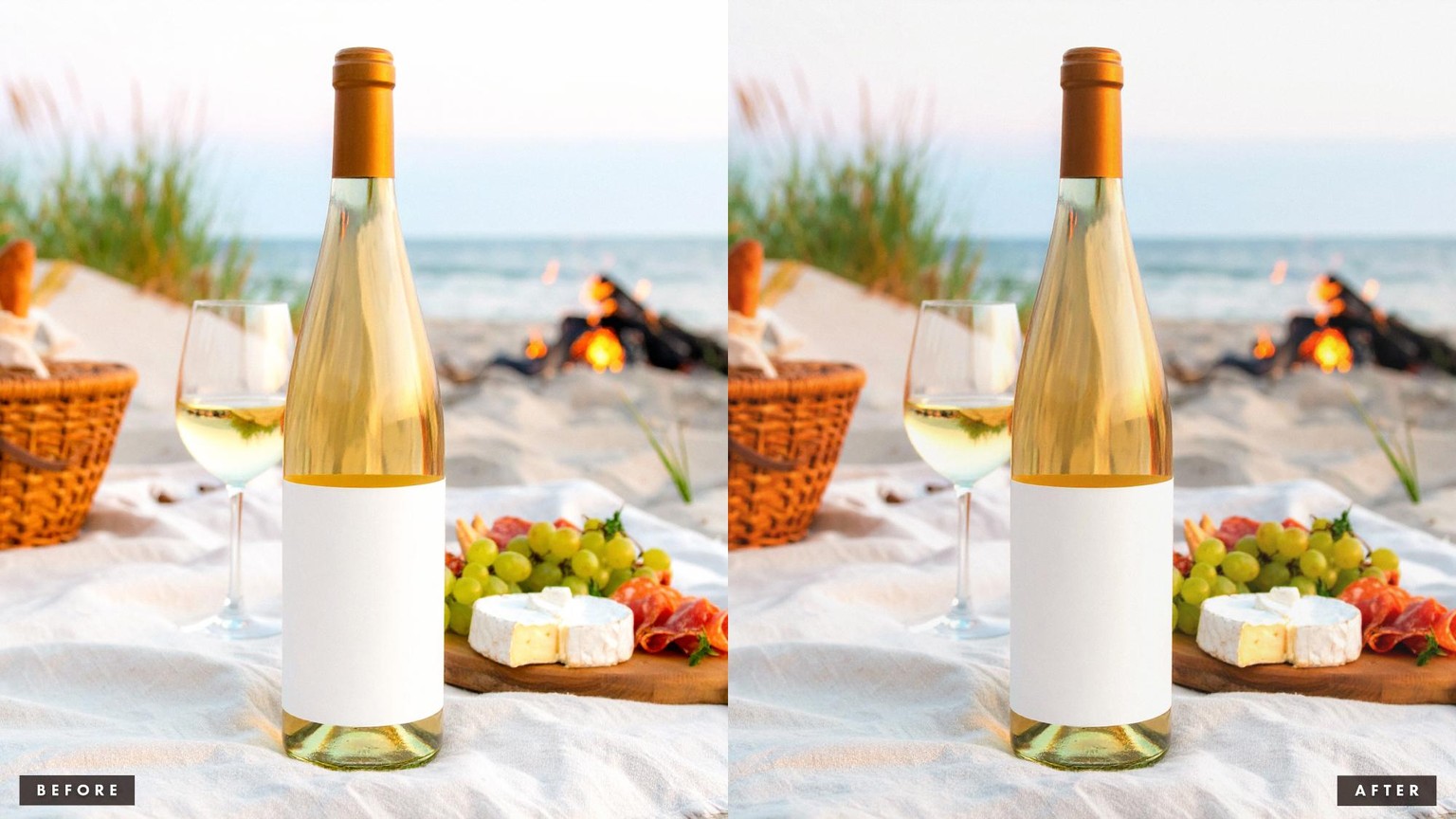
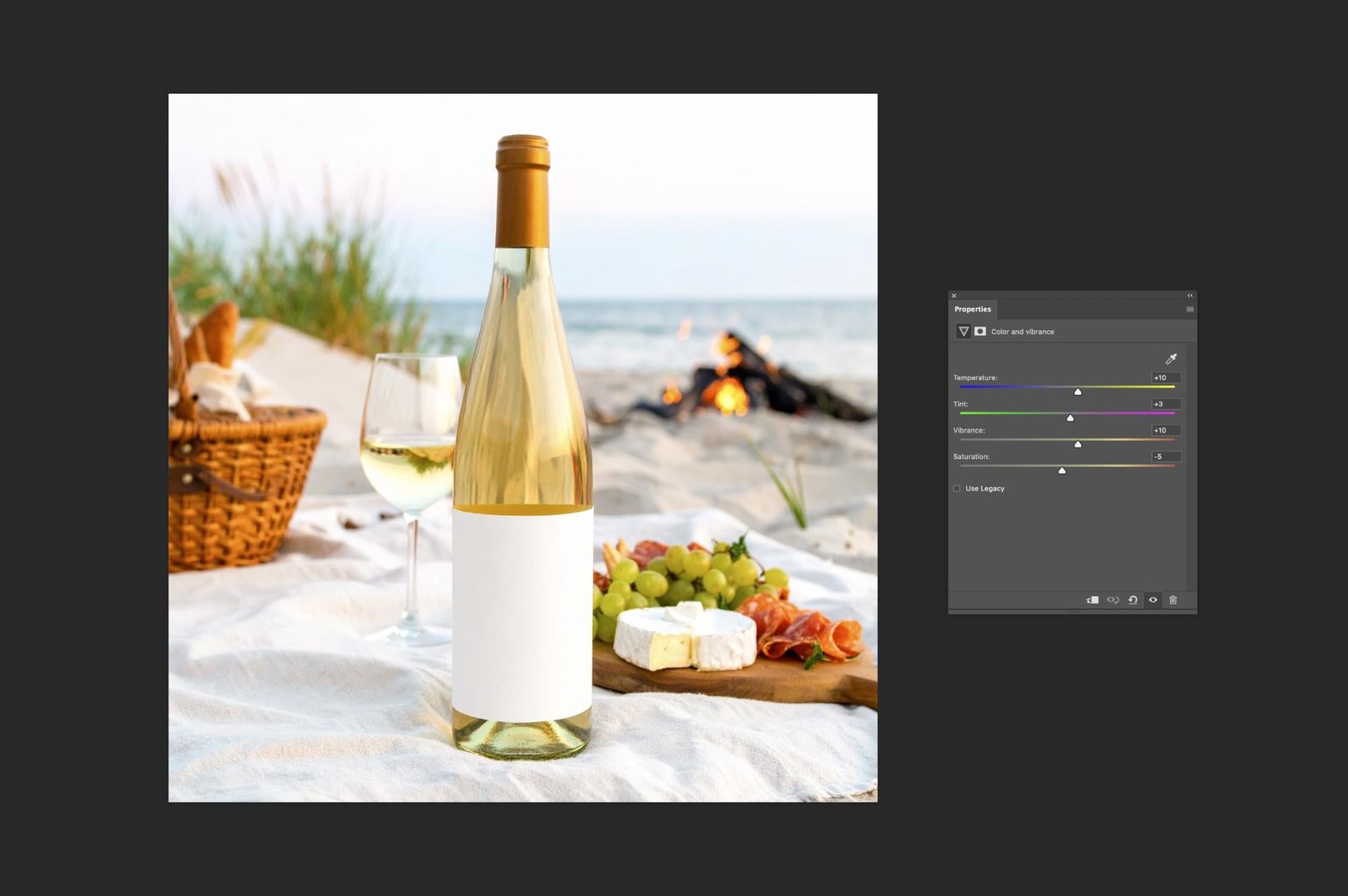
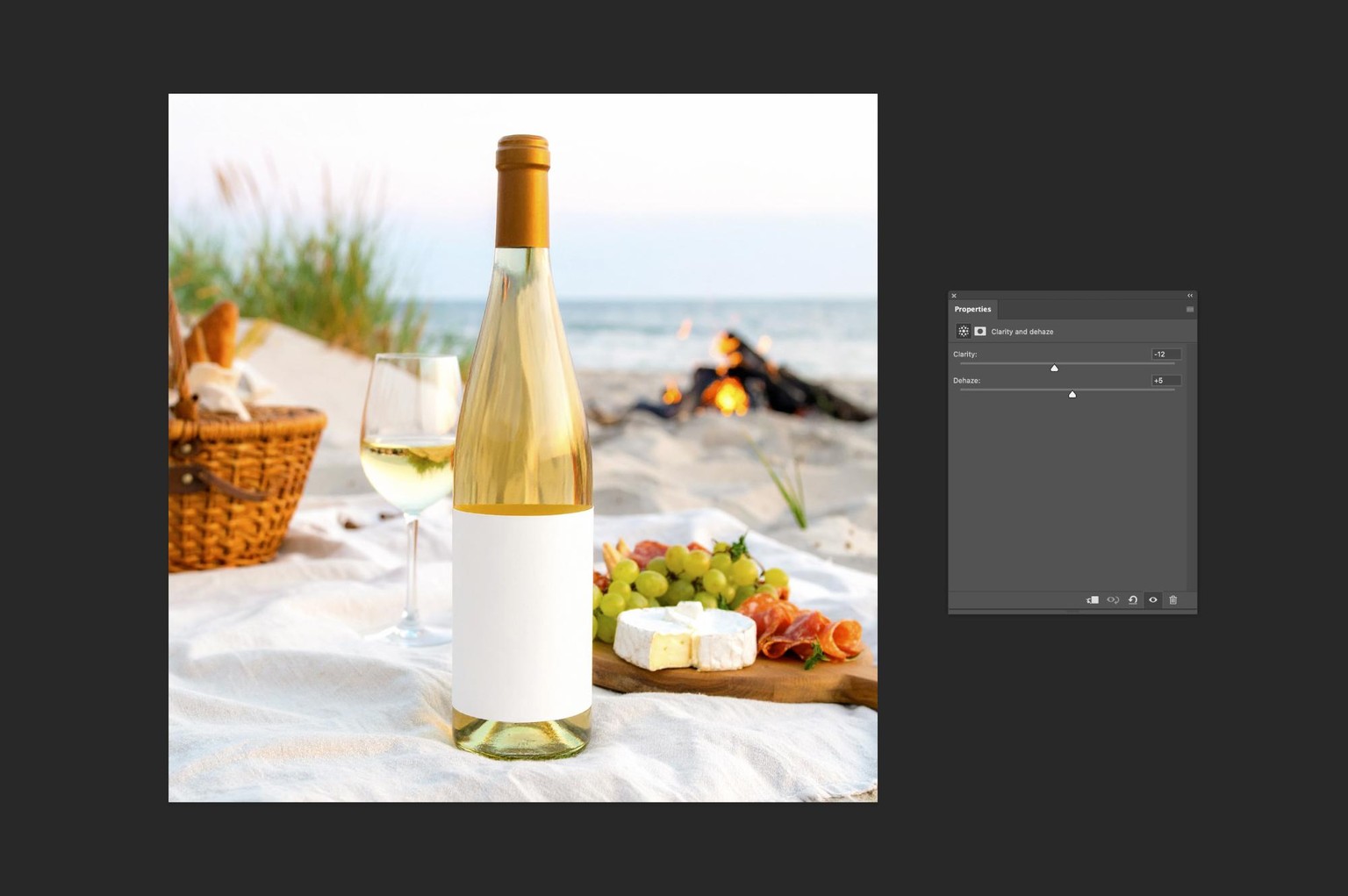
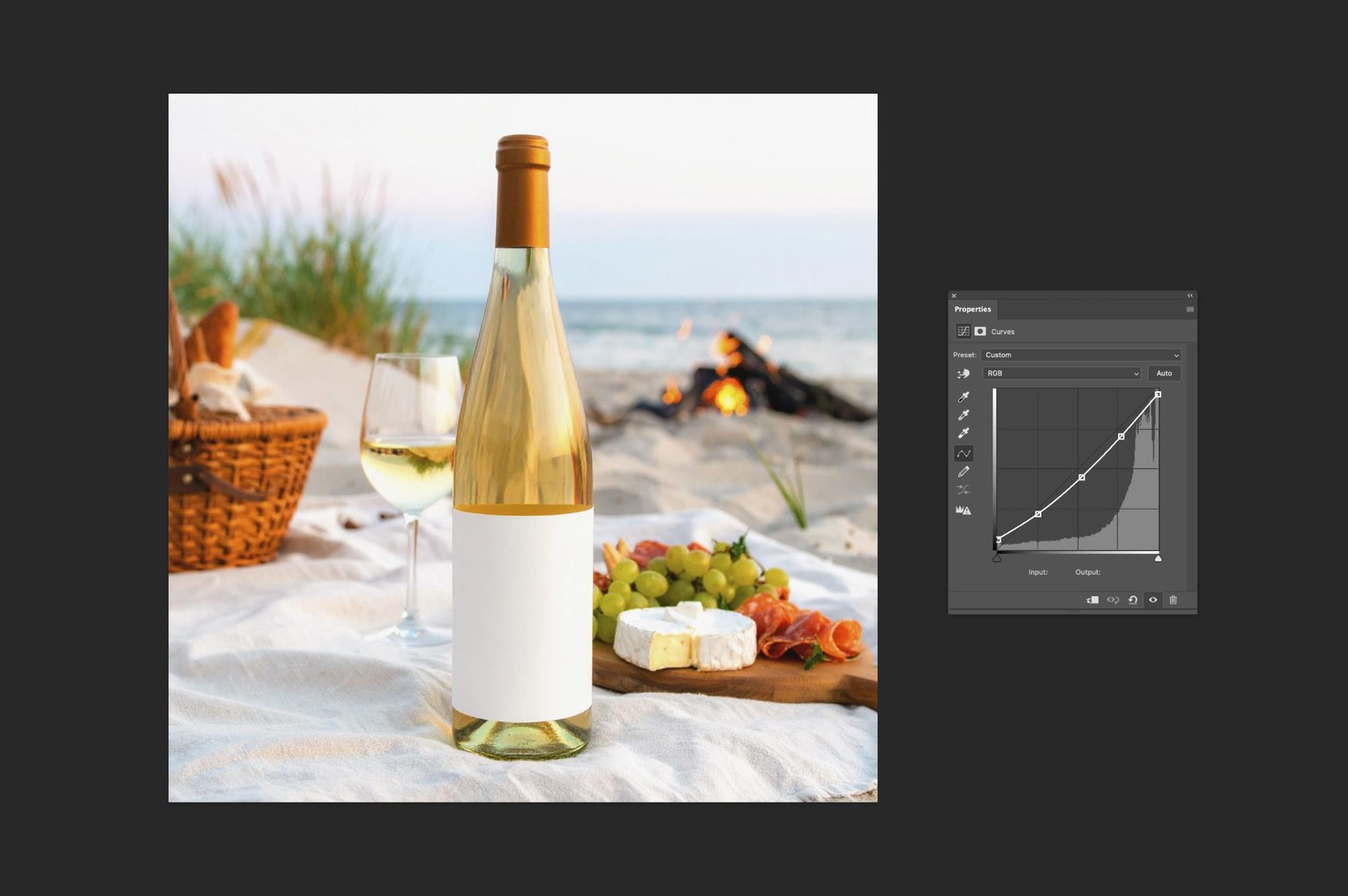
I loved the general vibe of this image, but it looked a little cold and a little light for my liking, so I made it a touch warmer and deepened the midtones just a little. These are super subtle changes, but they really help to better set the mood in the image and make it work better as a product mock-up.
Thanks for watching!
Hope these examples will inspire you to experiment with editing your mock-up scenes, and I cannot wait to see your projects in this class!
—Evgeniya