Movie Poster Project (Illustrator)
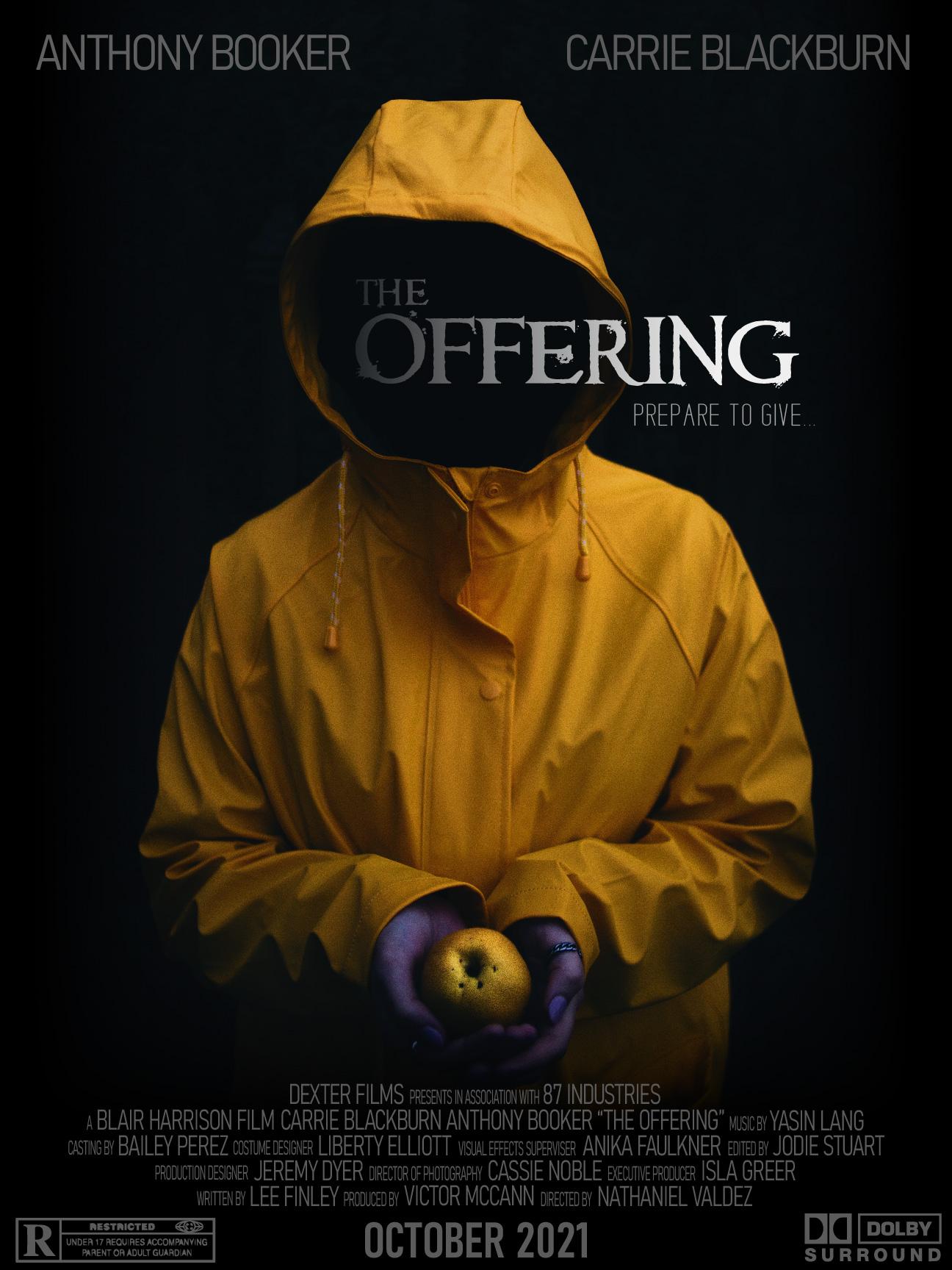
I decided to create a fictitious movie poster for my project. While I was browsing stock images I was immediately drawn to the raincoat image and was soon full of ideas for a creepy, horror movie poster!
I came up with a title and a tagline, I used a character name generator to generate the names of the actors and the names for the credits. I found an R-Rated sticker and a Dolby sticker to add a bit of realism to the design. I did a lot of research, studying existing posters and also came across a detailed post about adding movie credits. I realised how difficult it can be to position actors names on the poster especially if they vary in length - everything can begin to look very asymmetrical!
Overall I was pleased with the result - I've been spending a lot of time in Photoshop lately and it was good to get back into Illustrator.
PHOTOSHOP PROJECTS
I followed along and created the eye catching, travel hacks thumbnail from the class:

I then had a go at creating one of my own, I chose a topic I was interested in - I'm a huge fan of the outdoors and nature so I decided on a hiking theme. My design doesn't use such eye catching colours but I enjoyed figuring out which tools to use to get the effects I wanted and really enjoyed making this outdoorsy themed thumbnail:

I also had some fun playing around with typography and layering masks: