Build Your Killer LinkedIn Business Page
Project Goal:
I created a fully optimized LinkedIn Business Page by following the 5 steps from the course. Here’s what I did:
Step 1: Defined My Brand IdentityI chose a clear business name that reflects my brand and uploaded a professional logo. I wrote a concise tagline that communicates my value in just a few words. My brand now looks consistent and recognizable across LinkedIn.
Screenshot:

I wrote an engaging company description that highlights what I do, my mission, and who I serve. I included industry keywords to make my page discoverable and added a call-to-action encouraging visitors to visit my website.
Screenshot:
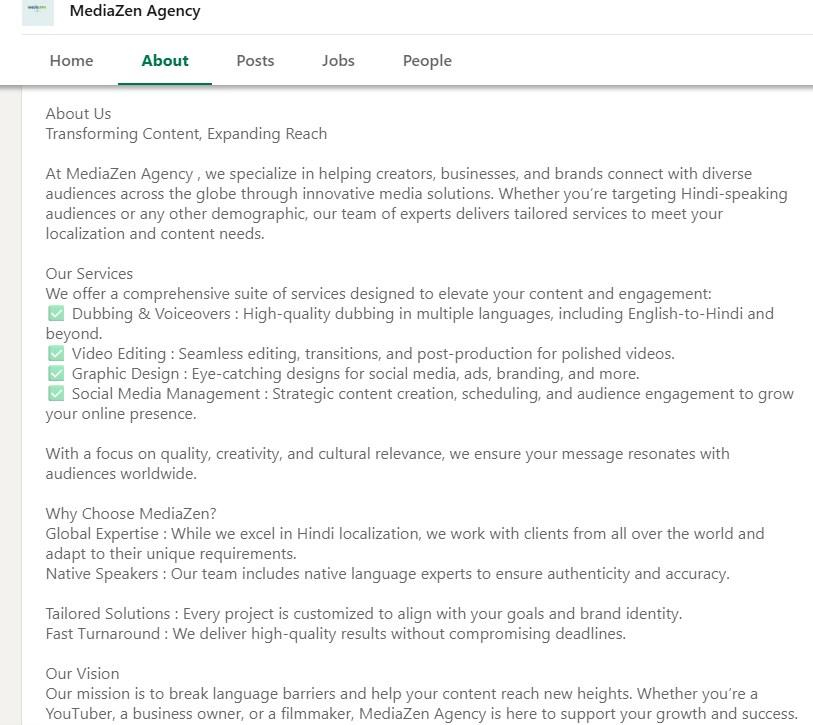
Step 3: Optimized My Page Details
I filled in all the essential details, including my website, location, industry, and company specialties. I made sure my page looks complete and professional. Now it’s easy for potential clients and partners to find and trust my business.
Step 4: Posted Valuable ContentI shared two original posts relevant to my business, including images and questions to engage my audience. I encouraged followers to interact and provide feedback. My posts are now live and getting engagement from my network.
Screenshot:
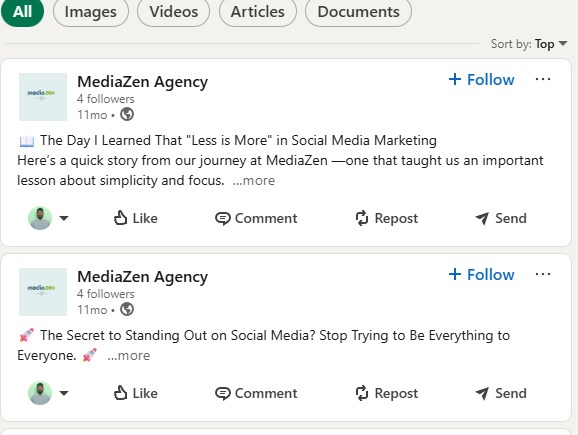
I invited colleagues and contacts to follow my page and responded promptly to comments and messages. I also started tracking engagement using LinkedIn analytics to understand what resonates with my audience.
Bonus: Created a Banner ImageI designed a visually appealing banner for my page that reflects my brand colors and style. It makes my page look professional and consistent.
Reflection
Creating this LinkedIn Business Page taught me how important consistency, clear messaging, and engagement are for building a professional presence. I’m proud of the page I built, and I plan to continue posting valuable content to grow my network.