Transcripts
1. Intro: The YouTube optimization
strategies that I'll be sharing with
you in this course resulted in me getting an additional 526,760
additional views. They wouldn't have
gotten otherwise. And it also got me 10 thousand plus
additional subscribers that I wouldn't have
gotten otherwise. Now before we get to
those strategies, you're probably
wondering who am I? Why am I qualified
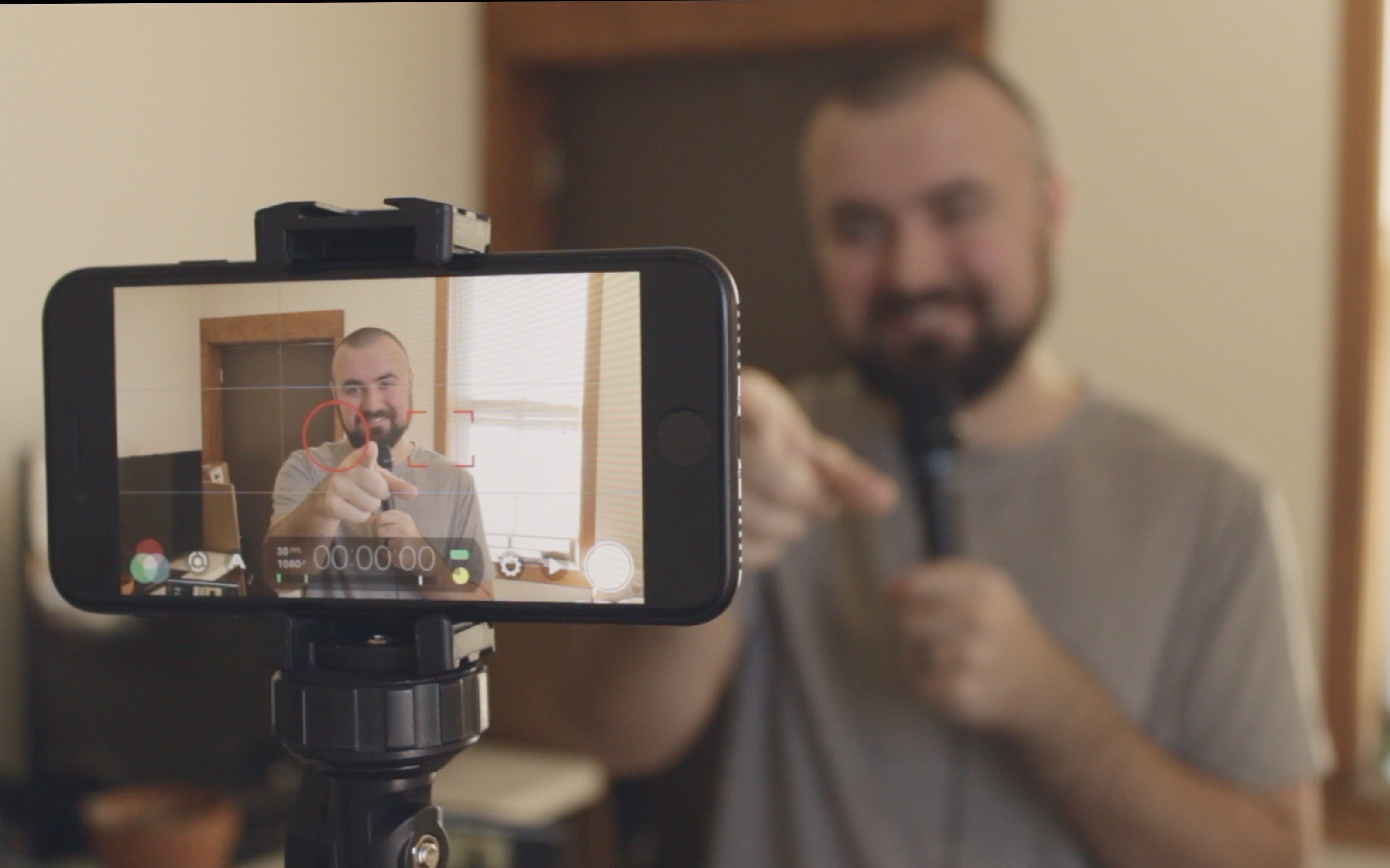
to talk about this? Hi, my name is Collin Michael. I've grown a YouTube channel to over a 130 thousand YouTube
subscribers and have also generated over 13
million total views. And what we're really
getting into in this course Is the features
YouTube gives us. And using those to
encourage people to watch more of our videos and to
subscribe as a result. And what I've seen, I
actually reviewed over a 100 different
YouTube channels, some really small,
starting out some bigger. And I have to say 95% of them are not utilizing all of these
features built-in. And they're literally
missing out on additional views that they could have gotten or additional subscribers that they
could have gotten. Now I'm not saying
that if you do this, you'll just have all these views and subscribers pouring in. You know, that's not
how YouTube works. It's not this good tons of use super-fast and no
effort whatsoever. But I can speak from my
own experience and I can look at my YouTube analytics
and see that, yes, 526 thousand extra views did come as a result of some of
the features that I did use. And I can see where my
subscribers came from and I can see that was a result of certain features
that YouTube gives me that I could use
to grow my channel. And what's really awesome
about this for you is the fact that the
channels I've reviewed, 95% of them aren't
implementing this. If you do this, you are going to be
ahead of those channels. You're gonna be
capturing more views, more subscribers that you
wouldn't have otherwise gotten. And that's what
I'm excited about, where we're making
changes to your channel. So let's dive into this.
2. Customizing Your Channel Banner.: So the first thing we
need to optimize them. The most common thing
people miss out on is the YouTube channel banner. Now, what this serves
for, in my opinion, is, why should I subscribe
to this channel? It needs to tell me what
your channels about and potentially show me why I would even be interested in clicking
the subscribe button. Why am I going to follow
along with your content? Why am I going to go through and look at more of the videos
that you've posted. So on mine, I have it
very simple for me. It just says make better videos. That's why I teach on YouTube
how to make better videos, so make better videos. I also have my website here. I have a photo of me there. So if someone comes
to my channel, they know that that's the value, they're going
to get out of that. So that is how you need to
optimize this channel banner. Lot of times what I see
is a confusing mess of random stuff or to random photo or it's like
a paragraph of text. And there's pictures and different elements
all over the place. You don't want that. We want simplicity and a very clear message about
what your channels about. And it's really great that
it doesn't need to be super complicated because most of
us aren't graphic designers. So just being able
to keep it simple, precise to the point. Here's the value I
provide on this channel. Perfect. Now, ways you can
design this completely free. I would recommend
picking up Canva, I think Canvas probably the
easiest way to do this. For example, I have here, you could just go to
the search bar and just type YouTube banner in. And here it will give you the exact dimensions,
2560 by 1440. That is the
dimensions we need to use and canvas completely
free by the way, canva.com or the Canvas
app, you can use this. I actually have a
banner pulled up here. And what I basically had to do, because not only
are people going to be seeing this on desktop, but on your mobile device, people are watching
YouTube on their phones. So there's going
to be a crop down the left side here and
down the right side. So we need to appeal
for that as well. So even though this
full screen is the resolution you need in
case it's displayed on a TV. Most people are only seeing this little section
here now because Canva doesn't really
give us an idea of what the safe area is
for YouTube banner, you just have to assume
it's this middle area. And then once you
upload your banner, just make sure it actually
fits into dimensions. I'll actually show you here. So if you actually
scroll down to the customization section here, and then go over to branding. And then over here, you can change
your banner image. So for example, sake, I'm going to click
Change and I'm going to click on one of the
banners I had originally. So as I open this up, you'll see it gives me
the dimensions here. I can see this is
what's viewable on mobile or aka all devices. Desktop kinda shows some
of the edges a bit, and then a TV shows everything. This is really the only area
you want to worry about. Don't appeal to people
who are watching on TV. Heck, I don't even
think I've ever looked at a channel
page from a TV, so don't even worry about
that, just worry about the mobile users
for the most part. But as you can notice, I could have increased
the size of myself here. I had a lot of room
here for the tax them. I have been able to extend
it a little bit longer. So you might take
a few iterations, you might have to. Oh, okay. And then you go back and you go back to Canva and you will readjust the size a bit
and then go back over. That's how I've done
it and designed my channel banners in the past, I now actually use Photoshop, but hey, we're going to have free budget, just
happened to Canva. You can easily make
these ad texts and different elements in. But the one thing you
absolutely need to leave with is I need to have a channel
banner on my channel. I can see from my
YouTube analytics that 6 thousand
people subscribe to my channel as a result of them looking at the front
of my channels page. That means they saw the banner. They saw maybe some of the
videos down below here too, but they definitely
saw the banner and then click subscribe. So get on this right away, make sure it is simple. It's easy to read and describes why people
should subscribe to this channel the value
you will provide someone and you'll
be set for success. Let's hop on to the next tip.
3. Your Channel Name Matters.: The next thing you could
potentially optimizes your channel name and
this is optional. For example, my channel name, I just do Collin Michael. I like having it just my name. But depending how
you optimize this, it could actually result in
more people subscribing. For example, let's say I
had an outdoor channel and maybe I do Collin outdoors for my channel name that clearly
describes in the name of my channel what it's
going to be about and could cause people to
subscribe just as a result, because they're
watching a video, maybe they're enjoying it,
it's on some outdoor activity. Then they see the name of my
channel like, Oh my gosh, this guy does outdoor content. I'm going to subscribe or
maybe I'm a real estate agent. And so I can name my channel, Wisconsin real
estate with Colin. Instantly, people are going
to realize, oh my goodness, colonies or real estate agent, I'm going to subscribe and
hanging maybe send them an email because I'm
trying to buy some houses. I'm thinking about
buying an area. I want to see what
information he can give me. I can clearly
describe the value. I'm going to provide a
viewer if they subscribe, if they watch, if the
consumer content, if they go further with
me and reach out through email or follow me on other
social media platforms. So really keep that in mind when you're naming your channel. You can always change
it at anytime to like YouTube lets you
change your name. I think every so often. So you can definitely go
back and change that, especially even
if you've already grown up following for a bit, I've changed my name at 10 thousand subscribers
and it was no problem. I still was able to
grow the channel. But something to
keep in mind if you really want to
optimize that far, could definitely be worth it.
4. What About Channel Picture?: Now let's talk about
your channel picture. This also has the potential to show people
why they should subscribe. Why should, why they
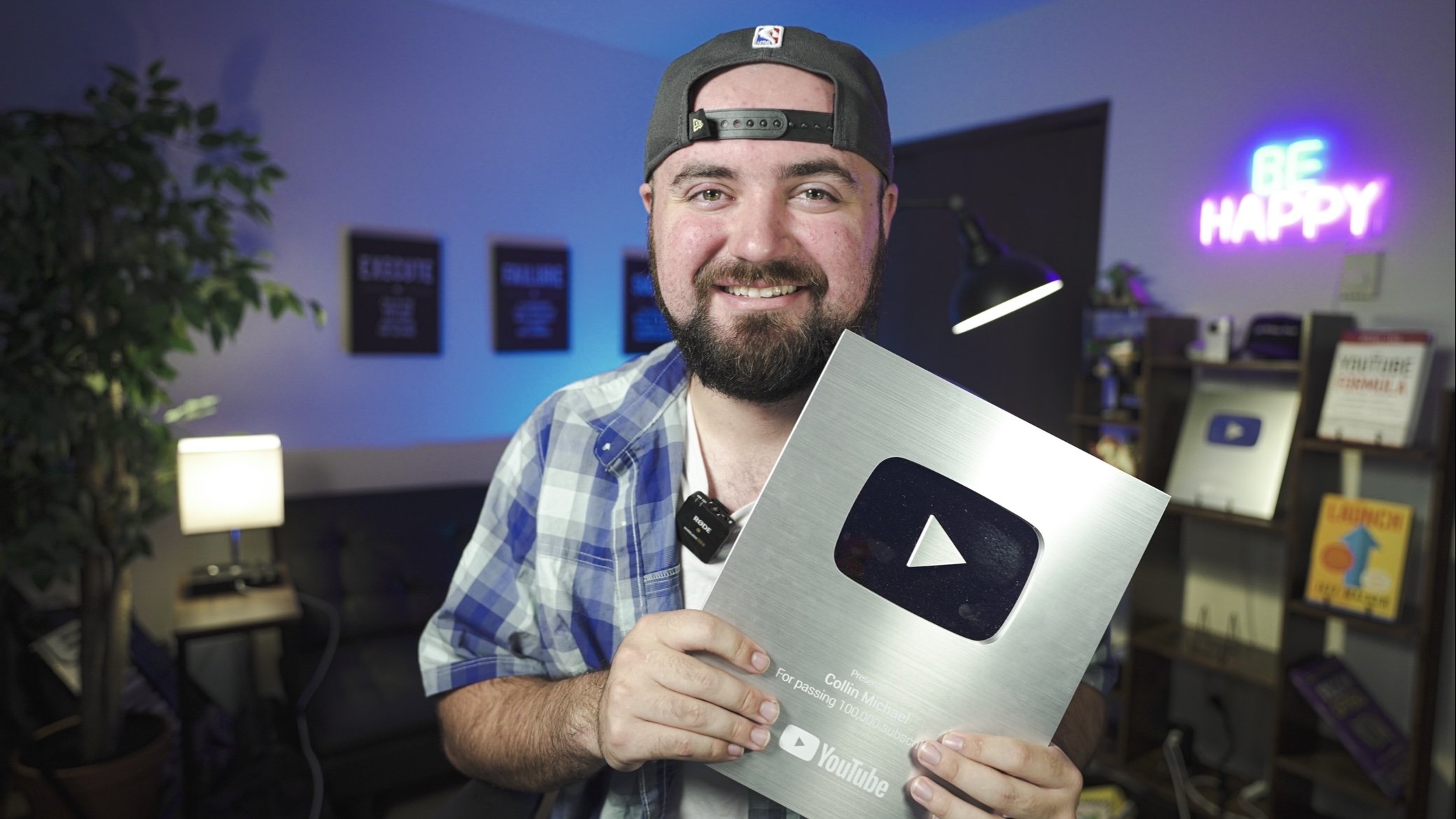
should check out more of your videos? For me. It's me holding the play
button as of right now, because hey, people
are listening to me, give content creation
tips, YouTube tips. If they see me holding the award for passing 100
thousand subscribers, kinda shows, Hey, this guy probably knows what
he's talking about. It's why in the intro, I
showed my YouTube play button. It shows, Hey, this guy has reached this certain
achievement I should subscribe. But depending on whatever
niche you're in, how you have that
channel picture, what is in that picture
could help cause people to subscribe and
watch more of your content. For example, I follow a
beard grooming channel and their profile picture is
literally just a picture of a beard like it's a
graphic design beard. But still that communicates. I know that this channel is
all about beards and I can tell from that picture
and also Cohen signing. However, you say that
word coinciding with that title of their
channel name. That can tell me the
value proposition before I even go to your
channel and look at the banner. So that can also help cause
people to subscribe and also, and think, Hey, I'm
enjoying this video. Obviously this person
talks about beards. I'm going to go watch
more of their videos. I'm gonna see what else, what other content
that they put out. So don't neglect the Voto. Don't just upload
wherever you want. You could totally help increase your subscribers and
potentially your views.
5. Creating Your About Section.: The next tip is
your About section and the links in
your about section. So when somebody
visits your channel here and they go over
to the far right, this is where the
about section is. So if we click on that here, you can give a description
of what your channels about and potentially some of the services that you offer. So normally this top part here is visible when people
search for your channel, and it's also visible on mobile when someone
visits your channel page, it'll actually say it right underneath your
profile picture. So for me, it's helping new
creators make better content. That works for me. I welcome people to channel. I let them know what
they're going to learn. So just telling people
there and make it very descriptive of what
your channel is about the value you provide. People do go over to
that About section. If your channel banner
wasn't clear enough, people might end up
going over there or people who want
to reach out to you, get into contact
with you if you are a business owner or maybe you're looking to go full
time with this and you want brands to reach out to you, companies who want to do sponsorships to look
at this About section. So making sure it's very clear the value you provide can help
with those things as well. You can also use this section
to promote your products, your services that you offer. So you can see here, I have like new
to making videos, Check this out and talk
about my 99-cent e-book. I talk about the courses
that I make here on Skillshare because I
want people to watch these. And then I also have down here, this is the links section. So you can link things down
here for people to see. So example, I've got
the Skillshare courses link my website,
things like that. Those are visible
from the homepage. So if you look over
here, you can see all these links here
that are clickable. People can go over to sign up. People can click on the
Skillshare logo and go watch my Skillshare courses,
which is really nice. So make sure you're
utilizing these links, whether it's to your
Instagram or TikTok, other social media profiles. If you are a business owner, you're trying to get people
in an e-mail list or leads, make sure you have
that length there. So that way people can
connect with you further. But if you're not too sure what you're gonna
throw into here, at least put one
to two sentences, at least as a top just
describing what people are gonna get from your
channel mesh to make sure that is at least there. You can always go back and
change this later once you've kinda thought out everything
you want to put into there.
6. Make Custom Thumbnails.: Now I did want to
take a minute to talk about thumbnails a bit. Thumbnails gets super deep. That can be an entire
another course. But I do want to talk about
it briefly because they do see sometimes people don't put custom made thumbnails
on their videos. Guys, this is so vital,
it's so important. Like I'd say the thumbnail is more important
than your video. That is the level. You need to put your thumbnails
and your titles as well. But you need to put some
thought and design into this. Now, that doesn't
mean you need to be some crazy expert design
Mr. B's level thumbnails, but just something
that is simple, easy to read, easy to understand the value that is
coming from the video. Now, I will say every single niche has
different styles of thumbnails. It different if you're
in gardening and real estate or tech or, you know, beauty, There's
different thumbnail style. So maybe look at some
competitors in your niche, see how they design
thumbnails and kinda follow after that. Now, do you want to
show you some of the thumbnails I made from my phone that are some of
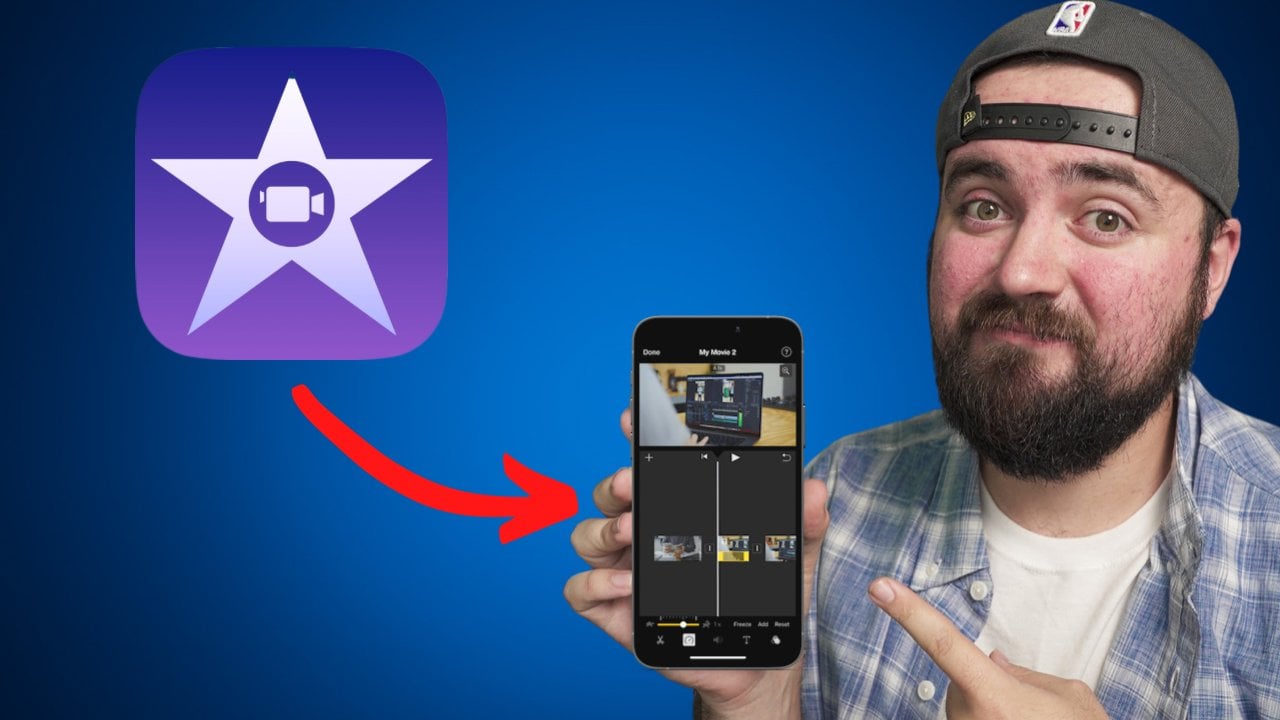
my top performing videos. So for example, this one here. And what I would say, there's a rule with
thumbnails that people like to use called
the Rule of Threes, where it's like three
elements on screen. So here I've got me pointing. Then I have the cap cut
logo, that's number two. And then I have some text on
screen which is number 33. Different areas there
that people can look at. Very simple. It's like a blue background, so there's nothing
really distracting. It's very straightforward and easy to understand, and
that's what we wanna do. There's a lot of
thumbnails on YouTube. It gets very confusing if
all these different images. So we just want to be able to, someone looks at this
thumbnail for 2.5th, they can understand what
this video is about. And again, I'm not here to give you a thumbnail masterclass. All I wanted to say is really
make sure you're putting effort into here because you can optimize your
channel you want, but make sure your
videos are optimized as well that those pictures
that you're showing, our simple and easy
to understand. And then also keeping in
mind your competitors, different people who are
making content similar to you. How are they designing
their thumbnails? Chances are it's a good
idea to copy what's already working on the platform, but enough of my rant. Let's hop on to the next tip.
7. Using Your Description Section.: So now let's talk
about optimizing your YouTube description. So a lot of times
people just upload the video and they don't
really add anything, maybe just one sentence
in the description. No, we don't wanna do that. We want to make sure that we
put some good stuff in here. So I'm just showing
you an example of my description that might
be the easiest way to see. So first of all, at the top, I may put one to two sentences
here in the description. Explain what the video is about and why someone should click. Now the reason I do
this is twofold. Number one, YouTube tells us that they do pay
attention to what's in our description
when they recommend content in search or suggested, they are paying attention
to what is there. I do like to write
it out a bit and use some words that people might
be searching for mentioning. I talk about iPhone
and Android with editing because I'm talking
about a mobile device app. So I tried to describe
the video there, but it also trying to
persuade people to click because if
someone's on desktop, they see that description on the side before they
click on that video. So if I write something
for your persuasive, it could cause more people
to click on this video. So that's where it's
kind of twofold. Next, what I'd like to do is I like to put chapters
in my videos. So by just putting
0 colon 00 intro and just putting the timestamps there and some text
after YouTube will actually separate your
videos into little chunks. So people can easily skip ahead to the parts that
they want to watch. This is super useful
because if people are watching a segment of your video and they're starting
to get bored. Instead as I'm clicking off, they can skip ahead to the next segment and stay
watching your videos. So this can really help increase the amount of time people
spend watching your video versus them leaving instead of skipping ahead and
seeing the other good parts in your content. And then the third thing I'm going to encourage
you to do in your description is
promote your own content. Now in this video, I talked about another
one of my videos, which is what this is here, is just a link to a video that
I referenced in the video. So I have that right near
the top so people can watch more of my videos. But then also near
the bottom here, scroll down a bit. I also encourage people to check out my other content
in that description, there are people who will
open up the description on YouTube while they're watching their video and kinda
scroll through, see all the different links or things you might
have listed there. I put in my description other videos that they
might be interested in. So chances are you're
going to be talking on one niche on a
YouTube channel. It's basically how
it works these days. You only need to
talk on one subject on a YouTube channel. Think in your head. Would it be something maybe related
to this video or just something like a playlist where here's more
content similar to this, they can go and watch, put those in your description to encourage people to watch
more of your content. All this text into
description is free real estate for
you to advertise yourself and promote your
other videos or tell people to subscribe and share
why they should subscribe. Use these areas down
here to encourage people to get to your
other continents, especially playlist. We'll get into
playlists and a bit. There's some exciting
stuff with that, but yes, promote your own
content in this description.
8. YouTube Tags And How To Use Them.: Now let's get into
YouTube tags and how to optimize those to get
more views on our videos. Now here's the most
important part to understand about tags and YouTube tells us right
above the tag section here. Tags can be useful if contain your video is
commonly misspelled. Otherwise, tags
play a minimal role in helping viewers
find your video. Tags are not something where we stuff a
bunch of keywords in, in hopes that we just
magically pop up somewhere. That's what everyone says
out there, except YouTube, which you're going to listen to, people who create content for YouTube or YouTube themselves. I'm going to listen to YouTube. So you don't need to put a bunch of keywords in
here and stuff them in. And hopefully that'll
get you to rank. The only thing that will
really help you rank here is if what you're talking about is commonly
misspelled because if people are reading
things incorrectly, depending if you put
that tag in there, it helps YouTube
understand that, oh, this is something people
commonly misspell. And then your video could
potentially pop up. But the amount of
people who probably misspell your content,
I would think is low. And again, Google is a genius. Youtube super-smart. It can figure out, oh, you must have meant
to type this. And most people have
autocorrect on their phone. So even if they do misspell,
it gets autocorrect. So me personally, I don't
even worry about tags at all. I haven't add a tag in years. And you may be wondering
why are you telling us about this optimization chip? Mainly because so many people
hammer on stuffing tags in. I figured I'd better cover
it and let you know. Don't even worry about it. Don't spend all this
time researching the best tags to putting your videos because
it's a waste of time. There is a lot
better things we can optimize on our
channel to encourage more viewers and to encourage more people to
subscribe taxane it. Unless you have, your names
may be commonly misspelled, or the topic you're talking
about is often misspelled. That case add it. But with that, let's move on to the next tip.
9. Pin A Comment To Drive Traffic.: Now this next
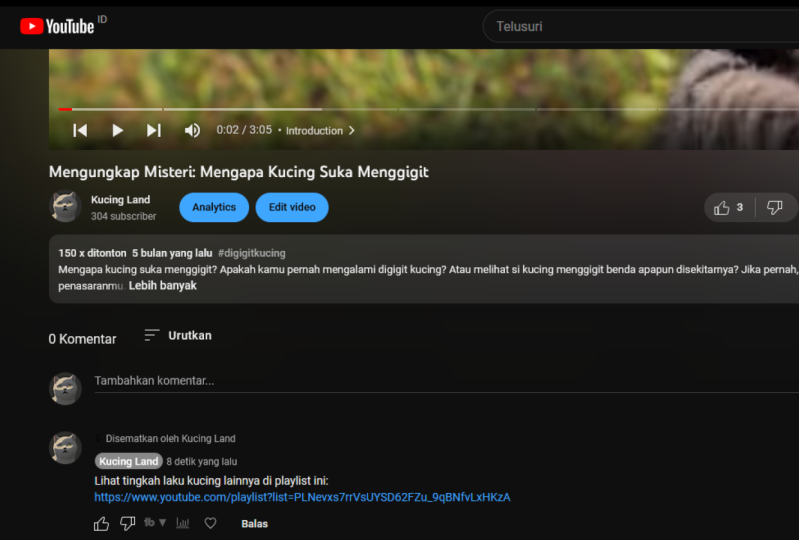
optimization tip is when I often see a lot of people missing and that is pinning a comment at the top
of the common section, promoting your own content. So have on my screen here just an example on
this video here, look at this, at the
top pin checkout. More Cap could effects here. And I've linked a
YouTube playlist. Now you can link a video. I like to link a playlist,
appoint people there. But here's the thing with the rollout of
things like TikTok and shorts and Facebook reels
and all that kind of stuff. People will watch a video
and then they'll go to the comments and see what
people think on that video. It wasn't as prevalent like
five to ten years ago. But now every buddy Reed's comments and with the ability to pin a
common at the top, you can encourage
people to watch similar content or to watch a different playlists that
might be of value to them. Or you can even
encourage them to subscribe and make sure
to follow because you're gonna be posting more content
like this in the future. So don't miss out on this
valuable real estate down here. Pinned comments, do work, they work on multiple
different platforms, but especially on YouTube. So take advantage of this. Link. Your other videos, your content, if you're
a business owner, maybe promote people to
your email list here, I'll know, but you got
to put something there. Something there, even if it's just a special message
for pupils grow in the common section and
it's just fine and helps build rapport with
people and the connection. It's even worth it
for that reason too. So don't miss this opportunity. This is something
everyone skips over, has so much huge
potential to encourage subscribers and potentially get more people to watch
more of your videos.
10. Class Project.: It's time for the
class project section. I'm going to make
this so easy on you, so easy to implement. And I want to make sure
you're taking action on this because most people aren't. I want you to go to your
YouTube channel right out of the commons promoting
your other videos with a link to one
of those videos. And I want you to pin it at the top of your
common section. Once you to just screenshot
that and upload it here on Skillshare just
to show me that yes, you are taking
action on this. Yes. You are going because the last thing I want you to do is to take all this information
that I just gave you. And you're like, wow, those
are some really great tips. Now I'm going to go on
and not implement these. You can take action right now. It's going to literally
take you like two to five minutes to write out a comment with a link attached to the video
and just pin it at top. That's it. Screenshot uploaded here. Let me know you're
taking action. So let me know when you're done and then continue
watching this, but do that first
before finishing this.
11. Keep Them Watching With Playlists.: For our next tip, we are
talking about playlist. This is a huge opportunity
to get so many more views. You have no idea, especially
if you create content with the idea in mind
that you're going to put it all together
in a playlist. You imagine how powerful it is if someone come across
one of your video, and then later in that video you bring up that this
video is part of a multipart series or
a multi-part playlist, and you promote people to click the link in
the comments section. Click the link in the
description to watch the full series that you're
gonna be talking about. And then they click
on that playlist. And instead of them
watching one video, they end up down a rabbit hole watching three to five
to eight of your videos. It's awesome. For example, here, I talk a lot
about video editing. Cap cut is one of them. So I have this cap cut editing, tips and tricks playlist. Now I've got tons of
different playlists. Some are shorter,
some are longer. This is one of my
complete collection of cap cut editing
effects playlists. I have 18 videos in here, which has resulted in an
additional 123,121 views. That's crazy. I wouldn't have gotten
that many views if I didn't have them in a playlist here where people could consume
all that content. You can do two things. You can kinda group
relevant content together and make
little playlist of it. Otherwise, when you
are brainstorming, you're coming up
with topic ideas. Think of how can I make an
entire series of, let's say, three to five videos that I can put together in a playlist and then be able to promote that playlist in each
and every video, even if you haven't
created the playlist yet, as those videos
continue to live on, on YouTube, people
will find the video. They'll hear you
mentioned out loud in the video that this is part
of a multipart series. Click the playlist linked
down below so you can consume all the value
I have for you. And then someone is gonna
go and watch through to five of your videos,
which is awesome. In the next section
we're going to talk about how platelets
can be even more effective with using
the home screen.
12. Creating Your Home Screen.: So now let's talk about
your home screen and playlist play a huge role
on your home screen. So here we are on my channel, but got my banner there. And then we have all these
videos laid out in playlist, which can actually
do is you can click this Customize Channel button on your channel, and
I'll pull this up. And in here, if we scroll down, you can see all the content
that you want organized. So you can click Add section
here if we wanted to. And you can add single playlist, create multiple playlists. Your subscriptions,
feature channels, a whole bunch of different
things you can add to your main homepage on YouTube. You can easily grab these and rearrange them
and everything. But for that now let's just go back here and take
a look at this. So right at the top, I have YouTube for beginners, which is a playlist of mine. And I have just like
we were talking about, where you make like three
to five videos all on the same topic with
a playlist in mind. That's what this is. So I have setting up
your channel, filming, editing music thumbnails where it goes through
all that content. And if you scroll down further, because I talk about
editing a lot, I now have all these multiple
playlists grouped together. So these four videos are all on the cap cut editing software. Luma fusion editing in shot
editing, Kinda master iMovie. So I have it all organized. So depending which editor you're going to end up
using on my channel, you can easily click on
this playlist and consume four videos where
I'll go through beginner's advanced,
all that other stuff. So it makes it really easy. So not only can you have a playlist where you have
all your videos lined up. But you can even have a
line of multiple playlist, which is going to
encourage people to watch not just one video. Because up here they might
just click on one, maybe two. But I'm here, they're
getting sucked into a four or five video
playlist, which is awesome. I then have my
basic uploads here just in case someone wants
to see what's recent. I have shorts and then I also
have more Cap cut editing tricks just because
cap cut is one of my main topics I talk about. I also have some popular
uploads and people, if people are interested
in seeing some of the top videos I've made, but actually go through
your channel and make sure you have different
playlists all lined up. So if someone visits, they have a whole
bunch of different content to choose from. Not just one line
of your uploads, your uploads your shorts, you're most popular videos, your past live streams, just cover all those
different areas. If you don't have
a lot of content, if you haven't gone
through the work of making content that are designed
to be in a playlist, at least have something there. So when people
visit your channel, they have a lot of
content to choose from. They want to watch
more of you if they're under your channel page. So make sure it's
there for them.
13. The Power Of End Cards.: Now we're going to talk
about a powerful feature called end cards. And this is where I've gotten
a ton of views as a result. So an end card, just to
show you my screen here is basically when someone gets to the last 20 to ten
seconds of your video, you can have appear on screen, Subscribe button, like with
your profile picture on it. Or you can even promote your own videos or playlist
of videos at the end. So what I like to
do, as you can see, I have this encourage here, cap cut editing tips and tricks. So I'll, what I'll actually do is at the end of my
videos, I'll tell people, we shouldn't click on
this video or playlist here if you want to learn,
et cetera, et cetera. So then at that point, I'll go into YouTube, which I'll show you
how to add one of these and I'll add this on. And if someone clicks on this, it will transport them either to that video or to a
playlist of videos. So this is a great way when
someone gets to the end of your video to not just say bye, thanks for watching,
because that tells people I have nothing
else to give you. There's no more value
on this channel. Go find someone else to watch. We don't wanna do that. We don't want to
tell people buy. We want to tell them
that we're going to see them over in the
next video where we talk about whatever topic
or niche that you're in, always be sending people to
another one of your videos. They need to live their lives. 247 watching your content, they won't, they probably
won't end up doing that. But that's the kind
of mindset we want to be in every single video, send someone to another video. Now the way you add these in, if you click on edit
video or if you go into your YouTube settings
on any video, you can go to the editor. And in here you can see this is the end screen spot
where I can click the plus button and
add an end screen in. And I can also control, you can do have it on
screen for 20 seconds, or you can shorten it down
to just a few seconds. It's totally up to you, but that is where you
can add the end screen, I've literally gotten
hundreds of thousands of views from my end screens, a pupil clicking on those
and watching the videos. So huge resource do
not miss out on this. And even to your older videos, if you don't know
what to promote, you can actually choose
an end screen options. Have you to pick a video of mine to promote to
whoever's watching. Youtube will pay attention to the viewer and
what they like. And it'll just recommend
content of yours at the end. So even if you don't have
anything super planned out, at least go back to
your old videos, add those end screen
elements in and just have it say YouTube, pick what's best for the viewer. And that will literally
help you get more views. That's what I've seen
from my channel. I really hope it does
the same for yours.
14. Share A Platlist!: Now, this is a super major hack, especially if you're sharing
your videos on Facebook, Twitter, you're trying to share it with
someone externally. This is awesome.
So what this is, is the ability to share a
video inside of a playlists. For example, maybe someone who's interested in editing
with cap cut. So I'll click on this playlist. And I know I have this cap
cut video here as well as all these other videos
that they can watch. What I can do instead of just clicking the Share
button down here, which will just share
the one individual video and not the entire playlist. I can actually copy the link
up here and I can save it. I'm to my copy and paste and
then paste that to them. And this is what
happens if I go to a brand new screen here
and I do Command V, There's that link
and I click Enter. It's going to pull up the
video inside a playlist. So when someone watches this, they're already in a playlist. They can already see
this whole list of content that I have available
for them on this topic. So never just share a video, because if you do that, if you just share the video, there's no playlist here. All they're going to see are
all the other videos next to this video, which
is not what we want. We want them to watch
more of our content. So whenever you share
a video next time, make sure it's in a
playlist of your content. So that way, when someone clicks on the
link to watch your video, there installation shown on the side or underneath
your video, all of your content
on that topic. Super huge, super important, clearly going to be a game
changer if you're someone who promotes your videos
on other websites, blogs, social media sites.
15. Outro.: Now it is my hope that you
have learned something today in that one of these
optimisation tactics you haven't been doing and
you can start doing today to increase the
likelihood of people watch more of your
videos and subscribing, it's going to do
so much for you. I'm so excited that you made it through till the
end of this course. I know I covered a whole
bunch of different things to do and that might
seem overwhelming, but try your best to implement each and every one of
these that way with every video you post here, you have the greatest
opportunity to convert more viewers into watching
more of your content, converting them to
subscribers so you can build a community around the
content you're producing. So I hope this was helpful. Thanks for watching this course. Be sure to check out the
other courses I've put up out here on Skillshare. It's a lot of other YouTube
advice I give out on here, so thanks for watching. Hope to see you
elsewhere on Skillshare.
 Collin Michael, Creative Entrepreneur.