Transcripts
1. YouTube Masterclass: Welcome: Hello, and welcome
back to a brand new YouTube Masterclass, as we head into a brand new era. In the last few years, YouTube
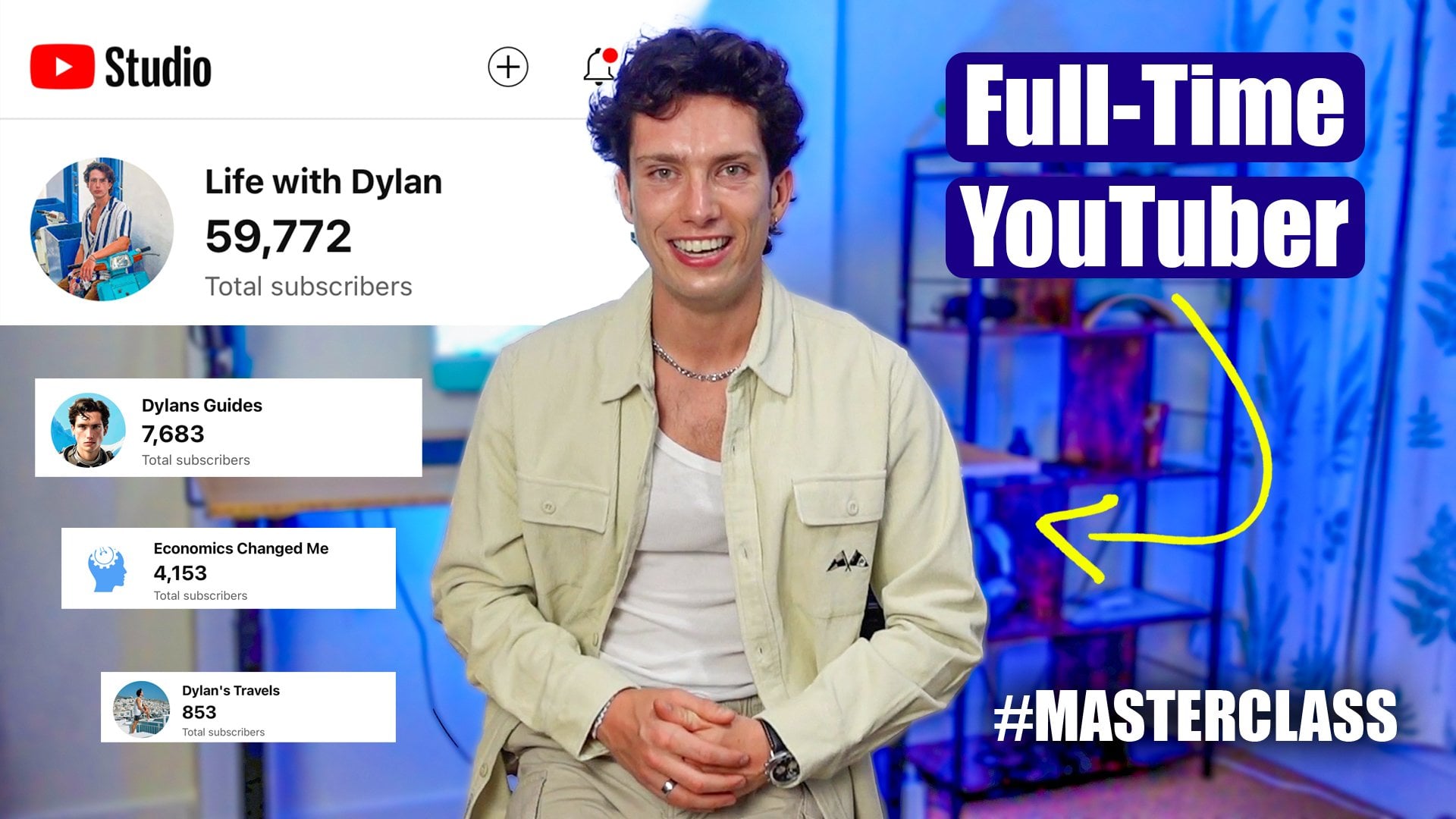
has changed drastically. Hi, my name is Dylan, and I am a successful content
creator on YouTube. I started off ten years
ago with my first channel, we grew it to
60,000 subscribers, tens of millions of Us and brand deals and
all that good stuff. And in recent years, I started a brand new
channel because YouTube, as it was has changed, and that has already
surpassed tens of millions of Us and 10,000 plus subscribers. Today's course is all about teaching you the
formula that I used to be successful on
YouTube and teaching you how to build scale and
monetize your channel. Now, it's a complete full
round of master class. This course is for
anybody, for those starting out on YouTube
for the very first time, and this is your
first port of call. Welcome. Good choice for those who already
have a channel, but are looking for the edge. So what you can expect
from today's course, initially we're going
to dive into what has changed over the
years on YouTube. How are people using it
differently and how should a content creator behave in our load differently?
We're going to take a look is the right formula
to go around growth hacking in
the modern day. Then also, how can we leverage our audience to start
earning higher income, brokering brand deals, and completing that full
cycle again and again. But even if you have no idea what you want your YouTube
channel to be about, you just know you
want to make content. We're also going to cover
how to find a niche and how to go around
building a personality, your studio, editing
your videos. It's the full
YouTube Masterclass. See you in class one.
You've made a good choice. Please do the class project, leave a review if you enjoy it, and of course, any questions down below, I'm there to help.
2. The NEW YouTube Era: Welcome to Class one,
the new era of YouTube. Now, to start this journey
on today's cours off, I think it's important that we understand how the
landscape changed. And if you truly want
to grow on YouTube, what you need to do
is understand how viewers ultimately
use the platform because think of it
like a business. If we can understand
how the end product, the viewers are
using the platform, which is YouTube, then we know what content we need to
deliver to the platform. To maximize and
reach our viewers. First things first, back
in the early 2000 and late 2010 when
YouTube was starting, it always worked under
a very simple function. You go onto the
desktop version or the mobile app and you would
sign into your account, on your account,
you would have all of the people you
were subscribed to. Then their content would pop up in your subscription feed, and you would use that tab really to find who
you wanted to watch. Now, over the course
of the years, TikTok then came around
and the FU page, FYP, very big term on social media, was the main source for how people discovered the content
they wanted to watch. So then YouTube said, Right, we're not really or people
aren't as engaged with their subscription box anymore because they're all
about their homepage. They like to go onto an app
and completely be delivered eye catching content
or interesting content that hooks their attention. So during this whole period over the last three
or four years, probably even two or
three realistically, attention spans have
changed to people and the way we interact
with content has changed. So what did YouTube do? Well, they said,
Listen, we still love subscriptions as a core
part of who we are, but we're now going to
have a homepage that is much more dedicated to serving people the
content they want without them having to search or click or even realize
that they want it. And so the way in which YouTube has changed
in a nutshell is that the homepage is so much more important for people now
when it comes to content. The core fundamental
group of people on YouTube will still use
subscription boxes. But subscribers,
as Mr. Beach said, who's a famous YouTuber, subscribers are no longer as important on YouTube.
They no longer matter. What matters most is about
getting people's attention, hooking them super quick, and also delivering a
well rounded package that everybody who sees it on
their homepage will click. So this means that if you're
watching courses from five or six years ago or even advice on YouTube from
five or six years ago, things have changed so much that advice might not be
fully applicable. That's why I always
encourage people to watch the most up to date device because YouTube works
on an algorithm as well. For those of you that don't know an algorithm is a piece of code, they will essentially give you content after
looking at your data. Now the algorithm
YouTube uses is very specific to each
individual users account, but it'll follow the
same core fundamentals across the entire platform. I'll be He's user, let's say, for
example, me Dylan. His history is he's watching
ten minute videos of content creators
based in America who are indeed creating
outdoor videos. So, there's Dylan's parameters. It would find me somebody else, very similar based on
our initial parameter. Then the algorithm may say, Well, Dylan likes
these two people. He's been interacting, liking, searching for their content. Let's see if he likes a younger content creator in Europe who makes
outdoor videos. Okay, he likes him as well. Let's feed him
this and then this and then this because
what's their overall game? Their gain and their advantage is that they want to give
you the best content possible because they want to maximize your time spent
on YouTube as a viewer. It's a whirlwind of stuff there, so we covered the way YouTube works now in
terms of as a viewer. How do I use YouTube? YouTube, the platform itself. They're delivering us content
based on an algorithm. And then here we sit
as a content creator. So how do we go about using that information to
maximize our channel? Well, first things
first, let's begin.
3. Creating a QUALITY Channel: Welcome to class two. Now, it's important here to know that we
are going to cover YouTube analytics
and all the stuff we just discussed in
way more detail further into the course. But now, I would
like to build this up into creating our
first YouTube channel. Go onto youtube.com, sign in to an account or
sign up for an account. And then it's going
to say, before your content journey starts, try getting started because
you won't have a channel. What you can do here is tab your top right hand corner logo, then select below your email
address, create a channel. Now your channel name is going to ask for and a channel handle. I would always say your
channel name could either be you or something to do with the content you're
going to be making and you'll user name
handle, make it simple. The quicker it is to
click, the better, the quicker it is to
type, the better. For my hypothetical
channel that I'm creating, it's going to be all
about creating reviews of technology and
products and services. I'm going to call the name of
the channel Rapid Reviews. The handle is going to
be Rapid Reviews one. Reason for this is
that RR is iteration. I think it is quite
catchy and for me, you can either go down
the route of having a channel based on personality, so I'd use my or you can go down the
route of, for example, having your name on YouTube, spell out exactly what
your channel is and dice. Thinking about well, modern day, the attention spans
a bit shorter. Rapid reviews are ultimately successful because
that's what people want. They don't want to
spend a lot of time of their life reviewing something on a YouTube channel anymore. However, it gets a
bit complicated. There is a niche for long form content on YouTube as well. That can be very
reasonable logic for having a channel
based around that. But I'm going to because I figure that most of you are there might be on
a similar boat, create a channel based
on my personality today. So rather than having
a rapid review channel that I think
works very well, I'm simply just going
to have because I think it relates more
to what people want to do and more to what businesses
want to Dylan on tour. Dylan's tour is the handle, nice and short, nice and simple. It gives an explanation
of what I'm doing. I'm going to be going
around essentially giving a tour of my
life or maybe my house. My name is clear,
my handle is clear, and I'm going to
select a picture. For now, I'll just
select a generic one. Then I get the option to create a channel. I'm going
to select Create. As that channel
begins, one thing I'd recommend doing is thinking
about what content it is that you would
like to make because the content you make
will inform exactly what the name of your channel is and it will inform what handle you should select and what profile picture you
should have as well. A few different ideas. I think you always have to start
off thinking about, am I looking to make
content for a business? Build a personal brand or for a faceless channel that is ultimately going to hopefully
generate passive income. So choose between
either three of those. If it's a business, then it has to be the name
of your business, and you can think
about the way in your journey of marketing
your business on YouTube. If it's a personal brand, I always like to include
my personal name in there so people feel like
they know me. I'm a friend. I think that's a really
nice quality of YouTube is that you're befriending
your audience. And if it's a faceless channel, I would really optimize for
the USP of that channel. It could be a gaming
tutorial channel or a reviews channel or
even a guides channel. I would really touch on, is it fast reviews? Is
it rapid reviews? Are they super in depth
long form reviews? What is that USP? Is
it your personality? Is it Waki tech guides?
Is it no nonsense? I would think about what words that symbolize my channel can be put into my title
just to give me that initial edge
when starting out. I would select channel creation. I would select Continue, and then I begin to
set up my channel. I've got my profile
picture right here. I would upload a banner, I could upload a description
about my channel. So let's go ahead
and fill this in. Just for time
purposes right now, I've asked Chat GBT
to make me a very specific description
for my YouTube channel talking about what I'm
going to be doing on there. I want to make it human, and I want to make it SEO friendly, which is always a nice
touch on YouTube. Is that SEO is a word we're going to come across
a lot in this course. Search engine optimized. Everything in life to hit the search engine,
which is, for example, on YouTube going
on the search bar or Google typing things in, it has to be SEO optimized. The more optimized
your content is, the more likelihood it is that it is going
to get discovered. I want an SEO optimized
description for my channel. I'm going to copy
and paste it from my hat GPT account over to my mini description on
my YouTube channel, and I'm going to a
bit more casual. I'm going to just
get this nicely formatted and it gives a very
nice base to start with. What we're doing here
is talking about Dylan On tour as a
lifestyle channel, documenting real life moments
and everything in between. From travel to day to day,
this is what you can expect. Lifestyle logs, travel, hotels, behind the
scenes of work. One thing I'd add, possibly, is a bit more of a stronger
call to action just so that if people were to read this and they don't often
read this part, they go, I should subscribe. The way I'd like to do
that personally is I like to play on them
being related to me. Forget to subscribe.
That's what I'd end with. A nice call to action. The channel has been
description wise added. Title. If you're looking to make a banner image
or a profile picture, there are some great
places out there. For me, I would use Photoshop. That costs money. There's
some great free versions and ways to make
YouTube banners. I would head over to
Canva and I would select free and customizable
YouTube channel art. Here we get a whole load
of templates you can really look for the
one that you think would work best
for your channel. Now, mines lifestyle channel. This can be something that we
change later down the line. So everybody's got a different
type of formula for this and some people will change up their banner
regularly, others won't. Back in the day, used to be
a huge feature of YouTube. They used to have your
channel upload times, some cool pictures, what
your channel was about. But like I said, nowadays, it's a lot less important. And so I like the idea
of going for something minimalist because what if I put on the text
below Dylan on tour? I put currently 27 living in London and money
sign Money sign. Because that is a
bit intriguing. Money sign money
sign? Well, is he rich or is he poor? Right. So I know as a new
viewer, straightaway to the channel, he's 27, he's living in London
and Dylan tour is like, it's a tour of his something
or must be his life. I can also update
this channel banner year after year after
year or movement after movement just so people instantly know what to
expect from my channel. I quite like this
because it creates a nice update banner for everyone to check in with me and understand what point I'm at in my life to then look at my content beau
and go, Oh, yeah. Okay, cool. Oh, it's house tour. Well, he's living in London. He's 27 or 27. That's my age. I'm going to subcribe. I'm
going to head back over to my YouTube channel
and select upload. I'm going to add my brand
new banner and select Done. It looks actually very cool. I'm actually very
happy with this. Then regarding some channel
art or a profile picture, I like the idea of having something a bit more
funky for this channel. I've used one from
the past where it's a picture of
me and I've got on my iPad and I've just drawn some squiggly lines around it just to make it pop
a tiny bit more. But I do genuinely like the idea of standing
out a little bit, but also for
something like this, maybe I can even go
closer on my face. I just don't have
the right image because the closer
you are to your face, the more emotion
people read into it, it just encourages people to recognize you and
click on the video. Then here I can add some
contact info for brand deals. If I would like to,
I would always put your email address
in there because then people know how
to reach out to you. I would add a link
to my Instagram, for example, simply
click that link there. If the content was
for a business, this is where I'd add my
business logo at the bottom, then select the Home tab on
channel customization and you want to turn on this to highlight your content
for your audience. Here we go. The first
step in creating our YouTube channel
has been completed. What you may or may not realize here is
that we've suddenly built up our niche and
some personal branding. Lots of small stuff has been happening. I think
it looks very good. You can even see Dylan Onturs a lifestyle channel
document in real life, real moments, and
everything in between. This is very nifty and nice. So you've seen me
do it. How could you go around doing
this yourself? Well, names wise, I'd recommend going on Chat EBT and saying, Hey, I've already YouTube
channel, I'm creating it. It's based on this. What names would you recommend
me? Give me ten to 15. Give me some ideas
for a description. Or even if you're
struggling for a niche, what I'd suggest doing because this is what people
find hard to do is say, I'm 27, I love football.
I live in London. This is all of my information
about my life and who I am. I really want to make content do you have any suggestions
of what could work well? Because for a niche,
and I say a niche is just a small area of
content that you can make, but in a better way than
people next you can make, it has to suit your
lifestyle and it has to be something you genuinely
can add value to. Mr. Best has an infinite amount of cash now so he can make very high quality contents
where contestants can win hundreds of thousands of pounds or millions of pounds. No one can quite do.
Before he got famous, he was doing stuff
with time, saying, I'm going to spend counting to 1 million and
he would count in his room to 1 million and the USB there was that he was willing to give
all of that time. When I first started
out on YouTube, my channel that got
60,000 subscribers, it was student blogs. I made content on student life and what you can
see yourself doing. Chat GBT is a great
friend in this same for Grock of helping
you discover yourself. Once you've done that, fill in the details
for the channel, and we're going to
be ready to go on to the next steps. Thanks.
4. VIRAL Video Ideas: Welcome to Class
three. In this class, we're talking all things ideas. It's the next step in the
chronological journey is once we've
created our channel, we need to start making content, but to make content,
we need an idea. So for those of you that
skipped out on Class one, we simply set up our banner, our DP, our description, and now have a channel out
there in the YouTube sphere. And we made sure to
talk about niches and also the likes of linking
everything nicely together. On the screen right here,
you're going to see a formula for how I
go about planning my videos to maximize the chance of audience
growth and success. A plan helps so much with
creating content that pops off. However, I want to do before we head into that in
the next two classes and the bit of this class is
I want to take a look at how do we get an idea
for a YouTube video? For me, I always
find that one of the best tours I had is that when I was making
content back in the day, I had a program
that gave me what other videos were trending
in a similar topic. That then enabled me to piggyback off of those
trending topics. Why is that good?
Well, ultimately, what it means is that if one of you likes a video
on, for example, football, if I then
make a video in a similar nature on football
that's slightly different, YouTube is going to recommend them using the
algorithm we talked about earlier to my video
after watching that video, and if it's trending, a lot of people are going to be
watching that video, which means a lot of people
might come over to my video. So what I want to do right now is take a look
on the homepage and think about some
ideas that I could have when it comes
to creating content. My channel is called
Dillon On Tour. It's all about
lifestyle videos and really people growing up with me and everything like that. I've been thinking
about a house tour. I've typed in House tour. There's nothing really
trending too much. Everything's quite old
a month or two ago. But I actually want to
select House tour in London. I want to see what
this brings up. Has anybody been making
content on it recently? Has it been in quite well? So one day ago, we got
a 33,000 view video. We got quite a few shorts that have done well, seven months. It's all about luxury houses. So what I've done, I've typed in London
House tours 1.5 K, just to give us a small sort of budget constraint to help
find more relatable content. And straightaway, I'm
already running into a bit more interesting
content for my niche that might
validate my idea here. So there's two house tours,
Londonepartment tour, somebody got two K views in two months with just
1,000 subscribers. This ultimately means that
over the course of the year, this video is going
to continue to grow. And I think, and I genuinely believe that this could
get quite a lot of views. So this is good to know for
me because what does it say? Well, it says that
if I make a video on a house tour and it's good, I know there's a demand
for people to watch the video because this person's got way more views
than subscribers. If I scroll down again, there's some nasa for house tours. The barbecue a bit
more specific. But once again,
the video has got way over double the
views than subscribers, and if you're getting
that, that is great. I think it validates that
I already know this is a good search term
because people are always searching
about house tours, and I've seen that
it is working. So while there's a lot
of luxury content, what I'm essentially realizing is that if I be very specific with my title and very
niche, that it will do well. I can't compete in the luxury
market because I probably don't have a luxury house
and it's already saturated. But in the lower tier, lower scale market, a house door video
could do very well. I validated it by seeing a few recent videos that
have done relatively well, not quite trending, but
that doesn't always matter. I could also look at having the UK as being part
of my niche and do a reasons to live in the UK I find with this,
though, as I look here, there's lots of views,
lots of videos, sorry, but they're all roughly
either a year old and not too much higher than the subscribers or the people that
have made them. So while this is
still a good niche, I think it's a bit more
general and competitive and so it's harder to
really make it very, very personal to you. I think I've settled
on my video idea. For yourselves, whatever
ideas you have, maybe Chat EBT has
given you some ideas, plug them all into YouTube. You can also change
the filter to recent now uploaded
and you can see how videos on asimilarnature
are do on YouTube, I strongly recommend finding a topic that is
trending or popping off or gets more views
than subscribers or I've now got my content. What this means is that
my idea has been formed. I'm going to do a
house tour of my house in London that is just
say two K a month. Really the takeaway
from this video is that whether you're
using Google Trends, whether you're using the
YouTube search engine, whether you're even
asking Chat EBT, the content you make has to be somewhat relevant
to the modern day. There's no point making
content that has had its pop off and it's no longer people
searching for it. Make content that people
search for until you've got a slightly bigger audience because once you have
a bigger audience, then you can guide
them to what to watch. But when you're starting
out, trending content and content that people
search for is key. Trust.
5. Scripts for SUCCESS! (KEY): This one we're going
to be filling out the table of what I
call a secret formula to ensure we maximize our usu potential with the idea that was
born in last class. For example, I had an idea
about a house tour in London. Within a certain radius
of price range for you, it will be whatever idea you came up with in the last class. Now, of course, there's so many different
channel possibilities. It's hard for me to give
you exact pin pointers. But I'd always
suggest once you've got your niche and
your channel idea, put it into Cha chBT
a rough content idea, and it will give you
five to ten suggestions. So what I mean by this
is five ideas for a YouTube video that is ChaTPT will
recognize the factors. It will then give you
five different possible content ideas and titles. I wanted them trendy
and algorithm friendly, and they're very
emotionally targeted. Here's a sort of tourist
versus local Spain. What's the difference? I
spent 50 euros in Spain, and this is what I
got a perfect day in Spain, they're
rushing their plans. They're also very cool
emotionally incentive ideas. So I'm going to stick
with my idea, though. The video goal, what
is it meant to do? Well, it's meant to
educate and entertain. It's also meant to rank. So for me, I'm not necessarily
looking to inspire people. I want people to be educated when it comes to a
house store in London about what they can get
in terms of their budget. I want to entertain them and go like, This is interesting. Seeing what other people live in house wise is cool to watch. I wanted to rank on the
search engine because I imagine people will search
for house stores in London. Bosch, who is the target
viewer B specific? Now, target viewers like minded people, similar
age, graduates, young generation, um, not really families because a family place would
have three or four bedrooms. Mine is going to have two
or three, possibly in the scenario because I'm young and I'm a working professional. So there are sort of
some key key elements and people are going
to be targeting. What is like I say,
with the Spain people, you're targeting people that might want to go on
holiday to Spain or people who are local that are intrigued by how
tourists operate. What problem does the video
solve or desire does it fill? Reality check for what you
can get in London price wise. And subtly, I'm also showing people what are the best
areas to live in London. Then it leads me on to desire? Well, the desire is perhaps some people are aspiring to
be living where I'm living. What will the viewer gain by the end of the video? That's
another good question. They'll gain an understanding of the rental market in London. Hook, first five to 10 seconds. What will stop
somebody scrolling? I think something to
do with the price. Something to do the
price because that will be then people
will be intrigued. This cost 2,300 pounds a
month, and I can't believe it. They're like, What
can't they believe? Well, let's watch
the whole video. So that's the hook right there. So to do the price,
perhaps a price reveal, or perhaps a glamorous view
or something like that. It's going to be a sort of vlog slash, um,
storytime format. I like the area of
story time within this house store
because then I can say, Listen, guys, I was looking
for X amount of time. Eventually, we
found it. So story. So then the key talking points? Well, three to five bullet
points I must cover. Definitely the price point, definitely the
location of the house, how nice it is, how long it took to get, how competitive it was. Then also a nice little segment on the best areas
to live in London. I think that always
does really well. What is my credibility, these two kind of
linked together? Well, I've put
that I've lived in London most of my
life, not all of it, most I've lived all over
London some south, east, west, and I'm actually British,
which subconsciously, people will trust
because they go, it's a Londoner talking about the best places to
live in London. He must be onto
something. My niche here within this
video is that well, I'm instantly using
my unfair advantage because I was born
here, so I'm British. I have a bit more
credibility when it comes to talking about best places to live in London because
that's where I'm from. Quarter action like
subscribe comment that's pretty straightforward. I don't think we'd
anything there. This is where we
get interesting. So the screen strategy
at the bottom, it doesn't really
matter too much, but you can add an end screen. Retention, keywords, description,
thumbnail and title. Wow, this is a tough one. I'm going to tell Chat TBT, generally five title
ideas for house to house to video in London, two K is the House tour cost and Clapham is the
area that it's in. I just want to see
what it gives me. It knows to be SEO friendly. It knows that I like YouTube optimized titles
and descriptions. And here it is. Classic,
super intriguing. 2000 pounds a month gets you this in London.
Question mark? Well, what exactly is it? I love it already because
it creates intrigue. It creates a bit of suspense. The audience know how
much you're paying, but they don't know
what you're getting, so they have to watch
the whole video. I'm actually going to run
with that one straight away. And that's why it's
always good to get ideas with Cha chiBT. The thumbnail concept,
I can also say, uh, what about a thumbnail idea? I also love the
idea of going onto YouTube itself and
typing in, for example, London apartment
or and seeing what other thumbnails are
doing really well. Here's a fantastic
video that's popped off 300 K views in a year
for 14 K subscribers. It's mega. Apartment hunting
in London, ten apartmentors. It's a cool aesthetic thumbnail, different elements of the house. Yeah, I quite like that as a thumbnail idea
for my own video. Rather, I would
essentially do similar. I'd have three different rooms, and I'd be like 2000 pounds in Clapham. This
is what you get. I might even use this as my
inspiration for my thumbnail. This is a great niche going forward when it comes
to selecting content. That's a stunning video 11, and it's still getting
lots of views. So I'd look at that format, I copy it and I deliver
something similar. Same for this right here, 2,400 London Apartment or
relaxing and peaceful home, and it looks very relaxing, Scandinavian and cool in
that thumbnail as well. That's a really nice
USP, very clean image. And then a nice little
London apartment to there. So what's Chat EPT said? Well, it said simple
bold scroll stopping. Yeah, I like that. I think definitely
it's got to look real, a lovely house, possibly
a three way split, I want bold and small text. In this case, I think as you're talking
about a house tour, living in a house,
your living is real, real is going to be essential. Sometimes, if you look
at the likes of Mr. Beast, he might go for
more sub real thumbnails, but they still work very
well to stuff like this. It works exceptionally well. And the colors pop,
it's very emotional. You want to incite some sort of emotion when it comes
to a thumbnail, but we're going to cover
more of that later on. For the first two lines
of the description, they're always the most
important because that's where the SEO and the algorithm will look for to determine
what your videos about. I've got a London apartmentur of my new 2000 pounds per calendar month house in Clapham a great area to live in London. Covers a lot of different bases, London apartment tour, 2000
pounds per calendar month. It could be talking about
rent and Clapham because that's a hotspot of an area and also great areas
to live in London. So I'm covering quite
a few things within the first two lines.
That is fantastic. And then keyword, I'll talk about the following. About rent. Then I fill out the main
keywords, rent, Clapham, London life, houset apartments
worth it, how to rent. All of those things are going to be very important going forward for ranking in the search
engine of YouTube. And then below
retention moments, we'll come on to that
later on because that's deserving of its own
section entirely. So realistically here, what we're looking
at is building up a full package
before we even film the video of what angle I want to take when
I'm filming it. Also, keywords are
very important. We're going to move on to
filming this very shortly. However, if you're making
your on video out there, fill it in exactly
like this, keywords. The keywords are just buzzwords related to your
field or your topic. Perhaps they're
things that people search for on the Internet
a lot or the thing I love to do is I always
think personally about if I was searching for a video
about what I'm making, what would I type in
the search engine? What are the keywords? Then
I write them down there. If I was searching for a
video like what I'm making, what would I put in the
description or what in the thumbnail would entice
me personally to click? I definitely encourage
you to think about all of those things and build up now your own personal document like this with the same steps. In line with what I've
done for your video. Because on this course, I would love you to come
on the journey with me of creating your channel
and then building a video. I promise if you've
never created a video with a script before or a video with a plan before, I know sometimes it
can see daunting, especially for those
of you that are used to free roaming and videos. But in the modern day, try this, I promise the results
will be way better. Wiout further ado, let's
move on to the next lesson.
6. MY 1 MILLION VIEWS VIDEO (KEY): Welcome back to Class five. In this class, I
want to de dive into what makes a successful
YouTube video, and I'm going to do a
case study based on my successful video that
got over 1.1 million views, 41,000 hours of watch time, 3,000 plus subscribers,
and 2,186 pounds. Now, this is all about understanding why it worked
on the back of last class where we deep dived
into how to build a successful YouTube
video script. What is the video about? Now, I mentioned
before my niche was all around student
life at the start, and so I designed a
tear list that ranked all of the universities in the UK in order based
on my preferences. Let's go ahead and watch
the opening of this video. This Greek tattoo
parlor in Athens because it was the only place
you could get your thepist. And this guy is
about six foot five. So let's break it down. Initially, in the video itself, people have clicked on
it because they want to see what I rank the
universities in the tear list, what the order is
that I ranked them. This is most likely
going to be people that are looking to
come to university, people at university, and their curiosity has already
spiked purely from the title. University Tear list
UK, in my opinion. It's all my opinion. That's what people
are here to find out. Now, I open midway
through a story. So rather than welcoming people, I open halfway through a story, but they still understand what's going it was something
completely different. I wouldn't always recommend a story about
something different. I'd often recommend teaser clip from later on in the
video, putting it first. So people are already
kind of intrigued about what I'm going on about in
the story to start with. The setup is good, there's
light is colorful, and I've clearly
got an emotional reaction to this
story at the start. That is the first key
bit of branding there. And he said he can
do it right now, and I ate this my friend bottled it,
and then I bottled it. So I came home and did
what any chicken would do and got a clip on. But today, I figured I should do a Russell group
university tear list because after three years at
university, there you go. After 30 seconds with
deep diving into video, what about that was
a good ending and that intro to the random
story I was telling? Basically, it kind of makes people feel like they
know me and familiar. And also, I kind of stayed in a way where it
encourages people to comment, have conversations, and
in a weird way judge me. And by being able to judge me, they're thus able to
engage with my tear list, which means they're more
likely to have opinions and comments based on what I say because they already
know a bit about who I am. And there were thousands and hundreds of
comments on this. And that intro set
people up to engage. And the more engagement
on YouTube, the better. However, that was my scripting. I wanted to start with a story that kind of let the audience know who I was and then
dive into a tear list. So in this instance, we already know who my
target audience is. We already know what we're
going to be talking about, and we already know
why people are there watching my video and the value they're
going to get. Clearly, I'm somebody that's at university. I've been there. I've done it, and so I'm
giving them advice from a perspective of the person
they will be in the future, or somebody who might,
in theory, know more, or you're purely coming at it from the idea of a
entertainment purpose. And here we are. Here's
another great video hook. So what I did in my script,
I wanted a circle crop. There'll be a tutorial
on that later on, just to add a bit of
quality to the video, and I used an online tiermaker uploaded all of the
university logos, which we can see right here. And that was all around
the idea of people now know all of the universities that are
going to be in my video. Know that if their
university is there, eventually, I'm going
to be ranking it. So what they do is
they stick around in the video until I rank
their university. Now, I strategically put some universities first and some universities
towards the end of my video so that people
with a popular looking for a popular university
choice would watch at the start, the
middle and the end. And I actually added
timestamps to each of the universities just to make it more search friendly
and discoverable. So a few little retention
hacks there within my video, and I'm always consistently flashing stuff up on the screen. But that was all in my script. It was all in my
idea to start with the universities that are
popular, have a little break. Then in the middle
of the video, have a video university
that's popular, and then towards
the end, as well. And then throughout I'm simply ranking in universities.
My content is engaging. I've good audio quality I've already hooked people in so much that they're going
to stick around. So again, my top line and my description and title are perfect. We'll come
on to that later on. But you can see how I included all of the Russell
Group Universities, their names, the
popular one names, so that when people were searching for what the
university was like, I already had it
covered down here, Cambridge, Oxford, Exeter,
York, Birmingham, Manchester. I'm already doing a lot of that legwork in the
packaging, the content, and the description and title before the video has
even been published. Now, let's take a look at
the data on this video, and I know it's easy to focus
on the monetisation of it. However, that's not the point. I titled it so well
and did well in terms of ranking it that 87% of
the views came from search, people searching for universities
and for a tear list. It was a popular topic that I did my analysis and research on. It was suggested
to 3.8% of people, and then the rest
would have been direct subscribers or unknown. And to this day, it
is still getting 292 views every two days, which is absolutely insane. So it's consistent
flow over time. I mean, after the first
50 days, it did well, but it was really the
consistent growth that it's had that has allowed me to hit 1 million views in the video. Lot more watchtme
hours, as well. And if I scroll down, I can
see the retention moments. Typically, you're
always going to have the biggest drop off in a
video towards the start. But the thing that saved
this video is the fact that, sure, people drop
off at the start. That's normal. However, it
was the quality content idea that I planned for
and the structure of that video that meant while people dropped
off at the start, after they were into the video, the content was so
well structured that they didn't
drop off anymore. So between that first drop off, no one else dropped off until
the outro of the video. That full 12 minutes was watched by over
25% of the people, and so YouTube then saw that this video was good
quality. It has potential. Once people that
have found the video and they're interested,
they're not dropping off. That all comes from a
correct video script. Video was solving
clear problems for helping people understand about
what university to go to. I have my retention
hooks and my key titles, descriptions all in place
to maximize view time. Everything was clear
from my audience, my attention to what they were
getting out of the video, and to what value I was
adding because I was utilizing my personal expertise. And then if I break down the audience, as
you would expect, the majority of the audience
are coming from people 18 to 24 because they are at university. They were
my target group. They're the people that
are going or have been some people who
want to reminisce on the days of being
at university, 20% of my audience are 25
to 34, and then, of course, master students,
the majority from the UK and people coming over
to study, I would guess. So I think it's all pretty
clear how I structured that video and why it
was super successful. Viewers are also watching similar content
around university. So overall, that video was my most successful
video ever on YouTube, over 1 million
views, and that is why it was a clear
retention hook, well planned video that
added direct value. Hopefully, this gives you an understanding of
why planning a video is so important and will
help you succeed, as well.
7. Best YOUTUBE Equipment (ALL Levels!): Welcome to Class six. In this one, I
thought we can mix it up a little bit
and take a break from the screen because
I'm going to show you my YouTube studio, the equipment that
I have, what's best for beginners
and what's best for those looking to invest in their studio and build
something of very high quality. I'm going to take you through all the different
ranges and then how to position things to
get very good shots, audio quality, and
an overall filming as will go a long way.
This class is key. I cannot express
the value in having good quality audio, good
quality, everything. Now, first things first, this is my current setup. I've got my laptop,
I've got a desktop. I've got my microphone, my light here, natural
window behind, and then behind, I've
got a back light, a lamp, a tripod, and
another backdrop. This is quite a lot of stuff. Of course, you don't
need all of this. If you're a beginner, the
two things that I think are best there is a phone
like this one right here, an iPhone is always great
quality for filming. Then you just need a tripod. You can move this around,
place it anywhere, put your phone inside
of this tripod, and then you can film some
content, whatever that may be. Now, when it comes to a tripod, there are, of course,
many different variants. However, I'd recommend one that has
a bit of height on it, just so you can adjust the
parameters if you need to, and I would say you can get them relatively good value from
Amazon or places like that. Now, if you want to upgrade,
of course, you can do that. You can get a steady can you
can get all those things. But to start your journey,
they're not quite necessary. If you're logging out in public, maybe you'd want a tripod that automatically
stabilizes your shots. And then the final
level one touch in terms of equipment
would be something like a softbox often they come
in a pair of two and they're relatively good
value, great ambiguoFriendly. It's a simple light that has a nice diffuser on the outside so that when
you're sitting down, filming is not too harsh
and it's rather nice. That is level one for equipment, in my opinion, if
you're going to build a successful
YouTube channel. Now, level two for
equipment starts revolving around things like
this, a road microphone. Now, this microphone,
whenever I'm sitting filming
videos at my desk, as you'll have seen
throughout this course. It gives me quality, crisp, clear audio that is unrivaled. It's very pleasant to listen to. I've got it on a stand
here that I can drag around and this adds
so much value in terms of being able to be flexible whenever I'm at my desk and whenever I need
to reposition. This is a sure USB mic
have look on Amazon. There are plenty of
good ones around. Sometimes you might
need an adapter to connect it to your laptop. Then level two would also
be some back lighting. Now, in my case, I have
a GVM light that I can change color with and
adapt whenever I need. Um, you can see it right there
and a lovely small lamp in the background to add a bit of nuance to my shot. I
can adjust the colors. I think it looks
very nice and Again, my backdrop here in the studio, since it's a relatively new
studio, it's not my favorite. I would like to
jazz it up a bit, but living in rented
accommodation, as I'm sure many of you
may know, is the struggle, you can't customize it as much as if it were
your own home. But this audio
upgrade for sit down videos and that
color upgrade with a backlight is definitely a
fantastic level two set up. I'm going to tell you
in the next class how to position things
to truly set them up. If you want to go to Level three and you want
to spend a lot of money, this is when you can start
getting DSLR cameras or quick cameras like this because they start
to allow you to blur the background depending on
the F stop on the aperture. And you can then get
small microphones like a microphone
wireless go by road. That clips onto, for example, my chest here, like so, and then this one will be
the receiver on the camera. Thus I get basically crystal queer audio
like I would on this microphone
from wherever I am, the quality is fantastic
no matter where I turn because the mic is on my chest and it's
not directional, you get fantastic quality audio. It's a bit of a investment
in terms of cost. But this is definitely
Level three, then you can go to Level four by getting a
different camera, a different DSLR
camera that quality, as you will see is just that little bit better than
if it were to be, for example, something else. You can see that crispness
of the shot right there. It's blurring the background. You can have that
done in your face. This is just on the
automatic mode as well. But you have a lovely setup. You can even put
this on the tripod and then you've got a lovely
touch going on there. So that is realistically the equipment for YouTube
that I would recommend. In different phases,
depending on your level, I always recommend upgrading as you're sure you want to be a content creator and as you're sure that your channel
is starting to grow. Different content for different
scenarios and channels. Software wise, one
software that I love, if you're looking to do
stuff on your computer, and I use this a lot is a free software
called Streamlabs. Now, Streamlabs allows you
to record your screen. You can see me up
there in the corner and it allows you to add your mic and pretty much you can make videos and record your screen and all
stuff like that. Streamlabs is another piece of equipment that I'd
recommend on your laptop. Then of course, you can get
a nice desk like this one, have a screen in the background. Sometimes you can even
film a bit like this. But let's jump on
to the next class, how to use all of
this great equipment.
8. STUDIO SET UP & LIGHTS: We're once again back in
the studio from my iPhone, because now we're
going to talk about how to utilize the equipment you've got perfectly to maximize
the value of your setup. Now, as ever, right now, I'm demonstrating from
my iPhone camera, which is the level one setup, I've got this pretty much
plain Jane background except for my colorful light. So where have I got the tripod? Well, I've got myself
if you don't have a right by a window because the light from the window then
comes onto my face. In my case, I've also got my softbox light giving
me that lovely glow. I've got my tripod up high roughly about my eye level because that creates
the maximum engagement. I'm looking directly into
my camera and I am filming. Let me spin you
around on the tripod. You can once again see what I mean behind my softbox light. If I didn't have one
of those, I would position myself so
that that natural light right there is coming here's my
setup, and here I am. The reason why I
also love utilizing this natural light is that it's just so good for
film and content. It makes yourself look great and dark content
never quite works. But to get that natural light
doing lots of business, I've set up my desk right
by the window as well, and something you
can do, I can often change the set my room
to get a different shot. Sometimes I quite like
doing something like this. Now, this is me, basically
setting up the camera. So now I would adjust the
position of my light. I would actually take
my softbox light. I would turn it around this way. Even more I'd move out my desk. And I've got a brand new set
up now with my microphone here and I can talk into it and I can deliver it to you
guys I'm half my desk, I'm half talking,
light, natural light, and I would even swing my color
light around to be behind me because light behind you
always adds masses of value. Take a look at this
here. It there. I'm going to cover it up. I'm going to come
back around here. Hello, and welcome to a brand new video.
So what have I done? Well, from the first set
up to the second one, I've shifted my
powerful light behind. I've got a nice distinction between myself here in
front of the light, the light behind
me, and it allows for a better camera blur
to start occurring. I've got my natural
light coming from the side and I've got my
softbox light to the side. I've got light from my computer
to add a bit of depth. I've got a few different
objects on my table, and hopefully this
looks very good. Always adding a light
behind helps massively. Always having your triple
in front of you at a similar eye line level
is also fantastic, then utilizing your lighting
position is also key. I appreciate that everybody
has a different space setup. You can also transfer all
the lights around if you sometimes want to and have
your desk as your background. What I would do if I have
my desk as my background, I would get up pretty
cool image on my screen, and this is another setup. But I'm consistently
utilizing my tripod on the lights and it requires removing and moving
everything around. It's depending on how
many lights you have. If you have two,
then you can have one main one slightly
to the side of the camera and then a soft side one coming in. You angles wise. You're the camera where
you are. The light is going to be directly
behind a little bit left, then your secondary
light is going to be on the right hand
side, just like this. That's the angle of the light
facing this sort of thing. I'd have one behind me. I would sometimes have one soft box just directly above me if I'm going direct on vignette and facing. But I hope this helps you
out. I hope this is useful, just some pointers on how
to utilize the equipment.
9. YOUTUBE SEO (KEY!): So welcome back to Class eight. And this one, we're going to be uploading a video to YouTube, title Little descriptions tags and really ranking in the SEO. It's great for new YouTubers, but also people that
are looking to grow faster that already have
established channels. This is the secret
source and packaging. Now, we've filmed our video. We've gone from using our
script we previously made in the setup we previously talked about with the
camera and lights. In between, we will
have edited our video. I'm not going to cover
how to Edit today because I've got a whole course
on my channel in the catalog that
teaches you everything you need to know about
video editing for YouTube. So let's assume
you've done that. You then create upload
video to YouTube, and this is where we're at. So we need a title
description in tags, the title for the London
House tour, like I mentioned. I've now got a very
search friendly title, London House tour 2,400
per calendar month. That hits the people looking for 2,400 calendar month
value mark on the house. It also hits the
London House tour and house tours in general that
people find interesting. Now, YouTube has two
different sides. One driven for search
and figuring out how to do stuff and another driven for
entertainment purposes. My video is a hybrid of both, and so I want to hit both
of those with this title. Initially, I'm hitting the SEO. The only thing I need to
add is an emotional hook. So it'll be something like, you won't believe my
London House tour, 2,400 pounds a month. Does this do? Well, it
creates a bit of intrigue. People are now emotionally attached to What
won't I believe about this London House 2,400 a
month? How much is my house? What could be so different
between my house and his house that means I won't believe it? Well,
I've got I watch it. So, suddenly, what we're
doing is we're taking a title that's very
informative to adding a bit of emotional appeal, and it draws people
in even more. Is what I want you to use,
as I mentioned before, hat GPT to create titles for because it'll give you
great emotional hooks, and it'll give you
great descriptions, and it'll give you great
packaging for your titles. So this is emotional tick, and it's driven SEO wise. In the description, you would also talk about
a similar thing. However, you would talk around the idea of adding SEO and keywords in
the first two lines. Me when I'm adding a
description to this video, I would talk about the keywords. My London flat, give
you a tour of what 2,400 pounds can get you in
the London rental market. Renting in London is expensive. So suddenly I'm hitting
all these key marks. Those keywords go a long
way when people search, and also the titles already drawn them, but now we're
ranking in the SEO. So keywords in the
first few lines of the description are important. I then have my generic stuff, which is my preset description
with all my links, my social media, and other things like I said,
you could do before. That's also always going to be a default upload
thing on my channel. And then I come down to being able to generate a thumbnail. And, for example, thumb down
my London apartment tor, which is a great
keyword, as well, my London apartment tours
what everyone search for was me in my flat with a few keywords in my front room saying
spacious, realistic renting. Nowadays, I would probably
change it to have a bigger expression and to show a nicer picture
of my house. And I'd maybe even, like
I mentioned earlier on, be putting myself outside of my flat and pointing to it and have an
emotional reaction. As I mentioned earlier, this thumbnail is one
that performed very well, three different snapshots
of the actual London flat, and I would possibly look
at alternating between my thumbnail between that one and one that I previously made. Your thumbnail is all
about the packaging. It has to show
something to do with the video or be
emotionally drawn in. Mr. Beast always does this. And for example, his way
of doing it is doing a comparison between the cheap part or the
expensive part, or maybe you could have
something like that. But overall, your
thumb now has to draw people in for
your apartment tour, in my case, which is
my towards the bottom, you can begin to add tags. Now, tags can help
your YouTube videos be discovered if words
are commonly misspelled, and they play a minimal role in helping viewers
find your video. And here you can
see me spitballing some basically tags that
I think would work well. Best place to rent in
London, London, apartment, apartment, London,
London flat tour, two bedroom, adding in a few extra key
details like that that would help the video go viral. Now, all of this stuff, studio Flat Tor, also
ranks quite highly, doesn't massively make
or break your video, but it plays a small role in the SEO that would
allow it to go viral. And that is the
same for down here below when you can add
stuff like the category. In my case, my videos
about people and blogs, so I'd leave it on
that section there. This is a video that's about information and
about entertainment. What happens if you had a
video that was purely about, for example, search
engine discovery, I'm telling people
how to do something? Well, how would that differ? Well, here I've made
a video talking about how to upload
your music to Spotify for free in 2026. I've got a picture of Spotify
music in the background. They're all connected.
And I've also got, as you can see, right
here, a phone for Spotify. I've got for free in green, green is Spotify's logo color. You can make out
the Spotify logo. I've got the keywords in the
title and in my thumb now. Often you would like to
alternate between having different keywords in your
title versus thumbnail. But for search engine videos, you can kind of
get away with it, but it's clear the
backgrounds out of focus, and it's a very
enticing thumbnail. My actual video itself
in terms of the title, it doesn't always rank the
highest in terms of VDIQ. They want something like this, a bit more emotional, for example, adding without paying, but it's performing well, and
I'm going to keep. To upload your music to Spotify. Your music is in capitals for free and the year.
That ranks highly. And then in my first
opening few sentences, I've got fresh tunes, music distribution Fresh
tunes, Spotify for free, 2025, it's actually be 2026. And that is working
very well in terms of basically giving and delivering high results
for a video performance. I've also got timestamps
that whenever you're doing videos which have
specific sections in, you can add timestamps, which are a bit like this
that chapter the video, and that chapter adds
an extra element of searchability for
your video on YouTube. So I'd recommend doing that.
So my first intros you know, 1 minute I've got preparing
your song on cover art, 1 minute 17, what the
requirements are. So if people are
searching, Well, what's the spotify
cover art requirements, YouTube know that my
videos got that covered. And then down on my tags, I also have added to playlist. Adding it to playlist
can also help your video get
discovered and also helps with the
small SEO margins. Down here, I've got all
the different tags. We can actually see
where I rank this year, and it's doing and
performing very well. So I'm pretty chuffed about
that, to be honest with you. So there we go. Another
example of how to rank. And I think thumbnails
are so, so important. I think the house
to one I showed you a few moments ago was
good but not the best. They take them at a time.
But please make sure you take your time planning and adding the keywords to the
title and the descriptions. Thumbnails have to
be captivating and emotional and often
showing your face is best. Thank you and see
you in the next.
10. MONETIZATION PATHS (KEY!): Hello, welcome back to one
of the most important parts of this course slash Coaching. And that is taking a look
at monetization, revenue, and paths to monetization as a YouTube or content created. There's so much we can
dive into in this, and I'm going to start
off nice and brisk. Whenever you make content
on the likes of YouTube, there are adverts
before that content. Now, YouTube will auction
off that ad space, and whatever money
they make from that from placing
adverts on your videos, they'll pay you some, and
then they'll pay themselves. Split that revenue. That revenue
split is often changing, but it roughly sits
around the 60 40, 50, 50 mark in between that bracket, it typically has always will. And so, as you can
see right here, and I don't always share
this data lightly, but this is my earnings
from ad revenue across the last six months, and that is about 100,000
views for 300 pounds. And that figure does not correlate specifically to
how many views I've got. It's a combination
of how many views I've got and the
topic of the video, and with that topic
of the video, how much advertisers
are willing to pay on those spots for adverts. So, for example, right here, these videos are all
of different topics. One's about troubleshooting
your iPhone, one's about withdrawing
money from Ebay and one about releasing
music on Fresh tunes. Now, typically, in
the world of YouTube, advertisers are
willing to pay more for videos relating to
money or finance videos. So what they call my RPM, my revenue per 1,000 views, is higher on the likes
of a video about money, so how to withdraw money
from Ebay than it is for the likes of Tech than it
is for the likes of music. And so what a
higher RPM means is that if you've got a higher
revenue per 1,000 views, that advertisers are paying more to advertise
on specific video. So, you would always want to have as high a RPM as you can, but typically some
categories like finance will always pay a higher
RPM than the likes of, for example, student content. So if I were to click on one
of my videos right here, the releasing music
on Fresh tunes video, once we kind of come
up here, we'll see my estimated revenue.
It's amazing. And if I click on a
further breakdown, we'll see that my
RPM per this is three pounds and 32 pens. So every thousand views,
that's roughly earning me about three pounds and
32. Actually quite good. Some creators have performance that is exceptionally
high in this. And other videos, for example, how to withdraw money on Ebay, you'll see this has
earned me 311 pounds. From less views because
the RPM is six pounds 43. So what that means is
for every view I'm getting on my Ebay
withdrawing money tutorial, I'm earning double
what I was on my other how to sort out
music on Frestunes. So just remember that
adverts make you money. Advertisers are willing
to pay different amounts for adverts depending on
the category of the video, and you split that
revenue between YouTube. That is one way to make
money with content specifically YouTube
and obviously on X and other content
created platforms. Sometimes there are adverts,
sometimes there aren't. And as a result, you
can often monetize your content via direct adverts
or there are other ways. Hub has a great example of this. Under their
monetization category on the left hand
cyber it says Earn, there's memberships where
people can join your channel, and those memberships
basically allow you to offer services
directly to members. You can have superchats
where people can donate during live streams. You can promote specific
shopping content like T shirts and all
that sort of stuff. And then there's new things
like player for education, where if you're creating
educational content, there is other stuff. Enough about direct
ways to earn money on YouTube utilizing
your videos. What about sub third party
ways in the sense of, for example, Amazon Associates? So, Amazon affiliate and affiliate marketing is
whereby in your video, you might promote
something, and by the way, to advertise on
YouTube and to get that revenue as a
content creator. You have to have
1,000 subscribers, and I believe it's
4,000 plus hours of watcht. They don't
give it to anybody. You have to at least make
content that does well. You build a base, and
then they say, Hey, yeah, you can monetize your
content. Makes perfect sense. However, from the get go, if you're a new
content creator, you can start to choose a
few products that maybe you always have in your desk setup, or if you're a technology
YouTuber or reviewing products, I would always include
affiliate links down in the description below of the products that
are in my video. As you can see here, I've got an ultimate modern
desk tour setup. And in this video, I
basically tell people what my setup is for my desk. I show them how I build it, and I show them my
full desk setup. If anybody would like
to get the same desk set up as me, because I
think it's pretty nice. I've then included links all
the way down below here that basically show how to buy the products that
are listed in my video. But the products, the
links that I've got right here are all
affiliate links, which link back to my
Amazon Affiliate account, which means that
if somebody buys the product from my link
in the description, I'll get a small
percentage of that. So that's called
affiliate marketing. You're essentially a middleman. You know, as a content creator, you have audience,
you have reach, and so you promote the products within your videos and you get
a small kickback for that. There's other things
such as brand deals, where a brand might sponsor your video, and they'll say, Hey, during the
middle of your video, can you do a one to
two minute shout out on our product, and
we'll pay you this much? That's when you basically
look at the video theme, how you can integrate it naturally because you
never want to feel like a random advert in the middle of your
video to your audience. You naturally integrate
it if it's a good fit, and you get paid X
amount of money. I would always say depending on where the
integration is and how long it is depending
on your price for that. So integrations
towards the start of video will always and should always you should
charge more than if they were in the middle of the video versus at the end. And brands will often
want a description link at the top or something
along that nature. That's another two
ways to make money, affiliate marketing and then
direct brand integrations within your videos. And I think that sometimes
and I mentioned earlier on, having a niche is absolutely fantastic
because, for example, when I had a niche
of student life, I consistently had videos
around student topics. That meant that brands that
were giving and trying to promote services for students
would come to my content, and I would be the go to for
allowing and making people. What's the word? I'd
basically be the person that they would come
to if they wanted to product to students, and it works super well. So there are the key ways
that I would look at monetization to start with on a level one
fundamental basis. You've got your ad revenue, you've got your direct
affiliate marketing, and you've got your
brand integrations. I would always
have your email in your description so brands
know where to reach out. And then as things
branch on further, you can look at creating
courses or your own products, or your own services and
everything like that. But monetization
is a huge part of YouTube and being
a content creator. I would love to
chat more on this, and I might make a
dedicated course. So let me know what you
think of this lesson and this part of it and
how much it helped, and I'll be sure to deliver
more going forward. Thank you.
11. THE CLASS PROJECT: So thank you ever so
much for watching today's course and being
part of this journey. I genuinely hope it helps
you out going forward. And my discussion board is
always open for any questions. So I have a whole host of other courses littered
around my channel. This is all about tutorials
or how to use hat TBT or how to edit your
videos or create thumbnails, everything
YouTube related. Now, it's been an
absolute journey. I think my key takeaways are
always whatever work you put in is typically the work you get out when
it comes to YouTube. You don't need all of this
fancy equipment to start. You can honestly start with
your phone flogging outside. The cameras are so good now. But if you've got the
core fundamentals that is the key to
growing on YouTube. If you know how the algorithm
and how YouTube works, that is the key to
growing on YouTube. For example, a good thumbnail, which is often free to make
will always trump having tens of thousands
of pounds worth of equipment or a big studio
fancy bankrupt like this. Thank you so much for taking the time to watch this course. Ever of you if you did enjoy. I appreciate it massively and I'll see you
in the next one. Hello and welcome to
the class project. This is where I'd
love for you to create a piece of
work that I can then mark and give feedback on of ways to improve or
if it's perfect, I'll let you know
that it is perfect. What do I want you to
do? Well, firstly, if you have a YouTube
channel already, then it will be a rebrand. If you don't have a
YouTube channel already, then when you're
creating your channel, I would like to see
your profile picture, your channel banner, and your channel description
all in sync. I would love to have
some mini feature that updates every year
on your channel banner, whether it be an age or some
relation to your content, so it stays really dynamic. Dynamic is key for YouTube. Then I would love to see
one piece of content, one video you know, only a few minutes long or maybe a bit longer if
you'd like it to be, that really encourages people to get involved in your life or
your content or your niche. So what do I mean by this
is whatever your niche, whether it's that you're
really talking about a field that you know
very well like economics, whether it's you've got super
high quality audio and it's an ASMR video or whether
you've got a tutorial channel, but they're rapid tutorials. Whatever your niche is, and
there's hundreds of them, I want to watch this
video and go, get it, this guy's an expert
in this, or this girl has a great voice and she's
using that as her niche. Whatever it is, I want to
see it within your video. Personality always
wins on YouTube, and I think the more you
showcase your personality, the better it is long
term for success. Make sure you remember
all of those things and discover and use all of the things we learn
in class today. I'm just going to give some
points that I loved about it and ways that I think
we can improve it. Thank you very much.
I look forward to seeing your content,
and I'll see you in the
12. Thank You!: So thank you ever so
much for watching today's course and being
part of this journey. I genuinely hope it helps
you out going forward. And my discussion board is
always open for any questions. So I have a whole host of other courses littered
around my channel. This is all about tutorials
or how to use hat TBT, or how to edit your
videos or create thumbnails, everything
YouTube related. Now, it's been an
absolute journey. I think my key takeaways are
always whatever work you put in is typically the work you get out when
it comes to YouTube. You don't need all of this
fancy equipment to start. You can honestly start with
your phone, flogging outside. The cameras are so good now. But if you've got the
core fundamentals that is the key to
growing on YouTube. If you know how the algorithm
and how YouTube works, that is the key to
growing on YouTube. For example, a good thumbnail, which is often free to make
will always trump having tens of thousands
of pounds worth of equipment or a big studio
fancy bankrupt like this. Thank you so much for taking the time to watch this course. Ever of you if you did enjoy. I appreciate it massively and I'll see you
in the next one.
 Dylan Reeves-Fellows ⭐️, YouTuber, AI & Professional Editor