Transcripts
1. Welcome to the Course: Hello, and a very big warm welcome to my brand new course. You do not need $10,000 or a big team behind the scenes to help grow a channel
in the modern day. In fact, it is easier than
ever before to utilize AI to help build and grow your
channel to unseen heights. And in today's course,
I'm going to be teaching you how I
utilize AI, chat GPT, thumbnail generators, and much, much more to get the
most optimal content out there to help grow my
channel as fast as I can. And I'm going to share
everything I know with you. So stay tuned and enjoy. So my name is Dylan.
I'm a YouTuber and I've been doing it
now for over ten years. I have four different
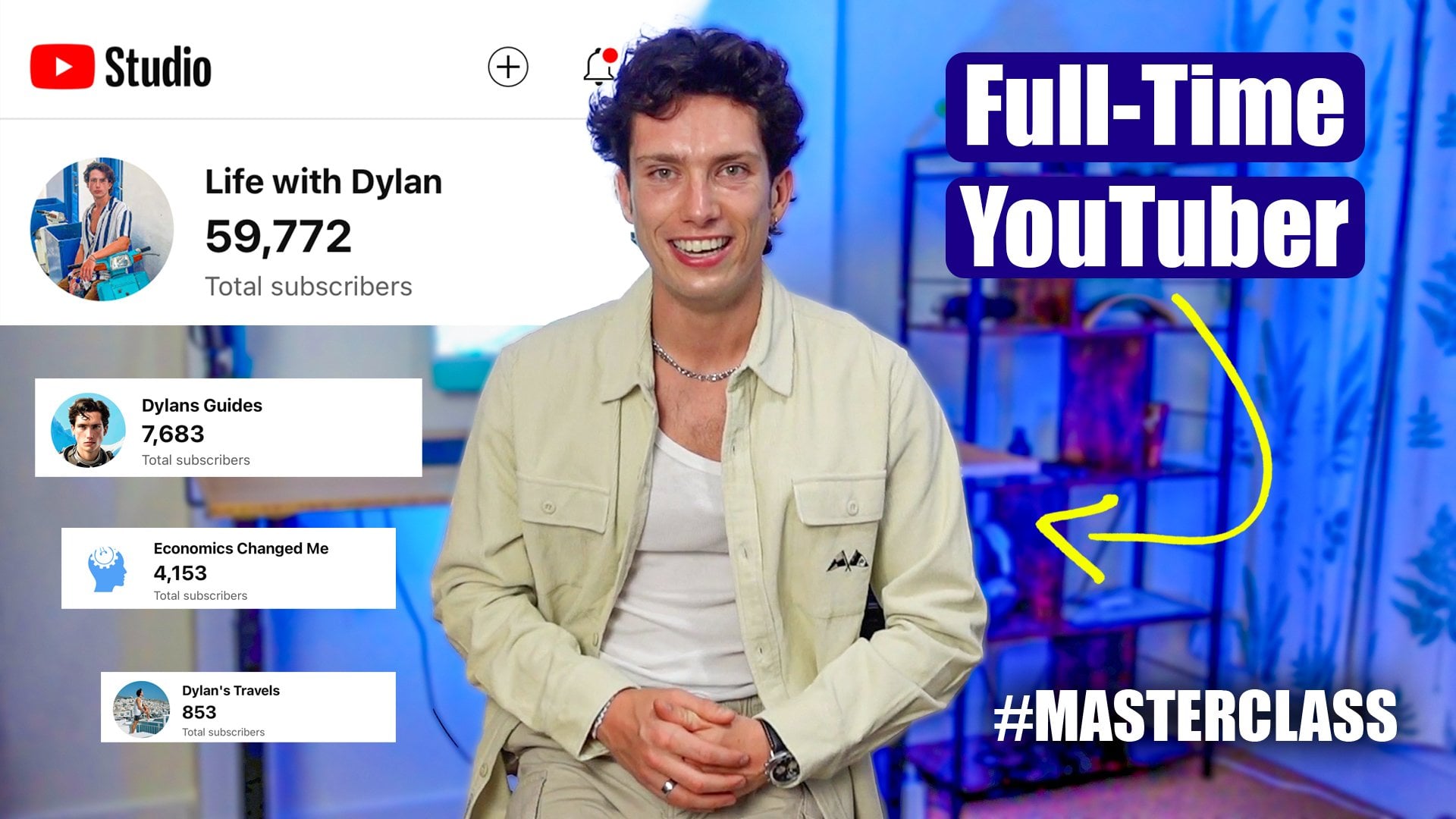
channels that have amassed 80,000 subscribers, over 15 million views, and all those channels
are in different niches. And I have sure unlocked this sort of behind the scenes formula to grow on YouTube. And so while you're watching
this course about how to utilize AI and your workflow to streamline it
to make it faster, you're also going to get lots of valuable YouTube nuggets
at the same time. So if you are an
aspiring YouTube, somebody who is
new on the scene, this course is for you. And if you are somebody that has a channel that
wants to grow faster, that wants to find new
ideas and new ways to grow then this is also for you. I'm going to teach you
exactly how to adapt to the modern day and also save you a lot of time and get
the most perfect, efficient, optimal
content out there. So without further ado, let
us jump into class one, and please do take a look at
the class project and leave a review if you go on to Enjoy
it. Thank you very much.
2. Customising ChatGPT for Success (KEY!): Hello, and welcome to Class one. You've made a very good choice by joining in today's course. And I'm going to
start off with one of the most important
lessons there are. Now, a core fundamental of the modern day and the
modern day when it comes to utilizing AI with
content creation is going to be using
services like hat GPT. This is probably one that
everybody is familiar with. Now, before I deep dive
into how I utilize it, the prompts I give it and
the output it gives us, there is a key thing
that we must all do if we're looking to maximize its potential and save our time. Now, this is an
absolute game changer. Everybody that uses Chat GBT should do this, but
not many people do. So what I'm going to teach you
to do in this first course or class of the course
is ultimately we're going to be using
Chat GBT today to maximize our YouTube content
in terms of our niche, in terms of the SEO and
the data that it gives us so that when people
search for stuff on YouTube, our video pops up first. Now, if you're not familiar with the likes of
SEO, don't worry. Let me briefly explain that. CO, for example,
is when you take a look at my channel on
the screen right here, you'll see my guides channel. Now, here I have various
different pieces of content on various
different niches. And if I take a look at something that's
doing quite well, for example, only uploaded,
you know, six days ago. If I click on it, it's going to load up
a brand new video. The thumbnail is part
of that SEO package, but more so it is the title and, for example, the
description right here. So, optimizing that
description with keywords and search phrases is something that AI
can do very quickly. Almost better than a
human, if not better. So we're going to be utilizing that to generate correct SEO, the same for the tags that
are actually not shown here, but the tags will be
also in the video SEO. And it can also
help us generate, thumbnail ideas, thumbnails
themselves, and so on. But to start with just to give you a rough idea, we're
going to be looking at that. Now, if I head over to
Chat GPT on my screen, going to bring me
straight up to a page, and it says, What
are you working on. Now, here, what we're
going to do is set up some custom instructions
for Chat GPT, and those custom
instructions are all around the idea of making sure that every time I
come onto this site, rather than me saying, Hello, I am Dylan, I do this. I would like to
generate this and this. It knows instantly who
I am and what I do. So, for example, if
you're a baseline chat GBT user and you're looking to utilize AI for your content,
you might be like, Hi, I am making a video on YouTube, on my channel with a
niche of student life. I'm at University of York. I want to make a log. I study economics. Please give me five ideas. You can see that
I've had to give a lot of information
about myself. It's a bit time consuming
and some background, but then it comes up with some fantastic
ideas campus tours, hit and gem, Day in
the Life of Economics, what I spend in a week as
a student at New York? And they're all
great ideas, right? Fantastic. That's
how I utilize AI. But the first process is, we're going to get
onto this later on. I just want to make
sure that Chat GPT knows my background, my niche, the size
of my channel, all those things as
a baseline every time I come onto the
site to generate ideas. So in many ways, I can say, Hey, I'm looking for five new
video ideas for this week. What should I do? And
it will know that I'm a student at
York every time. So, right, while
this isn't true, I'm using it as an example. And the reason for that is
that when I first started my YouTube channel and
my biggest channel, it was all about
university life. And I'll quickly show
you this. And it used to be called Student Vlogs. And here it is right here. Here's my lovely channel,
one of the OD ones as well. So all about student life. Nonetheless, let
me go back over to what I was on before Chat GPT. Right. So to do this and set up custom instruction from
the baseline, simply, what I'm going to do is
I'm going to come down to the bottom left hand corner
of my hat GPT account, and I'm going to select
customized Chat GPT. So here it says these
features where it says, Introduce yourself to get better, more
personalized responses. And this is what I'm
going to fill in. So I'd recommend saying
just typing on your name, or so you know that it's
your account for YouTube. I'm going to put Dylan YouTube. What do you do? Well,
I'm a YouTuber. Perfect. What traits
should Chat GPT have? Now, this is quite interesting. So what traits do you want the chat to give you whenever
you're generating ideas? So what I will do is in my description down below
an extra resources pack, I will leave these traits that Chat EPT I think is good to have for anyone making content on YouTube or
utilizing AI to make content. So you want it to
be strategic and always think in terms of
audience retention, growth, monetization, and
virality, analytical, a creative catalyst, as well. You want to make sure that it rapidly brainstorms
unique ideas, audience minded,
so it tailors to your target viewer
persona and niche. And it has to be SEO savvy
keywords, CTR techniques, which is click through rate techniques to maximize
click through rate. Algorithm fluent. Again, all of these things
are absolutely fantastic. And so we would like
Chat GPT to have all of these great trends and traits. So then what else should
Chat GPT know about you? Here is where you need to add in the details about your channel. So, right, let's say, my name is Dylan. My channel is called
Life with Dylan. I'm going to type in
some extra stuff like my niche, my subscribers, what I like, my USPs, and we'll get back to you
in a second. So here we go. I've now added in a lot of
key information for chat GBT, so it gets to know
me a bit better, more specifically gets to know my content and my
style a little bit, Diller better. My name is Dylan. I run a YouTube channel
called Life With Dylan. I'm a UK based student studying economics
at York University, and my content is mostly vlogs documenting
university life, relatable student struggles,
lifestyle experiments, and growing up in real time. My audience is primarily
18 to 28-year-old to connect with me
because I'm honest down to earth and try
not to act perfect. A lot of my viewers are international students
or young adults who feel like they're figuring
out life alongside me. As premiere pro for editing. I'm not the most
polished or academic, but I'm real. That's my USP. Think of me like
a big brother or a student friend that
people can see online, chill out, get motivated. I care about YouTube
growth and wanting to learn how to make my
content more engaging, searchable and high retention
without losing my voice. Again, a fantastic bit of
information for Chat EPT. I'm going to then
save this right here, and now it says, Good to
see you, Dial on YouTube. And now I can say, right, just like before, but this time, I don't have to type in
any of the other stuff. Generate me five video ideas. And now here are five ideas. I do not have to give
it any other context. It is now fully on my side. It knows exactly what
is going to be good. And I love this title already. I tried romanticizing my
student life for a week. I wish I did that. That is a fantastic video idea.
And it's got the hook. It's got the potential. It's got Y Works and an SEO boost. Day in life, but I'm
actually behind everything. It creates a bit of
intrigue, very nice work. Every mistake I made at Union my first year, so
you don't have to. Fantastic. And I just
think now all of a sudden, these ideas are amazing. I'm going to save this
for the next class. By now, you should have created a custom instruction for
JGBT based on who you are, your channel, and what
you're looking to achieve. Thank you very much
for watching Class I. It is going to be very good.
Let's jump into Class two.
3. Generate GREAT Video Ideas with AI: So, welcome back to class too. In this class, we're going
to be taking a look at how we can use AI like ChatPT, which is generally free unless
you need the paid version, or unless you'd like to
utilize the paid version, which gives you
more searches and more uploads for images
and stuff like that. We're going to be looking
at how we can essentially utilize it to generate some
fantastic video ideas. When I say video IDs, I mean, titles are videos,
and then later on, we are going to get down
into the structure of the videos before the actual
final product and so on. But titles are videos, right? So we've already given it a structure of who we are
and what we like to do. And here, I can see
after last class, I just selected generate
me five video IDs, and it gave me a
fantastic breakdown. The way it spoke to me
is absolutely fantastic. So it now knows exactly
who we are and what we do. There are many
reasons why this is great because it gives us
specific tailored feedback. And here you can see on
my channel, for example, I've got all of these different videos out there over the years, and they've performed
relatively well. Now, the reason why I
like Chat EPT doing this, it gives you a breakdown
of why it works and various things.
So now we are set Symby like before, I'd say, generate me five video titles
and ideas for this week. So it will give me,
as I said before, fresh video titles and ideas
for my YouTube channel. And here it is preparing
for Uni, but it's summer, and I'm low key over
it, very emotionally, emotionally driven
titles nowadays. That's why YouTube has
really made a big shift. We like essentially emotions and sort of a juxta
position in the title. You can keep this going,
right? So whatever your circumstances may
be, maybe, for example, in my case, I'm a
Uni, but I can't actually film outside or
I can't film anything. It could be exam week, and I'm looking for
something very quick. I might be like, It's
exam week this week, so I need a very quick idea. And it will then give me a
few more easy to edit videos, easy to film ideas that
I can then utilize. So exam week, brain dump,
no filter. Fantastic. Just get the camera
up, I can press record and I can sit it and send it. What about if I was
saying, for example, I've left my camera at
home and I'm on holiday. I've left my camera at home, and I'm on holiday
video ID, please. So again, what I'm
saying is here, it can generate you
any and great ideas, but also it can
tailor those ideas to the circumstances that you are in and what you
would like to do. Want to film outside or inside? Do you want to be filming something that takes
a long time to edit, or is it a short
video you're after? Are you looking
to basically make sure that you have everything
tailored correctly, then this is what
you need to do. So I hope this makes sense for utilizing AI to
generate video ideas. And the reason why
I like to generate video ideas first using AI, and the reason why
this is class two, is that you should always
start with the idea and do a bit of
backward induction because sometimes in the past, I've just whipped up my camera. I've gone to film something and the video kind
of turns out to be a bit mirred and a bit
unemotionally charged. If you work backwards, you know the goal and you have a plan that you're
working towards. And so your video is consistently
tailored to the title. You can tailor it to the
title when you're filming it, and it also means that you know you've got a good
idea and concept. So again, this is how we generate our
video ideas using AI. Are various other
factors you can do. Like I said, I'm just putting
in generate five ideas. You could add in
every single niche, like, who is it
going to be with? How long do you have to film? All of these factors, and the
more factors you give it, the more tailored responses it will give you
the better it is. You can also ask for four or
five different responses. And to re go over some of
the ideas that it gave me and why I think they're great, I kind of mentioned it earlier. It's like, right, five video IDs and titles for this week, preparing for Uni, but it's
summer, and I'm key over it. Like I said,
emotionally charged. It's cozy, but a chaotic vlog. Fantastic, and it gives you various different titles that
you can then use, as well. So whatever you relate to the
most, you could just do it. And I think all of these are so casual titles that I like
you're speaking to a friend. It's exactly what I said in the description when I gave
Chat EPT instructions. I said, I should feel like I'm a friend and that I'm
their big brother. This also going through UNI. And me saying to my friends, UNI Prep in July,
it's different. It is a very similar message to what I'd send
in the group chat. So hopefully, it makes
it clear as well just how good Chat EPT is, and AI is tailoring its
responses to your needs. Now, if you sit here
and you don't give it a super detailed explanation of who you are and what you do, you won't get as
good a responses. But in class one, if you go
about making sure it knows everything about you and you fully feed it the
correct information, you're going to get
fantastic responses, indeed. Thank you very much.
4. Viral Video Scripts with ChatGPT: Hello, and welcome
back to class three. And this class, we're going to be moving on to the next step. This is all about generating a video plan utilizing
AI once again. So as we have discovered, Chat GBT knows who we are. We've generated
some video titles based on what we are
requesting from it. And thus, we're in a position
where we've got, you know, various different
options that we can utilize for making
a piece of content. So I'm going to choose
my favorite title that's generated me so far, knowing exactly who I am. And I think one of
my first ones was I tried romanticizing my
student life for a week. So I'm going to basically
copy all of this, and I'm going to
say, love this idea. I'm not sure what to film and what structure to
use for the video. Please generate me one
in lots of detail. And now I gave it so much information about
me at the start. I don't need to explain
or elaborate too much on any further information
because it knows where I am. I knows what I'm studying, it knows everything about
me that is required. It knows who my
target audience is. And so now I can just
say, generate me a structure for a video ID
you've already given me, and it's going to
come up with a very tailored but good
structure for the video. So I also should say when
I'm talking to Chad GPT, you know, I'm saying about
how I love the idea. Please generate me one
in lots of detail. And I've also just
copied and pasted in quotation marks, which
is pretty key here, the exact information it gave me from earlier on
in that pretext. And so here we are. It's currently doing a
massive, massive, lovely, detailed core structure and retention hooks for the video. So right, let's have a look
at what it gives us and how could we utilize this going forward for our own content. So we know the title ideas. It says, you know, Love that
you like it. It's so you. Blends love, honesty, low key introspection and
cozy productivity vibes. And here is the scene by scene, breakdown and
voiceover guidance. It gives you everything
you could possibly need. Now, it's still you know, you're still making
your own content. You still tailor it to yourself, but Chad GBT is now just
giving us a script. The core retention, 8-12
minutes, that is a good length, and I'll tell you why
because 8 minutes, you can add multiple
adverts. That's the cutoff. Anything longer than 12 minutes, it kind of moves into
long form content. And if you're going longer
than 12 minutes to build up a high percented
retention is quite hard. And having high
percentag retention is key for maximizing the
algorithm performance. And what I mean by this
is the higher percent of the total video
that people watch, the better it performs. So typically, my target audience wouldn't
have a lot of time. They're students.
They're going around, and so they haven't always got an hour to
watch them content. So me doing long
form wooden work, but that sort of
baseline lower end A to 12 is great for monetization, which was
a priority of mine. I told it earlier on, and it's also great because a little bit longer is that sort of
daily vlog style level. So fantastic video length. The tone, cozy, visually
satisfying, but real. I think that's very
key, as well, right? I now know that whenever
I'm doing this vlog, if I want it to be
successful, nowadays, and I think it's true for the modern era, having a lovely, sort of visually satisfying
shot of, for example, making a coffee or writing down some stuff like you do a
UI is going to be key. Filming use your phone,
prop it up with books, shoot B roll hand
held for intimacy, prioritize natural light,
and sound quality. And, of course,
this is coming at from a basic perspective. So what it's saying
is make sure you, you know, prop it up, utilize your phone when you can, for example, and
stuff like this. You know, I could put my
phone here, prop it up, and now I've got a lovely typing shop shot. That's
what it's meaning. And, of course, you can log. You can set up a tripod
if you've got one and just continuously film. So that's what
it's given me some great information and some tips, and I have a mic, as well. So the structure
scene and prompts, and this works for
every video that you can generate utilizing Chat GPT, it'll always give you this. So it's telling you
to start off with a calming morning shot
making tea or coffee. It's an classico of logs, opening a window, natural
lighting, lovely. And then a text
overlay, and I can kind of see it being artsy
and cool in that yellow with a red shadow
or yellow writing with a cool background
shadow font and color, trying to romanticize my
student life for seven days. So instantly, the viewer now knows they're
hooked because they know it has and is going to
be a full week in their life. Telling me to do a voiceover. I've been feeling
kind of great lately. Uni has been a lot. So this week, I tried
something different. I tried romanticizing my
student life, the mornings, the lectures, the chaos, even when it didn't feel aesthetic. Here's how it went. And it's that intrigue of, like, right, this is all the stuff
that you're doing this week and
here's how it went. You're like, Wow, as a
viewer, you're like, Well, how did it go? So, fantastic. And then you can add in an
optional hook punch line. Spoiler, it didn't always work, but it did
change something. And you've got two
extra hooks in there. What didn't work out,
and what did it change? And that kind of keeps people
hooked until the very end. So I'm just breaking down this
plan so you get an idea of whenever we see Chat CBT generating the great
structures and content ideas, where it's coming from and why they're doing what
they're doing and why it is quite important. So so far, we get it. That aesthetic of, you know, cozy and visually pleasing definitely fits my
target audience. Start with light motivation. Again, motivation
is always good. Vlogs, you like to see those
habits that people have. And you've got your
to do list with Cup in my demographic probably doesn't care too much
about cute pens, but I hear what he's saying. Reading a book with
low fi music, again, similar to what I would do, I think I'd have a small
change for my personal vlog. It would be getting
ready to go to the gym or going to
play some football. And then I could have rather
than like journaling, you know, reading or
watching something, and tea or coffee
could turn into making a classic sandwich after
football or a protein shake. It's that same sort of
thing. But even with ChaiVT, sometimes you still need
to tailor it to yourself. That is a whole idea
of a good day in the life Vlog has
those small aspects. Day one, I lit a candle and pretended I had
my life together. Honestly, romantizing my life
didn't mean being perfect. It meant noticing
the small stuff. It felt so good to slow down, even if I was still
in the same Uni room, it looked different today. And so my version of
romantizing my life would be a bit more about
tidying up my room and, you know, making it smell nice. Maybe I would try a candle,
because that's the whole idea of the video like I'm
trying to romanticize it. So as a guy, Uni,
what would I do? Tidy up. I'd be like, Look, candle, here
it is, light it. And that's me trying
to romantize it. Good. And so nice. Then you move on to
the next few days. I'd also probably include
some extra stuff about, outfit selection about where I was going and
what I was doing. And I would do some clips on lectures and voice
over them and so on. And then I move on
to day three and four, romanticizing the grind. Try to make study
sessions feel meaningful, lean into the cozy hustle. So yeah, library hotshots, desk B roll, great typing notes, walking to campus with
headphones in, cycling, I do that as well, and slow
zooms on the laptop screens. Fantastic. I think this is a really great structure
for days three and four. How would you pat it out? Well, if this section of
the video is much more about the studying and what
I'm learning and doing, I would add a lot more
about economics in. What have I been learning?
What have I been finding hard? What have I been struggling with B roll, cut to the camera? Yeah, so I've been doing,
industrial economics, and I've been struggling a
lot with the mathematics and the differentiation
and the integration. But I think the more I try, the more I'm slowly getting it. But do let me know if you
struggle with that as well. But I'm in the
library. It's 4:00 A.M. And I'm grinding it out. I've even got my evening tea and my flask with me right here, so I'm going to go and fill
that up and sort that out. Kettle, bam, bam,
porch. Drink. Lovely. Done. Next day. So
you kind of build up a vibe utilizing the chat GPT prompts that's given
you in the description. And don't get me wrong.
It's not perfect. For me, as an IDEA springboard,
this is fantastic. And obviously, if you don't
like what it gives you, you can request for
ChatBT to change it. So again, and this
continues to go on, and they know exactly what
they're talking about. They've got a lot of
data behind this. And then you've got a
great outro, as well. But that's the rough
style of the video. But let's say, for example, you didn't actually like this, you could say, I
don't like the above, make it more how do I say, like a young man's week in
the life with gym football. And I say young man because
I am a young man, ads, socials, but still try
to romanticize it, Rome. And so what I'm doing
now is I'm tailoring the initial structure
it gave me to something a bit more refined to what I'm
likely to get up to. And so, yeah, Jim mirror Selfie walking to
football training, nights out, library grind,
cinematic lighting. It's group chat blowing up. So it's exactly the same. But it's got it over dreaming piano keys, rather
than, you know, your stereotypical, you know, bang, bang, bang music,
whatever it may be. So as a result, it's now
tailored again to me, but then also what I'm
likely to be doing. And I think that is
really where you can truly leverage AI
and Chat GPT to generate your
content and make it to the next level
where you're going to be growing and creating
the best content you can, getting as many
views as you can, and ultimately, like I said, growing as fast in
monetization terms, making money, and
all other aspects. So now, for example, I've got my new structure. I can move on to the
next side of my quest, which is going to be filming,
which will have happened. But then how do we utilize AI to generate the next
parts of my YouTube channel?
5. Search Engine SEO Hack with AI (KEY!): Welcome to Class four. In this class, we're going to be now putting into practice everything that
we've colleted from AI to towards our
YouTube channel. So first things first,
remember what we've done. We've created a whole
entire background for ourselves on Chat GBT. We've generated a video
idea, multiple video ideas. We've selected the
best video idea. We've told it to
generate a structure. And a SEO optimize structure, given who we are for our video. We've then taken that structure, broke it down my works, gone out, and in theory, we filmed the video that
Chat GBT gave us. In this case, I have not. But
let's assume that I have. And I've done exactly
as the script has told us with a few additional
personalized elements. I've edited it altogether, and if you'd like an
editing master class, please do check out the other
courses I have available. Are honestly top tier, as,
of course, I would say that. And there's also various
different editing tools that we can use to help us create
logs, utilizing AI. However, they're going to advance massively
in the near future. So for now, we're
focusing purely on the metadata side of things
and idea generation. But I will definitely
make a course on how to use AI to edit
videos very shortly. But this is the video
we created. Here it is. So again, it gave me a
few more fine titles. I tried romanticizing my Unilife for a week, you
know, GM, football, and chaos, what romanticizing student life looks
like as a UIlad. Again, that's a bit of a you could say it tongue in cheek. This is quite interesting
Romantizing Unilife Gym football hangovers and Hustle. That is quite an
interesting one, but I do like the
first title the most. I tried romantizing my
Unilife for a week. So, let's say, for
example, I filmed that video, I've
started uploading it, and now here is the description
and the places that I can add the details
in I would like to. So I would then paste in
the title that it gave me. I would take away the commas. And bearing in mind, this
whole video structure has been given to
us by Chat TBT, of course. I'm going to say, I filmed that exact video. It has the title of quotes this. Please generate me a description
for the YouTube video, and it will give us a Taylor
description once again. And here it is. And I would
say it's very, very good. I don't like having
too many bullet points in there at all. So I'd say, I just
want two paragraphs with two emojis and the word university UK University
mentioned Me. So you can tell it to
mention keywords more. So sometimes it will give
you great keywords and phrases to utilize
in your description. Now, for me, I like to
fine tune everything down to two paragraphs, because I feel like any more
gets a bit congested and you don't want it to be too long and too many emojis
gets a bit crazy, and you might have some default descriptions
in there anyway. So that's why I like to simplify it down to two paragraphs. I feel like it works well on YouTube doing
stuff like that. Also told it to add in university
slash UK University Me because they are our keywords. And while Chat GBT will add
in some other keywords, if you are a beginning YouTuber, you'll know there's keywords
and phrases in your niche, and if you're established,
you'll definitely know this. And so the more keywords
and search phrases you get inside of
your description, the better it is
for your channel. And so as a result, if you figure out
those keywords, and that's why giving it context to your channel is so
important early on because it puts those keywords automatically into
your description. So we go. I've got a fine
tuned description now. I'm happy with that. And I'm going to say, actually, let's add in a few
more keywords. So keywords like week
in the Life at UNI, University flog,
Day in the Life, week in the Life. I'm going to tell
her to add those in. It's going to give a
more refined version that subtly and naturally includes those key aspects. And in my first
line, which is key, I always think the first line of a YouTube description
is very, very key. Spent a week trying to romantize my real UK university life. That is a key search
term University life, UK university and sort
of day in the life. It's combined within
the first sentence, those keywords together
that will help make me stand out when it comes
to the search engine. So nice work chat GPT.
I quite like that. Um, and it's got other
core things weaken the life at Uni with
a cinematic twist. And, you know, you tell
you could probably tell in certain ways it's
been adapted by AI, but I do think stuff gets
better as you refine it more, you'll speak if you like it to, and you can tell
this at the start in a human tone, you
know, that sort of thing. So I've got my title.
I've got my description. It's looking like a pretty
good video, honestly. But if I scroll down, you
can add it to a playlist, and if you'd like to
learn about the best ways to go around uploading content, again, I've got another
course on the channel. If you show more, something that's a bit important but a bit less important nowadays
is going to be tags. Now, tags are
something that used to be play an important role
in getting a video found. Now it's description metadata,
titles, and thumbnails. However, what I would
say is based on this, why should I say,
based on the above, the above, generate me 20 tags, some long, some short. And this is so that I can
easily copy and paste them. But here we've got some
great tags that I can use in my YouTube
description tag box, which helps people find my
videos a little bit more. So I copy and paste those. I did 20 because you can't go
over those 500 characters. And if I take a look at the
output UK University log, real Student Life,
Unilife aesthetic, then the life of Unistudent
student week in the Life, they're all key search phrases, all ones that I
would normally use. And so by utilizing Chat GPT, saved a lot of time,
and I've got very, very good results for my title, my description, and my tag. I've built my videos
it knows who I am, so I can utilize it
consistently and efficiently. And this video would
thus be ready to post, and it would have the
most chance of going viral because everything
is optimized towards that. So I hope that
this has given you some real good insight into
how to use Chat IPT so far. But the journey is not done
like any good journey. It continues on for
a little bit longer. So we're going to deep dive
next into adding a thumbnail. Thumbnails are absolutely key.
6. AI THUMBNAIL GENERATION : Hello, and a very
big warm welcome to the next class
in this course. This one is very,
very important. And as I mentioned before, it's all about
utilizing AI to develop the final piece in
your product package for your channel and videos, which is the most important. It's going to be your thumb now. Now, this is what entices people to click through
to your videos. And if you have a very high CTR, which is your click
through rate on YouTube, then you are going to be in a very good place to get your video promoted on the homepage, to get people
clicking through and ultimately to deliver
a lot of growth. Now, what I want to show
you is how to utilize an AI tool to thus
generate thumbnails, and it saves you masses of time, and those thumbnails they
generate can be super eye catching and fantastic
at the same time. So there are various
different tools out there, some free, some paid, but as is everything like Premiere Pro and
other opportunities, a lot of stuff you find
out there is paid. And the video the VDIQ
product I'm using right now, a paid alternative to generating thumbnails yourself
on the likes of Photoshop. So a cool feature they have and VDIQ I'm not
affiliated with them. I don't utilize or have any insider connections
or anything like that. They are essentially a piece of software that's been
around for a long time. They analyze your entire
channel and when to upload, what times to upload, what views you
are, some trending topics, some tags you can add. And they've recently
got this product called an AI
thumbnail generator. And so if you sign up to VDIQ, you can put vidiq.com forwardslash ThumbnaLs
and it'll take you over to this Create
section on your VDIQ account, which is exactly what I'm on. You select Create, you
select thumbnails, and it brings you up
to this page here. And here you can see a few other thumbnails
that I've generated over the years or over the
last few weeks utilizing VDIQ. So how about and how do we go around using this to
generate thumbnails. Well, at the bottom, and I
do hope you can see this, you can see a section that says, Describe your thumbnail, video, faces, objects, and reference. So, let's say, for example, I want to make a
thumbnail on my vlog, which was recently
talking about how, you know, romanticizing
student life is. So what is my idea
for that thumbnail? Well, I think I want to
tell you the video title, and I want to add in my idea. So my video is about
romanticizing student life. I study at university. So I want so I want
some logos in. It's a log video. M as the focus. I'm just going to put this. And then I'm going
to have a reference. And for a reference,
you can select um some videos that are out there on the
Internet at the moment. And so if I search
for my channel, some of the videos I've
had over the years, one of my most successful ones
was University Tier list. But what about if I go
and search with Day in the Life of an economics
student York University, use this would
hopefully bring me up. If I search for that, there we can see some of my
successful videos, 114 K. And I go, actually,
that's a great video. I'm actually going to select
that as my reference. Right, so it's got
a reference Uh, I can actually select
the video that it is that it can then analyze if I'd uploaded the video properly in
and had it on schedules, so it knows exactly what video
it's making a thumbnw for. But now, I'm going to
leave a reference there. And I'm going to leave
a lovely photo of me. Again, it's slightly
AI generated right here for them
to use as my face. And so if I thus create this
AI generated thumbnw and sometimes I guess the only
issue you could argue with it is it gives you an
AI generated face, but it generally gives you the highest quality
stuff there is. And so romanticizing
student life Log, is going to generate
all of the thumb noaws a few different options
based on what I've told you. You can sometimes keep making alterations based on what
it is that you would like. And as you can see right here, I like this a lot except for my image that I have shown
or chosen to be on here. So if I do a different
reference image, perhaps let me try. Let's select Kai
Senate as a reference. Let's select a facing object that's got a bit
of a better photo, and let's see what it creates
university blog photo, I think this is probably
one of the worst thumbnails it's ever
generated to me. Perhaps I could
argue maybe then, that this product is
better for when you're making tutorials or reviews
or stuff like that, as opposed to lifestyle videos. And I guess that
is kind of fair. I've given it a hard task
because with lifestyle content, you want to see real
believable stuff. This is leaning more towards
the idea of Mr. B Style, thumbnails and tech reviews
and stuff like that, which I know it's great for
because I normally use that. But for lifestyle like vlogs, perhaps it's not
the best example. But let's see again, whether refined version
what it generates. Bit better, except it's
utilizing a school library. This has got like Zach
Evon in the background, and the final one has got a bit more of a
library aesthetic. But I think overall, let's
say, it hasn't gone too well. But I think my point is that you can generate
some very cool thumbnails utilizing the right products and the right descriptions
on this app. Perhaps if I try a
different version, let's try a Fix LAG on call
of duty so I think this is, you know, an equally fair
point AI is fantastic. There are so many
good things, but sometimes it might
not always work. But let's say, for example, this, I don't need a reference. My video is about fixing war zone lag I want text on the screen
and popping colors. Let's see what it
now generates me. I'm hoping this is going
to be a bit better. And here you can kind of see how good this thumbnail
generator is for real. And so, overall, I think this is a really minimal
prompt I've given it, and it's come out with
some quality stuff like on the left here. So I do really like that photo. Cally war zone is
clear, zero lag now, and it's got a little input of a sort of settings function
that I quite like. But I'm going to say
again, let me try again and generate
another thumbnail, generate a thumbnail and text
saying I had to remove lag. PS five. And I'm going to
add a reference No lag. Let's try to find something
good here to utilize. We're going to see
how it goes around. I've utilized my own
thumbnail as a reference. I've gone exactly the
same as I did before, asking it to generate
a war zone thumbnail, optimizing the
settings for noLAG. But I also suggested
they put in a logo or some text on the side. So it's just generating
it. And straightaway, I do like that a lot. So you've got how to remove LAG PS five on the right
hand side and on the left, you've got an in game
setting that seems to have essentially some
lovely text it's clear. You can see it from
a distance. Same for here. I do really like that. And you can see the reference
image is so, so important. So I think it's got
a tiny bit messy. But to conclude, if
you are looking to generate some top thumbnails
utilizing AI tools, you have to give a very
good reference photo, and you have to tell
it what text you want, what logos you want, and be very specific what you want
to have displayed. So, for example, to
make this thumbnail better and to get
what I want, I'd say, move the PS five over to
the right and on the left, have a little settings
panel show action, me changing the settings
to reduce the lag. I'd also like a
gameplay image of some people and game players
firing in the background, and I think that
would then give me the perfect dumbnail with the text and with the
controller and play. With the previous example of utilizing it for
lifestyle content, I think at the moment, what my conclusion would be there
is that it's getting there, but it's not quite there yet. My suggestion would be for that is that you always take
a still from your video, your vlog, and I gave
it a tough challenge. And I think it was
somewhat there. But my only thing is
with lifestyle content for me personally as a YouTuber, if I want to watch
somebody's day in the life, I want to see this real straight
away from the thumbnail. And these AI tools
are fantastic, but they much more
lean towards the world of AI and stuff like that. But I still think, you know
what, it's not bad thumbnail, but it's just not as good,
I think, as it could be. And I think the AI generated thumbnails work
well for tutorials, game plays, everything outside of the likes of
lifestyle content. And even this would work fantastically for those
thumbnails that you see, Mr. Beast of shocked,
emotionally charged. I did this, we did this. Um, but, yeah, hopefully,
that makes a lot of sense. I feel like the key aspects here for utilizing
AI to generate thumbnails are going to
be as much information as you can for the description
of your thumbnail, what the idea is in your head. You want to add a
face and an object that you can upload to VDIQ that is your own that can
go inside of the thumbnail, and then you want
to have your video selected that you're uploading, so VDIQ knows what video
the thumbnail is for, and they can thus get
a bit more data on the video to give you
a better thumbnail. And then finally, having a good reference thumbnail
for what you want to use as a reference so that when it's
designing your thumbnail, it'll make it
somewhat similar is absolutely key to a
success full thumbnail. A. And then I think there are some other free thumbnail makers out there across the world. Adobe have one, for example, or even Canva have a free
online AI image generator. And so let me try
something here. So Canvas often quite free. But I'd say the VDIQ
specializes in one niche. And sometimes on YouTube, then you can actually having
a niche is very helpful. So I say, generate me before, generate me a thumbnail, my YouTube video about
studying Uni in the live log. And it's just generating us, you know, a thumbnail
based on what I told it. It takes a bit of
time, and, of course, right now, the format is wrong because I haven't calibrated it. But I just kind of want to show you what other stuff could be out there in terms
of AI generation tools. I mean, for me, for
sure, this tool is growing rapidly,
and I utilize it, especially on VDQ a lot for the majority
of my thumbnails. So this is kind of
what is giving, and it's You know, it's not bad. In actual fact, what I'd say is, if you were going to do
something like this, you probably have, you know, something a bit more like this. Obviously, it's
the wrong format, but it's given you, you
know, a bit of text. The text is a bit
wrong, actually, to be fair, but it's getting
there, is what I'm saying. And so there are various
different thumbnail AI tools that I'd encourage you
to play around with, but the key to success of them
is being very specific and then ultimately utilizing them as they were intended
to be utilized.
7. Limitations of AI (KEY!): Hello, and welcome back to
another class in this course. And I think this one is
very, very important. So I do encourage
you to stick around. And I think today I've really
been touting the trumpet of how good AI is and
how much it can do for us as content creators
are looking to grow. And I think if you
take a look at the benefits versus the
cons, the benefits, the pros definitely
outweigh the cons, but there are some things
that you have to be aware of. And I explain this a
lot to a lot of people. I often say that
AI is fantastic. It's always there
to help us out. But if you become
solely dependent, likes of AI to generate
all of your content, and you get lazy when
it comes to prompts or descriptions or
information given to the AI, then you do indeed, lose a bit of creativity
but lose performance. I think AI is utilizing or AI is a tool to
utilize together in conjunction with
your own creativity and your own brain and your own ideas to help get the most out of
what you already have. And so I just kind of wanted
to add this in here because it's something that's
going to take over the world a lot going forward, and a lot of entry level
jobs are going to go. A lot of things are going to
be done and automated by AI. So you end up in a world
where the content that might start to stand out and the way on YouTube
and in the world, the things that might
start to do the best are the organically
performing, you know, items that are much more human and tangible
and stuff that we recognize to be created
authentically by other humans. And so while I've touted the trumpet of it,
I think it's fantastic. It does so many great things, especially for those
smaller tasks, quite time consuming
or can be tough. There are some things,
like I mentioned, for the reasons I just said
I want us to be aware of. And, you know, ironically, you can go on Chat
GBT, and, you know, one of the great
things about it is you can ask it questions, and it gives you honest answers. And so I have asked it
to give us a few sort of pointers for what
the limitations of utilizing AI for
content could be. This is all that comes up, so a lack of originality
and authenticity, a lack of emotional nuance. And that is especially
true right now for those tools and models that are developing because we can
get into how AI works, and I'll do that towards
the end because I think this next class
about how AI works is, super valuable,
especially because the more you understand it
in general for content, but for life, it can
help you massively. Risk of homogenization, relying
heavily on AI can lead to content that lacks originality as AI models draw
from existing data. So I think that's a really
good point when considering utilizing AI is that
you end up kind of, if it's pulling all
of this information from these two pools in my hand. Over the course of time,
everybody's utilizing AI from outside of that pool to generate their new video ideas
and topics and titles. And so what it happens is you pull from these two
pools, they make content. Then the other people pull
from those pools again. But these pools are
using the previous data of Scott to give the new
people content ideas and tags. And so you kind of
end up in a circle whereby nothing is really going outside of the circle
and being brought in. There's just two circles that continuously give
information out to people, and in those circles, it's then pulling data to the original circle
from the new circle, but the new circle is based
on the original circle. And so the pool of
information and data and originality just gets smaller and smaller
and smaller and smaller until
everything homogenizes. And I think that's a very, very good point to be aware of, is that is fantastic. AI is great, but you
have to be careful not to be too homogeneous
with what you're doing, because then it becomes
a bit bland and boring. And if you're the same as the other content
created down the road, there is no real authenticity or uniqueness about yourself. And thus, people wouldn't
really watch your content. And so, you know, everything today is
all about working in conjunction with
the likes of AI, not replacing your
brain with it. So the use of AI integrated content raises
questions as well. So some people, um yeah, some people basically
don't like, for example, AI generated content or AI generated thumbnails
or things like that, because it does take away
from the likes of creators who are freelancers who work as a living to
generate content, whether it be
copywriting, titles, AI thumbnails, or
stuff like that. So I think it's
something to be wary of, as well as, you know, if you
can afford to supporting, for example, creative
industries and stuff like that, but equally, it can only
be a matter of time. But that's more sort of potential ethical and
legal concerns, as Mr. Beast obviously faced
some backlash for using an AI thumbnail generator and delivering it to the
masses of the people. So it's something to be
aware of. There's also the likes of accuracy of input. Sometimes the tags that
it gives you are great, but I wouldn't say
they're the best. And thus, you can get
really good items and really good
descriptions and really good tags that they
read really well, but maybe they don't
actually work for the new updates or the new policy that YouTube's
brought out. And on that sort of line
of AI IO driven content, YouTube only now monetizes, for example, content that
has been authentically created human voices
and not AI voices. And there's really
strong protections all around utilizing AI to deliver content so that everybody is protected
who are truly creative. So I feel like for
me personally, on a personal level, AI and
creativity both have to stay. Both are going to be utilized
heavily going forward. But creativity is going to
have an active input to utilize that side of your
brain more going forward, I think from YouTube spaces and monetization and
all those aspects, whereas AI is going to creep in. There's nothing you
can do about it, but it's about being
savvy for both. And yeah, I think that's sort of the main sort of
things I'd note around AI. And if you want to learn
more then stick around for the next class to talk about
how AI works and thus, how we can essentially have
a better understanding to maximize our chances of success in life and in content
and on YouTube. But I hope that kind
of raises some issues around AI for content,
AI for life in general, because I think it's
important to have with such important new technology
this taking over the world, a bit of a balanced argument,
because, of course, this whole course
is around how to utilize AI to be successful. But I also wanted to throw in a few of the limitations
of it so we have a balanced output for making informed
decisions going forward. Thank you very much.
Stick around for the next course or
class, I should say, because it is going to be pretty interesting and one of the most important in
the modern day, of course. Thank you very much.
8. BONUS: AI & CHATGPT PRIVACY SETTINGS: Today, I'm coming at you
with a very important one. It is going to be how to remove all of your data and your
chats and your history and memories from hat GPT and wiping them from the actual
program itself. So it's a request that I've
had a lot over recent videos, and I've shown you how to
individually remove chats, remove memories, and making sure that it doesn't save your
future conversations. So if you need that help, definitely check
out the channel. But if you come to the
realization that you want to delete everything from Chat GBT, make sure you're signed in to your account on the bottom
left hand corner here. Now, what I figure is
the most optimal way to do this is to actually
type into hat GPT. I want to delete all of my
data and previous history, save memories and
chats so that you know nothing about me or my
life or my work. Please. Can you do this for me? So first things first, to
delete the entire chat history, you go to where
we are right now, hat GBT and click the dot
dot dot next to your name, in essence, just down here. Then going to select settings, and under data controls, you can click Delete All chats. So right here, delete all chats, then they're going to
be gone straight away. So confirm deletion. All
of my chats are gone. And then if you'd like to
delete and then if you'd like to delete custom instructions
you've previously given it, you simply do the
same process down to the bottom left hand
corner, select settings, select personalization, custom instructions
which you've turned on, and you've just got to
delete all of that data all along here once you've
deleted click Save, I'll then remove any
custom instructions. And then once again
for turn three, to turn off chat history, you click your name
settings data controls, and turn off training. So data controls, and then you're going to see and then once you're
on data Controls, select, improve the model for
everyone and turn that off. Ba this is allow your content to be used to train our models, which makes Chat EBT better for you and
everyone who uses it. We take steps to
protect your privacy. However, again, you might
not want to have that on, although I do trust
that they do protect your privacy um, and so on. So that means that they're
not saving anything as much to train
their future models. And once you've taken
all of these steps, I believe you're in a pretty
good place to make sure that your Chat GBT is a blank canvas and it's not
much save data from you. You can also turn off
memory so that you now have pretty much it doesn't save your chats
going forward as well. So that is how to make
Chat GBT a blank canvas. And, in essence, delete all of your data without deleting
your hat GBT account. Showing you how you can delete previous conversations
that you've had with ChatPT so that they no longer
appear on your account. Now, first things
first, when you're on Chat GPT, it may
look like this, or indeed, it may
look like this, and you can't find those
previous conversations. Now, if yours looks like this, you want to come up to
the left hand side, and you want to select
the hat GPT logo, which is the swirl and
select open sidebar. It's then going to bring up
all of your previous chats, your recent chats on
the left hand side. To delete them, simply click
these three dots right here, select delete, delete funny team names was my
request or with hat GPT. And then it basically delete the chat and you can no longer have that
on the side there. I'm going to be showing
you how you can delete all of your previous
conversations with hatGPTlas Delete
all the memories and data that it
holds about you. So make sure you're
logged on to JatGPT. You know this in the
bottom left hand corner as your profile picture
will appear right here. Select your profile picture
and select settings. Once you've done this,
you'll see a menu sidebar. You want to come down
to personalization. Now if your memory
is switched on, previous conversations
may be saved, and certain data may be saved
from those conversations. You then want to select at the bottom here,
manage memories. Now, saved memories. Chat GPT tries to remember
your recent chats. My it forget them over time, save memories are
never forgotten. So your save memories are
never, ever forgotten. And if you had stuff
that appeared here because you've
previously saved that, you can select delete all
in this right hand corner, and it will clear
the entire memory of your hat GPT account, and and then it will, yeah, essentially, make sure
that everything is gone. So it may not remember that
going forward to fully remove this information
hatePT's memory. I'm going to be telling
you how you can turn off the settings inside of Chat EPT that mean all of your data and chats are used
to train future models. So if you don't want your
conversations or your data to be used to train the
software in the future, then follow today's steps. And if I do go on to help you out, please do leave a like. So recently, I made
a video talking about how to delete all of your previous history
and data and chats with ChaEPT how as well, can we stop it if we
continue to use it after that from
training future models? Well, make sure you're
logged on to hachBT. The bottom left hand corner, you're going to
see your account. Click on your name right
there and select settings. Now, once you're on settings, you want to go down
to data controls. On data controls, you're going to see
something that says, Improve the model for everyone. Now, right here, you can see improve the model for everyone, allow your content to be
used to train our models, which makes ChatBT better for you and
everyone who uses it. We take steps to
protect your privacy. Now, if you don't want this on, you simply tuggle
this it'll go off, you select Done, and then it should save once you refresh it. And as a result of that, it basically means that your
content is no longer saved. And I do trust in Chat GPT, that this privacy protection they have in place
is quite good. So I'm going to select
Done. It's now off. It took two tries then
for whatever reason. I think, just a bit
of bad Internet on my side, close this down. And now I know that my
data isn't going to be used in the future to train
their current models. How you can delete your
hat GPT account and wipe all of your details
from S AI software. Now, first things first,
make sure you're logged onto chatgbt.com
on your account. I've just asked for a new chat, which is why it's
just popped up there, but you want to make sure on the bottom left hand corner that you're signed in to the account that you
would like to delete. You simply then select the bottom left hand corner
and select the settings. You go down to account, and then you're going to see everything that
you've got here, but there'll be a button
that says delete account. You then select delete. I'll say, Are you sure you want to delete your account?
It's permanent. You can't create a new
account using the same email, and your data will be
deleted within 30 days.
9. What Actually Is AI? (Optional): And it's another class. What a pleasure
to have you back. And this one is more important than ever because we're
going to be deep diving into pretty much how AI
works on a core level, because over this
course of this course, Nopun intended, we've looked at how to utilize
it to generate us the best and most thrilling and most growth potential
ideas for titles, thumbnails, descriptions, tags, video ideas,
video structure. And I feel like the more
we understand about it, the better we can utilize it. And the more we
understand about it, the more we can understand
when it's doing a fantastic job and when it's
doing not a fantastic job. And so what exactly is AI,
artificial intelligence? There's a lot of talk
around what exactly it is. So many things
nowadays get told and get talked about as if they
are AI when they are not. But equally, sometimes we don't know that AI is
in the background, but what actually is it and what is going on?
Artificial intelligence? Well, essentially, there's
many different types of AIs. Some are self learning, and
I think that's, you know, really kind of the crux of it
is something that to me as a fundamental level if you're self learning and you're self developing,
you're intelligent. If you're not a human
and you're doing that, you're an artificial
piece of intelligence. And so AI systems
rely on algorithms, computational rules to identify patterns in large datasets, and they just parameters to
improve accuracy over time. And essentially
they're learning from previous experiences
and previous data. But the model will learn from its mistakes, and
it will get better. Then there's also the
likes of machine learning. And machine learning is
teaching computers to make predictions from data without
explicit programming. Once again, very,
very interesting, a very big field in AI because
you can essentially find hidden patterns
in unlabeled data and reinforce learning
techniques and teachers, you know, through trial
and error with rewards or penalties if you get
it right versus if you get it wrong. And I've
got some notes here. And so I think that, you know, machine learning
is another aspect that's not talked about a lot, and that's kind of the
next layer about I is. And so if you're learning via trial and error
making predictions, you're no longer moving you're moving from just, you know, using the past data to make assumptions
and using rules to make assumptions and identify data patterns to actually
making predictions, which is pretty insane. And so a few different types. Then there's deep learning, which is connected
to machine learning, and it's a powerhouse
because it utilizes many, many pathways like our
brain to handle images, to handle speech, to handle unstructured
text, and videos. And you basically, then
if you're, you know, deep learning and
neural networks are essentially like a brain, intelligence, artificial
intelligence, like as a brain. And then you've got
generative AI and LLMs, which are essentially
what language models, large language models,
which is what hatGPT is, and I believe it
claims to be in some capacity like GPT four. And all this is about
creating context, text, images, video by learning from data and predicting
what comes next. So you can make
decisions based on data, predict what comes next. You could, you know, ask about future and ask what you
should do if you tell it, you know, I've done this.
This is what happened. This is where we sit in the
economy. What should do next? Then that generative AI
will generate an outcome. Or you can say, right, I've
got this video right here. I want to have an image as well. I want to make the image the
same colour as the video. Please, can you
generate a new image? Then it generates
a brand new image. And so, you've got all
these different AI models. And so then you begin to
develop stuff like agents, which have the same
intelligence of PhD students, and you have to pay a
lot of money for those, and they kind of
act as an all in one autonomous companion
to help you do tasks. And then, you know, you have
explainable, you know, XAI. The world goes on.
They're all pretty crazy. But I think there's so
much in the world of AI. The four I just mentioned
are probably the most talked about,
the most popular. And so they each have
very specific ways in working and ways in understanding and ways
in delivering results. And I think it's always
good to be aware of how they are delivering the results because if
something goes wrong, then first, you might have to switch over to a different
model to get a better result, but also you can understand why. Because if you're looking
to predict a future trend, then utilizing a future trend
for a brand new industry, then utilizing AI might not be the best if
it's, you know, an algorithm driven
AI because it relies on an algorithm
of historical data. Whereas if there is not much
historical data and you're trying to use AI to generate some new outcomes
or predictions, whatever it may be, then
it won't work as well, because you've not got that historical data set
that's going to be useful and connected as such. You're, you know, wanting
to make predictions, then machine learning is
going to be a great outcome. And if you're
wanting to generate, you know, content
like on YouTube, then generative AI, because
you're generating tags, descriptions, all
that sort of stuff, is quite a good bet. And so that's kind of
what I wanted to say. It's just a rough top line of the four or five
different key AIs out there at the moment. And I think when you look at stuff like what we're utilizing, the main things
to be aware of is like I understand where it's getting this
information from, and I understand the
rough process of how it is gathering the
data and the outcome. And you'll often see on Chat
GPT, it searches the web. It searches a lot of things to gather the right data
and the right results. And sometimes it can be writing, sometimes it can be wrong, especially if it's pulling
up historical data, but you're asking for
current modern day plays. And so yeah, there's
other aspects. You can pay for AIs, you can
pay to get more searches, you can pay to have
a more powerful search result that takes up a lot of computational
space or memory as such. And there was quite
an interesting stat, right so as well on the
topic of AI, how it works, you're essentially
utilizing electricity, computational power and data
to deliver these results. And every search on Chat GBT, because it scans through so many different resources or whatever, takes up X amount of
let's say bandwidth. Of that bandwidth, the more word you add in, the
more it's required. And so I think was it a
Samman said that, you know, manners cost chat GPT millions per day, which is pretty insane. So you're saying,
please and thank you. It costs a bit of
bandwidth, and thus, it doesn't make any difference to the outcome because you're talking to a at AI, but it costs lots in bandwidth. And thus, the habits
are kind of, you know, I do think you want to keep up good habits and be clear
and never get lazy. I think that's one
thing I can be guilty of sometimes that don't be lazy, be clear, be clinical and
keep those good manners. And that's also how it works. So if there's ever a
high demand on chat GPT, if there's ever a demand on
AI that is unsustainable, then you obviously are going to have quite a lot of demand, which sometimes
causes them to pause the servers if the servers
get too backlogged. There are also a lot of
different AIs out there. So, you know, if we talk
about AIs, there's XAI, there's Grock as well, which is kind of the Elon Musk's
pioneer to hat GBT. There's, you know, the Google
alphabet search engine that comes up on Google
or there's Meta AI. There are so many
different AIs out there. They do all talk to you
in a different way, and there is a massive race to get to the top
of the AI tree. And the reason why L
seven video has gone up massively in stock price
is that the chips are at the fundamental core
of the data centers that are being utilized for
AI and stuff like that. So you can see how the
whole world is sort of interloped and interconnected
to AI at the modern day. But I hope that gives a bit
of clarity around what it is, what the different models are, and how in some ways they work. And so the future is going
to evolve massively. It's going to be a core
input of our lives. Good to have a little
bit of understanding. Any questions or
comments, please do leave them down
below as well. Thank you very much. And
10. The Class Project: So it is indeed time
for the class project. And for this project, I would love for you
to create a piece of content utilizing AI as we've
done in today's course, from title to
description to tags, also include the likes of
the structure of the video, and then a thumbnail at the end. And I would love to
see it absolutely refined down to
your channel niche. Based upon what you tell
Chat GPT originally. So for sure, create
some content. I'll then take a look at
what is basically delivered and rather than give direct feedback on what
you've given me, I'm going to give you
some prompts that you can talk and add into Chat GBT or any other AI model that you're
using when you're creating the content that will
hopefully make it better. As well as giving me
the final results, I would also like you to tell me the prompts that
you've given Chat GPT. It might be quite a
lengthy class project, but I guarantee in
terms of return on investment of time
for this project, it will save you everything
in the long run. So either comment down below some results
and some answers. You can choose to do it
for just a title or title, description tags and everything. If you choose everything,
put it in a PDF document, I look at it and give some
feedback and feel free. If you just want to
do one or two things, just type it in the
comments down below. But I would strongly
encourage you to essentially do today's
class project. The feedback I'll give
will be very useful. If you would like to
go on to get a one on one consultation with me, you can do that via
booking on my page. I strongly recommend that
because I feel you know, if you book in a
few consultations, if we do a few sessions, you'll save hours
and hours and hours of time over the next few weeks, months, and then over
the next few years, it compounds so much that
you'll save days on end. So yeah, feel free to book in some consultations if
you'd like to as well, but definitely do
the class project, and I look forward to seeing your work. Thank you very much.
11. Well Done & Thank You!: And there it is. What
an absolute pleasure it has been for me
today to be with you on this journey of creating optimal content, utilizing AI, and learning how to use AI
to create the best content possible to give us the
highest growth potential on social media and, of course, on YouTube. If there are any questions, please leave them down below
in the discussion board. I strongly encourage
you to check out my other courses because all of my courses are intertwined. I've got ones on
how to edit videos, how to create thumbnails, and that we all go
hand in hand with essentially
optimizing your usage of AI because you
know what's possible, you know how thumbnail
should look, and you know how
content can be edited. Then I also have courses on understanding the
YouTube algorithm, understanding how YouTube is
done, and how that works. The more you
understand about that, the better you can
tailor your responses and your content
to the algorithm. And obviously, the
AIs do that in part. But having an understanding
of everything will truly benefit you so
so much in the long run. I absolutely promise that for a fact. But it has
been a pleasure. I hope to see you
again very soon, and I cannot thank you
enough for trusting me. And of course, as I always say, I'm not affiliated nor
a professional expert, so if you'd like any
extra curricular help, definitely go and seek out their representatives of
the platforms you're using. But for now, over and out, thank you very much
and speak soon.
 Dylan Reeves-Fellows ⭐️, YouTuber, AI & Professional Editor