Transcripts
1. Introduction: Welcome to this class on
creative writing and AI. My name is Robert,
and I'm passionate about different forms
of human expression. Creative writing, particularly
focused on short stories, holds a special place in my heart because
it lets me explore worlds built by a mix of
experience and imagination, and I can transform
abstract ideas into concrete words on a page. My own creative journey, I have discovered
that AI can serve as an incredible
brainstorming partner and idea developer when
used thoughtfully. And that's why I'm excited
to share this with you. In this class, we
will discover how to use AI as a creative
tool that enhances, not replaces your unique voice. What we will explore is not about letting
AI guide for you. It's about finding ways
to spark creativity, develop ideas, and craft meaningful stories that
remain authentically yours. By the end of this course,
you'll understand how to blend traditional writing
methods with AI assistance. I'll tell you practical ways to start developing new
ideas into stories. I'll be guiding you on using AI proms to explore new
creative directions. Most importantly, you'll
discover how to maintain your own voice and vision
throughout the entire process. This class is great for
beginners in creative writing, AI tools or both. You'll come out of here with a solid foundation no
matter your starting point. Throughout our lessons,
we will explore practical techniques for
gathering inspiration from life, crafting first drafts, and then refining your work
with AI assistant. Learn specific methods
have developed to enhance your writing while preserving its personal and human touch. We will focus on creative
writing for short stories, but keep in mind that
these skills can transfer to many
other writing styles. The most important thing is
approaching this class with an open mind and a desire to
write something meaningful. I am still learning and
refining these methods myself, but I want to share what
has worked for me so far. Remember, writing
is deeply personal. The point here is
to help you gather inspiration and discover
elements that connect with you so you can apply them
to your own unique style. Let's begin this creative
journey together.
2. Class Project: Your Creative Journey: Hi. Today we will be diving into something really exciting,
your class project. Let me share something
personal here. Sometimes I still don't feel very confident about
sharing what I grade. I feel like I have so much
room for improvement, but I am still trying my best to enjoy the process
and learn from it. I know that some
of you may be in the same boat as me,
and because of that, I want to emphasize that the
project for this class is not about the final piece of grading. It's about the journey. This still will require
some effort on your side. You can immediately notice
when someone has relied too much on AI and the
personal voice is lost. For example, we got
this paragraph. The morning sun cast golden rays across
the dewy landscape. Birds orchestrated a
symphony of melodious songs. Nature's beauty unfolded
in perfect harmony, creating a scene that touched the soul with its
ineffable magnificence. This text uses very poetic
and complicated language, but it reads too mechanical, maybe even too perfect, technically correct, but
lacking personality. No, compared to this one. The sun was barely up
when I stepped outside. My coffee was still too hot to drink, but I
welcomed the heat. A bird landed nearby, probably searching
for breakfast crumbs. It reminded me of morning spent at my grandfather's house. This second example includes specific details and
personal connections. It creates a scene through individual experience rather
than generic description. I still got some assistance
from AI while writing it, but I was careful
not to overdo it. It still has my words
and human touch. That's what we're aiming for. I want you to try finding
that balance for yourself. Let me guide you through
what this class will look like and how this is
connected to your project. We will start with
capturing ideas and observations from your
personal experiences. Next, you will grab those ideas and convert
them into a first draft. You will learn to
work with AI as an assistant to
improve your grating, how will share
prompts and teach you technical basics to help
you get the best results. Then the final part will
bring everything together. You will take what you
learned about writing and AI tools and
make it your own. This means going
beyond the basics, trying new approaches, and paying attention to
your creative growth. You complete a class, I
would love for you to share insights about your experience
in the project section. Sharing your actual
grading is optional. I encourage you to tell
us about your journey. What techniques
worked best for you. How did you adapt the
methods to fit your style? What surprised you
about working with AI? Your findings might help other
students find their path. This project goes beyond
a simple assignment. It's an opportunity for you to track your growth and
be inspired by it. Remember, there's no right
or wrong way to do this. Only requirement is
that you stay true to your creative voice while exploring these
new possibilities. Let's move forward and
learn how to spark those personal writing ideas
that we will later develop.
3. Everyday Inspiration: The Writer's Toolkit: Hi, welcome back.
In this section, let's explore two elements that I consider essential in writing, gathering inspiration from
our daily experiences and finding creative energy in the tools we choose
to write with. Writing starts long before
we sit down at our desk. It begins with living,
experiencing things, and paying attention to
the world around us. It is very important
to actively seek inspiration rather than
waiting for it to find us. This is particularly important in this class where
we want to use AI as a creative tool without losing our own style and
creative voice because, well, to protect your voice, you first have to have one. Very good starting
point for this is to think of yourself as a
collector of moments. Every day has so many
potential stories waiting to be discovered. That strangers kind
rat the coffee shop, the way sunlight catches
raindrops on your window, the sound of someone
you love laughing, these moments matter
because they are real. They are human and
they connect us. I have learned that
the more personal our ideas and observations, the more relatable
our writing becomes. When we share what
truly moves us, what makes us pause and think, we create work that
resonates with others. Your unique perspective is your greatest asset as a writer. Inspiration we gather from
every day or the moments I'm encouraging you to
notice go away very fast. That's why it's very important to have a
quick capture method. It could be a small
notebook, your phones, notes app, or voice memos, whatever feels natural to you. When something catches
your attention, capture it immediately.
Don't wait. Don't trust your
memory, write it down. In fact, if you don't
do this already, I invite you to do it right now. Write down a meaningful moments you had today or yesterday. It can be an image that comes to your mind or an idea that you encountered unexpectedly
and made an impression. Can use this to develop
our writing later, but don't even think about
that step right now. For now, it's just a matter of not letting these
thoughts go away. Now, briefly, I want
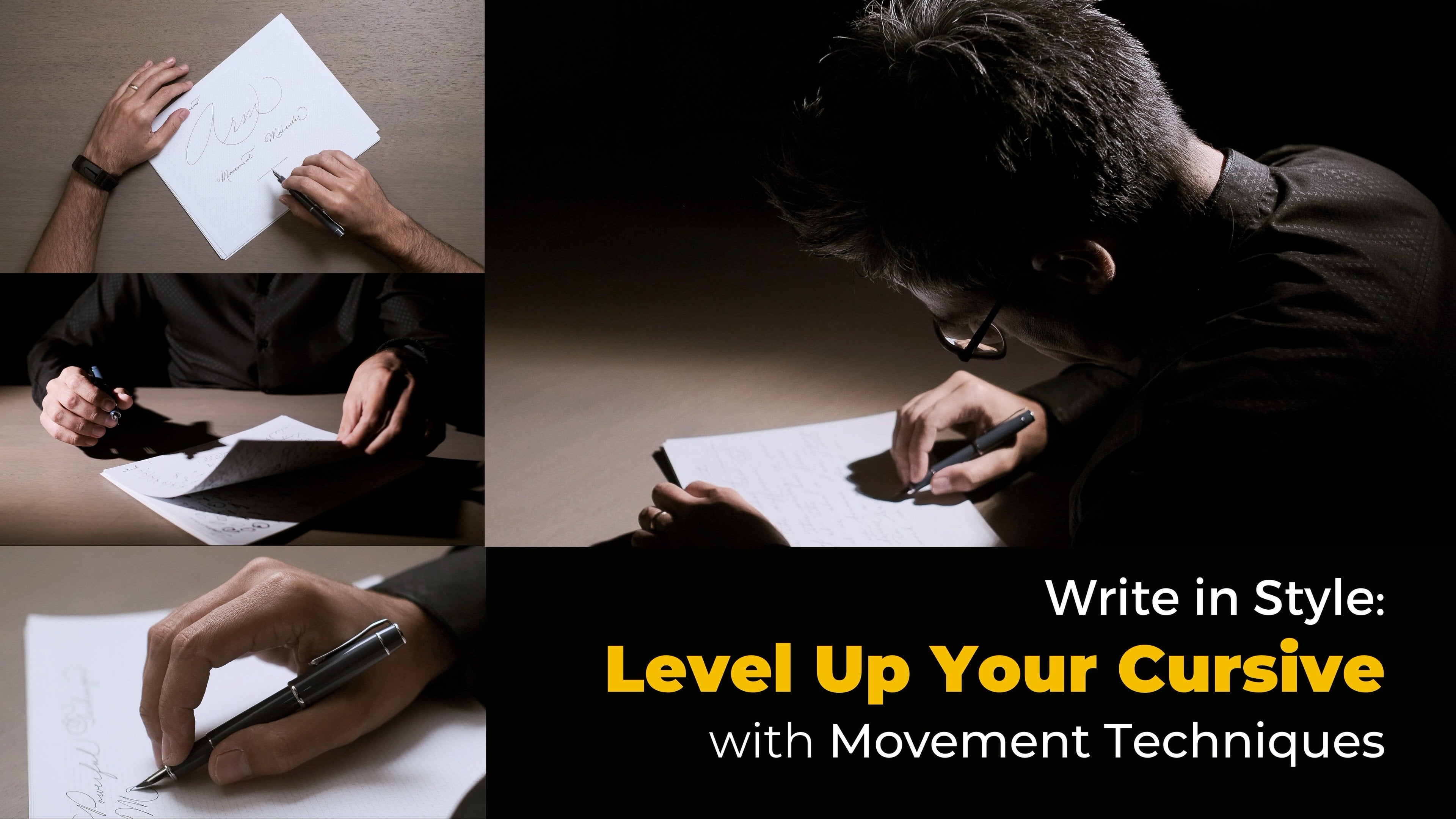
to talk about tools. I love my typewriter whenever I'm doing this creative
writing practice, and I'll explain why. It has many limitations, of course, but I like to
see them as advantages. One of the biggest issues for creative people is
professionalism. We try to get things
right the first time, which often is paralyzing. But the thing is that in the first stage of the
creative process, it's super important to work without too
much self editing. What we want is to put
ideas out there first, and later we can
give them shape. Typewriters add friction
to the editing process. You need corrector tape or you have to mark
up pages by hand. If you make a small typo, even that can be trouble to fix. So this friction makes
it easier to accept imperfection and just keep
writing, even when it's messy. This tool slows you
down in a helpful way, and it's also very physical. Pressing keys,
hearing them click, and watching words appear on paper puts you in the moment
and keeps you present. And when you're done, you
have proof of your work, something real
that you can hold. Handwriting, the process and the idea behind is very similar. And I actually jump
between both methods. While it's easier to edit
yourself when writing by hand, it also slows you down enough to be immersed
in the act itself. And by the way, both
typewriting and handwriting are great ways
to escape distractions. In today's world, we're
constantly pulled away by devices and
screen notifications. Stepping away from this
lets you focus more deeply. Believe that finding
the right tool, especially when making
writing a physical act puts you in the right mindset and can inspire
you to write more. There's a world of
different options in regards to paper, pen, and typewriter
models, but finding something that fits you
does make a difference. This might sound silly,
but as human beings, we're drawn to physical objects, having tools you enjoy can provide extra
motivation to write, and for me, any motivation
to do this is a good thing. I have to say that if you
hate the idea of using a tape writer or grabbing my
hand, don't force yourself. I just wanted to
tell you that this has made a big
difference for me. But if you are against both approaches, that's
perfectly fine. For those cases, I am
writing on my computer. I also have a
keyboard that I love, and I will share about this in the resources of the class. My advice here is not
just about the tool. It's about finding things that will help you
develop a ritual. Pick a quiet corner, set aside specific
minutes on your day, choose your favorite
tool or method, and just show up consistently. This routine tells your
brain it's time to create. Gathering ideas
throughout your day and setting up your
grounding space. You are already making progress. You will no longer
face a blank page, something many graders fear. No, instead, you will start with a rich collection of moments, observations,
and possibilities. You are building a foundation of raw material that we will shape as we go along in our
class. That's all for today. Next session, we will start
writing, so get ready. But for now, start noticing, start collecting, start
being present in your world. Your stories are
already out there. You just need to catch them. Remember, inspiration is not something that simply
happens to us. It's something that
we're actively pursuing through observation, preparation, and practice.
See you in the next one.
4. Your First Draft: Welcome back. In this section, I want to dive into
what I consider one of the most liberating parts of the entire writing
process, the first draft. This is where we let our ideas flow without blocking them. We're trying to silence
any self judgment, and we're giving ourselves permission to put
anything on the page. Last section, I emphasized capturing ideas and experiences. Now, take out those notes or
that small pocket notebook. Read through your observations, but do not overthink it. Notice what feelings surface,
what memories appear. Pay attention to sensory
details, sounds, smells, textures, anything
that comes alive in your mind. Your notes serve as
personal writing problems. They are showing
connections unique to you. This process bridges
imagination and experience. Every creative idea, no
matter how fantastical, grows from seeds planted
by our lived experiences. This might be direct
observations or fragments buried deep
in our subconscious. Through writing, we
can explore this. Set yourself a concrete
goal for this first draft. One page about 250 words
works well for starting out. Some writers prefer
timing themselves. You can try this for
20 to 30 minutes, pick what feels better for you. The key is to keep
writing until you hit your target without
stopping to edit. You can try this exercise. Pick one observation
from your notes. Write about that moment, but at an element that
didn't happen. Maybe at a new character, stranger or the weather's
suenly changing. The point here is to let reality and imagination
dance together on the page. Another approach you can try is choosing three of
your separate notes. You can write
connecting them into one scene. Don't
worry about logic. Try to do this as a
stream of consciousness. Think of it as emptying
your mind on the page. Whether you are
using a typewriter, a pen or if you're
on your computer, you just have to keep
your hand moving. These exercises will help you discover unexpected
narrative paths. Now, if you already
have a story idea in mind, that's perfect, too. Focus on getting
the core narrative down in one or two pages. Remember, this draft isn't about perfection, it's
about possibility. You are creating raw
material to shape later. Finishing, take time to
read through your work. Often, when riding
with this freedom, we surprise ourselves with unexpected connections or ideas. Getting familiar with
what emerged will help us develop it further using AI
tools in our next steps. In our next lesson, we will
explore AI prompting basics, and I'll share my favorite
tools for this process. We will prepare
everything so you can use AI as a creative partner
in developing your ideas. For now, focus on getting
those thoughts on paper, knowing that refining
them comes later.
5. AI Basics & Setup: I. Up until now, we have focused on the
artistic and creative aspects of this work and how
it connects with you. In this lesson, I'll show you some important basics
of working with AI. You will learn what you
need to know to get started and how to set
everything up for what follows. This part gets a bit technical, but I'll keep it
simple. Don't worry. If you're new to AI, you should know that
these tools need a different approach than traditional research methods
like search engines. While Google Wikipedia, and similar platforms work better
with general search terms. AI needs specific directions. When we use AI as a
writing assistant, we must give clear instructions
about what we only that, but something that can
make a big difference in the results you get has to do with setting up a system prompt before diving
into conversations. Think of system prompts as setting up the
rules of the game. Setting a quick chat
with AI tools like HAGPT may seem easy
and good enough, but setting clear guidelines first will really
make a difference. Instead of working
with a general purpose AI that answers everything
in a very generic way, you create a
specialized assistant that understands your needs. I use two main types
of system prompts or initial instructions
for the kind of creative writing
we're doing here. I share both with you in the
resources of this class. The first prompt transforms AI into your dedicated helper. This assistant
analyzes your ideas, suggests ways to make your
narrative more engaging, helps develop characters and offer solutions when you
feel like you are blocked. It's like having
a grading mentor available whenever you need one. The second prompt focuses
on style exploration. It helps you see your grading
through different lenses, perhaps more poetic,
dramatic, or mysterious. This versatility allows
you to experiment with various tones while maintaining
the same core idea. No, there are so many AI
applications available. There are even specialized tools that are designed for writers, but I don't think you need to go for anything like
that at this point. What I do think makes
a big difference is finding something
that allows dictation, something that turns
your spoken words into text by using AI. This makes the whole
process feel faster, more natural, and there's
also other positives. For example, reading
your work out loud helps you spot things you
might miss when writing. You'll hear sentences flow
well or sound clunky. You'll find the correct rhythm, and overall, it's a
great tool for editing. One tool I particularly
recommend is Super whisper. This app is incredible because it includes unlimited access to several very good AI
models at a one time payment. But there's also a
free version which will work well for the
purpose of this class. Super whisper is advertised as a dictation or
transcription app, but it really does so
much more than that. It takes your voice,
turns it into text, and then allows you to run that text through AI processing. This AI processing is, by the way, completely
customizable. I want to briefly jump
to my computer and show you how to set
this up very quickly. Super Whisper, at the time
being is a MAC only app. I know that in a few days from the moment that I'm
recording this video, a Windows version is coming out. Soon, this will be
on both platforms, and the setup process
should be about the same. Once you have gone
through the onboarding, you'll be in the settings page. If you don't have
the settings open, you can access that
from the menu bar. Click the Super Whisper icon
and then click Settings. Once in there, you want to go to the modes tab on the left. On this tab, assuming that this is the first time
you're running the app, you only have the
default mode available, which is automatically created when you run the application
for the first time. You can click it,
and as you can see, this is a voice only mode. This means it doesn't have
any AI post processing. It simply transcribes
your dictation. New users have 15 minutes to try out the pro features
of the application, which means you can try several of the best AI models
available here. So let's do that.
Will click on Custom, and this will change
the type of mode that we're editing into
something that has AI. Here, where it says model, you will have different options. At the time being the best
out of these options, in my opinion is SN 3.7. But this technology
is changing so fast, and it may be possible that by the time
you're watching this, there's even better models in there, so you
can go with that. Different models have
different capabilities, but I know for a fact that this one is very good
for what we need. The voice model, this
one is in charge of transcribing your
voice into text, and I suggest that you
go with Ultra Cloud. This one is super fast. Here on language, I like
to set it to automatic because I'm constantly switching between Spanish and English. So this will auto recognize your language and
transcribe it correctly. We can give this mode a
name by clicking up here and typing assistant,
for example. Finally, we go to the
change prompt menu, and here is where you
will be pasting one of those prompts that I will give you in the resources
of this class. I'll paste the one that
I use as an assistant. These togos down here
are very helpful, but that's for more advanced workflows that I will
not be covering here. Let's go back to
our list of modes. When you're on your trial or if you have the free
version of the app, you are limited to
three modes only. This is something that you
just need to be aware of. So let's create another mode, and we will do exactly the same. We will select Custom Sonne 3.7, ultra Cloud, automatic language, change prompt and outpase
my second prompt. Now let's call it options. As a quick test, I will activate my recording and I will try the options mode
that I just created. Here in the configuration step, you can set your own
keyboard shortcds. When I toggle my recording,
I have this window. It can be reduced in size
if you click on the corner, but let's use a big one. In the big one, you can click here to switch between your
different credit modes, or you can simply use the keyboard shortcd that you can also customize in
the configuration. Let me select the options
and say something short. The other day I was in the park and I fell off my bicycle. I stopped my recording,
and after a quick moment, I got my results in there. Different versions.
Okay, it's working well. Now, Super whisper does
have a limitation, and that is that this is
not a chat application. You can use it on
text that you already got in your front
application like a note, and there's worker ons
to use it for chat. But overall, super whisper is great for one shot responses. I see this as a
feature, actually. This can help you
maintain focus on your writing rather than getting lost in
endless conversation. Looking for something
that allows you to have back and forth
conversations more easily. A Webb that I also
use is taping mine, and this app is very powerful, but you can easily get lost
in all of its features. I also think that
the setup is more complicated because you need
to get your own API keys. I will not be covering
all that process here, but the cool thing
is that with this, you can also set those system prompts that I
have been telling you about. Here you do it with
agents instead of modes. For that, you'll
go inside agents, then select Create AI agent. You give it a name. Let's
call it assistant as before, then simply paste that prompt that I'm providing in the
resources of the class, the same as we did
with Super Wisp. I just you also override the
system instructions here. There's many more options that you don't need
to worry about. You can click Save, and then you can select hat now. The nice thing is
that this application also has built in
dictation capabilities, but it's not the most
convenient because it's limited to only 2 minutes. Something that you can
do in case you want to use the free version of
Super whisper instead of the paid one is that
you can use a voice only mode like the default
one without AI processing. And then you can use that to
dictate inside typing mind. It's also very
convenient that way. For example, let's
give it a Hey, I have a story that I
would like to develop, but I'm not quite sure
about what it is. Let's say it's a young guy that wants to go out and enjoy
the day, but he's afraid. There are fast, and there it is. These two apps are
simply what I use, and I think that
specifically Super Whisper has been incredible
for my grading, but this is not a requirement. I highly suggest using a
tool that lets you set initial instructions and if possible, include
dictation features. If that's not an option, you can use your devices
built in dictation. And if you prefer
typing everything, that's perfectly fine, too. You can also, of course, use the HNPTOficial application. I am personally not familiar with this app or
with the website, so I don't know
about the limits, but I know it also has
built in dictation. So I do not know
if free accounts can change the system prompt, but worst case scenario, if you don't have that
customization option, what you can do is simply
paste that system prompt that I'm giving you
at the beginning of a conversation and
then start from there. Here, I pasted the prompt
for different options. So let's give it a try.
It's a beautiful day. I don't want to stay home. ChaPT, tapping mind,
and Zuperhisper, these are just a few
different options that help you to reach
the same end result, but there's so many different
applications out there, and the setup should be somewhat similar to what
you have already seen here. In our next section, we will put these tools into action showing you
exactly how to use AIFeedback to strengthen
your narrative while maintaining your
unique writing style. See you soon.
6. Shaping Your Story: Welcome, everyone.
In this section, we'll bring all the
pieces together. We will take our first draft
and put our tools to work. Then we'll shape our story
with AI as our assistant. By now, you probably already read through
your first draft. A stream of
consciousness kind of text not always tells a
complete or clear story. It might feel like scattered
thoughts, but look closer. You'll find some ideas that were not there when
you started writing. Find those main themes
and key elements. These are what you'll share
with your AI assistant. The goal here is to
find paths that can help you turn these
thoughts into a full story. Let me share a brief example. While back during a hospital
visit here in my hometown, I noticed something
very interesting. There were food vendors walking through patient
rooms at night. This detail, combined with
the unfamiliar atmosphere of this large hospital
that I had never visited before sparked
my imagination. I wrote a few observations
about this down, and months later, I thought I wanted to use it as
inspiration for a story. After grabbing my first
draft and reviewing it, I found some elements
to explore with AI. Let me show you how to present these ideas to our AI assistant. Have an idea that I'd like
to develop into a story. I am thinking about a
hospital room at night. There's a window
with old curtains and street light that
is filtering in. This is a shared room. There's two beds
divided by a curtain. And one bed, I imagine
there's a patient, and beside sitting
down on a chair, there's someone wide awake. This person I'm considering not making him a family member. I am trying to come up with a character that has to be
there against his will. Maybe a paid caretaker that is only saying
this as his job. I think it could
be interesting to explore the relationship between the caretaker and patient
without stating it directly. Now, another detail
that I have thought of there's a door slightly open, letting in both light and
sounds from the hallway. I want to build this story from the perspective of this
sleepless character in the room. There's something happening outside that sparks curiosity. There's distant sounds, maybe someone enters the room
in the middle of the night. You help me explore different
ways this story can unfold. I'm looking for
possible directions, ways to develop the
mystery element, ideas to deepen the relationship between the caretaker and the patient and suggestions for building tension through
this nighttime setting. When sharing ideas with AI, focus on your story
core elements rather than sending
your entire draft. Provide key details
that guide EI toward helpful responses that build on your ideas instead
of replacing them. Now, you might start with just
a simple story idea here. Maybe in your first draft, you didn't come up
with so many details. That's perfectly fine.
The EI prom that I'm sharing with you will still be helpful in cases like this. The goal here is to ask
questions that will light up your imagination rather
than looking for ready made not asking EI
to grid our stories. We're using it as a
creative partner. Read through the
responses you receive, mix these new insights with
your original thoughts, but keep developing
the story your way. Your next draft will
have more shape to it. You'll start seeing
where the story begins, how it ends, and what
happens in between. You get stuck, you can always return to AI with
specific questions. Once you are satisfied with
your story's direction, you can explore different
ways to tell it. This is where we can
use our other prompt. And by the way, this one will work best with a small
piece of your writing, maybe a paragraph or just
a few key sentences. Here's a short piece from that same hospital story
that I mentioned before, and I will fit it into AI at the same time
that I read it for you. The night shift feels endless, and I'm stuck here watching over someone who doesn't
even know my name. Through the window,
street lights paint strange shadows
on these old curtains. I hear footsteps in the hallway, slow, steady, getting closer. The door is open just enough to show a slice of fluorescent
light from the outside. AI will offer several
versions of that scene. Each might reveal
a new perspective or highlight different details, read through them and
use what resonates. Maybe you'll find that
perfect word you were searching for or not is something you have not
considered before. Take what fits and
adapt it to your voice. This process invites exploration
through multiple drafts. When you hit a creative block, these air prompts become
tools for discovery. Each revision helps your
story grow more defined. But remember that the
goal is not perfection. It is you being in control of expressing your
story authentically. Let's move on to our
final section where I'll share additional tips to
support what you have learned.
7. Wrapping Up & Next Steps: Our final draft might take several rounds to get
to the best form. That's truly fine.
It is expected. The point here is that
each new version that you create will bring you
closer to your authentic voice, and it will help you internalize
that story more deeply. Take your time in
the entire process. There's no rush.
If you have gone with an analog method,
like I mentioned before, then you may want to digitize
that to preserve your work. If you have a typewriter
and you typed everything, it's pretty easy actually, because there are OCR tools
that allow you to take a picture and then simply
convert that into text. If you have handwritten
everything, then I suggest that you also
try these tools that I have mentioned before that allow
transcription by using AI. The whole process of digitizing it's easier than
it has ever been. And this provides you a lasting record of
what you have done. So there's no reason
not to do it. Another thing that you
can try is if you notice that you are getting
close to the final stage of your grating, maybe you can switch to
digital and finish there. That's also totally valid. Now, don't forget about
your class project. I want to emphasize that the process matters more
than the final results here. Feel free to share some
of what you wrote, but more importantly, I would love to hear
what you discovered. Are there any
particular insights that you found new
or interesting? Maybe you modified one of
the proms that I gave you and you made it fit more to
your own style or approach, or perhaps you found a
different way to incorporate AI in your writing while still
being true to your vision. Sharing some of this, not
only will you be able to put into words and clarify for yourself what
you have learned, but also you might
inspire other students. So I really encourage
you to do so. Another thing that I
suggest you do as you go forward is to make writing
a consistent practice. Start small. Even
one pace or two, like we did in this class,
can create momentum. We learned a very
good starting point is observing daily moments, capturing them in notes, and later developing
these sets into stories. Regular practice will make
the entire process feel more natural and will help you see your own creative
growth over time. For those of you interested in developing a habit
around writing, I have a separate
class on journaling that explores this
topic even further. It focuses on
building consistency, and I give you a system to write from a perspective
of mindfulness. I consider this a complementary skill to what we
have covered here. Finally, if you found
value in this class, I hope you consider leaving
a review here on Steels. Your feedback really helps
other students discover this, and I find it very motivating to see that what I'm sharing
here is making a difference. Feel free to let me know
your favorite thing about the class or what you would like
to learn more about. Even a simple rating
makes a difference. Don't forget to check
the resources section of the class where you
will find the prompts that I used and also more information about the tools
that I recommend. Thank you so much for joining me in this creative exploration. I look forward to seeing your projects and
reading your insights. Keep writing, keep
creating Nancnx class.
 Robert J. P. Oberg, Creative - Filmmaker - Photographer