Transcripts
1. Introduction: Hi, my name is Josh, also known as your seabed Jay, I'm a digital marketer. In this class. I'm
going to be showing you how to run TikTok adds properly in this day and
age when it comes to digital marketing is very important to diversify
your traffic. You don't just want to
rely on Facebook ads or organic or Google ads
or email marketing. You also want to look
up other channels to help you get more
traffic to your website, to your brand, and
to your service. That's why in this class, I'm going to be showing you guys step-by-step the different
tactics, tricks, and hacks to help you get better results with
your TikTok adds, even though TikTok is
such a new platform, it has grown so quickly in
such a short space of time. Guys, it's such a
great opportunity to get some new traffic and some high-quality traffic and much cheaper traffic
to your website. In this class, I've got so many cool TikTok
hacks, tricks, and tips to help you get a competitive advantage
in your business. So I look forward to see you
in the class, take care.
2. How To Set Up Your TikTok Ads Properly As Beginner: Hi. In this video, I'm going to show
you guys how to set up the TikTok adds properly. This is super important in
terms of knowing how to structure your ad sets as
well as your creatives. One thing to also
remember is that when it comes to TikTok adds
it's a process, right? Especially when your
ad account is new. This video is basically
going to focus a lot more on ad accounts that
are completely new. The data under pixel, they don't have hardly
any bigger on the pixel. In terms of how I'm going to show you how to structure it. This is the best way to do it. The best way to set up
your account for success. So as you can see here, we are inside of the
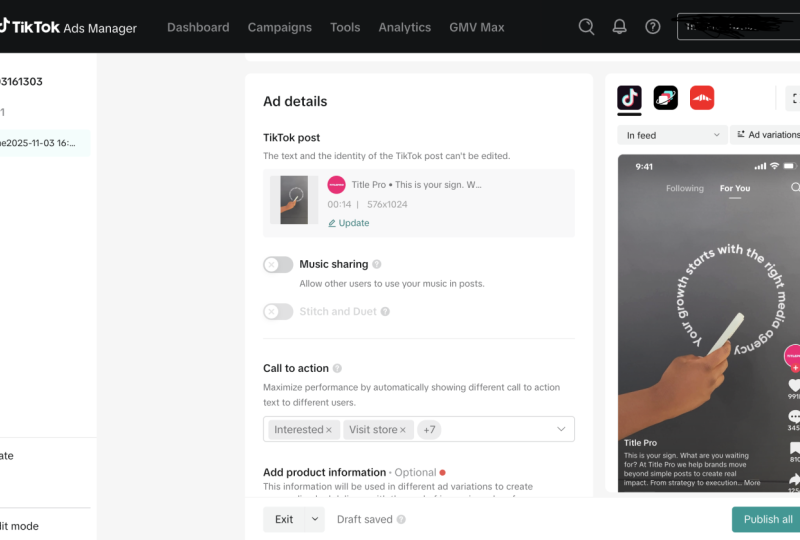
TikTok ads manager, right? So as you can see, this
is a dummy account. Does that TikTok. Tiktok
adds dummy account. So as you can see,
there's nothing here. So it's a completely
brand new, fresh account. I think this is great because a lot of you
who are watching this video are going to have
brand new fresh accounts. And this will be your first
time doing Facebook ads. Well, you wanna do is you want to click
Create right here. Right? Then when you get
here, when you get, hey guys, you're going to
see all of these options. And this is the advertising
objective section. So this is where you
basically select, okay? While you're doing these,
TikTok adds what is, what do you aim to
gain out of it? What's that into Gower. You want traffic, do you want
leaves you on video views? You want more reach,
you want conversions. This is where you make
that choice, right? Another thing to
bear in mind, guys, is that every TikTok as campaign is made
up of three levels. The campaign level, which is made up of the
advertising objective, the settings, the
ad group level, and add the level. The ad group level is
basically where you choose the audience and the targets
and all that great stuff. The ad level is basically
where you put the creative. This is where you
put the videos, you write the captions, the link that goes
to your website, et cetera, et cetera. Right? So as you can see, it's made up of three
levels, campaign, ad group, Add Level,
three levels. So if you're, if you're running a brand
new account, right? Sometimes some of
you guys will see this option right here. We'll say simplified mold
right here, or custom mold. I tend to select costume mode. The reason why,
because it gives me much more options
and gives me a lot more control on how I build
out my TikTok ads campaign. So let's say for this TikTok
adds a marketing campaign. We want to run ads to our
e-commerce store as an example. So what you wanna do is you
want to select conversions. Once you've selected
conversions, is going to bring you down here. The set to the sentence section where you name your campaign. Naming conventions are very, very important because when
you name your campaign, you're able to remember, okay, this is what this
campaign is four, this is what the target or the audiences I
was, I was targeting. This is what the
creative was four. So it gives you, it just helps you to track what is going on in your
campaigns, right? So say for example, I run an online store
that sells dresses. So I'm going to name
this campaign dresses. Justice campaign. Done, right? Then. You get these different
options right here. Now, when it comes
to Facebook, right? During campaign budget,
optimization is great. But when it comes
to TikTok adds, I prefer to leave this off. I prefer to leave this off just so that each
of the creatives that are getting the
same equal amount of budget while the
ads are running. Yeah. In terms of Facebook as this campaign budget
optimization is great. But for TikTok adds, I found that it, turning this off
works a lot better. Then. So really, for a lot of
you that have new accounts, are you going to do is
just named the campaign. And once you've
done that, you just click continue right here. Now, once you've selected
continue now you're going to get to that
at the group level, guides the ad group level, and we're now on
the second level. At group level. Now, in the ad group level, we're selecting the promotion
type, the placements, the creative type, the
target in the budget, and all that good stuff, the bidding and all
that good stuff. Now, now we're at
the ad group level that you want to do this. I'm going to select
website because remember, I'm trying to push people to my e-commerce store
that sells dresses. Then right here, you want
to select your pixel. You want to make
sure that your pixel has been installed
on your website, your TikTok pixel has been
installed on your website. This is very, very important. This is very important,
especially if you're running
conversion campaigns. You're trying to get
people to add to cart to purchase
from your store. This is very important. And when you get to, once
you've selected the website, you come to this
section right here where it says TikTok pixel. And you basically select
your pixel as you can see, how guys, I've now selected
my pixel off quoting a. Now for the optimum,
my optimisation event, this is important guys, especially for brand
new TikTok at accounts. What you wanna do, you wanna
start off with the select, you want to select the
event as add to cart. The reason why is because the tittle
algorithm, nice to learn. It needs to learn, right? And you need to season that
pixel at the same time. Because it's a brand
new ad account, you're going to obviously have
a brand new TikTok pixel. So you need, so you need to
season at pixel of data. You want to fill up that, that pixel with people
who are going to take the action that is closer to the action
that you really want. For example, if we want
people to buy our stuff, we want people to at
least the people, we want people that see your
ads to at least at a car, at the very least adds a car. The reason why is
because we want to get at least a thousand, adds a cost or more
onto our pixel. Because once we have at least a thousand at a cost
onto our pixel, that means our pixel
learn once is enough, then we can ascend the
optimisation event to initiate checkout or
complete, complete payment. As you can see here, Place Order or complete payment. Right? But because it's a new
TikTok ad account, you want to take it
through that process, guys is unnecessary evil. It really is, is completely
necessary to take your, especially with new ad accounts, to take your ad account
for this process. So once you've selected
your app TikTok pixel, you want to select Add caught. Once you've gotten
a lot more data, then you can select complete, complete payment or place order. But you need to season
this pixel first. That's very important guys. This is what I mean in terms of setting up your ad
account for success. Yeah. Then once you've done that,
so let's allow pixel. We've selected our
optimization of them. So automatic placement, you want to select, select placement. We don't want
automatic placements class gonna go pretty much
anywhere and everywhere. We're doing tiktok as
we want us ads to be shown to the TikTok audience. So we want to untick this and
untick this and leave this. That's what we want. In terms of creative type, automated,
creative optimisation. I tend to leave this off. Me personally, I tend
to leave this off. Especially in the early stages. I found this hasn't
really performed well, especially with new ad accounts. I tend to leave this off
with new ad accounts. So I'm advising you
guys to do the same. Yeah. Especially if you want
to see start to see some traction and so
results in your account, especially if you're
TikTok ad account is new. You're just starting out. Now once you get here, guys, now, this is the target. You got your demographics,
your location, United. You want to select the
location that you want to target hair as United
Kingdom, I'm in London. So United Kingdom is
already selected for me. Then in languages, you obviously
want to leave it as all. Now. Because the algorithm
learns pretty quickly and a smarter than
you is smarter than me. We want to direct it in the best way possible that we think is going to give us
the best results. So for example, I sell dresses. There's an example in
my e-commerce store. I'm going to select female. And in terms of age, because the majority of people, our age 13 to 17 are on TikTok. Do you know what it's
gonna do me spend when you spend your
money on your ads. It's going to direct the
majority of our budget to 1317 year olds.
We don't want that. Because the people in
this age demographic, they, they will
go to your store. They will look around
the world I stopped, but more often than
not going to purchase, they're not going to buy, right? So when selecting the age, we wanna go from 18 to
2425234 all the way up here. Because these are the
age ranges that tend to buy or even adds a car. But that tends to do the
action that we wanted to do. That's going to improve
the ROI of our ads. If you, if you said it fit
into 17, TikTok is less. You've got to spend the
majority of our budget. All it's all pretty much
going to go into 1317. And we don't want that. We don't want that for the sake of the performance of our adds. Another thing that TikTok has included, close
guys can see, I see every day is
that TikTok adds, is always adding new things to bring in more performance and good stuff like that, right? So sometimes now is
added household income. So it's given us an option to target based on
household income. But as you can see
here, it just says US. So this is only for us. It's not going to
really apply to me if I'm targeting
people in the UK, because as you can see here, I'm targeting people in the UK. So this option isn't
going to apply to me. So I will leave this here, especially if you're
not targeting the US, you just want to leave
this the way is. Now we get to audience. Right? Now. Right here, you've got audience, then you've got
interests and behaviors. Now, there's two options, right? That we get. We get general interests or
purchase intention, right? These people are the
people based off of the, of the algorithm that TikTok believes that when
it shows you as the people, they're more likely to
purchase or adds a car, or basically take the action
that you want them to do, which is to buy dresses. That's an example, right? So whereas general interests, these are people that
have taken an interests, but maybe not in the past,
have bought anything. But you don't want
to rule this out. You don't want to rule this out because at the
end of the day the algorithm rhythm
is going to learn. And it's going to know
that, oh, alright, cool. This, this audience was, I'm more likely to get
more conversions here. Right. Now when you sign that your ads, right? Let's go forward. Let's, let's select
the purchase intention now when you started
on your Edge, want to go pretty broad
in terms of interests. One thing that I love to do, I love to stack and stack
and is essentially where you basically put together a
bunch of interests together. What I like to do is I like to, when I start, I like to stack audiences that are in
the same category. So for example, if I'm targeting women that
lack of dresses, I am going to be targeting
apparel and accessories. Right? But if I wanted to take
it a step further, because you can see
you've got you've got the different ones and they all come under apparel and accessories
and it will tip. Right. But if I wanted
to take it a status bar, I'm putting in another one, right? For example here. I could put in beauty and
personal care because dread, apparel and fashion
is very close in terms of beauty and
looking good personal care. So that's very much
in that same world. So I can select this as well. All right, guys, look, you can see here, look at the size of that
audience right here. Guys, you can, you can pretty
much make this as you can, pretty much a stack
as much as you want, pretty much in here, right? It's totally up to
you. But I tend to, I tend to go a bit
border with this. I won't really go to nano, nice to nice really especially
for new ad account, because we want to
give the algorithm as much freedom as possible
to find your audience, to find the people who
are going to convert. So I don't tend to go to, to, to laser targeted,
especially at this stage. Another thing you can
do as well when it comes to target in
is that you can target by video interaction. So you could sort of
people who have watched videos so they end
lacked commented shed. You can also include those, these people and
you're targeting. You can add further
target in here. Say for example, I take
all of these and then I, and then I select other
fashion, for example. But bear in mind that
some people that are in this other fashion audience may also be in these
as well, right? That's why you notice that the audience hasn't really
changed that much hair? Yeah. Because guys look, if I delete this, but the audience
hasn't changed at all. Because the people that are in this other fashion audience, some of them are
in here as well. So that's one thing
to look out for. But if you want to
narrow down more by the behavior of people
watching the videos, you could do it by just taking these and then put in one or more of the interests
into here as well. That's another
option. But again, you want your audiences to be
as big as you possibly can. And go, bro, Don't overthink it. Just, just think I sold dresses. I'm going to target
fashion, apparel, beauty, personal
care. That's it. Don't overthink
it at this stage, especially when you
have a new ad account. And then you can select
any of the time periods. So you can do like 15 days
or something like that. See, if you noticed. I did 15 days and look at
the audience won't win. Massive. You see that? Seven days, the audience
has gone small. D 15 Dolan's has gotten bigger. One thing I have to
say guys is that as you are building
out your interests and your stuck in
interests and you put in these little
settings and hair, make sure I found that when
it says balanced hair, when it says balanced, those audiences tend to do better because it's a
lot bigger audience. So it gives the algorithm even more freedom to find
your customers for you. So you want to
look out for this? We want to make sure
it says balanced. Yeah. Then obviously there's
other other choices. Hair has tags, like there's
so many ways to target. But for me, I tend to
use these two up here. These are the two
that I tend to do. Now, once you've done that, you want to, you want
to click this, right. If you feel like you're
targeting is too narrow, you've put in and says, I was too narrow or too small, then you could turn this on. But don't do it by gender, age. Because if you do it by age, is going to move your budgets
of 13 to 17 year olds. Is going to spend the majority of budgets
that are fitting in 17 year-olds and you don't want that. You don't want that. Also agenda is going to show
your ads to agenda that is that that is not going to be interested in your products at all because you have to
remember it as an example, was selling women's
dresses, right? What we do want to
take care to expand it further is interests
and behaviors. Because what's going to happen? The algorithm is going to learn. It's going to say,
it's going to think, oh, fashion, okay, cool. And then it's going to
target other interests in the fashion in beauty that we may not have
even put in hair. But the algorithm is going
to target them for us. And as you can see, our audience
has gotten even bigger. And it still says balanced. That is what you want
to look out for guys. Want you turned on their
target and expansion. Select this. Now for your daily budget, let's say we want to put in $50.50 pounds a day, £50 a day. The minimum guys
you can spend is 20 a day. That's the minimum. You can spend your cost
spending less than a day. But for example, let's do
50 a day for this one. Yeah. I'll leave the ads
running all day. I'm going to choose a select a specific time when
you feel like that. For newer accounts,
you want to have as very little restrictions
as possible. You want to give it
a bit more leeway, give you adds a bit more leeway. So I'll leave it as all day. I've been in optimization
and conversion. Optimization goal is conversion. I want to leave this
as lowest cost. That's what want to do. Now, once you've done that, come all the way up here. And we'll name this, so
we name it as female. So the out-group is female. 1855 plus we target in beauty and personal care
and apparel and accessories. And interactions or interactions ticked and other fashion. So guys, just remember
that you want to do in terms of naming
it your ad group. You want to name
it the parameters and a target in that
you've put in here, so you guys don't lose track. So you know that o,
for this campaign, I did this, this and
this, it performed well. So that enables you to
get that information, to put that into
other campaigns. Because that's all it is. It's about running
these campaigns, finding what works and you
keep doing what was working. Now once you've
named that, well, you got to do, you've done your target and you
put in your budget. Let me even put the
budget in here. £50. So we know how much
you're spending a day, which you've done that you
just click next right here. Now guys, we are
at the add level. We've done the campaign level, we've done the ad group level, and now we're at the
add level. Hair. We want to name it, so
we name it as video one. Guys, you're going
to understand why, why I'm writing it as video one. Because bear in mind, TikTok is mostly creative. Video creative, right? So we want to make sure that
when we're running the ads, want to just doing one video. We'll do multiple videos
because we need to find out which one of those videos is getting
us the most results. Then the ones that aren't performing well, we'll
get rid of those. The ones not performing well. We keep we keep doing, keep doing those
same type of videos. The ad level, guys, you can use Spark ads, which is basically
where you get, you basically get
the current video that someone has on a TikTok and basically run ads for it. Pretty much, right? I tend to do, I don't really tend
to do Spock ads, I tend to do, I just tend to upload my
own videos onto here. So you've got the single video, you got collection ads. Well, you got to do if you
want to upload your video, you just click
Upload right here. Or you can, if you've got
videos already on your library, you can select From Library
and has a video right here. I can select this video. I'll select this video. I just clicked confirm. Boom, videos right
there in the texts. Once you upload the
video in the text, this is basically
what a caption is. Get these dresses right here. As you can see, it's right here. And then you can pretty much put in for your custom identity, can put in your
username in here. So we have pads here. One thing that's great, I love is that TikTok
is going to offer you. We'll show you
potential other types of texts that you could use. Get these dresses with 59% of get these new elegant
justice from there. So this helps you in terms
of your copywriting and just giving you ideas when
it comes to your copyright. And I'm coming up with a good effective caption for your ads. Now once you've done that, you select the website and
then in your URL and you basically put in the URL
that goes to the website or the euro that goes to the landing page that you
want people to go to. Alright. As you can see here, the tracking has my pixel
that named it as a, right. That means when the
ads are running, everything is going
to be tracking and my pixel is going to
be collecting data. So my ads can perform
better over time. And I can start to ascend my new account from an actual
car to initiate checkout, to complete payment will place an order
with the more day. The idea. You want to make sure that in this
tracking option right here, it shows the name of
your pixel to make sure that everything's working and everything's
connected right? Now. Thus, video one,
that's video one. As mentioned before,
this video one, when you're running
different creatives, you want to make
sure that one thing is different to the next. So for example, for example, in this video, I'm
using the same video, but I'm going to use
different texts. So here it says
get these dresses. In your case, you could
do different videos, but keep the texts the same. It's totally up to you.
But you want to have. You want, you want each creative to have a
different variant. So you can know which
up performs the best. And that's the one you focus on. Now, this is video one. The text is get these dresses. We've got this video. Then if I want to
add another add, what I've got to do is
go ahead and click Add. And as you can see,
you've got the first one here. And here's the second one. Now, what I'm going to do is I'm going to go to library again. Select the same video. Click Confirm. Instead
of get these dresses, I'm going to say
these are the best. Just as an example. Now,
in this one campaign, we've got three, we've
got two creatives. Same videos, but different
captions, different texts. I always advise that when
you're doing TikTok adds, you want to start off with
at least you want to have at least three to
five different pieces of creative or videos. Or it could be the same
video but different rights. And we want to have three
to five different variants. Especially if your
ad account is new. Especially if your ad
account is new, right? You don't want to have
too many things that are different because you won't know which one is making the biggest difference in
terms of your performance. You want to, you want
to keep a constant, a constant tab of the
different variants. Because guys, all market and really is, is experimentation. You have a control. You have something that you're testing. You want to, you want
to make sure that the stuff that you're testing, if it's performing
well and keep it, the stuff that doesn't perform
well, you get rid of it. That's all, That's all this is. Now we're gonna
do the third one. Again, same thing. Now
we've got worried about two creatives and I'm
going to add a third one. I'll go again. I'll select the same video. Confirm. But this time for this text, I'm going to write 50
per cent off PC guys. So we've got three
of the same video, but each of them have different they all
have different texts. You've got this one. It
says these are the best. I've got the top one. Get these dresses. Now, you've got this one. I named it as video one. This one, I'm going to
name it as video two. And this one, I'm going to
name it as video three. Now you've got 123. We have new ad accounts guides. You want to have three to five different
pieces of creative. On once you've done that, you put in your creative,
you are happy with that. You're happy with the
structure and everything. All you gotta do
is click submit. And you leave that
to run for a week, I would say five
to seven days and see which ones
performed out of them. You're going to be c
out of these three, which one performs the best for you and gets you the
results that you want. So guys, this is
the way to set up a TikTok ads campaign properly, especially if you have a new TikTok Ads account when
you're just starting out? You're just starting now. Yeah. It's very simple when
it comes to TikTok adds simplicity is the
WayForward guys. It's the way forward. No
need to overthink it. At the end of the day,
the algorithm knows, knows better than we do. All we're doing is creating the structure for the
algorithm to do is think, that's all we're doing, right? So this is the way
to do it, guys. So guys, I hope this
helps you please sell pure counts like this and make sure that the ads
that are performing well, you keep the ads that
are doing badly. You turn off or delete. Thanks a lot guys.
3. How To Find Top TikTok Ads: So guys, I'm going
to show you guys how to find the
top performing ads on TikTok is very similar to
the Facebook ads library. But with this one on TikTok, it shows you stuff
like the watch time. So guys, I'm going to
show you guys how to find the top performing
ads on TikTok. Guys. It's exactly like the
Facebook ad library where you can see the
ads that are currently, you can see the Facebook ads and Instagram ads that are
currently running now. You can see all that stuff
on Facebook ads library. When TikTok as library,
it's exactly the same. The only difference
is just TikTok adds. Also the great thing
about the TikTok. Tiktok adds a
library, if you like, is that you can see which you can split them up by
the objective of the ads. So you can see, okay, they did this type of video for this type of objective data, this type of video for this
type of object, objective. And you can also click on the
ads to really get a deeper, to get a deeper insight into the inner workings of why
the ad is successful. It's an amazing tool. I use it all the time. And guys, let's get into it. So to get there, all you gotta do is go to Google and type in
TikTok creative center. Tiktok create a center. Once you've done that, again, guys, make sure
that you're logged into your TikTok as well. Yeah. Before you do this, so go
into Google, type in create, creative center, and
then right here, click on this option
right here, cool. And then you're going
to land on this page. Then scroll down. And you get to learn from top-performing
Agilent pixel, right? And then once you get here, just click View more. And here we are. This is
where you want to be, is called top ads. And this way you get to see the high performing ads
that are on TikTok that as the Ashley really doing well so you can
learn from them and take those learnings
and put them into your own TikTok ads campaign. I just loved just on
a slight tangent. I just love the fact
that we're living in this time of technology
and the Internet. And because you can, because at the end of the
day, success leaves clues. Success leaves clues. And you can literally
see what is working for other people and implemented
in your own campaigns. But do it with your
own legal style will do with your own approach. Yeah. You're not you're not completely blind or completely
left out in the dark. Yeah. So I'm going to show you guys how
it works and diet. Just like Facebook,
ads, library. This is my best friend
when it comes to doing things like that.
I'm always on here. Always. Yeah. So guys, here, you can select the country
that you want to target, for example, yeah,
so many, you can. Again, please bear in mind that not every country
has access to this. So, so please bear in mind, because as you can
see here, this is 0. There's certain countries that, yeah, there's certain
countries that don't have, that don't currently have
any ticks of ads going. Maybe for four political reasons or the fact that it's just not a TikTok isn't available or TikTok adds isn't
available there. Just yet. Right. So that's just something to keep in mind. So obviously I'm in
the United Kingdom. So I want to see the
ads are currently running in the United Kingdom. Yeah, again, you can
see that as I've seen, ads are running in
other countries that you want to target. That's, that's
also good as well. Yeah, I think it's also good from a cultural point of
view because sometimes what may be seen as really funny in the United Kingdom may not be funny in
another country. So you really want to understand the cultural nuances when
it comes to doing ads. United Kingdom. Let's pretend I'm into fashion. I sell fashion, right? So we'll do apparel or
something like that. Cool guys, just let that yeah. These are the top as dark
currently running right now. Right now. Yeah. Like You can literally see, as soon as you hover your mouse over them, they start playing. So you can already see which
ones are doing, doing well. And you can pretty much
see the how the video and the pacing of the video and the story
of the video goals. So you can basically take those learnings and put
them into your own, into your own TikTok ad. And also you can put it into
your own organic content. Because bear in
mind that some of these ads may also be
spark ads as well. Some of these ads may have
already been on their profile, but they use the
video as an act. Basically. Yeah. So try not to look
at it as just Oh, it's just for, just for TikTok, I'd look at it as four ideas for creating good TikTok content, organic content as well. Yeah. So guys, you can see here, these are all the ones
that I have, right? And then you can
either split them up by campaign objective. So conversions, Let's look
at the ones that have been optimized because
they want to get sales. So if you run an e-commerce
business, right? And you're trying to make cells. You want to look at the
ads that had been created with the sole purpose
of getting cells. Nothing more. Nothing less to get sales. If you're trying to get leads, you want to look for ads that
are trying to get leads. If you're trying to get reached, what to look for ads
that are successfully achieving reach. If you want, traffic, will
look for ads that are successfully achieving
a lot of traffic. If you want video views, you want to look for ads, top ads that I've successfully
getting video views. But for most of
you, I'm assuming, I'm assuming because obviously
everyone's objective, campaign objective is
gonna be different. But I'm assuming you want sales, you want conversions, right? So we're going to select
conversions. Here we go. Now, remember, when we
didn't put these filters in, there was a whole, there's a whole lot of
other ads going, right. There's a whole lot of ads here. But when we put
these filters in, you literally just pretty
much focuses the amount. So here, all these
ones right here are essentially optimized
for purchase, right? So for example, if I wanted to know which
ones have a high CTR, because you have to remember in this day and age with so much
video, you've got TikTok, you got rules, you've
got this so many, there's so many instructions. Ctr, click-through-rate
is more important. Because once you, once you
have the attention of someone, right, and you get
them to take action, and that action is a click. You're well on your way to creating a very
successful campaign. But if you'll create an ad, you're not even getting
him to click at all. Then we need to go back to the drawing board when
it comes to our ads. So I'm going to select, I'm going to sort by CTR. As we've got this one. Will the t-shirts
have the highest CTR? Says has sought by CTR. Now what I'm gonna
do is select it. And then Lauren mu. Then let's see. Let's
have a quick look at it. Amazing. So it's clear from this video that they
have these t-shirts. And they clearly showing people get our t-shirts because you
compare it with different. If you have black shorts, it can easily go with basically it's easy to
match with black shorts. That's basically
what this video is basically showing to us. And guides, as you can see here. The most valuable frame. It shows here the parts
where people are, are essentially, it's basically this
graph compares the relative CTR
for each seconds. So it's pretty
much measuring how people are engaging with the ad, as you can see from
this graph right here. Again, another thing,
look at the amount of shares that has
gone. That's great. That's great. For me. I always look at
the amount of shares. His wife. His wife, right? If it's got no shares, that means the video itself, the video itself isn't compelling enough to
make people to share. Alright, if, if I
can get people to share my TikTok out,
what does that mean? That means I'm getting
free eyeballs. The person who's watching my ad is essentially doing the mock, doing the marketing
for me and given me free eyeballs and giving
me even more reach. And I'm not having to
pay any extra for it. So it's really important when it comes to looking
at our content is really important to look
at the amount of shares that the video has. Because that's going to give
you an indicator of cool. What style of ado
I want to create? What style of content
do I want to create? That's going to make
people to share, That's going to make
people to be like, Oh my gosh, this so amazing. I've got show my
friends this amazing. I've got a shelf
with my parents. Yeah. So this is the metric
that always look up. Always. Yeah. Because I'm trying to
get free eyeballs. The cost of advertising or
land is steadily increasing. So I'm going to do anything
that I can to leverage in order to ensure that I'm paying the same amount for ads, but still getting a
little bit more reach. And here's our
indicator right here, the amount of shares. Now let's even look
at another one. So again, down here. Then we do BC. We do Hecker. Cool, Awesome. Then what I wanted to do, we'll choose the
campaign objective, will find the one that
got us convergence again. Then select her. Okay. This one didn't get any shares. Okay, This one got two shares. I want to find one that's
got that's gone and lotions. Okay. This one's got
one share. Guys. As you're doing this, you
just make sure that you're looking for ones that have
quite a lot of shares. Yeah. Because that's going to
let you know what the style of ad that gets people to. I guess we were excited. Also, another thing as
well I wanted to show is that you can do by uploaded, you can do by the
uploaded right here. So these are the ones
that have been uploaded onto the TikTok on these are basically basically
organic that have basically been on
their TikTok page, that they've basically
been used as ads. Again, in terms of the
app to find the top edge. It's not just CTR you
can do by the view rape. Because viewer it
is very important. View rate is important because it lets us know
that the person that, the longer that they
obviously watch our video, the more interested
they are. Alright? So we're gonna be looking
at videos that are able to get that good view
it because most people, they stick, they see it and
see it and they're like, No. It's very rapid decisions. Is very rapid decisions. Yeah. Because at the end of the day, everyone wants to essentially make the most of their time. They don't want their time
to be wasted or something that they're interested in. Now these days, if they're just half interested in
something, it's not enough. They need to be
really interested. They need to be like,
wow, what is this? That's why things like the hook, the view ray of your
video of very important. Because that is how you get the customer to stay through
the rest of the video. Having a very strong hook, GET helps them with
considering whether they should leave or stay
and watch the video. And obviously you
want them to stay. The hook is very important and the viewer is very,
very important. So you want to make sure
that they're able to Dow these in your
ads pretty well. I would even go as far as always, testing different hooks, different hooks of
the same video, and seeing which one
sticks more, which one? When you start
running those ads, which one of those
videos people tend to gravitate towards, towards. Another thing as well. You can go by reach. You can sort by two reach. Again, this helps you
get better idea of what types of ads to create
for your TikTok bats. So guys, make sure that
you use this tool. This tool is a lifesaver. There's a lifesaver because, because obviously TikTok is to a lot of people is
still a new platform. So a lot of people are still
trying to find that fee of what is good on TikTok or
should I do this? I'm not sure. I think some people still think that TikTok
is still a dancing. Believe it or not, some
people still think is a dot is just for dancing. Whereas the app has evolved
so quickly over time. So this is going to really
help you in terms of understanding what people are interacting with on
the platform, right? And give you some direction in terms of how to create
your organic traffic, as well as your organic ads, as well as the ads
that you've got, as well as the content
that you're going to create for your guys. Give this a goal is definitely
going to help you guys. So guys, I see you guys on the
next video with yet again, more marketing tips to help
you guys Take care guys.
4. How To Target People Using Hashtags With TikTok Ads: Hi guys. In this class, I'm going to
be showing you how to use hashtags to target people
using TikTok adds. And I'll show you guys, guys, I love this feature. Because when it comes
to TikTok and people post or even search for stuff on TikTok,
they use hashtags. Hashtags are used
widely on TikTok. Most of the time,
those hashtags may be associated with your
potential customer. So say for example, you sell a hair care products, then you target hair care. Then someone on the TikTok
platform that is looking for hair care products
is going to type in haircare into TikTok. And what's going to happen
is that fruit TikTok, as you'll be able to
target that person that's inside of that hashtag
because they've basically used it as
part of this searching, was part of adding it
onto their videos, onto their organic videos,
An effective tool. So guys, I'm going to show
you guys how to use it so you can use it as part of your
TikTok marketing campaigns. So as we all know, every TikTok campaign is
made up of three levels. You have the Campaign level, you have the ad group level, and you have the Ad level. The campaign level is made up of the advertising
objective and settings. So here is basically where you want to choose what you
want your ad to do. So basically the objective
that you're trying to get. So say for example, I saw a hair care products and I'm trying to
sell, sell that. I'm going to choose convergence as an advertising
objective, right? So guys, it really depends on what you want to get
out of the campaign. That's going to determine what, you're going to determined the resource that
you're going to get. Conversions. So I'm going to choose conversions right here. Now when conversions
has been chosen, now, you're going to come
down to the citizens apart. So this is the way you name
it, the campaign name. So let's pretend that I'm sitting in the
hair care products. I'm going to name it hair care. Right? Guys. You
want to leave this? You want to leave this, right? When it comes to as these
days, especially TikTok adds, is all about simplicity, is all about simplicity. Once you've done that, you just click continue right here. After clicking
Continue, we are now at the ad group level, right? Where now the ad group level, which is the second stage of our TikTok campaign
building process. So here, select your website. And as usual, you're
gonna be asked to select a pixel and the
optimisation event. Okay? Guys, bear in mind that
as you're building this, you don't always have
to choose conversion. You want to make sure that
you choose an objective that suits the objective that you're trying to
gather campaign. I'm just showing you this structure because
I'm pretty much leading up to the point where I'm going to show you how to target people using hashtags. So you select your
pixel right here. Once you have
selected your pixel, you're going to see the
optimisation event. And the hair. You can choose, the action that
you want people to take once they have seen the ad. So for example, if this is a brand new account
and I've got no data, I'm going to choose Add to Cart. If this is an account
that has has some data and I've managed to
get some purchases that you want to choose
complete payment, where all depends on
the amount of data that your TikTok account has
accrued or built up, right? So say for example,
I'm going to leave this as complete payment. Then I'm going to come
down to placements. And then you want to
choose select placement. And then you want
to untick these two right here and just want
to leave TikTok as well. That's the only one you
want to have ticked. Guys, I'm now at a target and section in the ad group level. And then you come
down and then you can choose the location
that you want to target. And then you've got the gender. I'll leave this as all
languages, all the gender. It could be male or female. Again, if it's a gender, if it's a product that is skewed towards a
particular gender, then choose the agenda. If it's, if it's, if there's no there's
no restrictions on if it's a male or female that uses the product that
you want to leave it as. All right. Because remember as an example, I'm trying to sell haircut
hair care products. So both men and
women can use it. And here for the
H, you can choose the age as normal, right? Again, you always
want to do from 18 upwards the household income. That's another option if
you're targeting the US. Now guy's hair is the, hair is the main bit. To target people that
are in hashtags. This is how you do it. This is how you do
it. A platform is you can't do, do, do it like this. It's usually interests
or keywords. But with TikTok, it gives
you so many options, so many target options, you can go by interests. Video interactions
creates a interactions, hashtags interactions. But for the sake of this class, we're going to go buy
hashtag interactions. Then hit right here. And then we'll select
hashtag interactions. Right here, guys, right here. And then cause I saw
hair care as an example. I'm going to type in here
we go. Hair care tips. Look. I'll just put that into here and look at
that available audience, 66 thousand to 81 thousand
potential people that can be targeted because this
is an awesome tool. Awesome. So the people that
live in this audience, or the people who are interested
in the hair care tips. So if I'm selling
hair care products, the way I'm going to
do my videos will be almost in a style of giving
them tips by saying, Hey, if you want
more lustrous hair, this is the products
you should be using. The pupil looking
for hair care tips, that luscious hair, they're
more likely to purchase. Guys, marketing is all about meeting customers
where they are. Meet them where they are, so they feel understood. And they are in a position
where there can be like, oh wow, this product
came just in time. Thinking of this product
came just in time. So they're more likely to buy. Nothing, guys, you can add
more hashtags in here. So we can do hair care. So haircuts, It's hair care
routine, hair care products. Guys, as you can see
as I'm adding more, more hashtags, look at the size of the audience is just getting bigger and bigger. Peck a routine, hair
care products and hair hair care mistakes. I can add that in there.
Let's go even broader. Let's go get my
hair. Look it up. I literally just went hair. So that's obviously a
very big hashtag, right? Guys, as you scroll
down and look at the, look at it, different hashtags, but it will show you
right here the amount, the audience sizes, right? So that's another
thing to bear in mind. As you're building this out, make sure that the available
audience is balanced. Because I've found that it performs a lot better
when it says balanced, because that's a
fairly big audience. That's a fairly big audience
where the algorithm has enough leeway and has enough freedom to find people
who are going to convert. All do the thing that we
want our customer to do, whether it's traffic, get leads, or whichever advertising
objective that you choose. Look at that guys, looking at over 5 million
massive audience just by putting in
hashtags that are related to our product,
brand, or service. This is how you do it, guys. It's an amazing tool. And hashtags are so central to the TikTok app that when you put this
into your campaigns, man, like it's almost going to feel that your
customers will still like, oh, this product, this brand
just came right on time. Because people are always tapping the hashtag to look into things session for things such as for new tips
and stuff like that. This is great. This is a
great opportunity to put your brand product or
service right in front of their faces to increase the likelihood of
them making the purchase. Right? So guys, this is how you do it. Can put in the hashtags, make sure that you're
putting in hashtags that are in the same category. Because if you notice,
I'm not putting in hair and then food, hashtag food or
something like that. I'm not doing that. You want to make sure that when you're putting in hashtags, they're in the same category. Because what you're
going to find, you're going to find
that people who type in hair may not necessarily
tap in hair care routine. But sometimes you'll find people that type in hair care products may also type in hair care
routine. So they meet. There may be some
overlap within the oils, but that's fine because look, you ultimately want
to be looking at this area here where it says available audience and making
sure that this is balanced and make sure that this
audience is big enough. And that's how you do it. Now, come down here. Budget and schedule.
You put in your budget. The conversion goal. The same. Conversion, the same. And then lowest cost. Then once you've done that and just click next right here. And I'm now in the ad level. And as you can see, it's the same thing that I've taught
in our previous classes. With creative, you want to
have multiple creative, whether it's two videos, three videos for video, you want to have multiple
careers because TikTok is a video first platform
is a creative burst. Platform. That is, that is how people interact with your
brand, product or service. Interacts with the video. First, the creative too. First. Before anything else. You want to make sure
that you have powerful creative that is going to compel people to take
some type of action. He go ahead. You can
set custom identity. So you could put in
your display name here. Even notice I wrote
in creative one, so this is the first creative. And then you could upload, upload a video, or choose
a video from your library. Right? So what I'm gonna do,
I'm going to upload, upload a video from the library. Go and confirm. There we go. And then what I'm gonna do, I'm gonna call it hair care one. Just as an example. Hair care one. Then
you come down here. You've got your URL right here. You can put in the URL
that directs them straight to your product page. We have to remember that
when people click on links, they don't want to be
looking for your product. You need to take
them straight to that product page so that can
make that decision quickly. Also guys, are no feature
that I want to show you. This. I use a speech
all the time. You can use this feature
called Smart Text. So if you're finding
it difficult to come up with a copy with
the right ear nor caption. This tool is going
to help you so much. Yeah. So I'm gonna show
you how it works. So if you click on
here, and then here, you could put in the language,
just choose English. Then we choose the industry. So given the fact that
we're selling hair care, Let's find the
industry that is in line with what we are selling. Let's do e-commerce
as an example. So guys, for the keywords, I typed in hair care in here. And I'm going to click Generate. By clicking generate, the machine is basically
going to come up with a bunch of different options
that I can use my ads, basically doing the
copyright and for me without having
to think basically, yeah, So guys check this out as a super cool tool so
it could generate right here. We go. Look at this. All these different options, luxury hair care
for the modern man, professional hair care at home. Get your hair care right, get your fifth today at
50 per cent of all this, literally, the machine is
basically created for me. Choose the one that
I want to go for. It's an amazing tool, guys. Amazing tool, especially if you're in a situation
where you're creating ads pretty quickly or you hit a
block in your mind of like, you're not sure which
captions or what's a right. This is going to help you a lot. But one thing to
bear in mind though, is that you want to make sure that the captions that you get are in line with the
TikTok advertising policy. Because sometimes
what happens is that you, they'll give you a, give me some captures, but it won't be in line with that TikTok advertising policy. And if it isn't allowing the
TikTok advertising policy, use it in your ad. Tiktok will either reject
your ad or Bandura accounts. So be really careful guys. So make sure that we are
choosing the caption. Make sure it's in line with the TikTok advertising policies. So you saw your ads run
smoothly without any issues. So as an example, so I'm going to choose I'm
going to choose get your, get your hair care right. Get yours today at 50
per cent of right. Then I'll click Confirm. Right hand. Look guys. Look guys. It's right here. Get your hair care right. You'll study at 50%
off right here. So that's the, that's
the first caption. As discussed. You want to make sure that URL is going to the
right product page. Make sure this is tracking your events,
TikTok events tracking. So make sure that your pixel, the pixel is eight. So I can see here that is
going to be tracking it. Now. As you can see here, I
have one video, right? But I'm going to create
another separate ad and use a, another caption. So what's gonna be happening is that
you're going to have, I'm going to have two of the same videos go in,
but different captions. So we'll see which one of
those captions perform better. That's how you
wanna do it, guys. Make sure that when you're
testing different creatives, you test one element at a time. You can test the video. So you can try different videos, or you could try
a different copy, or you could try a
different hooks. But make sure you test
one element at a time. So you know which
element is making the most difference in
bringing new results. So guys, I'm going to add, so as you can see, this
is cool, creative one. Get your hair care right, getting close to the
athletic percent off. Then I'm going to add
another creative right here. So I'm just going to
click Add, write hair, done now I'm going to
name this creative too. Also another thing guys,
you can use Spark ads, spot cards are essentially Tiktok videos that you've
already posted on your account. But you can use
those videos as ads, actual ads that you can
put money behind to show to the wider
platform, right? So that's an option. So you can just turn this on, or you can just do
choose your identity. But I usually just
upload the videos. That's why I usually do. It works. It works
pretty well for me. As you can see here.
This is creative to now. So that's creative one of two. Now we're gonna do the
same for this one. I'm going to choose the same video again,
same exact video. But this time it's gonna
be different copy again. So again, I'm going to use smart texts that I'm
going to choose. Wanna make sure there's
perfect is the right option. Yeah, yeah, yeah.
And now I'm going to choose another one. Let's go for my hair
is very important. Let's go for that
and then choose Confirm. And here we go. My head is very important.
So in creative too, you got my hair is
very important. And I'm going to click
here, create a one. You've got to get
your hair care, right, get yours today. So what's going to happen is
that as the ad is running, you will see which one out of the two is
going to be doing. Well. Guys, you can add more, you can add 345 depending
on your budget. But makes sure that if you're
adding laws of creatives, make sure that you are increasing the daily
budget as well. Just so that your budget
isn't spread too thin. So you want to make sure
that each creative, adequate amount of budget to
really see how it performs. So you can make a better
decision on which creative to use to scale up. Then when you
download that bias, again, URL, put the URL. Tracking is all good, Perfect. And then once you've
done all that, you just click Submit
and you're good to go. And that is how you run
TikTok ads using hashtags. Also, another thing guys, I wanted to quickly show you is I'm going to quickly go
back to the adequate level. Now. I'm back at the ad group level. I just wanted to show
you something guys, when putting in hashtags, right? It doesn't always have to be hashtags that are in
line with the industry. So for example, I
just put a lot of hair care, have routine stuff. You can even put in brands, branded hashtags,
branded hashtag. Other companies that I'm also in the space that may sell
similar products to you. You can also put those
hashtags in here, right? Because we have to remember that people that are looking for a particular product may go and type in products that
they already know about. I want to type in those products that they already know about, then your ads are more
likely to shop to those people and they're more
likely to be responsive. So I just wanted
just to let you guys know about that so
you don't have to be tied down to doing
drawer type of hashtags. You can do branded
hashtags as well. So guys, that is how you use hashtags to target your
potential customers. Using TikTok adds guys, use this as part of your
marketing strategy, uses a part of your
marketing campaigns. And once again, thank you so much for taking this
class to give us.
5. How To Target People By Household Income Using TikTok Ads: So guys, In this video, I'm going to show you
how to target people. So guys, in this class, I'm going to show
you how to target people based on their income, based on their household income. This is great. If you're selling products that are slightly more expensive, or you're selling products that are more in the premium market. This wealth target is going to really help
you guys a lot. One thing to bear
in mind though, is that this targets
in option is only available for
customers in the US. For people in the US. If you're not targeting, if your main target
audience isn't in the US, this isn't going to work yet. Tiktok hasn't made
it available yet. But if your audience
is primarily in the US or you're always
targeting people in the US. This is going to work
really well for you. So how to target people based
on their house hold income. So at the campaign level, it, you can choose any
of the objectives. Objectives here. You can choose
conversions, traffic, app installs, video, or
any of these will work. Any of these will work right? Now. What, once you've done and
chosen one of the objective, in this case, I've
chosen conversion. You want to leave these and then you want
to click Continue. So guys, now I'm at
the ad group level. As usual, you want to
select IVR website or app. It depends what
you're trying to drag drive that traffic to. And also another thing is that you want to select
placement and you want to untick both of these and only leave TikTok
available, right? If you're driving
people to the website, it's going to ask you
to select your pixel. And also he's going
to ask you to select your optimisation event. Now less all the way. Now when we get all
the way down here, once you've selected the US, you get down to here. You selected the age, gender, and all
that great stuff. But this is the most
important part, guys. Household income, right? So you can choose top five
per cent of zipcode, us, top 25 to 50 per cent, top ten to twenty-five
percent, top ten per cent. And there we go. You can pretty much
select it like that. And once you've done that,
you can always scroll down. Further interests in here, video interactions
create a interactions, has tight interactions
with the budget. And then you can click next. And then the rest is
pretty straightforward. And when you click Next,
you'll get to the ad level. We basically put in the video, the video ad, the
more people to see. Another thing as well, guys, is that in the household
incomes place, you don't even have to pick one. You can pick more than one. You can pick all of
them if you want. It's totally up to you. Yeah. But what I would
personally do is that I would do it one-by-one to see which ones performed
better for my business. Right? And then once
you're happy with that, you pretty much just come
down and add interests if you want or you want to leave it
fairly broad or balanced. Currently says fairly broad. So this is pretty, pretty big. You put in your daily budget. Then you simply
put in the budget. Click Next, make sure
it's conversion. And lowest cost. Then click Next. And once you get here, you basically put
in the information, putting the video that
you want people to see, the text, the website URL. They want people,
once they click on the ad where they're
going to go to, It's the same exact process. But the most important
thing goes for targeting people that are making
a specific income. We want to come down
here to household income as select the ones that
you want to target here. And that's it. I hope that helps you guys. Ticket guys.
6. How To Get More Followers and Profile Visits Using TikTok Ads: Hi guys. In this class, I'm going to show
you guys how to use TikTok adds to grow
your following. And also to get more
profile visits, to get more visits
to your TikTok page. And I'll show you. But now at the campaign level, as you can see how these are all the different objectives. Cool. Every campaign is made
up of three levels. You've got the campaign at a group level and
the ad level, right? So our advertising objective, what we want to choose
in order to get more followers on TikTok, using TikTok adds is one to choose Community
Interaction option. Choose the Community
Interaction option. Once you've selected that
will come down here. We can name this
campaign getFollows on TikTok today or
something like that. You can name it anything you want, but make sure you have, make sure you have a
good naming convention so you know what the
campaign is doing, what the aim of the
campaign is for. Now with these, you don't
need to touch these. Can just leave these
the way they are. Then you just click Continue. Now we're at the ad group level. As you can see here,
where the ad group level, we want to make sure your
placements is just TikTok. Tiktok. Then select the location
that you want to target. All gender. So if you want to get
more male followers or more female followers, you want to get both
male and female. We want to select two here. In terms of the
demographic and their age. You can choose any of these. If you have a product
or service that is for this particular age
group than fair enough. But if you have a product
or service that's more for an older demographic, for older age group. Then you want to choose, you want to choose the
more older demographic. Then household income,
you just leave it as all. Then down here,
you want to select your interests so you can put
in anything that you need. So if you're in
the travel space, you want to select to travel tourist attractions
and all that. And then what's going
to happen is going to, a good thing as well
is that sometimes TikTok will show you
similar interests. So if you run out of
ideas, you're not sure, like, I'm not sure about who to target
and stuff like that. Then you want to choose
these as well, right? This is a great
tool because TikTok will show you similar
interests as well. They are in line with what
you've already put in here. But make sure you don't
overthink this guy is. Then when you get to
content exclusions, you can leave it a
standard inventory can just leave it the way it is. Budget and schedule. Now, you're going to put in
your budget, let's say 20. You want to spend £20 a day. You can't spend anything
less than that, right? The least you could
spend a day is 20 a day. That's the least you can
spend on TikTok adds. Now, guys, so here
is how you get. You're asked to
show to people to get them to follow
your TikTok page. When you get here to
bid in an optimization, you'll see this optimisation
gold part here. Then select, follow. So the optimization
is basically this is the action that you want people to take when they see your ad. This is really important guys. Follow. And then you select lowest cost. And then click Next. Alternatively, if you just want people to visit your profile, your TikTok profile, make sure the optimization
goal is profile. Visit. Make sure it's the right. And again, make sure
it's lowest cost. And again, if you're happy
with the optimization goal, just click next the acid. We get to the ad level. I want to quickly
change this to follow. Seth. I want to, I'm running
this adsorbed so I can get more followers to
my TikTok page, so I can get more followers
on my desktop page. Then guys, you just click
Next and then click Next. Now we are at that ad level. This is where you put your videos and all
that good stuff. Now, because this is a
brand new TikTok account. As you can see here, it says, Use account owned by you. But some of you guys is going to already have your TikTok
account connected here. If not, it's not the
end of the world. Just click Link Account. And then it's going
to take you through the steps in order to connect your ad account to
your TikTok page. Alternatively, you can use either TikTok accounts or posts. That's another alternative. If you wanna get more followers or get more profile
visits, right? But makes sure, especially
if you want to get more followers or profile
visits to your page. So your typical page makes you link the account,
make sure you do. That's really important. Then you basically
come here and you, you either create or add
your image from the library, whichever, whichever you want. And then you, but
you can also put in your text in here
as well, right? Guys, once you've
connected, everything, is there'll be a lot
more seamless, right? Because alternative,
because basically what you wanna do when you're
trying to get more followers, you want to, you want to use posts that are already
performing well on your, on your TikTok account, already. Basically money behind it in
order to get more followers. And the best way to do that, you want to use post that, have shown to get you follow us. So if you're
noticing that people are collecting a pulse
and then following you straight after that post is very well primed to get
you more followers, especially if you put
money behind it, right? So guys, this part
is super important. Make sure that you link
your account, right? And then once you've
put in all your creative and all that
good stuff in here, then all you gotta do is
click Submit, and that's it. Pretty straightforward. So I hope that helps you
guys make sure that you use this as part of your
marketing strategy. Because what you could be doing is that you can be running ads to generate
purchases as well. On the background, you
could be running ads to get profile visits or get
followers as well, right? Because we have to remember
that you want to run an ad that is essentially getting people familiar with your brand, product or service,
as well as running an ad that's going straight
for the conversion, right? You want to have these
running side-by-side, because what's going to happen
is that people don't come in with a follower campaign
or profile visit campaign. We'll eventually see your
ads for the conversions. And they may even convert
further down the line, right? So you basically want to do it, basically want to
do it that way. But guys, I hope this
helps you guys, are cilia.
7. How To Use TikTok Ads To Get More Leads: Hi guys. So in this class, I'm going to show you
how to use TikTok as to generate leads
for your business. So guys, as you can see here, we are in the campaign level. Every campaign is made
up of three levels. The campaign level, the ad
group level, and the ad level. So when the campaign
level at the moment. So if you want to generate
leads for your business, you want to choose
lead generation. We're going to choose
this option right here. Once you've chosen this
option, come down here. Again, you want to have a
good naming convention. So let's name this
lead generation one. The campaign name
as lead generation one will leave all of these. Then, once you've done that, you just click Continue. So guys, we are now at
the ad group level. The placements right here.
For lead generation. You want to keep it as TikTok. User comments. Video download. If you,
basically when you're, sometimes, when you're
running, TikTok has sometimes you're going to
get negative comments. And the thing is that sometimes
negative comments can, can destroy or have a negative impact on the
performance of your ads, right? So you want to be
very mindful of this. I tend to keep user
comments on, right? And I'll have someone
just go in there and just any troll comments
or comments that are not are not savory
for the business, that are good for the business. You can remove
them or hide them, especially if there are comments that are highly
offensive, right? Because TikTok, TikTok
can easily be that, that place where
you can get a lot of really negative
comments coming through. You don't want to turn off. You don't want to
turn this option off because I feel it doesn't work well in terms of
people's trust in your brand will trust in what
they're seeing in their ad. Because if there's no comments, people are gonna think, I'm
not sure if I trust this. I'm not too sure
about this suit. With this, you want to really
strike a balance, right? This is something to manage. But I tend to leave
the comments on. And I basically
have someone go in there to basically
check the comments, make sure that nothing
is highly offensive. Offensive. Because
if this comments in there that are
highly offensive, that can put other people off. And that isn't, isn't
good for your ads, right? So just be careful with this, but I tend to leave it on until the video instead of giving people the opportunity
to download the video. Yeah, I tend to leave
it on y naught. Y naught. Another thing as well, guys, I wanted to mention
is that the good thing about comments
when you get in comments to your ad is
very good for engagement. So we can actually
boost up the engagement and the performance
of your ads, right? Because when it comes
to digital advertising, every little helps, every share, every comment, every lag. Even though you're
doing paid advertising, all those little actions that people are
taken on your ads actually have a combined effort of improving the performance
of your ads, right? So that's, that's another
thing to bear in mind. Not just scroll
down, create a type. I just leave this off
and guides the location. Could choose a location here. Languages, I always
leave it as all gender. I usually leave the genders all, unless it is a service or company that's
agenda for specific. If it's a gender specific
company or service, then I would choose
the agenda that is that is in line with
what you're selling. Pretty much the age, age and using live in 1818
to 24, all the way to 55. So I'll just leave
this the same. Then. Write hair and your
interests. You can put in. Say for example, you
are in health, right? Even belt financial services. Financial services, right? You just basically
put that in here. Make sure that it's abroad, especially when you're
doing any interests, make sure it's broad. Alternatively, you can target
by video interactions. You can target by creates a interactions or
hashtag interactions. This is very, very
powerful as well, where you can basically
make your ads short to your competitors
customers, right? But you wanna make
sure that you use a branded hashtags or using the hashtags that your
competitors customers would use. So that's an option. But for the sake of this
video, let's just stick with. This the first option,
we'll leave it brought. Make sure that this is
always says balanced. If it says Narrow, make sure that you add on more interests onto
Alice's balance. So balanced means that, Oh, this is a good
size audience. And I tend to find I get
a lot better performance when it says balanced like this. So this is a good size, Good, good amount
of people to reach. So say, I'm selling
financial services, I'm trying to capture leads for my financial services
company, for example. So I'll put that into here. This brooch, don't want
to overthink this guys. Then. And then what you can do also, you can also increase this. You want to turn this
on target expansion. And then you want to choose by interests and behaviors, right? Because what's
going to happen is that the algorithm
is going to go off of what people are reacting
to and basically show your ads to other interests that thinks will also perform well. Yeah. So given a fat, as you can see when
I turn this on and I sit and I click this, it said fairly broad, right? You can do fairly broad. But if it's, but
because it's a balanced already, I'll leave it here. You only, you can turn this
on if it's too narrow, right? So you can at least
get to the balanced, get this to balanced. But there's a very,
very good setting, very, very good sand. It works really well. Now at the budget
and schedule a bit, you just basically just put
in your budget right here until the day part and
it won't be this as all day building
up optimization. The optimization goal is leads because that's
what we want. We want leads. And in terms of bisher as you want to keep it as lowest cost. Right? Now. Once that's done, you go click Next. Now guys, we are now at
the add level to add levels made up of identity at details in stumped
form and tracking. Now because there's a
lead generation campaign and we're trying
to capture leads. Hair. It was the same as if you're
a conversion campaign or any type of campaign
where you upload a video, where you can get a video
from your library, right? You put in the text action
dynamic or even standard. It's totally up to you. So
if you wanted a standard, you want to add the button
will say learn more. Or you could, if it's, if it's to get leads, you can do sign up. Right. But you want to make
sure that you choose a call to action that is aligned with the campaign
objective that you're running. But Gaius, here's something
that is super cool. Now when you get here, you get to this incident form in scope form
section right here. This is basically
where you create the form that people
are going to fill in to give you the details when in order for
you to get there. Lead, right? Guys is super extensive. You can create your own form. You can put in your own company, Brandon and all that cool stuff. And I'll show you
when she gets here. Once you've put
in your video and all that good stuff in here, then you get to here
in some form, create. And this page is going
to show up, right? And you're gonna
get two options, advanced form and classic form. You can choose between the two, whichever one works for you. Right? Now the classic form. Go for that. Once we select that. Well, we've got to
do is click Confirm. Once you've clicked confirm, it basically shows you how
you want your form to be. So that question
so the form type, you can do more volumes if they're trying to
get more volume of leads coming in and you just
want to get the information, then the form will look like will pretty much be optimized in order to get
the email and the name. If you want a
higher intent where you're getting a better
quality of leads coming in. There's going to be a review of reviewing page where
they can at least screen the lead or less
than lead themselves screen the information
that I've just given you to make sure it's correct. Because if they had the mindset, check that it's correct
before they send it to you. That means they are
really interested in your services or your
products, right? So for example, we'll
do this as more volume. And then in the introduction, right, you've got, you can put into your
brand logo in here, the display name of your brand, the headline that
you want people to see with before
they fill the form. So you can say
something like sign up for a free this or
sign up if you'd like, if you'd like to
get a free quote on this or something like Right. Also here in the questions bit. This is basically what you
put in your questions. So you can put an e-mail name when an ad at another one.
You can definitely do that. Privacy. You want to make sure
your company name and link to your privacy
policy on your website. That's super
important, especially if you're capturing
people's information. That's super important, right? You can also add a custom
disclaimer if you want. And then you've got your
thank-you screen, right? As you're building it through, it's going to show
you the preview on this side right here. And then you can pretty
much put in a button text. So you can say sign up, sign up, and it's going
to appear like that. Can you see guys? And then you could put in
the URL as well, right? So even from the need lead form, you can still direct people
to your website if you want, or to another page or your
TikTok page or Instagram. So you can pretty much
take that lead through, through your funnel,
essentially, right? And then once you've done that, you just basically click. Another thing to also bear in mind is that once you've
clicked complete, it will enable you to
choose the form right here. And we've sold the
mobile preview as well. Guys, make sure that you
check your tracking as well. So the tracking, just in case
if they go to your website, you want to make sure you
select your pixel right here. Because guys, there is
no point of running ads. If there is no tracking,
because we've tracking, you're able to
capture data and this enables your ads to
perform better over time. And guys, once you've done that, you just basically click Submit. One other thing as well
is that you can always, you can add other creative as well as shown before
in previous classes. In this course. Once
you've done that, you just basically click
submit and you're good to go. And that is your lead
generation campaign. Using TikTok adds hope that helps you guys
Take care guys.
 Yoshi BearJ, Digital Marketer