Transcripts
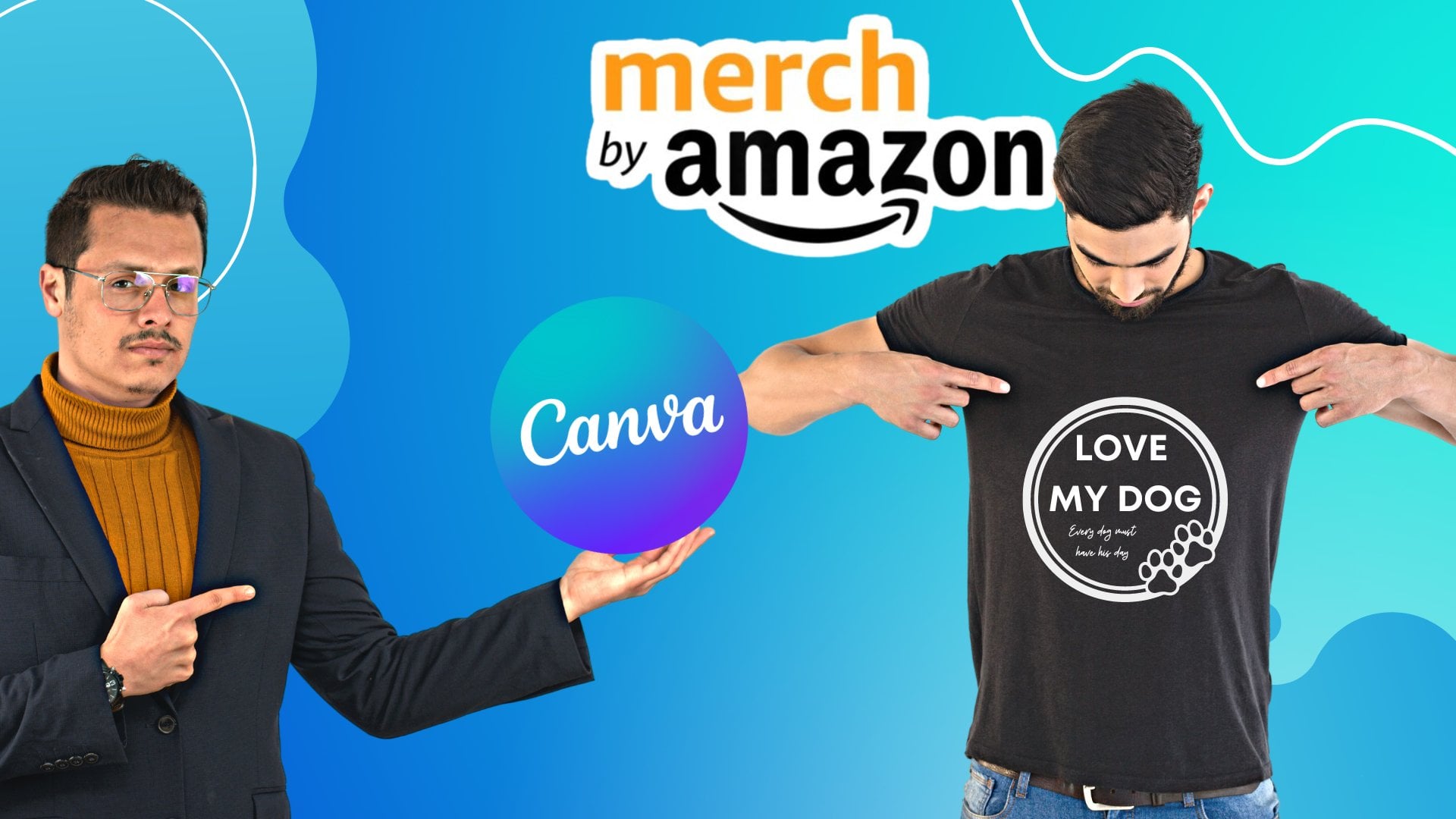
1. Tshit design Redbubble class: Hi there and welcome. I'm CD-ROM. My name is sutra black and this is me in the picture actually. And I'm 24 years old. I'm a digital marketer as well as a designer. I designed mostly anything for my customers, my clients. Logos, De Shu designs, book covers, web designs, game designs, and even harmed because like in the picture that you are seeing right now in this video, actually this is our Moroccan home decor I created for an Italian restaurant in Italy. But this course will be specified only on t-shirt designs. I will guide you and share with you all of my experience and my knowledge on how to create a beautiful T-Shirt design that can be used for personal use and for commercial use as well. The design that you will learn how to create can be used for a personal use, like printed on a t-shirt and be presented as a gift, of course, to one of your family member, maybe your father, your mother, your girlfriend, your kids, your boyfriend, and so on. Or it can be also used and listed on our irredeemable marketplace, for example, for a profit each time you gotta sell. And this is exactly what you will learn on this course. You will be taught how to create a tissue design and listed on bubble markets place in front of thousands and even millions of people that are ready to buy your t-shirts. And not only that, but also I will share with you the best websites that I personally use to get at the most useful keywords and phrases to put on your t-shirt title, as well as on your t-shirt description suits, your design or your work will be shown on the front pages of each search result on red bubble. So without any more details on the Without twisted anymore time, I will invite you in this course, which is going to be sweet, short and to the point by saying join to learn. So see you inside the course.
2. How print on demand works !: Hi guys and welcome back once again. So in this video, we're going to see how brands on demand works. So if you don't know what's printed on demand, or if you don't know how it works, how print on demand works, then continue watching this video till the end where I'm going to explain to you how plants on-demand works. So you are a designer and maybe you have an amazing idea for a T-shirt design. You want to create to our bullets in the marketplace in front of millions of people. First, you need to create it. And after that's where you're going to create your design. You're going to upload the image. First. You're going to applaud the image that should be on PNG later on. In the next video, I'm going to explain to you why the image should be on P&G. After that, you're going to upload the image on our marketplace. Like for example, red bubble. Why I chose the red bubble because it's the most easy platform to navigate and to use. And it's one of the most popular marketplaces in the United States where people, they go to reliable.com to buy our t-shirt. And that's where we're going to use a red bubble. And after that, we're going to upload it. You're going to place the image on a product. You're going to place it digitally, only digitally. You're going to just drag and drop your image on our products, which can be a hat or a t-shirt, or a hurry, or a sweatshirt, or even. There are a lot of products. Of course we're going to explain them later on. And after that, we're going to list the products for cell. We're going to choose a title for the products and we're going to choose our description. And we're going to choose a price for it and stuff like that, just basic, easy stuff. And after that, when you when a customer is going to order a product, our t-shirt that has your design branded on, you're not going to be the one that's going to brands or ship the products. Your job is only to create t-shirt designs and upload them in the marketplace. But red bubbles are going to be the ones that are responsible for Brenton prints in your design on products that the customer ordered and shipping this product to your customer. Of course, you can do all of your job from your computer. Alright, so the customer is going to order the product and then the factory, which is in our case, our brands on demand, our POD marketplace, which, which is redeemable, are going to be the ones that brands your design on a t-shirt or on a hurry or whatever the customer bought. And then they're going to ship it to the address of your customer. I know maybe it sounds but it's a little hard to understand. But just focus with me. Rethink is easy and everything will be really easy for you and you will understand everything if you follow me, of course, step-by-step, you will have your own designs published on the red bubble marketplace ready to be bought by customers from all over the world. So see you in the next video.
3. Png designs: Hi guys once again and welcome back. So in this video, I'm going to explain to you what is the difference between a PNG design and non PNG design and why you design that you're going to create from the designers you're going to create from now on, should be always PNG and the background should be transparent it anyways. So as you can see right now, I have two designs. T-shirt designs, of course. Like this is the first one is where my dog is. And this is the second one. Home is where my dark is. So you might think that's our boats are similar, but of course nuts. They are not similar. They are not the same. They are not like each other. This one the background is black. The background is black. And this one, the background isn't whites. So you think that the background is white not, it's not whites, the background is, there is no bigram. Debugger is transparent, it dir r, there is no background. This one, the background is black. That means that there is a background which is black. For this one. You think that the background is white but there is no background. It's transparent. It it's like a mirror. It's like glass. There is only this words and this dark, this line. There is no background right here. For example, between the words or between the words Under the dog design. Like for example, right here, where my mouse is, there is no background. It's totally trust parents. It, even if you can see there's its whites where it's not whites, it's toward the transparency. There's no by God. And of course I'm going to teach you how to do this. But now I just want, I just want to teach you what is the difference is and why you buy gradually be P&G. So let's go to Google and we're going to pretend that we are going to publish this designs. So let's go to red bubble. I'm going to click on add a work. So I'm going to like, I'm pretending I'm going to list one of these designs. So let me click upload a new work. So let's start with the one that's contains or has a black background. So LQ icon, it's rights and it's applying completed. So now you can see all the products that where you can upload your design on, of course, was all what we are interested in right now is on T-shirt design. So let's click edits. And as you can see, it doesn't look professional. It's look like it's we're just applying. It doesn't look professional. And of course I want you to look professional in order to have more orders from your customers. So this is a white t-shirt and as you can see, it doesn't look good. I'm going to switch to black t-shirt. And also it doesn't look great. And if I try all the color, my design, it doesn't look that good. It looks rubbish. It's not great. Alright, so now we're going to try with the, with the design that it's DNG with transparency in the background. And let's see if this looks better than the first one. Let's click edits. And as you can see on our white t-shirt, it looks greats. The same thing on our black t-shirt. And of course the same thing for the other t-shirts. So that is exactly what I want to show you in this video. That's your background. Your design should be transparent. And of course later on, I'm going to teach you how to make your design with the transparent background. So I'm going to meet you in the next section.
4. let's get started !!: Hi guys and welcome back. In this video, I'm going to show you all the tools, the necessary and the needed tools that you're going to need in order to for me and to follow this course first, you're going to need a paper like counts. If you already have a paypal account, that's great, but if you don't, you need to go and create our Paypal accounts. It takes only a few seconds to create new Paypal accounts. And the second thing that you're going to need, its Kanban, a canvas. It's the best alternative to Photoshop. And using Canvas, you're going to be able to create the t-shirt designs. Of course, I'm going to show you in this course later on how to create our tissue designed using come from. The dirty thing that you're going to need is a red bubble.com. Accounts, of course, are reliable. Is it possible that we are going to use it on this course to publish our design. So go to Google and type in red bubble, and go to Republic.com and create your account within red bubble. Once you're done, you have to do to go again and do the same trick with PayPal account. Go to paypal. Go on, sign up. If you don't have an account with dipole. Alright, again, when you're done, you have all sorts of God of Canva and the canva.com and create a new account within compa. Of course, we are going to use the three of them. And later on in this course, I'm going to show you how to link between redeemable and the campus or whenever you're going to get out on order or a sell with red bubble, the money are going to be transferred to your paper like counts. And we're going to use to create our t-shirt designs. So when you're when you're done creating your cover accounts as well as your PayPal accounts receivable accounts meets me in the next section.
5. Let's create a tshirt design on Canva: Hi guys. Welcome back. So today in this video, I'm going to share with you how I personally creates my t-shirt designs to submit them within the red bubble platform or the red bubble marketplace. So I personally, to create my t-shirt designs, I personally go to canva.com. Canva.com. So what is come from and how it works comes up its websites where you can create whatever you likes. You can create whatever your lights, you can create a lot of things. And by the way, cover, it's the best alternative to Photoshop. I even have Photoshop, but I don't use it. Why? Because it's easy to use. It's easy to navigate in while Photoshop, it's a little, a little bit complicated. And Canva, all what you have to do is to juice coverage, is to go to comfort that's calm and you don't need to download anything while Photoshop, you need to don't want for a shop. So that's why I use, and it's easy to use. Alright? And this is, and this is exactly how combined scarred. So looks like once you go into go to come up, that's come. So if you have if you already have an account or what you have to do is to click login with your Google account or to click login. But in your case, if you don't have a comfort account, then you have to click sign up. And then you can click sign up with your Google account to sign up using your Google account or to sign up using your Facebook account or to sign up with your email. I personally prefer to send up to other websites with my Google account. Click on Google account. And in my case, as you can see, it directs me straight to come back because I already have an account in your case in your case says you don't have a gaba accounts, it's going to take you into a process of entering and fill in your email and your password, and your name and your nickname and stuff like that. Once you're done, Congratulations, you have current account. So click on a creative dissent. And basically with company can create, you can create a lot of things like logos, posters in Instagram, post T-Shirts, flyers, lick their posts cards, business cards, CD covers, invitation book covers. Website, of course, is not going to be our real websites. It's only the design of our website and newsletter Instagram story. Shore is YouTube icons and basically a lot of things. But on what's, are interested in is t-shirts. But don't go. I click right here on t-shirt. Why? Because the templates that it's going to give you a little bit smaller. Why? Because the size the recommended size. For our tissue decided that it's going to be published on a writable, it's 5 thousand, pixel, 5 thousand. And the T-shirt design template that they give you, it's nuts. Five thousand, five thousand. That's why it's recommended to go and click custom size, got unclick custom size. And then you have to choose the wet. Take 5 thousand and the high 5 thousand and make sure it's on sets on pixel. So this is the pixel, the edge, the millimeter, and the scientia match. Alright, in your case, choose the bedsore. Ok, and then click on Create a new design. So this window is going up and then it can clause this one because now it's used as for ice onwards regards and it is this one. Alright, is five thousand, five thousand saw right here are a lot of tools. Right here did a lot of tools that you can use. The first one, which is our templates. Now, we're using this templates and this is the applaud. If you want to upload something to use it. Maybe you want to upload a picture or something that's you, you're having in your desktop or laptop. This is the photos. Some of the photos as you can use, and this is the, the elements, some of the elements that you can use. For example, let's grab this elements, maybe. This one. This is the text. If you want to grab a text, music, we're not, we're not going to use it. And the video we're going to use it and the background were an awesome what's gone on to use it. So are we going to use is the elements as well as the text? Alright, so I have this bow for a dog or maybe for a cat or not. So I'm going to use it. So let's pretend those. We're going to create a tissue design for dog lovers, maybe offer how do we integrate to one for harder when for example. So that's why I'm going to go up and click on Next. And then I'm going to grow up our text, maybe this one or this one. Let's choose this one. And I'm going to click on it and drag it and where it's whatever I like. And then I'm going to select the entire words, the entire characters. And I'm going to type in something like so. So for example, the pants on the tissue design but are creating electrode example, Happy Halloween or something like that. Heartbeat Halloween. So I'm going to click on it again and I'm going to resize it. Aerates Happy Halloween. And the sense of the dark bile. It's not for Halloween. That's I'm going to That's why I'm going to click on it. Right click on the mouse and click deletes. And I'm going to go to Elements against r i. And in the elements I'm going to search for Halloween. So thus we can add our Halloween I can on our design. Alright, so there is this spider and this pancake and the bath. And as the cat, Son of God, choose any elements. So for example, limit, choose this hand, this one. And now what I'm going to do, I'm going to change the color. So to change the color of the text, you need first to click on the text is selected and then click right here, and then choose whatever color you like. So in our case, since it's Halloween, I'm going to choose orange. Okay? Alright, happy Halloween. And I'm going to add humans on R k. All right, so it's a very simple design. As you can see, you can create it in less than five or ten minutes. So now, when you're done creating your design, what you have to do is to click Download and right here. So click Download. And always, always says you're created a t-shirt design. Always choose PNG. Always choose PNG, alright? And then click on transparent background, click on trust parented by Gauss so you can dominate your design as a transparent background. But the transparency background, it's not for free. I need to pay in order to, I don't want my design as our trust parented by ground. The free plan on comfort doesn't allow you to download our designs as our trust burns it back out. In order to downwind designs as a transparent background, you need to be you need to subscribe to the bead gland which is, I think $12 a month. But I'm not subscribed the bland version because I have Photoshop. Photoshop. I use it to make any background transparent. Petroski guaranteed for any of my designs. That's why in your case, you need to don't want at this as a transparency background. Alright? But if you have Photoshop dots, pay for the pro version in order to dole and your design as a transport in the background, the free plan, the free camera plant, it's enough. So after that's Glick downwind right here. Alright, so after data are given a name, of course any name, it doesn't matter. It could be even numbers and letters. And click Enter. Alright, so I, so data areas, my design. It's right here. But the, the problem, as you can see, it's not as a jurist, barren background. The background is still set to white. It's not trust parented yet. So what I'm going to do in order to make it transparent, it, I'm going to go to Photoshop and I'm going to use only one tool. And they'll going to use a tool that it's Photoshopped that will allow me to make any design transparent. Of course, if you have Photoshop, you don't have to be for the Canva up brought version, which is $2 every month. But if you don't have Photoshop, then you need to subscribe to the pro version in order to download your trust parents at background. But in my case, I have Photoshop, a soy bean for Photoshop, and a dont need to pay for Russia as well as comfort. At the same time, I use Photoshop to make any design transparent it. Alright, so now since we're on philosopher aren't going to do, I'm going to click on open. And I'm going to open my design, whereas it's Harry S. Alright, head is, and then all what you have need, all what you need to do is to go to this tool. Click on its right-click, right-click on it, and then click on the magic arrays tool right here. And then you're going to see that the mass banner changed to this design. And all what you have to do is to click or one click in the middle. And the background has become Trust parented. So only one click is enough to make earlier background transparent. Alright, so after that's what I'm going to do, I'm going to go to the File, go to File and click export and export as, and then choose PNG. All rights mixture right here, it's as a PNG, you're going to have it as a PNG. Make sure that the width, it's set on 5 thousand as well as the high 5 thousand. And then you can click on exports, all. Alright, so now my design is transparent and you can tell that it's task parented. So this one, this is the trust parented design. And this one it's the one that we have got from Canva. So of course, as I said earlier in this video, you don't need Photoshop if you go if you are going to pay for the pro version within comfort. But if you don't have Photoshop, then you need to be cover for the broader version, the version in order to have your bag ground as a transparent background. Thank you for watching and see you in the next video.
6. How to get new ideas design + let's create an other one: Hey guys and welcome back salt. In the previous video, we have created this design. And in this video I want to create another design just in order to understand how the platform works and how things work. So I thought that's one video. It's not enough and they need to make this video as well. So sometimes you don't have what's kind of tissue designers unit to create. That's why you need to go, to go to Google and YouTube. All you have to do is type in tee shirt. Hit enter, and then you can go to images. And fresh in your mind, you can see all of the other ideas buts, it's a big butts. You don't steal somebody's work. Do this, just refresh your mind? A. Do this just to refresh my mind. Sometimes a go to HCI, sometimes to Amazon, sometimes they go to Pinterest just to look on others pupil designs just refresh my mind and get an idea. Aidan, steal people's idea when Please Dostal people, people's ideas, or you're going to risk your account to be shouted down. Alright. So let's see what we can creates this time. Move for cats or dogs or bets are rights darks. I let the dogs out. It's one of the best successful tissue designs in the market out there. I let the dogs after because there was a popular songs song that says, who did the dogs out? And this guy, he took it smarts and he created a tissue design that it says on day one or I let the dogs are to honor the dark arts. Okay. Okay. Working. So I'm going to do it. We're going to create a one just like this one, but not copying the same things. It's got to be just like this one. I'm not going to copy the same design. So let's go to converge. And as usual, Gleick creates a design collect custom size, and the enter a $5 thousand or 5 thousand mixture. It's set on FX or unclicked creates a new design. Alright, Ayelet dogs outs. So what I want, I need, I need first an idea. So I'm going to type in I don't know, my wife or my girlfriend let the dogs off, not stupid. I dont know who led the dogs are such, for example. You can type in whatever you would like because people, they like unique ideas or try to be unique. And by the way, this is an idea that I just got dry now while I'm filming this video, I don't know who led the dogs out. I didn't know if it's already talking or not, but I'm going to go for it anyways. So for example, we can say, I don't let Who the hell or holder something, something, something dot then I don't know who somebody something led the dogs outs or let's be professional. I don't know who led do dogs dogs outs. Let's put it illustrated, but it's in the middle. Okay? And now what I'm going to do ongoing to try other fonts, style of writing sought, click on its selected. And then what I'm going to do, I'm going to go to what is it, what it is right here and try other styles. I don't know that the outs. Okay, so I'm gonna click on its unselected and maybe try this one, this style, or try this tile. Or it can basically since you have the entire time into award, you can try all of them. When you see a style of writing has this icon, that it means it's only reserved for the broad version. So you can try the other ones. All right. Let's try this one. Okay. Let me try this one. Ok. I think I'm going to go for this one. So I'm going to place it right here. And then I'm going to go to the icon's whereas the Eigen elements, okay? And I'm going to type in dark or darks. Are husky if you want a particular kind of ducks. Case, always Dick. Yes. Let's take this 1. First of all, let's take a dark moments. This one right here like that. And then I'm going to click on a deselected dog. I can position it backward. And they'll go on to do the same thing for another design. K. So now I'm going to check you're not again dark pile or a dark because I needed dark bar and put them right here. Like that's maybe. And also good backward. Okay? So of course you can be creative. You can be creative and try all the fans on. Dry. All the elements are dried to position them like above or below, right here or in different places until you got the design that you like. So when you're going to think that's the perfect design, then what you're going to do, you're going to click on downwind and click PNG, always selects PNG and then choose a trust parented bag ground. But they're going to ask us to try to come up wrong because the trust parents background feature is only reserved for the cover Pro. And I don't want to pay for it because I'm already paying for Photoshop. Ok. It cannot pay for two programs at the same time. I don't like to. But in your case, if you don't have Photoshop, then you can be for the company in order to have and to Don lumped your designs from camphor, other transparent background. But if you want, if you want to do like me, you can say, okay, I'm going to give it a name. And what he was seeing elastin, if that's if you want to do like me, you can also have Photoshop and use it to make the background transparent. Okay, so let's go back to finish up. And I'm going to click on open. And my design head, yes. Okay, so I'm going to grab this tool, the Magic Eraser tool, and the one-click right here. And the background is trust parents that care. And also as you can see, some parts of the face of this diode is also becoming trust parents. And, but that's not a problem for us. The moments because since the noise and the dark, and the eyes and the ears are also appearing, that's nuts up problem for us. So now what I'm going to do, I'm going to go to File Export and exports as and choose PNG mixture, that's sip on PNG. And then click exports or so, that's it for today. And I'm going to meet you in the next video.
7. Upload t shirt design on Redbubble: Hi guys. Welcome back. So now we have our desires that are ready to be published within the red bubble law for sought to do this, of course we are going to go to REI, bubble. Alright, so I'm going to go to a ramp bubble. And lamella accounts. Alright, so when you're first, you're going to go to writable. You're going to come across this lovely London page. And if you already have an account, click login. But if you have never created an account with VR bubble, you have to click sign up. So let's click signup. Artists sign up or a customer sign of, of course, we want to upload our designs within this platform. So I'm going to click on artists, sign up, and then you're going to enter your email in the shop, name of your shop and your password. And then you can click email me special offers, an artist news. If you want soil. And then you're going to click on sign up. Alright? Log n. All right, so once you've gone to login, it's very important before you start uploading your designs, you have to go click accounts and then you have to go to account setting right here. You can go to a counseling. And then you're going to enter your image on the cover image for you, alright, and then your first name and your last name, and then some biographer B2, and then then the RF vacation and copyright name. And enter your name. And then when you're done, click Save Changes. Alright, so after that, you're going to have to go to It's payment details so that you are going to be able to enter your PayPal e-mail accounts. So that's whenever you're going to receive some money from a redeemable, the Argonne to send your money to Europe, be black counts. All right, so I've heard that's when you're done. Edit creates an and the editing your profile name and your beam into details regarding, again to read bubble.com. Alright? And then you're going to click on account and you're going to click on add new work. So I don't know, maybe this one, this button right here that says Add new work. Its won't be available until you finish editing your accounts and the payment details. So click add new work. And then they are going to ask you to applaud New York or copy an already existing work. So of course, we're going to click on upload our new work. So this one. And then it's required to add a title. The title, I'm always in the title, I type in what? In the design. So design, it says, I dont know who let the dogs out. And then I like funny t-shirt for dog lovers. All rights, so that you can add the tags. Tags are like keywords. And later on in the next section or the one that it's up to the next section, I'm going to show you from where you can get the tags or the keywords to maximize your profit as to let your design be showing up in the front pages within redeemable. So the tax could be something like dogs. Dogs. And this is important, by the way, makes sure to separate tags. So it says where he makes sure to separate tags with cameras, example, Panda, comma, and space, black and whites. Okay? So I'm going to put dogs and then a comma and space. And then I'm going to type in dog, funny t-shirt. And then a comma and space. And then I'm going to put who let the dogs out? Because since it's famous, dogs out. And then come up and space antenna, awesome. Gone to type in the dark. Are dogs, t-shirt and stuff like that. So that's what I'm done. The description, the description. You can type in something like this. Can be the best gifts for your man or your woman, or for your girlfriend or your boyfriend, or for a family member in general. Okay, so I'm going to scroll down and gone to fan the products preview where I can edit my my tissue design on other product so that this is the standard print Gloria. I'm going to click edit. And then I'm going to my design. You can edit the size of your products. And by the way, always put little bits up higher like that, like in the chest. So I'm going to break a little bit tired. And I'm going to click Apply changes. By the way, if you want to edit your design on hoodies, pullover hoodies or hoodies with zipper. First you're going to click right here. And to check, this one gets Barbara hoodies and check all of them, and then go back and you're going to choose whatever product you want to it, it's your design n, For example, hoodies Bolivar or hood is zipper issues, for example, Horace blower. Okay, since I will design, it's black. It's not going to lock the web on black t-shirts and hoodies. That's why I'm gonna choose whites. So I'm going to click Apply changes. Alright, so now for a tissue design, I'm going to click edit. And I'm going to mix a little bit higher NHS. Okay? And you can change the color and see how it looks like on other colors. Salt white is good. And I'm going to click Apply Changes. Right? So after that we can go to the next product, like for example, this one will go on to disable this one. This one. Okay. You can edit the background color. Okay, I think it looks good. The same thing for foreign cases. It can it is also the bug ground color. Okay. It's still looks okay. So I'm going to resize, it's OK. Now it looks greats. Of course the same thing for foreign whites. The pillow and the floor pillows. Think it looks good on all of these three products. The shower curtain and the laptop, skin save and the brands cards. And there's also the mac simple harmonic where you can drink your morning coffee. You can basically the background color or you can leave it as white as it was before. And the same thing for the travel mag king. When you're done, click Apply Changes. Okay, so basically you can do the syntax for all the other products. That's the S1. Of course, I'm trying to enable all the products so that I can maximize my profits at the same thing for a Masks gain. Alright, so in the end, when you're done it, it's an era design. I'm all for a given product by rho bubble. And you have to get down right here. And the medium. So select up due to a basically a selects a 40 graphics and drawing. And for default products in your, in your shops or this one, it's recommended to live it up. Demise it bites. I prefer to click on t-shirt. So what it means, it means that the first products, it's going to appear on your sharp. So our design is basically printed on a lots of products. But I want my products first in the London page to appear on t-shirts. That's why a choosed T-Shirt. Okay. T-shirt. And it says, who can view this work or your work. It's very important to click anybody, so that's anybody can see you all can, anybody will be able to buy your design if he or she wants dots, Jews only you, okay? Unless you have, of course, our specific reason why you want to be the only one who can view your product. So liberates us anybody. And nudity or adult language, alcohol or drugs blow of violence or a gans saw. Does any of this appears on your t-shirt on your design? No. It does not. Saw click? No, it does not. Alright, so in the end, you have to do is to click, I have the right to sell products contains this works since you are the one who created this T-shirt design. And when you're done, click Save work. So it's going to take a few seconds. And voila, it's already up. And so it says it takes up to 15 minutes to appear on markets on under red bubble marketplace. So this is the title that we have chosen for our design, and this is our design. So I'm going to click view. And it is my products by should drop black. So this is all due almost 90 at products. Okay. Not if t shirt who it is. And this is their zipped hoodies and other products. Okay. Arts and Clark and there are basically a lot of other products. Look oh, it looks like on this floor pillow. Amazing. Amazing. All rights. So thank you so much for watching this video and I think I'm going to catch you in the next video where I'm going to show you how to upload this design for Halloween. So see you in the next video.
8. Upload t shirt design on Redbubble part 2: Hi guys. Welcome once again. So in this video we're going to see how we're going to publish the second design within red bubble. So let me go to rebel. And again, I'm going to click on my account and I'm going to click Add new work. By the way, if you want to edit the price of your t-shirt designs or all of your works in general. So always you have to do is to go to account setting. And then you're going to click on products priced in. And there you go, you're going to be able to see all the products price. And for example, that's for the tissue designs. It's the retail price, it's 20 to $40 depends on the t-shirt and my margin. It's it can be between three 65's, $3.65 to $7.22. So if you want to edit it, or I have to do is to select this one on the markup and at the beam, at the champion right now it's 22%. It can lower it, for example, to 10% or even to 7%. And click Apply for all, apply for all of the other products. Or I can make it change it to, for example, 40%. So it depends. So I'm going to click Apply All and areas. So this is exactly how to edit the price for all, all of your work but are live within the red bubble markets place. And of course, when you are publishing our design within red bubble, there isn't a place where you can edit the pricing. So this is how to edit the price for your products. So let's go to rebel.com and the Mexico my account and click add new work. Alright, so after dots have gone, you have two options. The first one to upload new work, of course your work, or the second one should copy and exists in our already existing work within the markets with of course, since we want to be professional and we want to provide something which is unique to the marketplace. You're going to click on Upload New York, and you can click on your work. So add new work on the title. You can type in water, it's already on on the design, Happy Halloween. And then add something like birth, the t shirt for Halloween. Okay, so for the tags, the same thing we did with the previous products. Funny. T-shirt, Halloween, Of course. Happy Halloween. And the literature on, on this course, I'm going to show you from where you can get the tags or the keywords you use them on this place, of course, to boost your listing as well as for the description so you can type in something like best gifts does exactly what I do. Best gifts because almost all the people that are buying t-shirts are by an EDAR tissue. They are buying them either for themselves or for as a gift for somebody else. So you can type in best gifts. Tee shirt for your boyfriend, for example, or for for Halloween. It says it's a niche and it's only 400 when. Ok. So after that, we're going to get down to the product pricing. And you either have, for each products you have two options to edit, edit, edit the products, or to disable it's. So of course, you need to enable all of the products to maximize your profits. So I'm gonna click Edit, and I'm going to edit this T-shirt. You can basically change the color. So I'm gonna keep it Whites. Right? So if you want, by the way, if you are wondering what's the center design is and what it's for right here in redeemable. So for example, if I'm going to put my design a little bit like right here, and I'm going to click, to click on horizontally or vertically. You're going, it's automatically edit my products and place it right here, like in this center, for example, I'm going to put it right here. And what I'm going to click vertically, it's going to put it like that, like that's right here. And as you can see, is birthright that, so again, disempowering for horizontally. If your design, it's right here, or it's too, too much into the left or too much into right. It's going to where it's in the middle. So that's very perfect tool direct, personally used, of course just to when chai. But I prefer that the design should be a little bit like high, like ended chats, like in the chest. So a word like that little bit high and they click on horizontally. Great. So of course this tool, it's for the size and distill, it's for the color and all the colors. And this tool, it's for the front, if you want your design to be printed or on the France are on the backs. Of course, I'm going to choose the France because I want it to be, to be printed on the front. And for the style, you can change it from a t-shirt to pull over switchers or hurries, pullover, Hrdy or zipper hurry. But for the time being, I'm going to keep it to on t-shirt simple isn't shell T-Shirt. Apply changes. So the same thing for this product. And then we wanna click Horizontally and all of the other colors. And maybe a black or white is good. And I wanted to be printed on the front and I'm going to click Apply Changes. So of course you should do the same thing and edit all of the other products. Okay, font case. Okay, the simply for the bellows. Okay, and the mac. Simple Mac and travel travel mock clock as the netbook and the journal. Okay, the batman. Okay, so I'm gonna click Edit, right? And I'm going to the background color to maybe blow. Okay, and enable it's okay for the mask and for all of the other products. So when you're done, you can choose the medium. So I collect and drawing. So you can collect two. I, personally sometimes I prefer to click photography and the Pentium mixing video are sometimes I just randomly check two meters. So right after data developed products in your sharp. So the default products, it means they take the products that it's going to be shown up in the front page or in the landing page of your products. You can choose whatever product like the term pill or not work mask and other products I prefer to choose T-Shirt. Long Teacher. Okay. Various T-Shirt. Okay, T-shirt. And of course I click on anybody so that anybody can see my products. Is it knee-jerk taxol? If your products each show some some something that that's an appropriate or only for adults or alcohol or drugs, or a blog or a gans or violence or all of this stuff. You can click. Yes, but for my products are going to click No, because it does not. And a quick, they all have the right to publish this discontents because it's mine and they have created this content using carnival. Okay, so finally, when you are done editing of your products, all what is left to do is to click save work and it's going to be saved right away. So that was exactly how to publish your designs within the real bubble marketplace. So I hope you enjoyed, and most of all, I hope that you are, you have learned something valuable. And by the way, if you think that you are learning something valuable, all I'm asking in return is the rate this discourse for me and thank you so much for rating discourse. So, see you in the next video.
9. Keywords and tags for t shirt design on redbubble: Hi guys and welcome back. So in this lecture or in this video, I'm going to share with you the two best websites from where you can get the tags or the keywords for your t-shirt designs. So the first website that I want to show you, it's called keywords to dot i or saw Gore, Google AntiGrippin, keywords jewel dots, IO, and go to this website. So this website, it's all about entering a keyword and it's going to give you more keywords. This are related to the keyword that you are just enter into this website. So when you go to this website, of course, RED bubble, it's not shown went and right here. So that's not a problem. You can choose either Google or Amazon, especially Amazon. Amazon, it's one of the top amazing platform where people, where people, they go to amazon.com to buy our T-shirt design. So the same keywords that people enter in Amazon.com D may also enter on other platforms include the red bubble. So are we going to select Amazon and K? And we're going on sorta select United States English. All right, so for example, on gone too funny t-shirt. And I'm going to click search. And right here it gives me all the keywords that I can use wherein my my work or my t-shirt like in the title or ETags are in the description. So for example, finite teachers or funny t-shirt for man, or funny t-shirt, adult humour, funny t-shirt, Man for a Man, humour. Funny t-shirt, woman, adults, you, okay, and arts, boys, bird, cat, christian, christian, christmas, country for song, family tissue, drinking, saw. This are all of the keywords that you can use. Of course, you, you're not allowed to use. For example, this one quantity shirt, Harry Potter. Why? Because Hybrid, Harry Potter, It's a trademark, like it's abroad. You're not allowed to use that. But something like funny tee shirt, husband, you can use it. Gifts for women, you can use it's gamer, you can use it to guitar eager woman, man, engineering. You can use them, all of them from other arcane, but something that which is brand or a trademark like for horizontal Harry Potter, you're not allowed to use it, or something like Spiderman, you cannot use it. Or sometime like, for example, Star Wars, you cannot use them because it's trademark. If you use it, you're going to risk your account to get shut down. Something like Disney. You can also use it. All the Disney characters like Mickey Mouse. All of them. You are not allowed to use them as a design, our near T-shirt design, and also as a keyword, as a, as a text on the title. All right, so, so you should be aware of that as well. Pregnant woman, same woman, woman's funny t-shirt, Tama, teachers, you can, for example, grid funny t-shirt for teachers and listed in the marketplace targeted in only teachers. Alright. K. So this is the first websites. Okay, funny baby t-shirts, nine years old T-Shirt, funny funny graphic T-Shirt for women and stuff like that. All right, OK. And the second website that I used to get my tags and my keywords, it's red bubble itself. Yes, reducible. It can be really helpful and it's the best preferable place for me to get keywords. Salt, for example, if I'm going to go to the search engine and type in something like funny tee shirt. Just as an example, and I'm going to hit enter. There are a lot of tissue that are going to appear in the first page. They are going to appear the very first page right here. And all of these designs, you should, of course, you should ask yourself this question. Why, for example, this design, it's appearing on the first page. It's the first one on red bubble. For a tag or for a keyword there it says, funny t-shirt. The answer to this question is very simple because the creator or the owner of this design or the marketer, it's using some keywords, not any keyword, strong keywords. So for example, if I'm going to scroll down a little, sorry, I'm late. I didn't want to come. If I'm going to scroll down a level right here, I'm going to come across this area which is T-Shirt tags. And you're going to be able to see all the tags on and also all the keywords that this designer it's using for its design. And of course, since this designer, it's using these tags and it's really helping him to boost his work. You can also use the same tags to help you boost your cells under. And of course, it doesn't count at all. It doesn't count at us. Steel and you're not stealing, okay? It's just tags and keywords your knots steal. So you are welcome to take, for example, something like, sorry t-shirts or funny t-shirts or anxiety t-shirts or party t-shirts or our core t-shirt or lazy t-shirts, or a soul, a harness t-shirts. You can use them on your t-shirt tags or or also on your t-shirt title or in the description. And I'm sure they can help you to boost your cells since it's helping this products. So those two ways or the best ways that I personally use to get my tags and the keywords to use them on my t-shirts. So thank you for watching and I'm going to catch you in the next video.
10. The end for t shirt design class on redbubble: Hi guys. Welcome. First of all, congratulations on finishing this course on making it this far. Now a booklet that you are not a newbie anymore now, I believe that you have are knowledge that will make you and let you start your own t-shirt design business within red bubble and start creating tissue designs and published them within the red bubble marketplace. So now your best friend, it's not knowledge because you have knowledge right now. Now your best friend. And the thing that, the thing that it's going to help you, it's a practice. Now almost you have to do is to practice stars creating t-shirt designs, tree, then 20 tissue designs everyday and publish them within the red bubble marketplace. This class or this master class, was only specified on how to just to create a tissue design and submit them, unpublished them within red bubble. But if you want to expand your knowledge more, and if you want to start creating t-shirt designs using other programs like Photoshop, Canva, and another free app. I think this course, it's suitable for you. Discourse. It's by the title a tissue desire master, master class create Seasonal tee-shirts for Halloween, Thanksgiving, Christmas, and more because that is exactly what I explained in this class. So in this class I share with you how to create a tissue design using Canva and how to create tissue design using Photoshop and how to create a t-shirt design using a free app that you can download on your phone. And it's for free. And the free app, of course, you're going to use it to create t-shirt designs is our professional, good-looking and PNG at the same time. Also, I shared with you on this in this course, Halloween, How to Create Issue designs for how do we infer volunteers days for tags given for Christmas as well as for the New Year. And also how to grade teacher Design for dogs, like for dogs lot, for dog lovers and for cat lovers. Sports summer, work, job gets for kids and for game development and game lovers and for computer lovers in general. And then in this course, I shared with you the top six platforms where you can publish your t-shirt designs. The first Adichie shoe design business sites where you can publish here, designs. The second one, the third side, the fourth side, the fifth site on the side where you can publish your t-shirt designs. Of course, these sites are print on demand websites just like red bubble. So if you want to expand your knowledge and if you want to know more about tissue designs, then I think discourse, it's suitable for you more than this course that you are watching right now. So thank you for making it this far. And I think I'm gonna catch you and meet you within this course.
 Shydra Black, digital marketer