Social Media Marketing MASTERY 2026 + Learn 9 Social Media Ads Platforms!
 Tanmoy Das, Ex-Google | Content Creator
Watch this class and thousands more
Watch this class and thousands more
Lessons in This Class
-
-
1.
Welcome Video
1:48
-
2.
What is Social Media Marketing
4:09
-
3.
Marketing Mythbusters
5:23
-
4.
Branding Introduction
2:16
-
5.
What Makes a Powerful Brand?
2:34
-
6.
Make a Brand Style Guide
6:07
-
7.
Content Marketing 101
4:32
-
8.
Get Endless Content Ideas
4:18
-
9.
Get To Know Canva
5:17
-
10.
Find Free to Use Content
6:04
-
11.
Design Powerful Graphics
7:32
-
12.
Make Captivating GIFs
1:40
-
13.
Create Powerful Videos
6:17
-
14.
Other Powerful Video Styles
6:13
-
15.
Develop Customer Profiles
3:21
-
16.
Make Them Feel First
2:24
-
17.
Master Compelling Copywriting
6:06
-
18.
Viral Hooks
2:46
-
19.
Hashtags & Accessibility
4:11
-
20.
AI for Epic Images
3:01
-
21.
AI for Quick Videos
3:53
-
22.
Why to Use Facebook To Market Your Business
6:45
-
23.
How to Create A Facebook Page
2:58
-
24.
How to Create A Facebook Profile Image
3:56
-
25.
How to Design A Facebook Cover Image
3:22
-
26.
How to Update Your Pages Info And Preferences
2:24
-
27.
How to Post About On Your Facebook Page
9:57
-
28.
How to Promote Your Page And Get Likes & Engagement
12:12
-
29.
What is The Difference Between Likes and Followers
2:10
-
30.
X [Twitter] for Beginners
3:12
-
31.
Set Up Your X [Twitter] Account
2:56
-
32.
How To Use X [Twitter]
5:28
-
33.
LinkedIn for Beginners
2:36
-
34.
How to Use LinkedIn Profiles
5:03
-
35.
Create a LinkedIn Page
4:08
-
36.
How to Use Facebook
5:41
-
37.
Instagram for Beginners
6:08
-
38.
Pinterest for Beginners
3:50
-
39.
Set Up Your Pinterest Account
3:55
-
40.
How to Use Pinterest
5:21
-
41.
TikTok for Beginners
3:26
-
42.
Set Up Your TikTok Account
3:41
-
43.
YouTube for Beginners
5:31
-
44.
How to Use YouTube
3:47
-
45.
Video Topic Research
3:18
-
46.
Paid Ads Introduction
4:57
-
47.
How Powerful Are Facebook Ads?
7:06
-
48.
LinkedIn Ads Overview, How LinkedIn Ads Work, LinkedIn Ads Account Setup.
4:19
-
49.
Pinterest Ads Overview
2:46
-
50.
X Ads Overview
3:10
-
51.
TikTok Ads Overview
2:21
-
52.
Why You Need a Strategy
3:25
-
53.
Get to Know The Business
4:14
-
54.
Get to Know The Competition
4:26
-
55.
Collaborate With Others
2:28
-
56.
Introduction to AI for Social Media Marketing
0:42
-
57.
Come Up with Great Social Media Post Ideas with ChatGPT
4:09
-
58.
Write Social Media Post Copy with ChatGPT (Instagram, Facebook, etc)
3:36
-
59.
Come Up with Social Media Post Ideas with Google Gemini
2:04
-
60.
Create Social Media Polls with Google Gemini
2:12
-
61.
Social media content opportunities with ChatGPT
3:29
-
62.
ContentCalendarPosts
8:28
-
63.
Case Study: Writing Social Media Posts & Promotional Emails with ChatGPT
3:39
-
64.
Key Capabilities of Generating Content with ChatGPT for Social Media Marketing
2:38
-
65.
Other AI Tools for Social Media Marketing: Gemini, Claude & More
2:47
-
66.
Generate Optimized Social Media Posts & Captions with ChatGPT for Any Platform
3:56
-
67.
Write Longer-Form Blog Content to Promote on Social Media with ChatGPT
2:50
-
68.
Create Month's (or a Year's) Worth of Social Media Posts & Ideas in an Instant
3:47
-
69.
Create Social Media Content for Different Platforms, Goals & Outcomes w/ChatGPT
7:41
-
70.
Recommended Software to Further Automate Social Media Marketing
2:42
-
71.
Tool #1: Content generation for Website, Blogs and Social Media
12:46
-
72.
Introduction to AI Social Media Tools and why it's important for your business
2:24
-
73.
Tool: Lately - Auto Generated Social Media posts
3:43
-
74.
Socialmedia
2:56
-
75.
Overview of the Social Media automation strategy
3:18
-
76.
Tool for Social Media Automation: SocialBee
2:04
-
77.
Social Media post schedule and automation
4:59
-
78.
Social media reposting automation
6:00
-
79.
Setting up your social media automation schedule
1:52
-
80.
Craft Consistency
3:31
-
81.
Meta Business Suite
3:32
-
82.
Schedule Through Metricool
5:11
-
83.
Tool #1: Manychat - Creating your account
4:26
-
84.
Creating a chatbot for Facebook
5:27
-
85.
Accessing the chat data and conversation history
1:47
-
86.
Customizing your chatbots for other goals
2:08
-
87.
Creating chatbot for Instagram, SMS or WhatsApp
4:11
-
88.
Installing the Chatbot on your website
3:17
-
89.
Social Media Ads Introduction
0:57
-
90.
Facebook Ads Basics - What We will Cover
1:29
-
91.
How Powerful Are Facebook Ads?
7:06
-
92.
How Do Facebook Ads Work - The Auction
4:47
-
93.
Facebook Ad Structure
4:10
-
94.
How To Set Up Your Facebook Ads Account
2:57
-
95.
Facebook Ads Metrics
12:01
-
96.
Facebook Ads - Account Navigation
22:15
-
97.
Ad Creation - What We will Cover
1:20
-
98.
Create Your First Ad - Campaign Objectives
10:24
-
99.
Budget & Schedule
5:34
-
100.
Advantage Campaign Budget
4:29
-
101.
AudienceTargeting Age,Gender,Location
3:03
-
102.
Detailed Targeting - Demographics
5:02
-
103.
Detailed Targeting - Interest
3:02
-
104.
Detailed Targeting - Behaviours and Connections
2:48
-
105.
Placements + Optimisation and Delivery
5:15
-
106.
Creating Your Facebook Ad Creative
5:27
-
107.
How To Set Up A Simple A/B Split Test
4:47
-
108.
Facebook Pixel
7:19
-
109.
Conversions API in Meta
6:35
-
110.
Meta Pixel + Shopify
3:26
-
111.
Facebook Ads Bidding Strategy
4:42
-
112.
Custom Audiences - Website Visitors
8:03
-
113.
Custom Audiences - Customer/Email List
5:03
-
114.
Custom Audiences - Facebook Page
4:11
-
115.
Custom Audiences - Lookalike Audiences
5:14
-
116.
Why to Use Video In Facebook Ads
4:03
-
117.
Create Facebook Video Ad Campaign
8:52
-
118.
How To Create Lead Gen Campaign
10:34
-
119.
App Promotion Campaign
7:26
-
120.
Brand Awareness Campaign
8:32
-
121.
Website Traffic Campaign
9:14
-
122.
Online Sales Campaign
9:10
-
123.
Facebook Ads Strategy - 1
5:22
-
124.
Facebook Ads Strategy - 2
4:11
-
125.
FacebookAdsStrategy 3
3:21
-
126.
Meta Business Suite
3:31
-
127.
Facebook Ad Policies
4:53
-
128.
Banned Ads/Accounts
4:56
-
129.
Tailored Web Traffic Campaign
5:11
-
130.
Tailored Leads Campaign
8:40
-
131.
Commerce Manager
6:08
-
132.
Facebook Ads Automated Rules
11:49
-
133.
Facebook Ads Experiments
3:50
-
134.
Facebook Ads Placements
3:40
-
135.
Facebook Ads Media Library
2:23
-
136.
Meta Ads With AI
10:57
-
137.
Facebook Ads Reports
6:07
-
138.
Facebook Ads Billing
2:29
-
139.
Facebook Ads Certification
2:49
-
140.
LinkedIn Ads Overview, How LinkedIn Ads Work, LinkedIn Ads Account Setup.
4:19
-
141.
Linkedin Ads Auction, Bid Price & Relevancy Score
3:14
-
142.
LinkedIn Ads Account Structure, LinkedIn Ads Metrics, LinkedIn Ads Account Navigation
13:41
-
143.
Website Visits Campaign Creation
7:53
-
144.
Single Image Ad
1:35
-
145.
Carousal Image Ad
1:31
-
146.
Video Ad
1:22
-
147.
Text Ad
1:51
-
148.
Spotlight Ad
1:16
-
149.
Document Ad
1:50
-
150.
Conversation Ad
1:40
-
151.
Event Ad
1:52
-
152.
Follower Ad
1:29
-
153.
Job Ad
1:43
-
154.
Bidding Strategy
4:25
-
155.
Audiences Overview
4:19
-
156.
Audiences
3:02
-
157.
Locations
2:06
-
158.
Audience Attributes
4:50
-
159.
Matched Audiences
3:45
-
160.
What is Conversion Tracking & How to setup Conversion Tracking
2:44
-
161.
Sitewide Insight Tag Page Load conversion
7:06
-
162.
Event specific Insight Tag conversion
6:14
-
163.
Event specific pixel conversion
6:19
-
164.
Retargeting Overview
2:34
-
165.
Retargeting Campaign Creation
4:38
-
166.
LinkedIn Lead Generation Ad Campaigns
8:28
-
167.
View and download leads, metrics, and analytics for Lead Gen Form campaigns
1:51
-
168.
LinkedIn Dynamic Ad Campaign Creation
4:45
-
169.
LinkedIn Carousel Image Ad Campaign
5:44
-
170.
Conversation Ad Campaign
7:15
-
171.
LinkedIn Message Ad Campaign
5:15
-
172.
Document Ad Campaign
4:54
-
173.
LinkedIn Video Ad Campaign
4:36
-
174.
LinkedIn Event Ad Campaign
3:38
-
175.
LinkedIn Direct Sponsored Content Single Image Ad Campaign
2:51
-
176.
How to use Reports in LinkedIn
3:13
-
177.
Billing Center
1:35
-
178.
Business Manager Overview
2:04
-
179.
LinkedIn Ads Certification
1:40
-
180.
Tiktok Section Overview
1:30
-
181.
TikTok Ads Overview
2:21
-
182.
How to Open A TikTok Ads Account
1:40
-
183.
Auction Basics
1:30
-
184.
TikTok Ads Manager Overview
7:01
-
185.
Campaign Structure
1:38
-
186.
Campaign Level
4:05
-
187.
Ad Group: Customer Targeting
3:43
-
188.
Ad Level
2:48
-
189.
Lead Gen Campaign Creation
12:27
-
190.
Website Traffic Campaign Creation
4:04
-
191.
Audience Manager, Comments
6:37
-
192.
Creative Section
2:53
-
193.
Automated Rules
3:44
-
194.
Leads, Recommendation Center
3:17
-
195.
Custom Reports
3:18
-
196.
Audience Insights, Comment Insights, Video Insights
2:52
-
197.
Attribution Analytics, Creative Inspirations
3:01
-
198.
Account Setup, Brand Safety Hub, Finance, Documents
4:23
-
199.
X Ads Section Overview
1:02
-
200.
X Ads Overview
3:10
-
201.
5 Reasons Why You Should Use X Ads
5:13
-
202.
X Ads Structure
2:36
-
203.
How To Set Up Your X Ads Account
2:56
-
204.
X Campaign Objectives
5:35
-
205.
Setting Up A X Ad Campaign To Drive Traffic
2:53
-
206.
Ad Group Details & Bid Types
6:26
-
207.
Audience Demographics - Gender, Age & Location
4:01
-
208.
Ad Group - Devices
3:06
-
209.
Targeting Features
6:34
-
210.
Placements
3:06
-
211.
X Ad Creative
3:05
-
212.
Setting Up A X Ad Campaign To Get More Reach
9:41
-
213.
How To Set Up X Conversion Tracking
6:19
-
214.
X Custom Audiences - Lists
3:54
-
215.
X Custom Audiences - Website Activity
3:50
-
216.
Pinterest Ads Section Overview
0:53
-
217.
Pinterest Ads Overview
2:46
-
218.
Why is Pinterest Advertising Unique?
3:07
-
219.
Pinterest Ads Account Structure
1:46
-
220.
How To Set Up Your Pinterest Ads Account
1:18
-
221.
Pinterest Campaign Objectives
2:23
-
222.
Setting Up A Pinterest Ad Campaign To Drive Brand Awareness
3:22
-
223.
Ad Group Details & Bid Types
3:12
-
224.
Targeting Details
6:06
-
225.
Pinterest Ad Creative
5:16
-
226.
Performance+ Campaign Creation+Campaign
3:20
-
227.
Video Campaign Creation
3:50
-
228.
Pinterest Conversion Tracking
3:52
-
229.
Pinterest Custom Audiences
4:36
-
230.
Pinterest Business Manager
2:49
-
231.
Pinterest Billing
1:16
-
232.
Pinterest Ad Reports
4:11
-
233.
Ad Recommendations
1:38
-
234.
Ad Account History
1:35
-
235.
Pinterest Analytics
2:08
-
236.
Audience Insights
2:39
-
237.
Conversion Insights
1:54
-
238.
Pinterest Trends
3:09
-
239.
Bulk Editor
1:54
-
240.
Quora Ads Section Overview
1:12
-
241.
Quora Ads Overview, Quora Ads Formats, Where Quora Ads Appear
2:19
-
242.
Why Run Ads On Quora
2:29
-
243.
How To Sign Up For Quora
1:24
-
244.
Structure Of A Quora Ads Campaign
1:27
-
245.
Quora Ads Campaign Objectives
2:15
-
246.
How to Create Brand Awareness Campaign
5:45
-
247.
How To Create Website Traffic Campaign
3:58
-
248.
How To Create Video View Campaigns
2:45
-
249.
How To Create Lead Gen Campaigns
6:52
-
250.
How To Create Conversion Campaigns
4:47
-
251.
How To Create App Installs Campaign
3:47
-
252.
How To Set Up Conversion Tracking
2:55
-
253.
Quora Ads Custom Audiences
6:22
-
254.
Quora Ads Lead Gen Form
2:06
-
255.
Quora Ads Reporting
2:11
-
256.
Reddit Ads Section Overview
1:19
-
257.
Reddit Ads Overview, Reddit Ads Formats, Where Reddit Ads Appear
3:14
-
258.
Why Run Ads On Reddit
2:50
-
259.
How To Sign Up For Reddit Ads
1:16
-
260.
Reddit Ads Structure
0:58
-
261.
Reddit Ads Account Navigation
6:20
-
262.
Reddit Ads Campaign Objectives
2:31
-
263.
How to Create Brand Awareness Campaign
6:53
-
264.
How To Create Website Traffic Campaign
6:30
-
265.
How To Create Video View Campaigns
4:09
-
266.
How To Create Conversion Campaigns
5:13
-
267.
How To Create App Installs Campaign
5:40
-
268.
Reddit Audience Manager
4:51
-
269.
Reddit Events Manager
4:14
-
270.
Reddit Report Manager
3:10
-
271.
Campaign Import, Bulk Import
2:45
-
272.
AI Copywriter, Ad Inspiration, Post Library
4:54
-
273.
History, Brand Safety, Billing
2:53
-
274.
Reddit Business Manager
1:59
-
275.
Snapchat Ads Section Overview
1:37
-
276.
SnapChat Ads Overview, SnapChat Ads Formats, Where SnapChat Ads Appear
2:51
-
277.
Why Run Ads On SnapChat
3:08
-
278.
How To Sign Up For SnapChat Ads
1:15
-
279.
SnapChat Ads Structure
1:18
-
280.
SnapChat Ads Account Navigation
8:59
-
281.
SnapChat Ads Campaign Objectives
2:33
-
282.
How to Create Brand Awareness Campaign
9:14
-
283.
How To Create Traffic Campaign
6:07
-
284.
How To Create Leads Campaign
6:55
-
285.
How To Create App Promotion Campaign
6:22
-
286.
How To Create Sales Campaign
4:07
-
287.
SnapChat Ads Events Manager
3:00
-
288.
SnapChat Ads Audiences
5:48
-
289.
SnapChat Ads Pixel, Apps, Catalogs
3:05
-
290.
Snapchat Creative Library, Lens Folders, Create Lens & Filter
3:30
-
291.
SnapChat Audience Insights, Reports, Campaign Lab
4:59
-
292.
SnapChat Camera Kit, Developer Portal
2:39
-
293.
SnapChat Business Dashboard, Billing, Public Profiles, Lens Creator Marketplace
3:26
-
294.
ShareChat Ads Section Overview
1:12
-
295.
ShareChat Ads Overview, ShareChat Ads Formats, Where ShareChat Ads Appear
3:34
-
296.
Why Run Ads On ShareChat
3:51
-
297.
How To Sign Up For ShareChat Ads
1:05
-
298.
ShareChat Ads Account Navigation
3:22
-
299.
How to Create Brand Awareness Campaign
8:31
-
300.
How To Create Consideration Campaign
2:35
-
301.
How To Create Conversion Campaign
4:04
-
302.
ShareChat Ads Reports
2:51
-
303.
ShareChat Ads Event Manager
3:18
-
304.
ShareChat Ads Target Audience
2:55
-
305.
Thank you For Taking This Course!
0:20
-
-
- --
- Beginner level
- Intermediate level
- Advanced level
- All levels
Community Generated
The level is determined by a majority opinion of students who have reviewed this class. The teacher's recommendation is shown until at least 5 student responses are collected.
111
Students
--
Projects
About This Class
Hi Guys,
Welcome to my class - Social Media Marketing MASTERY 2026 + 9 Social Ad Platforms!
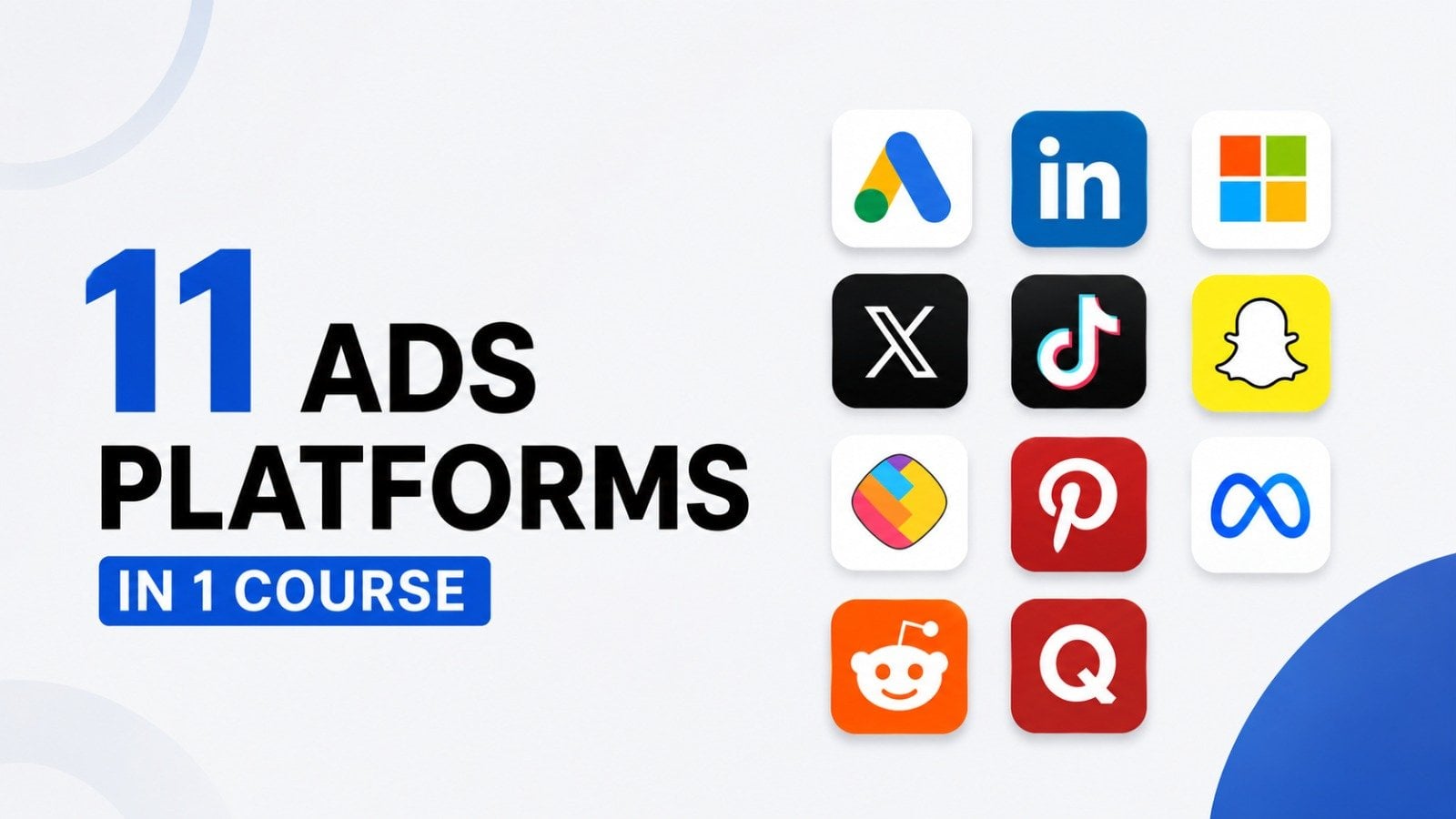
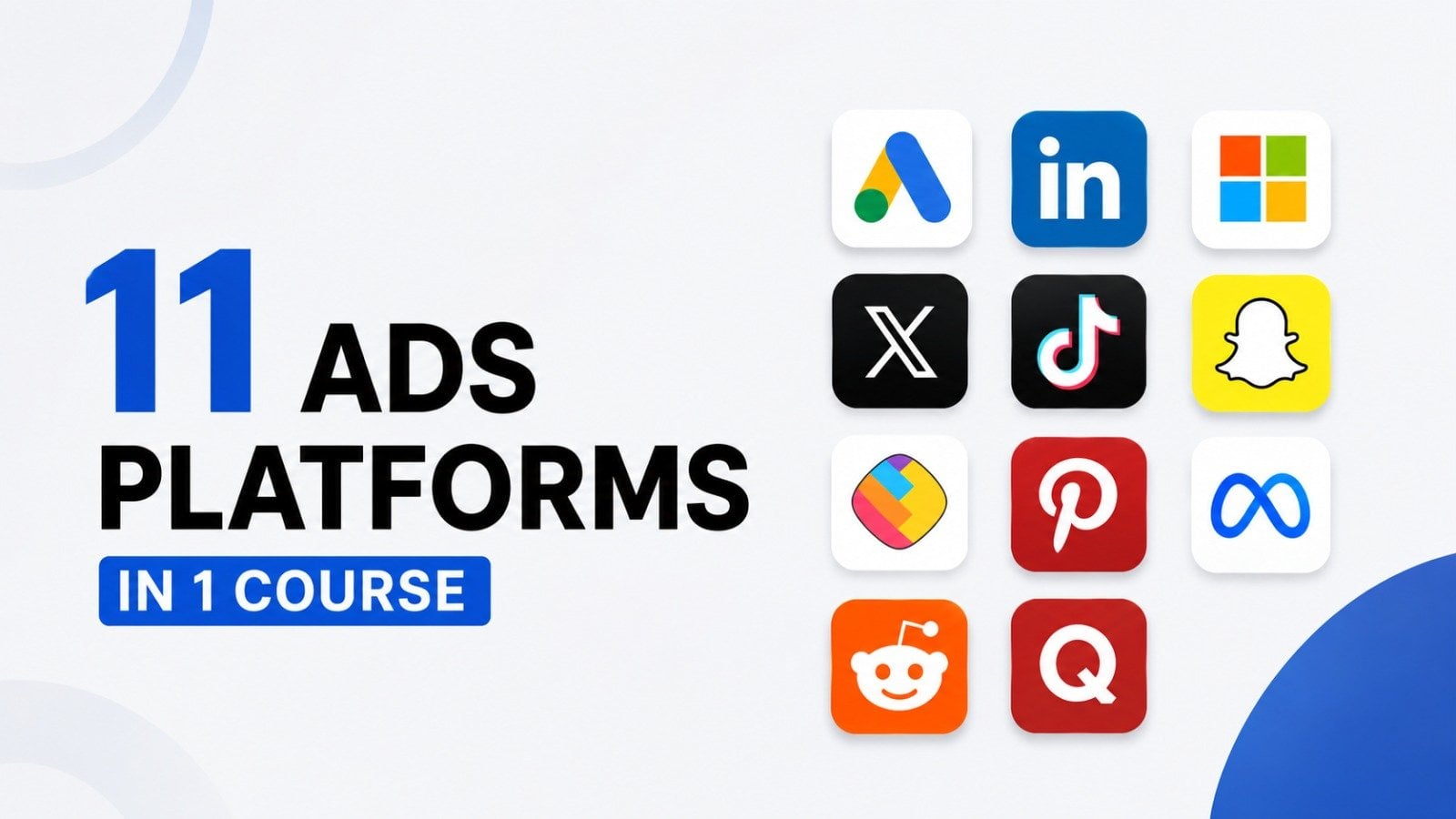
In my class you will learn everything about Social Media Marketing. I have created video lessons on every Social Media marketing strategy & every feature of Meta Ads, LinkedIn Ads, Tiktok Ads, X Ads, Pinterest Ads, Snapchat Ads, Quora Ads, Reddit Ads, ShareChat Ads. You will get to see the real practical implementation of these strategies and how to use every feature of these ads platforms.
This is the most detailed class on Social Media Marketing you will ever find on the internet. I have created different sections based on different social media marketing strategies and ads platforms - Meta Ads, LinkedIn Ads, Tiktok Ads, X Ads, Pinterest Ads, Snapchat Ads, Quora Ads, Reddit Ads, ShareChat Ads. I have gone in-depth into explaining the concept of the each feature and how to practically implement it.
This class will give you a 100% understanding of Social Media Marketing and after going through this course you will be capable of applying these concepts in building your own online business or handling Social Media and Meta Ads, LinkedIn Ads, Tiktok Ads, X Ads, Pinterest Ads, Snapchat Ads, Quora Ads, Reddit Ads, ShareChat Ads for your clients.
Topics you will learn in this course:
Introduction
- What is Social Media Marketing
- Marketing MythBusters
Branding and Content
- Branding Introduction
- What Makes a Powerful Brand?
- Make a Brand Style Guide
- Content Marketing 101
- Get Endless Content Ideas
- Get To Know Canva
- Find Free to Use Content
- Design Powerful Graphics
- Make Captivating GIFs
- Create Powerful Videos
- Other Powerful Video Styles
- Develop Customer Profiles
- Make Them Feel First
- Master Compelling Copywriting
- Viral Hooks
- Hashtags & Accessibility
- AI for Epic Images
- AI for Quick Videos
Social Media Platforms
- Why to Use Facebook To Market Your Business
- How to Create A Facebook Page
- How to Create A Facebook Profile Image
- How to Design A Facebook Cover Image
- How to Update Your Pages Info And Preferences
- How to Post About On Your Facebook Page
- How to Promote Your Page And Get Likes & Engagement
- What is The Difference Between Likes and Followers
- X [Twitter] for Beginners
- Set Up Your X [Twitter] Account
- How To Use X [Twitter]
- LinkedIn for Beginners
- How to Use LinkedIn Profiles
- Create a LinkedIn Page
- How to Use Facebook
- Instagram for Beginners
- Pinterest for Beginners
- Set Up Your Pinterest Account
- How to Use Pinterest
- TikTok for Beginners
- Set Up Your TikTok Account
- YouTube for Beginners
- How to Use YouTube
- Video Topic Research
Paid Social Ads
- Paid Ads Introduction
- How Powerful Are Facebook Ads?
- LinkedIn Ads Overview, How LinkedIn Ads Work, LinkedIn Ads Account Setup.
- Pinterest Ads Overview
- X Ads Overview
- TikTok Ads Overview
- Why You Need a Strategy
- Get to Know The Business
- Get to Know The Competition
- Collaborate With Others
Introduction to AI for Social Media Marketing
- Introduction to AI for Social Media Marketing
- Come Up with Great Social Media Post Ideas with ChatGPT
- Write Social Media Post Copy with ChatGPT (Instagram, Facebook, etc)
- Come Up with Social Media Post Ideas with Google Gemini
- Create Social Media Polls with Google Gemini
- Social media content opportunities with ChatGPT
- Case Study: Content Calendar & Social Media
- Case Study: Writing Social Media Posts & Promotional Emails with ChatGPT
- Key Capabilities of Generating Content with ChatGPT for Social Media Marketing
- Other AI Tools for Social Media Marketing: Gemini, Claude & More
- Generate Optimized Social Media Posts & Captions with ChatGPT for Any Platform
- Write Longer-Form Blog Content to Promote on Social Media with ChatGPT
- Create Month's (or a Year's) Worth of Social Media Posts & Ideas in an Instant
- Create Social Media Content for Different Platforms, Goals & Outcomes w/ChatGPT
- Recommended Software to Further Automate Social Media Marketing
- Tool #1: Content generation for Website, Blogs and Social Media
- Introduction to AI Social Media Tools and why it's important for your business
- Tool: Lately - Auto-Generated Social Media posts
- What is Social Media automation and why is it important for your business
- Overview of the Social Media automation strategy
- Tool for Social Media Automation: SocialBee
- Social Media post schedule and automation
- Social media reposting automation
- Setting up your social media automation schedule
Optimize Your Workflow
- Craft Consistency
- Meta Business Suite
- Schedule Through Metricool
- Tool #1: Manychat - Creating your account
- Creating a chatbot for Facebook
- Accessing the chat data and conversation history
- Customizing your chatbots for other goals
- Creating chatbot for Instagram, SMS or WhatsApp
- Installing the Chatbot on your website
Facebook Ads
- Facebook Marketing
- Facebook Ads Basics
- Facebook Ads Campaign Creation
- Facebook Pixel Setup
- Facebook Ads Bidding Strategies
- Facebook Ads Custom Audiences
- Facebook Ads Lead Gen Campaign
- Facebook Ads Sales Campaign
- Facebook Ads Certification
LinkedIn Ads
- LinkedIn Ads Overview
- LinkedIn Ads Formats
- LinkedIn Ads Bidding Strategies
- LinkedIn Ads Audience Templates
- LinkedIn Ads Conversion Tracking
- LinkedIn Ads Retargeting
- LinkedIn Ads Lead Gen Campaign
- LinkedIn Ads Dynamic Ad Campaign
- LinkedIn Ads Carousel Image Ad Campaign
- LinkedIn Ads Conversation Ad Campaign
- LinkedIn Ads Document Ad Campaign
- LinkedIn Ads LinkedIn Video Ad Campaign
- LinkedIn Ads Event Ad Campaign
- LinkedIn Ads Direct Sponsored Content Single Image Ad Campaign
- How to use Reports in LinkedIn Ads
- LinkedIn Ads Billing Center
- LinkedIn Ads Business Manager
- LinkedIn Ads Certification
Tiktok Ads
- Tiktok Ads Overview
- How to Open A TikTok Ads Account
- Auction Basics
- TikTok Ads Manager Overview
- Campaign Structure
- Campaign Level
- Ad Group: Customer Targeting
- Ad Level
- Lead Gen Campaign Creation
- Website Traffic Campaign Creation
- Audience Manager, Comments
- Creative Section
- Automated Rules
- Leads, Recommendation Center,
- Custom Reports
- Audience Insights, Comment Insights, Video Insights
- Attribution Analytics, Creative Inspirations
- Account Setup, Brand Safety Hub, Finance, Documents
X Ads
- X Ads Overview
- 5 Reasons Why You Should Use X Ads
- X Ads Structure
- How To Set Up Your X Ads Account
- X Campaign Objectives
- Setting Up A X Ad Campaign To Drive Traffic
- Ad Group Details & Bid Types
- Audience Demographics - Gender, Age & Location
- Ad Group - Devices
- Targeting Features
- Placements
- X Ad Creative
- Setting Up A X Ad Campaign To Get More Reach
- How To Set Up X Conversion Tracking
- X Custom Audiences - Lists
- X Custom Audiences - Website Activity
Pinterest Advertising
- Pinterest Ads Overview
- Why is Pinterest Advertising Unique?
- Pinterest Ads Account Structure
- How To Set Up Your Pinterest Ads Account
- Pinterest Campaign Objectives
- Setting Up A Pinterest Ad Campaign To Drive Brand Awareness
- Ad Group Details & Bid Types
- Targeting Details
- Pinterest Ad Creative
- Performance+ Campaign Creation
- Video Campaign Creation
- Pinterest Conversion Tracking
- Pinterest Custom Audiences
- Pinterest Business Manager
- Pinterest Billing
- Pinterest Ad Reports
- Ad Recommendations
- Ad Account History
- Pinterest Analytics
- Audience Insights
- Conversion Insights
- Pinterest Trends
- Bulk Editor
SnapChat Ads
- SnapChat Ads Overview, SnapChat Ads Formats, Where SnapChat Ads Appear
- Why Run Ads On SnapChat
- How To Sign Up For SnapChat Ads
- SnapChat Ads Structure
- SnapChat Ads Account Navigation
- SnapChat Ads Campaign Objectives
- How to Create Brand Awareness Campaign
- How To Create Traffic Campaign
- How To Create Leads Campaign
- How To Create App Promotion Campaign
- How To Create Sales Campaign
- SnapChat Ads Events Manager
- SnapChat Ads Audiences
- SnapChat Ads Pixel, Apps, Catalogs
- Snapchat Creative Library, Lens Folders, Create Lens & Filter
- SnapChat Audience Insights, Reports, Campaign Lab
- SnapChat Camera Kit, Developer Portal
- SnapChat Business Dashboard, Billing, Public Profiles, Lens Creator Marketplace
Reddit Ads
- Reddit Ads Overview, Reddit Ads Formats, Where Reddit Ads Appear
- Why Run Ads On Reddit
- How To Sign Up For Reddit Ads
- Reddit Ads Structure
- Reddit Ads Account Navigation
- Reddit Ads Campaign Objectives
- How to Create Brand Awareness Campaign
- How To Create Website Traffic Campaign
- How To Create Video View Campaigns
- How To Create Conversion Campaigns
- How To Create App Installs Campaign
- Audience Manager
- Events Manager
- Report Manager
- Campaign Import, Bulk Import
- AI Copywriter, Ad Inspiration, Post Library
- History, Brand Safety, Billing
- Business Manager
ShareChat Ads
- ShareChat Ads Overview, ShareChat Ads Formats, Where ShareChat Ads Appear
- Why Run Ads On ShareChat
- How To Sign Up For ShareChat Ads
- ShareChat Ads Account Navigation
- How to Create Brand Awareness Campaign
- How To Create Consideration Campaign
- How To Create Conversion Campaign
- ShareChat Ads Reports
- ShareChat Ads Event Manager
- ShareChat Ads Target Audience
Quora Ads
- Quora Ads Overview, Quora Ads Formats, Where Quora Ads Appear
- Why Run Ads On Quora
- How To Sign Up For Quora
- Structure Of A Quora Ads Campaign
- Quora Ads Campaign Objectives
- How to Create Brand Awareness Campaign
- How To Create Website Traffic Campaign
- How To Create Video View Campaigns
- How To Create Lead Gen Campaigns
- How To Create Conversion Campaigns
- How To Create App Installs Campaign
- How To Set Up Conversion Tracking
- Quora Ads Custom Audiences
- Quora Ads Lead Gen Form
- Quora Ads Reporting
Thank you so much for checking out my class. I look forward to seeing you in the class. So wait no more!
Meet Your Teacher

I create courses on AI tools, digital marketing, SEO, paid ads, and building real online businesses -- practical stuff you can apply right away, not just theory.
I've been teaching online for years and have had the privilege of helping 275,000+ students level up their skills across my courses. What keeps me going? Seeing people actually use what they learn -- landing clients, growing their brands, running smarter campaigns.
But really, who am I?
I'm a digital entrepreneur based in Hyderabad, India, with a background in marketing and a deep obsession with how AI is reshaping the way we work, create, and grow businesses.
I got into course creation because I kept seeing the same gap -- people wanted practical, current training but everything out there w... See full profile
Hands-on Class Project
Social Media Marketing Assignment
In this project, students will create and simulate a social media ad campaign for a fictional or real brand across all nine platforms covered in the course: Meta, LinkedIn, Pinterest, TikTok, X, Reddit, Snapchat, ShareChat, and Quora.
-
Define the Brand and Campaign Goal:
-
Choose a fictional or real brand (e.g., a local coffee shop, tech startup, or fashion brand).
-
Set a clear campaign goal: brand awareness, website traffic, lead generation, or sales.
-
Write a 100-word brand brief describing the target audience, brand voice, and campaign objective.
-
-
Research Target Audiences:
-
Identify the target audience for each platform (e.g., Gen Z for Snapchat, professionals for LinkedIn).
-
Use platform analytics tools (e.g., Meta Ads Manager, LinkedIn Campaign Manager) to research audience demographics and interests.
-
Create audience personas for at least three platforms, detailing age, interests, and behaviors.
-
-
Develop Content for Each Platform:
-
Design one ad creative (image, video, or text) tailored to each platform’s format (e.g., TikTok video, Pinterest pin, Quora text ad).
-
Ensure content aligns with the brand voice and campaign goal.
-
Use free tools like Canva or Adobe Express to create visuals (no budget required for simulations).
-
-
Plan Campaign Budget and Targeting:
-
Allocate a hypothetical $500 budget across the nine platforms based on audience fit and campaign goals.
-
Specify targeting options for each platform (e.g., subreddit targeting on Reddit, vernacular content on ShareChat).
-
Document budget allocation and targeting strategy in a table.
-
-
Simulate Ad Campaign Setup:
-
Access the ad manager for each platform (use free access or demo modes where available).
-
Set up a mock campaign for each platform, selecting ad formats, targeting options, and schedules.
-
Take screenshots of the setup process for at least three platforms to include in the project report.
-
-
Create a Performance Tracking Plan:
-
Define key performance indicators (KPIs) for the campaign (e.g., impressions, click-through rate, conversions).
-
List platform-specific analytics tools to track these KPIs (e.g., Meta Ads Manager, TikTok Ads Dashboard).
-
Develop a sample report template to track campaign performance over one month.
-
-
Write a Campaign Analysis Report:
-
Compile a 500-word report summarizing the campaign strategy, ad creatives, targeting, and expected outcomes.
-
Include screenshots from Step 5 and the budget table from Step 4.
-
Reflect on potential challenges and how to optimize the campaign based on course learnings.
-
-
Present the Campaign:
-
Create a 5-minute presentation (slides or video) summarizing the campaign plan and expected results.
-
Highlight one key strategy per platform and justify its effectiveness.
-
Submit the presentation as a PDF or video link in the project submission.
-
Class Ratings
Why Join Skillshare?
Take award-winning Skillshare Original Classes
Each class has short lessons, hands-on projects
Your membership supports Skillshare teachers
Learn From Anywhere
Take classes on the go with the Skillshare app. Stream or download to watch on the plane, the subway, or wherever you learn best.