1 Course For 11 Ads Platforms 2026: Learn Google, Meta, LinkedIn, Microsoft, X, Tiktok Ads & More!
 Tanmoy Das, Ex-Google | Content Creator
Watch this class and thousands more
Watch this class and thousands more
Lessons in This Class
-
-
1.
Welcome Video
1:40
-
2.
Google Ads Overview, Where Google Ads Appear, Google Ads Account Setup.
6:24
-
3.
Google Ads Account Structure, Google Ads Metrics, Google Ads Account Navigation
21:03
-
4.
SEARCH CAMPAIGN CREATION
9:07
-
5.
Keywords Research, Keyword Selection, Keyword Planner Tool
12:55
-
6.
Keyword Match Types
6:00
-
7.
Negative Keywords, Negative Keyword Lists
5:23
-
8.
Search Terms
3:03
-
9.
Google Ads Formats Overview
7:44
-
10.
Responsive Search Ad
3:10
-
11.
Dynamic Search Ad
4:19
-
12.
Responsive Display Ad
4:08
-
13.
Call Ad
3:23
-
14.
Google Ads Extensions Overview
8:11
-
15.
Sitelink Extensions
2:24
-
16.
Call Extensions
1:15
-
17.
Callout Extensions
1:09
-
18.
Location Extensions
1:46
-
19.
Structured Snippet Extensions
1:34
-
20.
Price Extensions
1:42
-
21.
Promo Extensions
2:05
-
22.
Lead Form Extensions
5:04
-
23.
App Extensions
1:27
-
24.
Business Name & Business Logo
1:29
-
25.
Keyword Insertion
7:10
-
26.
Countdown
3:09
-
27.
Location Insertion
3:00
-
28.
Bidding Strategy Overview
2:44
-
29.
Manual CPC
2:29
-
30.
Maximize Clicks
2:10
-
31.
Maximize Conversions
1:51
-
32.
Maximize Conversion Value
2:04
-
33.
Target Impression Share
2:24
-
34.
Target CPA
2:18
-
35.
Target ROAS
2:24
-
36.
Enhanced CPC
2:58
-
37.
CPM Bidding
1:53
-
38.
CPV Bidding
1:44
-
39.
Display Network Overview
3:58
-
40.
Display Targeting - Affinity
2:54
-
41.
Demographics
2:29
-
42.
Display Targeting - Detailed Demographics
2:46
-
43.
Display Targeting - In-Market
2:28
-
44.
Display Targeting - Life Events
1:54
-
45.
Display Targeting - Topic
2:23
-
46.
Display Targeting - Placement
3:37
-
47.
Display Targeting - Keywords
2:10
-
48.
Display Targeting - Combined Audiences
3:42
-
49.
STANDARD DISPLAY CAMPAIGN CREATION
10:00
-
50.
What is Conversion Tracking & How to setup Conversion Tracking
2:16
-
51.
Website Conversion Tracking
15:19
-
52.
App Conversion Tracking
1:57
-
53.
Phone Call Conversions
3:16
-
54.
Import - Google Analytics
1:51
-
55.
Measurement Attribution
3:21
-
56.
Remarketing Overview
3:12
-
57.
Audience Manager
4:45
-
58.
REMARKETING CAMPAIGN CREATION
5:48
-
59.
App Users
1:48
-
60.
Youtube Remarketing
3:48
-
61.
Customer List
2:10
-
62.
Custom Combinations
3:33
-
63.
Google Analytics
1:31
-
64.
Lead Form Segment
2:14
-
65.
Youtube Overview
6:16
-
66.
YOUTUBE INSTREAM AD CAMPAIGN CREATION
5:56
-
67.
IN FEED AD CAMPAIGN CREATION
4:58
-
68.
BUMPER AD CAMPAIGN CREATION
4:38
-
69.
15 SEC NON-SKIPPABLE AD CAMPAIGN CREATION
3:35
-
70.
AD SEQUENCE CAMPAIGN CREATION
5:31
-
71.
TARGET FREQUENCY CAMPAIGN CREATION
3:39
-
72.
AUDIO ADS CAMPAIGN CREATION
3:20
-
73.
Shopping Ads Overview, Google Merchant Center Account
3:25
-
74.
MERCHANT CENTER ACCOUNT CREATION
14:38
-
75.
SHOPPING ADS CAMPAIGN CREATION
12:22
-
76.
Performance Max Campaign Creation
10:23
-
77.
UNIVERSAL APP CAMPAIGN CREATION
4:57
-
78.
DEMAND GEN CAMPAIGN CREATION
8:38
-
79.
Predefined Reports, Saved Reports, Dashboards
9:07
-
80.
Audience Manager
3:47
-
81.
Location Groups
2:28
-
82.
Exclusion Lists
2:31
-
83.
Asset Library
1:52
-
84.
Brand Lists
2:23
-
85.
Automated Rules
7:24
-
86.
Scripts
20:30
-
87.
Solutions
4:12
-
88.
Shared Budgets
1:50
-
89.
Bid Strategies
2:33
-
90.
Seasonality Adjustment
3:10
-
91.
Keyword Planner Tool
6:13
-
92.
Performance Planner
2:34
-
93.
Reach Planner
1:43
-
94.
App Advertising Hub
2:23
-
95.
Google Tag
3:18
-
96.
Content Suitability
4:07
-
97.
Business Data - Ad Customizers
2:42
-
98.
Business Data - Page Feed
4:56
-
99.
Business Data - Dynamic Ad Feed
2:07
-
100.
Business Data - Hotel Properties Feed
2:08
-
101.
Policy Manager, Access & Security, Linked Accounts, Preferences
4:44
-
102.
Ad Preview & Diagnosis Tool
2:38
-
103.
Google Ads with Google Gemini AI
18:54
-
104.
Drafts & Experiments
9:56
-
105.
Summary, Documents, Transactions, Settings, Promotions
3:13
-
106.
Google Ads Editor - Practical
5:08
-
107.
Manager Accounts/My Client Center Overview
2:27
-
108.
Google Ads HelpCenter, Policy HelpCenter, Google Ads Blog, Search Engine Land
3:28
-
109.
Google Ads Skillshop Certification
2:34
-
110.
Facebook Marketing - What we will cover
1:13
-
111.
Why to Use Facebook To Market Your Business
6:45
-
112.
How to Create A Facebook Page
2:58
-
113.
How to Create A Facebook Profile Image
3:56
-
114.
How to Design A Facebook Cover Image
3:22
-
115.
How to Update Your Pages Info And Preferences
2:24
-
116.
How to Post About On Your Facebook Page
9:57
-
117.
How to Promote Your Page And Get Likes & Engagement
12:12
-
118.
What is The Difference Between Likes and Followers
2:10
-
119.
Facebook Ads Basics - What We will Cover
1:29
-
120.
How Powerful Are Facebook Ads?
7:06
-
121.
How Do Facebook Ads Work - The Auction
4:47
-
122.
Facebook Ad Structure
4:10
-
123.
How To Set Up Your Facebook Ads Account
2:57
-
124.
Facebook Ads Metrics
12:01
-
125.
Facebook Ads - Account Navigation
22:15
-
126.
Ad Creation - What We will Cover
1:20
-
127.
Create Your First Ad - Campaign Objectives
10:24
-
128.
Budget & Schedule
5:34
-
129.
Advantage Campaign Budget
4:29
-
130.
Audience Targeting - Location, Age & Gender
3:03
-
131.
Detailed Targeting - Demographics
5:02
-
132.
Detailed Targeting - Interest
3:02
-
133.
Detailed Targeting - Behaviours and Connections
2:48
-
134.
Placements + Optimisation and Delivery
5:15
-
135.
Creating Your Facebook Ad Creative
5:27
-
136.
How To Set Up A Simple A/B Split Test
4:47
-
137.
Facebook Pixel
7:19
-
138.
Conversions API in Meta
6:35
-
139.
Meta Pixel + Shopify
3:26
-
140.
Facebook Ads Bidding Strategy
4:42
-
141.
Custom Audiences - Website Visitors
8:03
-
142.
Custom Audiences - Customer/Email List
5:03
-
143.
Custom Audiences - Facebook Page
4:11
-
144.
Custom Audiences - Lookalike Audiences
5:14
-
145.
Why to Use Video In Facebook Ads
4:03
-
146.
Create Facebook Video Ad Campaign
8:52
-
147.
How To Create Lead Gen Campaign
10:34
-
148.
App Promotion Campaign
7:26
-
149.
Brand Awareness Campaign
8:32
-
150.
Website Traffic Campaign
9:14
-
151.
Online Sales Campaign
9:10
-
152.
Facebook Ads Strategy - 1
5:22
-
153.
Facebook Ads Strategy - 2
4:11
-
154.
Facebook Ads Strategy - 3
3:21
-
155.
Meta Business Suite
3:31
-
156.
Facebook Ad Policies
4:53
-
157.
Banned Ads/Accounts
4:56
-
158.
Tailored Web Traffic Campaign
5:11
-
159.
Tailored Leads Campaign
8:40
-
160.
Commerce Manager
6:08
-
161.
Facebook Ads Automated Rules
11:49
-
162.
Facebook Ads Experiments
3:50
-
163.
Facebook Ads Placements
3:40
-
164.
Facebook Ads Media Library
2:23
-
165.
Meta Ads With AI
10:57
-
166.
Facebook Ads Reports
6:07
-
167.
Facebook Ads Billing
2:29
-
168.
Facebook Ads Certification
2:49
-
169.
Microsoft Ads Overview, Where Microsoft Ads Appear, Microsoft Ads Account Setup
7:21
-
170.
Microsoft Ads Account Structure, Microsoft Ads Metrics, Microsoft Ads Account Navigation
12:58
-
171.
SEARCH CAMPAIGN CREATION
7:31
-
172.
Keywords Research, Keyword Selection, Keyword Planner Tool
9:32
-
173.
Keyword Match Types
5:23
-
174.
Negative Keywords, Negative Keyword Lists
4:55
-
175.
Search Terms
2:08
-
176.
Microsoft Ads Formats Overview
4:17
-
177.
RSA
3:08
-
178.
App Install Ad
2:09
-
179.
Multimedia Ad
3:18
-
180.
Microsoft Ads Extensions Overview
7:21
-
181.
Action Extensions
1:29
-
182.
App Extensions
1:31
-
183.
Call Extensions
1:02
-
184.
Callout Extensions
0:56
-
185.
Filter Link Extensions
1:11
-
186.
Image Extensions
1:36
-
187.
Location Extensions
1:21
-
188.
Price Extensions
2:38
-
189.
Promotion Extensions
1:50
-
190.
Review Extensions
1:32
-
191.
Sitelink Extensions
1:26
-
192.
Structured Snippet Extensions
1:24
-
193.
Video Extensions
1:51
-
194.
Flyer Extensions
1:23
-
195.
Logo Extensions
1:08
-
196.
Bidding Strategies
5:12
-
197.
Maximize Clicks
1:40
-
198.
Maximize Conversions
0:59
-
199.
Target Impression Share
1:20
-
200.
Target CPA
1:21
-
201.
Target ROAS
1:15
-
202.
Enhanced CPC
0:47
-
203.
Audience Network Overview
2:28
-
204.
Audience Segments - In-Market
2:42
-
205.
Audience Segments - Remarketing Lists
4:31
-
206.
Audience Segments - Combined Lists
2:40
-
207.
Conversion Tracking Overview
2:40
-
208.
How to Setup UET Tag
4:06
-
209.
Offline Conversions
4:32
-
210.
Remarketing Overview
2:25
-
211.
REMARKETING CAMPAIGN CREATION - Practical
4:07
-
212.
Audience Segments - Dynamic Remarketing Lists
3:15
-
213.
Shopping Ads Overview, Microsoft Merchant Center Store
2:27
-
214.
Setting up Microsoft Merchant Center Feed - Practical
3:47
-
215.
Mobile App Campaign Creation - Practical
3:09
-
216.
Dimensions, Reports, Saved Custom Reports - Practical
3:01
-
217.
Business Location Feed
2:00
-
218.
Performance Targets
2:53
-
219.
Website Exclusion Lists - Practical
2:08
-
220.
Shared Budgets - Practical
1:52
-
221.
Portfolio Bid Strategies
2:37
-
222.
Labels
3:00
-
223.
Seasonality Adjustment
3:18
-
224.
Microsoft Store Ads
2:20
-
225.
Automated Rules
6:12
-
226.
Microsoft Advertising Editor
4:08
-
227.
Ad Preview & Diagnostic - Practical
2:14
-
228.
Import from Google Ads, Import from file, Import Schedule & History
2:09
-
229.
Experiment Campaign Creation
5:57
-
230.
Billing Summary, Transactions, Payment Methods, Insertion Orders, Billing Settings - Practical
2:16
-
231.
Agency1
3:50
-
232.
Microsoft Advertising Certified Professional - Practical
1:58
-
233.
LinkedIn Ads Overview, How LinkedIn Ads Work, LinkedIn Ads Account Setup.
4:19
-
234.
Linkedin Ads Auction, Bid Price & Relevancy Score
3:14
-
235.
LinkedIn Ads Account Structure, LinkedIn Ads Metrics, LinkedIn Ads Account Navigation
13:41
-
236.
Website Visits Campaign Creation
7:53
-
237.
Single Image Ad
1:35
-
238.
Carousel Image Ad
1:31
-
239.
Video Ad
1:22
-
240.
Text Ad
1:51
-
241.
Spotlight Ad
1:16
-
242.
Document Ad
1:50
-
243.
Conversation Ad
1:40
-
244.
Event Ad
1:52
-
245.
Follower Ad
1:29
-
246.
Job Ad
1:43
-
247.
Bidding Strategy
4:25
-
248.
Audiences Overview
4:19
-
249.
Audiences
3:02
-
250.
Locations
2:06
-
251.
Audience Attributes
4:50
-
252.
Matched Audiences
3:45
-
253.
What is Conversion Tracking & How to setup Conversion Tracking
2:44
-
254.
Sitewide Insight Tag Page Load conversion
7:06
-
255.
Event specific Insight Tag conversion
6:14
-
256.
Event specific pixel conversion
6:19
-
257.
Retargeting Overview
2:34
-
258.
Retargeting Campaign Creation
4:38
-
259.
LinkedIn Lead Generation Ad Campaigns
8:28
-
260.
View and download leads, metrics, and analytics for Lead Gen Form campaigns
1:51
-
261.
LinkedIn Dynamic Ad Campaign Creation
4:45
-
262.
LinkedIn Carousel Image Ad Campaign
5:44
-
263.
Conversation Ad Campaign
7:15
-
264.
LinkedIn Message Ad Campaign
5:15
-
265.
Document Ad Campaign
4:54
-
266.
LinkedIn Video Ad Campaign
4:36
-
267.
LinkedIn Event Ad Campaign
3:38
-
268.
LinkedIn Direct Sponsored Content Single Image Ad Campaign
2:51
-
269.
How to use Reports in LinkedIn
3:13
-
270.
Billing Center
1:35
-
271.
Business Manager Overview
2:04
-
272.
LinkedIn Ads Certification
1:40
-
273.
Tiktok Ads Section
1:30
-
274.
TikTok Ads Overview
2:21
-
275.
How to Open A TikTok Ads Account
1:40
-
276.
Auction Basics
1:30
-
277.
TikTok Ads Manager Overview
7:01
-
278.
Campaign Structure
1:38
-
279.
Campaign Level
4:05
-
280.
Ad Group: Customer Targeting
3:43
-
281.
Ad Level
2:48
-
282.
Lead Gen Campaign Creation
12:27
-
283.
Website Traffic Campaign Creation
4:04
-
284.
Audience Manager, Comments
6:37
-
285.
Creative Section
2:53
-
286.
Automated Rules
3:44
-
287.
Leads, Recommendation Center
3:17
-
288.
Custom Reports
3:18
-
289.
Audience Insights, Comment Insights, Video Insights
2:52
-
290.
Attribution Analytics, Creative Inspirations
3:01
-
291.
Account Setup, Brand Safety Hub, Finance, Documents
4:23
-
292.
X Ads Section
1:02
-
293.
X Ads Overview
3:10
-
294.
5 Reasons Why You Should Use X Ads
5:13
-
295.
X Ads Structure
2:36
-
296.
How To Set Up Your X Ads Account
2:56
-
297.
X Campaign Objectives
5:35
-
298.
Setting Up A X Ad Campaign To Drive Traffic
2:53
-
299.
Ad Group Details & Bid Types
6:26
-
300.
Audience Demographics - Gender, Age & Location
4:01
-
301.
Ad Group - Devices
3:06
-
302.
Targeting Features
6:34
-
303.
Placements
3:06
-
304.
X Ad Creative
3:05
-
305.
Setting Up A X Ad Campaign To Get More Reach
9:41
-
306.
How To Set Up X Conversion Tracking
6:19
-
307.
X Custom Audiences - Lists
3:54
-
308.
X Custom Audiences - Website Activity
3:50
-
309.
Pinterest Ads Section
0:53
-
310.
Pinterest Ads Overview
2:46
-
311.
Why is Pinterest Advertising Unique?
3:07
-
312.
Pinterest Ads Account Structure
1:46
-
313.
How To Set Up Your Pinterest Ads Account
1:18
-
314.
Pinterest Campaign Objectives
2:23
-
315.
Setting Up A Pinterest Ad Campaign To Drive Brand Awareness
3:22
-
316.
Ad Group Details & Bid Types
3:12
-
317.
Targeting Details
6:06
-
318.
Pinterest Ad Creative
5:16
-
319.
Performance+ Campaign Creation
3:20
-
320.
Video Campaign Creation
3:50
-
321.
Pinterest Conversion Tracking
3:52
-
322.
Pinterest Custom Audiences
4:36
-
323.
Pinterest Business Manager
2:49
-
324.
Pinterest Billing
1:16
-
325.
Pinterest Ad Reports
4:11
-
326.
Ad Recommendations
1:38
-
327.
Ad Account History
1:35
-
328.
Pinterest Analytics
2:08
-
329.
Audience Insights
2:39
-
330.
Conversion Insights
1:54
-
331.
Pinterest Trends
3:09
-
332.
Bulk Editor
1:54
-
333.
Quora Ads Section
1:12
-
334.
Quora Ads Overview, Quora Ads Formats, Where Quora Ads Appear
2:19
-
335.
Why Run Ads On Quora
2:29
-
336.
How To Sign Up For Quora
1:24
-
337.
Structure Of A Quora Ads Campaign
1:27
-
338.
Quora Ads Campaign Objectives
2:15
-
339.
How to Create Brand Awareness Campaign
5:45
-
340.
How To Create Website Traffic Campaign
3:58
-
341.
How To Create Video View Campaigns
2:45
-
342.
How To Create Lead Gen Campaigns
6:52
-
343.
How To Create Conversion Campaigns
4:47
-
344.
How To Create App Installs Campaign
3:47
-
345.
How To Set Up Conversion Tracking
2:55
-
346.
Quora Ads Custom Audiences
6:22
-
347.
Quora Ads Lead Gen Form
2:06
-
348.
Quora Ads Reporting
2:11
-
349.
Reddit Ads Section
1:19
-
350.
Reddit Ads Overview, Reddit Ads Formats, Where Reddit Ads Appear
3:14
-
351.
Why Run Ads On Reddit
2:50
-
352.
How To Sign Up For Reddit Ads
1:16
-
353.
Reddit Ads Structure
0:58
-
354.
Reddit Ads Account Navigation
6:20
-
355.
Reddit Ads Campaign Objectives
2:31
-
356.
How to Create Brand Awareness Campaign
6:53
-
357.
How To Create Website Traffic Campaign
6:30
-
358.
How To Create Video View Campaigns
4:09
-
359.
How To Create Conversion Campaigns
5:13
-
360.
How To Create App Installs Campaign
5:40
-
361.
Audience Manager
4:51
-
362.
Events Manager
4:14
-
363.
Report Manager
3:10
-
364.
Campaign Import, Bulk Import
2:45
-
365.
AI Copywriter, Ad Inspiration, Post Library
4:54
-
366.
History, Brand Safety, Billing
2:53
-
367.
Business Manager
1:59
-
368.
Snapchat Ads Section
1:37
-
369.
SnapChat Ads Overview, SnapChat Ads Formats, Where SnapChat Ads Appear
2:51
-
370.
Why Run Ads On SnapChat
3:08
-
371.
How To Sign Up For SnapChat Ads
1:15
-
372.
SnapChat Ads Structure
1:18
-
373.
SnapChat Ads Account Navigation
8:59
-
374.
SnapChat Ads Campaign Objectives
2:33
-
375.
How to Create Brand Awareness Campaign
9:14
-
376.
How To Create Traffic Campaign
6:07
-
377.
How To Create Leads Campaign
6:55
-
378.
How To Create App Promotion Campaign
6:22
-
379.
How To Create Sales Campaign
4:07
-
380.
SnapChat Ads Events Manager
3:00
-
381.
SnapChat Ads Audiences
5:48
-
382.
SnapChat Ads Pixel, Apps, Catalogs
3:05
-
383.
Snapchat Creative Library, Lens Folders, Create Lens & Filter
3:30
-
384.
SnapChat Audience Insights, Reports, Campaign Lab
4:59
-
385.
SnapChat Camera Kit, Developer Portal
2:39
-
386.
SnapChat Business Dashboard, Billing, Public Profiles, Lens Creator Marketplace
3:26
-
387.
ShareChat Ads Section
1:12
-
388.
ShareChat Ads Overview, ShareChat Ads Formats, Where ShareChat Ads Appear
3:34
-
389.
Why Run Ads On ShareChat
3:51
-
390.
How To Sign Up For ShareChat Ads
1:05
-
391.
ShareChat Ads Account Navigation
3:22
-
392.
How to Create Brand Awareness Campaign
8:31
-
393.
How To Create Consideration Campaign
2:35
-
394.
How To Create Conversion Campaign
4:04
-
395.
ShareChat Ads Reports
2:51
-
396.
ShareChat Ads Event Manager
3:18
-
397.
ShareChat Ads Target Audience
2:55
-
398.
Thank you For Taking This Course!
0:20
-
-
- --
- Beginner level
- Intermediate level
- Advanced level
- All levels
Community Generated
The level is determined by a majority opinion of students who have reviewed this class. The teacher's recommendation is shown until at least 5 student responses are collected.
141
Students
--
Projects
About This Class
Hi Guys,
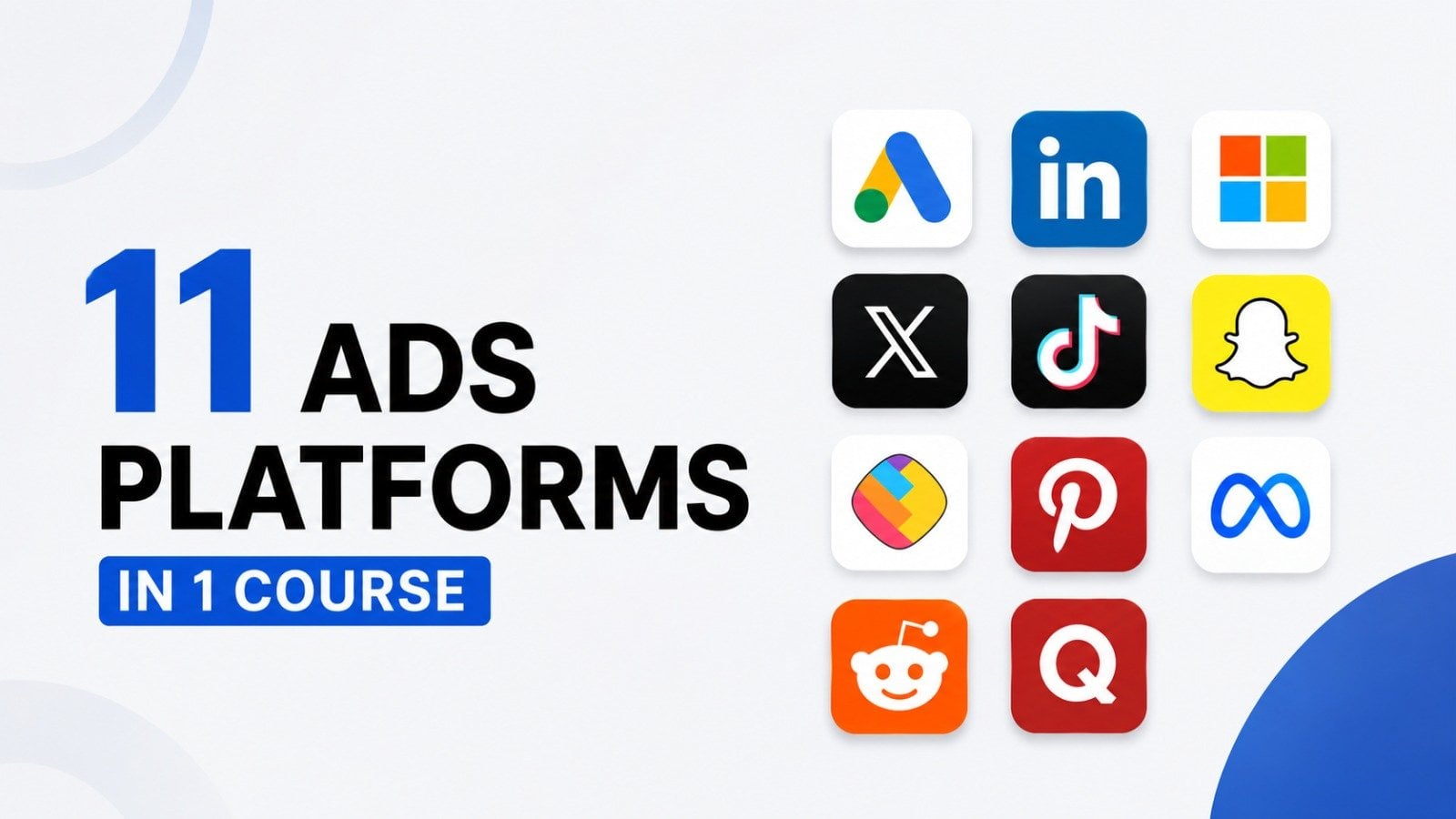
Welcome to my class - 1 Course For 11 Ads Platforms 2026: Learn Paid Advertising!
In my course you will learn everything about all Paid Ads platforms. I have created video lessons on every campaign and every feature of Google Ads, Microsoft Ads, Meta Ads, LinkedIn Ads, Tiktok Ads, X Ads, Pinterest Ads, Snapchat Ads, Quora Ads, Reddit Ads, ShareChat Ads. You will get to see the real practical implementation of how to create each and every campaign and how to use every feature of this product.
This is the most detailed course on all Paid Ads you will ever find on the internet. I have created different sections based on different social media ads platforms - Google Ads, Microsoft Ads, Meta Ads, LinkedIn Ads, Tiktok Ads, X Ads, Pinterest Ads, Snapchat Ads, Quora Ads, Reddit Ads, ShareChat Ads. I have gone in-depth into explaining the concept of the each feature and how to practically implement it.
This course will give you a 100% understanding of all Paid Ads platforms and after going through this course you will be capable of applying these concepts in building your own online business or handling Google Ads, Microsoft Ads, Meta Ads, LinkedIn Ads, Tiktok Ads, X Ads, Pinterest Ads, Snapchat Ads, Quora Ads, Reddit Ads, ShareChat Ads for your clients.
At such a low price, you're going to get 409 detailed video lessons, 22 assignments & 2 practice tests. A complete access to our student discussion forum, and the ability to ask me any questions you may have as you progress through the course.
On top of all that, you get lifetime access and a 30 day, 100% money back guarantee!
Topics you will learn in this course:
Google Ads
- Google Ads Overview
- Keyword Research
- Google Ads Formats
- Google Ads Bidding Strategies
- Google Display Network
- Google Conversion Tracking
- Google Ads Remarketing
- Google Video Ads
- Google Ads Certification
Microsoft Ads
- Microsoft Ads Overview
- Introduction to Keywords
- Microsoft Ads Formats + Extensions
- Microsoft Ads Bidding Strategies
- Microsoft Ads Audience Network
- Microsoft Ads UET Tag Setup
- Microsoft Ads Remarketing
- Microsoft Shopping Ads
- Microsoft Ads Mobile App Campaign
- Microsoft Ads Shared Library
- Microsoft Ads Certification
Facebook Ads
- Facebook Marketing
- Facebook Ads Basics
- Facebook Ads Campaign Creation
- Facebook Pixel Setup
- Facebook Ads Bidding Strategies
- Facebook Ads Custom Audiences
- Facebook Ads Lead Gen Campaign
- Facebook Ads Sales Campaign
- Facebook Ads Certification
LinkedIn Ads
- LinkedIn Ads Overview
- LinkedIn Ads Formats
- LinkedIn Ads Bidding Strategies
- LinkedIn Ads Audience Templates
- LinkedIn Ads Conversion Tracking
- LinkedIn Ads Retargeting
- LinkedIn Ads Lead Gen Campaign
- LinkedIn Ads Dynamic Ad Campaign
- LinkedIn Ads Carousel Image Ad Campaign
- LinkedIn Ads Conversation Ad Campaign
- LinkedIn Ads Document Ad Campaign
- LinkedIn Ads LinkedIn Video Ad Campaign
- LinkedIn Ads Event Ad Campaign
- LinkedIn Ads Direct Sponsored Content Single Image Ad Campaign
- How to use Reports in LinkedIn Ads
- LinkedIn Ads Billing Center
- LinkedIn Ads Business Manager
- LinkedIn Ads Certification
Tiktok Ads
- Tiktok Ads Overview
- How to Open A TikTok Ads Account
- Auction Basics
- TikTok Ads Manager Overview
- Campaign Structure
- Campaign Level
- Ad Group: Customer Targeting
- Ad Level
- Lead Gen Campaign Creation
- Website Traffic Campaign Creation
- Audience Manager, Comments
- Creative Section
- Automated Rules
- Leads, Recommendation Center,
- Custom Reports
- Audience Insights, Comment Insights, Video Insights
- Attribution Analytics, Creative Inspirations
- Account Setup, Brand Safety Hub, Finance, Documents
X Ads
- X Ads Overview
- 5 Reasons Why You Should Use X Ads
- X Ads Structure
- How To Set Up Your X Ads Account
- X Campaign Objectives
- Setting Up A X Ad Campaign To Drive Traffic
- Ad Group Details & Bid Types
- Audience Demographics - Gender, Age & Location
- Ad Group - Devices
- Targeting Features
- Placements
- X Ad Creative
- Setting Up A X Ad Campaign To Get More Reach
- How To Set Up X Conversion Tracking
- X Custom Audiences - Lists
- X Custom Audiences - Website Activity
Pinterest Advertising
- Pinterest Ads Overview
- Why is Pinterest Advertising Unique?
- Pinterest Ads Account Structure
- How To Set Up Your Pinterest Ads Account
- Pinterest Campaign Objectives
- Setting Up A Pinterest Ad Campaign To Drive Brand Awareness
- Ad Group Details & Bid Types
- Targeting Details
- Pinterest Ad Creative
- Performance+ Campaign Creation
- Video Campaign Creation
- Pinterest Conversion Tracking
- Pinterest Custom Audiences
- Pinterest Business Manager
- Pinterest Billing
- Pinterest Ad Reports
- Ad Recommendations
- Ad Account History
- Pinterest Analytics
- Audience Insights
- Conversion Insights
- Pinterest Trends
- Bulk Editor
SnapChat Ads
- SnapChat Ads Overview, SnapChat Ads Formats, Where SnapChat Ads Appear
- Why Run Ads On SnapChat
- How To Sign Up For SnapChat Ads
- SnapChat Ads Structure
- SnapChat Ads Account Navigation
- SnapChat Ads Campaign Objectives
- How to Create Brand Awareness Campaign
- How To Create Traffic Campaign
- How To Create Leads Campaign
- How To Create App Promotion Campaign
- How To Create Sales Campaign
- SnapChat Ads Events Manager
- SnapChat Ads Audiences
- SnapChat Ads Pixel, Apps, Catalogs
- Snapchat Creative Library, Lens Folders, Create Lens & Filter
- SnapChat Audience Insights, Reports, Campaign Lab
- SnapChat Camera Kit, Developer Portal
- SnapChat Business Dashboard, Billing, Public Profiles, Lens Creator Marketplace
Reddit Ads
- Reddit Ads Overview, Reddit Ads Formats, Where Reddit Ads Appear
- Why Run Ads On Reddit
- How To Sign Up For Reddit Ads
- Reddit Ads Structure
- Reddit Ads Account Navigation
- Reddit Ads Campaign Objectives
- How to Create Brand Awareness Campaign
- How To Create Website Traffic Campaign
- How To Create Video View Campaigns
- How To Create Conversion Campaigns
- How To Create App Installs Campaign
- Audience Manager
- Events Manager
- Report Manager
- Campaign Import, Bulk Import
- AI Copywriter, Ad Inspiration, Post Library
- History, Brand Safety, Billing
- Business Manager
ShareChat Ads
- ShareChat Ads Overview, ShareChat Ads Formats, Where ShareChat Ads Appear
- Why Run Ads On ShareChat
- How To Sign Up For ShareChat Ads
- ShareChat Ads Account Navigation
- How to Create Brand Awareness Campaign
- How To Create Consideration Campaign
- How To Create Conversion Campaign
- ShareChat Ads Reports
- ShareChat Ads Event Manager
- ShareChat Ads Target Audience
Quora Ads
- Quora Ads Overview, Quora Ads Formats, Where Quora Ads Appear
- Why Run Ads On Quora
- How To Sign Up For Quora
- Structure Of A Quora Ads Campaign
- Quora Ads Campaign Objectives
- How to Create Brand Awareness Campaign
- How To Create Website Traffic Campaign
- How To Create Video View Campaigns
- How To Create Lead Gen Campaigns
- How To Create Conversion Campaigns
- How To Create App Installs Campaign
- How To Set Up Conversion Tracking
- Quora Ads Custom Audiences
- Quora Ads Lead Gen Form
- Quora Ads Reporting
Thank you so much for checking out my course. I look forward to seeing you in the course. So wait no more!
Meet Your Teacher

I create courses on AI tools, digital marketing, SEO, paid ads, and building real online businesses -- practical stuff you can apply right away, not just theory.
I've been teaching online for years and have had the privilege of helping 275,000+ students level up their skills across my courses. What keeps me going? Seeing people actually use what they learn -- landing clients, growing their brands, running smarter campaigns.
But really, who am I?
I'm a digital entrepreneur based in Hyderabad, India, with a background in marketing and a deep obsession with how AI is reshaping the way we work, create, and grow businesses.
I got into course creation because I kept seeing the same gap -- people wanted practical, current training but everything out there w... See full profile
Hands-on Class Project
🎯 Project Brief
Your goal is to launch a mock (or real, if you wish) multi-platform paid ads campaign for a product/service of your choice, using Google Ads, Meta Ads (Facebook & Instagram), LinkedIn Ads, Microsoft Ads, TikTok Ads, X (Twitter) Ads, Quora Ads, Reddit Ads, Snapchat Ads, ShareChat Ads, and Pinterest Ads.
You will design ad creatives, targeting strategies, and budgets for each platform, then prepare a campaign report showing your approach, expected results, and lessons learned.
🛠 Steps to Complete the Project Step 1: Choose Your Campaign Theme
-
Pick one product/service to promote.
-
Define the goal: awareness, engagement, leads, or sales.
-
Identify your primary target audience (demographics, interests, behavior).
Deliverable:
1–2 paragraph campaign brief with your goal, audience, and key message.
Step 2: Audience & Platform Mapping
-
Map out which platforms best suit your target audience and why.
-
Assign campaign objectives for each platform. Example:
-
Google Ads → Search Intent & Retargeting
-
Meta Ads → Visual Engagement & Conversions
-
LinkedIn Ads → B2B Lead Generation
-
Pinterest Ads → Discovery & Inspiration
-
TikTok/Snapchat → Creative Storytelling
-
Reddit/Quora → Community Engagement
-
ShareChat → Regional Reach in India
-
X → News, Trends & Thought Leadership
-
Microsoft Ads → Additional Search Coverage
-
Deliverable:
Platform-audience-objective mapping table.
Step 3: Campaign Structure & Budget Plan
-
For each platform, decide:
-
Campaign Objective (Traffic, Conversions, etc.)
-
Target Audience Settings
-
Budget Allocation (Split 100% across platforms)
-
Duration
-
Deliverable:
Budget allocation table (e.g., 20% Google, 15% Meta, etc.).
Step 4: Create Ad Creatives & Copy
-
Design 1 image/video ad + ad copy per platform using free tools like Canva or Figma.
-
Follow platform-specific ad specs (sizes, text limits).
-
Match ad tone to the platform’s style (e.g., TikTok casual, LinkedIn professional).
Deliverable:
Creative mockups + copy in a shared folder or PDF.
Step 5: Set Up Campaigns (Simulation or Live)
-
Create draft campaigns on each platform:
-
Set targeting
-
Upload creatives
-
Set budget and schedule
-
-
Take screenshots of your campaign setup screens (no need to publish if it’s a mock).
Deliverable:
Screenshot gallery of campaign setups.
Step 6: Measurement & Optimization Plan
-
Define KPIs for each platform (CTR, CPC, ROAS, Engagement Rate).
-
Explain how you’d track performance (UTM parameters, platform analytics).
-
Suggest 3 optimization ideas for better results.
Deliverable:
KPI tracking table + optimization notes.
Step 7: Final Report Submission
Put all deliverables into a single presentation or PDF:
-
Campaign Brief
-
Platform-Audience Mapping
-
Budget Plan
-
Creatives & Copy
-
Campaign Setup Screenshots
-
KPI & Optimization Plan
💡 Bonus Challenge
Run a $5–$10 test campaign on just 1–2 platforms, track real results, and include findings in your project.
Class Ratings
Why Join Skillshare?
Take award-winning Skillshare Original Classes
Each class has short lessons, hands-on projects
Your membership supports Skillshare teachers
Learn From Anywhere
Take classes on the go with the Skillshare app. Stream or download to watch on the plane, the subway, or wherever you learn best.