Transcripts
1. SEO Mini Course for Beginners: What would it mean to you if your website ranked at the top of the search engines? If people consistently saw your website in the search results for keywords that are important to you? That would drive a lot more traffic to your site, meaning more leads, more customers and more revenue for your business. How to achieve this? By applying SEO or Search Engine Optimization. With SEO, you can rank your website higher in major search engines like Google. SEO is one of the most effective forms of online marketing and best of all, it's free. Once you start ranking high in the search engines, traffic will keep flowing to your site on autopilot and completely for free. In this SEO mini course, you will learn how to get started with SEO to make your website more visible in the search engines. You will learn more about keyword research and how to find the best keywords for your site. How to optimize your website for search engines and useful tools and plug ins that make SEO easier for you. How to get started with link building and the best strategies to build links to your site. You won't find any difficult explanations or fancy terminology in this course. Everything is laid out in simple, easy to understand terms. Sign up to the course if you want to learn more about SEO and make your website more successful. Let's get started and I'll see you in the course!
2. Introduction: The Internet is crowded. Very crowded, as you can
see from this graph, the number of websites has
exploded since the year 2000. There are now over 1.5 billion
websites on the Internet, and this number is
growing every year. With such a huge amount
of information on line, it would be near impossible for users to find what
they're looking for. Fortunately, we have tools
now that do this for us. Search engines. With the
help of a search engine, you can find any type of information that you
need very quickly. Just type in what
you're looking for, and in less than a second, you are presented with the most relevant web pages
on the Internet. I use search engines almost every day like you
probably do too. They are indispensable to find
the information you need. And with an Internet
that keeps on growing, search engines will become more and more important
in the future. Of course, search engines are not only essential for users, they are also essential
for businesses. If someone is looking for a
web designer in New York, in most cases they will
use a search engine and search for web
designer in New York. If you own a web design
company in New York, you want to be on the
first page of Google. Users can then
click through from the search results
to your website, and this will lead
to more clients for your web design company. The question now, of course, is how can you get your website to rank higher
in the search engines? Well, that's what
SEO is all about. SEO stands for search
engine optimization. It is a form of
online marketing that makes your website more
visible in the search engines. By ranking higher for keywords
that are relevant to you, this will drive more traffic
to your site and will result in more customers and more revenue
for your business. In short, SEO makes your website and your
business more successful. To be clear, SEO is focusing only on the free
unpaid search results. These are also called the
Organic Search Results. As you can see
here on a standard search results page in Google, at the top, there is an ad. So this website is paying Google a certain amount of money every time someone clicks on this ad. Below that, you see the unpaid
organic search results. So this SEO course is
all about the question, how can I rank my website
higher, unpaid search results? As you can imagine, SEO is a very effective form of
marketing your website. Everybody uses search engines, so your website will be
much more visible on line. And the best thing about it
is that SEO is totally free. Once you start ranking
high in Google, you will automatically
get visitors to your website without
having to pay for it, and those visitors
also keep coming to your website over and over. On the other hand,
if you advertise, you pay for the traffic
to your website, and if you stop
paying for your ad, you won't get that
visitor traffic anymore. These days, SEO is
essential for websites. In this chart, you
can see that SEO is by far the dominant
traffic channel. No less than 53% of all worldwide visitor traffic
to websites comes from SEO. Then we have 27% from other
sources like for example, direct traffic and
referral traffic. Then paid traffic from
advertising is only 15%. And also the free organic traffic from social media is
relatively small, with only 5% of all
website traffic. So as you can see, SEO is
really an essential form of online marketing as it is the dominant source
of Internet traffic. Because search
engine optimization is such an important
form of marketing, it can have a
tremendous effect on the online success
of your business. As an SEO consultant and SEO copywriter, I've helped dozens of clients rank higher in the
search engines. Also, from my own website, I managed to increase my
visitor traffic sixfold from 500 to around
3,000 visits per month. I did this mainly
by applying SEO. In this course, you will learn all the fundamentals of SEO
and how you can apply it yourself to rank higher
in the search engines and make your website and
business more successful. You will learn more
about SEO fundamentals like keyword research, how to optimize your website for keywords and link building. But first, we'll take a look
at how search engine works. This will give you a better
understanding of what search engine optimization
is all about. I'll see you in the next video.
3. How a search engine works: If you want to get
good results with SEO, it is important that you know
how a search engine works. So what are Google's secrets? How does it work? In the
world of search engines, Google is a real giant. They are by far the largest
search engine in the world, with a global market share of around 92%. Google is by far the biggest search engine
in almost every country. The only two notable exceptions
are Russia and China. In Russia, Google is still the
biggest search engine with a market share of 55% But the second largest
search engine, Yandex, is also very popular, with 42% In China, Baidu is the biggest search
engine with 71% market share. Google only has 3.42%. But
for the rest of the world, Google is by far the
dominant search engine that almost everyone uses. So in this course we will
often talk about Google, but all the strategies
mentioned in this course also work for
other search engines. Okay, so how exactly
does Google work? How do they ensure that they
provide users with the best, most relevant search results? Google's search engine is based
on a so called crawler, also called a spider or a bot. This crawler is a
computer program that does nothing more than follow
links on the Internet. Those links take them to all different kinds
of web pages. And the web pages
it comes across, it stores in a database
called the index. So the Google index
is kind of like a copy of almost the
entire worldwide web. You can compare it with a
table of contents of a book, where you can see on which
page in the book, a particular topic is discussed. As you can imagine,
the Google index is huge. To store all
that information. Google has large data
centers all over the world, and they developed a
technology that allows them to search all that information
in a split second when someone types
in a search query. When you go to Google and type something in
the search box, Google looks in its own index of the worldwide web for all the web page is
relevant to that query. Google then ranks the search
results based on relevance. The best and most
relevant search results for your query will
be ranked first. Google uses an algorithm
to rank web pages. This algorithm is a complex mathematical formula
that determines which web pages from the
index are displayed for a particular query
and in what order. In summary, we can say that
Google works as follows. There's a crawler, also
called a spider, or a bot, that follows links on the
Internet and thus cans the entire worldwide
web and saves the web pages he comes
across in an index. This Google index
therefore consists of a copy of almost the
entire worldwide web. And finally, we
have an algorithm, a complex mathematical formula, which based on a search query that someone enters into Google, determines which web pages from the index are relevant
for that query, and in which order they should be shown on the
search results page. The algorithm also has to
make sure that the best, most relevant search
results are shown first. Now we arrive at the most interesting part, the algorithm. How does that work? How does Google determine
which web pages are most relevant to a search query and how are those
web pages ranked? If we know that,
we can, of course, use that knowledge to make our website rank higher in Google. Unfortunately, we don't
know exactly how it works. Google's algorithm
is top secret. You could compare it
to, for example, the recipe for Coca Cola. Of course, Google does not want everyone to know how
their algorithm works. It's the foundation
of Google's success, and they obviously
don't want to see it in the hands of competing
search engines. But we do already know a
lot about how Google works. Some obvious factors are: How often does the keyword
appear on the web page? Is the keyword in the
title of the page? Is the keyword in the URL? Is this web page on a
quality website or not? All these factors then lead to a total score for the page. And on the basis of that score, you will be presented
with a search engine results page for your query with web pages ranked in order of
relevance and quality, and all of that in
less than a second. Amazing, right? Google uses more than 200 ranking
factors in its algorithm. So those are all
factors with which web pages are ranked
in the search results. The algorithm is a secret, but we know a lot about
how it works already, and we roughly have
an idea of what those 200 ranking factors are. In this course, you
will learn more about the most important
ranking factors. Our goal is to get the
best possible score with our web pages in order to rank as high as
possible in Google. We will begin our SEO campaign with doing keyword research. I will tell you more about
that in the next video.
4. Keyword research: Steps 1-2: SEO is all about optimizing your website for the best
and most relevant keywords. When you target the
right keywords, you will start to rank high into the search engines and drive
more traffic to your site. First, it's important to note
that in the world of SEO, we commonly talk about keywords, but that doesn't necessarily
mean just a single word. A keyword can also consist
of multiple words. Everybody in SEO uses the
term keyword, but in fact, a more suitable term would be something like a search query, a search term, or
a keyword phrase. So keep that in mind when
we speak about keywords, it can be a single
word like SEO or multiple words like
SEO consultant London. Good keyword
research is crucial. It is the basis of
your SEO campaign. If you don't do keyword
research correctly, you will target the wrong
keywords and you will not have much success
with your SEO campaign. Good keyword research
is time consuming. If you want to get
the best results, you have to put time and effort into your keyword research. Keyword research is a bit
like looking for gold. We'll come across
lots of worthless, rocks, mud and junk. But if we do our
research properly, we will end up with
our golden keywords. These are the keywords that
are the most interesting and that we will eventually
use for our website. To find our golden keywords, we are looking for three things. A keyword should be
relevant and attract the right visitors for your
website. Good search volume. This refers to how
many people are searching for this keyword
in Google every month. Of course, you would only
want to target a keyword that a substantial number of people are actually
searching for. And thirdly, you can
beat the competition. We only want to target keywords where we have
a chance of beating the competition
that is currently ranking in the top ten or 20. Okay, we now know what kind of keywords we
are looking for. Let's get to it and start
with our keyword research. Step one is to make a list
of set keywords First, use Excel or Google sheets to create a list of all the seed
keywords for your website. These are very
broad general terms that describe your website, your products, or your services. We're looking for
keywords consisting of one to a maximum of three words. For example, if you have
a cleaning company, think of general terms such as window cleaning or
cleaning services. Make a long list of
relevant keywords. How to find these set keywords. You can start by brainstorming. Write down all the
keywords you can think of that relate
to your business. Ask colleagues to help you, or ask your customers
which terms and keywords they use to search for services or products
in your market. Look at your own
website and write down all the set keywords
you come across. Take a look at your competitors. What kind of keywords do
they use on their website? Check Google Search
Console to see the keywords that people used to find your
website in Google. Google Search Console
is a free tool that you can use to get extra
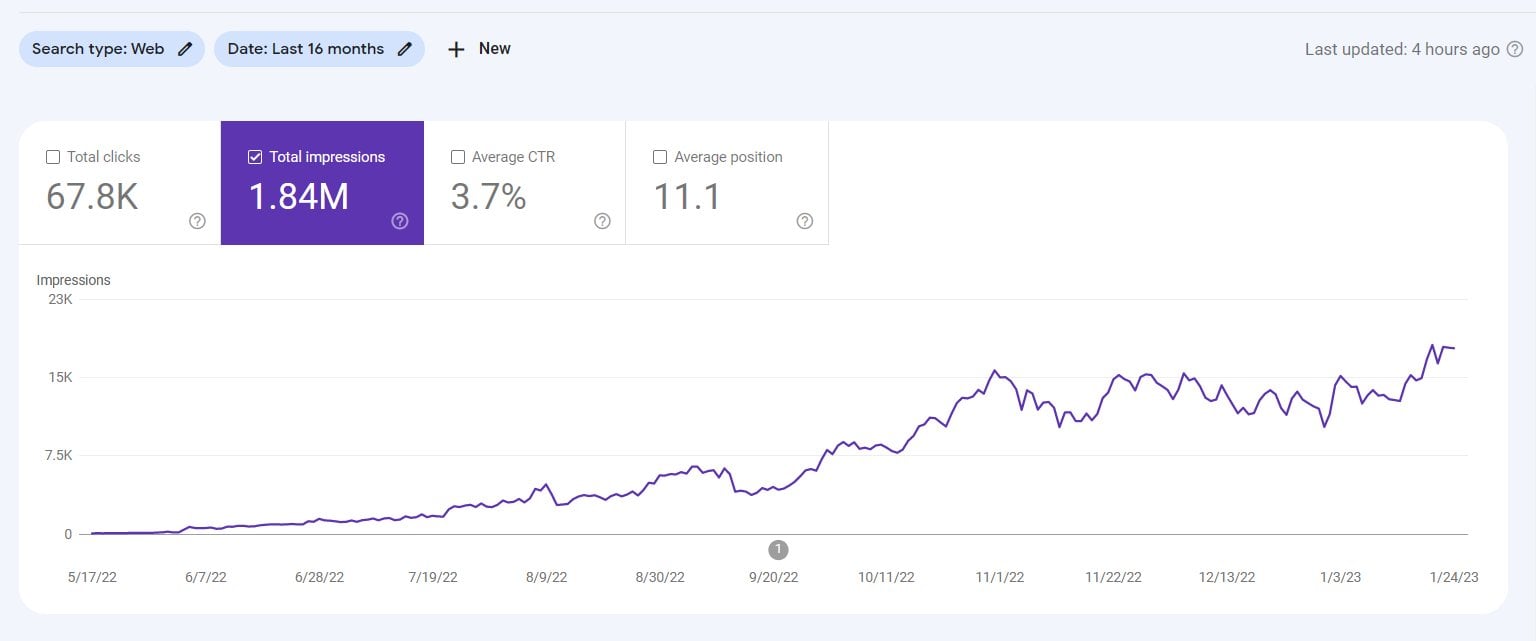
data about your website. If you link it to your website, you can go here to Performance. Here you can see
the keywords that people used to
find your website. Click average CTR in
average position. Then here you can see the
queries that people used. Here you see the
number of clicks from the search results
to your website, the number of impressions
for this keyword in Google, the CTR, that is the
click through rate, and the average position. This will give you
plenty of ideas for keywords that are
relevant to your website. A list of seat
keywords depending on the size of your site and how many products or
services you offer. This list can be quite long. Dozens, hundreds, or maybe
thousands of keywords. That's okay. The more relevant
seat keywords we have, the better we'll
get to filtering and selecting the
best keywords later. Now, in step two, we're going to take
the seat keywords we found in step one
and enter them into tools to find other
related keywords that people search for
in search engines. If, for instance, window
cleaning was our seat keyword, we can find related keywords
that people search for, such as best way
to clean windows or telescopic window
cleaner, et cetera. See what keywords
the tool comes up with and go more in depth
with your research. If you get interesting keyword suggestions you hadn't
thought of yet, you can use these as
new seat keywords to find more related
search terms. For example, suppose you get more keyword suggestions around office cleaning and
floor cleaning. You can then use these
terms as new seat keywords to find even more keywords
related to these two topics. A good free keyword tool you can use is the Google
Keyword Planner. To go to the tool I just
searched in Google for Google keyword Planner and
then we see it right here. Then click on Go to
Keyword Planner. If you are already logged
into your Google account, you will go directly
to the tool. If you don't have
an account yet, you will have to
create one first. The keyword planner is part of the Google Advertising Program. You can use the tool
totally for free, but it does ask you to
set up an ad campaign. You can use the tool
without running an ad. You just have to jump through some hoops when
creating your account. This article on.com shows exactly how to
create an account. So you can use the
keyword planner for free. Just follow the instructions in this article to
create your account. You can find the link to the
article and the resources. If you are logged into
the keyword planner, you can start your
keyword research. Click on Discover New Keywords. You can then enter one of your seed keywords from the list you compiled
in step one. For example, window cleaning. Check whether your language in country settings are correct. I'll change it, in this case to English and I'll
select United States. Then click on Get Results. You will now see all kinds of suggestions for
related keywords. In this case, we have
429 keyword ideas. We get keywords such as
window cleaners near me, full crystal, best way to
clean windows, et cetera. These are keywords that we could potentially use for our website. This column average
monthly searches as the search volume or how many people search for this keyword on
average per month. So on average, there are 10000-100 thousand
average monthly searches for the keyword window cleaning. Unfortunately, we cannot see
the exact search volume. You only see a range.
You will only see exact search volumes if you have a paid advertising campaign
running with Google ads. That's also the disadvantage of the Google keyword planner. You have to pay for ads to
see the exact search volumes. There is a hack, however, to get an indication of
the exact search volume. And you can see that here
in the same blog post on Hf.com that I
showed you earlier. I tried this out myself, and it doesn't always
give good results, especially for keywords that
have a low search volume. So it's not always
the best option, but you can try it
out for some of your keywords if you'd like to get a more exact search volume. Okay, so back to the
keyword planner. In the next column, you see the competition low,
medium, or high. Note that this is the
competition for advertising. If the competition is high, it means that a
lot of people are advertising for this keyword. And so you probably have
to pay more for an ad. So this doesn't say much about the SEO competition for
the unpaid search results. You can't just say
the competition for advertisements is low, so I automatically
have a good chance of ranking high in the
unpaid search results. Don't use these
competition indicators to determine whether a keyword
is worthwhile for SEO. The other columns also
all have to do with advertisements and are not that interesting
for SEO purposes. You can use filters here at the top to filter your keywords. So for example, if
you only want to see keywords that contain
the word washing, you would select that. Here I would go to keyword, keyword contains,
and click Apply. I now only see keywords that
contain the word washing. I'll remove the filter again. For now, you can download
this entire list by click. Download Keyword Ideas
here on the right. However, I prefer to first pre select keywords here that I think I can actually
use for my site. That will give me a
cleaner list to download. We will go through
this list and select the keywords that we think are interesting for our website. If the keyword is
relevant and it matches what you
offer on your site. Selected. If you think all keywords in this
list are relevant, click here above to
select them all at once. Once you've selected
all the keywords that you like to include, click on Add keywords. They will then be placed
on a separate list. You can then enter a
new seat keyword from your list to continue with
your keyword research. Another seat keyword
that we had on our list was office cleaning. I'll remove the
first seat keyword, but you can also just
leave it there to get results for both
of these keywords. Then click on Get Results. Now you'll see keyword ideas
related to office cleaning. Go through the list again and select interesting keywords. Then click Add Keywords
to add them to your list. Once you've done this for
all of your seat keywords, you go to keywords
here on the left, you will find that list of all the keywords you've selected. The data that we need is under the tab
Historical Metrics. Here you see all
your keywords with the corresponding range of
average search volumes. We're going to export this data. Click on the arrow at
the top right here, then go to Plan
Historical Metrics, where you can export to
CSV or Google Sheets. This will give us a nice list of all the keywords
that we could use for our website by using our set keyword list and
Google keyword planner. The next step is to
structure our list by grouping and
filtering our keywords. I'll show you how to do
that in the next video.
5. Keyword research: Step 3: In the last step of
our keyword research, we are going to
filter our list of keywords to find the best
ones for our website. First, let's start by going over our list and do a quick check
for irrelevant keywords. Removing keywords we
are not going to use. So if your cleaning company
does not do office cleaning, for example, we can remove all keywords related
to office cleaning. Normally, this is
just a quick check because you already did
this in the keyword planner by only selecting and exporting keywords that are
relevant to your website, but maybe there are still some keywords on your list
that should not be there. So now is the time
to remove these. Then group your keywords to make your list
more manageable, we are going to
divide the keywords into groups according to topic. Suppose, for example, that you have a lot of keyword
suggestions in your list relating to floor
cleaning and window cleaning. Then you group these
together in your list, or you create separate taps for these terms in
your spreadsheet. When we group our keywords, we get more structure. And we can use these
groups to create content for our website
around a certain topic. Select the keywords
you are going to use by looking at the criteria
for good keywords. So they should be relevant and attract the right
visitors for your site. They should have
good search volume and you should be able
to beat the competition. Relevant should already be okay, because we already looked
at this before and removed all the keywords that are not relevant to our website. For search volume, we can start sorting keywords
by search volume. Prioritizing keywords with
a higher search volume. However, we must also pay close attention to
the competition. If our keyword is relevant
and has good search volume, we still have to
skip the keyword if we can't beat
the competition. If the competition
is too strong, we will never be able to
rank for that keyword, and it makes no sense to
use it for our website. Being able to beat the
competition is really an absolute basic condition for a good keyword
for our website. Okay, so how can we
evaluate the competition? Well, first we need to know
who our competitors are. The answer to that question is simply the first ten
search results in Google. That is where we would
like to rank as well, the first page of Google. So we will have to
look at the top ten to evaluate the competition and estimate whether
we can beat them. Suppose that professional
office cleaning is a keyword that we
would like to use. Then we search for
that keyword in Google.com to see who
our competitors are. Google shows search results
that are personalized to you. For example, based
on your location or your search
history in Google, you will see different
search results than other Google users in
a different location. And of course want that
because that way we don't get a good idea of exactly
who our competitors are. We're going to look at the
un personalized results. You can do that by signing
out of your Google account. We first see some results
from Google Maps. Below that are our
ten competitors. Obviously, we don't
have to beat all of these competitors to
get to the first page, we have to see if we can beat one or more of
these competitors. The easiest way to
evaluate if we can beat the competition is to use
the Z bar Chrome extension. You can find a link to this
tool and the resources. To use the tool, you
need an account at Z. You can create this for free by clicking on Create Account. If you've created an account, you must set the correct
search profile first. This way, you can set the
correct search results for the specific region
where you are located. Go to Search profiles
and add new profile. Select, Google, Select, show non personalized results
because we only want to see the non personalized results for our competition research. Then choose your country. In this case, for
example, United States. You can select your region, so the state that you're
in, but you don't have to. You can also just leave
it to the entire country and give you a profile and
name and create profile. If everything is
set up correctly, we can see additional
information about the search results with
the Sbar extension. If you don't see this data, make sure you have Mozbar
turned on by clicking the icon with the M at the
top of your Chrome browser. You will now see some data
for each search result, PA, or page authority. That is the authority
of this web page. The higher the PA is, the more authority
this page has. In Google's eyes, links is the number of
links to the page. The more links, the
stronger the page. Da stands for domain Authority. The authority of the domain
in the eyes of Google. The higher this number, the
stronger the competitor is. Now you can compare this to the data for your own website. Suppose this is our own website, then we see that our
website has a PA of 27, 173 inbound links and a
domain authority of 11. If you don't see the
number of links here, go to tools and settings
and check link metrics. Okay, So you now know how
strong your own website is in the eyes of Google
comparative data, with the first ten search
results in Google, are your page authority, domain authority,
and number of links higher than those of one or
more of these competitors. Then you stand a
good chance to beat your competitors and end up
on the first page of Google. So now we can assess all relevant criteria
for our keywords. This allows us to prioritize
the best keywords. Being able to beat
the competition is by far the most
important factor. Then you can prioritize keywords with the
highest search volume and the ones that
are most relevant to your website and attract
the right visitors. An important
question, of course, is how many keywords
should you use per page? Google is getting a lot smarter, and that means that
singular plural synonyms, strongly related keywords, they can all usually be
on the same page. In the past, you had to create
separate pages for that, but now you don't have
to because Google understands that they are
all about the same topic. So something like fitness
schedule, fitness schedules, workout schedule, these are
all keywords that could, for example, be on one page. That means that one
page can rank for multiple keywords according
to a study by HF, the average page ranked
number one in Google also ranks for about 1,000
other relevant keywords. That is quite a lot.
It is, of course, very difficult to
write a landing page or blog post and optimize it for dozens or hundreds of keywords to make it
easy on yourself, a good starting point is to use one to three main
keywords per page. You can then add
additional keywords, so singular plural synonyms and strongly related keywords. As long as you make sure
that you only group keywords on the same page if they
have the same search intent. If you write a block post about the keyword window
cleaning tips, this is a purely
informational article, so keyword like window
cleaning services near me would not fit in this post because that is more
of a commercial type. Keyword only combine keywords on the same page that have
similar search intent. This way you can create
a nice structure for your site where you assign all your keywords
to different pages. Okay, So now you
have the best and the most relevant keywords
for your website. You have also divided
them into groups and assigned them to
different pages on your site. The next step is to optimize your web pages
for your keywords. That's what we're going to
look at in the next video.
6. Optimizing SEO content: In the previous lesson, we looked at how to
do keyword research. You should now have a list of the best keywords
for your website. The next step is to optimize your website for the
keywords of your choice. We do this by
writing SEO content. This is content
like blog posts and sales pages that
is optimized for the keywords we want
to rank for in Google. We have to let search
engines know that our content is relevant
for a certain keyword. We can do this by including our keyword phrase in
the following places. First, the SEO title tag, which is also called title tag, SEO title or page title. The SEO title tag is
a so called meta tag, an element in the HTML code that provides information
about the web page. The user will not see the
title on the page itself, but it shows in your browser
tab, like you can see here. When you hover over the title, you see the full
title in a tool tip. So the SEO title of this
page is how to write meta title tags for SEO
with good and bad examples, the title can be a maximum
of around 60 characters. This is because Google will
often show your title in the search results
as the blue link that users can click on, like you can see here in this screenshot from
the search results. If your title is too long, Google will truncate it
in the search results. That is exactly what
happens with this title. It is too long and
Google cuts it off. Also put your keyword in
the meta description. This is a meta tag as well, that is in the code of the page. You can see how
that looks in HTML. Here, the meta
description can be a maximum of around
155 characters. Google often displays
the SEO title and the meta description of a webpage as a title and a description
in the search results. So make sure not only
include your keywords here, but also that you write some good copy that makes
users want to click on it. To check the length of your SEO title and meta description, you can use the SEO
**** snippet optimizer. Just enter your text in the
appropriate fields and you will immediately
see what it will look like in the
Google search results. You can find a link to this
tool in the resources. Also, put your keyword
in the URL of the page. That would be, for example, mysite.com slash my keyword. Next, put your keyword
in the H one heading. This heading is visible
on the webpage for users. It typically is the
first heading on the page for this article. The H one would be
the first title that you see here at
the top of the page. How to write meta titles for SEO with good and bad examples. Okay, so how do we know
that this is the H one? You can see that by
checking the page source. So we go right click
and select page source. And then we can search
for H one on this page. As you can see in
the HTML code here. This is indeed the H one
title for this article. You can also check this by using the Mozbar Chrome extension. Just open the bar and click
here for page analysis. Here you can see that the
H one for this article is how to write meta
title tags for SEO. This is another
way to check what the H one for a certain page is. Also, put your keywords in
the subheadings in HTML code. You can use H two
to six for this. You can also optimize images
on the page by including your keyword in the file
name and the all text here. For example, I have an image
on my Wordpress website. On the right you can
see the file name which is Core Web vital state. On the left you see the image and below that the all text. In this case it is
core Web vitals. You can use your keywords in these strategic places to
optimize your images as well. Finally, of course, the
body copy of the article, the main text itself. Make sure you mention your
keyword throughout the text, like in the beginning,
the middle, and the end of the text. The beginning is
especially important. Users as well as
search engines can immediately see what the
article is about optionally. You can also use bold or italics to emphasize your keywords a little more in certain places. To summarize, these are the places where you can
include your keywords, the SEO title tag,
the meta description, the URL, the H one heading, subheadings H two to six images, and the body copy. There are quite a few things to keep in mind when
you see this list. If you are using Wordpress, there's an easy way to
quickly check if you've included your keyword in
all the right places. And that is with
the Plug in 0, 0. So in your Wordpress blog post, you can enter your
focus key phrase. So that as the keyword you're
optimizing your page for the plug in will
tell you if you've optimized your content properly. Here you can see the title
and the metadscription. My metadscriptions, bit long as it displays
an orange hair. Then we also have
the SEO analysis. Here I can see that
I need to mention the key phrase in
the subheadings more often some image all texts that I can still add that
reflect my keyword. Here are some points that
Yost says are good results. Like putting the key phrase
in the introduction, a good keyphrase
length, et cetera. A plug in like Yost SEO makes SEO optimization a
whole lot easier. And you can quickly check if your article is well optimized. There are a few more
things to keep in mind. First, don't start
keyword stuffing and mention your keyword too often in the text of your article. This will annoy your readers. It won't help you rank any
higher in the search engines. And if you overdo it, Google will actually see your article, a spam, and rank you lower. So don't overdo it and mention your keyword in a natural
way throughout your text. Always write for your visitors. A search engine does not buy your product or
service after all, so always write your
text for your visitors. Write good and compelling
copy aimed at conversion. Conversion means
that a visitor does something you would like him
or her to do on your site, like order a product
or a service, or subscribe to your newsletter. Use clear and
simple language and write content that is easy
to understand for everyone. Make sure your articles are well structured with headings
and subheadings. Use plenty of white space, so it's easy on the
eyes and easy to read. Write short sentences
and paragraphs. This makes it easy for visitors
to consume your content. Okay, so now you've optimized your web page for your
keyword when you have good compelling SEO content on your site that is well optimized for the
keywords of your choice. You will start to rank higher
in the search engines. In the next lesson, we will
look at link building. Creating more back links to your website helps
your SEO a lot. I'll see you in the next video.
7. Link building: In this video, we're going
to look at how you can build links to your site to rank
higher in the search results. So far for our website, we have done our keyword
research and we've written SEO optimized content
focused on those keywords. Our website is now targeting relevant keywords that
people are searching for. And we also made sure
that we can beat the competition
for those keywords so that we can rank for them. But how does Google know which web page to rank higher
in the search results? They do this mainly
by looking at which website is
the most popular. The website and the
web page that is more popular on the Internet
is ranked higher. Google mainly determines
this by looking at the links pointing to that
website and the web page. Links are a little
bit like votes. If site A links to site B, then site A is recommending
site B to its visitors. The more links
point to a website, the more popular
that website is. Google will rank
more popular sites higher in the search results. But not every link
has the same value. You can imagine that
a link to our site from a small and
insignificant website that no one's ever even heard of is worth a lot less
than a link from a big, well known website, like, for example, Harvard
University or the BBC. How does a search
engine determine the value of a
sites link profile? Google uses various factors
here, like first of all, the quantity, the more
links the website has, the more popular it
will typically be. Relevance is also important are the links from
related websites. A link to our cleaning
company's website from a website that reviews
cleaning companies is worth a lot more
than a link from an unrelated site that has nothing to do with
cleaning companies at all. Authority and popularity. How much authority
and popularity this website linking to us have? If the site linking
to us has a lot of inbound links itself
and is thus popular, a link from that website
is much more valuable than a link from a website
that is not popular at all. Diversity also counts how
many different websites are linking to our website. 100 links from one and the
same website are worth less than 100 links from
100 different websites. The anchor text is
also important. The anchor text is the visible
clickable text of a link. If a website links to us with the Anchor Text cleaning
company, London, Google knows that the
referring website apparently finds our website
relevant for that keyword. A link with the anchor
text, click here, on the other hand, does not say much and is therefore a
little less relevant. But beware, Google pays strict attention to
anchor text these days. If your keyword
appears too often in the anchor text of
your inbound links, you run the risk of Google
thinking that you are spamming and your
rankings will be lowered. Suppose you have 1,000 incoming
links to your website, all with the same anchor text
cleaning company, London. Of course, that looks
very suspicious. It is very unlikely
that all those websites decided to link to you with
exactly the same anchor text. Google also sees this and
will lower your rankings. So make sure that you have diversity in your anchor texts. You shouldn't have
lots of links with anchor texts that are
stuffed with keywords, having back links with natural anchor text like for example, just your company
name or the text. Click here, make sure backlink profile a
lot more natural. So how do you get more
links to your website? There are lots of
different methods that you can use
for link building, but generally, there are two main types of link
building you can do. First, content marketing. This is the creation of good
content on your website that provides a lot of value to
users and will attract links. Then there's traditional
link building, which is creating links on
other sites yourself or reaching out to other sites to ask if they want
to link to you. Obviously, these two methods are strongly connected
to one another. If you invest in
content marketing and create lots of valuable
content on your website, it will be much easier to ask
other websites to link to your content because you really have something valuable
to offer to them. Okay, we'll start with
content marketing. For this to work, we have to provide good and
valuable content. You usually put this
content on your blog, where you provide good and free information that will help users to go back to our
example of a cleaning company. This could be blog
articles that explain how to best clean your
windows or your carpet. Content marketing leads to more links and also
more customers. If you provide good information, you build up expertise. You show that you know
what you're talking about and people will start
to trust your company. Don't be afraid to give away
free information because content marketing pays off tremendously by generating
more back links, higher Google rankings, and
more trust in your business. Types of content that do quite
well are how to articles, case studies, reviews,
and giveaways. Also, don't forget to promote your content via
social media and your newsletter so you
reach more people who can share your content
and start linking to it. Traditional link building
you can do in several ways, like listing your business in business
directories like Yelp, you can publish press releases, Blog comments are a good way of traditional link building, and of course, outreach
to other websites. If you've written a
great block post, you can outreach to
other webmasters and ask if they would
like to link to it. There are many possibilities
to build links to your site. Link building is
an excellent way to promote your website, get more exposure, and boost your rankings in
the search engines. So far, we've looked at three important steps
to SEO, your site. First of all, keyword research. Then optimize your site
by creating SEO content. And thirdly, link building. But there are also
many ways you can make mistakes when applying
SEO to your site. In the next video,
I will show you the five most
common SEO mistakes and how you can avoid them.
8. The 5 most common SEO mistakes: Seo is one of the cheapest and most effective forms of online marketing. It can boost the success of your website and generate
more traffic and sales. That is, if you know
what you're doing, many people make mistakes
when applying SEO. This can lead to
wasting a lot of time and energy on things
that don't work. Not seeing any results from your efforts is bad
enough as it is. But in the worst case scenario, some SEO mistakes can actually
get you into trouble with search engines that can give you a penalty and lower
your rankings. This is definitely something
you want to avoid. Let's take a closer look at the five most common
SEO mistakes that people make and how
you can avoid them. First of all, a common mistake is targeting the wrong keywords. This can be really
disastrous for the effectiveness of
your SEO campaign. If you focus all your efforts on trying to rank for
the wrong keywords, this will get you nowhere. The wrong keywords could be keywords that no
one is searching for, keywords that are
way too generic. For example, if you are a
small local car rental company trying to rank for rental car is probably aiming too high. Such a keyword is too generic and too
competitive as well, so you probably
can't rank for it. Instead, look for more
specific keywords that have less competition keywords with a search intent that
doesn't match your content. Let's look at an example. Suppose you're an SEO copywriter
and you want to write a sales page on your website where you promote your services. You do keyword research, and you come up with the
keyword SEO copywriting. That looks like a great
keyword, doesn't it? Well, not so much. If we look at the top ten in Google for the keyword
SEO copy writing, we see that these are all
informational blog posts that explain how to
write good SEO copy. You don't see any
sales pages here. The search intent
of this keyword simply doesn't match
that of your sales page. People want to see
informational content for this keyword and
not a sales page. This makes it highly
unlikely that Google will ever rank your
page for this keyword. Instead, a better
keyword would be something like SEO
copywriting agency, as you can see in the top
ten for this keyword phrase, we mainly have sales pages here. This keyword phrase is a
much better fit in terms of search intent and you
can actually rank for it if you would write a
sales page for this keyword, put a lot of time and
energy in keyword research. This is very important because keyword research is the
basis of your SEO campaign. If you make mistakes here and you start targeting
the wrong keywords, this will undermine your
entire SEO campaign. Look for keywords
that are relevant, have good search volume, and that don't have
too much competition. Aim for specific keywords
that are not too competitive. Don't rely on the information in the Google keyword
planner alone. If you see the keyword
SEO copy writing, it might seem like a good fit. It has good search volume
and it is relevant. But you can't see whether
the search intent also matches the content
that you intend to write. Double check the top
ten in Google to see what kind of search
results Google shows. If your content has a
different search intent, then this keyword is
not suitable to use. Another common mistake
is over optimization. This is a trap that
many people fall into. They have their
keyword and then they think if I just mentioned
this keyword in my content, as often as I can, a
search engine will definitely see that my content is relevant for this keyword. This is called keyword stuffing. This results in a
negative user experience. Search engines don't like it, and it can harm your
site's rankings. As Google also says here on
one of their support pages. Always write for your visitors and not primarily
for search engines. Make sure your content looks natural and don't stuff
your keywords in it. You can use a plug in like so to check whether you
are over optimizing. If you mention your
keyword too often, it will warn you that your key phrase density is too high. Plug ins like this
are pretty useful to avoid over optimizing
your content. Third, a very common mistake
that you see a lot is having no or no unique SEO title
tags and meta descriptions. Many websites use the
same title tags and meta descriptions for every
single page on their website, or they just skip them entirely. Every page on your site should have a unique
SEO title and meta description where you also include your main
keyword for that page. This helps for SEO and better optimizes your page
for that keyword. It also helps for
click through rate. Google often takes
your title and meta description and shows
them in the search results. If you have a unique, well written title and
meta description, this will result in more clicks to your website from
the search results, write a unique SEO title tag and meta description for
every page on your site. Include your keywords in them. Make sure your titles
and descriptions are clear, descriptive,
and persuasive. This will result in
more clicks from the search results
to your website. Use a tool like Yosso or the SEO Moo snippet
optimizer to make sure your title and description
have the right length. Google will truncate titles and descriptions
that are too long. The fourth common mistake
is copying content. Creating valuable,
good content takes a lot of time and effort.
That's just how it is. Some people think though, that they can skip the hard work and do it faster and easier. They just copy an article from another website and publish
it on their own website. I see this quite a lot, but please don't do this
first, this is plagiarism. You take content that
someone else wrote and publish it on your own website
without their permission. You can face legal action if
they find out about this. Secondly, Google doesn't
like duplicate content. They are not going to show the exact same content and the search results
multiple times. If you copy an article
from someone else, Google will typically only show the original content
from the other website. And it simply won't rank your copied version In
the worst case scenario, if you copy a lot of content
from other websites, Google could even
give you a penalty. So make sure your
content provides answers and has
actionable information. Trustworthy sources
give examples to make content
easier to understand. Add images and videos to make
your content more engaging. In short, create unique
and valuable content. That really helps users invest time and
energy into creating great content yourself or hire an SEO copywriter
to do it for you. The last common mistake
is poor mobile design. Having a poor mobile design is a common mistake that
many websites make. Don't make this mistake, because good mobile
design is more important than ever already. Way back in October 2016, internet usage by mobile
and tablet devices exceeded desktops
for the first time. Since then, the use of
mobiles and tablets has only been rising
in December 2020, mobile and tablet use
combined accounted for 58.54% of internet traffic. This number will likely
keep rising in the future. Google now also uses
mobile first indexing. That means that Google is
using the mobile version of your website for
indexing and ranking. In other words, it is
essential for users and search engines that your website looks good on mobile devices. When developing your site, make sure it is mobile friendly. For example, by using
a responsive theme. Check how your site
looks on mobile devices. You can do this by
right clicking in Chrome and selecting Inspect, or just press F 12. As you can see, this website
has a poor mobile design. The font size gets really small and provides a
bad user experience. You can check how
your site looks on different devices
like the Pixel, the iphone, or the ipad. Another way to test
your website is to use the Google
Mobile Friendly Test. Enter the URL of your
website here and Google will check the
mobile friendliness here. I can see that my website is
actually mobile friendly. Also, check your site on
your own mobile phone. Visit multiple pages and
see how your site looks. Click on some buttons and
links to see what happens. Is everything working
like expected? Do pages display properly? Can you make a purchase
on your site while using a mobile phone, et cetera? This is a good way to
test whether your site looks good and works
well on mobile devices. These were the five most common SEO mistakes and
how to avoid them. To summarize, targeting the wrong keywords
over optimization, no or no unique title tags
and meta descriptions, copying content and
poor mobile design. In the next video, I
will tell you more about the complete blueprint
to SEO success. I'll see you in the next video.
9. The Complete Blueprint to SEO Success: SEO is the essential ingredient for online success. It can make the difference between a website that gets tons of traffic and sales and a website that just sits there collecting digital dust. Do you want to apply SEO to your website to rank higher in the search engines? With this free course, you already know the fundamentals. But I can imagine that you would like to learn more about SEO and how to apply it to your website. For those of you who are serious about SEO and want to take the next step, you can check out my premium SEO Course. This is the complete step-by-step plan for better rankings and more traffic and more revenue. It will take you from SEO beginner to SEO pro. In short, it is the complete blueprint to SEO success. My premium course takes you by the hand and shows you step-by-step how to apply SEO to your site. You will get a clever method to find the most successful keywords and outsmart your competition. An overview of the best SEO tools that help you rank faster and higher in the search engines. A secret strategy to get faster results in Google, hardly anyone uses this. All the steps to make your website SEO proof. A complete module on local SEO. This is very important as 46% of searches in Google today have a local search intent. And much, much more. So if you want to make your website more successful and boost your traffic and revenue, sign up to the full course SEO Made Simple today. You can find a link to the course in the resources. Thanks so much for watching my videos. If you have any questions or feedback, send me a message, I'm happy to help. It would also be awesome if you could leave a review for my course, I would really appreciate it. I wish you the best of luck with your website. Have a great day and take care!
 Michiel Brand, SEO specialist & copywriter