Transcripts
1. Class Introduction: Are you still overwhelmed by the gazillion buttons
on your camera? Or maybe you just purchased a professional digital camera and you need a helping hand. This class might help
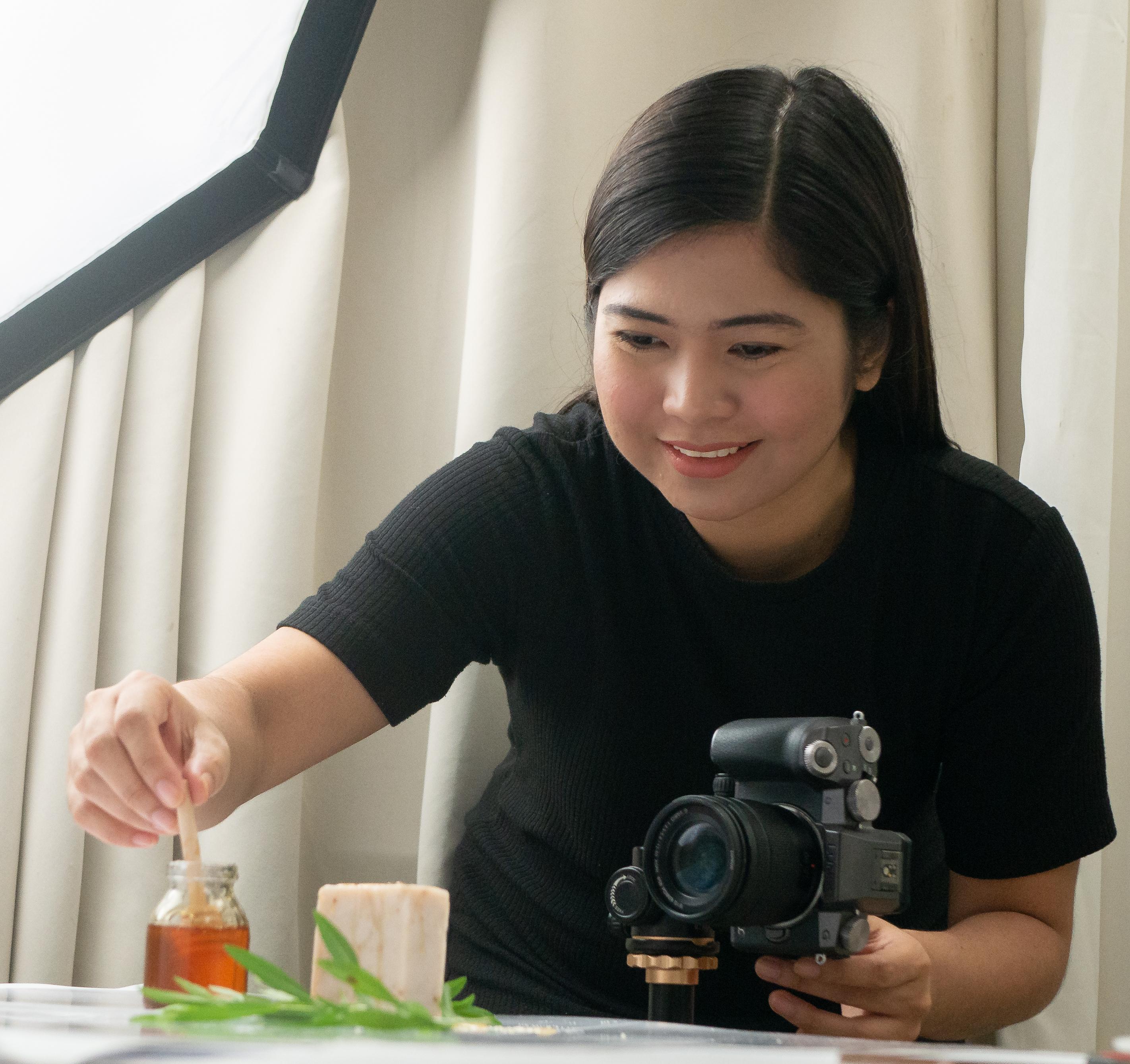
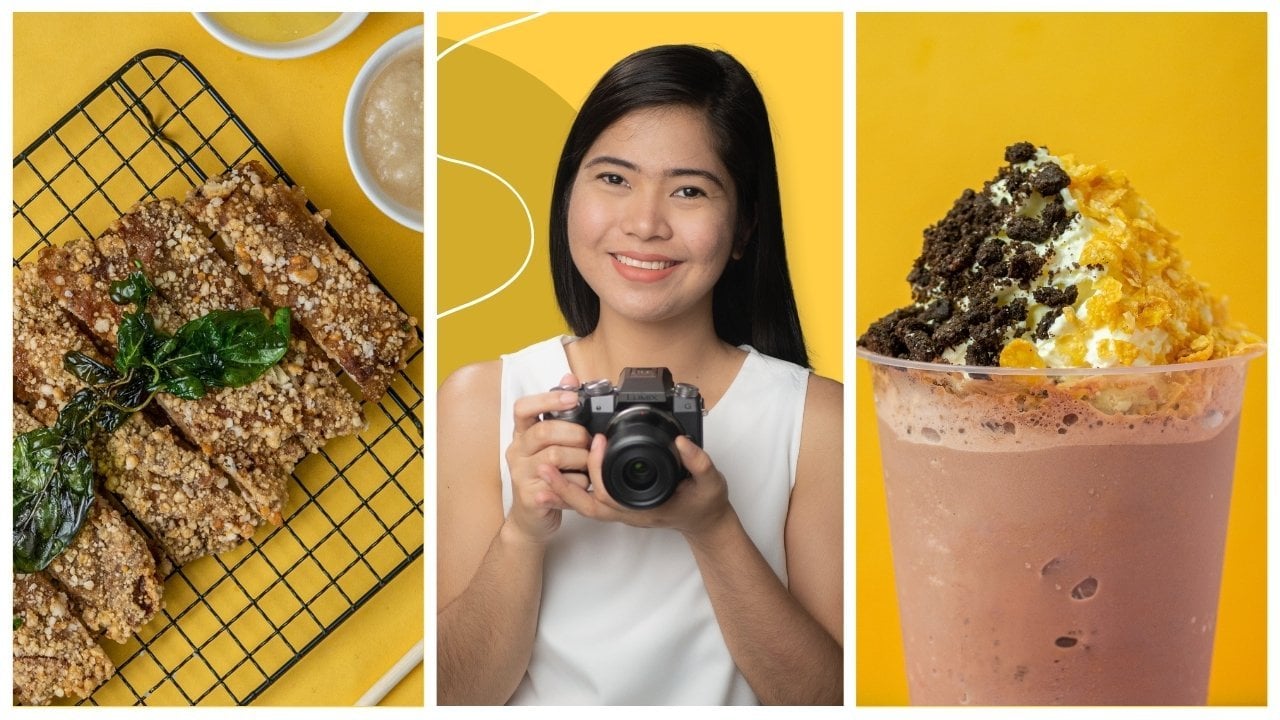
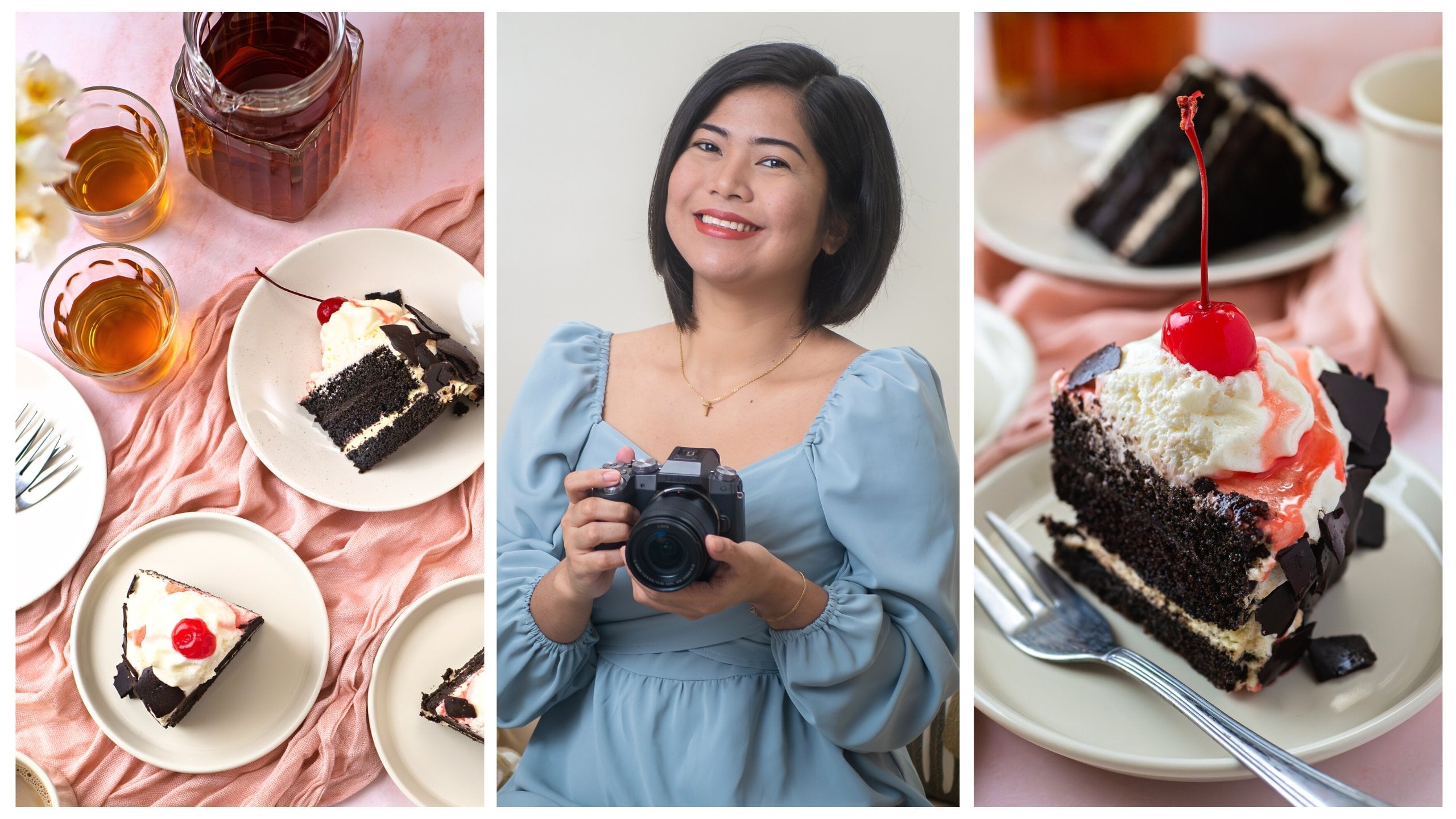
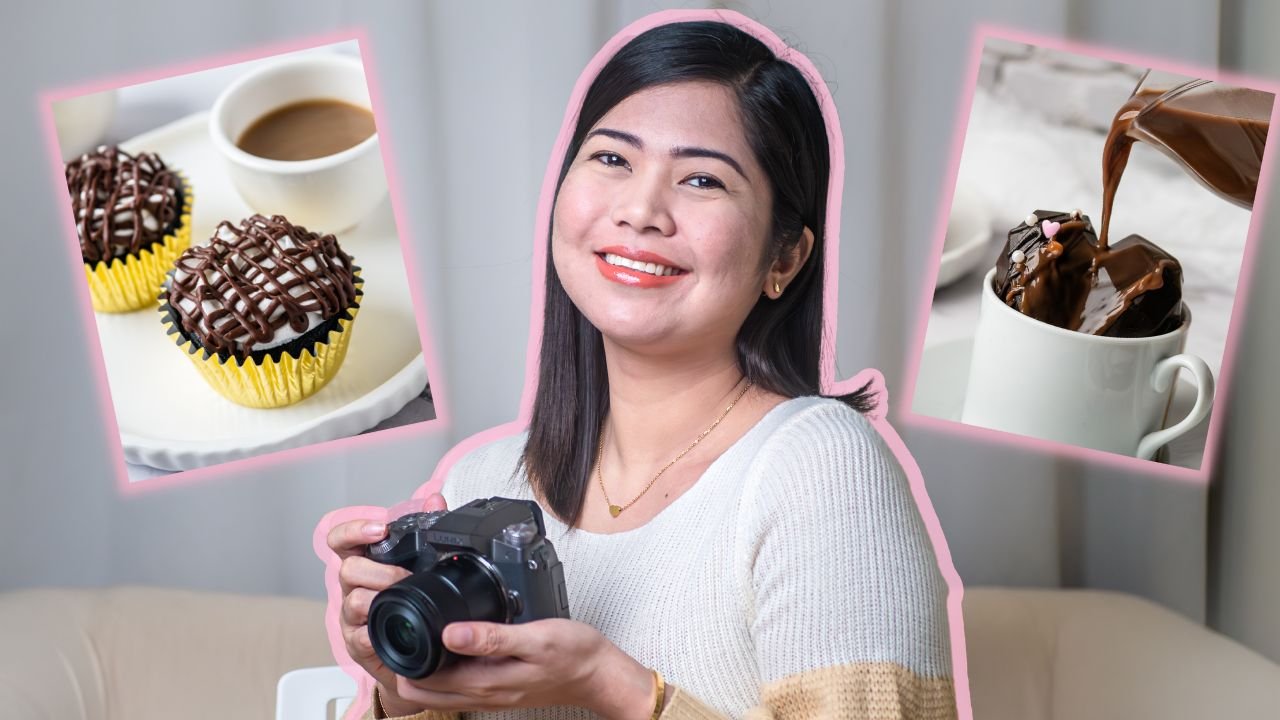
with all of that. [MUSIC] Hi, my name is Rose, I am a food and
product photographer. Most of my work is dedicated to helping small
businesses increase sales and online presence through scroll stopping
product photos. I also do virtual workshops for online sellers who wants
to DIY their photoshoots. Just last year I
had the honor and privilege to become one of
Skillshare's top teachers. I created this
class to demystify the most technically
complex part of my product
photography journey, camera settings. You
might have heard or read the saying that your camera
doesn't take photos, you do. It's cheesy but it's true. I created this class to make product photography
and camera settings less intimidating. My goal is to help you be more comfortable and confident
in using your camera. If you're shooting in auto mode, my goal is to help you ease into full manual mode where you
have more creative control. We will start with exposure, which is a term that you will be hearing a lot in this class. Then we will quickly go over my most used camera
buttons and settings. Then we will move
on to aperture, which is the setting responsible for capturing magical blurs, then shutter speed,
which is the setting to master if you want to
freeze a moment in time. The last setting is ISO, which can be your best
friend if you are shooting in challenging
lighting conditions. We will also cover histogram, which is a handy tool for
getting the best exposure. We will also dig deep into
focal lengths and lenses. I will also be sharing
my go-to setup and all the gear and
accessories that I accumulated through the years. Finally, I will show you an actual photoshoot where
you will see me troubleshoot and decide on what
camera settings to use to create different
looks and effects. By the end of this class, you will have a better
understanding of the essential camera settings and how you can use it
with artistic intention. My goal is to turn those
scary settings and mind-boggling numbers
to friendly tools that will aid your
creativity and vision. This class is perfect for
beginner photographers, small business owners who want one DIY product
photoshoots, for bloggers, social media influencers,
and absolutely anyone who wants to be the
boss of their cameras. Now, if that sounds
fun and exciting, head on to the next video
and let's get started.
2. Class Project: [MUSIC] Hi again, and
I'm so glad you're here. If you've been with
Skillshare for some time now, you know that projects
are a fun and meaningful way to
solidify your learnings. If you're new here, please don't skip
this part because this is where the magic happens. Participating in
the class project will help you get the
most out of this class. Plus, it's an amazing
way to engage with fellow students and expand
your creative network. For this class, I want to make it easy but also fulfilling. There will be more than
one way to participate. I became an expert of my camera's manual mode
through practice overtime. "Overtime" is a keyword there. Photography and
taking control of your camera requires
deliberate practice. I really want for you to commit to that
deliberate practice, but I also acknowledge
that we don't have all the time in the world
and life can get in the way. To make it accessible, I divided the class
project into stages, from easy to challenging. It's like a stairway to
becoming a camera wizard. Sounds fun, right? The first step is to
complete the class. Easy. Next step is to
take a photo using your digital camera
the way you would normally do, still easy. Next step is to apply
one remarkable learning from this class and take
another photo or photos. Next step is to
analyze your photo or photos and take notes of
what can be improved. Next step is to
practice taking photos, applying the most challenging
setting or lesson for you. Next step is to
practice until you feel confident with
your product photos. Final step is to share your
favorite photos with us. Now, the fun and easy part, you don't have to complete all the steps to
upload a project. When you complete step 1, you can already upload a
photo of your selfie with your camera or a photo of
you and your workstation. Every time you complete a step, you can continuously upload
photos of you and your work. I guarantee a hit
of happy hormones and a sense of accomplishment every
time you complete a step. That's the reality of life. We are a work in progress. That's how I want your
class project to be. It'll be fun to share
the same journey with fellow students too, so make sure to share some
love by commenting words of encouragement and cheer on your fellow students'
class projects. I really want for
you to succeed in product photography and in
doing your class projects. I included a camera setting cheat sheet
where I show photos together with
camera settings and lighting conditions
and the effect I was trying to achieve. You can use it as a
guide or starting point. I hope this got you all
pumped up and excited. Now, let's officially
kick off this class. See you in the first lesson.
3. Exposure: [MUSIC] Let's start
with a term that you will be hearing a
lot in this class. Light is everything
in photography, and exposure is
simply the amount of light that you let
into your camera. Or in formal definition, exposure is the amount
of light that reaches the camera's sensor
to record the image. The amazing thing with any camera is that you
have the control on how exposed you want your image to be regardless of
lighting conditions. You can turn a dark
scene a little brighter and a bright
scene a little darker. You control this using the combination of
three camera settings, aperture, shutter
speed, and ISO. You might have heard of
the exposure triangle. Exposure triangle is the
photography term that describes the relationship between
the three elements that determine the
exposure of a photo, aperture, shutter
speed, and ISO. The way these three factors
are balanced determines the final appearance of a shot and the
feelings it evokes. Looking at my camera here, when I press the display button, I can see my aperture
number here, my shutter speed, and ISO. When I adjust each setting, it also changes the
overall look of my photo. So how do we balance these these settings and
create the image that we want? In the following lessons, we will dig deep and understand
each camera setting. Then we will explore
how we can use them with artistic intention. But before we do, let's do a quick tour and
overview of camera parts, what buttons you will most
likely be using a lot, as well as modes and
dials to select settings. See you in the next lesson.
4. Camera Parts Overview: [MUSIC] If you just
purchased your camera and are still trying to
learn the ropes, then this lesson is for you. If you're pretty much familiar with the buttons
and your camera, and you just want to
master the settings, then you may skip this lesson. I won't be explaining
the anatomy of a camera, but I will be sharing
the buttons that you need to find and
familiarize yourself with. That's how I slowly but surely developed
my cameras skills. I honestly did not learn all the buttons and
settings at once, but I started with
the ones that I needed to get the
result that I want. Good thing, my
husband was already familiar with
photography and cameras, so he became my helping hand. For this class, I will
be your helping hand. I am using a Panasonic Lumix G7. My husband and I got this
camera because we can use it for both photos and
videos, It's user-friendly, and it fits our budget. This is a mirrorless camera, which means it uses an
electronic viewfinder. DSLR cameras, on the other hand, reflect images into
viewfinders via mirrors. Because of this, mirrorless
cameras are lighter. This is also a micro
four-thirds camera, meaning it has a two
times crop factor relative to a standard
full-frame camera. More of this in the focal
length and lenses lesson. Even if we might be
using different cameras, the buttons and settings
that we need to familiarize are almost the same. For example, in my case, the buttons that I use a lot in photo shoots are:
the menu button, the display button,
the mode dial, the front and rear dials, the shutter button,
and the play button. I will go through each button
to explain why they are important and where you can utilize them in
your photography. If you can familiarize
yourself with these buttons, it will greatly help in
your product photography. It will be one less
thing to worry about and it can really
get you started. First is the on/off button to turn on your camera
off and on, easy. Next, before you start
taking pictures, we need to check and
select formats and styles. Look for the menu button. After pressing the menu button, I have these options. To get to the formats, I just need to click
on the camera icon. When I go here, I can set the photo style,
filter settings, aspect ratio, quality, and
all these other settings. The only ones that I personally
use are photo style, which I set the standard, I selected standard
because I take picture of products
and food and they want them to look as natural and closest to the real
thing as possible. I thought standard will
be the best option. Next my filter settings are off. Same reason with why I selected
the standard photo style. Aspect ratio is standard
as well; 16:9 Quality is set to RAW. I have the option for JPEG, RAW, and both RAW and JPEG, but I edit 99% of
my photos so I decided to just select RAW so I have
more editing control. JPEGs are compressed and not
intended for heavy editing, but suitable if
you won't be doing any post-processing
on your images. If you are taking
product photos for clients using your DSLR
or mirrorless camera, I recommend the RAW format so you can correct minor mistakes, edit the brightness,
adjust the colors, and not be restricted
when editing. The rest, I really
don't use or set, but I did set the
color space to sRGB, which is the standard
color space format. Once I'm done with
these settings, I can proceed with
taking photos. Let's go through the buttons, dials and settings
that I usually use. Let's start with this dial. This is where I can set 4k, burst mode, and single photo. You can use burst
mode to capture movement or a
fast-moving subjects. But if you will be photographing still-life subjects
or minimal movements, then you can select the
single photo option. Next is the mode dial. When I was just starting out, I used the automatic mode a lot. In my mode dial automatic
or autopilot has a label P. When I select this, no matter what the
lighting condition is, I can just point the
camera to my subject and it will automatically
select the settings for me. A and S are priority modes. These modes helped
me in slowly but surely ease into
full manual mode. "A" means aperture priority and "S" means shutter speed priority. Later in the following lessons, we will study these
two priority modes. Finally, "M" is for manual mode. This is the mode that I use in almost all my photo shoots. I like being able to
set all the settings. Although cameras nowadays are advanced and smarter than ever, I still believe
that the human eye and our brain is superior. I think manual mode is still
the best mode when taking photos of products for different effects
and creative styles. Once I set the mode, next thing is to set the exposure triangle to
get a balanced exposure, so aperture, shutter
speed and ISO. I want to be able to see
how it looks while I set the settings so I press the display button
to get this view. Here's my aperture,
shutter speed, and ISO. I can also see my
histogram and grid lines. Now to set the aperture, I use the front dial. To set the shutter speed, I can use the rear dial. Finally, I can set the ISO
using the ISO button here. It may be in different
locations in your camera. Check out your manual to locate
these buttons and dials. Once I selected the
settings for my aperture, shutter speed, and ISO, and I can see from
my histogram that I am getting a balanced exposure, I can take a test shot
using the shutter button. To view my test shot, I can just press this
button with the play icon. From here I can review my shot. Since this is a touchscreen, I can use my fingers to
zoom in and zoom out. If not, I can also use the
rear dial to zoom in and out. I can half press the
shutter button to go back and see my
display screen again. Don't worry, this is
just an overview. All throughout the class, we will become more
and more familiar with these important
buttons and settings, especially in the demo lessons. In the next lesson we will explore aperture and how you can maximize the aperture
priority mode. See you there.
5. Aperture and Aperture Priority: [MUSIC] Do you ever find
yourself mesmerized by photos with creamy and blurry
backgrounds? I do. There's something magical about these photos where
the subject is in sharp focus while
the surroundings and other supporting
elements are blurry. Aperture is the setting responsible for
this magical blur. In digital photography,
this blur is called bokeh. Aperture affects how much
of your image is in focus. This is known as depth of field. The aperture controls
the depth of field. A deep depth of field means
that a lot of the area in the image is in focus from the front of the
scene to the back. The shallow depth of
field, on the other hand, means that there is a small part within the image
that is in focus. Backgrounds and often foregrounds
appear as a soft blur. This is one of the
amazing creative control of the aperture. Apart from depth of field, aperture can also greatly impact the light reaching
your camera's sensor. Aperture is the opening
inside the lens that allows light to
enter the camera. In human anatomy analogy, aperture is like the
pupil in a human eye. It is the hole in the
lens which permits light to enter through to
reach the camera's sensor. The aperture can be opened
up wide to let more light into the camera giving
you a brighter exposure. Or made to be smaller to
create a darker exposure. The size of the
aperture is measured with F numbers or F stops. These numbers will depend on
the lens that you are using, which we will talk about
in a later lesson. I know it's mind-boggling, but the higher the F number, the smaller the
opening in your lens, and the lower the F number, the wider the opening
of your lens. I know it sounds
confusing at first, just remember that
higher numbers is equals to deep depth of field and less light are reaching
your camera's sensor. Lower numbers equals
shallow depth of field and more light reaching
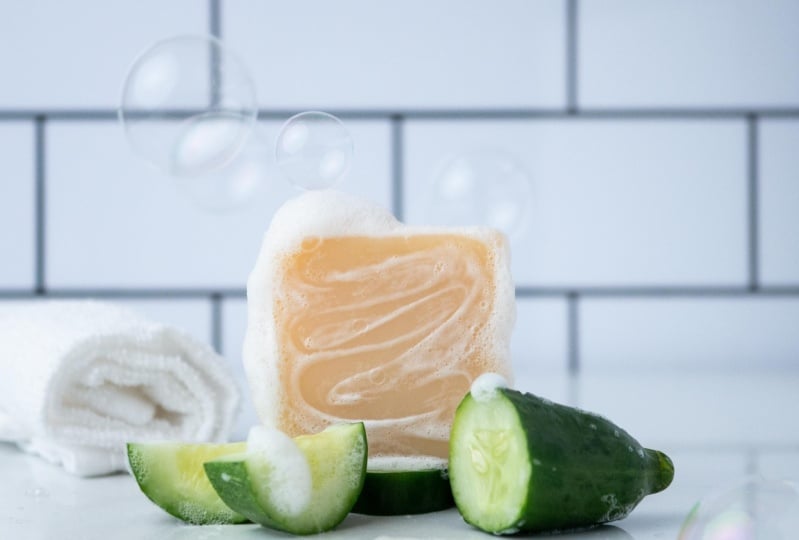
your camera's sensor. To show an example, I will be photographing this organic soap with the
main ingredients as props. I want to give my
viewers an idea that cucumber is the
main ingredient so I will be putting it
in the front and back. To make sure that the soap
is the hero in this photo, I will be setting the aperture
to the lowest number, which is 2.8 for this lens. Because the lens
opening is wide, my photo is also a bit brighter. I will adjust the
other settings so I have a more balanced exposure. If you will notice, I'm getting a shallow
depth of field, meaning the background looks
closer to the subject. Because of my aperture settings, the background and
foreground are blurry while the subject
is in sharp focus. Now, observe what happens when we change the
aperture settings to a higher number or
smaller lens opening. Our image is getting darker, so I will be adjusting
the other two settings. [MUSIC] As you can see, we're getting a deeper depth of field. Our background looks farther and our background as well
as the props are also less blurry
and more in focus. Here's the two photos with different aperture settings
to show the difference. Now, what if you like prioritizing aperture
in your photoshoots, and you don't want to worry
about the other two settings? That is when you can use the aperture priority
mode in your mode dial. As the name suggest, aperture priority mode allows
for you to control or set the aperture while the camera sets the other two settings, shutter speed and ISO. As you can see from my example, no matter what aperture
number I choose, the histogram stays the same. My camera adjust the
shutter speed and ISO to get the ideal exposure. This mode or settings
is very useful to help you ease into
full manual mode, especially if depth of field, blur and focus are your
priorities when taking photos. To recap, Aperture
is the opening inside the lens that allows
light to enter the camera. You can adjust it for
two main controls, light control and
creative control. First, is light control. Setting the numbers is your
way to command your camera to open the lens depending on how much light you
want to let in. Next is creative control. Low number means
shallow depth of field. Your background and other
elements in the scene will appear closer and you will
get that magical blur. [MUSIC] Higher numbers
means deep depth of field. Your background and
other elements will look farther away and in focus. In the next lesson, we will explore the
creative and light controls of shutter speed. See you there.
6. Shutter Speed and Shutter Priority: [MUSIC] The quote, a picture
is worth 1,000 words, is such a cliche but it's true. Compelling and evocative
photos are what got me fascinated
in photography. One of the types of photos
that always got my attention are photos that looked like
a frozen moment in time. When I found out how to do it, I went crazy with
it and applied it in almost all my photo shoots. Shutter speed is the setting responsible for
capturing movement. Fast shutter speed can fees movements that can often lead to extraordinary details that the human eye wouldn't
normally catch. A slow shutter speed, on the other hand, will create a motion blur
in a moving subject. This effect gives
life to the movement. If the aperture is like the
pupil in the human eye, then the camera's shutter
is like an eyelid. Light can only enter
while it's open. The shutter speed
refers to the length of time that the
shutter is open, allowing light to fall onto the camera sensor in order
to create an exposure. Shutter speed is
measured in seconds or more often in
fractions of a second. For example, when you see
1/400 or 400 in your settings, it means that the shutter is
open for 1/400 of a second. That is a really
fast shutter speed. A fast shutter speed
can capture movement, however, less light
enters your camera. This is why the
other two settings, aperture and ISO are important. As you will see in
the following lesson, especially in the demo lesson, I'll be adjusting these
three settings to support each other and
give me creative control. Opposite to the
fast shutter speed is a slow shutter speed. When you see a double quotation
mark after the number, for example, a four, this means that the
shutter is open for a whole four seconds, which is a longer
period of time. More light enters the camera. This is ideal for low light
conditions if you want a brighter image but
you need a tripod if you want a sharp image because even the tiniest movement
can result in a motion blur. To show an example, here are photos using slow
and fast shutter speeds. In the first photo, I wanted to freeze
the moment when the honey fabulously
fell into the soap, while in the second photo, I wanted to create motion blur. In the first photo, I set the shutter speed
to 1/400 of a second. It is a fast shutter speed that will let you
capture motion. In the second photo, I set the shutter speed
to 1/30 of a second, which is a slower shutter speed. It lets in more light and
allows for a brighter image but anything that's moving
can result in motion blur. I use manual mode in
most of my photo shoots. Whatever shutter speed I set, I also need to adjust the
two remaining settings, aperture and ISO to
balance my exposure. But just like aperture priority, there is also a setting to help you control shutter speed while your camera settings set
the remaining two settings. Shutter speed
priority can also be found in the mode
dial, and in my case, it has a label S. When you
select shutter priority, you can control or set the shutter speed while
your camera takes care of the two remaining
settings, aperture and ISO. This is handy if you
want to experiment with capturing motion or
creating motion blurs. But you don't want to worry
about the other two settings. Just like aperture priority, my exposure and histograms stays the same no matter
what shutter speed I select because my camera decides the ideal
exposure for me. To summarize, fast shutter speed like
1/400 of a second and above can capture
movement clear and sharp like it is a
frozen moment in time. But can only let little light because of the short time
that the shutter is open. Slower shutter speed,
on the other hand, like 1/30 of a second or slower, can help create motion
blur and can let more light in resulting
in a brighter image. If you need a slow
shutter speed to let in more light but you also want your photos to come out sharp, my top tip is to use a tripod
to avoid camera shakes. In the next lesson, we will explore ISO to complete the exposure triangle.
See you there.
7. ISO: [MUSIC] What if you want
the capture movement and you also want
everything in focus? That means a fast
shutter speed and narrow depth of field that
could only let little light, and will result in
a darker exposure. This is when the ISO
setting can be a big help. Bumping the ISO can help
brighten our exposure when the aperture and shutter speed are not able to compensate. I hope by now you're
getting a sense of why these three settings make
the exposure triangle, they are dependent
on each other. Basically, you
decide on the image that you want to create
and pick the setting that can bring that
image to life and adjust the other two settings
to compensate and create a balanced
looking image. ISO, the third piece of
the exposure triangle is a measure of how sensitive
the sensor is to light. The higher the ISO, the more sensitive your
camera sensor is to light, and the more
sensitive the sensor, the brighter the image. On the other hand,
the lower the ISO, the less sensitive your
camera sensor is to light, resulting in a darker image. It sounds straightforward and
you might think of bumping your ISO settings to
the maximum at times, but a high ISO comes
with a side effect. A high ISO can create
noise which can reduce the image quality and can
result in a less sharp look. When baking product photos, you generally want a crisp, sharp image, so you have to pay attention when
setting up your ISO. For example, these photos look
the same at first glance, but when you zoom in, you'll notice that
the one captured with a higher ISO looks grainy. From afar, the one
with a low ISO looks sharp and a bit
three-dimensional, while the one with a high
ISO looks a bit flat. Just a note that I am showing
these examples to educate. I don't want you to ever feel anxious when there is a need
to bump the ISO higher. If you ever find yourself in a situation when you
need to take photos in a dark location or low
light condition and you don't have a tripod to
compensate with shutter speed, bumping the ISO might
be your only solution. The good news is technology on cameras and even smartphones
continue to advance, so your camera might
be able to capture minimal noise even with
a higher ISO setting. My top tip is to get to know
your camera's ISO limits and experiment with
the higher settings and see the effect
on your images. For example, in my setup here, I wanted to create a
dark and moody look, so I decided to use just a strip of light that gives
me that effect. This is a very
low-light conditions, so bumping the ISO
can be a lifesaver. In my previous examples, I set the ISO to 200-400 only. But to get these results, I had to set the ISO to
1,000 and even 1,600. Now that you are
familiar with aperture, shutter speed, and ISO, the next step is to evaluate if your image is bright
or dark enough. In the next lesson, we will explore a tool
that can help tell us if our image is properly
exposed. See you there.
8. Histogram: [MUSIC] Now that we're done with the three important
settings that adjust how your camera
captures light, let's talk about a tool
that you can find on your camera's LCD screen and in most
post-processing software. The histogram is
a representation of the tones in your image. It shows a graph that measures the brightness of an image by representing the frequency of each tone as a value
on a bar chart. The horizontal axis
moves from pure black on the left side of the
histogram through shadows, midtones, and highlights all the way to the brightest
white on the right side. Because of this,
the histogram can tell you a lot about your image. Number 1, if your
image is overexposed, you will see a spike
touching the right edge. This means you lose details
in this part of the photo, which is known as clipping. Number 2, if your
image is underexposed, you will see a spike
touching the left edge. This means you lose details
in this part of your photo. Number 3, which tones are
predominant in your image? Is it highlights,
midtones or shadows? Finally, your
histogram can tell you how much contrast
your image has. This tool will greatly help in telling you how the camera sees. However, there is no such
thing as a perfect histogram, because every image
will be unique in its distribution of
pixels and tones. For example, in my dark
and moody photo here, looking at the histogram, you may think that the image is underexposed because you see a lot of dark tones represented on the left
side of the histogram. But if you'll notice, there are still
some bright tones present on the right side, allowing us to see
the subject in the midst of the
dark and moody vibe. It is my artistic intention for this image to have
lots of shadows. That is why my
histogram is getting a lot of shadows or dark tones. The same thing applies for
bright and light photos. Since I am using light-colored
props and background, the histogram is
showing me a lot of light tones and highlights. My top tip is to use the histogram as guide but
don't be restricted by it. As long as there is no gap
on the left or right side, you should be good to go. On the contrary, if the spike is concentrated
in the middle, it means that the image
is heavy on midtones. There are no bright tones and dark tones so it will
be low in contrast. Your goal is to have bright
and dark tones present throughout the image so that your image is not underexposed, overexposed, and
lacking in depth or a sense of three
dimensionality. If you see a gap on either
side of your histogram, it means that there are no
bright tones present at all in the image and
the other way around. Again, this tool is not a one measurement
of your exposure. It will still depend on your setup and
lighting conditions, but it is a way
for the camera to tell you if you have
an underexposed, an overexposed or a flat image. Paying attention to
the histogram during photo shoots will give you
a clear idea whether you need to increase or decrease your exposure through
manipulating aperture, shutter speed, and ISO. It may be unnatural at
first, but with practice, you'll see the
benefits of paying attention to your
camera's histogram. In the next lesson, we will explore lenses and
focal lengths. See you there.
9. Exploring Focal Lengths: [MUSIC] When I was
just starting out, I remember being so
frustrated with my camera. I purchased $1,000 camera, but I cannot recreate the luscious food and product
photos I see in magazines. I discovered that I needed
a different lens to capture a sharp photo of a small
subject in short distance. It turns out my camera or my cameras kit
lens is not enough for the photos I want to create. Slowly but surely, I found out that
different types of lenses have different
specialties. I won't be going through
the whole list because not all are applicable
in product photography. But I will share the ones that I personally own and maximize, as well as the ones
that I think will be useful in your product
photography journey. Before I talk about the
different types of lenses, it is important that we
understand focal length first. Lens focal length tells us
the angle of view, how much of the scene will be captured and the magnification, how large individual
elements will be. The longer the focal length, for example 100mm, the narrower the angle of view and the higher the
magnification. On the other hand, the shorter the focal length, the wider the field of view, which means everything
appears farther away and you have more
space in your frame. Lenses with short focal lengths, for example 35mm are called wide-angle lenses because using these lenses can capture
a wider field of view. Lenses with longer
focal lengths, for example 100mm are
called telephoto lenses. These lenses allows
you to emphasize and bring far-away
subjects closer. Finally, 50mm is
a standard lens. Now for the type of lenses, I have a kit lens
with an aperture of f3.5-5.6 and a 35-millimeter
equivalent focal length of about 24-120 mm. Next, a prime lens with an
aperture of f1.7 and 25 mm, equivalent focal
length of about 50 mm. A zoom lens with an aperture
of f 4.0-5.6 and 45-150 mm, equivalent focal length
of about 90-300 mm. A macro lens with an
aperture of f 2.8 and 30 mm, equivalent focal
length of about 60 mm. If you will notice
the focal length listed on the lens
is different from the equivalent focal
length because of the 2x crop factor. This is because I am using
a crop sensor camera. This means that the frame that
is actually captured will be smaller than what you would expect from the focal length. Whereas on a full frame sensor, a 25 mm lens gives you a
25 mm focal length frame. Whereas a crop sensor
makes it look as if it has been shot on a focal
length of around 50 mm. While a 30 mm lens will give you the effect of around
60 mm focal lengths. If you're planning
to buy a lens, find out your cameras
crop factor first and use it to calculate the effect
the lens will give you. In the next lesson,
I will show you the practical effects of
using different lenses. See you there. [MUSIC]
10. Exploring Lenses: Now, why do we
need to know about these different lenses
and focal length? To answer, here are photos of the same subject using
different types of lenses. First, is my kit lens. This is the lens that
came with my camera. It has an adjustable focal
length of 24-120 millimeters, so I can take photos with different effects
and focal lengths. I can capture a wide scene
down to a tight shot. I use my kit
lens a lot when photographing flat
lays and stop motions, because of the focal
length and depth of field. The downside for me
is the aperture. I can only open the lens to F3.5 and 5.6 if it's a tight shot, so it's not the best when
capturing my favorite luscious and monumental
close up shots of products, plus I don't get that creamy blurry
background that I admire from other photographers. I really wanted the blurry or bulky effect in my food
and product photos, so that is why my very first lens
upgrade is a prime lens, with an aperture of F1.7
and 25 millimeters, equivalent focal length
of about 50 millimeters. Because it's a
standard prime lens, I can use it on food and product photo shoots as well as portrait photo shoot, so it's a good choice for
your very first lens upgrade, because it is versatile. This is one of my best
performing lenses. It's fast, sharp and
since I can open up the aperture as wide as F1.7, I finally got my magical blur and it's reliable to use
in low light conditions. The only downside for
me is not being able to photograph extreme close ups. It introduces distortion
as I get closer to my subject and it has a hard time focusing
at a short distance. This is why my next lens
upgrade is the macro lens with an aperture of F2.8
and 30 millimeters, equivalent focal length
of about 60 millimeters, because I wanted to capture a close up shot of
food and products. A macro lens will enable you to capture fine
eye-catching details. This is my go-to lens when photographing jewelry and
other small products, because you can shoot
really close to your subject without
getting distortion. The final lens in my camera
box is the zoom lens, with an aperture of 4.0-5.6
and 45-150 millimeters, equivalent focal length of
about 92-300 millimeters. The reason we got
this lens is not primarily for photography
but videography, because we had gigs where we
needed to capture subjects from a distance and there is no way that we can move closer, so the zoom lens is
our only solution. But if you will use it
in product photography, it can bring in your subject
forward and it's great for capturing and closer details and for creating a soft background. This lens is perfect
for tight compositions, making our scene more proportional due to its
compression effect. The downside is
you have to stand back a little bit
from your subject, because of its minimum
focusing distance. You may have watched or read somewhere that your
camera's kit lens is not enough and that you need to upgrade as soon as possible. Partly true, but I'd say to push your kit lens' limits first. Learn the nitty-gritty
of photography before upgrading to a
more expensive lens. Investing on your photography
skills first will also help you to figure out
which lens to buy next. If you want to invest in camera lenses or are thinking
of getting an upgrade, its best to ask yourself
these questions first. Number 1, what photos
would you like to create? Number 2, what is your
creative priority? Number 3, will you be taking photos of big or small subjects? Number 4, how much space
will you be photographing? Number 5, will you
be photographing lots of tight shots
in tight spaces? From here, you will
have ideas on which lens will best suit your needs. My goal in this
lesson is to give you ideas and considerations. I hope that showing you my lenses and the
photos that I was able to create with them can help you narrow
down your choices. But again, my top
tip is to start with the camera and the lens that you have access to right now. Lenses are quite expensive, but if it can serve its
purpose and can help you succeed in your product
photography journey then it's worth it. In the next lesson, I'll share with you my other
go-to accessories when creating scroll-stopping
product photos. See you there.
11. My "Go To" Accessories: [MUSIC] Now that we know
the settings that make up the exposure triangle, different focal lengths and lenses for different
creative effects, let's talk about the accessories
that I personally use in my photoshoots that
may be useful in your product photography
journey as well. Starting with the tripod, this is one of my most use
accessories when shooting. I used to have a cheap
and unreliable one, but when I saw the benefits, I upgraded to a more heavy
duty and sturdy one. Your tripod holds your expensive
camera and your phone, so it has to be reliable. I use it from different angles, may be overhead, straight on, and three-quarters. Having a tripod allows me to arrange and make
adjustments on my scene while
seeing the result on my camera's LCD screen. It's like having
another set of hands. Tripods also make slow
shutter speed shots possible because it holds
your camera's still, handheld shooting is only advisable with a
higher shutter speed. Because even a person with
steady hands is not immune to accidental camera
shakes that can reduce the sharpness
of an image. Next to tripods are
my light modifiers. No matter what light source
you are currently using, there are times when you need
to create a brighter image, fill in shadows or shape lights, so whiteboards, mirror and absolutely anything
that can bounce, or shape light is handy. I have another class
where I dig deep on lighting and light modifiers so you can definitely
check that out. I also have spare
batteries for my camera in case I shoot for an
extended period of time. I don't have a remote release, but I have a smartphone
where I can connect my camera via WiFi
and use it as remote. This is extra useful when photographing movement or
a slow shutter speeds, as well as when creating
stop-motion photos. I also have SD cards. This is where your camera
stores all your photos so you need to invest in
reliable and heavy-duty ones. I also have photography
stands for light, a T-stand for backgrounds, and clamps to hold
backgrounds and reflectors. I also have cleaning
materials for my cameras, lenses, and sometimes for
cleaning products too. Finally, I have
this pelican box to safely store my
cameras and lenses. I have this dehumidifier
device to absorb moisture and protect my
gear from fungus growth. I also have this comfy
camera bag in case I need to do on-site or
outdoor photoshoots. It took me around five
years to buy all these. Don't rush yourself. Again, invest in skills first, then maximize what
you currently have. Consider borrowing or
renting before buying. In the demo lessons, I will show you my usual setup when shooting products
as well as settings to create the images
that I have in mind. I'll see you there.
12. My "Go To" Setup: [MUSIC] Now, my favorite part of the class, photo shoot demos. For our demos, what I
want to share with you is my usual setup with photographing
products for clients, my process when choosing
my camera settings, and how I troubleshoot to
get the best exposure. I am not saying that the
settings that I will choose and my workflow is
the perfect way to do it, my goal is to share what I know, my experiences, and to give
you enough information to make possible the transition
from theory to practice. I will also be photographing the same type of
product in all of the demo lessons to
show you that there are many creative ways to
photograph a subject. This organic soap
has many variants, but I will only be photographing the cucumber and honey
tea tree variant. How the old saying goes, we remember the lesson
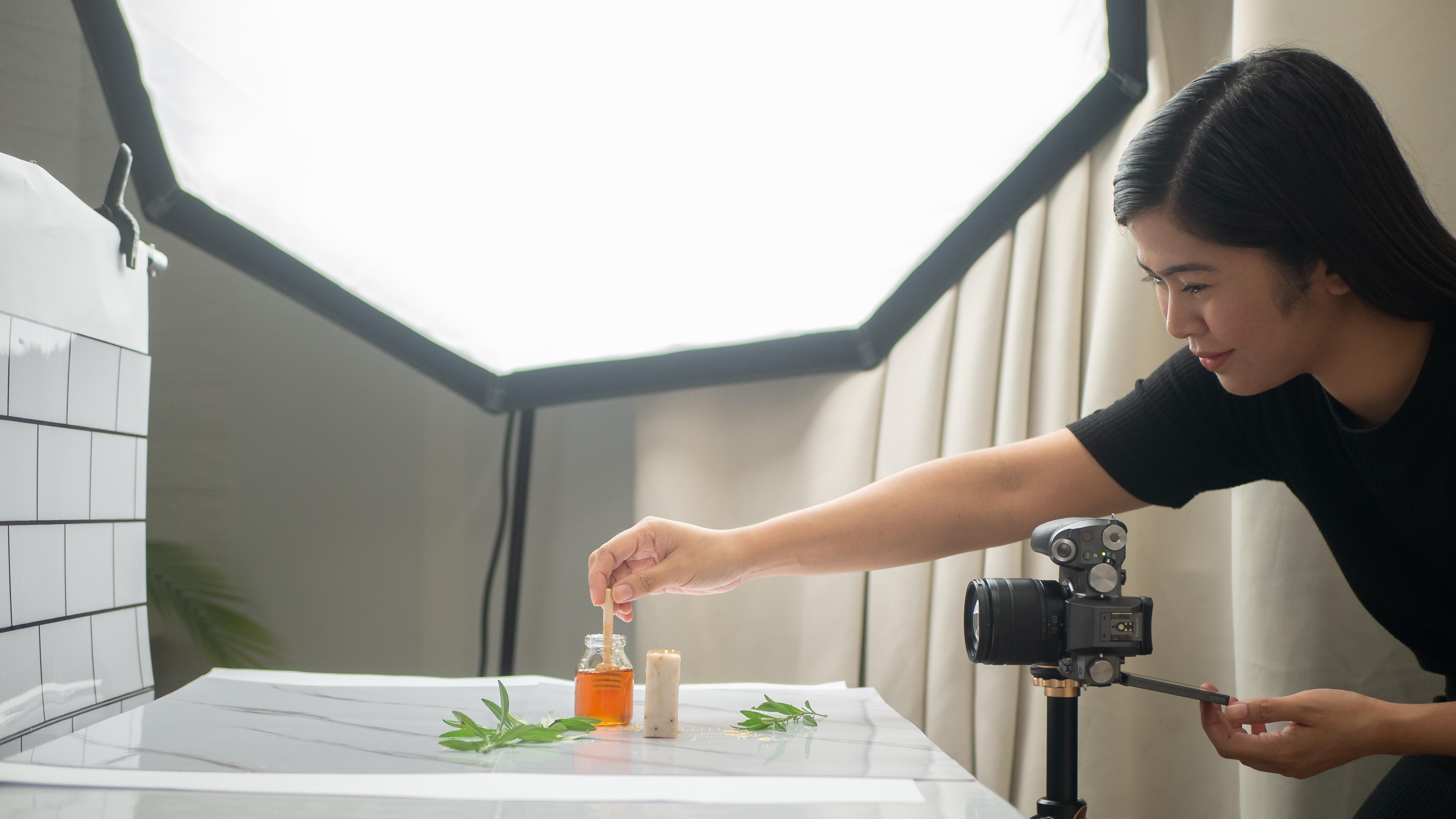
in the battlefield. Let's start working. First, let me show you my usual setup starting with
the source of lighting. I am using my multipurpose
continuous artificial light for most of my photo shoot. This is a Godox SL-60W
with an octagon softbox. I highly recommend
the Godox SL-60W if you're looking
for a reliable, beginner, and user-friendly continuous light for
product photography. However, my softbox is
quite big because I also use it for video
contents and filming classes. If you will be photographing
smaller products, you can get a smaller softbox. For a product photo shoots, setting my continuous light 20-40% is more than enough for me to get
a balanced exposure. Next is the surface
where I will be setting up and
photographing the product. This is a rectangular
folding table that I use in 90% of my
photo shoots at home. It's sturdy, flat, and easy to move around. I positioned it lateral to the light source so my subject
will get side lighting. I also positioned it where there will be adequate
front lighting too. It's looking a bit diagonal. Next is my T-stand to hold my background, then
the background. This is an adhesive
wall decor sticker that I got online. I felt that just
one is a bit small, so I purchased two
and joined them together using a poster paper. I got free clamps when
I purchased my T-stand so I can use that to
firmly hold my background. Just making sure that
our lines look straight. By the way, I am
trying to create a bathroom scene for
our organic soap, that is why I selected
this background. Next is this tile to really make it look
like a bathroom. I initially used an adhesive
wall decor sticker that came with a tile design, but it did not work
out very well, so I decided to get
the real thing to create a believable
bathroom vibe. Here is our setup. This is my go-to and
most used set up for almost all my product
photo shoots. Light on the side
or a bit diagonal, a stand holding my background, and a surface with
different backdrops or backgrounds to match the scene or the story I am
trying to tell. In the next lesson, I will be doing a
simple styling for our organic soap
and show you how I will be adjusting
the settings to get the image that I have
in mind. See you there.
13. Demo: Choosing the Right Depth of Field: [MUSIC] To help you understand the exposure
triangle and aperture, I will show you the effects of depth of field in this demo. But before we do, here are some of the
photos that I was able to create from
this photo shoot. Creating a shallow depth
of field where the subject is in sharp focus while
everything else is blurry, is a simple yet
powerful way to guide your viewers' eyes and draw
attention to the product. It's also a hack
for me if I want to hide little imperfections on
my backgrounds and props. But overall, images with blurry and creamy
backgrounds are generally appealing
and eye-catching. Now, the exciting part, my process for
creating these images. You already saw my setup
in the previous lesson. So now it's time to bring
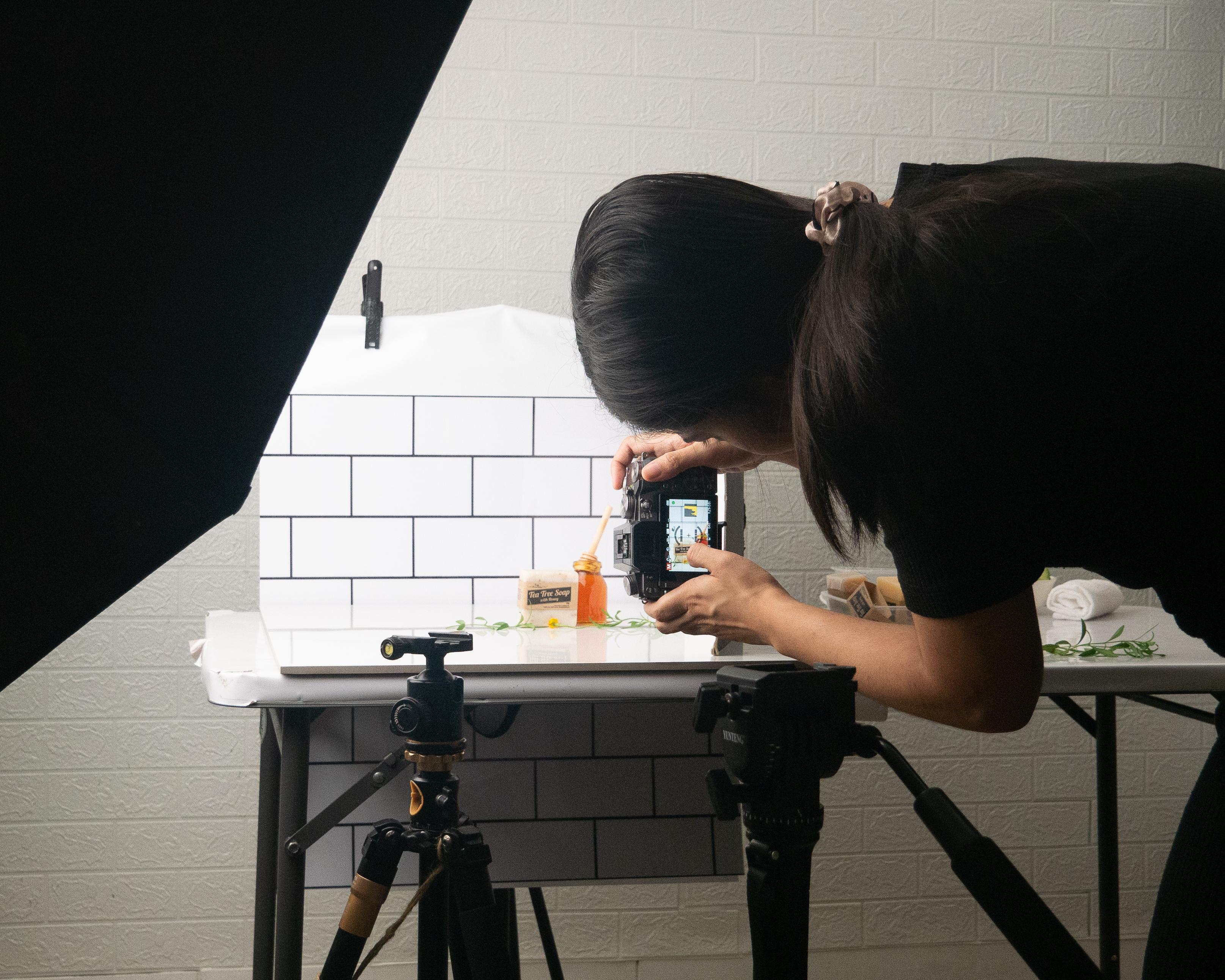
in our props and product. [MUSIC] Next is my tripod. I use a tripod in almost all
my photoshoots so something reliable is holding
my camera while I'm adjusting
settings and styling. It's like having an
extra set of hands. I can adjust this tripod
to whatever level and position I want and then
safely attach my camera. [MUSIC] To help me position my camera, I press the display
button to show me the settings as well
as make grid lines. Again, making sure that
the lines are straight, next is adding the product to our scene to help me
decide on the settings. I will be shooting
using the manual mode in all the demo
lessons so I can show you how I will adjust the three settings and for me to have more creative control. I can set the mode
dial to "M" for manual. Next is setting the aperture. I wanted to capture a
shallow depth of field, so I'm setting the
aperture using this dial on my
camera to the widest, which is 2.8 for the macro
lens that I'm using. My shutter speed is at 25, which I think is
okay since I'm using a tripod and I won't
be shooting handheld. For the ISO, I'm
currently at ISO 100, which is good because I
want to keep a lower ISO. But if you want a
brighter image and you've already set your aperture
and shutter speed, you can definitely use ISO to get a better or
brighter exposure. Now, let me take a test shot. This is okay, but I
noticed I'm making a bit of movement when
pressing the shutter button, so I decided to set
the shutter speed a little higher to help
me get a sharp image, even if there's a tiny movement when pressing the
shutter button. Aperture is at 2.8, which is the widest for
the lens that I'm using. My shutter speed is
at 100 because I'm making a bit of movement when pressing the
shutter button, and ISO 320 to compensate for the changes I
made with the shutter speed, so I will still get a
well exposed image. Now, it's time to add props. I decided to use cucumbers because it is
the main ingredient of the organic soap and
a face towel to add to the bathroom vibe and
help tell the story. [MUSIC] I cut the cucumber in different shapes and sizes to add variety and
visual interests. Adding a reflector to
fill in the shadows. Just making final adjustments until I get the shot
that I have in mind. If you will notice, I
position the props quite far from the subject so
they will be blurry. Observe what happens
when I position the props closer to the
subject and the background. I shot this photo using
the same settings, but observe the difference
with the two images. They have the same
aperture and settings, but just changing the distance
between the props and backgrounds also changed how blurry the other
elements looked. With a background
closer to the subject, you can see more contrast on
the lines of the fake tiles. The props are also less blurry. Just a quick tip
there that although your aperture determines
the depth of field, the distance between the subject and the background
and props also contributes to how focused or
blurry they will all look. Now, moving on to our
honey tea tree soap. Let me just quickly clean
up and prepare our props. The main ingredients of this
soap is honey and tea tree. So I decided to use those
two ingredients as my props. For the honey, I just bought this cute bottle and honey dipper to make
it more appealing. I also have a tea plant, so I can use that to add
more life into the scene. First, the product. Here's how it looks
with the same settings. Observe what happens when
we change the aperture. As you can see, we are getting a darker image when we set the aperture to a higher number, which means smaller
lens opening. If I want this aperture setting, I will need to adjust
the other two settings to get a well exposed image. [MUSIC] If you will notice the lines in our
background are more contrasty and we're getting
a deeper depth of field. For these demos, I want my props and
backgrounds to also be blurry, like how I did with
the cucumbers. So I will set my
aperture back to 2.8, my shutter speed to 80, and ISO to 200. Then I will be doing a very
simple and minimalist style for our tea tree
with honey soap. Adding a reflector to fill in the shadows and
here is the result. [MUSIC] Just experimenting with the positioning of
the honey dipper for a better composition. Now, just like what we did
in the cucumber so changing the distance of the props can also change the level of focus. To achieve this, I will
be shooting handheld, so it's a perfect segway to show you the use and benefits
of shutter speed. See you in the next demo.
14. Demo: Capturing Motion: For this demo, I
wanted to capture motion in different
ways so I tried some ideas I got from TikTok and Instagram Reels and here
are the final results. Before I show you the process, let's just go back
to our tea tree and honey soap situation. I wanted to show you another
example of how moving the props can make
a difference in the overall look of your image. This time I am shooting
handheld so I am adjusting the shutter speed to 200 or
one over 200 of a second, which is a faster shutter speed. Since I am getting
a darker exposure, I am adjusting the
ISO to compensate. Here's the result. [MUSIC] Even if I am shooting handheld and
I don't have steady hands, I was able to create a sharp image thanks
to shutter speed. Next, I want to capture
honey pouring into the soap to create an eye-catching
and intriguing photo. To achieve this,
I will be needing a higher shutter speed than 200. To capture motion, I am
setting my shutter speed to 500 or 1/500 of a second. Since I am getting
a darker image, I will be adjusting
my ISO to compensate. It still looks
underexposed so let me adjust the shutter
speed to 400 instead. Now for our scene, I will be doing
something different. I removed the label so I can add water and create bubbles. This is also a way to show our target customers that our organic soap here is bubbly. Next, I will be connecting
my camera to my phone via Wi-Fi so I can use
it as a remote [MUSIC]. Because of this, I can use my hand to do whatever I want on my scene and my other hand to press the shutter
button on my phone. This is handy in
situations when there's no one to assist you
in your photo shoot. [MUSIC] Next, I want to create
another bubbly photo for our cucumber soap. Same thing, I added water to
the soap to create bubbles. I positioned it on top of the cucumbers to still include
the cucumbers as props. Adding a reflector to
fill in the shadows. Again, setting our
shutter speed to 400 or one over 400 of a second and adjusting the ISO
to get a balanced exposure. I intended to order a
bubble making machine, but it totally slipped my mind so good thing my son has
lots of bubble sticks, so I gave it a shot. It's not working with me doing the bubbles thing while
pressing the shutter button on my phone so I asked my husband
to blow the bubble stick for me while I use my
phone as a remote. Here are the result. It took us a couple of tries to finally get the image
that I have in mind. I love it. That is how
you can capture motion by using a fast shutter speed and adjusting the ISO to get
a balanced exposure. You can also adjust the
aperture if you want either a shallow or
deep depth of field, or if you want to
use it to let in more light and get a
brighter exposure. I hope you enjoyed that and
got a lot of aha moments. From this demo lessons, you've seen not just
how you can freeze a moment in time by using a fast shutter speed and how to create blur by using
a wide aperture, you've also seen how
you can properly set the ISO setting to
balance your exposure. Lower ISO if you're
already getting a bright exposure and higher ISO to balance
underexposed images. In the next lesson, I will share my final
three tips to help you master camera
settings. See you there.
15. Final Tips: [MUSIC] Big congrats on
finishing this class. We have learned about the most important camera
settings and how we can use it to create
a balanced exposure. We also learned how
these settings can help put your creative
vision to life. We have learned about exposure, aperture, shutter speed, ISO, the histogram, focal
length and lenses, as well as accessories
that can help in your product
photography journey. I really want for you
to succeed and to never be intimidated by
camera settings ever again so here are my final three tips. First tip is to learn
one setting at a time. I used manual mode 90% of the time and I encourage
you to really practice it. But if ever it
gets overwhelming, start with a priority modes. Decide what your creative
priority for the photograph is. Is it the magical blur
or the freezing of time? From there, you can choose which priority mode to shoot on. Observe the settings
that your camera chooses to match your setting to
familiarize yourself. From here, you can slowly but surely ease into manual
mode before you know it, operating your camera
and shooting in manual mode is second
nature to you. Next tip is to mind your focus, whether it's manual
focus or autofocus. Check if your subject is in
focus before taking the shot. I discovered that this is different for every
photographer, but I am personally
used to using this box to focus on my subject. I think this is called the
area autofocus on my camera. Out-of-focus and
blurry images look unprofessional unless it's part of the creative composition. Finally, tip number 3.
Taking in the surroundings, observing before
taking the photo. There are things that
could be ordinary to other people that are
extraordinary to you. Your camera is the tool that could bring
that vision to life. Use it and maximize it, and don't forget to
enjoy the process. Finishing this class
is a step closer to mastering camera settings
and product photography. But really practicing it
is even a bigger step. With that said, I
really encourage you to participate in
the class project. Getting your camera and
getting your hands dirty is the sure way for you to make the most
out of this class. Don't forget the
downloadable practice guide and resources. I made it especially for you. It's like someone is holding
your hand in the process. If it's your first product
photography class, I have great news. The camera settings for me are the most challenging parts. If you can wrap your head
around these topics, you'll have an
excellent foundation to build your
photography skills. My other classes
will be easier to grasp and master.
That is it for me. I hope you had fun and found this class valuable,
but either way, please leave a review
so you can help me and your fellow students in deciding if this is
the class for them. You can do this by
going to reviews, Then click on leave review. Just answer this short
and sweet questionnaire. Finally, submit review. Don't underestimate leaving a
review because I personally read all of them and I use
them in creating classes, plus sweet and positive ones really make my heart flutter. Thank you so much for
sticking around and choosing this class to learn more
about camera settings. If you're into food and
product photography, make sure to hit
the follow button above so you will
be the first to know when I publish new
classes and do giveaways. I slightly touched on product
styling in this class. If you want to dig
deep into this topic, I have an in-depth class
about product styling, as well as lighting, composition
and creating flat lays. If you are sharing your
photos on Instagram, please feel free to tag
me and skillshare. My handle is @rosellenene If you tag me
whenever you complete a step in the class project, even better, I can't wait
to see your process. I'm rooting for you and
I wish you all the best. I hope to see you in
my other classes. Bye.