Transcripts
1. Optimize Your LinkedIn, Course Introduction: Welcome. I'm going to walk
you step-by-step on how to optimize your LinkedIn. What does that even mean? Well, by the end of
this mini course, you are going to have a highly searchable LinkedIn profile so that you can be found
for whatever it is that you want to be found for. And you're going to rank
really high on those searches. So you're either here
because you have a corporate career or you're an entrepreneur with
your own business. And you feel like LinkedIn is the right platform
for you to mark it, whatever it is that
you have to offer to hiring managers, recruiters, potential customers and clients so that you can land
your dream job, your dream client,
your next gig, whatever it might be. And by the way,
I'm also going to pull back the curtain
on what it looks like for recruiters and
hiring managers to search for you so that you have
a more 360 view of what that process looks like. So my name is Ashley Bachman. I'm a professional recruiter and the strategy and
mindset business coach, and I'm the host
for this course. Are you ready to make
LinkedIn work for you? Let's dive in. Now, I know you're curious to learn a little bit more as to what we're going to cover in the optimize your LinkedIn course. And what it is that
you're going to walk away with having accomplished. So let me tell you. The first thing that
you're gonna do is define your target. And now we're going
to talk a little bit more as to what that means. But essentially you
cannot optimize your LinkedIn profile until you know what you're
optimizing it towards. What is your ideal audience? What are you trying to attract? So we have to start there. Once we have that understood, we're going to optimize your profile and we're
going to work section by section and work through all of the areas of
the LinkedIn profile that can be optimized to work with the search
engine feature. We're also going to do a
little extra fluffing to make sure along the way
that everything is very visually appealing. Because again, this is a
marketing platform for you. Then we're going
to end the course talking about the power of community engagement on LinkedIn and how that is a big
part of the puzzle piece. There's gonna be
three big things that you walk away here. The first is that you're
going to understand what search engine
optimization is, especially if
you're new to that. Essentially it's
referred to as SEO. You're going to understand
why SEO is relevant to a LinkedIn profile and why it's a part of the
LinkedIn platform. It's incredibly
important in terms of attracting your ideal
client and your ideal job. And then because
I'm a recruiter, I'm gonna be able to
give you a little bit of a sneak peek and show you
the inside scoop on how the hiring teams
are searching for you on LinkedIn in
order to find you, once you understand
how that works, you're gonna be able to
play that ball game. That's super important. Of course, the most
important piece here is that you
are going to have a highly efficient and optimized
LinkedIn profile that's going to work for you in
whatever it is that you want, your profile will work
for you for either it's a job hunt or attracting
the ideal clients. The biggest, most
important thing here is that you are doing
all this work right now in the beginning you're
doing the heavy leg lifting work so that your profiles optimize the way you want it to. Instead of you doing all the
work to find the people, to find the jobs. The people with the jobs or the ideal clients are
going to find you. That's the ideal scenario. I want you to remember that the most important thing
here is that you will feel confident and how it is that you're presenting yourself to
the professional community, your future boss, your
potential clients. Linkedin is a marketing,
free marketing platforms. So it's important
to remember that this is a way to
market yourself. Although you have me as a
guide to work you through the steps of this course and the steps of optimizing
your LinkedIn profile. You have to remember that
you have to take action. You have to take what I'm
teaching you and implement it. So I recommend that
you pause after each of the course sections
and accomplish optimizing that section of
your profile before you continue in this
course is going to be so much easier if
you do it that way. Keep in mind that this course
is designed in a way where the content is going to speak
to a wide range of users. So some of you might
be graphic designers, software engineers, leadership positions, or you're a business owner and you're using this to attract clients. It's important to remember and understand that you need to know your unique objective and apply the concepts that I'm teaching
you to your own scenario. At the end of this course, the project that you will
be able to accomplish is you're going to
take some screenshots of your LinkedIn profile, whatever sections
you want to share, all of them or some of them. And you're going to upload
it to the project section. And you're going to
talk a little bit about how you implemented the content of this course
and your unique objective. The power of you
sharing is going to empower the community
taking this program. You are also welcome to share your LinkedIn URL so that you can engage
with the community. Because a big part of
this program, of course, is understanding the power
of community engagement. So feel free to share
your LinkedIn profile of whatever it is that
you've optimized. And with that being
said, let's get started.
2. Examples of what works, and what doesn't!: So let's look at
some examples of a working profile and some examples of,
let's just say, uh, not working profile, one that could use some improvement as we move through the course
and we go through each of the subsections of a profile. We'll dive deeper into some more examples and
not working samples. But just to get
going, Let's look at some success and room
for improvement here. So here's a working profile, and there are so many reasons that can make a profile work. There are so many
different features and filters that you can utilize depending on really what makes sense for whatever it is that
you're trying to target. So again, just some
examples here. This is clearly an entrepreneur. He is coach of some kind. Why are we able to
tell that so quickly? Well, he's got a banner photo of him public speaking on stage. So you can tell he's in some
sort of leadership position where he is teaching and
educating groups of people. And he uses, in
his bold headline several key words that very much describe what it
is that he offers. So he's optimizing
his headline there. There's so many
different ways to it, to optimize the headline
will dive into it. But for this purpose,
for his profile, he wants you to know
from the get-go, right when you look at his page, what is the variety of
services that he can offer? And he's making that very clear. You can also tell that he
has an expansive network, so he has a lot of
people following him. It also says he has 500 plus
connections on LinkedIn. If you have less than
500 connections, it will show you
exactly how many, but if you have over 500, it'll just do 500 plus. That indicates that
he is very well networked and very
well connected. And if you connect with him, it's only going to
expand your network. He's also using the
featured section. This is going to be
the first section that will actually pop
up before you're about area or your summary
if you choose to use it. So if you're a
creative and you have a portfolio link that
you want to put here. Or if you have just released some new offering or project, and it's got some sort of
digital media aspect to it. And you want to
put that media and your featured section,
then that's great. That's going to highlight whatever it is that
you have to offer. You could also do a short video and you could record
yourself saying, hey, this is me and this is
what I have to offer no more than a minute long and you can put that
in the featured section. This is an area that's
highly under-utilized. And if you're good in front
of the camera or if you have any sort of
digital media already, this is a great
place to upload it. When we go further down
on a profile page, when we look at the
working history section, this is an example of
a working profile in this section and a
couple of reasons why this section is working. This person is showcasing
that they have promotions within one company. If you don't have promotions
within one company, you can't lie, you
can't fake it. But if you do, you
should make sure that you're importing
that information properly so that it
all shows up under the one company icon
and it will indicate a timeline that shows you started here, move to this role. Moved to this role. It'll indicate the timeline, so it's important to keep
your profile up-to-date and accurate if you ever do get promotions or
you change your job. The other thing that's
working really well in your individual work history, you can upload again, media that's
relevant to the job. So again, let's say you're a videographer and you worked
for Discovery Channel, and you have demo reels of
the videos that you've done. This is a great place to
upload and attach some of the relevant demo
reels or media that you have that you did at
that one particular jobs. You can really
associate the work you've done to accompany
where you did it. The other thing that's really
working here is that they are mentioning in
each of the jobs that they'd had very high level the roles and responsibilities
that they did in the role. Or if there's any sort of key metrics,
data-driven results. They're mentioning
that here as well. Now let's look at one example of a profile that's really
not working that great. There's no banner photo. So you can tell that this person really doesn't
understand LinkedIn. They don't know how to
showcase themselves. It just looks dry and dull. They don't have very
many connections, so they're not well networked. There About section is not personalized or
optimized at all. It's very highly underutilized. All they have is a website link. So there's so much
more opportunity in your about section to
implement more keywords here, talk more about what it
is that you're targeting and your job search or
as a clientele base, and it's just really
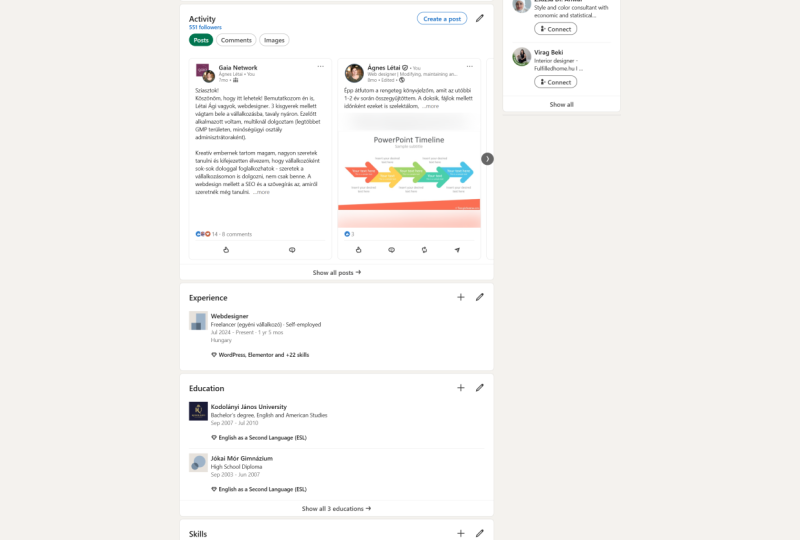
falling flat. There's no recent activity, which means that
they're not engaging on the LinkedIn community. Which means that if I were
to come to this profile, I might be concerned that if I spend my time to reach out, connect, send a message, it might be falling
on deaf ears because this person is clearly not
even active on the website, they may not even
see my message. There's also no mention of companies or industries that
the client worked with. So when you look at
their work experience, they're saying that
they're a freelancer, which is totally great if you freelance or contract
is somewhere. But that isn't there obviously. But you need to elaborate on what clients you worked with, what industries you worked in. Maybe you want to mention
some projects you worked on. There's absolutely
no detail here. And a freelance, let's say a
freelance graphic designer. You could be working in pharma, you could be working
in beauty and fashion. These are totally
different industries and you're going to attract different clients
and different companies. So it's really
important to detail out the industries and clients that you've worked
with and to really elaborate on the roles that you had and
what you did there. That's it for
working profiles and not working profiles
at a very high level. In the next section, we are
going to dive into what is SEO and why is it relevant
to LinkedIn profile.
3. What is "SEO" and Why is it Relevant to LinkedIn?: Okay, I am not going to assume that everyone
taking this course has a thorough understanding
of what SEO really means. So before we dive in, it's really important to
understand what SEO is and how it applies to
LinkedIn in general, because SEO is really the foundation of what
this course is built on and the tools that we
are going to be using for creating a highly
optimized profile. So what is SEO? Seo stands for search
engine optimization. And first, just think
about that phrase. Search engine optimization. Anything that is a search
engine can be optimized. So first-off, obviously,
Google is a search engine. Yahoo is a search engine, but also Instagram is
a search and Facebook. Facebook is a search engine. What does it mean to
optimize something? Optimization means that when someone typed something
into the search bar, your page, your profile, your website, whatever
search engine, whatever applies here, is going to be one of
the first profiles that show up at the
top of the list. It means that that page
is highly optimized, which means that say e.g. someone's searched how to paint my living room with red paint. That first web page that
shows up is going to have a combination in any which
way of those keywords that were typed the most amount of times on their website. So whatever profile or site
has how to paint, red paint, whatever combination of words, the most amount of times
throughout the entire website, it's going to show up first, think about a blog post. If I were to say the same thing, how to paint my living room, maybe a blog post is going
to show up the most. That didn't matter of times
because in the article that's written to how to
paint, how to paint, how to paint is just
repeated so many times as relevant and reasonable so that it shows up in one
of the first results. And that's really what
we're trying to do here. We're trying to optimize your profile so that it shows up in one of the
first search results. Because think about
Google search. How many times are you
going to the second page, let alone the fifth page. And there's hundreds of
search pages that do pop up. You're looking at the first 123, maybe four results to see if it accurately populated what it is that you're trying
to find, right? So it's important that you cut the chase down
and make yourself really, really relevant to whoever
is searching for you. So that's where we,
now we talk about LinkedIn and how
it's relevant here. While LinkedIn is a
social media platform and very much often referred to that as a social media
networking platform. It is also a search
engine because people are going to LinkedIn
to search for many things. They're searching for companies. They're searching for
individual profiles and they're searching for jobs. There's probably other
things that you're searching for on there. But when someone goes
to the search bar and they search for
a person's name. If they were to
search for Ashley, there's gonna be a hundreds
of Ashley's that pop up if they're going to search for New York
advertising agencies. All of the relevant New
York advertising agencies that are companies listed in LinkedIn are going to pop up. But the most relevant
ones are going to pop up first because they've,
they've written that. They've said that
they're in New York, they're an advertising agency. They're written that
in their profile. So it's going to pop up because
one of the most recent, there may be other factors at play in terms of the algorithm. Maybe a website that has
a lot of engagement, a lot of followers might also pop up at the top
of a search result. You can control to a
certain extent how optimize your profile is in
regards to those keywords. So before we can
optimize, again, before we can optimize
your profile, you need to understand what
those keywords even are. And again, that's
going to be unique to whatever it is that
you're targeting. But that's what we're gonna
get into in module three. In the next video,
we're going to start to define your target. And it's going to be
unique to everyone. So take what I say and apply
it uniquely to your goal.
4. Define Your Target: Okay, it's time to define your target and lay
the groundwork. Now before we go any further, I just want you to consider this video that
you're watching right now as an introduction to what do I mean by
defining your target, there is an attached downloadable worksheet
that's going to take you uniquely through
step-by-step on how to do this. So hold tight. Let's get through this section. And then once you
download the worksheet, that's really going
to guide you through. Before you can really start to optimize your LinkedIn profile, you need to know what it is
that you're striving for. So what do I mean by that? What I mean by that is
you need to ask yourself, what do I want to be found for? Now? Again, your
situation is unique. Ask yourself some
of these questions. What type of job am
I trying to land? What type of company
do I want to be partnering with or work for? What type of skill
set or offering do I want to emphasize in my profile so that I can attract the potential clients and customers that are gonna
be the best fit for me. Here are some other questions
you can ask yourself. Who do I want to be found for? Who is it? Who's out there that's searching on LinkedIn
that's trying to find me. What company might be
trying to find me? Is there a hiring
or recruiting team specifically that I might want to engage
with? I think e.g. if you are a some sort of creative corporate
or freelancer, you might want to engage
with creative circle. They are a contract
recruiting agency that works on creative jobs. So you want to know
that that company exists and you want to probably connect with
those recruited. Recruiters will talk
more about that in networking and community,
community engagement. But you want to know that you're trying to target that team. Are you trying to seek your
ideal customer or client? What would your ideal customer
or client be searching for if you are a business coach, put yourself in the mindset of your unique target customer. What are they trying
to accomplish? Who are they trying to find? They're trying to find an entrepreneur for
handmade product business. They're trying to
find an entrepreneur for some sort of
service industry jobs. There, a personal
trainer, coach, and they need a
business coach to help them expand their business
and their clientele. Who is your target client
in this situation? And what is it that
they're searching for? Now, this comes down into niches and really
understanding your business, which is a whole
other can of worms. But you definitely need
to understand who it is that you're targeting before you can optimize your profile. And lastly, are you seeking to, are you seeking to recruit
talent or team members? Then you would want to
make sure your profile is optimized to attract
those people. This is where I want you to download the worksheet
that's attached. It's going to guide you
step-by-step on what you need to populate and research and have on hand
and really sort through. Basically you're going
to be pulling up job descriptions or
company websites. Again, depending on
your unique search and you're going to identify keywords that are relevant to
what it is that you offer. And you're going to
make sure that those keywords are ultimately going to show up time and time again
in your LinkedIn profile. So go through the
attached worksheet before you move
on in the course. What we're going to be
doing next once you've attempted that and
achieved that worksheet, we're going to start to optimize your LinkedIn profile
and we're going to break it down
section by section.
5. Optimize the "Bio" Section: Profile optimization. This is literally why
you guys are all here. This is where we're going
to do the heavy lifting, but you're gonna do all
of the work right now. So that your profile is then set in a place where
you feel really confident that you're
going to start reeling in and attracting the
relevant companies, the relevant recruiters, the relevant customers and clients. So this is where we do the work. We're going to break down your profile into
different chunks. And each module is going to be a different chunk
and attached to each module in this section or each lesson in this
section, I should say, is a downloadable
worksheet where it's going to help you work through step-by-step in more
detail how to really make the decision on each facet and feature of this section
that we are focusing on. So consider the video as a good place to
start to learn and understand the
purpose of each of these sections and
what it is that you are trying to accomplish. And then use the worksheet
to guide you through actually taking action
on your own profile. And again, I recommend that you complete that section before
you move on to the next. So we're going to
start with the bio. Now I'm going to
show you examples of what that is with me. But the purpose of the vat
of the bio is it's sort of like this five
second snapshot of you. And if someone is going
to look at your profile, It's the first thing they see. It's the most visual aspect of your entire profile
because you've got areas where you
can put photos. And it's going to
be the area where someone says yes or no in terms of let me
keep reading or no, this is not irrelevant
profile for me. So you really want
to make sure that you present yourself to
the best that you can. In this section, the
goal is to create a very welcoming and approachable bio should
have a friendly, professional and clear photo, a headline that explains
what you're doing and targeting and an
accurate location. The other thing I
want to say about the bio is that
there's not a lot of sections here that you can optimize in the sense
that they're searchable. The one section that is really searchable
is your headline. And we will go
through a variety of what your headline
can look like. The other areas are really just some tips and
tricks for you on how to present yourself well
and professionally. So this is what recruiters see. Recruiter see a long list of profiles and we can click into each profile to
get more information. But at the top level,
I do my search. I put my keywords in a, say I'm looking for a project
manager for a tech company. And the job description
is saying that this person should be working in this particular type
of industry and know these particular
types of softwares. I'm going to use all that
information to try to find the candidate for keywords and locations and
all of these things. When I press Enter, I'm going to get a list
of 25 results per page. And it's just gonna be a
long list of candidates. So what am I seeing in
regards to the bio? I'm seeing your photo, I'm seeing your name,
seeing your headline, and also if you have
any contact information listed on your profile, whether that's put in
by yourself or put in by my own colleagues
through my agency. I'll see your contact
information as well. There's my cat chiming in. So here's a working example. This is obviously a creative
corporate employee. And why is this a working
example of a bio? Well, she's showcasing what
type of creative she is. She has a background
to her profile photo, matches the banner
photo that she's obviously customized
and made here. And she's showcasing some of her graphic skill sets in
the banner that she's made. She's also making
it very clear that she is a bit of a
digital designer or that she knows how to use
certain softwares where she can create these
digital visual effects. I think it's amazing
that a creative we'll go and make their
own banner image. It's very relevant here. And so she's showcasing some of her skill sets right
from the get-go. And she's making sure that it's visually very appealing and
synchronistic connection between her banner photo
and her profile photo. Another reason why
this is an example of a working bio is that her
headline is very descriptive. So she is telling you
places that she's worked, the types of skills such
that she has as a designer, she's not just telling
you designers, she's telling you what kind of design and what she
is passionate about. And so she's really
optimizing this section. And the headline again is the one section that
you can optimize. And it's going to
be an area where keywords will add up here. So if I'm searching for a designer that's worked
at Google before, and she has that in her
headline that's going to help bring her profile up to the
top of my search results. She also has an
expansive network. She's got over 500. Connections. Here's another example of exemplary example of
a working profile, but not a corporate employee. This is obviously someone who's running their own business. So why I love this profile
is that they are tiny. They're optimizing
their banner or profile in a different
way in the sense that not necessarily that your banner picture is
going to be searchable, but it's optimized
because again, this is your
five-second snapshot. And so while he can put all of this information further down in his profile in
the about section, he realizes that when someone
clicks on his profile, the top of the profile is the
first thing that populates. He is using his banner photo. He's customized an image. It's got clean
professional photography. None of the text
is being hidden by his icon photos, profile photo. He's got his company name in
there and he's giving you a really quick snapshot of
what he offers in his company. It's amazing. You could
put pictures of flowers, you could put anything up here. And he has given you more information about
what his businesses, which is really new and it's
enticing you to learn more. He also has a
descriptive headline that puts his URL link in there. And even though it's
not a clickable area, I wouldn't be able to just
simply click on the URL link. I could copy and paste that and put that in my own search bar. He's making sure that his company URL link is also right at the
top of his page. Let's look at some
more working examples. These are a little bit
more straightforward and a little bit more zoomed in. So I love these as
examples because again, as a creative I can
tell what kind of creative he is at the top
here we don't have a name, but you can tell that he has made his profile photo himself. What that tells
me as a recruiter is that he's an illustrator. He knows how to illustrate
images and this is a little bit of his
personal style and aesthetic. The next one is a
different example I wanted to show because it's
a lot more straightforward. Her headline says she's a
freelance graphic designer. What does that tell
me? It tells me that she's a candidate
that is open to opportunities that our contract
only and back that might be what she prefers are the only thing that
she is open to. And so she's not
saying anything else about what kind
of industries and she's in or what
kind of software. She's not giving me a long list. And I would say that
simple headlines like this as a freelance
graphic designer. That's okay. It doesn't have to
be a long paragraph. You don't have to maximize the
amount of characters here. You just need to be very clear on what it
is that you offer. And I think that she also has a really clean professional
profile photos, obviously taken by someone
else with a clean background. It's very friendly, very
welcoming, great example. Here is an example of a profile in the bio section
that is not working. He doesn't have a
banner photo at all. His profile picture looks
like it could be a selfie. It doesn't have a
clean background. In fact, it's really hard
to tell his face from whatever poster
image is behind him. And it's not super approachable. He's not he's smiling in it, but this isn't a
professional photo. It's definitely a selfie
Which cut that, cut that, cut that out right
now, in his headline, he's using a lot of fluff words. He's not really being
super clear on what it is he offers well-rounded designer. I mean, it's not great to talk about soft
skills that you might have in your headline or to just say that
you're a designer. Like what kind of designer don't say You're just a
project manager. Project manager for what kind of industry or are you a
creative project manager, you a technical project manager, you need more
defining adjectives. Avoid the fluff words, and when you're creating
your own headline, I just want you to ask yourself, are these fluff words or
are these defining words? He also has a really
small network. It just goes to show that
he's not very active on LinkedIn and he's
not well-connected. This is where you are
going to download your own worksheet and
you're going to work step-by-step, finish
this section. And once we're finished,
we are going to work through the About section.
6. Optimize the "About" Section: The about section of your LinkedIn profile is a
huge area for you to optimize. This is a free form
section where you can write whatever you want to
write with no parameters. It can be as short or
as long as you want. And the goal of this
area is to really amplify your skill sets
in terms of optimization. I mean, in terms of
optimizing your profile, the goal is to
amplify skill sets, meaning all of the skill sets that you are going to say that you can do when you get down to your work history and
you say at this job, I did this and this and this
and use these softwares, you're going to
basically duplicate that information in
your about section. Now I'm not saying
copy and paste and have it be exactly the same. You want to write a nice summary and you could do that
in paragraph form, you can do that in
bullet point form, whatever style works for you. But I'm saying that you want
to duplicate the amount of times that those keywords
are on your profile. So if you are a software
engineer and man, I shouldn't use this
example because I don't know anything about
software engineers. But if you're an
engineer and there is a particular software that
you are familiar with. Maybe it's a cutting-edge
software, something brand new, but a lot of companies
are interested in candidates that
notice software. And you know that this is a
big selling point about you. Not only are you going
to want to put the word written word in
your work history and we'll get to that later. But you want to also put
that in your about section. It's about having that word
show up as many times as you can on your profile in
general as a whole. Because if I'm a recruiter
and I'm searching for you as an engineer and I'm
putting in that key words, I want an engineer that
knows that software. Your profile is going to come up at the top of
the search because it has that word repeated
many, many times. The power of the about
section is huge. Now beyond optimizing the, beyond the purpose
or the goal of the about section in
terms of optimization, you also just generally want your about section to be
saying, this is who I am. This is the kind of role and responsibility that I can offer. This is the kind of job that
I'm targeting right now. This is like I'm active
in my job search or here's my portfolio. You want to have all of the relevant
information that any, anyone that is coming to your page is going to
want to know about you. You want that to be in the
about section because this is the first section after we
get through your entire bio, you scroll down and this is the first
section that we see. So this area is critical and it's a great
place where you can also showcase your personality. Free-form write in a
professional manner and a humour and
humorous **** manner. But definitely make sure that you indicate the hard skills, not just the soft skills because I'm not necessarily searching for a great problem-solver
or great communicator. Like, I can't guarantee those. When I'm screening you as a hiring manager or a recruiter, you're gonna tell
me you can do that, but I don't know that for sure. I'm looking for
hard skills, right? So no fluff words. This is what a recruiter sees. So it's called a summary on the back-end
for the recruiters. And I only see the first line, I have to click on
the see more of summary button to know what
else you might have typed. Those first couple of words, that first line, that first
sentence needs to hit home. It needs to really
make the point. So think about this. Say you have you're doing an elevator pitch and
you want to make sure that someone is roped in from the very beginning
of what you're saying. You don't want to make your
point at the very end. You want to make your
point at the beginning. You want to say to this person, I'm a contract graphic designer, skilled beauty and
fashion industry. And then you go and you elaborate
and you tell them more. But you want that first
line to really real the right people in whatever
is relevant to you. So just know that
as a recruiter, we only see that first-line
and I want to be reeled in. I want to know that this
bio is going to have the information that
I want that it's going to tell me the
story about you. Here is a working example. Now feel free to
pause the video, zoom in, read through, but I'm going to take you through the bullet
point list here of why I would say that this
is a great working example. So this About section is listing the skills and the software knowledge
that they have. These are going to be highly searchable key terms,
so that's great. They're giving a brief synopsis of their career and
their backgrounds. So anything that I might learn from them in an
actual phone call, I'm probably getting
a really good idea for their summary. They are showcasing their
unique personality, so it's not dry and
written by a drone. They're sharing links
to relevant sources or portfolios there indicating
that they're open to work. You can see at the bottom
here it says open to work. This is a feature in
LinkedIn that you can use. To indicate to recruiters that you are open to networking, you are open to
new opportunities. I definitely encourage
that you turn that on and that's relevant. And at the bottom it says that they're
following my company, The company that I worked
for professionally as a recruiter since whatever year. And that just tells
me that they're engaged with my
recruiting agency, which means I've got a pretty good chance
that they're going to reply to me and
engage with me. And we'll talk more
about what that means in the community
engagement later on. Here is another
great example of a working about section that
is totally different. Instead of a full
written paragraph form, this person is just
doing bullet points because they get it. They understand. They need to do. They need to put every
relevant keyword in there, bile or optimizing their bile. This is an amazing
about section. And you can see here that all of the words that are actually
highlighted in light blue. This is from a search
that I actually did and I had animation
video motion. I had these words in my keywords filter and we'll
show you that later on. But this is indicating here that when I found this profile, when it came up in
my search results, it highlighted for me all of the words that I was searching for throughout their
entire profile, it showed me, okay,
You want to know about this person
with animation? Here's all the places
where they mentioned animation and I can go straight to it and see what is relevant. And you can see how
many times that it is repeated and highlighted. So you can get a better
understanding here of, again, what it looks like on the back-end for a
recruiter to be searching. And what it looks like to have those keywords in
the right places. Loved the bullet points. I think it's a great way
to go super efficient. And they're also indicating
their job preference and their search status
at the very top there saying here's
the current status, they're seeking x opportunities. I love that. I don't see that very
often and I think that's a great thing to have
at the top of your summary. If you are actively
looking, put that in there, maybe indicate the
kinds of jobs that are job titles or
industries that you're attracted to that
will help to attract the right people reaching
out to you as well. Here is a working example
from what it looks like on the LinkedIn side rather than on the backend
of the recruiter. So this isn't about
section and on LinkedIn profile in terms of what the entire world can see. I can see the first three
or four lines of coffee. And so this is a
relatively short about a written about summary. And so there's only three
lines showing here. But before I have
to click See More, I can see the first four lines. If I happen to be a potential
client and customer, and I'm operating on the standard LinkedIn
web search interface. I'm going to see
everyone's profiles is we're all used
to seeing them. And I'm going to
see the first three to four lines of copy. You can know that this is a, this is an area
that you want to, again, real people in with
the relevant content. And then later on you can
go through an elaborate, just know that we're
only going to see the first four
lines of copy here. But this is a great
example because it's short to the point. It attaches the website, it introduces them in what
they are skilled in generally. So I know what kind of
candidate this, this person is. Here is an example that's
not working again, a screenshot from the LinkedIn profile website
interface as we all know it. But why is this an example of something that's not working? Go ahead and just read
the first line here. So this person has been in professional work
experience for over six years. And the first thing that
they're telling me is that they graduated at the top of their
class at their university. I'm sorry. After six years, I don't
care about that achievement. If you were in your first year, if you were in an internship
first year or two, maybe. Maybe that's when
you mentioned that, maybe that's notable,
maybe that says something. But once your six plus
years at this point, your work experience is going to speak way more highly
and weigh more. It's going to be
way more relevant than what university
you went to, maybe even what degree you got and the fact that you
graduated top of class, I would say 1% of
the jobs that I work on actually
ask to see a GPA. So I don't care. I'm just going to put
it straightforward. This is irrelevant information. Understand where you're at in your career journey and make sure that you are
putting relevant information. One of the things
that is probably the biggest waste
of time when I'm interviewing candidates and I'm actually speaking with them. And I say Tell me a little
bit about your background. They'll go all the way back
to the beginning of times, especially even if
they'd worked 15, 20 years, they'll slow ball all the way back to
the beginning of time and they'll
tell me how they started in their career. And yes, that tells
a beautiful story of how you got
from this place to this place to this place. But I want to know about what's recent and what's relevance. So think about that when
you're writing your bile, what is recent and
what's relevant? Now you are going to download
the attached worksheet. It's going to help you work step-by-step through
writing your bio. You can reference
these examples as you do that and
just remember too, as I keep saying, make everything relevant
to your unique search. Next, once you've
completed this section, we're going to go into
optimizing your work history.
7. Bring your Target Research into your Profile: I want to hop in
here really quick before you go and
you start working on optimizing your work
history section to circle back to
what we started with, which was defining your target. So again, there's a lot of
different scenarios out there. And I want you to
take my example and apply it to your own
unique scenario. Say you're in a
corporate career and you want to attract a
graphic design job. So what you did in that define your target section was
you did research on what a graphic designer
requires in a job. What are the roles
and responsibilities? What are the job requirements? What are the softwares that a graphic designer
needs to know? And you are looking at the job descriptions that you pulled out that we're
good example for you. And you're finding
those keywords that are across the
board, always showing up. What that tells you is that as a keyword that me
as a recruiter is going to use to try to find
you as the ideal candidate. You want to make sure
that those softwares and those key roles
and responsibilities, the type of projects
you worked on, the type of industry
you worked with, the type of clients you worked with, whatever it might be, you want to make sure that that is on your profile because I'm using that to try to find you for this
particular job, write me as a recruiter. So just remember the
research that you did during the
define your target section and make sure that it is in your work
history section. That's where you're gonna
be able to impose a lot of this information
multiple times. You want to make sure
that these keywords are showing up as many times as is relevant
on your profile. Because the more time that
that keyword shows up, the higher you're going to
populate on the search, right back to the search
engine optimization training. The other thing to keep in
mind here is that you want to create a profile that targets whatever it is that
you're looking to do next, which means there's
a good chance that, that may not be what
you've already done. So as an example, as
a graphic designer, maybe your earlier
in your career or you're making a pivot, say you've been at
administrative assistant. Well, that's not a
graphic designer, but maybe in that role you
did do some graphic design. You want to put in the written section of the
job description that you use the Adobe Creative Suite and
you use Photoshop and you design brochures and you
design assets for the website, whatever is truthful
and relevant, make sure it's in the written
description of all of the relevant job descriptions in your work history section. Another example that I
want to give you a really quick Is job titles. Depending on what you're doing. A job title can mean something different depending on
the company you work for. And sometimes people have very unique job titles that meant something
very specific to the company they're at and
doesn't translate very well to a general job search. I want you to be truthful in your LinkedIn profile with
what your job titles are. But in the written section
of your work history, see where you can put in
other familiar key terms. So a good example is
someone in sales, inside sales, sales representative,
business development manager. These are all
different job titles that really mean the same thing. So if you are
business development manager in your job title, but use the other
familiar job titles somewhere in your work
history written section. Does that make sense? I hope you can take
these examples and apply it to your own
unique scenario. My point here is
before you go into the work history optimization
section of this course, I want you to resurrect the research you did
at the beginning and make sure that you
keep that a top of mind while you're building
out your work history. Let's get into the work history.
8. Optimize the "Work History" Section: We are finally getting to the work history section
of your profile. This is probably the one of the most important sections of your LinkedIn profile
because this is literally what people
are coming to see. They want to see
where you've worked, what your experiences,
what you're capable of. And in terms of this course, it's one of the most
important sections because it's also sides
the about section, an area that can be
highly, highly optimized. So the purpose in general of the work history
section, of course, is to show your work history, show your relevant and
current experience. Show any promotions, the company longevity,
your career trajectory. It's very important, very, very important to keep this
section up-to-date, e.g. if unfortunately you've
been laid off recently, but your current
most recent role says that you're still
presently there. That's going to be very
misleading to Pete, to recruiters and hiring
managers that are looking at your profile to
see, are you open? Are you going to be
looking for new work? If I see that you've been
at your last company for six years and I've got
a six month contract, I'm thinking you're
not going to leave a year-long role for
a six month contract. That might not be true if
you've been recently laid off. You might actually be open to a contract role where you
might not normally have been. So that's just one example of the importance of updating
your work history section. The goal in terms
of this course, of course, is to
optimize your profile. And so in the work
history section, you are going to have
an opportunity to duplicate and amplify
and repeat keywords that are important to who you are and why you
wanna be found for in the details section of each job that you've had and we're gonna look
at that right now. So first off, here's
what recruiters see when we are looking
at your work history. This is high level
information that we see when we do our search with all of our keywords and our
location and our job titles. Again, we populate a list
of 25 results per webpage. And it's just person after
person after person. And it's important to stand out. But that's probably a
topic for another time. When we're looking at this page, I can see the first couple of jobs and it will put in bold, whatever a job title is
that I searched for. So e.g. in this search, I was probably searching
for a digital designer. And so in my search
results, it bolded. Every time a person
has a job title, digital designer,
however, it only shows me the first couple of most
recent jobs they've had. I would have to
click to show all and expand to see all
of their work history. Or I would just click on
their name and it would expand their profile and I
would get to see a lot more. But I'm only seeing
what is recent and what is relevant
to my search. It will bold the relevant key terms
that I've searched by. And again, these
people are showing up at the top of my search
because based on the keywords that I've put
in these profiles have those keywords the most
relevant and most frequency. So here is a working example
of a work history section. This person is saying what their job title
is, where they work. They're indicating that
they were full-time, which means they were
a permanent employee. They put the proper location of the company and how long
they've been there. They're keeping all
that up-to-date. You can see here
in the blue word, I use the word client
in my key search. And so it's populating and show and highlighting that
word for me to show me where that's showing up relevantly in their
profile at large. Why I think that this is a working example
is they're very, very detailed here about
what they did in this job. And there is no reason why
you can't be overly detailed, because you really want to
be putting those keywords in as many times as
you reasonably can. So they've got bullet points here of the roles and
responsibilities, the things that they
did in this position. And then because it's
relevant to their work, they have indicated the
brands that they worked for. So they likely work at an agency where they had
a variety of clients. And they're indicating
the clients who worked for that's
great because I'm going to have a better
understanding of the type of industries that
they've supported, which is helpful for me to know depending on what
I'm searching for. Now, I want to show you an
example of what's not working. There are so many jobs
here and this person has barely indicated what they're doing in a few of these jobs, they've attached some skills. So you can see here there's
a section that's bolded. It says skills and then there's a couple of different tags. After that, you
can put that into your work history
section per job, you can attach skills
and when you're going to edit your
work history area, that will prompt you to do so. It's a great thing to do. Put in skills there, you can put softwares
you've used. And he's sort of hard skill sets that are relevant to
that particular role. And it will also
be a keyword that will repeat throughout
the profile. So a great area to amplify
those keywords again. But in the free writing area, that description of the role of this person hasn't
written anything. I have absolutely no idea what their roles and
responsibilities where I don't know anything about the job that they had and I might not even be familiar with that company if it's not a big enterprise
level company, I probably don't know it. Then again, I don't even know what industry your
company is in. So it's really important
when you're writing in your work history example, what industries the company, and what kind of
clients do you serve or what kind of projects
do you work on? You might indicate
the team structure, who you reported into, how many people you
worked alongside. Then you might
indicate the types of projects that you worked on, what you are responsible for, what your day to day look like. If there are any
softwares that you used, anything that you
learned on the job, you want to put
all that in there. This person has nothing. Okay, So now you are going to download the attached
worksheet that's going to help you build out your work
history section step-by-step, unique to you and
what you're looking for after you've completed that, we're going to review a
couple of more features and filters that LinkedIn has
that you can search by.
9. Utilize your "Features" and "Filters": Okay, We're going to
take a really quick look at some features and filters that LinkedIn has as some additional
options for you. There's not a whole lot
for you to act on here. It's a little bit more pulling back the curtain to show you some of the extra filters that us as recruiters
might search for. So this is really mostly
going to apply to corporate career people because potential customers and
clients for any sort of entrepreneur is
not going to have access to LinkedIn recruiter, which is what I'm
showing you here on all the slides of what
the recruiter sees. Very relevant for
corporate career folks. This is what recruiters see
when they look at skill tags. And so we just spoke about this in the
work history section. The skill tags here
is an area that is not necessarily a free
write, but it's tags, it's skillsets or softwares that you know that
you learned or you did on that particular job
that you're tagging it to. And it's just an
area where you can highlight some of your skills. And the attached downloadable
worksheet or guide, I should say, is going
to link you straight to a LinkedIn resource
on how to do this. If it's something that you were unsure about doing
in the last section. I also want to show you
what some of the filters look like for a recruiter
to be searching. One of the big ones here
is the spotlight filter. So we can filter by spotlights. If someone has indicated
that they are open to work, I can filter by that. The reason why that's
great for me to filter buys because I'm going to increase the likelihood
that the candidates I reach out to are going to
actually engage with me. However, you as the
candidate would have had to indicate that setting
on your own profile. So it can also be very restricted if I do
choose to that way. But if you want to ensure that candidates
are going or that recruiters and hiring
teams are going to find you through this
search message method. And you are a corporate employee that is actively
looking for work, whether you've lost your
job recently or not, but you're actively looking, you want to make sure to put
that spotlight feature on and definitely make sure
to take it off when you're no longer actively looking. My attached downloadable
guide is going to link you straight to a resource
on how you could do that. But here are some other
sections that we filter by. We put in job titles, we put in locations. Sometimes we might
search by companies. We can even search by zip code by year since
you've graduated, if there are certain
requirements for the job in regards to how many years that
you may have worked. If you wanna be more,
if we're looking for a more junior or
senior candidate. And then I've got a
free area working right in any sort of
keyword that I want. And again, all of the factors that I put in
here that's going to be based on the job
description that I have that I'm trying to
find the right candidate for. And then when I input
these features, it's going to populate all
of the candidates from highest priority of matching term results down
to lowest priority, least matching result, but still somehow relevant to
my search results. The keyword section is it
really free form area? And I am going to be
using keywords that are really commonly understood
in the industry. So that's something for
you to keep in mind when you're putting keywords
into your work history, into your portfolio
or profile at large, you want to make sure that
you're using terms that are generally understood,
generally familiar. I know we're talking about this after the fact of us doing
some of these sections. But when we end this course is really good for you to pause, reflect on everything
you've learned to take another sweep now that you're seeing more of
what it looks like behind the curtain and
just double-check, make sure that you've had everything in there
that you want to have. Here is another screenshot of
what recruiters see when we are searching for candidates. These are just some extra
advanced level filters that we might use. And so these are these are facts that you are
going to indicate on your profile if you have
anything relevant here. So if you are a veteran, you might want to
put that somewhere on your profile so that you can indicate to
potential employers that that's part
of your history. And there may be people
actually searching for veterans relevant to
particular roles. So just make sure
that you go into the extra advanced features
and filters and that you've indicated everything
relevant on your profile and just download the attached guide again to support you
through that process. The last thing I
just want to make a note of here is location. We definitely
search by location, even if it's a remote job, we're going to put in
the United States, or maybe a remote job. But the client,
the company wants workers who are in the
Pacific Standard Time Zone. I may now search by
particular states and cities. And it's really, really
important that you put in your accurate location. If you put in and
misleading location, it's going to serve
as a red flag for international candidates. Or 111 scenario where you might put a
different location from where you actually
currently ours. If you're planning to
relocate on your own terms, if you're living in California and you plan to move to Atlanta, whether you get a job
right now or not, you're for sure moving there. You can put on your profile
that you're in Atlanta because you want to show
up for lana related jobs. Don't live somewhere else
and put your profile in Los Angeles so that you can get LA jobs just because you're hoping to get
something remote. We're hoping to attract
a particular company. It's incredibly misleading
and it's a waste of a lot of people's times because as we're moving out of the pandemic, there are a lot more
companies that are requiring hybrid workers requiring on-site and being a lot less flexible. So it's really
important that you put the accurate location. This is where I want you to
download the attached guide, more of a guide
then a worksheet, and just make sure
that you have assessed all of the advanced features and filters for your webpage. The next thing we're
going to talk about is engaging your network on LinkedIn and making sure that you have an expansive
network on the webpage.
10. The Value in Expanding Your LinkedIn Network: Okay, This is the last
section in regards to optimizing your LinkedIn profile and probably the easiest. So it is actually
very important to expand your network in order
to expand your visibility. What do I mean by that? All LinkedIn users can
only see their first, second, or third connections. There are so many
users on the platform, but if that person is not
within your first, second, or third level connection, you're not actually not
gonna be able to see them. Connecting with more people is going to expand your network. Now if you look at me in
the bubble down here, I'm going to give you some visuals to help
you understand. A first-level connection
is someone that I have personally added and connected with on my LinkedIn profile. It could be someone
I know, someone I've worked with and I don't even have to know
them so long as they've accepted my request. We are now first-level
connections. A second level connection
is going to be someone who is
connected not to me, but to my first connection. So I will see
second-level connections, not because me and that
person I've connected at all, but because they are connected to my first-level connection and now because I'm lacking fingers, the third level connection
is gonna be way over here. A third level connection is connected to my
second connection. So I will be able to see
third level connections, but they are not personally
in my own network there and my second level
connection network. Okay. So anyone beyond
the third level, I can't see, but if I
connect to new people, I will now get to see
more first, second, and third level connections just through the network
that they have. So it's really great too. Find people who have that
500 plus connections on their bio section
because that is going to very rapidly expand
your network. Now, people have to accept your connection
and we will show you, I will show you what that looks like and some
recommendations on how to do that. But I want to show
you first what it looks like on the
recruiter side of things. So when I am searching for candidates right
next to their name, where I have it
blacked out right now, but right next to their name, it tells me if there are second or third level connection That's not super relevant to me. I mean, if it's a
first-level connection, I might take a
double look and say, Oh, do I actually
know that person? Where did we connect before? But it's not super important. It's just, it just tells me the level of the
connection they are. However, if I'm doing a search, every once in awhile, LinkedIn will show
me as a recruiter, someone, a candidate who
is actually a really good, really good, relevant candidate for the search that I've done. But they're out of my network. That means there
are fourth, fifth, sixth, whatever
level connection, they're nowhere near
my immediate circle of my own network on LinkedIn, but they will show it to me
and that's just a feature that LinkedIn offers
to recruiters in the recruiter feature in Search bar area that is only
accessed by recruiters. And I can choose to unlock that profile and
see that person. So what that tells me is if I do a search and I see that
a lot of the results that are populating
are showing the out-of-network that
tells me that I need to connect with more people in that industry or in that
city so I can expand my network so I can see and have more visibility to
the relevant candidates. Now that's a point of
view as a recruiter, but as a candidate, it works the same
way as a candidate. You want to connect not only with people that you
know that you've worked with, but you want to connect
with recruiters because you want to be there
first-level connection. You want to show up in
their search results. So take some time to search. Some recruiting agencies are
some companies that you are targeting that
might have a lot of great opportunity and job
opportunities for you. And go to the company profile, go to the people section. It'll show you all the people in LinkedIn profiles that are indicating that they
work at that company and find the HR partners, find the talent
acquisition partners and send them a request. Most, most talent acquisition
people will accept your request without a blink of an eye because they want
to expand their network. If you have any
questions on how to access that, then just
send me an email. That would probably be
a great thing for me to add in this course later on. But for now, send me
an email if you have any questions about that. But it's important to
expand your network right? Here's a little bit more
of what recruiters see. I can see that it's the second and third level connection here. We've already talked about that. So here is what it
looks like when you send a request to someone. So someone has sent a
request to me to connect. And I have two
different options here. One person sends a request to connect with me and they
didn't add any note. But that's because I
actually work with them. So I can either ignore
or I can accept it. Someone who I don't know, but as a candidate, a photographer wanting
to connect with me for future job opportunities, they have added a note and when you go to someone
LinkedIn profile, you are going to see
a little plus symbol that says the word connect. You will click that button and you will be able to
add a note that says, Hi, This is who I am and this is why I
want to connect with you. And just make sure in the first couple of words in
that first sentence you're really clear on why it is
that you're connecting. You might say, Hey,
we work together, this company want to connect. Or you might say, Hi, I'm looking for work. I would really love
to connect with you. And then that just tells me what it is that you
are looking for, that it is a connection
that's worth having and I will accept it now I will say some people will set up their profile where
they have some restrictions and limitations on accepting accepting requests or what kind of requests that
they might accept. So you might go to a
person's profile and you might not even see
a Connect button. That person has basically
indicated that they don't want random people to try
to connect with them on LinkedIn and they don't
even have it as an option. Or when you go to connect, it may be a second level of security where you have to indicate if you've
worked with them, if you're a personal
friend or other, and then you just
want to add a note and make it really clear on why it is that
you're trying to connect with their network. You might even just
flat out say, Hey, I've seen that you have
an expansive network and a similar community as myself and I would
really love to just be a part of your network. And you might just say that
it's up to them to accept it, but as soon as they do,
that's all connected. So now that we have talked
about amplifying your network, I would suggest to you to
take at least 30 min today and go on LinkedIn and start
to expand your network. Start with family and friends. If you haven't
done this already, then at the next level, start with companies that
you've worked at and find co-workers that you have worked with and start to
connect with them. These can be in past companies. And then after that start, depending on whatever it
is that you're targeting. If you're a corporate career, or then you want to go find the company HR and talent
acquisition people, or you want to find
Recruiting Agencies. You just go to the
company profile on LinkedIn and
now go to people, find the right people,
connect with them. That's a great way to
expand your network into profiles of people who are actually going
to be searching for you. If you are an entrepreneur, then you would probably want to connect with like-minded
entrepreneurs. And so you might go into the search bar and
you might type, say you are a business coach. You might go into the search bar and type of business coach. And just under the
people section C, who populates and just send a couple of connection requests
to these people and say, Hey, I see we're in
the same community. I've really loved
to network with you and send that message out to
all of the relevant people. So think about who
it is that you want to be finding you
and just make sure to, in a way, kind of infiltrate their community and
connect with those people. So you're not just willy nilly trying to connect with
randoms out there. There's a reason, there's a
strategy, there is a purpose. If you have more
questions based on your own specific scenario or whatever it is that
you're targeting. And he would like some
additional insight on how to target a
particular network. Feel free to email me
about those questions. Now that we have finished
optimizing your profile, we are going to talk more
about the LinkedIn community.
11. The Value of Community Engagement on LinkedIn: So we've moved out of
optimizing your profile page, but you are still a
proactive participant on LinkedIn as a social
network at large. And there's two big
reasons here why you want to be a practice participant
on the social networks. So let's talk about it. So yes, you've
optimized your profile. So the right people
are going to start finding you and
it's taken a lot of the leg work and heavy lifting out of you trying
to find the right jobs, but you still to be a
productive participant first on applying to the right jobs and all
that sort of thing. But you want to be a
productive participant on LinkedIn for two reasons. Like I said, the first is that when you go to someone's
LinkedIn profile, you are going to
see at the top of the page there recent activity. So you can see the posts that this person has engaged
with in any way from commenting or liking
or reacting to that post that they saw on
their own LinkedIn feed. So what that does is it tells any sort of
potential client, customer, hiring manager, recruiter
that's looking at your profile, that you are an engaged
member of LinkedIn. And that if I reach out to you, there is a really good
chance that you will see my message and respond to me because I see that you're
recently active on the network. If there are no
recently active posts, I'm thinking that this is
probably a dead profile. This person is not
actively looking for work because they're not
engaged on LinkedIn. So it's not really going to be someone that's worth
reaching out to. The other reason why
it's really great to engage on a LinkedIn
feed is because you actually are optimizing
the visibility into your profile every time that you comment or like on
someone else's posts, if you engage in a conversation or any sort
of way you engage in, in someone else's post. Everyone else in that
person's network is now going to
see your profile. If you are engaging in a
way where you actually commenting and writing and
adding insightful information. Now, everyone else's
sees that says, Man, this person is adding a lot
of insightful information to this discussion, to this post. I would really like
to network with them. I'm going to reach out
and ask to connect. So those are two reasons
why you really want to engage and be a proactive
participant in LinkedIn, not only for the ways that it shows up on your own profile, but how you are optimizing
your reach and your network by increasing the visibility to people seeing your profile. Now, this is just
something that you want to do on occasion. I wouldn't say that
you need to spend hours scrolling through
LinkedIn profile, but if you are actively
looking for new work or you're generally open to
new work and you liked that people are
reaching out to you. I would say once a week. Maybe. Sunday is when you're
just relaxing and checking your e-mail,
spend 15 min, go onto your LinkedIn profile, accept any sort of new connection requests
that might come out. Maybe you send a
couple of new ones. Make sure you check
all of your messages and just scroll
through your feed. If there's anything that
calls out to disengage with a few posts that feel
relevant to you. Just keeps your profile active. Now we are done with
all of the work. It's amazing. Congratulations
for getting this far. That's so amazing. In the last module, we're gonna talk a
little bit about how else can I support you in this journey and how can
we support each other?
 Ash Bachman, Multi-Passionate Creative Entrepreneur