Transcripts
1. Introduction to the class: Hello and welcome to
this Skillshare course, which is called optimizing your Instagram profile for
service-based businesses. My name is Michelle Marks
and I am a business coach helping service-based
business owners in Australia. And in this course, I'm going to give you a
step-by-step tutorial that will help you optimize
your Instagram profile. Now this is for
business accounts, not for personal accounts. I'm going to walk
you through all of the settings inside of
your Instagram profile. And I'm going to help you
optimize your profile for building connections with your potential and
current clients. It'll help you be
found and discovered. It will help you gain followers. And it will also help you
build solid brand recognition. In this course. And you can actually go
through step-by-step. Each video is dedicated to one section of your
Instagram profile. So while you're
doing this course, you can actually
walk through and optimize each section
as I'm talking to you. Why don't you go
ahead and set up your open up your Instagram profile
now no business account. If you want to grab a
notepad to take notes, then you certainly can. Now, as you know, every Skillshare class
has a project element. The project element for
you with this course is, I would love for you to share your business Instagram
profile or send me a screenshot and upload it
into the projects folder. If you'd like. I can also give you
some feedback on how you can improve your
Instagram profile.
2. Optimize your display name: The very first section
that I want to focus on seems like such
a small section that's actually quite important. And that is your name, it's your display name. This is not to be confused
with your username, which is the one
that follows the at symbol when you are
creating the username, the URL for your Instagram. So that is the username, and I will cover that
in the next video. If you look on any
Instagram profile, if you go into it, you'll see the image which is the avatar. Below that you'll see in bold, there will be a name that is the display name or the name
of your Instagram profile. That's what we're focusing
on in this section. Okay? So this name is one of the most visible names
that people see. They will see either
your display name or they'll see your username. So there are so many
different thought processes as to what you should
include in your name. Some people will say
that it's a brand name. It should be your name. It should be something quirky
that really stands out. It should address the problem that you're solving,
that sort of thing. So one of the things that
comes up a lot with the, with the display name is
that it is searchable. So that means that
when people go into the search
function in Instagram, typing the key words, the search results will include the display name of some
Instagram accounts. Okay, yes, this is true. So there is some patents of
thinking where people say, you need to, you need to
include long-tail keywords. You need to include something quickly that people
are going to search for. Now, I agree with that
to a point because yes, we want people to find you. The only issue with it though, is once people do find Jerry, It's not really that
important anymore. The thing is, it's
one consideration. Having a searchable name
is one consideration, but it's not the
only consideration. What we want to
also think about is when people are
already following you, they will see your
name and they need, then we need to give them
a good user experience. Basically, if you are commenting on
something or somebody, you're getting a notification from a potential business
that you're talking to. If you've got a chat
going with this person, when you're looking for them, you need to be able
to find them now if you've got something quirky like so I'm a business coach. So imagine I said, turning your passion to profit
or something like that. If they see that
in the chat box, just like all Who is that? Who am I talking
to? Tim, passion to profit. What does
that even mean? So while it's, it's, it's an interesting
way to stand out and using something quirky
as your display name. It's not great for
user experience. What I recommend is that
you use your first name, particularly if you're a
service-based business. So using your display name and your business name or
your name and your title. When people are
searching for you, if they are searching
for you by name, make sure you use your, your name and type
in your title. If you want people
to search you for business coach or
for virtual system, make sure that you use virtual
assistant in your title. Me, my account is
Michelle, business coach. So people will recognize me if they're searching
for me, they'll find me. If they're searching for
business coach, they'll find me. One thing that is
extremely important for developing a connection with your potential clients
or your current clients. Is your name, your first name? Because on social media, people want to connect
with the person behind it. It's not about the big,
big organizations. It's not about the
voiceless brand anymore. It's about connection
with the person. And the first way that people are going
to make a connection if they don't
already know you is by knowing your FirstName. Okay. So if you don't have it
in your display name, please make sure it's
in your username. So in summary, my recommendation for your display name is to use your first name and job title or teach your
FirstName and your brands.
3. Optimize your username: Okay, So we've, we've
covered your display name. Now I want to talk a little
bit about your username. So this is your
Instagram handle. It's the name that
a lot of people will say when you're commenting, when you're posting,
when you share to your stories and
your Instagram URL. So your username. If you were to type
www.instagram.com slash Michelle Marks business
coach, which is mine. That's the URL that leads
directly to my profile. Michelle Marks, business
coach is also my username. So I can point people to that. They can search for it. It is another thing
that is searchable. If people are searching
for you on Instagram, we don't want something quirky. Either we want something
that's related to either you or to your business name
or your brand's name. So make sure that
that's all relatable in something that's
easy to search for. Okay, One thing that
I should notice, while you can change
your username, I don't recommend
doing it frequently, because every time
your username changes, so does the URL or the hyperlink address that
leads to your profile. So for instance, if your if your username is Monica
virtual assistant, for instance, and you change it to Monica Geller,
friends or utterance. We changed it to Monica
Geller than anywhere on your website on directories. Anyway, you've linked it, the reference to Instagram.com slash Monica virtual assistant, then that is now no
longer going to work. So anybody who jumped on
those jumps on those links, they, they're not going
to end up on your page. So choose your username,
that placement, change it after that, otherwise you'll have
to go through and change all your links as well. I've talked about
your display name and I've talked
about your username. But when we considering
them together, the best my recommendation or the best combination
of display name and username I recommend would be your username is your brand
or your business name. And then your display name is your first name and a recognizable and
searchable job title. This combination provides the best balance between
discoverability, brand recognition, and the user experience
when seeing your night.
4. Optimize your Instagram bio: Now I want to move
away from the names. You'll, you'll use a name
in your display name. And I want to talk about
the rest of your profile, namely the bio section
and your general profile. The first thing I want to
bring up and I beg you, please have at least
your first name somewhere in your profile. So if you've already got it in your display name or
username, that's fine. We can check that off the
list knowing that it's done. But the reason I bring this up, and if you haven't got
it in your username, so your display name,
please put it in your bio. The first way that people
are going to start connecting with you is
by knowing your name. So when people are
looking at your profile, when they're talking
to you, they want to know who they're talking to. So please include
your name in there. Ideally senior name. But if it can't be
in your profile bio. When compiling your bio, you want to use a
description that shows your followers a little
bit about who you are, what are these you do and
why they want to follow you. You have a limit of
150 characterise, so you really want
to keep it succinct, nice and clear and make the
most of those 150 characters. So if you need the help of
a rat or a copy rocks out, then if you're like me, you struggle with words, then you can get the help
of a copywriter as well. Use that description to show your followers what
you're all about and what they can
expect on the profile. What it is that you do, how you help people, what you're in business for. If it's part of your brand, you can show a bit of
color and a bit of personality with the use of emoticons and that
sort of thing. And another thing that you
can do in your bio is to kind of introduce
what services you offer so that people know
what it is that you do. You don't have to highlight all of the services
that you have, but maybe if you're in a
niche or if you have got a signature service and it's a good idea to kind
of address that. There are show that
in your profile, but you don't have to go
listing everything that you do just to give them a bit of an idea of
what you're about. Here. You can use an adaptation
of your elevator pitch. You can say, I'm a graphic
designer working with health and wellness brands to help them stand out from the crowd or
something like that. I'm sorry. I'm not great with work, so I can't help you with the copy. What you do want to do is
just highlight who you're, who your profile is for. The person who's following can
make that decision of yes, I'm interested in
that or no, I'm not. I'll keep scrolling. Something else that
you can include in your buyer is a hashtag, a hashtag that you like to be known for that's relevant to your industry or something that people are
likely to search for. That To assistant for women
or business coach for women, graphic designers,
that sort of thing. So if there's a hashtag that
you want to use in there, it does increase your
chances of being found in the search is if you have a hashtag
in your buyer, if you are targeting
local area businesses, it's a really good idea to include your location
in your bio. Now you don't have to pop
that in the texting or bias. There is a section
when you are editing your profile to
show your location, to display the location. So if you are targeting
local businesses or you feel it's important that
people know where you are. If you just want to be a
little bit more relatable, then you can share
wearing a worldview or sometimes people like to follow accounts that are local to them. So it's a great idea to
provide a call to action. So you might know that as a CTA, it's a call to action, which is basically Instructions
of what's the next step. And you can use the
link in your bio, the link in bio to direct them somewhere
outside of Instagram. Okay, so maybe you
want to send them to your website or maybe
you want to send them to book a discovery
call with you. Maybe you have a freebie that
you want to direct them to. You have a clickable link that can sit in your
buyer that you can add. Now, the problem with this is that you've only got one link. So you can't put,
follow me on Facebook. You can visit my website, we'll put discovery
call or by my freebie, use my YouTube channel. You can't put all
those links in there. But the way around
that is to use software or apps
that allow you to attend that one clickable
link into its own homepage. The first ones
that come to mind, I like milkshake, link in bio. I think there's even,
there are so many of them. So if you, if you
search link tree, leaf tree alternatives
or link in bio apps, then what you'll be
able to do is create a customized page that
has more than one leaf. So what happens when when the visitor to your profile
clicks on that link? It'll take them to a
page with lots of links. So that's how you can extend
the use of the link in bio. While we can use those, like the Lincoln
treat apps for free. Another thing you can do
is create a silent page on your own website where you can store different buttons
and that sort of thing. This is what I do
with my account. So if you visit Michelle Marks.com today, use
slash Instagram. That is the link that I use
on my Instagram profile. When you click on that, I have various buttons
so I can format and keep it on brands
so that they can, the people who have
cooked tip link can go and visit
my various links. And I do this because
within my content, I apply calls to action
to different places. It'll go to my YouTube channel, it'll go to my blog, my Instagram, my website, or something that I'm
promoting that week. So I need more
than that one link and that's a great
way to do that. So just create a silent page. And that means a silent page is a page that people can
see if they had the link, but it doesn't necessarily
show up on your website. If you have a web designer
that manages your page, just have a conversation then to see how
that can be done. The bonus to doing it
this way instead of using link tree is that
the traffic that the, the website traffic
that you drive to your website helps keep them on your website and
it can help you if you ever want to
run Facebook ads or Google ads and
that sort of thing, the tracking is helpful and also increases traffic to your page so it
keeps people on it. But at the end of the day, as long as you've got people taking action, that's
the main thing.
5. Optimize your action buttons: Okay, so that was a
bit of a big one. The bio is quite a big one. But now I'd like to talk
about the action buttons. So if you look at somebody's, anybody's bio could
be your buyer, could be somebody else's by, you'll see the, you'll
see that buyer, you'll see the link. And then you'll see some
buttons underneath. Those buttons can serve
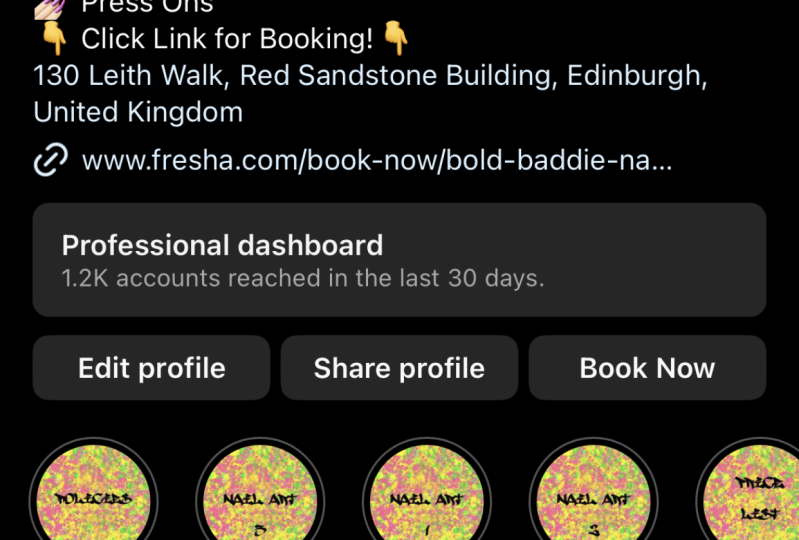
to be extra links. However, they are limited. Okay? Now, if you use acuity, sit more simply Book Me. There's a couple of days, a couple of integrated bookings schedule a software
that you can, that you can use as
action buttons here. If you use any of
those two book, say discovery calls or
to book your services. And you can actually
set that up as a button on your
Instagram profile. So what you'll do is you'll
go into your profile, you'll click Edit Profile, and then you'll scroll down to where it says action buttons. You'll want to select the
option that says book now. And then just check
through and see if your schedule a service is listed as an Instagram partner. Find it and set the
link up so it gives you additional links
that people can contact you directly and they
can book a session directly with you by instrument.
6. Optimize your profile image: Alright, so we have covered your display name,
your business name, your bio, and all the little buttons and features that are included in your bio. Now I'm going to talk about
your profile picture. My recommendation is to use either your own personal photo or a photo of your
businesses logo. Now, as a service provider, people want to connect with you. One way they do this in
the best way they can do this is that they
can see your face, especially if you have your
name on your profile as well. They can see, Oh, that's
Michelle, that sarah. Oh, that's Maryanne. They can they can see and they can connect with you
by seeing your face. Use a high-quality professional
and on-brand photo. If your team, if
there's a couple of you working in the business, we've got some subcontractors, then use a group headshot. Just bear in mind that the
profile picture is only small. So you'll want like quite
a close profile shot in the head shots as
well so that people can see what it is when
they're looking at it. If you don't want
to use your photo, you can use your brand's
logo because this is great for brand
recognition as well. Now please don't worry too much about which
one you go with, because this visual is not the only place they can connect
with you or your brand. If you use your logo as
your profile images, just make sure that you include photos of you in your field. Likewise, if you use
a profile photo, just make sure that
you include like watermarks or logos in
your feed images as well. Now, one thing to note is
it's not just your logo. Your logo is not the
only part of your brand. It's also includes
your tone of voice, your colors, fonts,
images that you use. It's all about the mood that it brings and how it
makes people feel. So every even if you
don't use your logo, like this is me here. I don't often use my
logo in my feed posts, but people know
me from my colors and the style of
posts that I have. So that's something that
you can do as well. Ensure that every video tall
is a high-quality image that you have sick templates that you use so that
they're consistent. So that it's consistent across your brand and they
start to recognize that. Another thing that I
want to mention as well, if you do use your logo, if you have quite a big logo and you kinda have to make it quite small to fit within
that Instagram profile. The image thumbnail. What I want you to do
is when you set it, just take a step back, look at your phone from a distance and think
and just consider. Can you read the
text in the logo? Can you recognize that logo? Because the thing is, you're going to be
seeing quite small. And I've seen a lot of
a lot of brands use a zoomed out version of their Lopez and he
can't tell what it is. So there isn't there isn't going to be any
brand recognition there. Something you can do outside of that is you can get like a, an alternative version of your logo that would fit
quite neatly in that circle. You can use a graphic, the graphic portion
of your logo. And there are some variations, so have a chat with
their graphic designer. If you're feeling quite
creative yourself, see how you can come up with
variations of your logo that will fit nicely
inside that circle, with people being able to
see it beans quite small. So in summary, for your avatar, for your profile picture, make sure it's either a
photo of you, all your logo. Either one is fine. Okay. With talking about the names and talked about the
profile picture. We've talked about the buyer. Now I want to direct your
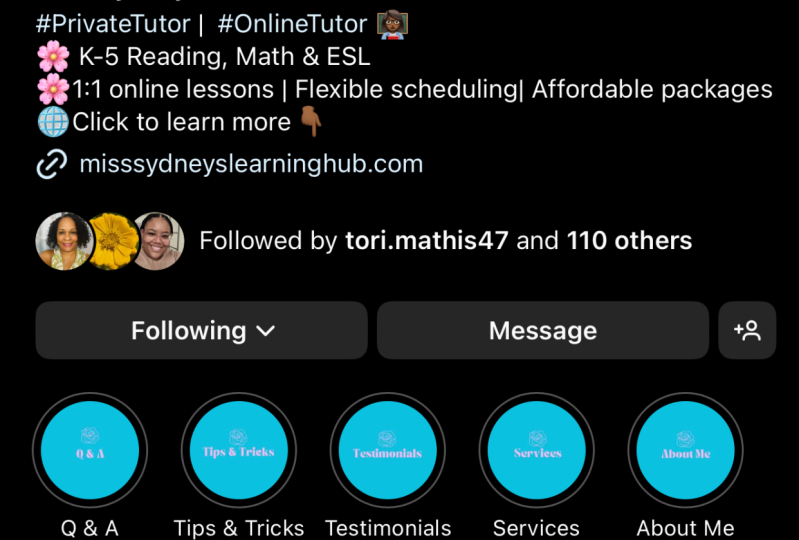
attention to your stories. Highlights. These highlights, what we
call story highlights. What they are is anytime you share a story and you
archive it to your stories, highlights, it extends
the life of that story. Because the stories will only appear on Instagram
for 24 hours, but you can extend the life
of that in the stories. Browse through a couple
and see what they, what they use their stories for. Now, one thing that you
can use stories for is when people are
on a platform, They don't usually like to leave that platform
until they're ready. If they're on Instagram, they may not want to go
to your YouTube channel, they may not want to
go to your website. You can use this
story highlights as kind of like menus
on your website. As an example, if
you wanted to set one story highlight
as your testimonials, people could click
through stories that you've posted that
include your testimonials. If you have something like Tuesday Tips and people want to go through and
have a look at those. They click on Tuesday Tips and they can cycle
through all of the stories that you've saved to this particular highlight. Other things that you might
like to use these for things like frequently
asked questions. Your service list, things that
show your personality like your pets or stationary that you love or behind the
scenes in your business. Maybe hosts that are about
new and that sort of thing. So you can use them to
cure rate story content. The people can click
through when they're on your profile and they
want to be a bit inquisitive and learn a
little bit more about me.
7. Optimize your Instagram feed: Okay, We're on the
home straight now. We've looked at your
profile picture, your names, your bio highlights. We've covered all of
those sorts of things. Now I want to talk
about your feed. Your feed is the collection of your previous and
most recent posts that people see when they
click on your profile. Okay? So what they'll say is a grid, the three number three posts
of your most recent posts. And they'll see that as a grid. On Instagram, they
call it a grid. Now, your feed is made up
of your individual posts, which could be images, that could be carousel, that could be videos. There could be reals. If you have set into
appear on your home thing. They're all really
important visual elements of your profile. And there's each
individual post will be seen from two different
perspectives. Festival. They'll say that
from your profile. If they click on your profile, they will see your buyer. They will see the collection
of your most recent posts. And if they keep scrolling, they can see all of the
posts that you've ever done. So that's one way they
can land on your feet. The second way is that they'll
just stumble across it. They might click on a hashtag. They may follow a hashtag. It may appear on the home feed. It may be on the Discover page, maybe landing in searches. So either way, whether
they're seeing a collection of your posts or
they're seeing your posts, your individual posts show up on their feed for one
reason or another. It's important that it is on brand and it
looks professional. So please ensure
that your images, they're not pixelated
than not blurry than not low quality. And make sure that they
are on brand includes. You'll find your brand
fonts, your brand colors, your brand tone of voice and your captions, and also imagery. Imagery is really
important as well. There are some profiles where you know which profile it is, just based on the image. Particularly if they are
images of you as well, they will recognize
you for that. Okay, So with your posts, just make sure that that
on-brand and consistent so that regardless of where
they are coming at me from, they recognize your posts and they know they're
in the right place. They're following consistent.
8. Share your project: Thank you so much for participating in this
Skillshare class. Now if you've gone
through all of the steps, you've been ticking
the boxes yet my profiles, profiles, right? Then you can go ahead with
confidence knowing that your Instagram profile is
optimized for the right things. Don't forget, I would love to see your new and
improved profiles. So as a project, why don't you take
a screenshot of your profile and attach
it to the project section so that I can follow you
and give you some feedback. Thank you so much for
watching this class. I hope you found
that really helpful.
 Michelle Marks, Surface Pattern Designer