Transcripts
1. Introduction: Linkedin is the most powerful
professional social network for anyone who is looking
to advance their careers. In this course, I
will teach you how to really use this
platform to its fullest. We will take a look at your profile, building
your connections, how to find the right people, getting you a better job or exciting business
opportunities. Now, the problem with
LinkedIn is that most people don't really know how to use it
to their advantage. In this course, I'll show you
exactly how to get the most from this amazing platform
in an easy and fun way. I have spent the last 15
years training my clients how to use this incredibly
powerful platform. I've reviewed and improved thousands of LinkedIn profiles, and I've helped
professionals just like you to get excellent
results on LinkedIn. With all that knowledge,
experience, and contents. I have created
this online course so you can benefit from
it. In this course. I'll take you through
my methods for ensuring your profile has the edge
over your competitors. I'll teach you how to build your network quickly
and effectively. And I'll show you how
to use the platform to generate opportunities
for you or your business. So getting register now
and let's get started.
2. The 3 main reasons to be on LinkedIn: When I talk to people
about LinkedIn, I hear the same
thing over and over. Yeah. I know I should be
using LinkedIn, but I just don't get it. It feels complicated
and confusing. It takes way too much time and I just don't
get the results, So I don't use it. The bottom line, most people don't know how to use
LinkedIn effectively. But you see it's not
that complicated. Once you know the system. And that's exactly what I
will do in the next videos. Show you how the system works and how to use it
to your advantage. Just think of LinkedIn
as a huge potential. It's the largest business
oriented networking site focused specifically
towards professionals. It has over 500 million
members in over 200 countries. Here are the top three ways in which LinkedIn
can benefit you. Firstly, finding a job. It doesn't matter if
you recently graduated a few years of experience or if you have
the right degree or not. Linkedin is absolutely the
place where recruiters and hiring managers are actively hunting for profiles like yours. So if you're looking for a
job or maybe you're looking for a better paid or
more interesting job. Linkedin is definitely
the place to be. Second reason to be on LinkedIn is if you want to
promote your business. So if you're self-employed, offering a service or selling
a product of any kind. This is the platform
where the business is. Linkedin is a great marketing
tool to find new clients get more exposure for your business and close
beneficial deals. At the same time. I will show you exactly
how to do that. A third important
reason to be on LinkedIn is to network
and develop yourself. With over 500 million members. You can certainly find the
right people to connect with to help you
advance in your life. Your network of
connections will become like this big fishing
tanks of opportunities. And if you build and expand your network in a
qualitative way, it will bring you the
right information and the right people to take the next steps in whatever
you want to achieve. Conclusion is the time you spend on LinkedIn
professionally will benefit you far more than any other social
media channel.
3. Why pay if you get it for free?: Linkedin has two versions,
free and premium. The free version includes
all the features you need. Build your profile and your
professional identity, add connections and
maintain your network. Find and reconnect with work
friends and classmates, request and give
recommendations, search and view profiles, receive in Mail Messages, post articles and updates, and so on and so on. The premium version
has a few upgrades. You get more profile searches. Three gives you 100, while the first-level
of paid gives you 300. Ability to see who's
viewed your profile. The free version shows you only five days compared to paid. That shows you the last 90 days. Premium also offers
advanced searches into things like company size
and seniority level. There are up to eight
filters that can be applied for targeted search. Linkedin premium also offers four features only
available on this level. Multi featured in male, keyword suggestions, applicant insights,
and open profile. Wow, that's great. Yeah. But my recommendation is start with the
free version first. For most people, LinkedIn
premium isn't worth it. Have a look at my profile. I don't pay for premium. I'm using the free version. It's especially not
worth it if you haven't used all of the features
of a free account, have you uploaded a profile
photo and cover image? Do you have a well-written
summary story to describe your career? Have you asked for and
received any recommendations, written messages to
people in your network? If most of your answers or no, at invest more time, not money on elevating
and completing your profile to show recruiters would be bosses and
clients or prospects. Why you are worth
getting to know. Still, you can try all of the premium features
of LinkedIn for free. They do offer a one-month
trial version so you can test the premium offer to activate
your one month free trial. Go to LinkedIn, where
you see the link, try premium free for one month. In the right top corner, you'll be asked a few questions. There you have it. You can start your free month. Just keep in mind, if you're taking a free
trial in the past year, you will not be eligible. You will need a credit card
to get the free trial. And to avoid getting charged, you need to cancel at least one day
before the trial ends.
4. The bigger picture: cracking the LinkedIn code: Linkedin, maybe
overwhelming, and I agree the platform is not
very transparent to use. So here are the essentials. Just focus on the
following simple steps and you'll be
successful, guaranteed. Number one, create a
professional LinkedIn profile that is focused and speaks
to your ideal targets, recruiters, future clients, prospects or business partners to get your profile to show up at the top of
LinkedIn search results. So prospects and recruiters find you and not
your competitors. Tree, standard LinkedIn
etiquette and best practices. So you can build strong
relationships and avoid doing anything to
damage your credibility. Your credibility is
super important. It's a long time investment. For generate business or job offers just using
techniques with a step-by-step plan
that you can implement for maximum results
in minimum time. And that's what makes
LinkedIn so unique. You get access to
this huge network of business leaders,
captains of industry, professional experts,
high-level executives, new client job
opportunities, and so on. Now how do you crack the code? Well, it's simple. There's an easy way to measure
your success. Actually. Linkedin is going to
help you with that. There's a hidden tool called
social selling index. It's a free tool on LinkedIn that helps you do
precisely that. Let me show you how it works. To find your score. You just go to LinkedIn.com
slash sales slash SSI. Now, pause this video, open a new tab or a new window. Go to the URL LinkedIn.com
slash CEO slash SSI. You need to be logged in
to see your actual score. So make sure you are logged
in to your LinkedIn account. Now, here's my SSI score. Yours will look
similar to this 1. First thing you notice is this circle and the
score out of 100, my score is 73. Now, a perfect score would
be 173 is certainly not bad. Have a look at your
own score and let me know what your score is. I'm really curious, but how
is this going measured? Well, in the circuit
you see four colors. Orange, purple, a
greenish color, and blue. Each color represents one of the four key components and is worth 25 per cent of
your overall score. So each section is
of equal importance. Here's what LinkedIn
takes into account when calculating your score,
establishing your brand. This shows how complete
your profile is. So if you have a
well-built profile, as you can see, I have
a good score here. This means my profile is
complete and professional, but it also measures
how you are sharing content so you stand
out on the platform. The second component is
connecting with the right people. This is all about
finding people on LinkedIn by using
the right tools, the right keywords, and
building connections. So expanding your network. If you only have like
100 or 200 connections, your score will be low. I have over 2
thousand connections, and as you can see, I still have
potential for growth. So the more connections, the higher your score here. The third component is
engaging with insights. Now, what the heck is that this element shows you
how many times you share information on the
platform by posting status updates and
writing articles, and also how others react to that content in terms
of likes and commends. This is the hardest
part on LinkedIn and you probably have
a low score there. As you can see, mine
is not so high either, so I wouldn't worry
too much about that. And finally, fostering
relationships. Basically, this metric shows you how much you
care about others. Linkedin is a social
media platform. That means building
and maintaining relationships plays
a central role. So this measures
how well you are at building relationships with
professionals like you. So I guarantee you, if you start working on
these four elements, you'll see fantastic
results on LinkedIn. And that's exactly what
we'll do in the next videos. We will start with the
most important thing, how to improve your
personal profile.
5. Take your LinkedIn profile to the next level - PART 1: Now, imagine this. You have a job interview or an important meeting with clients or prospect
business partners. They don't know you
what's going to happen? They will Google your name
to find out more about you. So what comes up at the
top in the Google results? Yes. Your LinkedIn profile. So you better make sure your profile doesn't
look like this. Linkedin gives you
the opportunity to control what other
people think about you. Whether you are
competent, trustworthy, if they would like
to work with you, what your strengths
and competencies are, et cetera, et cetera. So you can control
all of that by creating a strong personal
brand with your profile. Let's take your
LinkedIn profile to the next level in just
a few easy steps. That before we start, you will want to make sure
your profile is set to public. This simple change will
allow you to show up in searches and be spotted
by recruiters or clients. Check your account
settings and make sure that your public
profile is visible. In order to do that, go to your personal profile
and click the link, edit public profile. At the top. A new page will open, and here you can edit the
visibility of your profile. Make sure your profiles
visibility is set to public. Also verify that your profile
picture is set to public. If it's not set to public, it will not appear in
the search results. And it's super important
that people can see you in order to make the maximum out
of your time on LinkedIn. Okay? So once you check this setting, it's time to work on the
appearance of your profile. And we're going to do
that in five easy steps. Number one, your
profile picture. Secondly, the headline. Number three, the info or the summary for your work
experience and education. And finally, your contact info. Let's start at the top
with your profile picture. Because, believe it or not, this is one of the most important
elements of your profile. Why? Research shows that having a
good profile picture makes your profile 14 times more
likely to be viewed by others. So that means 14
times more chance to be contacted by a recruiter
or a potential clients. Needless to say, it's a key element of
your personal brand. So what makes a good
profile picture? First of all, your
picture should be a close-up of your face,
head, and shoulders. Your LinkedIn photo
is not clickable. It is therefore important that your face occupies 16
per cent of the space. If you include your entire body, your face will
appear too small and viewers may not be
able to recognize you. Look straight into the camera. It's super important to make
eye contact with the camera. So don't look up, down, or look away. Have a smile. Don't look too serious. Trying to have an open, relaxed, and friendly
expression on your face. Smiling person is more likely to attract someone's attention
than a cold looking person. So have a professional look
where the usual attire, like you would do
at work and have the picture taken on
a neutral background. Here are a few examples of how your profile picture
should not look. So things you should
absolutely avoid. No sunglasses. This picture may be suitable
for Facebook or Instagram, but it's not a professional
picture for LinkedIn. Make sure people
can see your eyes. Don't hide them behind shades. In fact, make sure nothing
obstructs your face. So no hats, no caps, headwear of any kind. This one you are not
going to believe, but these actually are
existing profile photos I've found on LinkedIn. No alcohol ever. Looking away from the camera, a LinkedIn profile
pictures should be taking from the waist or shoulders up with you looking
straight at the camera. So your face is clearly shown. This is also a common mistake. Your graduation picture. I can't tell you how
often I see that. Don't do it. Never use your graduation
picture as your profile photo. It doesn't say anything about your potential and the
professional world. It's better to choose
a picture that shows you as ready to enter the workplace as a
professional and not show yourself as a students. Now, this is one
of my favorites, the man with the big cigar. And now the most common mistake, never, ever use a
vacation picture. It should be you in a
professional setting, not somewhere on a mountain
or a beach in Hawaii. But how can you know if your profile picture is
a good one for LinkedIn? Well, there are some free
online tools to help you. First one is snapper. Snapper uses image recognition
and machine learning technologies to determine how well your photo will perform. Just go to the website, snapper.com, sign-in with
your LinkedIn profile. And bam, there you have it. You instantly get a
score out of 100. The site looks at some more technical
aspects of your picture, like lighting composition
and your eyes and smile. It's a good indication. But still, it's only an
algorithm giving you a score. There's a better
alternative you can try for a more
human-like approach. It's called photo feeler.com. Now the great thing about photo feeler is
that professionals, real humans like you and me, review your profile picture on the basis of three criteria. Likability, influence,
and competence. Let me show you how it works. So you go to their
website, photo feeler.com. Click here to get started login with
your LinkedIn profile. And here you can directly import your profile
picture from LinkedIn. So let's do that. Here it goes. Select your category. And then next, and people will start voting
on your picture. Now, I already did that for you. So let's have a look
at my thoughts. Here are my results
on photo feeler. And as you can see, people rate my photo as very competent and
very influential. But likability is
kind of average. Of course, I wanted the highest score on
all three levels. So when you click on nodes, you can see what people actually
comment on your picture. And as you can see,
the top recommendation is that I should
be smiling more. So I did another test with another picture where
I have a smile. And as you can see now, I have an excellent score
on all three levels. And also the commands
are very positive. So I decided to keep
this one because, you know, profiles with a good profile picture get up
to 14 times more visitors. Now, behind your profile picture is this horizontal banner, the background banner
or background image. In order to give you a profile, a professional look, it's a good thing to upload an
appropriate image there. When choosing your
LinkedIn background photo, make sure the image matches your personal and
professional brand and conveys your unique message. So choose images that inspire you or reflect what
you do professionally. For instance, if you are a software developer or work
in information technology, the background could
be an image like this. Or if you offer services
in social media marketing, it could look like this. And if you studied finance and want to build a career
and financial sector, then this could be an
appropriate background. The image you choose should be professional and it should
reflect your personal brand. Now, where did I
find these images? There are plenty
of websites that offer you free,
high-quality photos. I usually look at Pexels.com. So if you want some
inspiration, have a look. They're uploading the image on your profile is
as easy as pie. Just go to your profile, click the pencil icon here
to modify your profile. So here you can change
your profile picture. This icon lets you change or
upload a background image. Just select the picture
you want from your device. Maybe make some adjustments. You can zoom in or out, or even add some filters. And then just click
Apply. That's it. Now you know how to have a professional profile
picture and background image. Let's move on to the
next steps and make your profile stand
out of the crowd. And we will do that
in the next video.
6. Take your LinkedIn profile to the next level - PART 2: When people like recruiters, for instance, to a
search on LinkedIn, the first piece of
data that comes up after your name
is your headline. The headline needs to be
some call to action for the visitor to click through
to your full profile. Per default, the platform takes your current job
title as your headline. Usually, this is
not very inspiring. There's a simple formula to
make your headline stand out and stimulate the reader
to learn more about you. The LinkedIn headline is the section at the
top of your profile. You can describe what you do
in 120 characters or less. It's also a major
factor in LinkedIn. Search algorithm. Headlines carry a lot of
weight when the platform is deciding which profiles to serve up for different queries. Optimized headlines
means more searches, means more views, and more views means more
opportunities and deals. So, how can you make
the perfect headline? Well, the success formula
consists of three elements. First element is your
current job title. For instance, sales manager
or front end developer, or for instance, social
media specialist. What if you are a
student or you recently graduated and you don't
have a real job experience. No worries. Just pick the job title that
you would like to have. For instance, if you studied economics and you want
a job as an accountant, then your job title could be accountant or maybe
junior accountant. The first part of your
headline should be a keyword field overview of your role and
responsibilities. It's a major factor in
LinkedIn search algorithm. You should aim to include
three to eight keywords or phrases that match what
employers are searching for. So don't just mentioned
your job title that list as many as related
keywords are alternatives. Say you are a
marketing assistant, then you could include job
titles like marketing officer, marketing specialist, or
marketing coordinator. These are all relevant
keywords that will rank you higher in
the search results. The second element of
your headline should be your current company
or organization. Why? Because people can
identify you more easily when they see your
company and the headline. If you don't have
a job right now, you can leave this one out. Third element is the wow factor. This is what makes your headline interesting and stand
out of the crowd. It should include a benefit like what you can do for others, or how you can help
or be of service. Think of the value you
bring to the table. This is where you talk
about things like exceeding quota, increasing site traffic, eliminating costs,
improving processes, boosting your company's revenue
or user base, etc, etc. Anything that provides
a tangible illustration of your skills and achievements. So three elements
and the headline. First, your job title, plus the relevant keywords, your workplace or company, so people can identify
you more easily. And then thirdly,
the wow factor, the value you bring
to the table. Here's an example. Linda Apple bone is a social media manager
at brand impact, helping software
startups manage and grow their social media
to get more sales. Now, before you start
working on your headline, here are a few
pitfalls to avoid. Currently seeking employment
open for new opportunity. And any similar cry
is an absolute no. Crying out loud, you need a job can be a sign
of desperation. And on top of it, it doesn't
show you a real value. There is no way a recruiter will search for the key phrase, new job, opportunity or alike. And yet, when I
search on LinkedIn, millions of profiles are still
using this as a headline. It really makes no sense. So don't do it. Second mistake to avoid is do not abbreviate words unless the abbreviation
is well-known. Have a look at this example. Many people use abbreviations
that are specific to and only known by
those in their industry. But unknown abbreviations
are often confusing and make your headline
difficult to read and understand. At this point. You should have a
clear understanding of what a great
LinkedIn headline looks like and how you should
go about upgrading yours. Next step, updating the rest
of your LinkedIn profile. Next in line is the summary
or the about section. The summary is the
piece of text. You find just below
your headline. A great LinkedIn summary
gives information about your professional background
and abilities and helps you get noticed
by hiring managers. Your LinkedIn summary is one of the most important
parts of your profile. And as you would
expect by the name, it gives us summary
of who you are as a professional and what you
can do for the viewer. People read it. So deliver something
compelling in those 2 thousand or less characters
you have in the summary. Keep it interesting, honest, strategic, and above
all, be authentic. Don't use cliches and buzzwords. When you're creating
a LinkedIn profile, it's important to stand
out from the crowd. You don't want your profile to read exactly like
everyone else's. Make it specific. Explain why you are
motivated or creative. Give examples, show
your personality. Here are two examples
of excellent summaries. First one is Jeff Kelly. He's a creative director and the summary is
sweet and short. It's well-structured with
a brief introduction, shortlist of awards to give proof of the quality
of his work, overview of clients
he worked for. Notice his contact details here. Very clever to include it. You make it easy for
people to contact you. Another great summary is
the one of dona doula, very informative and
well-structured. Here are some extra
tips to keep in mind when writing your summary. Write in paragraphs. Don't make it as a
massive block of text that's not very
inviting to read. Split the text in paragraphs
by adding white lights. It will be much
easier on the eye. Double-check for proper
spelling and punctuation. Sloppy writing is really killing our professional
appearance on LinkedIn. So next step is your work
experience and education. The objective of the work
experience section in your LinkedIn profile is to showcase your past and
current positions. It is organized in chronological order with the
current position on the top. One thing I highly
recommend is to remove all those work experiences which are no more relevant
to your current position, especially when you have made
frequent career changes. Here are some of the
best practices for adding a work experience
to your profile. First of all, always link your job to the company
page on LinkedIn. Add a specific job title, add a description to
each work experience. Use relevant keywords
in your description. Now, let me give you an example. This is my job title,
managing partner, trainer, and coach at my
company expert academy. Now, be sure to link to
your company profile. So when you type
your company name, you can select it from
the drop-down list. When you scroll down, you can add a description. Here's the place to
describe what you do in your job and explain a bit
more about your achievements. And underneath that, you also have the possibility to add
links to external media, like a presentation, a
PDF, or YouTube video. When you're done, you
can choose whether to share these changes with
your network or not. Finally, the education section. Your education says
a lot about you, especially to
potential employers. But let's face it, no one cares about your
kindergarten and junior schools. So keep it professional with
the schools or colleges and universities that really matter and relate to your profession. And lastly, there's
your contact info. Here's a big chance
for you to be contacted by recruiters
or potential clients. So I'm like really shocked
by how few people actually take the effort of mentioning
their full contact details. Let's have a look at a random
profile from my network. Most profiles I
see when you click contact details only show
the link to their profile. So what's missing here
is an e-mail address, telephone number, and maybe
a link to your website. Let's have a look at
my contact details. As you can see,
links to my website, my phone number,
and email address. So start updating your
contact details so that recruiters can contact
you with job offers.
7. 7 Ideas for great LinkedIn posts: The best way to
stay top of mind, but also to get
contacted by others, but job offers and business
proposals is to share posts. In order to do that, just go to the
LinkedIn homepage. Click Start, post. Then start typing. Add an image or a video to get more engagement and click Post. Linkedin is a
networking platform, but it's also a
content platform. People are browsing LinkedIn
to consume business content and seek
new opportunities. In order to be successful
with your posts. It's important to understand how the LinkedIn
mechanism works. Let me help you to understand
the algorithm more. First thing LinkedIn
algorithm takes into account is your
personal connections. If you have more connections, then you can reach more
people with your content. And this is exactly what
LinkedIn wants from you. The more connections, the more, the better your
content will score. Then when you post
something new, LinkedIn will start by running your content
through a filter. Now, this means that your post will be placed
on the public feet. But initially in the beginning, it will only be shown
to a small number of your first-degree connections
to measure engagement. Now, if they see, if LinkedIn sees that there
is a lot of interaction on your posts in terms of likes
and comments and shares. Linkedin will show your
post to more people. So also a selection of your second-degree
connections will see it. If day to start interacting
with your posts, it will appear in your broader network and we
will have a massive impacts. If not, your post will
get minimal engagement. So this is the challenge. How do you ensure
that your posts receives the views it needs
to drive the engagement? There are two proven
methods to achieve this. First, create great content. Second, post frequently. Let's start with the contents. Now. What should you post? You should ask yourself two questions when
deciding what to post. Firstly, who am I
trying to reach? Who is my target group and make it as specific as possible. And secondly, what are
they interested in? It's going to vary
from niche to niche, but whatever you
do be relevance. So here are seven ideas that will help you to
create great posts. Solve common problems. This is the easiest way to
make super great content. If one person has a question
or a challenge than probably many other people are struggling
with that same issue. So write a blog post
or record a video that describes how the people in your network can solve
that simple problem. And there might be interested in hiring you to solve
the problem for them. For instance, I know
that a lot of people in my network suffer from work
stress and sometimes burnout. So I found this video on YouTube and shared
it on LinkedIn. I added some texts about the challenging times
that we live in. And it worked. The post got over 1 thousand
views and 50 likes. Don't be overly promotional. People don't want to hear
what you can sell them. They want to know about solutions to the
problems they have. It's okay to do some
self-promotion and share upcoming events or show
off your accomplishments. But just don't focus on
self-promotion all the time. And for each and every post. A good rule of thumb
is to publish, at least for status updates
that solve problems. For every sales promotion. Also mix up your content
with content from others. Writing your own content
allows you to provide your own perspective and helps you shine as the
foremost thought leader. But even if you publish
content from other sources, you will still continue
to stay top of mind. As someone who is in the know. So don't be afraid to re-share information
that you find on LinkedIn or turn to trusted news sources and include the link in
your status update. With every and each post. Ask yourself, is
this information useful and helpful to the
people in my network? If it is, click
the share button. It's an easy way to add more content to your
profile and stand out. Use the first-person
when you post. This point is easily
overlooked, but very important. Why use the first-person? Because you are a real person. You're talking to real people. So try to write the same way that you would
talk to them in person. It feels more natural that way. And you will get more
likes and more engagement. Use an image of a
face. It's simple. Images with people
in it score better. Research has shown that photos with faces are 38 per
cent more likely to receive likes and
thirty-two percent more likely to receive commands
than other posts. People are instinctively
drawn to look at human faces. Now, don't start massively
posting pictures of sexy models or movie stars. Keep it professional. But gets our attention is
the images of real people. So post about new
members in your team. Are you preparing for an
interview or a client visit? So don't hide yourself. Get out there because posts with a picture of a face
will perform better. It's science. Ask a question. One of the easiest ways to get engagement on your content
is to ask a question. There is an art to asking
effective questions and the key is to make it as easy as possible for the
people to respond. The most important
thing to remember is to ask closed questions. Asked people to state. I agree, I disagree. Yes, no, true, false. This will work best. You can even launch
a poll to do that, go to the homepage. Click Start opposed. Then at the bottom click
this button, create a poll. Type your questions. For instance, have you ever created a video
for your business? And the possible answers? And then from the pole
duration drop-down menu, select a time limit for poll responses from one
day up to two weeks. When you're finished
creating the poll. Click Done. When you're poll has concluded, you and your network
can see the results. And you can take a
look at who responded. Linkedin will show
you their name, headline, and Paul responses. Here's how the result
can look like, as you can see in this
example of Dave Gerhart. Another way to do a
poll is to ask people to vote using the
LinkedIn emojis. Just ask your question and attribute one of the icons
to the different answers. Like in this example. Tech companies and
people with, at. Now this by far is one of the most powerful ways to get more engagement on LinkedIn. In fact, you can tack
almost anyone on LinkedIn, even if you're not directly connected to them.
Let me show you. As soon as you
type the add sign, a list of connections will show up and you
just type the name, let's say Bill Gates. And there you have it. I can actually tag Bill Gates. Now of course, you don't want to tag people. You don't know. You have to know them or they
have to be related to you. Now, suppose you have
this picture of your team and you want to
share it on LinkedIn because they have won
an award of some kind. It's a great idea to tag every single one of the
persons in that picture. Here's what's going to happen. After you tap someone
and finish your post, that person will
receive a notification, let them know that
you mentioned them. You will immediately
get their attention. They will come and
see your post. And probably like it because
they were mentioned in it. It even gets better. The post may also be shared with the network of that
person being tanked. So this has a huge impact on
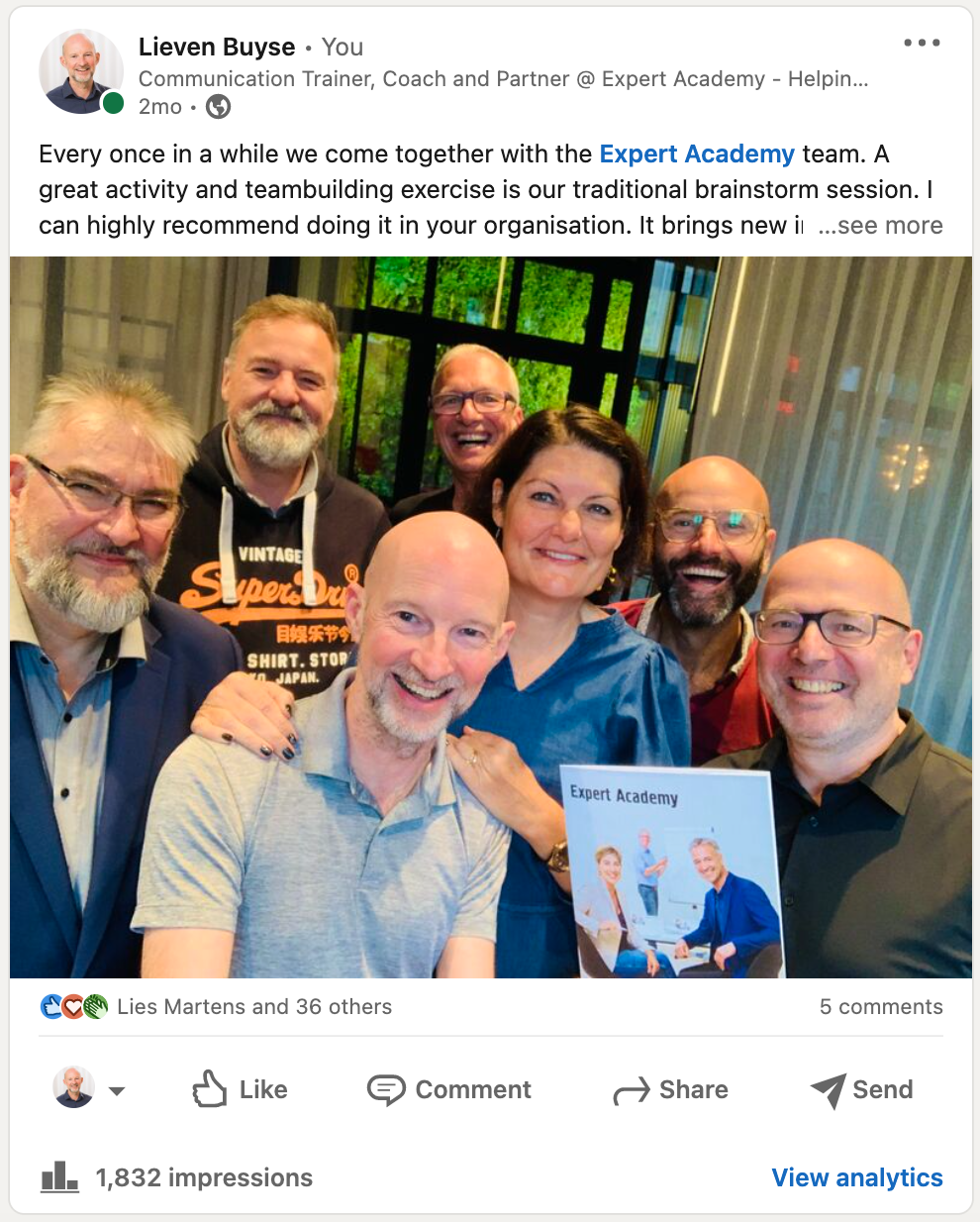
the visibility of your post. This works with people, but also IT companies. Suppose you have read this great book about
time management. The publisher is expert academy. Well, you could take a
picture of the book, or even better, a picture of
yourself holding the book. Remember, people's
faces generate 32 per cent more interaction. Then mentioned Experts
Academy as the publisher. Of course, there will be
grateful you mentioned them in your post and like command
or even share your message. So whenever you have
the opportunity, tag or mentioned people and
companies in your posts.
8. Best times to post on LinkedIn: Two of the questions I
get asked the most are, when is the best time
to post on LinkedIn? And how often should I be
posting content on LinkedIn? So in this video, I will answer both
of these questions and the answer will
probably surprise you. Content on LinkedIn and other social media has
an expiration dates. Whenever something is posted, there is a period of
time before it gets lost in the masses of content
uploaded every minute. So it is very important to have a clear understanding of
how long this lifespan is. So you know exactly when
and how frequently to post. Fortunately, there's
been a lot of research to help you with that. Here are the facts. Twitter is by far the
fastest moving channel. The average lifespan of one tweet is considered
to be 18 minutes. Only. After 18 minutes, your content
gets lost in the flow. Facebook is doing a lot better. The average lifespan on
Facebook is five hours. This means that you can post up to three times per day
on your Facebook page, not drive your audience
away with over posting. It's very different
on Instagram. As a standard,
Instagram post has an average lifespan of 21 hours. But if you want conversations that will last for
a while longer, LinkedIn is the right
social media channel. Your post on LinkedIn
will stay on the radar for about two days. This means that ideally, you should post two to
three times a week on LinkedIn to stay top of
mind with your connections. Now, you may think posting
two to three times a week. People not get bored of me? The short answer is no. Of course, your content needs to be valuable and high-quality. But consider this. Even if you would post
two or three times a day, there's little
chance that you will bore or annoy your audience. And here's the reason why. Let's suppose you have 1 thousand connections on LinkedIn just to
make things easy. So you make this great post that will last for
approximately two days. So LinkedIn will
potentially show your post to your 1 thousand
connections, right? Well, not exactly. Linkedin will filter through
your connections and only show your post to ten to
15% of your connections. What? Yes. Initially, your post
will be shown to a small selection of your connections based
on the contents, the time you post the
hashtags you used and so on. Then, in the first
couple of hours, LinkedIn, we'll analyze how
your post is performing. If in the first minutes or
hours people start liking, reacting, and commenting
on your post, chances are LinkedIn
will show your post to more people even
outside your network. Research has shown
that on average, your post will reach 20 to
30% of your connections. So don't be afraid
to post too much. Paying attention to when content expires is a great way to
understand how frequently you should be posting
and also at what times your post will be likely to generate the most interaction. So let's move on to
the second question. What are the best times to post? Well, if we look at the best days for
engagement and interaction, Tuesday, Wednesday, and Thursday tend to be the best days
to post on LinkedIn. Weekends and after
work hours tend to be the worst times for
engagement and visibility. The best time to
post on LinkedIn is between 08:00 AM, 02:00 PM. Linkedin is a
professional network used by recruiters
and business people, which is why it is often
used during work hours. So best results
can be obtained on working days between
08:00 AM, 02:00 PM.
9. How to activate your network: The amazing thing about LinkedIn
is that it allows you to connect one-on-one with
nearly anyone in the world. This has led sadly, to the LinkedIn InMail becoming perhaps the most abused
piece of communication ever. Here's what you should do
to use InMail effectively. First of all, what
exactly is in male? Well, it's a private
email message that enables you to reach
other LinkedIn members. You can send
messages for free to your first-degree
connections and paid in male to people
you are not connected to. That's a perfect way to directly reach your second and
third-degree connections. You must upgrade to a LinkedIn premium account
to use the paid in male. I will tell you more
about that later. Let's just have a look at the free direct mail
system for now. Why use LinkedIn in males? Linkedin InMail response rates are three times higher
than regular email. It's your secret weapon to
success in contacting people. You are not connected
with on LinkedIn. But you want to get to know what are the best ways to write in males that people
will actually read? How do you improve your response rate and
write better e-mails? Here are four tips that
you can use to change this and send your response
rates through the roof. First thing, why are you sending
in male the first place? Whenever you reach out to
someone you don't know, the goal should be to
start a conversation. They probably don't
know who you are. And you're trying
to convince them why they should spend
time talking to you. Think about how you
would react when you get a sales e-mail
out of the blue, pitching a product
you've never heard of or someone offering
their services, just shoving it in your face, how would you reply? Would you even open the message? Probably not. You're not going to seal the deal with your
first message. It can be a first step, but the goal should
be to find out about how you can help
that other person. So introduce yourself briefly and tell why you
are messaging them. Your message should aim
to start a conversation. Spark interest with a
strong subject line. Write an InMail subject
line that doesn't suck. As many as 35 per cent
of people will only open your message if the subject line
resonates with them. This step wrong, and they will never see your carefully
crafted message. Make it specific and personal. So the receiver knows that
your message is just for them. The simplest way to do this, just mentioned the
recipient's name. This alone will increase your open rate by as
much as 26 per cent. Even stronger is also mentioning a mutual connection
in your subject line. This increases your
chance of getting a response by as much as
twenty-seven percent. Be brief. More than half of n males
are read on mobile. So keep your
personalized message brief 150 words or less to increase your
likelihood of response. So no need to get
into your life story. But start with a
short introduction that should include your name, position, and a one-liner to get the other
person interested. Possibly the most important
LinkedIn InMail tip of all, your message needs
to have a goal. Why are you sending the
message in the first place? Be specific mixture. You get right to the point in your message and stay positive. The key to getting great results with LinkedIn in
males is making sure that you don't let the lack of responses or negative
responses get you down. Not everyone is going
to be interested. And it's important
to remember that no matter how good
your messages are, you're likely to hear
no more than yes. So make sure you stay positive and keep trying to send
personal messages. And you should be alright.
10. The power of publishing articles: Unlike other social
networks like Twitter, Facebook and Instagram,
LinkedIn gives you the possibility to publish
two types of status updates. A short post, or an article, which is like the equivalent
of writing a blog post. Now, let me show you the
difference between the two. Just go to the
LinkedIn homepage. There. At the top. You start a post, which works basically the
same as on other platforms. But then There's this
other button, right? Article, which opens up a whole new world
of possibilities. If you click this button, you'll be presented with an editor where you can
start writing your article. Notice the formatting
options like headings, bold, italic, and underline text, bullet lists, quotes, and links. Start your article
with a cover image. You can upload one
from your device like this and a strong title. So as an example, I'm going to write an article on how to give online
presentations. Here's my title, and I
already have the texts, so I will just paste it here. I can put text in bold, even add images or videos, links to my website or my blog. When you're done, just click publish article,
and there you go. What happens now is that
LinkedIn will prompt you to share what you just wrote
with your connections. So write what your article is
about and why you wrote it. Use hashtags to capture
the attention and finish. Now, why would you do the effort of writing
articles on LinkedIn? Well, LinkedIn likes it when
users write and publish articles because
it helps them to provide more value
to their users. As a result, your article has better chances to reach a wider audience than
a normal blog post, which is a great way to
gain extra visibility. As an extra bonus, your article could also be ranked in the Google search
results more easily. Google already knows
and likes LinkedIn, which means that
content on LinkedIn is much more likely to show
up in Google searches. So take your posting
to the next level and start publishing
articles on LinkedIn.
11. LinkedIn for job hunting: Many job seekers don't maximize LinkedIn to help
them find a job they need. Instead, their copy
paste their resume, and hope they magically will be contacted with job offers. Here's some bad news. It's not going to happen. Here are five strategies, each of which will
bring you one step closer to a new job
or a new career. Focus on where you're going
versus where have you been. Most of the fresh
graduates build their profile around their
studies and education. It seems like the
logical thing to do, since they probably have limited or no work
experience at all. However, it's much
stronger to focus your profile at where you want to go instead of
where you have been. Think of your ideal job and then build your
profile around that. For example, this headline, student at University of x, y, z is poor and not
optimized for LinkedIn. It's a weak headline
for two main reasons. One, it does not contain
any keywords that potential recruiters and hiring managers
are searching for. This means you'll
show up less to recruiters who are actively
looking to hire you. Secondly, it does not stand out from other profiles in
the search results. There is nothing to
differentiate you from the thousands of other students
at university profiles. The headline is simply
not catchy enough. Now, let's say this
person is a law student. Instead of having a headline saying that you're a student, mentioned the desired job
title and the headline. For instance, as a law student, you want to be a legal
counsel for companies. Have that. Or maybe even better
junior legal counsel. Since you're just starting out. This is much better since Legal Counsel is a
search term that recruiters will be looking for when they have a job
opening in that field. It puts you right at the
entry of the job markets. Here's another example. Say you're an IT student. Let's look at what would
make up a good headline. You could write
this, for example, aspiring Java software developer seeking entry-level
programming position, experience with
JavaScript and Python. Let's break down why. It starts with the
job title you want. If you have no experience, you can start with aspiring
junior or entry-level. Adding extra relevant
keywords will make you rank higher
in the search results. Words like software developer, programming and
JavaScript for instance. The takeaway here is to use keywords from the
job that you want. Keep your profile alive. A LinkedIn profile
should be a living, breathing document that
clearly represents what makes you unique
and worth hiring. Not a static set and
forget online resume. One way to keep
your profile alive. Regularly post or share updates on topics related to your field, just as you would share
updates on Facebook. Posting long form content
such as LinkedIn, blog posts is another great way to catch a recruiters eye. You could also share
thought, leadership advice, insights on today's
top stories or industry trends to reinforce your knowledge and
your experience, which will help position you as the ideal candidate
and the chosen field. Get visual. Many people and certainly recruiters respond well
to visual content. So whenever possible, make your LinkedIn profile
more visible. In the previous videos are
already explained how to have a professional-looking
profile picture and also your background image. But there's more you can do. Have you won awards or do we have impressive decrease
or certifications? Great. Post photos of them
on your profile, rather than just simply
listing them in text. If you've given a
well-received presentation posted on Skillshare, which is owned by LinkedIn, and add it to your
LinkedIn profile. If you have appeared or
made an interesting video, post that to your LinkedIn
profile to speaking of which making a video
resume can work miracles. Like this video of Laura Harris looking for a position as a
front end developer. Video gets the attention. In fact, her video has been watched over 100 thousand times. That should certainly
get you on the radar. Think of LinkedIn
as a search engine. Linkedin is as much as a
search engine such as Google. But one focused on
finding professionals, recruiters, companies, and jobs. Just use it to search for
recruiters in your industry. Example, if you're
an advertising or you want a job
in advertising, you might do a search
on advertising. Recruiters. Recruiters also search for
candidates using keywords. So it's important to
build out your profile with relevant keywords for
which you want to be found. Make yourself accessible. One common mistake on
LinkedIn is not making it clear how others can reach
you via email or phone. For instance, LinkedIn limits the number of in
males it paid users can send and doesn't
allow members of this free service to
send in males at all. That's why it's
important to list your email address
and possibly also your phone number
permanently in your profile, such as a new summary. Definitely update
your contact details. You can find it here
on your profile. Click it, and then fill
out your complete details. One important last tip. Never, ever say
you're looking for, are seeking new opportunities. Most experts agree
that you should not mention your job search
on your LinkedIn profile, especially if you're employed. Recruiters don't use terms like job seeker and
their searches. So it makes no sense doing that. Another reason, looking
for a new opportunity, if you put that in your profile, it can make you look a
little bit desperate. So make yourself look
interesting, not desperate. And you'll certainly
find the right job.
12. How to get results on LinkedIn in 10 minutes per day: A common question I often get is how I find time to
squeeze LinkedIn into my busy schedule and
what steps I take to do so with this simple routine, ten minutes a day is all
you need to make it work. So grab yourself a cup of
coffee, and let's do this. Here's my current 10-minute
LinkedIn routine that helps me get the results I want on LinkedIn while saving
valuable time. Step one, go-to connections
and review contact requests and accept or decline invites after a quick
review of their profile. I prefer it when people take the time to send a
personal message, when sending me a
connection request. Step to click on Notifications and complete
the following tasks. Checkout who's been
visiting your profile. You may be surprised to
see who's looking at you and send connection
requests as appropriate. See who started following you. Check out who's been liking or commenting on your posts
and comments back. Step three, click the
messaging icon and review direct messages and respond as appropriate step for expand your network by using advanced search to find
interesting profiles in your field or business and reach out to potentially
interesting connections. Step five. Now this last step is optional. You shouldn't do this every day, but at least once a week, post an update or
sharing insights. That's the perfect way to
become visible to recruiters or potential clients
and stay on the radar. So all it really takes
is ten minutes a day. Build that routine. Spend ten minutes
every day on this. And I guarantee you will
see spectacular results. You'll make new connections, build your brand, and stay top of mind with your
professional network.
 Expert Academy, Live. Love. Learn