Transcripts
1. Class Trailer - Google Bard: In this course,
I'll show you how I got Googlebot to bill me an entire marketing campaign
from start to finish, including ads, social
media posts, blog posts, email sequences, or sales page, and a complete content calendar. Now, I know that it all
sounds too good to be true. And you may be asking, can a machine really replace
a human marketing expert? Well, the answer may surprise you because here
I'll show you how I created every single war of an entire marketing
campaign using Google Bart. And the most important
thing that I'll show you is how you can do all of this to get better results
faster than ever before. My name is Diego Tabula
and I have worked with hundreds of students to help them to use
all the power of digital marketing to grow
their business exponentially. By the end of this
course, you'll be able to use Google bar to create high-quality content
that resonates with your target audience. Develop effective social media
post and campaigns, right? Optimized blog posts and e-mails sequences that drive
engagement and conversion. Craft a compelling sales page that converts
visitors into buyers, build successful ad
campaigns on Google, Facebook, YouTube and others. Analyze customer feedback and reviews to optimize your
products and service. And the best part with AI, you can do all that
in just seconds. This course is designed for marketing professionals,
entrepeneurs, and everyone looking to improve their marketing skills using ai powered tools. Thank
you for watching. I look forward to seeing
you in the course.
2. Creating your Google Bard account step by step: Welcome to the course
and happy to see you here because this
course is great and it will revolutionize your marketing the way
you create content. Because here I'll share with you how you can use Google Bart to create a complete
marketing campaign from start to finish. Everything that you need to create you can do with
artificial intelligence. And the great part
here is that you will share with me how
to use the system, how you can do
this starting now, right here in the first lessons. But also I will share with
you not only how to do it, I'll share with you
the exact commands, the exact prompts that
you can use to have the same results we
are creating heat in the course for your
business, for your brand, to sell your products,
to create ads, to create complete email
marketing strategies and everything that we are
working here on the cars. So to start, let's create
your account on Google Bart. To do that, we go now
to bart.google.com. This is the current interface. The interface that you see
here is the current one. And right now at this moment, while I'm recording this lesson, Googlebot is still
on the waitlist. They still have a waitlist
to use the software. So if you come here and you
have the sign-up button, that's wonderful.
No waiting lists. But if you see the
waiting list option as we have hidden screen, all you have to do is just
click join the waitlist, enter your login with your Google information,
your Gmail account, and your password, and you will receive
this email saying, Hey, you are on the waitlist. Congratulations, you will
receive another email while when u is time
for you to test. So when you are in
the waiting list, when they grant you access, you will receive this second
e-mail that you see here. It's the, it's your turn
to try Google part. All you have to do is
click on the blue link and you'll be able to access
Google bar, as you see here. This is my screen that you see. This is Googlebot. And in the next lessons, we will start using this screen. This is what you will see
and I'll show you the exact prompts you need to use to start creating your
marketing campaigns. So in the next
video right there, we will start defining your target audience in a way
that you never did before. And we will do all
this in a few seconds. See you there.
3. Utilizing Google Bard for audience research and analysis: Okay, Now we will use
Google bar to create an identified your
target audience and your buyer persona. You already know that these
things are important because when we create content
for your audience, when we create ads
for your audience, if you are creating
e-mail lists, immense e-mail
sequences, offers, or anything that you create for digital marketing is the
base of all that guys, is to have that buyer persona, the ideal client that
will buy your products and services and also to
have your target audience, even if you create ads, especially, you need to go there to the ASC platform
and you need to say, Hey, create an ad and show these add to
this target audience. So you need to be very specific on who they are, what they are. And this will help
you also to create better content for them
in everything we do here, the main thing is to have a clear understanding of
who is your target hour. So let's use Google Bart to define that in a
really easy way. This is a good thing. Usually when I teach
this on my courses, it takes hours, maybe days, where you need to sit down and think about your
target audience, do market research and all that. Now with Google Ads, which IGBT, we can do this instantly with
artificial intelligence. So let's go here and use
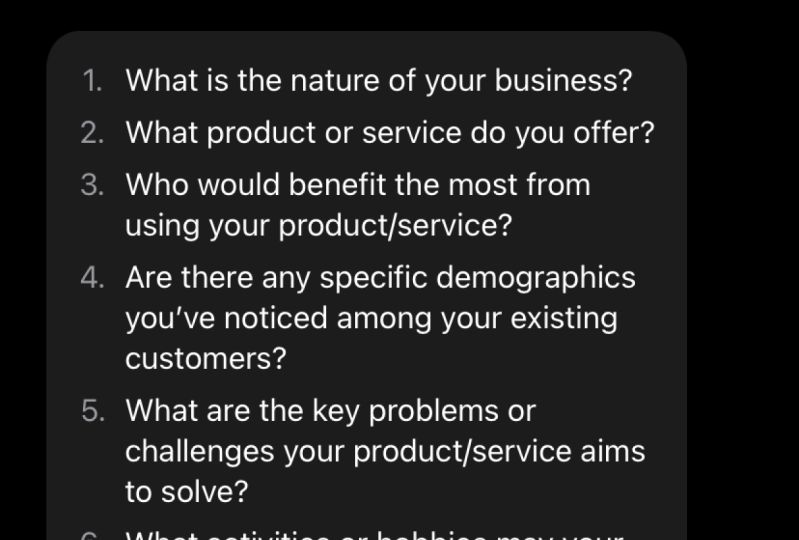
this prompt helped me to identify my target audience. Ask follow up, follow up questions until you have
all the information you need to create a buyer persona and a target audience
for my business. You can add more information here if you want in the prompt. And the more
information you add, the more details
that you add here, the best, the best, better answered you will have in this case because
we're not sure on how, on how many elements we need to provide to create
these target audience. We are very smart now
because we are saying, hey, Bart helped me to do this, but ask follow-up
questions until you have all the information you need
to give me the best result. This is what we are doing
basically here by saying, hey, ask follow-up
questions until you have all the
information we need, you need to create
the buyer persona and target audience
for my business. So let's see what
results we have. It probably will send a list
of questions that we need to answer right now with your customers and your
business information. So let's see here we are sure I can help you identify
your target audience here, some follow-up questions
that will help me understand and
we're looking for. So we have ten questions here. What kind of pieces you have, the products and services, the current customer's
demographic, interests, blah, blah, blah. And we are also
in the next step, creating a buyer
persona target audience can help you to
better understand, blah-blah-blah, your
market increase sales, everything that we know. So let me reply to this
really quick, okay, continuing here, I just
reply to all the questions. These questions could be different for you
depending on your prompt, depending on the
details that you are providing to work. On this case. I say it asked me why, What kind of business you have all education
business number two, what kind of products? Courses, training,
certification, and coaching. Number three, who are
your current customers, entrepreneurs and
business owners. You can add a smart
as many details as you can hear in all
these questions. And number four, what
are their demographic? I enter here 30-45
years old. I can enter. Where do they live
in the war with a country with CD, if I want, if it's relevant to my business, what are their
interests in this case, I enter tech and technology
and digital marketing. Number six, what are
their needs and wants? They want to use
all the parallel, the power of digital marketing
to sell more online. Number seven, pinpoints. They don't know how to do that, how to sell more on line. Number eight, competitors,
they are creating the same. Number nine, What are my goals? Get to 1 million students, e.g. you can add that,
you can say, okay, one to sell X number of
dollars a month or I want to shift any goals
that you won here. On number ten, what
is my audience call? So at the end I add
also with these, please help me create a buyer persona and
target audience. So let's see what we have. What are the reply, what is the outcome we have
here from Google part. So perfect. Look at this. Here is a buyer persona for your online business
application name, the digital marketer. You can add a name and I
recommend you to do that. John, Luke as Maria,
any name that you want. So when you see that
name, you know, that's my target my
target audience, and that's my buyer
persona, 835. This is just an example
of your ideal client. A gender male, it can be male, female, location, occupation, entrepreneur and business owner, education, experience,
interests, needs. Once pinpoints goals. Here is the target audience
for your online business. So this is the buyer
persona, this one here. And now we are going to, the target audience is
saying the target audience for your business
is intrapreneurs. Entrepreneurs and business
owners who want to learn how to use these digital
marketing to sell more. People who are interested
in digital marketing, social media marketing
and technology. People who are looking to start and grow their
online business. And this is exactly
what my target audience look like. In the real life. You can target your marketing
effort to these people. Buy is suggesting you how you can reach these people
on your target audience. This is great. This
is something that tangibility doesn't
do out-of-the-box. You need to ask chat DPT to suggest you this creating content that is relevant
to their interests, using social media
to reach out to them and running
ads that target. Then here we have, we built from scratch our target audience for your business and a buyer persona. Now, the Google Barb knows
they learn your buyer persona. So if we keep chatting
without resetting the chat, so you see that we
have the option to reset the chat here. On the top left side,
reset the chat. If we don't reset
the chat and we keep using the same chat
conversation here. It knows your target audience. So everything that
we will create from now on, that's what we're doing. We're keeping the same chat we're creating in top of this. So every content that
we create now will be optimized for these
specific buyer persona. See you in the next video.
4. How to create a complete Content Calendar for your marketing campaign: Not now that Google knows everything about
your target audience and your buyer persona, it knows that it can
help us to create content that is optimized
for this group of people. And the first thing
we're doing before we go in and create an
articles and blog posts, we will be asking Google bar to create a complete
content calendar. We did the same here on
the chat GPT section. And it was mind-blowing because static beauty created a
great calendar for us, suggesting videos and content, content ideas were to pose
the content and all that. So let's see how Bart is
performing for the same task. For that, we are using these prompts that you
see here is saying create a content calendar
for 30 days of content that is optimized
for my buyer persona. You can do these first
30 days for 90 days, 60 days is up to you, or for 15 days, seven days. I also say include the
type of content, content, ideas, social media platforms where I need to pose
the content, etc. Also I said asphalt, really important as follow-up
questions until you have all the information to create the perfect
content calendar. So let's see what are the
questions that Bart is asking us in order to complete
this content calendar for my buyer audience,
promote buyer persona. So let's see, I'm
thinking about it. We are doing this in real time, while here we are. So let's see. We have 30 days of ideas post that we can
create. So you see here? Sure, Here is a three-day
content calendar that is optimized for your
buyer persona. The number one, a
blog post on how to use email marketing to
grow your online business. Excellent. They chew a video
tutorial on how to use Instagram marketing to
drive traffic to your website. Wonderful. Number three, a
podcast episode to the top ten things that you can do that you need to know about these tarmac than
you may think and Diego, wait, I don't do podcasts, e.g. I don't have a podcast and he
suggests in Porter's here. So if that's the case, you can say, Hey, remove
the podcast ideas. It will print out a
new calendar for you. Or even better, you can come
here to your prompt and say, include post on Instagram, Facebook posts,
articles on my website, blog post, and podcasts, e.g. if you want so you can name on your prompt the exact type
of content that you want, that you want to create. So it will suggest exactly
on what you are working. Let's say you,
currently you are doing only articles on your website. You are doing Instagram, post a YouTube video that said you are
not doing Facebook, LinkedIn, Twitter, or any of these other social media you
are working only with three. So if that's the case, you can say, Hey, just optimize these four, these three social media. Let's do that really quick here. So we can say currently, or we're doing this, Let's see. Create that calendar
for Instagram, blog post on my website
and YouTube videos. Or you can say the cat, the type of content
that I want you to include on this calendar. That's even better. Let's do that. The
type of content they type of content I, you need to include
in that calendar. Let's see our post for, okay, let's see what we have. Let's update this is
thinking about it. It now, I hope it doesn't suggest to create
a podcast episode because we don't have a podcast. Let's say you have
a path because a new one, because
you can say, Hey, create these content calendar
just for my podcast, only. Suggesting content ideas and
all these things that we're doing right now is we
have a different result. Now, look at this sharp. I can help you to
create content for 30 days of content that is optimized for
your buyer persona. Here are some follow-up
questions to help me understand your business and what you're looking
for, really important. So in this, now that
we have more than we add more information
to the perm, Googlebot. Googlebot is asking us for more information so to create
the best outcome for us. So it's asking what are your goals for this
content calendar? What kind of content
you want to create? What are the topics
you want to cover? What tone do you want
to do, and to use? What platforms do
you want to use? I already mentioned that on the probability is asking again, and what is your budget
in case you want to add? You are to create ads. And he's saying here, once we have better
understanding, here is a sample. This is what he will provide
week one in certain posts, blog posts, YouTube video. We chew, you see
here all these that we will be having to do this. Let me reply to these
questions really quick. With you. With me
here, stay with me. Who are the goals? So be consistent. Posting for my audience. Excellent. Number two, if you want to skip the line to reply to this, you press Shift Enter and
it will skip the line. Number two, what kind of
content you want to create, videos and articles. Okay, number three,
we want topics, email marketing and
Instagram marketing, let's say just as an example, number four, what Tom, friendly? Friendly. It's on. Number five. What platforms? Instagram. See here? Instagram, YouTube,
and my website. Number six, and this
is the last one. $0 for ads. Go. Let's see what we have.
I hope now we have a complete calendar with content ideas and also optimized for my target
audience and for the questions, the answer that I just
provide to go over back. So here we are. Here we
have week one through four. We asked for 30 days. So this is what we have is suggesting three posts per week. If you want one post per day, you can say that on
your prompt saying, Hey, create one post per day. In this case, we have
an insulin pose saying oppose about benefits
of online education. Blog posts about how to choose the right online
education platform. Number three, YouTube video about how to get started
with online education. And you see all these in
front of you, ready to use. Of course, you can optimize
this even more if you want. But this is basically how you
can use the Google Bart to create a content
calendar for you and for your business
intelligibility. One last thing we're doing here, I asked IGBT to create these
now in a table format, in a spreadsheet former format. So let's do that. Can you create these calendar or can you rewrite the
calendar in a table format? Let's see if that
works naturally. It will work, but its activity is able to do this and
it's great because you can just copy and paste on Excel or Google sheets or
any software that you use. And here we have the same. It's doing that for us too. So you see here
in certain posts, blog posts and YouTube video, Week 1234 is able to do it. I hope you try this. And now we have a complete
cutting calendar for you. Let's go to the next video.
5. How to write killer copy with Google Bard: One thing we use often on copywriting when we're writing
copy for your website, for articles, emails, or any
kind of copy that you are creating is called the
copywriting frameworks. The copywriting framework are our copywriting styles that
you can use to write copy, to create this article, to create anything online. And you can do this
even for video. If you are creating
a video script, you can write this script
in one specific style, following a
copywriting template. And the great thing about
the copywriting templates is that every single template has, every single framework, has different style,
different goals. So with that, you can capture
your customer's attention. You can increase the desire
they have for your products, your services, what you offer. So this is really important
and I'll show you here in this video all the
tools that you have in Google Bart and how you can use this tool when
you are writing copy. So here in this model, in this section in the course, we will start writing copy for marketing and for
other goals too. So if you create a
sales page or any copy, you can use these copywriting frameworks
that I'll show you. This is super easy and great. Here is how you do it. We come here to Google bar and we use these specific prompts, same list, all the copywriting
frameworks that exist. Why we're asking this? Because if we just ask for a list of all the
copywriting frameworks, it will, it will
give you a list of five or ten frameworks. Here is showing you all the copywriting
frameworks that this machine, that these artificial
intelligence program knows. On this case, you see here
we have the aida framework, we have the PAS, which is
problem, agitate and solution. We have the BAB
before after breach. This is one of my favorite, the FAB, the features,
advantages and benefits. This is my all-time
favorites for, especially for
promotional e-mails that you send to your audience, selling your products
and services. These, for me at
least works the best. Between all these frameworks. Also the four piece, the product, price, place, and promotion, the 2080 rule, the
problem-solving benefit. So you have all these specific frameworks
that you can use. And the good thing is when
every time you create copy, Let's say you are
creating an article for website, you can say, Hey girl bar, please
write a copy. Please write an article
about this topic and use the copywriting
framework and you specify which one do
you want it to use. And by doing that,
you are creating the copy, not just randomly. You are creating the copy
following a specific recipe. That is proof, that works. And the beautiful thing
is that you can create like 34510 different versions, each one with a different
copywriting framework. And you can compare and use the one that is more attractive, that is more irresistible
for your offer. Think about that,
go now and do this. I usually print this out. So you see here I
have a paper where I list all the copywriting
frameworks that either chat, DPT, or Googlebot use to write. So every time you want
to write something, I just come here to my list. Instead of asking the program, I come here and say, Okay, I'll use today the four, the four P's, the
picture, promise, proof and push, or the
BAB before, after breach. So you can choose any of
these frameworks from now on. This simple thing
guys, look simple, looks that sometimes could
be difficult to use, but it's not super easy to use. And this is very, very powerful. That's why I decided to create just one lesson
to show you this. So print this out, save this for later, and we will start writing copy right there in
the next lesson. Let's do that right now.
6. Developing social media posts with Google Bard: In this lesson, we'll
talk about how you can use all the power
of Google Bart, to write, optimize,
pose for social media. For any social media
that you want, you can use artificial
intelligence to write, copy, to create one or several posts for your company to
promote your brand, your products or services. Doesn't matter what
your marketing goal is. You can do this formula
for all these course. Let me share that with you. So first, the first
thing we will do here, here we are on Google Bart is
to have to brainstorm with Google bar some ideas for content for Instagram
or for Facebook. So to do that, you have
the prompt list you can download and just copy
and paste these prompts. We are using one of the prompts, which is e.g. let me see. Here we go. What are five ideas for social media posts for my and
you enter your topic here. So let's say that we have a community where we teach
people Digital Marketing, five ideas for a
social media post, for my Instagram account
about digital marketing. So you enter your,
our topic here. And here we have five ideas or five content ideas that we can create for
digital marketing. Specifically, if you click on the top you see view
or their draft, you see other draft
that Googlebot created while he was thinking
about our answer. So we have similar ideas here. Actually, all the, all of
them are very similar. We have five ideas on each. So let's take a look. We can share industry news and trends. We can impose tips and advice. We can run cost
contests and giveaways. We can promote or blog
and other content. We can ask questions and
start a conversation. That's one way to
have like a complete, a complete list of ideas of
polls that you can create. I can go deeper here, so I can ask Google bar this. Please write ten topic examples for this post about, let's say sharing, sharing. Post tips and advised tapes. Advice about digital marketing. So we are basically
taking number two. You see number two here. The second idea, we can, he's saying, you can
share tips and advice. This is a great way to
help your followers improve their own digital
marketing efforts. You can share tips on everything from SEO, social
media marketing, I like it Now, Googlebot, please give me ten
examples of that. So let's send this command, is thinking about
that. And here we go. Here we have, here
are ten topics, examples for posts, sharing tips and advice
about digital marketing. Number one, how to create a winning social media
strategy, I love it. Number two, the best practice
for email marketing. Number three, how to use paid advertisement to reach
your target audience. So now you have the
exact topic, ideas. It's the exact title
that you can use on your post to create these on
any social media platform. So this is an extent this is important now that we have that, let's say that we, we
like number two here, the best practice
for email marketing. So I will copy
this and I want to create this post for Instagram, Facebook, and LinkedIn.
So let's do that. Now that we have that
we can say Please write a post about and you put your
paste what we copied here. In this case, we have
the best practice for email marketing. Let's correct this
excellent for Instagram. Enter, Let's see. We can repeat this process for each social media platform
that we want to use. So here we go look at this, the best practice for
e-mail marketing. We have the whole thing here. Now I can ask, what are the specific hashtags that I can use for these
content on Instagram. So you see that we
are, we are having a conversation with
Googlebot asking then everything that we need to create a post to
brainstorm ideas and to also create the specific
hashtags that we can use. And we have looked
at these results. Here are some specific, specific hashtags that you can
use for this content. We have all these hashtag, email marketing or
marketing tips, email marketing tools,
email marketing success. You can also is saying, use more general hashtags that are related with
digital marketing, such as marketing, hashtag, social media marketing,
hashtag growth, hacking. So it's given us several
ideas that we can just copy and paste and
use on your social media. Now, let's say that we
like that, Okay, Perfect. Now we want to create the
same content for LinkedIn, which is a longer
content platform. So I can come here
and just write, please write a new post
about the best practices for email marketing for
LinkedIn. Hit Enter here. And now we have the same content in a different way
with different words, the same quality about this
same subject that we can use. We can repurpose these
for LinkedIn, e.g. so this is how you use
google buyer to create, to brainstorm ideas for content, to create this content, to actually write
the post for you, and to optimize the pose by
asking for hashtags or ideas. If it's a YouTube video, e.g. you can ask for
ideas on how you, what is the suggestion
that you can use to create the most optimized video
thumbnail for YouTube, e.g. or how you can please
write a description from a YouTube video
that is related to that. So you can use this
in several ways. I hope you do that and let's
continue in the next video.
7. Optimized Keywords and Blog Titles generated by Google Bard: In this lesson, we'll
talk about how you can write optimize articles for your website or for any reason that you are
using Google bucket. So to start here, we will work with three main. We have three main steps will
need to complete to have a super optimized article for SEO to make sure
it ranks higher on Google when somebody
searched for your keyword. And I'll explain to
you how to do that step-by-step here with
artificial intelligence. So the first thing we need to make a list and have
clear on your mind is the keyword that we're using on these
specific articles. What are the keywords?
The keywords are the phrases or the words that your target audience will use on Google when they are
searching for your content. E.g. if I'm doing an article about how to make
a chocolate cake, Let's say I have
the best recipe in the warp and doing an
article about that, what are the keywords? That what is the phrase
or the word that my customer will
use Google to find my article probably it will say chocolate cake recipe or how
to make a chocolate cake. All these keywords
will result on my article and my goal is for my article is first on Google. I'll show you how
you can improve that using artificial
intelligence here. The first thing we need to
do is to have a list of keywords and we're doing
that here in this lesson. Also the second thing, once we have the keywords, we need to create a list
of Title IV as if he's, if he saw an article
about a chocolate cake, what are ideas that I can
use to write this article? So I will ask Google Bart
to make a list of ideas, title, title ideas using the keywords that
we already have. By doing that, we
have great ideas. But we're also making sure that we're optimizing
your title, your content for google
search so people will find your continuity
article organically. And the third thing we're
doing in the next video then, is to write the article using artificial intelligence
in just seconds. So to start, we come
here to Google, google Bart, and this is the
prompt that we are using. You can use the same
if U1 is saying this, Let's say I want to write
an article about how to, how to sell on Instagram. So I have products,
services I want to sell and they want to use
Instagram to do that. How can I sell on Eastern Iowa? I want to write an article
about that because I know that my buyer
persona is somebody that will search for
that type of content. So I'm asking Google
bar to do this. Make a list of other keywords similar to and you add your
keyword here on this case, how to sell on Instagram that
can be use in an article. Make sure these
keywords are related with what my buyer persona
searches on Google Search. Wonderful, because this
is a Google product. Bart knows and doesn't
know right now. It is, is learning everything
about the Google search, the keyword search
volume and all that. So this, this is
the best place to do the keyword research. We are using the best software, the best artificial
intelligence for that goal. And say, I'm sending Googlebot, my main keyword, which is
how to sell on Instagram. And I'm asking that I will
write an article for that. So what are the
keywords that are related with that keyword? That also my buyer persona that the Google Bart already know
who my buyer persona is, is using every day to find
this continent Google Search. This is wonderful. Let's see what we
have here, guys. It thinking about
it real-time here. Let's hope we have
a good list of keywords that we can
use on your articles. So here we have look at this. Here is a lead list of
other keywords similar to how to sell on Instagram that you can
use on your article. And they are on board.
You see the first one is how to sell on his room
without a website. And also given a
description about the same, if you don't have
a website, you can still sell on Instagram,
blah, blah, blah. Okay, Next, how to sell on
Instagram with a website. These are different
keywords that we can use. Next, how to sell on Instagram
without a following. How to grow your following? How to promote your
products on Instagram, how to use Instagram hashtags, how to use Instagram story, how to use this wrong ads. So these are all
keywords that we can use to write an article. So now that we
have the keywords, we will ask Google Bart to use these keywords to
generate a list of titles that are optimized for with these
keywords using these keywords. And it's also optimized
for my buyer persona. So super wonderful
and super optimized. Let's do that with this prompt. Make a list of article title ideas for my and I have a niche where
you can add your niche. E.g. my digital marketing blog, my chocolate cake recipe
blog, my hiking block. Any blocks that you have, you add your niche here on
this case, I'll add my, let's see here, digital
marketing blog that is related. This is important,
that is related. I want title ideas for my blog, digital marketing
blog that is related with the keywords we just found. Google Barb knows
all the keywords we just found in
prior conversations. Remember to also optimize
this format by a person. Let's see if we have a title ideas and
what these ideas are. So right now we are, we got all the keywords we want. If you want more keywords,
you can just say, Hey, make a list of ten more keywords to any more, keep more keywords. And now we are using
these keywords and we're optimizing for my
buyer persona and creating this list of topics. So here we are. Sure heater, here is an
article with toilet. Here's some article title
ideas for your blog that are related with the
keywords we just found an optimized for
your buyer persona. So here you see, these
are all the ideas we have how to sell on insulin without
a website step-by-step. That's the title of the article, how to sell on Instagram with a website, the ultimate guide, how to promote your products and Mr. Graham, the
ultimate guide, how to use Instagram
hashtags are beginner guy. So you see all these ideas here also is saying this title are relevant to sell
it on Instagram. And it's likely to be searched on Google by your buyer persona. That's what we want, guys. We want you your
articles there when your buyer persona goes to Google search and they
serve for your keywords, we want your content
there on the first place. We are in the right way here. Including these keywords
in your title can increase the chances for your articles
to be found in style. For people that are interested
in selling on Instagram, which is the subject
we are working here. And he's saying also here
are some additional tips for optimizing your blog
title for your buyer persona, use the keywords,
make sure the title, I'll clean and concise. Use birth and a strong actions work and relevant
images and videos. Perfect, but we have
the ideas here. Let's try this. Please. Give me ten more ideas. Let's see if this works. So we have already a few
ideas that I like and we can choose any
of these and we asked for ten more
here we have ten more, five common mistakes to avoid
when selling on Instagram. How to get more
followers on Instagram? How to use Instagram to build relationships
with customers, to drive traffic
to your website, to generate leads to increase
your brand awareness. So all these is here you can create unlimited
ideas for titles. And now that we
have the keywords, we have the optimizer titles. In the next video, we will be writing an
article with Google Bart. See you there.
8. Writing an optimized Blog Post in seconds with Google Bard: Now we have the keywords,
we have the title. I want you to choose
one of these titles. We can just go through the
list and choose any of these. I'll, I'll go with the five common mistakes to avoid when selling on insulin. This one here, Let's
say I like this one. Excellent. That's the one we're
using and we're also using a specific
prompt that you can use with Google bart in order to have the best
article possible. Of course, this is not like you don't have to use my brown
the product I'll show you. You can test, see how
it goes and you can try different prompts with different information
because your company, your products, your services are different than many people. And you and only you know
for sure deeply there, what is your product about? What is your service about what is in the minds
of your customers. So please feel free to make, to optimize and personalize all these prompts
for your business. So the one that we're using
now is a little bit longer, but it's really effective.
Let's take a look. I want you to act as a blogger
and expert on these Aryan. I add my topic here, digital or social media
marketing experts, social media marketing expert. So I want it to act and
telling these 2 bar, I want you to act as a blogger and social
media marketing expert. You are writing a blog post for your blog about and you enter your blog subject
here, the niche, on this case digital or
Instagram marketing blog, let's say the topic
of the post will be, and here you add the title, what the topic of
the post is about. So I just come here and I'll
copy the title that I like. And I come back to
the problem and I paste this, this title. They post. The article will be about five common mistakes to avoid when selling on Islam. Excellent, I can put these, they can select these
to make sure Barb understand that this.title
I'm continuing here. These posts should
be helpful for my four people in
my target audience. And here you can add characteristics about
your target Alice. On this case, we are working in the same chat box when the
sin conversation with Google. But in this conversation we already defined your
target audience. On this case, my target
audience in this example. So we were Bart knows
the buyer persona. So I'll just delete
this for now. And I'll say this post
should be health, should be optimized for my buyer persona because it
knows already who they are. Continuing, it should
direct them to. You can put an action that
they can take to my website, to your product, to my offer, to my landing pages,
to my social media. That's up to you. So it should direct them to
my website. My website here. There should be a call to action at the end
of each section, so it will write an
article if you want. You can add a call to action
at the end of each section. In this case, I'll add a call-to-action just at
the end of the article. At the end of the article, the length of the blog
post or article should be, would be, and you put a number between these and
these number of words. Let me add here 500-2
thousand words. You can define
these as you want. The tone will be informal, helpful, professional,
you choose the tongue. I will say, helpful
on this example. Perfect. And continuing,
we see you should be writing as an
individual blogger with a personal approach. So don't use plural first-person
to refer to yourself. E.g. our, Are we use I or my
and don't use passive voice. I want you to include
these keywords. You can mention the keywords, or in this case, because we're doing this
in order and the chat already knows everything
about your target audience, your business, your keywords. In this case, I can just say, I want you to include
the keywords we just discover in prior conversations. You can also, here
is a list of things and you can mention other
things that you want, e.g. affiliate links or any other
information that you can send to Bart to make sure
you have the best results. So let's see what we have. This will take a few
seconds, I think, and let's hope we have
a great article that we can just copy and paste on
your blogs are right there. In seconds you will have
an optimized article that has all use your keywords that is optimized for
your target audience, have the number of
words that you want and it's ready for
you to upload. So you see here
wonderful five mistakes to avoid when selling
on Instagram. You see Instagram is a powerful tool for
businesses of all sizes. And you'll see the article going with the five things
they need to avoid. Number one, not using
high-quality photos. Number two, not using
relevant hashtags. And you see all the article, it has a conclusion
and a call to action. Remember we asked the Google
bar to create a call to action at the end saying
visit my website to learn more about how to sell on Instagram and you
put the link there. That's it is ready for you. So all we have to do
now is copy, edit. If you want to edit a little bit and publish this
on your website. This is the easiest way guys to create optimized articles
and blog posts for your website that are
optimized for SEO with the best keywords that
your target audience is searching on Google. I hope you do this and I'll
see you in the next lesson.
9. Developing optimized email sequences with Google Bard: Now is the time to start writing emails for an email
sequence that you have. I promise you that
in this course, one of the things we're
working on is to create a complete marketing campaign
from start to finish. And one main element of the marketing campaign
is the email sequence. What is that? You have a landing page,
you have a website, somebody joins your email list. And these emails will start
sending our medically. So when you go on the
internet and you join, you leave your name and
email in some list. You see that this company, this personally starts
sending you emails. First is the welcome e-mail. Hey, welcome to the
least blah-blah-blah. Here you will add
this, this, and this. After a couple of days
you receive another one. So there is an e-mail
sequence that you can create for marketing purposes
using e-mail marketing. But one of the most
difficult things is to actually write great
copy for your emails. Every single e-mail you send
the copy if the content is not well optimized for
your target audience. If this copy doesn't have
exactly what they are looking for when they
start searching for you, for your company and your
products and services. If we are not delivering
that on the e-mails, your email sequence, one half, great resource, so you won't
see results from that. You will have a hard time converting all these
people from funds, from followers,
subscribers into clients, pay for your products
and services. So the goal here is
to show you that, to show how you can use Google Bart to
write a sequence of emails that are optimized for your target audience and
for what you have to offer. The basic problem we are
using is this, right? And you enter the
number of MOs, U1, Google bar to write x number of emails for
an email campaign, marketing campaign about and you enter the topic
of your campaign. Remember to optimize
these campaigns, these emails for
my buyer persona. Remember, Bart already
knows your buyer persona. We chat about that here
in the same conversation, so it has all the knowledge
about that specific. Let's come here. Let's say
that we want five emails. Okay, for an email
marketing campaign about, and here is the topic. Let's add this, how
to sell on Instagram. Let's say, let's say that that's the topic of my email sequence. The people that entered
the sequence they want, their main goal is to learn how they can sell on Instagram. And I can add, of
course, more data here. I can say, hey, the first
email is the welcome. Okay, now, after that, please add a few value, a few content e-mails, content e-mails with
valley valuable content related with what
they are looking for, which is selling,
selling on Instagram. And you can say, the
last email is where we invite them to
buy my product. Let's say my online course, e.g. let's see what we have. This is just a test. Of course, you can add more and more
data here. Google bar. The more data you
add on your perm, the best, the better result, results you will have from
this, from this system. Okay, Let's see, he's
writing right there for us. So we have all the e-mails here. We have the outcome already. So let's explore this
really quick, short here, five emails for email
marketing campaign about how to sell on Instagram, optimize for your buyer persona. Wonderful. Number one, welcome email high, and you put the name, welcome to the course, blah, blah, blah. In this email,
you'll learn how to sell on Easter trumps in
jaws, just five steps. So you see all the steps here. And he's saying, I
hope this helps. Thank you and use
sign with your name. Number two, second e-mail. This is the E, the
content email number one, where we are sharing
valuable content width. Then if you think
this is too short, maybe you can look at this. You say, Okay, this is good, but I want to go deeper
on these details. You can ask for more
information here. On Google bar. You can e.g. copy this saying once you know the target
audience, you can say, okay, give me examples of each
one of these and you add that to your email so you have a longer email if that's
your preferences. We have the second
constant email, which is ML3, the semaphore, which is another content email. And the last one is
the call to action email where we ask for the sale. You see here, I hope you enjoy these tips I have shared with
you in this email series. If you are ready to learn more about how to sell our
insulin and encouraged, I encourage you to check out my course and you enter your course name or
your product name. In this course, or
with this product. You will learn this,
this, and this. Creating high-quality contents
increase your followers. Thanks for reading and you
add the link to your product. So this is just a quick
example on how you, how easy it is to create a complete email sequence with Googlebot for your e-mail
marketing strategy. And you can ask Google, but first, if you said the one, not sure if I will do in which subjects about what
I will create, what is the main topic
of my email sequence. So in that case, you can ask Google bar to make
a list of the ten, the top ten topics that you can use for an email marketing campaign for
your buyer persona, it will give you some
ideas and you can choose one of these ideas and
create these sequence. And you can do this for
any topic that you have, and you can have any
number of emails. I enter here five
emails as an example, you can say, okay, give me ten emails to any
humans, 50 emails. The sky is the limit with AI. I hope you try this. This is powerful. In the
next video, we continue.
10. Developing sales page copy with Google Bard: This is one of the
most important, most powerful copywriting is
that we will recreate in, in this course because here today in this lesson
we're creating a complete sales page copy for your website
to sell products, services, or anything that
you want to sell online. Why this is powerful?
Because we put all the energy, all the work, attracting people to
Europe, to your marketing, to your social media, to your email sequence. But at the end of the day, the only thing
that will convert, and we'll do the last step
on the conversion process from followers and fans to
clients is a sales page. So these people will come to a sales page that you have where you are
saying, you know what, come here and let me show you all the wonderful things that
my product can do for you. This is how my service, my product will change your
life, your business life. This is the benefit
that you will get from what I have to offer. So this is happening on the sales page. So
this is important. We will write super
optimized CSP sales page with Googlebot now, and we will use different
copywriting frameworks. And this is mind-blowing guys, because to know all these
copywriting frameworks, which are basically marketing formulas that people
develop over the years to make sure they create
a desire for something that is for sale on
the customer's hard. We have access to
these technology, to all this knowledge instantly. Now, with artificial
intelligence, let me show you what
I mean by that. We'll talk about this in the
beginning of this course. You see here I print
out a complete list of all the copywriting
frameworks that I can use here on Google Bart
to have access to that. You just come here
and say, make a list. Make a list of all the copywriting
frameworks that exist. Exist. Okay, let's see. Let's see what we have here. We have a miss
spelling error here, but let's, let's see what the
result we are getting here. Here we have a complete list. You can print this out. We did that in the
prior lessons. So you see the aida, attention, interest,
desire, and action. This is a framework. So when you are writing
copy for your sales page, the width, width, in
this case with Google, google buyer will
follow this recipe. It will first create the, capture the attention of your
followers with the copy. Later, we'll develop interests. We'll create the desire and
will drive the customer. I mean, the, the, the reader, the follower to
action and convert them into customers
with this offer. So you can choose any of
these specific frameworks. The one that you
like, my favorite way to do this is to select 34, maybe two of these
frameworks and create two or more versions
of your sales page. Analyze all that and see
which one works best for you, for your business and
for your marketing plan. And the specific
prompt we are using now to write this sales
pitch, is this, right? A sales page optimized
for my buyer persona. Remember, it knows who your
buyer persona is already, where I'll say I will sell and you put your
product or service name and use the
copywriting framework and you add the copywriting
framework that you want. So let's do a test here. Let's say that I want
to sell a course. Selling, sorry, my online
course about how to, how to, let's say, use email marketing
to increase sales. E.g. I. Will use a copywriting
framework. Let's try one of my
favorite which is this, the FAB features,
advantages and benefits. This is not all
that we're doing. So stay with me here
because I'll give you more tips in a minute here. So I'll just hit Enter. Let's see what do we have? Of course you can define here. You can say, okay, make sure the sales copy is from these number of words to
these number of words. So you can increase
and decrease. You can determine
how long or how short you want your copy to be. On this case, we see here, learn how to use email
marketing to increase sales. And this is the copy features,
advantages and benefits, call-to-action testimonials, warranty and a scarcities
even adding scarcity here. So if I want to try another one, Let's go with the four Ps, which is product, price,
place, and promotion. So let me edit this prompt
and say that I want to use the four P's Framework update. So let's see the result. And of course, every
time I create a new one, I copied the one
that I just created. You can paste that in a Word document or something and you can reuse these copied. You can make sure you create, I love to create usually
a Frankenstein version. So I copy a little bit from this allele from the other one. So I started joining this part until I have the
best copy possible. So you see here this is
the one that we are using, the four Ps, product, price, place, and promotion. So he's saying learn how to use email marketing to increase
sales and grow your business. My online course will teach
you everything you need to know about email
marketing front, creating high converting
e-mail campaigns to tracking your results late after
we go to the price, my online course is
currently on sale for $99. This is just an example. It's not real. That's saving of 50 per
cent of the regular price. You can purchase
my online course right now on my website, you add the link
to your website. There is a promotion,
testimonial, and urgency. This offer is available for a limited time only,
so you don't miss out, Enroll Now today and start learning how to use email marketing to
increase sales. So you see these and also, if we come here and click
on view or their draft, we have different versions of this same copy that Googlebot created
automatically for us. We're now on draft one. Let's go to the three and you buy just by
clicking here you see the different versions
is that is creating for us. So we have more and
more versions here. This is how you do it. This is a simple way to add more information to create sales space that I
really attractive. My suggestion for
you is to create at least three versions with three different
copywriting frameworks. And also very important guys, when you are writing the
problem, this prompt here, asking to write
the sales page is important to add
more information about your product
and your service. These that I add is not enough because Google actually,
Goldberg, Bart, doesn't know details
about my online course, is just knows that it's
a course about how to, how to use email marketing
to increase sales. But if I copy all my outline, the course outline, or
the link to the course, and I paste it here and say, hey, here's the outline. All the models are here, all the lessons are here. So by providing all
this information the system have all that they
need and will create best, better results for you. I hope you try this and
see you in the next video.
11. Creating Facebook Ads with Google Bard: The email sequence is ready, the sales page is ready. Now we want to create ads to promote discourse about email
marketing on this example, to more people around the world, people on Facebook,
maybe on Google. And I'll show you how you can do that easily with Google bar. So I came here and
I want help to create the copy for
Facebook ads specifically. So I'm saying this right, a Facebook ad to sell my and you enter your product name
here to my buyer persona. So again, it's optimizing
for your buyer persona. Also provide the ideal
target audience, which is something we need to add on the platform,
on Facebook. And we're creating ads are the placement where
we should show this ad within Facebook and the budget and
duration for this add. So let's add here
my course name. Let's say that the
course name is how to sell on Instagram. Let's see what we have. As a result. We are hoping to get a gray
copy that we can use rider on Facebook on the
flight for your buyer, for your target audience. So you see here, sure, here is an ad to sell you. How to sell on Amazon, sorry, how to sell on Instagram
course to my buyer persona. So we have the ideal
target audience is saying that via target
audience for this ad, or people who are interested
on selling on Instagram. This could include people
already selling on Islam, wants to improve their results, or people just starting
from scratch placement. This ad could be placed
in Facebook news feed. This is powerful guys
because Facebook half-life. I don't know how many,
but I will say that 1015 different placement or
you can select right now, is the intelligence, artificial intelligence is giving you the exact placement that
you can use for this ad. The most optimized way. Facebook and
Instagram or websites that are relevant with
your target audience. The budget is saying, okay, you can spend one
to $10 per day. This is totally up to you. The duration a few
days or a few weeks. This is not ideal, but this is actually,
this is a good point. A good starting point would be to run for at
least seven days. This is what I always
recommend to my students to run any ads for at
least seven days. So you try all the
days of the weeks, that week to see which
one performs better. Copying this, the
copy we are using on the on the ad, we
have the image. What is the image? This image should be a photo of someone who is successful
selling on insulin. It could be an
image of a product or service that is being
sought on Instagram. Of course, I recommend
to use your product, your service, a photo
of what you offer, not a general photo
from the Internet. And the call to action is here, is saying this could be, let's see, a link or
the people will click. I didn't like this as much
as I like on chat DPT, because here is mainly
suggesting what to do is say, okay, you need a call to action that drives
people to our website. Okay. That's obvious, but I want the real copy that I need to copy and paste on
Facebook solid. Improve this right
now on the flight, You and I can come here. And I say, okay, now please write the exact
copy I will use in this. And I can paste this that it suggests
me here on the results. So let's see if we have a more, a more specific answer here
with exact copy we can use on on Facebook. And now we have headline. Wants to sell a mortgage
through the body. Cellular insulin
is a great way to reach a larger audience, connect with
potential customers, increased sales,
Blah, blah, blah. Excellent call-to-action. Click here to learn more about the course
and enroll today. So this is what I'm looking for. Now. We come here and
we can say, okay, we have the image, we have the, but
the copy perfect. So let's go to the
ideal target audience. I can ask. Make a list of the
specific interests for my target audience that I will use on Facebook
when creating this app. So let's see what we have here. I hope it gives me a
specific interests of these target audience that I need to tell Facebook when I'm creating this atom here
we have intrepreneurship, social media marketing,
retail, fashion. All the interests are here. Wonderful. So now we have a complete
formula, complete copy, audience, duration
and budget for this specific Facebook Ads.
See you in the next video.
12. Creating Google Ads with Google Bard: Perfect. Let's say that now we want
to create the same ad or something similar to sell
the same product on Google. And inside Google we have
different ads placements. We can create an
atom Google to be, to be shown on Google Search. So when somebody goes to Google, they start for that
keyword or a phrase. The first results
are usually at. You, you probably saw that these are the
Google search at, and we will create one example
of Google's search ad. You can also create
Google Shopping ads, Google display ad
that will show in different websites around
the Internet, e.g. if you go cnn.com or any of these big websites
are also small-world place. They have areas where they are showing at Google display ads. So you can create all
these ads with Google bot, with artificial intelligence
on this example, we are doing exactly
that for Google Search. So when people go to Google
and search for something, your ad will show that
this is the problem. Write a Google search at
optimized for my buyer persona. Again, selling this
product or service, you specify that include everything that we need
to have on Google, which is a headline description, display URL, final URL keywords that I need
to use the most, if not the most important, but one of the
main elements that will help your ad to perform better is the ad extensions that it can suggest why
this is wonderful guys. This is great because we're
using here Google bar. This is a Google services that Google Artificial
Intelligence. And we're creating Google
ads with Google part. We're only working with Google services here,
Google products, so nobody knows,
but we believe that this service can connect and can communicate with each other. So I hope, and I believe that this artificial intelligence
will create the best copy, the best model, the
best template for you when you are planning
and creating Google ads. For the simple reason
that this is also a Google product. I
hope you agree with me. Let's try and see
if that's true. I'll, I'll add here
my product name, which is an old selling, an online course about how
to sell on Instagram, e.g. let me see what results we have. We asked for handling
description, display URL, final
URL, and all this. And you see that we have, We didn't get an answer
from Google bar is saying, I can, I can assist
you with that. As an only a language model, I don't have the capacity
to understand and respond. Okay, that's fine. Maybe you got your answer. So we need to tweak this a
little bit. And here we go. The problem we have is
that we were asking for the final URL and the
actual URL of the product. And at this moment on
this specific model, Googlebot didn't know that, so it prevents the system
to provide an answer. So I remove that and
now we have an answer. So it's important for you to see this because sometimes
you won't have an answer and you just need to edit a little
bit on your brand, optimize your brown, give
more details and you will have the end
result, which is this. On this case, we have
a great copied look at this headline that we are using on Google search is learn
how to sell on Instagram. The description. Our course will
teach you everything you need to know about
selling on Instagram, from creating a high
converting pose to tracking your results, keywords that we need to use. This is wonderful. This is difficult to have Instagram selling online course, marketing and
entrepreneurship optimized keywords that are being
provided by Google itself. So this is powerful
guys at extinction, where are the ads thing extension
I can use for this one? The side link extension, the extension
messages, extension, price, and location extension. This is how you can create any
Google ads using gold bar. I hope you try this. See you in the next video.
13. Create a complete marketing Funnel with Google Bard: This is the lesson
where we create a complete sales funnel for
you and for your business. So by the end of this
specific lesson, you will have
everything that you need to create that
complete sequence, all the elements and the sequence will
be working for you, excited and ready to start. So let's start right now to
create a marketing funnel, if you don't know what
a marketing funnel is, is basically a
collection of steps that you need to follow with your prospects,
with your elites. So when you collect leads from your followers,
your customers, they go through
your funnel and at the end they end up
purchasing your product. So the main goal of the funnel, if this is to capture
the attention of new people that don't
know about your business, about your company, about
your services, your products, and get the information, get their name and their email. So that's the main thing. Get that information. Once you capture
that information, name and email, they
enter into your funnel. They usually download
a free lead magnet. I'll give you examples of that. And they go through
an e-mail sequence where at the end you will offer then your
product and services. And they will say
yes I want and they will purchase what you offer. So what, how do we start here? We need a few elements. The first one is that we need to define an optimize your target audience
and buyer persona. And you say Diego weight. And watching this
course in order. We already did that in
prior lessons, yes, we did. So if you already have your buyer persona here on
Google barred, wonderful. You don't need to
that step and we will skip that step here
on this lesson. So the next step we need is
to create a lead magnet. What is a lead magnet? Magnets something that
you offer for free and exchange of your
customer's name and email. E.g. let's say half a course
on how to sell on Instagram. I can have a PDF, a free PDF, or an e-book, or a video series where
I offer you a report. Let's say I have a
PDF with a list of all the top ten headlines that I use for to sell products or on Instagram that are
converting the best. So if I promise you,
I will give you the, my top ten headlines that worked for years on Instagram. I'll
give you that for free. Just give me your
name and email. That is a free lead magnet is something that you
offer for free in exchange of your customer's
email address and name. That's one thing. Also, once we captured
these name and e-mail, what do we do with that? We need to create. We send them to an
image sequence. So we have an e-mail sequence that you may be already
created in the last lesson. So that's fantastic. If not, we are doing
the dot here again. So we will create
an e-mail sequence for this following specifically, on the last piece we need to
define is a landing page. What is the landing page? Landing page is a page on
your website or anywhere where you have information about your free lead magnet is
a place where you said, Hey, if you want to download
my free PDF or I have the top ten headlines
that you can use to sell any
products on Instagram. Just enter your e-mail here
and you will download that. So that's the landing page is a page where people can
download that will create a copy for that landing
page here in this section. So let's do that right now. The first thing we need, again is to define your target Alice, we already have a target
out is if you don't, if you don't have
a buyer persona, you can use these prompts here, saying helped me to identify
my target audience. Ask follow-up
questions until you have all the
information you need to create a buyer persona and target audience
for my business, okay? So you do that, you follow the
process and you will have a buyer persona by
the end of this problem. Next, we need to
create a lead magnet. So we will use first, what are elite
magnetics and what are examples of lead magnets? Here we have a problem IN
asking Barb to create a list of possible lead magnets that can that I can use
for my buyer persona. Again, Barb knows
my buyer persona. They know that they
are interested on digital marketing
and all the things. It knows your buyer persona
now because you are following the process that we're showing
you is suggesting here. Here is a list of
possible lead magnets you can create with for
this buyer persona. You see here a free e-book or report on how to
sell on Instagram, a free guide or checklist on how to create high
converting eastern Poles. Interesting, a free webinar or video tutorial on how to
use Instagram for Business. A free trial of
your online course, excellent African
saltation with me. All these are free lead magnet. They are value content
that you have for your outings in X
and you will do that in exchange for
their name and email. Let's select one of
these on this example. Let me go with, let's see here an e-book or report on how a report on
how to sell an insulin e.g. or even better. Let's
do with this as a checklist on how to create high converting
Instagram post, I prefer down. So let's do this. Now that we have the, we have a list of all
of the lead magnets. We can use. Select one of them. And if you don't
like any of these, you can ask Barb to
create ten more ideas. Make another list
with other examples of lead magnets I can use
for my target audience. And you will have more and
more examples until you are, until you are satisfied with
the one that you choose, unsatisfied with
the checklist on how to create high
converting Eastern post. So next, we need to create
that specific lead magnet. In this case, I choose this one, the checklist, so
I will copy this. And I will say help, right? Checklist on how to create
high converting it from post. These, I will use as a lead magnet for my
marketing funnel. If you want, you can
include this information. If not, it's fine. Of course here you can say, Hey, Google Bart, it, grind these
and make it this long. These number of words, 2000 words or 5,000
words is up to you. In this case, you see
that it's too short. So I will edit this
and I will say yes. Use 2000 words or more. Okay, let's see if
we have better. We can also use any of the copywriting frameworks
that we saw in the past. I don't think that's very relevant to for this
specific lead magnet, but it's an option
if you want to create a video tutorial as a, as a lead magnet,
you can say, Hey, write a video script for
this specific topic. Now we have the
result you see here. Here is a checklist. Now we have a more complete lead magnet, so I can transfer
this into a PDF. I can maybe go to canva.com. Let me go to canva.com. I can create an eBook. So let me go here. E-book. And I can use any
of these e-books templates. And I can start just copying
and pasting each one of these 71010 tips to create, engaging in high converting
posts on Instagram. And I can transfer that, make a beautiful ebook and give that to my outings in exchange of
their name and e-mail. So this is the second
part, the e-mail. The e-mail lead magnet. We have that ready. I
hope you have that. If you again, if you want to create the video, Let's do that. We have a video tutorial on how to use insulin
for business. So I can come here and say, write a script for a video tutorial on
how to enter business. Make it 5 min long. I want that the video as a whole has
five-minutes duration. So let's see what we have. Of course, you can add
more details here. You can ask for more. You can add more information. The more information you add
the best for your scripts. So here we have the
script saying, Let's see, Hey everyone, Welcome
to my video tutorial, how to use Instagram
for Business. In this video, we're
going to show how to create an Instagram
account, blah, blah, blah. So you have everything here. All you have to do is
read this in front of the camera and you have a
free video lead magnet. So now that we have
identified the buyer persona, number 1, s thing we did is we have your
lead magnet ready. The third thing is to
create this landing page. That is the place on your website where people will enter their
name and e-mail. I won't show you now how to
do how to create the page. We have a section here on
the course where I show you may students how
to create a website. So you can use that to
create your landing page, or you can use any softwares
that are available in the interim on how to
create a landing page. What we're doing here
is creating the copy, all the texts for
your landing page. And to do that, we
are doing two steps. The first one is this. We're saying write
a landing page, copy optimized from
a buyer persona where I will be selling
and you put your name, the name of your
product and service. Use the copywriting framework and you add the copywriting
framework here. Remember we have at
least now, if you don't. You can just ask Google, but what are all the
copywriting firm framework that you can use to write copy? Include the headline,
sub-headline, and all the elements
of an optimized copy. Excellent, Let's add here, we have a service, a product which to sell an online course on how
to sell on Instagram. Excellent. Use the copywriting
framework and here I will use the
aida framework. Just to test. You can use any frameworks
that U1 and I again tell Barb to use the headline, sub-headline and all the
elements for a perfect copy. And here we have
C is saying this. Let's see if he's good.
Headline, learn how to sell on Instagram and
make, make more money. Sub-headline or course
will teach you everything you need to know about selling on Instagram
for creating high converting post to
track your results. You have the body called
the copy for the body of the the landing page, testimonials, call-to-action warranty and limited time offer. This is ready for you. All
you have to do here is copy, paste this on your landing page, and your landing page is re. The last element we have, we need is the fourth element, which is an e-mail
sequence for your funnel. And we did this in another
lesson here on Google bar. So I will use the same
parameter I have saying, right? In this case, five emails for an email marketing
campaign to sell. Let's say here about, you can say a key to sell, my own line course about
how to sell on Instagram. Remember to optimize it
for my buyer persona. So it will write the five
emails or ten emails or two e-mails is up
to you that you will use during these
e-mails sequence. This is the whole process. Let's wait for the email
So we see the results. So here we have, we
have the subject line. One, wants to learn how
to sell on Instagram. We have the body
copy e-mail tool, and we have up to five emails. You see that the last
e-mail is actually a call-to-action email where we are inviting people to enjoy, to join us in the course and started learning how
to sell on Instagram. This is the whole
process to create a simple and powerful
marketing funnel for any business that
you have and to sell any products that you have. This process guys, usually takes days and weeks and sometimes
even months to plan and think about it and
write the emails and create the brainstorm ideas for the
lead magnet, create, delete. Let's say you want an e-book, you need to write the eBook
format is complicated, but now with Google Bart and
artificial intelligence, we can do that in a few minutes. Do this, and I'll see
you in the next video.
14. Generating Product and Business names with Google Bard: In this section, we will
talk about how you can use Googlebot for branding if you are creating a new product or if
you have a product and you want to improve and
optimize the product name, the tagline, and the
slogans of your product, your company, your
business, your services. Also, we will talk about
how you can create an FAQ. Frequently asked questions for your products and products
description doesn't matter if you have a business or if
you have a real products that you are selling online
or even physical products, these branding session
applies to all that. In these lessons specifically, we'll start by creating and generating ideas
for a product name. So we have a product
and let's imagine we have a new product or a new business and
we want to create, these ideas were using artificial intelligence,
in this case, Google birth, to create business
names and product names. So let's go to go
back right now. And this is a problem that
we can use create names for. And you add a business type and the target audience as follows. Ask follow-up questions if
necessary until you get all the information you need to create the best name
for my business. This case, we are asking
for a business name. If you want a product name, just change the prompt. So make sure you are
asking for a product name. So let's do an example here saying Create and may
create names for. Let's say that we
have our restaurant. For a restaurant. That is for people in these
specific target audience. That is for vegans and
gluten-free clients, let's say. And let's ask
follow-up questions if necessary until you
have all the information. So let's see what
Google Bart as us as more information to
create these business. So heat or ideas for is
already given us some names. For the restaurant,
the green affair, the gluten-free food in the vegan than the
plant-based palette. The vegan kitchen, very popular, and the gluten-free bakery. Also, he's saying, I will need more information to create
the best business name. Yes, we want the
best business name. E.g. what is the overall
concept of the restaurant? What kind of food do you serve? Is that the atmosphere
of a restaurant? Are you at? What is your target demographic
or target audience? Who is your, who are
your competitors? What is your budget, and what is your
marketing strategy? So let's fill these up. Here are the answers and saying, It's a vegan restaurant
where we serve organic products from the farm. We serve organic and vegan
food, also gluten-free. The atmosphere is quiet
and relaxed. Relaxed. The main target
audience are vegans. The, Let's see, what's
the competitors. As I said to you that I'm not sure if you know
your competitors, you can add here
the next question, what is your budget and
marketing strategy? I said also that I'm not
sure what my marketing strategies and I know I
don't have a budget for ads, so let's hope we have
great names here. Here are some names that fit your restaurants based
on what we answer, the vegan garden, the
organic vegan kitchen, the gluten-free vegan
oases, vegan farm fresh. I liked that. I want
the vegan oasis, vegan garden cafe, vegan organic affair,
vegan gluten-free cafe. So you have all these options. Let's say that the
one that we like is the organic vegan kitchen. Let's go with this
guy, this guy here. So this is the one that we like. If you don't like
any of these names, you can say, Hey, Google bar, please suggest ten more names based on what we chat so far. Let's do that. Please write ten more names based
on our conversation. Let's see. So we have more and more names until you have the
name that you want. Of course, if this is not
exactly what you are expecting, you can edit the prompt, optimize it with
more information until you have the best name. On this case. We have here
the green vegan vegan farm. I'm going with vegan farm. Yeah, I liked began, begun font. Let's go with vegan form. And this is the name
of the restaurant. The next video, we will continue creating a slogan for these
brands. See you there.
15. Taglines and slogans for your brand with Google Bard: For the slogans and taglines, we will use these prompts. Here is a very
simple one is saying write taglines and slogan for, and you add your business type. You can say for a
vegan restaurant, for this kind of product,
for this service, you can use your imagination to have the best result
here on this case, since we are already
chatting with google Bart, we will use this write taglines slogan for
our restaurant. And I will put the
name here, vegan farm, which is the name
that actually Google just suggested to
us. So let's see. Hopefully we'd have great
taglines and slowly saying that cyclists are farm to table vegan style.
I love that one. Vegan food that is, that's good for you
and the planet. Vegan food made with love. Vegan food that's better
for you and the war. My favorite so far and
matter which one you like. I think for the slogans, I'm going with this one. Farm to table, vegan style, simple, straight to the point. And he's talking about
the target audience, the demographic we have. We have vegan people that like organic products straight
from the farm fresh. All that is encapsulated
in this tagline. Let's go to this Logan's. Here we have vegan farm. We're foot mitts,
sustainability, best vegan food in town, place where you can enjoy delicious food without
harming animals. The future of food. The best way to eat. I like vegan farm
the best way to eat. Or even if he's a popular
restaurant, or that's my goal. And farm the best vegan
food in town, eat. Any of these will
be my favorites. So let's copy that for the
taglines. This is great. I'm not sure how long
it will take you to come with these
ideas, but for me, it will take some time with
artificial intelligence, we are doing this really fast. So let's go with the best vegan, vegan food in town. In the next video, we'll
go here and create product description for this specific vegan
restaurants. See you there.
16. Product descriptions for your online store with Google Bard: Excellent. We have the name
of the restaurant, we have the slogans and taglines ready for our vegan restaurant. So now we can
create description. Let's say you have a menu. You can ask a Google
Bart to create a menu or sample menu for you of all the vegan food that you are serving
the restaurant. And here in this lesson, we'll create a description for each one of these
items to make sure the description is irresistible and optimize for
your restaurant, for your goal on, for
your target audience. So let's go here and ask, what's a sample menu for
these vegan restaurant? Let's see if Google, bob can send us, can help us with some ideas of food that we can sell
here on the restaurant. Okay? Here we have breakfast or oatmeal with berries
and almond milk, lunch, lunch, salad with quinoa, roasted vegetables and
tofu dressing, dinner. You have all the options
here, dessert, drinks. So let's grab one of these. Let's go with the avocado
toast with poached eggs, I will use these prompts here. Look right, three possible description
you can write three or ten, or five is up to you. I choose three for the product and you add the product name
here on this case, will be the avocado
toast with boats at x. So let's see the
description in the menu. Usually you need to put a description if you
have a product, if you have an online store
where you are selling the, any physical products or digital products,
doesn't matter. You need a description and
this is the best way to create a compelling and optimized description
for your products. Here you, here you go. Three possible description for the avocado toast with potent x. One, delicious and healthy
breakfast or brand option. The dish fitters
creamy avocado mash on whole wheat toast, topic with perfectly
poached eggs. The combination of creaming, avocado and the running AIX
York is simply irresistible. You see that? It's not just a simple
description. It creates. It's fired the imagination
of your client. It's creating a desire on your client for this
specific products. So you can do this for all these for all these
items on your menu. And now we have an
optimized description for any products that you have on your restaurant or on
your online store, or anywhere that you
have this online.
17. Generating FAQ with Google Bard: The last thing
we're doing here in the branding section
is to create an FAQ frequently asked questions for a product you have on this
example we are using, we are talking about are
vegan restaurant and food. They're not the vegan food. That is not the best
example to create an FAQ. Because usually people
don't have frequently asked questions about
an avocado toast with poach eggs is
something simple that they read the name of the
product array, array null. But if we, let's say we
have a course on how to sell on Instagram
is an online course. People will pay
like $500 to join. Maybe they have questions
and maybe they are, most clients are asking the
same and the same question. So we want to create an FAQ for the most popular
questions. On that case. We can do that very easily
here on Google, Google Bart. And let's do that with
this brown, we will say, Please write an FAQ for an online course about
how to sell on Instagram. Of course, the more information
this is important guys, the more information you
provide to Googlebot, the best results you will have. So please just don't
do as I did just a simple just write me
or FAQ about these. Provide more information
instead of just saying, Hey, write an FAQ about how to
sell on Instagram course, I can copy the outline of my course and paste
here on Google bar. So it will know exactly how to generate the most optimized
FAQ for these products. Specifically in this case, we still have a good result. You see, what is
this course about? And he's explaining here, who is Discord force? What I will learn this course, set up your Instagram
business account, create engaging content,
blah-blah-blah. How long is the course?
What are the benefits? So all these information is
here and this is important because you can also use
these on your sales copy. If you have a sales page, you can add some of these. E.g. what are the benefits
of taking this course? That's something
that people need to know before they
enroll in the course. So you can add an FAQ
to your sales page to have better conversion and have more information
for your audience.
18. Analyzing reviews and optimizing your products and services: In this video, I'll
show you how you can use right now Google Bart to analyse the reviews for your customers to see
if you have reviews, if your company, your store, your products, your services, they receive reviews
from your customers, are from people that interact with your business in any way. We can use artificial
intelligence to analyze all these reviews, to see what are the
things that people really like about you, your product, your
service, your company. And also we can analyse the negative reviews
and see what are the, what people dislike
about what you offer. So we can improve
exactly that and make sure we have more and more satisfies
customers, right? So this is fantastic
and you can use that for your products
and services. If you said Diego, wait, I don't have any reviews. I don't deserve is
the products I have. I don't collect reviews
from my customers. That's fine. Stay with me because I'll
still show you how you can use this service to
analyze any business e.g. on Google, on Google
Maps, restaurants, hotels, any business
that have reviews. You can analyze what people like about them and what
people dislike. So you can decide if you will consume their products or not. But it's, my main
goal here is if you have reviews from your
customers on my case, this course, you will, you will leave a
review in this course, you'll review is
important for me and fulfilled because we use your reviews to actually
improve the course. So tell us right
now in the course what you like about this course. Why do
you like about it? Why you are excited about this? And with that, we
will use actually Googlebot and attach EBT as we did in the last
sections here, to analyse the reviews and improve the course
or your product. So let's jump right now to
Google Maps. Here we are. And I will start for
a sushi restaurant. Sushi restaurant. Let's see what we have here. We have one. Let's go with Deja vu,
Deja vu restaurant. This is a great restaurant
that is close by where I live. It's actually just 3.9 reviews, which is not great on Google, but it's a great place. We love the foot
from this place. So I will use this
as an example. This is just as an example. So you understand the process. So here we can to Google map. You can find your product
use every year store, or you can have any business
that you want to analyze. So all we have to do
is just copy the link. And this is different from
IGBT because in chat GPT we need to have to copy
all the reviews, right? And, and pays their
views on changeability because currently chat GPT doesn't have access
to the Internet. Maybe when you are watching
this, it already has. So we come here and
we click on Share. We copy the link and we
go now to Google Bart. And in here we can say, please make a list of all the things people like
about these restaurant. And if this is your product, if this is your restaurant, you can add here your,
your, your information. So I will just write
this prompt and also paste the link so it knows which restaurant
we are talking about. So let's go and
see what we have. So what we're really
thinking about it, It's processing is reading all the reviews and making
a list of what people like. Here we have the
list. So he's saying, here are some of the things people like about
this restaurant. The food is delicious
and authentic. The cervical is
friendly and attentive. They bad-mouth. The atmosphere is
relaxed and inviting. The prices are reasonable, the location is convenient
parking example blablabla, excellent. Here are some reviews
from customers, so it's also making a list from all the things that people like about the restaurant is
reading all these reviews. And from everything that, that Bart learned on the reviews is making this list
in order for you. So you know exactly
what people like. Awesome. As a bonus, offering us some real reviews
from people saying, This is the best Indian
food I ever had. The service. Here is amazing. I love coming here. The prices are reasonable
or blah, blah, blah, and I never had a bar, a bad meal here. This is a good, good spot. So you see all the reviews here. And now we can keep doing
if this is your restaurant, you can say, Okay,
people like the food, people like the service, the price Is everything. Okay? I will improve
this even more. I can keep, make sure we keep this thing as it is to make sure people still
like what we have. Also we can come hidden, unchanged this and say, make a list of all the things people dislike about this restaurant. Christo rent based,
and we can add these based on these reviews. Okay. Excellent. And I will paste the link again. Let, let's see what we have now. So it's analyzing all
the negative reviews now and he's making a list of everything are all about all the suggestions people are mentioning on these reviews. So we have here, again, here are some things that people dislike about this
restaurant, the food. Sometimes this is
inconsistent in quality. The service can be slow. And we see here all the reviews and we see what are the
suggestions from your customers. So we can come here and say, Okay, let's fix this. If people are saying
that the service is low, that let's improve the service. E.g. another thing that you can do if you don't
have access to, like Google Maps, you
can just come here. Let's say that we don't, that you have your reviews
maybe in another website, and you don't want to give
access to that to Google, but you can always come
to any website to Yelp, to any website that collects
reviews and ratings. You click on the reviews. On Amazon. You can even do this. You can copy the
reviews from Amazon. And you can just copy
all these reviews. This is the same
process we did for the IGBT section guys in
earlier lessons in the course. So I can just copy this
and come here to Bart. Say, again, let's, let's edit one of these just
to make things easier. Based on these reviews. And we can just
paste their reviews. So we paste the reviews. It will analyze the
reviews for us. Let's click on update and see what we have as result
of thinking about it. You can do this again for any website that
collects reviews from your customers or from any product or service
you want to use. So he's thinking about,
and here we have the answer is based
on these reviews. Some people dislike
the restaurant because the food is not as good at, is look, it looks. The service is not
always helpful. The atmosphere is not
always peaceful or serine. The prices are not
always reasonable. You see that it's
not generalizing. It's not saying the
prices are high, is saying The prices are
not always reasonable. So it's a little bit
more polite that we, that the thing we saw in charge EBT when we did
the same process. So this is how you can
analyze reviews from your company or from any
company here on Google. But I hope you do this
in the next video, we continue with the course.
19. Bringing it all together: Now we are at the end of the
course and you complete it. Amazing things
during this course. Because now you have a complete marketing
campaign that we created 100% using AI, Googlebot on this case. And during this course, we created and define your target audience
and your buyer persona, created a complete
content calendar for you that you can use to create polls and
social media content in all the social
media platforms, we optimize your website
using Google Bard, we created complete email
marketing campaigns, sales pages, landing pages, emails to sell your
products and services. We built all that a much
more using Google Bart's. So I hope that you now download this prompt guide that I am sharing with you in the
beginning of the course, you can download, print out, and use every day to create all these marketing material that you learn here
in the course. These are yours to keep. You can just copy and paste the pose that we
use in the class. They are here in the course. And to create that from now on. So that will save you
hours of time every day.
 Diego Davila, Entrepreneur and Social Media Innovator