Transcripts
1. Introduction: Welcome to freelance real
estate photographer. My name is Chris Rasmussen. I'm a former aerospace engineer's her real
estate photographer. And I left engineering
to pursue my dream of working for myself
and being my own boss. It's actually a lot
easier than you think. So here's how it works. The right camera settings, the only two camera angles
you need and quality editing. And you get amazing
photos every time photos, they're real estate agents
will pay good money for. I show you exactly
which camera to get. Even if you don't have a
bunch of money, it's dropped. I show you my system for getting
great photos every time. And I even show
you how to go from getting your first paid gig to filling up your
schedule and making 10 K or more every month. Once you learn the
system that Karen basically does all
the work for you. And in no time you can be
your own boss and make even more money and give you exactly what you need
without any fluff. I'm really excited to
share what I've learned. Glad you guys found the
course and let's jump in.
2. Section 1 Camera Equipment: Hey guys, I just wanna say thanks again for
joining the course. I'm really excited
to have you here. This journey of like
leaving my old job, leaving engineering and working for myself has been amazing. This course is pretty much what I wish had existed
when I was trying to do it. So I'm really excited
to kinda show you how to go from working in normal jobs, working
for yourself. So let's kinda jump into the
material and take a look. Yeah, So as I said in the intro, that the camera basically does
all the work for you That wasn't clickbait or
anything like that. It's, it's one of the really cool things
about real estate is probably the easiest field in photography to become really
good at really quickly. Say I'm just a couple of days you can learn
everything you need to know to make a
$100 thousand a year. And it's also really cheap
and easy to get into. So just the $1000 for a camera at all the
equipment that you need and you can be out shooting
and getting paid gigs. So for the first section, Let's jump into
camera equipment. Now the first thing you kinda
wanna know what this is, you don't have to
spend a ton of money, especially with real estate. It's kinda cool the
way that it works. You really don't need the most
expensive camera out there to be able to get
really great photos. So I'll kinda go
through a little bit of the background so that you can kinda understand
what goes into, into choosing a camera. But if you want to
just skip ahead to, I'll just tell you
which camera I recommend based on your budget. So there's really a hundreds that you could choose
from out there. I'd suggest picking
either Sony or Canon. Those are definitely the
most widely used and probably the most reputable
brands in terms of quality. And once you pick a brand, there's kinda two
things to look at. So there's full frame
and a crop frame. So basically inside the sensor or inside the camera
you have a sensor. The light comes through the
lens and hits the sensor, and then the camera turns
that light into an image. So when you look at that sensor, you either have what's called a full frame or a crop frame. So basically crop frame is
smaller, full-frame is bigger. With a bigger sensor,
you got a bigger image. The trade-off then is those cameras are
usually more expensive. So if you have the budget, I would recommend a full-frame, but it's definitely
not necessary if you just want to get started. So here are my recommendations. So for crop frame, I would do the canon M5. There are about 500 bucks. Here's a link to Amazon
where you can get it. And don't worry about
writing all this stuff down. All include this e-book as a download so you
can just kinda go through and click
on this later on. And then if you
want a full frame, I'd suggest the A7 3. This is what I use personally. And actually the really
nice thing is Sony just launched the A7 for which I don't think you need the
upgrade for real estate. So this is actually
quite a bit cheaper. Now you can go on for 15, $1600, something like that. And again, here's a
link to that camera. And then the one thing
I want to see on cameras to don't
spend all your time researching all the
specs and obsessing and like posting
and Facebook groups and watching YouTube videos. I suggest just
picking one of these, whichever one fits your butt, fits your budget and
just get started. A lot of times you'll
see people spend months agonizing over which camera to get in the end, it
doesn't matter. All that really matters is
that you pick something, get it, and get out
and start shooting. So the next thing we're
looking at gear is your lens. This is probably the
most important thing after you're picking
your camera. The big thing that you want
with the ones you want, something that's wide angle, so that'll make rooms
look as big as possible. And when looking at, when looking at lenses, you want to find
something that's between 15 and 18 millimeters. That's the focal length
you want to shoot for. Basically, if you
go lower than that, I will make the
room look bigger, but you get this fish I look and it just kinda
looks distorted and doesn't look quite right. And then if you go anything
higher than 18 millimeters, basically you're not showing as much of the room as you
could be and it's not going to look as big and
inviting as it could. So yet, one thing to
note with the lenses is the sensor in the camera that we talked about earlier
does make a difference. So a crop frame sensor
will have an effect on the The final image. Because when you have
a crop frame sensor, what it basically does is it also crops in
your focal length. So with the canon and 50 that we listed earlier has a
crop factor of 1.6. So basically what that
means is if you put a 17 millimeter lens on
with the 1.6 crop factor, you end up with an image that's the equivalent of
27 millimeters, which isn't between that 15
and 18 then we talked about, so it's not going to be
as wide as you want. So you actually have to
compensate by getting something that's closer
to 11 millimeters. Because then you end up with the 17 millimeters that
we're looking for. So for the cannon 50, this is the lens I'd recommend
the canon 11 to 20 to. Again, here's the link and you can just check that
in the e-book later. And for the A7 3, I would recommend the
Tim run 17 to 28. And because the A7
3 is a full-frame, you don't have to worry
about crop factor, so the 17 will be perfect. And then looking at tripod, this is the next thing
that you're going to want. There's kind of like
a huge range as far as what you can
spend on a tripod. Like some absurdly
highly priced tripods, you could spend $1000
if you wanted to. You really don't need it.
All you need is something. They can get your
camera about 60 inches high and will
hold it steady. That's all that really matters. So this is the
tripod that I use. It's 50, $60, something like
that. And it works great. And let's see. The next piece is you
want to remote trigger. And what this does is when
your camera is on the tripod, which you want to make sure
you do is you don't want any shake and we'll
get into why later. But if you were to actually physically press the
button on the camera, you would get these little small vibrations in your pictures. And because of the
settings we're using, that's really an ideal. So you're going to want
to remote triggers so that you can have the camera take a picture without touching it and without
shaking it at all. So again, if you've
got the cannon, this is the one I
would recommend. And if you use the A7 3, this is the one I
would recommend. Again, there's links here so you can just go
and grab those. They're like 2030 dollars,
something like that. They're pretty cheap. And the very last thing
you need is a memory card. So yes, 64 gigs is plenty. You can get something
bigger if you want. It really doesn't make
much of a difference. These are pretty
cheap now I think they're like 15 or $20. So just pick up a memory card and you should be good
to go as far as gear. So that's pretty much
everything I see. I forgot what the canon setup
you can get started for. Less than $1000 in total with your camera lens
tripod and everything. And that's all you
need to know for gear. So I would just pick what you
want based on your budget. Just get it ordered. Don't obsess over gear and specs and all that stuff and just
get out and start shooting. And next we'll look at how
to set up your camera, which settings to use, and
how to start shooting.
3. Section 2 Camera Settings: Alright, and onto Section
two cameras settings. So we'll go through
and I'll explain the theory behind how
to set up your camera. How it interacts with light, and kind of what's ideal as
far as real estate goes. This can get a little bit technical and a
little confusing. And if you're not
particularly interested, you can just skip
to the end and I'll tell you what settings to use. But if you want a
deeper understanding of how to set your exposure and why
to do it a certain way. I'll just kinda run
through how that works. So the basic place to start with cameras is understanding something
called exposure. Exposure. Exposure is basically just how bright or dark your images. So for photos evenly exposed, it's not too bright
and it's not too dark. And your exposure is kind of a byproduct
of three settings. So it's your ISO, your aperture and
your shutter speed. So out of those,
we'll start with ISO. And the ISO is basically the
camera sensitivity to light. So as you increase the ISO, the Karen becomes
more sensitive. But the drawback
with that is you also get a green ear
and noisier picture. We're always going
to want to shoot at the lowest possible ISO for real estate just so you get the cleanest and highest
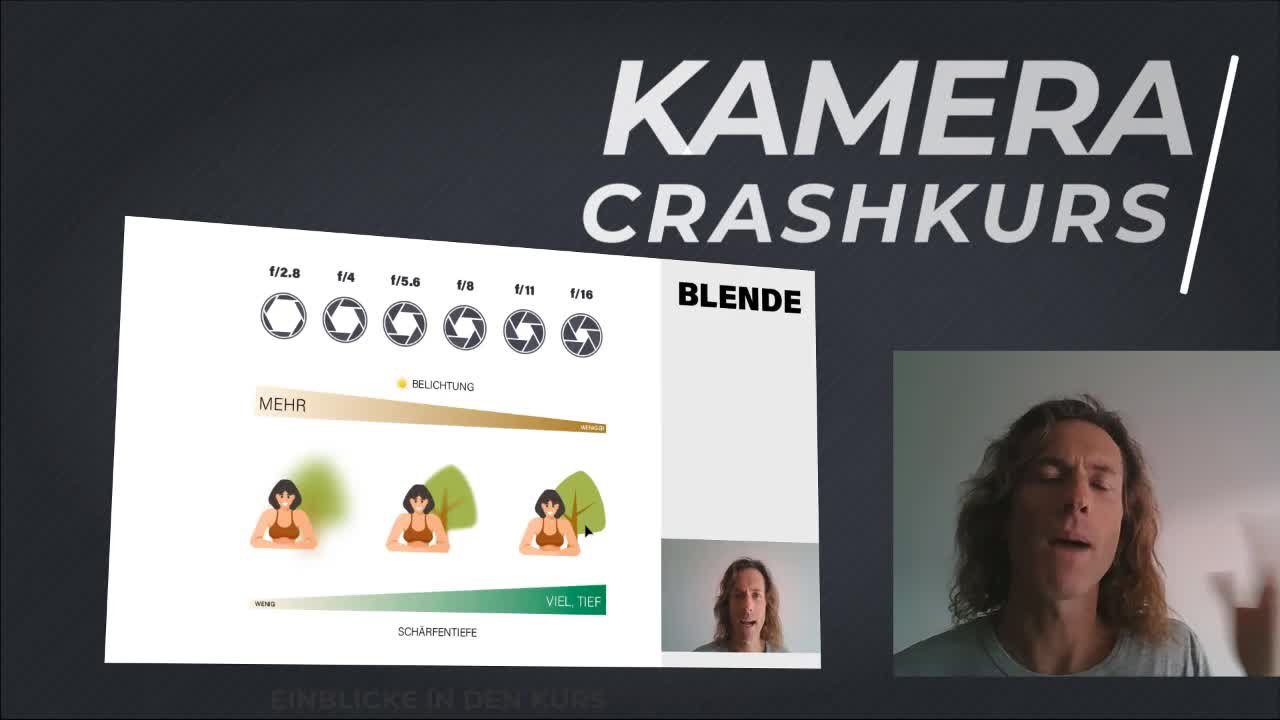
quality picture as possible. So moving on, The next thing we want to look at is aperture. So basically, there's a mechanical device
essentially inside the camera that either lesson
a small amount of light or a lot of light through the
lens and into the sensor. And your aperture is denoted by a symbol of
f, also called f-stop. So an aperture of four
can be called like F4. You'll hear people say that way. And the way the numbers work
is a little bit backwards. So a low aperture of 2.8, actually less than
a lot of lay and a high aperture or
something like 16. Let's add a small
amount of light. So essentially that
little mechanical device, I don't know exactly what you
call it inside the camera. Opens and closes. So with a high aperture
is going to be nice and close and only a small
amount of light. And a low aperture, it's
going to be wide open and let in as much
light as possible. Now there's a kind of
a second effect of aperture controls how much
the image is in focus, which is also called
your depth of field. So a low aperture will have
less of the image in focus, or a smaller depth of field. And a high aperture will have
more of the image in focus. So you've got a larger
depth of field. So one way you can kind of
think about this is you've probably seen portraits of people where the backgrounds
are blurred out. So that's going to be
those pictures are taken at a low aperture. And that's how you get
that out-of-focus look. And then on the opposite end, landscape photos are
usually taken with a high aperture so that you can see the foreground and
the background and everything is in focus in sharp. So with real estate wrote, we're going to go with
as an aperture of f 8. This is kind of a middle ground where you let in enough light, but you also have
enough depth of field where the entire room
is going to be in focus. Because what you don't want with real estate is a
shallow depth of field. We're only part of your image is in focus and the
other part is blurry. So that's your key
takeaway for this is we're always going to shoot
out an aperture of f 8. And the last thing to talk about with exposure is
your shutter speed. So basically when you think
about taking a picture, you push the button
and you hear a click. And what's happening is the shutter inside the
camera is opening. It's letting light hit the sensor and then
it's closing again. And the amount of time
that that shutter is open is called
your shutter speed. So again, that's that
click that you hear. And that's kinda the basic
theory of how it works. The longer the shutter is open or the slower
the shutter speed, the more light it lets in. And then, as we'll get into in the next section
with bracketing, basically, we're going to set the camera up automatically to adjust the shutter speed. So again, this
isn't something you really need to worry
a whole lot about. So now looking at bracketing, the really interesting
thing about real estate photos
is there actually a blend of three to five different photos
or different exposures? And the reason why is
because with real estate, most of the time you
have windows, right? So what's outside of a window is a lot brighter
than what's inside, like inside your room. And camera technology
isn't good enough yet. We're, even though
our eyes can see both evenly, your camera can't. So it's either going to
be the room is too dark and the outside is too
bright, or the opposite. If you set the exposure, did the room's going
to be to brighten, the outside would be too dark. So the way you compensate
for that is you actually take three to five pictures at different
brightness levels or exposures and then you blend
them together and editing. And that's how you get
finished pictures. Where the inside of a
Rooms nice and bright. And what you see out of a window is nice and clear also without
being overexposed. So here's an example
of what that looks like for a, for exposure set. So this is kind of
your middle ground. These are your two overexposed
images right here. And these are your
two underexposed. And then this is the
final image that you get. So as far as how this works, we'll get to that in editing. But basically it's done with
software where you tell it, you tell the program to use all these pictures and pick the right areas
from each one. And then you merge them together to get this where
everything is nice and even brightness inside and outside and all the way
through the image. Okay, so that's what your
final image looks like. And then as far as how to set
your camera up to do that. So again, I mentioned
three to five pictures, so I do five exposures and
there are two stops apart. So a stop is just a
measurement of light. I do negative four,
negative 2024. So again, that
corresponds to this. This is your negative four. This is 0 and this
is positive 4. So underexposed,
even an overexposed. And then I kinda run
through and explain how to do this to how to set
it up on an A7 3. So the steps are here. I'm not going to
read through this, but you guys all have this e-book that
you can download and just kinda run through. And the settings will be, or the method will be the
same for the Canon camera. The menu system just a
little bit different, um, but you can kind of
go through and just follow the same logic to
get that camera setup. Okay, and onto the next section, which is white balance. So it's basically
a measure of how cool or warm a picture is. The thing I'd say with this
as modern cameras are pretty good at setting white
balanced by themselves. So I just set my camera to auto and let it set the
white balance for you. And then because we are
going to be shooting in RAW, There's a lot of room to
adjust that later in editing. So if it is off a little bit, it can always be changed later. So again, the takeaway just leave your white
balance to auto. And now we can look at focus. So again, the goal with
real estate pictures is to have everything
in the room in focus. So again, we set
the aperture to F8. And the other note is you're going to
want to focus manual. You don't want to use autofocus, especially because we're doing multiple exposures
and you don't want the focus to get adjusted. Wall is taking those
different exposures. So basically the way camera
focus works is it's a distance perpendicular to
the plane of the sensor. So basically, if you
look at the lens, there's going to be
graduations on it where it'll tell you what your focus distance
is usually in meters. So if you set it to
say five meters, everything that's five meters perpendicular from the
camera will be in focus. And again, it doesn't have
to be your arms to get it perfect because we're using
that higher aperture. As long as you're close, the whole image should
be in, in-focus. But the way I
usually set that is I'll just pick the
back wall of the room. I'll set that for focus. And then usually everything will be in focus in the image. And then also because you
have that wiggle room, you don't have to readjust
focus for every shot. I kinda just have three different settings based on the type of shot
that I'm doing. So if i'm outside taking
pictures of the house, I set it to five to ten meters for your medium
and bigger rooms. So like living rooms, large master bedrooms, kitchens, stuff like that, I said
to three to four meters. And then if you're
in a small bedroom, bathroom, a closet, I'll set
it to one to two meters. And that's usually a
great rule of thumb to get your image is in focus. And I kinda mentioned
RA earlier. So this is the file format
that your camera is using. Basically Robert teens
the most information and JPEG is a compressed
version of RA, so you get way more color,
way more information, more highlight and
shadow detail with RA at the expense
of a bigger file. But I wouldn't I would still whole issue
and rasa that you have more information to be able to create a
higher-quality picture later. So when he get your camera
setup, set it to rod, not JPEG, and just
leave it there. So again. So just to summarize. So just to summarize
all the settings. Again, if you don't really
care about the theory, this is how I would
set up your camera. And the nice thing is
once you have this setup, you can just save
it and leave it there and shoot this
way every single time. So ISO, you want to start, you want to set
it to one to 200. There's only a range there
because some cameras have what's called
it a native ISO. So with my Sony, the lowest that it
will goes to a 100. I think canon does 100. So just pick whichever is
lowest for your camera. Again, set your aperture to F8. Again, the shutter speed gets changed based
on the brackets. So depending on which bracket
the camera is shooting, it'll adjust that shutter speed to let in either more
light or less light. And the camera
does that for you. Again, white balance
is set to auto, and that's basically
everything you need to know. So once you get
your camera setup, you can save those settings and just use that
every single time. And literally the camera
does the work for you.
4. Section 3 Composition: Okay, and now on to
section 3, composition. So composition is basically just another word
for saying framing. So it's basically how
you frame your image. What do you put in the picture and what's you
choose to leave out? And again, one of
the really cool things about real estate, if there's only two
angles that you're ever, that you're ever
going to need to use. One is called a one-point, are basically a straight on shot and the other is
a three wall shot, so it's an angled one
like you see here. And we'll get into
some examples with that as we go through
this section. And one thing to mention too, is the camera height
matter quite a bit. So basically what
you want to shoot for is having the camera on the tripod about 12 to 18 inches above the tallest piece
of furniture in the room. So you'll want to
adjust it as you move through different
rooms based on what kind of furnitures
and there and then also whether you're in a kitchen
or a bathroom or not. So my starting point for most rooms with that
tripod that I linked to above is just extending two of the top legs and then pulling the center column up. So if you were to
measure it out, I'd be about 48 or sorry, 45 inches off the ground. And then here are my rules
of thumb for camera height. So basically most living areas, bedrooms with standard furniture that isn't particularly
bulky or tall. You want about 45 inches. Kitchens and bathrooms. I'll bring it up a little bit
to 50 inches just because the countertop height
is usually a little bit taller than most
of your furniture. And then outdoor shots, I'll do 50 to 60
inches so you want to even higher and in those cases. But again, it's kind
of just going off. What you see in the
camera, what looks best. So these are good
starting point, but feel free to adjust
those as you go. Another thing that's really
important is getting your camera level and making
sure it's not rotated. So one of the cool
things about A7 3 is it has this digital
level and I'm sure they can and does also. So it'll show you here in the center if it's
level and then these ones on the outside show whether it's rotated or not. And the important thing
with this is this is not something that you
can fix with editing. And they can create
sort of a strange look if this is off. So you can see with
this, it's not rotated but it's pointed
down a little bit. And then if you look here at the angle up and down is
correct, but it's rotated. So what you want is this, it's perfectly level
and it's rotated. So all your lines
are going to be vertical and everything
in the final picture will look the best if you use,
if you do it that way. So now we'll go through some examples of the two
shots that I mentioned. So the first one is a one-point, So basically just
straight on where you kinda center everything
in your picture. So yeah, this is especially good in houses where
there's symmetry. Different features
that you want to show like a nice balance with. So we'll just kinda run through
a couple examples here. So again, just
straight at this wall, you've got a nice fireplace
and some art and stuff to highlight here. And
here's another one. Again, this is a good example of symmetry
because you've got this set of windows and
doors in the center. And then you're just
looking straight at it. Also, this furniture kinda points and helps frame
this this picture. And again, just looking straight on the cameras
a little bit taller, if you can tell here. Just because these
chairs are fairly high. So I did raise the
camera a little bit here as compared to this picture. And then the other shot that
you want is three walls. So basically you want an angle where either on the left
side or the right side, you want to just show the
edge of one of the walls. And what that does is kind
of create a reference point. And then you fill the
frame with as much of the room as possible as
you kinda look around. So here's an example where your third wall is on the left. And here's an example
where it's on the right. So again, you just put a
small amount in the frame over here and then show as
much of the room as possible. So again, using a
wide-angle lens and using this technique, this is how you get rooms
to look really big. And a lot of times you can
make it look even larger in a picture than it actually
seems in real life. And then same thing. Your third wall on the left and then showing as
much as possible. And bedroom example here, third wall and image. So again, it's fairly
straightforward. Year they're going to have
one or one or the other. And usually I'll do a
couple of each and we'll kind of get into how to shoot
an entire house later on. And then this is another
example of a third wall. You'll kinda notice I left
him more of the wall in this one than I
did in the others. And the reason for that
is you kind of have a narrow hallway here. And what you don't want to
do is put the camera too close to your third wall
because it'll automat, sorry, it'll artificially
make that wall look too big if the camera
is too close to it. So good rule of thumb, this habit about one
to two feet away. And then also just because
of these pictures, they created a nice element. And then you just have an empty
white wall over here too. So again, this is
kinda like one of those scenarios where he might tweak these rules of
thumb a little bit. And they don't necessarily all have to be framed
exactly the same. And again, those are
the only two angles you need me what you're
straight on shot, and your three washout where you show as much of the
room as possible.
5. Section 4 Detail Shots: Alright, and on to
the next section. We're looking at detail shots. So this would be a nice
quick simple section. Here's a example
of a detail shot. And basically this isn't
something that I do a whole lot. Usually it's just the higher end luxury houses where they want more photos and you have nice elements that you
want to take details of. So the big difference
with these is I switched to a 50
millimeter lens. And then you'll have to adjust focus as you go for
each one of these. So the big difference
with these is I use a 50 millimeter lens and you'll want to
adjust focus as you go for each shot.
When you do these. A good thing to do is
just ask the realtor like which parts of the house they want to make sure to highlight. So usually that's like
higher end appliances. Interesting parts of a room. Maybe they have a Jacuzzi
tub in the bathroom. Interesting furniture,
stuff like that. So here's a couple examples. Like a Viking stove,
high-end appliance. Just a faucet. Not particularly anything fancy, but it's just kind
of a nice picture. Again, he got this
little bar area. Yeah. Just furniture. So again, it's just kinda
like to supplement the rest of the
pictures of the house. And again, this is
something I only do for hire and homes. So if you don't have the budget
to spend on another lens, I wouldn't worry about that. The 50 millimeter lenses
are generally pretty cheap. You can find one, something like two hundred,
three hundred dollars. But again, it's
definitely not necessary. It's just kind of a nice
bonus if you want to include some extra pictures for
your real estate agents.
6. Section 5 Drones: Alright, moving on, we're
going to look at trends. So obviously drones
are a lot of fun. They also give you a really
unique perspective on houses. And they're also great because when you add drowns
to your normal, she is just an
opportunity to make more money without doing
a whole lot more work. So I typically will
charge like a $100 for drone photos and that
only takes 15 and 20 minutes. So it's a really
great way to also make a bunch of extra
money without much work. And obviously it's a lot
of fun to just get a drone to get out and fly around
with and take pictures. So as far as how to do that, It's a little bit different, but there's not much
you have to do. So you want to set
the exposure to auto. Always keep your ISO
at the lowest setting. Again, shoot in RAW
as we did before. And then you're going
to do a bracket with just three photos. So you do negative
20 and positive two. So you don't need those
severely underexposed, overexposed shots with
drones for the most part. So you're negative
four and positive four you don't need here. The other thing with drones is your aperture and focus
are usually fixed, so you don't need to
worry about that. The drone sets those by itself. And it's really good at
doing that in a way that the entire picture
will be in focus. So that's not really anything
you need to worry about. The only thing you're
really going to need to set is make sure you're in raw. Make sure your ISO is
its lowest setting. And then make sure you're
set to take brackets which drones will
be able to do also. And we're looking
at composition. So again, how you're framing, it's kinda the same rules, but it's a little bit
different with drones. So there's basically
four types of shots that I usually
get with drones. So you're looking at the
types of shots you've got your one-point or you're
straight on again, just like we had with
your normal shots. You want your angled
shot so you'll get the four corners
of the house. So rather than the three wall, you're going to want to center
the house in these shots. So you'll have
something like this rather than like
clipping one corner. It would look kind of
weird for outdoor shots. And then you've
got your top down. This is really good for showing the property and kinda of
what's around the house. So that's pretty
self-explanatory. Just get right over the house, looks straight down, and then
take a photo of that angle. And then if you have
a house that's in a place that has a
particular nice review. So you have a lake or a
park or mountains nearby. You'll want to kinda
zoom out of it and show as much of the
landscape as possible. So obviously with this
property like the mountains in the stream and all this
stuff for huge selling points. So these are really
great pictures to get in a case like this. Now one of the sort of DOM
headaches with flying a drone commercially is you have to get a what's called a part
17 license with the FAA. It's pretty stupid.
Like basically you can fly a drone without this, as long as you're
not making money. And then as soon as
you do start making my face says you have to pay us. Basically you just have
to go pass a test that says you can fly a drone commercially and then
you're allowed to do it. There's a whole bunch of
courses out there on Lake what you can learn or on what you need to
learn to pass this test. For the most part,
you don't need them. So here is a link to a YouTube
video That's really great. It's totally free. I think it's an hour and
a 2.5 hours long and obesity covers everything
you need to know. So I just watched this
two or three times. There's a couple
of practice tests. So once you feel confident, confident enough, after
going through this, then you can go take your test. Again. Don't waste the money on trunk courses or
anything like that. Just watch this YouTube
video a couple of times. Take your notes and you should
be good to go for that. And then as far as
which drum TBI, I've got a link here, but
I use the DJI air to S. I think it's about $1000. And it, It's got a
one-inch sensor, 20 megapixel photos, really, really high-quality, but you don't have to
spend a ton of money. So like the maverick three
pros, really overkill. You don't need anything
quite that expensive. So here's a link to it, but the DJI air to us is what
I would go with for that.
7. Section 6 Shoot Types: All right, So on to Section 6, your different tissue types. So we've kind of talked
about all the ins and outs of like how
the cameras work, how to set up your settings
using drones, all that. And now we're going
to start talking about how you kind of bring it together and what a real estate
shoot usually looks like. So there's four
different types of shoots that I offered
to real estate agents. 30 photos, 40 photos, drone shots in Twilight shots. So we'll run through
each of those. So the most common one
that I do is 30 photos. This is definitely the majority
of the shoots that I do is basically what
I recommend for any house that's under
3000 square feet. So 30 photos is a
good number to make sure you can show the
house in its entirety without kind of
overwhelming the person with a bunch of photos
that you just don't need. And then we can kinda
go through what that usually looks like and how those how we break down
those 30 pictures. So usually I start outside
with the front of the house. I'll get four different
pictures here. So I'll do one that's straight
on angled from the right, angled from the left, and then a front porch or
entryway if it has one. And then moving on to
the back of the house, basically the same thing. Kind of in the
center of the art, looking at the house. And then he sent out the
house again looking from the left and then Ingold
again looking from the right, and then also usually
grab an opposite corner. So I'll stand close
to the house and then show the backyard itself. And then moving
on to the inside. So you want your emphasis to be your living areas
for the most part. So living room, kitchen, dining room, and
then master bedroom. So I'll do three to four
pictures from the living room. I'll usually do one or
two of the points and one to two of the three
wall angle shots. And one thing you wanna do with your three walls as I like to shoot opposite corners, because that shows
the full layout of each room with
only two pictures. So if you think about like, you walk into the
room, pick a corner, and then walk to
the opposite corner and then take a picture kind of looking in the
direction that you just took the first shot from. So again, I'll kinda
repeat this with a kitchen wanted to three wall shots and then wanted to
straight on shots. Each kitchen can
be a little tricky because the layouts
can vary quite a bit. But as you kinda run through and do this
a couple of times, you'll get a good idea of
which angles will look best. And I'm also going
to run through some examples from actual shoots that I did a little
bit later on. So you can kinda see the patterns in the things that I'm looking for with each shot. Dining room, I usually
just do two shots, a one straight on
and one angled. And then master bedroom, I'll usually do one
straight on and then two angles again,
opposite corners. And then for each bedroom, it kinda depends on
the size of the house, but I'll do at least one of
each bedroom, sometimes two. And then one photo of each bathroom and one
photo of the laundry room. And another note. I don't usually take
pictures inside of a garage unless it's
particularly nice. So if they've like
recoded the floor, have custom cabinets, stuff
like that than I will. But otherwise they
don't worry about it. People know what the inside
of a garage looks like. So next up is 40 photos. So this is basically what
I do for larger houses. So houses that are more
than 3000 square feet, and it's basically the
same as the list above. I usually just get
maybe one extra picture of the master bedroom. Maybe an extra the
master bedroom and then the rest would just be extra pictures of
your living areas. So kitchen living
room, dining room. And if the front or backyard is particularly nice or has
something interesting about it, then I'll grab an
extra shot or two there and onto drone photos. So I like to deliver
ten pictures. I try not to go too far
over that because again, you don't want to overwhelm
the real estate agent with all the pictures
that you could get. So I usually do front of the house straight on
back of the house, straight on each of the four
corners to top-down shots. So I'll do one thats that
fills the frame mostly with the house and
then I'll just go up higher so you can see
the full property. And then if there's
any view shots, I'll do kind of the same thing. One that's sort of
medium distance or it shows the house and
some of the property and then farther back where you show more of the view and more of what's
surrounding the house. And onto Twilight. Twilight shoots are
really interesting. So it's done
basically right after the sun has set and we have all the lights in
the house turned on. So these are really, really cool looking fixtures. Here's an example of what
that would look like. So again, we have you you're going to want
to get there early, make sure every lightened
house is turned on. And then this is a little bit tricky because you
have to move quick, so you wait until five to ten
minutes after the sunsets, you start to get like
these lights popping. And you're kind of
getting that like blue, pinkish color in the sky. And then you're
going to want to run through these as quickly as you can because the light is
going to fade really quick. And you want to avoid having overly noisy images
because they're too dark. So the shots that I usually get, here's another example
from the side. So the shots that I usually get so front of
house straight on. Again, your two angles
from the front yard and the entry back of the
house straight on again, two angles of the
backyard and back patio. And then any other stuff that's particularly
interesting about the house. So these are the types images that you get
realtors love these. I think they're really cool
way to show off a house. Especially if it's a house that has a lot of glass like this. If it's a smaller home with like just a
couple of windows, these don't tend
to work as well. But if you have a bigger house, I would definitely try and
do twilight photos as well. And that covers all
the different types of shoots that I'll offer.
8. Section 7 Prepping the house: Okay, and now we're going
to look at how to stage and prep a house or apartment
to get ready for a shoot. This is kind of an
underrated aspect of ending, of getting really great
shots for your clients. So there's a few key things that you're
going to want to do. Everyone has a little
bit different style of how they like to do this. I'll just kinda run
through my approach. So the first thing I'll do is go through the house and
open up all the blinds. And don't even in a
key distinctions, if you look here, the
blinds are all the way up. If you have blinds like
the traditional ones that kinda rotates
open and close. I don't just rotate
them so they're open. I actually pulled
them all the way up to let in as much
light as possible. And it also makes the space feel larger and more open
and inviting as well. So that's the first thing I do. The other one, this is kind
of like a point of style, but I always turn the lights on. Again. There's some people
that only use natural light. I find that a lot of times there isn't enough natural light to fill an entire house. So I always go through and
turn all the lights on, including any lamps
in the house. One thing you might find
every once and awhile is if there's a light
bulb that's burned out or a lamp that
doesn't turn on. Go for symmetry. So see there's two lamps
that are next to Sam master, or next to a bed and
a master bedroom. And one works in one doesn't. I'll actually just leave
them both on because it'll look strange if one
lamp is on and one isn't. So that's kinda the case where I wouldn't have
all the whites on. The next thing is to declutter. So I just kinda run around, make sure there's no
shoes sitting out. There's no like a
hide trash cans, tidy up any pillows or
blankets, that kinda stuff. Usually I'll ask the homeowner to do that before I get there, put away any food that's on a kitchen counter,
stuff like that. But I'll just kinda take
a second and run through and just kind of do that really quick when
I'm in each room. The other thing I'll
kinda do is take any C like shampoo bottles. So bottles, you just
kinda drop those in the shower or into the tub as long as the camera can't see it and then I'll just put
it back when I'm done. That actually goes
quite a long way as far as ending up with nice pictures where things
look really clean basically. And then this is another little
thing that was taught to me by the person
that trained me. So just going through each bathroom and folding
the toilet paper. So it looks like this. It's not really going
to make any difference to the picture necessarily, but what it does is
the homeowner will notice and the real
estate agent will notice. And I've I've had
this happened plenty of times where the
agent will comment say, we'll just kinda
make a note of like how much attention to detail you're putting into the shoot. So this is something
that takes five seconds, but it's something that
they'll always remember. And the Asia will think of you as somebody that
goes the extra mile. And there'll be more
likely to hire you just for something small like that. And one last note on PrEP. So some other things
to the bathroom, make sure toilets
are always closed. I open up shower
curtains again to feel make the room feel as
bad in open as possible. Hide shampoo bottles,
hide soap bottles, Kleenex, stuff like that. Just kinda move it to a place where it's
not going to be in the picture and
then you can put it back when you're finished.
9. Section 8 Floor plan example: Now onto a, an example
of a floor plan. So I think this is
going to be one of the most helpful
aspects of this course. Just seeing what a full shoot actually looks like in terms of the final set of images that you're going to
deliver to an agent. So basically what I did is I took a floor plan
from a house that I did. And I'm not gonna go through
every single picture, but I've included
a bonus that you can download and use
this as a reference. So all these angles have a
corresponding picture to show where I set up and where I stood and took each picture and then what that final
picture looks like. So here is just a quick a quick look at that so you can
see what's going on. Here's the floor plan. So you've got like
sharp one here, two here, three here, four here. And then these are the
pictures that went with it. So they're labeled here
so you can reference. So this is shot one
and this is shot one. So this angle is this picture. And then same for shot to, again labeled number 234. So you can kinda see
how I move through a house and how I'm
picking each angle. So all of these angled ones
are going to be three walls. So this will be, this
will be your third wall. And I went over here
and a three wall, Same here that I did a
one-point looking this way. A one-point looking this way. So you can kinda
go through here. So three wall, three wall. Again, three wall on the right. The layout of this
is a little strange because of the angle furniture, but this is a one-point. And this is a one-point. And I kind of go through all
the way through the house. So this would be good
to kinda look through. And you can kind of see as
you go through this example, it's just kinda the same
thing over and over. So 1.1.3 wall, 1.3 wall. And even kinda go through and see how this works
for an entire house. So here's the first floor. This is a second floor
master bedroom and bath. And this is a second
floor bedroom bathroom. Just kind of more
areas of the house. I think this was a third floor, kind of big open office area. And again, you can just
kinda like run through, see what, what angles
I'm using and just kinda see how it ends up being the same thing over and
over and over again. And once you kind of get
an understanding of that, the cool thing is you can run through these
houses really quickly. So even though this is
a really big house, I think the picture is only
took 30 or 40 minutes once. How the lights on in the blinds open and
that kinda thing. And then next I
also go through and show where I'm getting the shots of the
outside of the house. So again, it's kind
of the same shots that we listed earlier. And I'll just show you a couple
of examples really quick. So straight on
front of the house, angled front of the house. Angles front of the house. Or I guess this is the side. These are a little tricky
because the house is raised up. But you can see I was
still able to get the camera high enough
without having to angle up and still fill
the frame with the house. So you've got your angles. Side of the house, opposite side,
again, front porch. And I did basically a three
wall here where this is this railing and this post is kind of acting
as your third wall. Straight on shot. And this is kind
of an angled shot, angle shot of the back patio. And there's just
some more photos that you can kinda
go through to see the examples of what a
full chute looks like.
10. Section 9 Drone example: Alright, and now that we've
gone through a full example of irregular indoor or inside, outside shots of a house will go through an example of
a set of drone photos. Against the same principles. It's basically going to be a mix of straight on shots
and angled shots, a couple of straight down shots. And then the big difference with this is you're just going to have varying distances. So here's a straight on, kinda fill the frame as much
as possible with the house. And then we do the same
angle but more zoomed out. And then it kinda depends
on your perspective. This is the front of
house is kinda angle. This is kind of straight on. And then this is kinda showing
the front of the house, your side of the house. And then this is one
of those view shots that we talked about. This is sort of a view
Shaw and then just kind of a detail to show different elements of this property because it's
such such a big space. And then you can even do
drone shoots at twilight two. If you're gonna do
twilight shoots with both a drone
and the camera, I definitely recommend doing your drone first
basically, right? Has the sunsets. Just because you're gonna
get more dynamic range from your regular camera
than you are with a drone. So it's better to do the drone earlier when
there's more light. So it is pretty tricky
to try and do both. You just have to move
really quick and start a little bit earlier. But kinda same principles. Here's a straight on
shot with the drone. This is just a little bit
higher and a little bit farther back to show
more of the landscape. You've got another angled shot. And one thing you want to
notice what the John is, we're actually
fairly close where the house is filling
most of the frame. And then same here. This is even closer where
parts of the house or cutoff, but this is shown here
and it's not particularly interesting like
this X and the house is the most appealing. Again, another straight on shot. So again, you just kinda seeing the same pattern over and over. Just angled shot, angled
shot, straight on. Here's kind of a
side straight on, showing some of the
mountains back here. And that's basically
all you need to know as far as drone photos go. Again, there's going
to be I'm going to include the full set of
all these pictures so you can kinda reference
these later on as well.
11. Section 10 Editing: All right, and now we're
gonna move on to editing. So the big thing with
editing is I would highly recommend outsourcing or hiring somebody to do this for you. So kinda as we talked
about before with your multiple exposures and
blending those together, there's software that
can do it for you, but actually doing that well and making the photos
look high-quality, It's actually really
difficult to do. There's people that
run entire businesses that do nothing but that. And there's just, it's
kinda just way too complicated for me to recommend trying to learn
how to do it yourself. You'll end up wasting
a lot of time. And it's pretty unlikely that you're going to
be able to create pictures that are kind of up to standard for what real
estate agents are expecting. It's just really, really
difficult to do well. So what I definitely
recommend is hiring somebody else that
can do that for you. And the nice bonus of that one is it gives you a really
fast turnaround time. So the company that I
use is called visitors. You can get in touch
with them and use them directly with this
email address. And the owner of that is here
in Denver where I'm based. But the team that he's
trained as in Vietnam. And the cool thing about
that is we can upload pictures at the
end of the day and because they're in a
different time zone, you upload the
pictures at night, you go to bed, you wake up, and the edited pictures are in your inbox when you wake up. So it basically takes
no time at all. And it's also pretty
affordable at something like a dollar, $1.50, a picture
that can vary a bit, but something like that. And then the nice thing, or this sort of bonus
about that too, is because you're not
spending time on editing. Your, you have more time
freed up to do more shoots. So you can actually
make more money and then you don't even have to
worry about the editing. It's taken care of by people that really know
what they're doing. It doesn't cost very much. And you get the pictures
back really fast, which the agents love, you'll find they're
kind of answer you to get pictures back. So if you can do that
the next morning, you're a lot more
likely to get hired over and over by those agents. So again, this is the company
that I use personally. You can get in touch with them. And just to kinda be complete, here are a couple of other companies that I
recommend they do good work. Prices vary a bit,
but they're still around that same price range. So you can check out
the three of those or visitors and decide who you want to go with as far
as you're editing goes.
12. Section 11 Business Setup: Now we can look at how to go about setting
up your business. This is definitely a section I wish I could have just
looked up when I was starting because there's
so much information out there and it's so confusing. But in the end, there's really only a couple
of things you need to know and this will
just save you so much time. So the first thing I'd
recommend is setting up an LLC. This is going to depend
on where you live. But the basic idea of an LLC, which is called a limited
liability company, is it separates your
personal liability from the business. So say something happened, somebody tripped
over a tripod and some House decided to sue you or something
weird like that. They can only sue the
assets of the business. They can't come after any
of your personal assets. So this is a good way of
like just kinda covering your bases and making sure that people can't
come after you personally. Now, the process can vary a lot. I know here in Colorado,
It's really simple. You do it online. It takes five or ten minutes
and it costs like $50. The best way to do it is just searched Secretary of State, and then put in your
state and then file an LLC and kinda see
how that works. Again, it's going to vary a lot. I know in California, it's a lot more complicated
and more expensive. You have to like send in
paperwork and it costs something like $700
rather than 50. So this will vary a lot. But if it's cost-effective
where you live, I definitely recommend setting that up so that
you're protected. And the next thing
you need is called an employment identification
number EIN. This is something you
get from the IRS. I'm pretty sure
it's entirely free. It's just something
that you need to do. And then here's a link
on how to apply again, just a couple minutes. I don't think it cost anything. And that's something that
you're going to need as well. So once you have
both of those setup, then you're going
to want to go to your bank and open
a bank account. So they're going to ask you
for your LLC information and your EIN in order to open up
a business checking account. And the big reason I'd recommend opening a separate bank
account is just to keep your accounting
streamlined. You don't want to mix
personal transactions and business transactions. It becomes a giant headache. So I would just
take an extra hour once you have this,
go to the bank, get a separate
account set up and run all your business expenses through that account and keep your personal stuff separate. And as far as contracts go, I definitely recommend
having a contract with pretty much everyone
that she worked for it, even if the real estate agent
happens to be a friend. There's this lawyer that
kinda says you don't have a problem until
you have a problem. So you may not
think you need it. But just again, to kinda be
safe and for completeness, I would set up an account with his company, created a template. And then what you can do is
all you have to do is put in the agent's name
and email address and send off that template. And it, it, it and then
it takes like 30 seconds. And then you're
covered that way. I do have a sample
contract that you can use as a starting point included in the bonuses
for the course. So you can download that and
use it as a starting point. But again, that's
not legal advice, so it's definitely worth
talking to an attorney. If you have the budget for that. That's just kinda my
disclaimer there. And as far as accounting
and payments go, so a lot of people
use QuickBooks, you can feel free to do that. I actually use a
service called wave. The nice thing about them
is it's totally free. And even with my LLC
registers and S Corp and kind of the complexity
that comes with that wave is still done. Everything I needed it to do. It's really you
like user-friendly. It's easy to figure out, and it doesn't cost anything. Again, nothing wrong
with QuickBooks if you want spend the money, The suggests what
I've done and it does everything that I need and
doesn't cost anything. And that's basically everything you need to know
as far as getting your business setup and ready to do shoots
and make money.
13. Section 12 Pricing and Website: And I'm moving along
as far as how I recommend running your business
or at least how I do it, we're going to look at pricing and getting a website setup. So pricing is going
to vary a bit depending on where you are. It may not hurt to
just kinda call around or just see what other
companies are charging. But this is what I charge for each different
type of shoot. And this is kinda what I'd recommend as far as
its starting point. So a 150 for 30 photos to a
100 for $4,000 for Twilight, and a $100 for drone. These are really
nice upsells because the twilight photos take 1015 minutes and drone
photos are the same. So you can make $200.2030 minutes just by adding
those to a shoot. And it's it's just extra money because you're
already there doing your 30 or 40 photoshoot. And then moving on to a website. So I use Squarespace. The big thing here is I wouldn't
worry too much about it. Just find something that
looks clean and professional. I would just use one
of their templates and get a good set
of pictures up. I'm just make it nice and clean. But don't spend a
ton of time on this. I would just do a homepage with your best pictures and an About page with
a picture of you. So that About page
is actually going to be really, really important. Because if you actually look at statistics
outside of the homepage and About page is the most highly visited
page on a website. People want to know like who they are potentially
working with. And then having a picture of you just kind of creates more of a connection and they're
more likely to get in touch. And then on that About page I would just put
a simple contact form. One list your e-mail address, but then also have a
contact form where they can just type in their
information there. And again, I know it sounds
kinda ridiculous that like people aren't willing to copy and paste
in email address. But again, if you
look at statistics, the follow through rate actually drops if you don't
have a contact form. So I get that setup so
people can directly contact you there and it just
goes to your email address. And one last note. So Rami's saints, he has this interesting phrase that he talks about called
playing business. And what he means by that is
like actually starting in business and getting out
there and trying to find clients can be
pretty challenging. So what you'll see a lot of
people do is they spend weeks like agonizing over
creating a logo, getting business cards made, getting their websites set up, business phone numbers, if
they think they need that, all that kind of stuff. And all that really
does is delay them from actually doing
the hard work. So again, I would kinda keep things as simple as possible. Get a site built on Squarespace, put your pictures up, create a contact form, and then just kinda get back
to work on finding clients.
14. Section 13 Portfolio and Clients: All right, Now that
we've gone through all the technical stuff
of camera settings, which camera to buy and
getting your business set up. You're all ready now to go out and start getting paying
clients and start making money. So the first thing
you're going to want to do is build a portfolio. And there's sort of
a catch-22 with this of to get clients who need photos and to get photos
you need clients. So people kinda get stuck at this step quite a bit and
don't really know where to go. So what I kinda
recommend doing is first just take pictures of your own house or
a friend's house. Again, he ideally you want
to find a place that's, I'm just kinda nice. You don't want a grungy
studio apartment or anything like that. So try to take pictures
of your own place, a friend's house, that's nice. And then another
thing you can do is run Airbnb and take
pictures of it. And Airbnb is always going to be basically set up
and ready for you to go as far as taking pictures when you get there
because it's going to be clean and it's not going to be cluttered
and that kind of thing. So this is a great option. It can usually be a
pretty cheap investment. Just do something on a weekday
when they're not busy. Find a place that's local. Go take pictures and
that's a great way to start getting a
portfolio together. And now once you have
a set of pictures, you can use those pictures
to fill up your website. And then what I'd recommend
doing is starting an Instagram page
that's dedicated to your business and then uploading photos there and using
that as a portfolio. And then what I would
do is message realtors from Instagram. So the big thing you
don't want to do is send them cold emails because they just get bombarded with
email and she's going to end up being ignored
for the most part. But the nice thing
with Instagram is it's more likely to get red. And then they can also
just click right over to your profile and
see your pictures. So that's the most efficient way that I've found to again, touch with realtors
and get a shoot setup. And as far as how
you approach it, I would offer to do the first
one for free and then say, if you like my work, then we can talk about what my pricing structure looks like and go forward from there. But make sure you
kill that first you get really good pictures. Be enjoyable to work with, show up on time, kind of all of that stuff. And just repeat this with as
many photographers or sorry, but there's many
realtors as you can. And then that's how
you're going to start building up a client base. Now there's another objection
that you're going to hear quite a bit. And it's that the reals are
already has a photographer. Because usually once
they find somebody, they kinda stick
with them and use them for all their properties. But a good strategy I found
for that is just say like, um, that they can use, you, can use you as a backup
just in case they're photographer isn't
available as sick, you know, kind of whatever. And then you can
still get in there and do this shoe for them. And then 1, if the, if their main photographer
can't do the shoot, then they're likely to call you. And then the other thing
that happens sometimes too, is if your photos are so much better looking than their
usual photographer, they could end up
switching to you and using them are in easing you
as their main photographer. So as far as what to say, here's a word for word
script that I'd recommend. I'm not gonna go
through and read this, but this is what I would send when you do message those
Realtors on Instagram. I found this to be
really effective. It's nice and short and simple. And you can also personalize
this a little bit. You don't want it
to sound canned. You wanted to sound genuine. So this is a good starting
point as far as reaching out to realtors and getting your first clients and
then building from there. And then once you have 1, 2, 3 shoots lined up. As far as getting more clients. One of the good things
is you can kinda just keep repeating that system. And it becomes easier
because as you build more of a portfolio, you kind of establish, establish yourself as a solid
real estate photographer in that area and more people
will start seeing your work. Another thing you can do
that's really easy is as you get real
tears as clients, just ask them like do they
have any other friends in the industry that are looking
for a good photographer. And you'd be surprised that
a lot of times they do. So that's a great way of
just kind of expanding. So I'll just keep
doing the work. Just kinda keep doing this
system over and over. And then with time it'll
kinda just compound on itself where more and more agents will see your photos because
you're doing more shoots. And then they'll ask
their friends like, Hey, who did these photos for
you, they look great. And then it just
concerts fueling itself. And another option too, if you want to keep things
a little bit simpler is sub-contracting
for another company. And this is actually
how I got started. So the person that
trained me ran his own business and then I just went out and shot for him. And it's actually really easy because you don't want to
deal with all the scheduling, the contracts, sending photos back and forth
to editors and all that. And you can actually
make really good money. So when you include it, like all my drone shoots
and all that kinda stuff, I ended up averaging about $50 an hour,
just sub-contracting. And it was really simple. He would just basically
send me addresses every day of like go take
pictures of these houses. These are the packers
that they want. And it keeps things really easy. And again, you can make
really good money doing that. So that's basically how I
would suggest getting started. How to get your first client, how to build from there. And then some other options. If you want to just keep
things nice and simple.
15. Section 14 Keys to Success: All right, and now we're on to our last section of the
course, keys to success. So there's a few things
that I've kind of noticed, at least in my journey. And then other people
that I've noticed that do really well with this. Where they're able to create
a sustainable stream of work and make good money and actually make this
work in the long-term. So the first thing is, the quality of your photos is going to be the most
important thing. It doesn't actually
matter in the end. How much the realtor likes you, how responsive you are, how good your pricing is. If the quality of your
photos isn't selling houses. So that's the first
thing I would focus on. So go through all
these examples. Do as many practice sheets. It's your own, at your
own house as you can. And then also go through. And I would definitely recommend investing in a good
editor to start with, just because your photos are going to be
that much better. So I would say quality
should be your first focus. And before you go out
and try and get clients, make sure you've got
a good understanding of all the principles and are able to create good
quality pictures each time. And then once you
have that down, you're going to want to
focus on what kind of experience the real
SAR has with you. And then also the person
whose house you're shooting. And one thing that kind of, that I found kind of surprising is that I kinda thought
to work in this industry, you have to be
super extroverted. And while it's great, if that's your personality type is
definitely not needed. You're not really there
to entertain them as long as you're friendly, easy to talk to, easy to get along with, That's really plenty to do well. And the next thing I've noticed
is just being responsive. You'd be surprised how often, like realtors will reach out to photographers and not
hear from them for three days or four days
or two weeks and times. I've definitely
landed clients just because I got back to them
within an hour or two. So you don't have
to constantly be sitting checking your email. But I would make a
point to respond to basically every email that
you get within 24 hours. So if not the same day, definitely by the next day. And you'll notice
just doing that. You'll get more
clients that way. And kind of along
the same lines, customer service is going
to be really important too. So things like reschedules, last-minute cancellations
will happen. Um, I know it's frustrating a lot of times to
maybe waste your time, but you have to also
remember that it's kinda out of the real tears
hands a lot of the time. So if they're if the homeowner
comes back and says, Hey, we didn't get the house
clean and time or whatever. There's not really anything
anybody can do about it. And while it is frustrating, and I wouldn't let it
happen over and over again. If it's kinda hear on there, the realtor will
definitely appreciate you being flexible and
just rescheduling. I'm just kinda wrap things up. That's pretty much
everything you need to know. Kinda like I said,
keep it simple, just focus on the foundations. And the big thing is
like get a camera, Learn the settings and
just kinda get to work. Don't play business again
as raw meats AT says. And then just to kind
of finalize everything, I've got a good set of bonuses that I think are
going to be super helpful. So we've got a private
Facebook group. I mentioned the
sample contracts. I also put together
a cheat sheet that you can bring with you. So it has all those cameras,
settings, your ISL, your aperture, your brackets, white balance, all that stuff. So that might be
good to just save onto your phone or
to bring with you to shoot until you kinda get
that stuff memorized. And that floor plan
that I went through, I've got a download for that. And then I've got a
couple more photos sets. The you can see one
of an apartment, one of a house, and then one of a
twilight shoot. So thanks again for
joining the course. I'm glad you guys are all here. I'd love to see your work, so definitely make sure you join that Facebook
group and post them, your photos in
there, get feedback. I'll be as active as I can and helping out with
questions and stuff. And yeah, I'll see you
guys in the group.
 Chris Rasmussen