Transcripts
1. Course Overview: Let's face it, agile methodologies weren't exactly created for remote teams. Early Agile teams were overwhelmingly co-located in offices, mostly because video conferencing chat and other technology that makes remote work possible where laughably primitive and clunky at that time. These days, with so many people working remotely, gathering your team in the same room isn't realistic. That doesn't mean remote retrospectives are impossible. However, there just a little bit different, meaningful, inclusive retrospectives are possible with distributed teams. We're going to talk about the basics you need to have in place, how you can facilitate a distributed retrospective and what to look out for. Some of the major topics we will cover include understand the challenges with distributed retrospectives. Know how to facilitate distributed Agile Retrospectives. In the next sections, we're going to cover the following items. Understand what are the specific challenges of distributed retrospectives. Know why building relationships is critical? No, why you need to become an expert in all the communication tools. Understand why it is important to take cultural norms into account. Know how to handle different distributed groups, and know how to keep everyone engaged.
2. Distributed Challenges: Agile methodologies encourage as much face-to-face communication as possible. Getting the client and the development team to meet in the same place. Co-locating is almost assumed as a starting point for Agile teams. In reality, co-locating presents challenges due to constraints such as project size, diversity, and availability of skills and the difference in labor costs. As with any activity involving people, communication will always be richer when everyone is co-located. For a retrospective to have the greatest impact, it is recommended to run it with all the distributed team members in the same place. Distributed retrospectives can be frustrating for participants and often take much longer than an equivalent co-located one. Difficulties with technology and misunderstandings arising and have a direct impact on the quality of the output. I cannot emphasize enough the value of bringing people physically together as much as possible. In distributed meetings, conversations flow less fluidly. Interruptions and interjections become more difficult to deal with as time lag causes conversations to overlap. Misunderstandings are more likely to occur when people cannot use physical cues of body language or facial expressions. And offhand comment that was meant ironically can be interpreted as offensive. Low-quality audio effects everyone in every location, not just remote participants. Low-quality audio means that people have to repeat themselves and it is more demanding for listeners at the other end. Distributed retrospectives present additional challenges, but you can make them more effective with the right preparation and compensating practices. Even with these practices, the quality of the output will not match one where everyone is together in the same place.
3. A Variety of Forms: Distributed retrospectives come in a variety of forms and each has side effects that you will need to consider. The first form of distributed retrospectives is small group of remote participants. This situation arises when there is a large group of participants in one location, in one person or a few people are in a remote location. I have seen this in organizations where people are allowed to work remotely or whether project requires a particular specialism which is provided by someone who can't always be physically present. The facilitator often sits in the same room as the larger group with a remote participants dialing in via a phone line or video line. Common problems that arise with his situation is that the discussions of the larger group dominate the retrospective time. Also, remote participants do not participate as actively as those present in the room. Bad connections can make it difficult for remote participants to be heard. It is easier for the group to talk over someone because they are not visible. In addition, remote participants can feel that they're interrupting or that it is harder to share their side of the story with the result that they simply remain quiet. Another form of retrospective is groups of equal size in different locations. This type of retrospective is most common with offshore development or a development model that involves around the clock shifts. Participants are usually split fairly evenly across locations and the retrospective brings them together via electronic means. A facilitator often sits with one of the groups and the other group dials in. The most common problem that arises with this type or the breakout conversations that happen between each group. Remote facilitation is difficult and allowing people to flow into discussion and then writing it back and against deadlines proves difficult. The third form of retrospective is wholly distributed participants. This type of retrospective has participants scattered across many locations and often many time zones. Almost every participant is dialing in via phone line or via internet with little face-to-face visibility of the entire group. These type of retrospectives are the most difficult to run effectively. Coordinating activities and focusing on a single story becomes troublesome as there are delays and dropouts in communication. A participant may go offline and conversations will still be flowing without the realization that someone who might have something to add to the perspective is no longer there. If everyone is calling in, it is sometimes more difficult to understand the flow depending on where they are calling from. Ad one distributed retrospective I was in, for example, a participant was calling from the airport. So all that other participants could hear was the noise of the terminal with flights being announced.
4. Make the Most of It: Fortunately, many teams obliged to work in a distributed way. I've found a number of approaches that help make distributed retrospectives more effective. These approaches can never replace the experience of a single fully co-located retrospective, but with a little trial and error may be enough for what your team needs. With any of these practices, I'd encourage you to see what best fits your environment. Practices that work well for one team often fail to fit the needs and culture of another team in an agile fashion. Trial these approaches and then inspect and adapt accordingly.
5. Focus First on Building Relationships: Where there is low trust between people, issues are often not raised and even when they are rarely in great detail. One of the most important outcomes of a retrospective is ensuring that everyone's point of view is heard in a group. Doing this in a distributed manner where there are faceless voices becomes even more difficult. Focus on activities that work to build relationships and connections between team members. A simple example is getting people to prepare two truths and a lie where others have to guess which statements someone shares is untrue. Invest in the first retrospective, most of all in bring participants face-to-face, organize a social event before or after the first retrospective to create and strengthen the relationships between members. These social bonds helped to enrich the next distributed retrospective you run. It really helps for people to be able to picture the face that belongs to the disembodied voice coming out of a telephone.
6. Use Video Cameras at All Ends: Higher Internet bandwidth and better infrastructure in many parts of the world mean that distributed teams often have more than just a telephone as an option when holding a retrospective. Aim for the highest quality video equipment that your organization can afford and ensure that video is shared equally among participants. Consider alternative mechanisms as the level of distribution goes up. Solution like zoom is ease of use and reliability are second to none in the video calling world. With zoom, we are able to share screens and have interactive two-way video between the members inside the office in those calling in from their laptops. Xun's participant grid view is great for everyone having visual communication. You zooms virtual background. A good retrospective check-in exercises when each team member picks one single image that reflects their feelings about the latest sprint. Each one that applies their image of choices there virtual background and has a few minutes to explain what their selection symbolizes. This is a great way to get the team all warmed up and receive feedback on how the sprint went before moving on to other topics on the agenda.
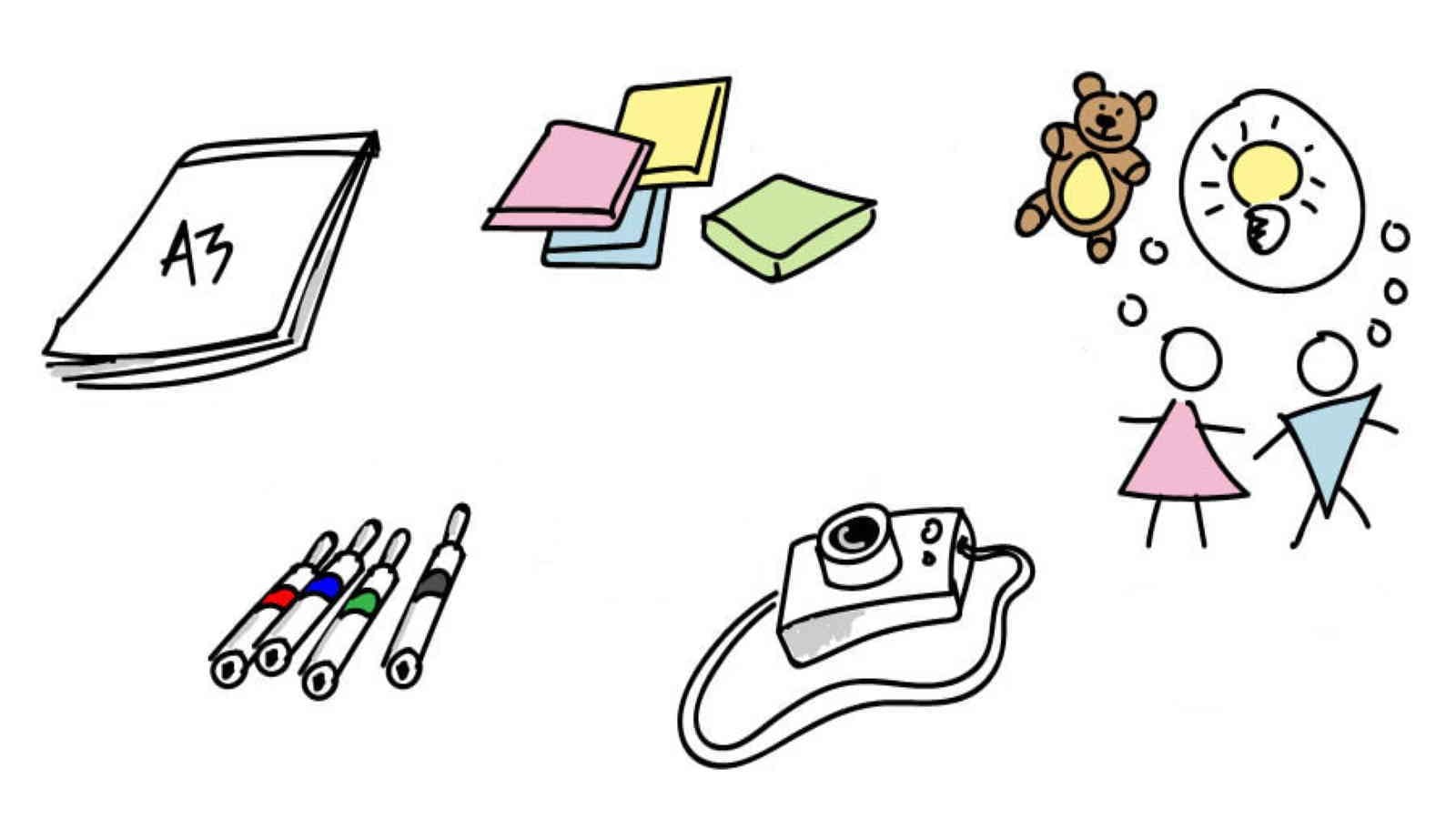
7. People Tokens in Remote Locations: One team I know RAN a distributed retrospective with three people dialing in from various remote locations to the rest of the group. The team allowed three extra chairs in the meeting room. And on each chair was a large cuddly toy with a life-sized headshot photo attached to represent each of the people dialing in. One team member physically present in the retrospective, enthused about the interesting effect it had on the retrospective. It really felt like the three team members were present in the room. I think we were quicker to stop and listen to them when they spoke over the phone, as we imagine them physically being in the room. While I'm not sure it's for everyone, I can imagine it might work for some. Give it a go.
8. Prevent Remote People ‘Going Dark’: A frequent occurrence in distributed retrospectives, particularly when there is one large group and a handful of remote participants, is what I call going dark. The group that is physically present tend to run away with a discussion and comes to a decision without remembering to invite input from remote participants. It's hard to know whether the decision is the right one without everyone's input, especially without any visual feedback from remote participants. One thing that good facilitators do during distributed retrospectives is to regularly pull everyone for their opinion. The facilitator really emphasizes the opinion of the remote participants to ensure that there is a fair amount of input. This can seem odd at first, but it has helped promote people feel more positive about the retrospective and contribute more to the meeting.
9. Faces for Everyone: Distributed teams that work together rarely get to physically meet. If none of the previous approaches to distributed meetings are feasible, it's good to at least make sure that everyone knows what everyone else looks like at the start. Good preparation for a distributed retrospective may mean collecting recent photos of all participants and distributing the list of names and photos via a wiki or an email.
10. Use Remote Facilitators: Some teams run distributed retrospectives with facilitators in all locations. The facilitators must do more work to prepare for the retrospective, agreeing on what the agenda will be, who will facilitate which parts, and the mechanism to ensure good, constant communication between the different groups. The result is often higher-quality communication and a retrospective or all participants have an equal opportunity to contribute and be heard. The facilitators work with each other to ensure that voices on either side are heard and ensure that all inputs are captured and represented on the other side.
11. Collect Input Before the Meeting: The facilitator should aim to get participants to brainstorm only facts or events rather than describing impact and suggested actions. It is preferable to have as much transparency as possible by having relevant conversation synchronously. Some teams collect input before the meeting and use the retrospective to drive discussion around the impact and the actions that need to happen. Gathering too much data prior to the meeting can lead to misunderstandings. Sometimes the time gained by getting everyone to give their input is lost in ensuring that everyone understands what all the input was and how it's related. Efficiency of collecting input before the meeting will depend on the quantity of data collected and on the level of trust between the team members. Making sure that everyone has the same view of the data is important for progressing the retrospective to the next phases.
12. Use Online Tools to Share: Retrospective generate a lot of information, capturing it and ensuring that everyone can see it is easy when all participants are physically present. When participants are facing different ways or are in different locations makes this trickier. There are different mechanisms to share the information as it's happening. Some of these include Real-time document collaboration tools, such as Google Docs, where multiple people can edit the same document in real time and see various contributions. This is great as you can see, people capturing information in real-time. Names and highlighting can help to, if you need to run dot voting. Shared online boards such as Miro and Microsoft whiteboard. App.js and retrospectives.com is an online tool specifically for distributed retrospectives. Instant messaging tools are useful for capturing input in a single location.
13. Agree on a Signalling System: Even with high-quality video conferencing or telephone systems, one of the greatest challenges of the distributed retrospective is to ensure that the conversation flows. One side often dominates a conversation and interruptions and time lags in remote communication mean it's hard for the other side to interject easily without interrupting the flow of the discussion. This can be frustrating for both parties as it doesn't feel natural. Some communication tools like zoom and Microsoft teams provide the ability to raise hands. If yours does not provide such a feature, agree on a mechanism for participants to signal when they want to speak to the other party. In one distributed retrospective with a single remote participant, we decided to use Skype at both ends. We agree to use the chat feature, not for conversation, but solely for the remote participant to indicate when they wanted to add something to the conversation. The facilitator took note and redirected the conversation to the remote participant in a suitable moment, helping the conversation to flow more naturally.
14. Invest in a ‘Technographer’: Facilitating done well takes time and energy. Paying attention to technical environments such as network lines dropping or responding to electronic media problems prevents the facilitator from focusing on the conversation. Some teams elect or invited technology refer to their session whose role is to make sure that all communication devices work properly. The technology for monitors all the devices like a hawk trying to fix something as soon as it comes up. A true technology for will act as a scribe capturing and distributing information during the session by transcription or by driving the live electronic media that's being used. This means that the participants can focus on their discussion and the facilitator can focus on making the retrospective itself effective.
15. Run Remote Working Groups: A common technique in larger retrospectives is to break them up into smaller groups to work on a set of action items, and then to discuss these with a wider audience. It allows for more conversation threads at the risk of getting different conclusions. Some distributed teams choose this approach when running an activity such as brainstorming across different locations, summarizing it and then having a representative from each location share the outcome with the other group. For example, with zoom, breakout rooms allow you to split your meeting in separate sessions for small group discussions. At the end of the allotted time, everyone joined back the main session and each group representative shares his outcomes with the whole group.
16. Remote Proxies as Representatives: In a group where most people are in one location and a few participants are working remotely. You could use a remote proxy. With this technique, one person in the meeting room stays in direct contact with the remote participants via instant messenger. And the remote participants use m to indicate that they want to speak in their proxy. Relates this to the facilitator or the group. The facilitator then opens up the conversation for the remote participant to present their point of view over the phone. Having a proxy helps remote participants feel just as valued as people physically present. This mechanism allows participants to indicate that they would like to make a contribution without talking over someone and avoids the confusion that ensues when you try to do this over the phone, where there can be noise and delay. If network is bad, you may up to relay all remote conversation through a proxy. I would discourage adopting. This is common practice. However, as I think it is better for people to connect with a remote participant by hearing their voice instead of the proxies.
17. Simple Rules for Remote Communication: Here are some simple rules to help make distributed retrospectives more effective when it comes to communicating. Go for the highest quality headphones and headsets. It's really important to hear people as clearly as possible. Prefer a wired Internet connection over Wi-Fi. Prefer Wi-Fi over roaming internet. Higher bandwidths are better for avoiding time lag and interrupted conversational flow. Prefer a wired telephone line over a mobile telephone. As the line is more stable, people dialing and should do so from a quiet room, preferably away from anyone else. Background noise makes it more difficult to understand participants. If the caller can't find a quiet place, agree for them to mute while they are listening in order to minimize background noise. Remote participants should book they're quiet room for the entire duration of the meeting to prevent having to disconnect and reconnect in search of another quiet space. Ensure all computers are plugged into the mains. There's nothing worse than finding that someone has gone offline because their laptop battery was flat.
18. Be Aware of Cultural Dimensions: Distribution often presents the challenge of different cultures working together. Herod Hofstede is well known for his studies describing different cultural dimensions and the impact they have on working relationships. These are difficult to overcome in person and need to be taken into account when working remotely. He identified the following cultural dimensions for national cultures. Power distance index the extent to which the less powerful members of organizations and institutions accept and expect that power is distributed unequally. People participating in retrospectives from a culture with a lower PDI are more likely to challenge your question what someone has said, regardless of the others role, people from a culture with a higher PDI are more likely to not mention anything. Individualism versus collectivism. The degree to which individuals are integrated into groups. People from cultures with high degree of individualism may constantly discussed items from their own point of view rather than from the whole teams. Uncertainty avoidance index, a society's tolerance for uncertainty and ambiguity. Retrospective participants from a culture of low uncertainty avoidance are more likely to give the impact of random events lower priority. This may generate more conflict on the relative importance of events and also deciding what to do. Masculinity versus femininity. The distribution of emotional roles between the genders. Participants from cultures with different focuses may focus on different topics as part of a retrospective. According to Hofstede, a masculine attributes include competitiveness, assertiveness, and ambition. Contrast with typically feminine priorities, such as relationships in quality of life. Bringing participants together from cultures where these focuses are different may be frustrating to participants. Long-term orientation versus short-term orientation. How much a society prioritizes the long-term future over the short term. Participants from a culture of short term orientation tend to look for immediate actions and quick fixes that may be easier to do, but may not help in the long run. Indulgence versus restraint, what cultural norms exist that encourage or discourage immediate fulfillment of desires? The facilitator should expect a larger distribution of cultural dimensions when running the retrospective distributively. During discussions, facilitators must anticipate areas of potential conflict due to different culture norms and be prepared to mediate behaviors caused by these differences. For example, if the facilitator is working with a team from a lower PDI culture. And remotely with a team from a high PDI culture, they should encourage the remote team to speak their voice first and actively seek to remove the perception of any hierarchy between participants.
19. General Tips for Distributed Retrospectives: To follow, I want to give a few general tips for leading distributed in sometimes also local retrospectives. They are applicable in all the cases described earlier. Keep it short. Even if you are a great facilitator, keeping a virtual retrospective interesting over a longer period of time will be an effort. If you're not all sitting in the same room, keeping the energy level up for the duration is very difficult. That is why a distributed retrospectives should be as short as possible. You will seldom be able to keep the participants in line for longer than an hour. If you're planning a longer retrospective, having all the team members together in one place makes more sense. Stay within the timeframe. When you share the agenda with the participants, include exact times for the individual activities. You should then keep to those times during the actual retrospective. This ensures that you'll be able to stop punctually after an hour. You stacking in a distributed retrospective in which the participants can only hear each other, it is extremely important to make sure that everyone gets a chance to speak and that no one is left out. A good way to ensure this is the stacking technique. For example, the facilitator decides the running order, and once the first participant has finished, he gives the floor to the second one and then the third one and so on. Prepare the participants share the topic of the retrospective with participants in advance, especially when they will be considering a special topic. This enables the participants to prepare themselves. Retrospectives are thus made more effective and you're more likely to be able to stay within your timeframe. Use communication tools effectively. Become an expert in all the communication tools that are available to you and your organization. Professional tools are often available, especially in larger organizations. Some examples, our Cisco conference systems, digital whiteboards, such as from 3M, online collaboration software, Basecamp or slack and online conference tools, WebEx resume. Get to know all the useful functions of these tools so that you can use them quickly and effectively in your retrospectives. Meet regularly. Despite distribution, having teams meet regularly make sense, and annual meeting can be perfectly sufficient. It is a simple fact that true human connection can only happen when people meet face to face. You'll also be able to hold better retrospectives with people with whom you have partied.
20. Wrapping Up: Let's recap some tips from this class. Use retrospective activities to build relationships. Keep the retrospective short. Become an expert in all the communication tools to help your team check your material. You need good microphones and put your camera on. Anticipate areas of potential conflict due to different culture norms. Appoint representatives as proxies for each groups or for remote participants. Regularly pull everyone for their opinion agreed on a signalling system. I feel that retrospectives where all participants are in the same physical location will always be more effective than when some participants are located elsewhere. However, I know that not all teams are lucky enough to avoid distribution. If you're interested in additional advice on how to deal with remote teams, join this class dealing with five challenges in Agile remote teams. The five challenges are building relationships despite the distance, establishing communication inefficient ways, reinstating the body language and team communications, fostering osmotic communication, and holding productive meetings within a distributed team. Hopefully, all of these tips will help teams obliged to work distributedly to run a more effective retrospective.
 Will Jeffrey, Agile Mastery Beyond AI