Create Your Own Font: Turn Your Handwriting into a Downloadable Typeface
 Pamela Calero, Creative Director and Visual Artist
Watch this class and thousands more
Watch this class and thousands more
Lessons in This Class
-
-
1.
Introduction: Create Your Own Font
2:24
-
2.
Class Project
1:02
-
3.
Installing Fontself App
0:46
-
4.
Creating your Font
2:58
-
5.
Exporting your font installing it and using it
1:46
-
6.
Conclusion
0:40
-
-
- --
- Beginner level
- Intermediate level
- Advanced level
- All levels
Community Generated
The level is determined by a majority opinion of students who have reviewed this class. The teacher's recommendation is shown until at least 5 student responses are collected.
43
Students
--
Projects
About This Class
In a digital world where people increasingly rely on the same templates, fonts, and AI-generated visuals, handcrafted expression is becoming more valuable than ever. So instead of using the same fonts as everyone else… why not create one that sounds like you?
Creating your own font is a way of bringing your human touch back into your work.
Hi! My name is Pamela Calero, and I’m a creative director and visual storyteller. I give visual form to ideas to simplify purpose-driven projects through a poetic and conceptual approach.
As someone who deeply values authenticity in visual communication, I’ve always been fascinated by typography and the emotional power of handwriting. A handmade font can communicate warmth, intimacy, playfulness, imperfection, spontaneity, and character in ways standard digital fonts simply can’t.
Whether you’re building a brand for yourself, creating work for a client, or making digital artwork, custom typography instantly creates distinction. It transforms your visual communication into something recognizable and personal.
Making handmade lettering is incredibly fun, but the truth is, we don’t always have the time to create everything from scratch every single time. Turning your handwriting into a font is a one-time process that gives you a creative tool you can reuse endlessly.
The funny thing is, I used to feel completely intimidated by font creation software. It always seemed overly technical and inaccessible. But when I discovered Fontself, a whole new world of creative possibilities opened up to me.
In this class, I’ll show you a simple and approachable way to turn your handwriting into a fully functional font you can install and use on your computer.
We’ll go through:
- How to prepare your handwritten letters
- How to import them into Fontself
- How to adjust spacing and test your font
- How to export and install your typeface
- And how to start using it in your creative projects
So you can create as many handmade fonts as you like.
This class is perfect for designers, illustrators, content creators, creative entrepreneurs, or anyone who wants to add a more personal and authentic touch to their visual language.
No previous experience in typography is needed.
By the end of this class, you’ll have your own downloadable font and a new tool to make your work feel more human, expressive, and unmistakably yours.
So grab a pen, your favorite brush, or your iPad, and let’s turn your handwriting into something you can actually type with.
I’ll see you in class.
Meet Your Teacher

Hello!
My name is Pamela Calero and I’m a Colombian born - Barcelona based Communication Artist & Visual Storyteller. I give visual form to ideas to simplify projects that think outside the box.
Through the act of externalizing and examining my thoughts, I discovered a passion for transforming abstract ideas and emotions into tangible, visual forms. This passion has evolved into my Creative Services, which aim to distill complex concepts into concise and memorable visual representations. My goal is to find the most effective and compelling way to communicate a message, using the power of imagery to bring ideas to life.
I'd love to connect with you!
Stay up to date by subscribing to my Newsletter:
IDEA... See full profile
Hands-on Class Project
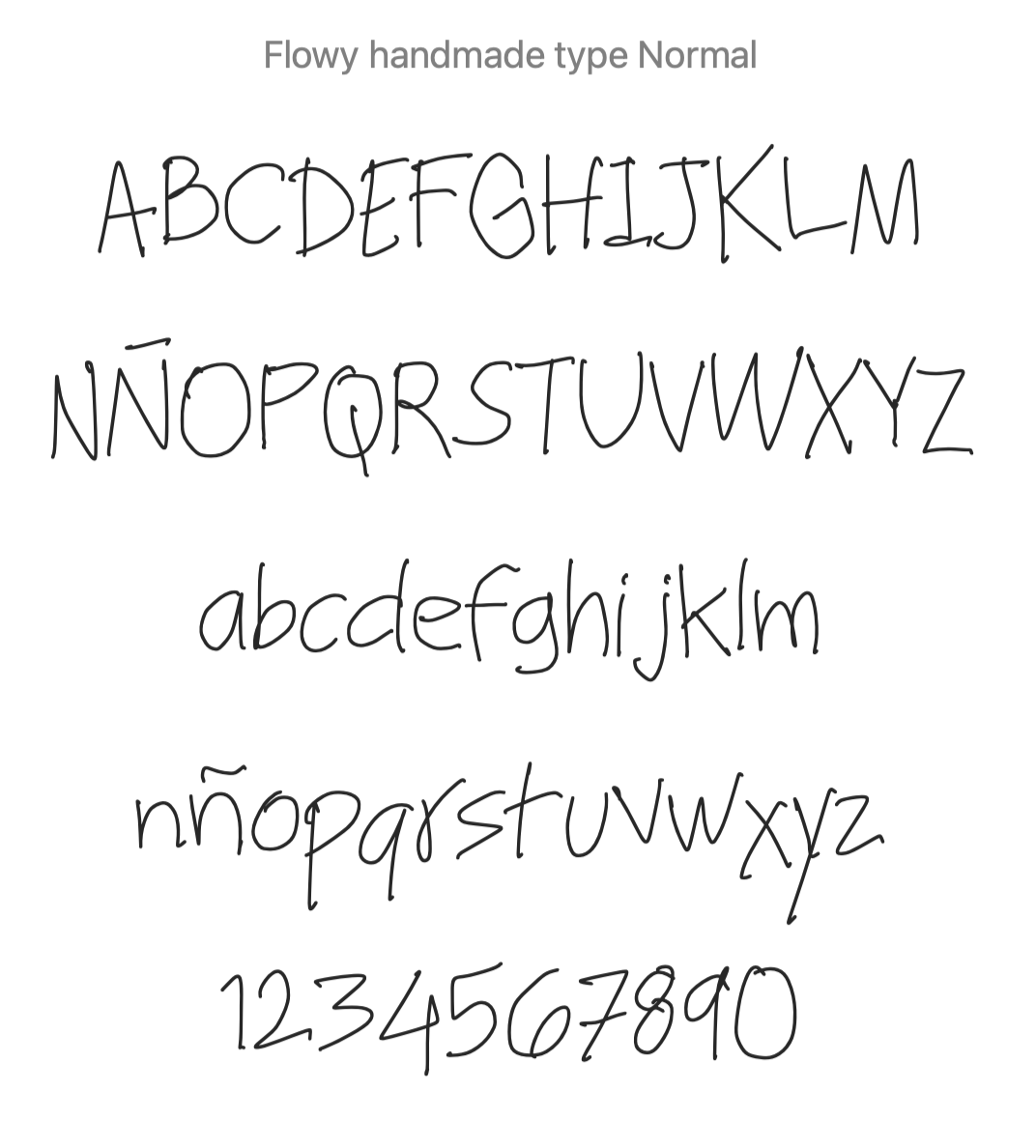
For the class project, you will create your own custom handwritten font using Fontself.
You will need:
- The Fontself app for iPad
- An iPad and Apple Pencil or similar stylus
- A computer to install your font on
Optional:
- Reference images of your handwriting
- Pinterest inspiration or moodboards
The goal is not perfection. The goal is personality.
During the class, we will go over:
- How to create a cohesive handwritten alphabet
- Tips to make your font readable and expressive
- Importing letters into Fontself
- Adjusting spacing and character placement
- Exporting your font file
- Installing your font on your computer
- Using your typeface in real creative applications
At the end of the class, upload:
- A screenshot of your installed font
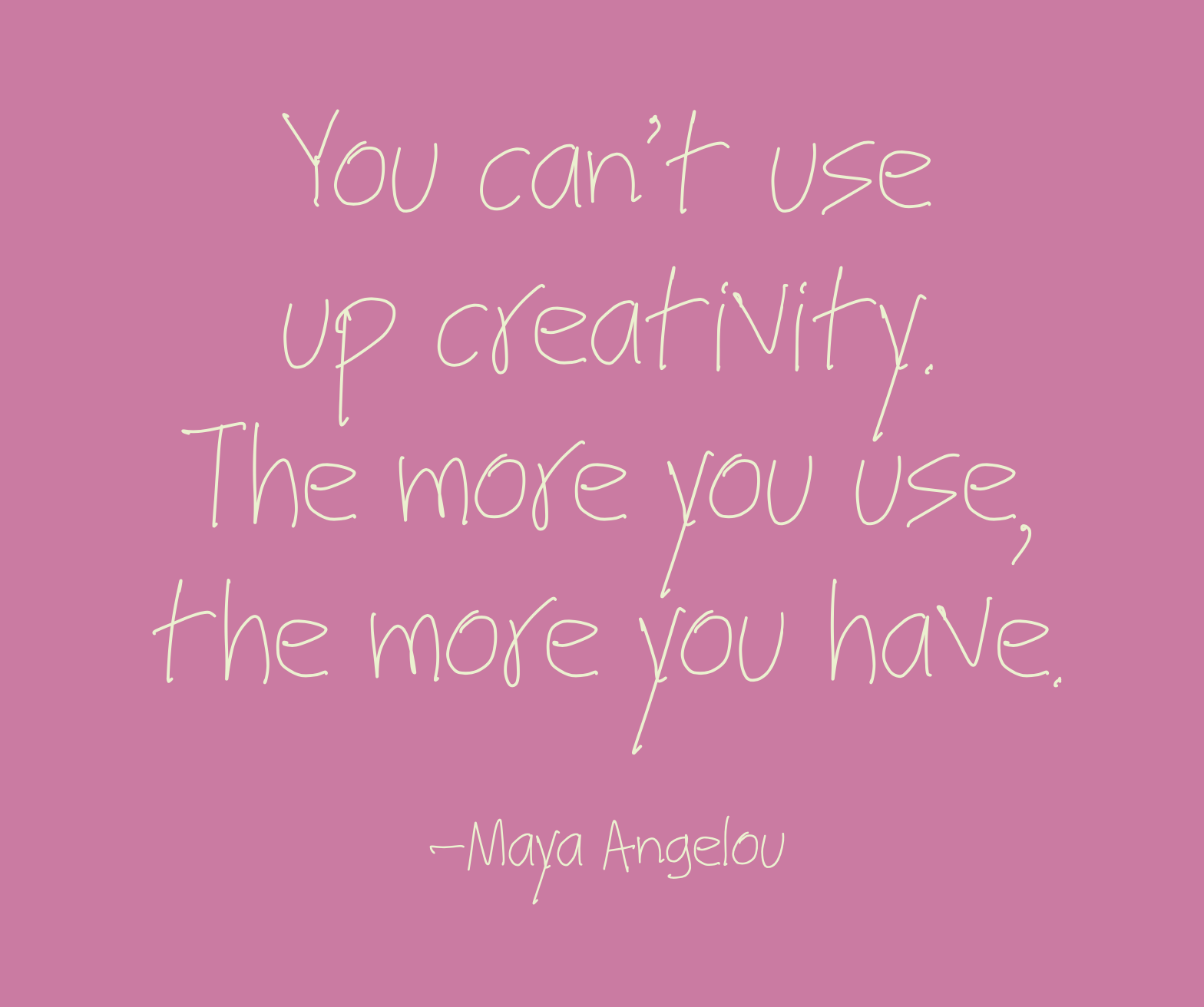
- A phrase typed with your typeface
- Or a small design using your custom font
Remember: your handwriting already contains a visual voice. This class is about transforming that voice into a creative tool you can keep using across your branding, artwork, social media, presentations, or creative projects.
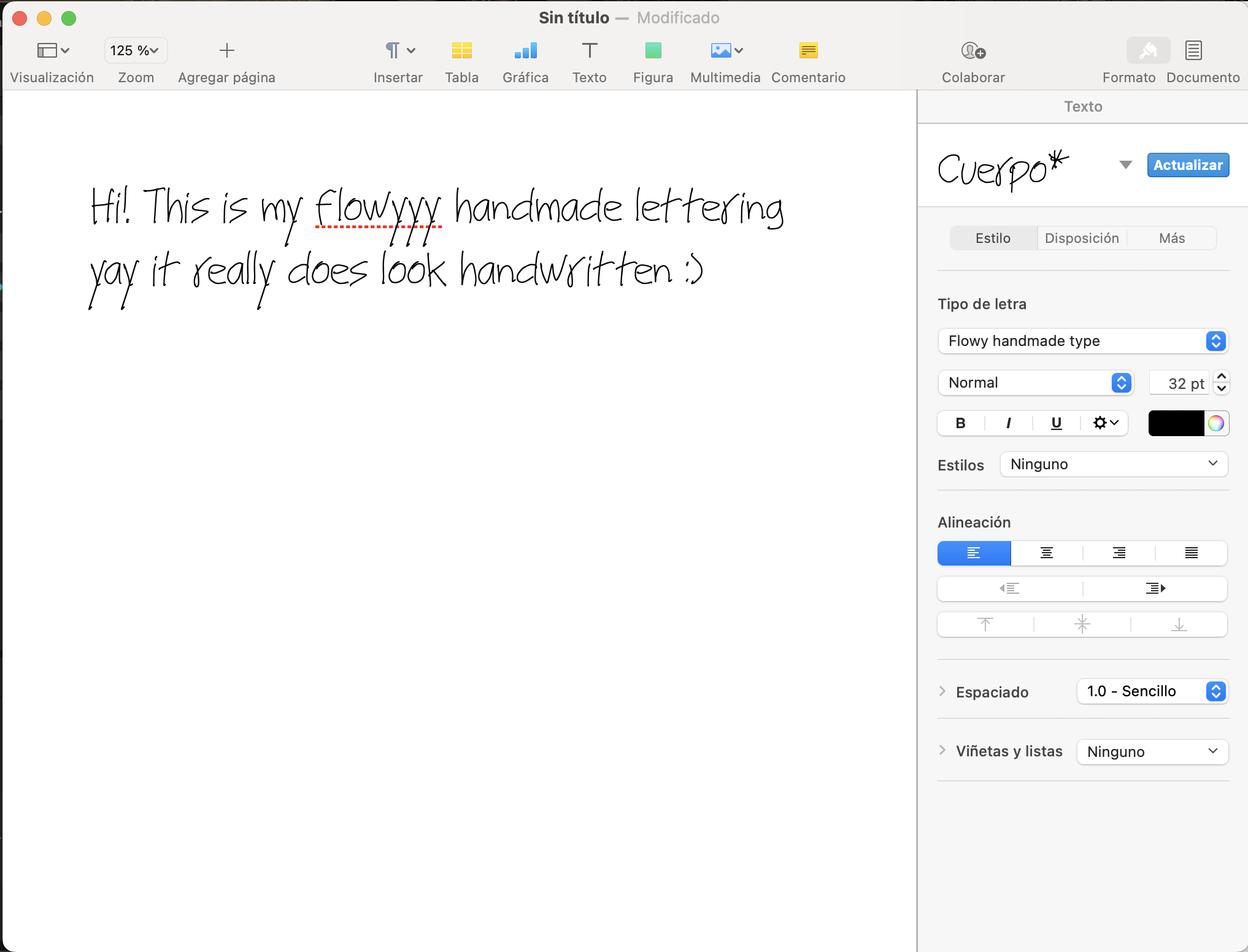
Create your own handwritten font and share a screenshot of a sentence written with it. Feel free to also share screenshots of your process inside the Fontself app.
Class Ratings
Why Join Skillshare?
Take award-winning Skillshare Original Classes
Each class has short lessons, hands-on projects
Your membership supports Skillshare teachers
Learn From Anywhere
Take classes on the go with the Skillshare app. Stream or download to watch on the plane, the subway, or wherever you learn best.