Transcripts
1. Intro: Most people think hat GPT gives average
answers or results, but the real problem is
how they talk to it. Chat GPT or Gemini will only respond to
your instructions. If your instructions are vague, the output will
be vague as well. In this course, you'll learn how hat GPT actually thinks
and how to write clearer prompts that
get better results every single time.
Let's get started.
2. How ChatGPT Interprets Your Prompt: How hatGPT interprets
your prompt. Chat GPT looks for four
things in every prompt. Who should I act as? What do you want me to do? Who is this for and why? And how should the answer look? If any of these
things are missing, the answer becomes generic. Here's a weak prompt. Write an Instagram caption.
What's wrong with it? No audience, no
tone, no clear goal. Now, here's a strong prompt. Act as a personal
branding coach, write an Instagram caption for a beginner creator explaining
why consistency matters. Keep the tone
motivating and simple, limit it to 120 words, write in simple English,
remove the dashes. Now, we just did the same task, but the output will be
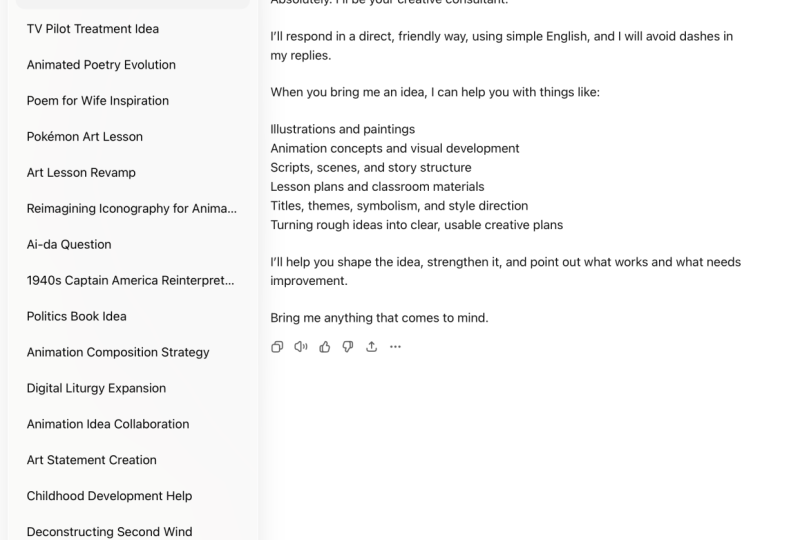
completely different. Now, let's talk about these two additions you have to make every single time you want Chat JP to write
something like a human. First would be to write
in simple English. Think of levels in English. Level one through Level ten. Level five is what
people normally talk. This is Level five English. Level ten, Shakespeare Level ten would be novels and
other good English work. Level five is where people talk. Cha JPT generally talks at a level eight or level
nine for some reason. It looks completely robotic. It looks completely artificial, and you don't want dad. To combat dad, I always add
write in simple English. Dad brings down the level of English to level
four to level six, and the meaning doesn't change, but it looks a lot better. It looks more human written
rather than robotic. Next would be to
remove the dashes, the great AI dash. Now, I agree it was used before the advent of AI, but right now, these dashes are
synonymous with the use of hat GPT, just remove it. I know many people used
it before Chat GPT, but even they have
stopped using it now because they fear that people will perceive their work
to be AI generated. So just remove the
dashes completely.
3. The Core Prompt Formula: Core prompt formula. Most effective prompts
follow one simple structure, role, task, context,
and constraints. Let's talk about all of these
four elements one by one. The first is role. Start by telling Chat
GPT who to act as. This sets the mindset
of the response. For example, you can
ask JA GPT to act as Google SEO expert, Instagram, branding expert or
a YouTube expert or whatever you're seeking
from Chat GPT at the moment. Without a role, hat GPT is going to give very
generic answers. Also one small thing,
don't ask it to act as multiple people
in the same chat. For example, in one chat, you're asking you to
write Instagram captions and act as an Instagram expert. Then in the same chat
in the next message, you're asking you to act
as a YouTube expert. This way, things are not going
to work very well for you. Keep separate chats for separate platforms
and separate task. Next would be task. What do you want hat
GPT to do for you? Use direct action words like
write, rewrite, explain, generate, improve, avoid vague phrases
like make this better. Next would be context. Context explains who the
output is for and why. This could include platform. Are you writing for YouTube? Are you writing for Instagram? Are you writing for reedit or any other social
media or Twitter or something like
that? Audience level. Are they beginners
or are they advanced or are you targeting
enthusiast of any kind? You should always mention
that niche or industry. More context is going to
give you a better output. Last and my favorite
thing constraints. Constraints control
the final result. In this top chat GPT or any AI model from
going all robotic. Common constraints include word or character limits, tone. I mean, you can say casual,
friendly, direct, apologetic. Then you can talk about format, for example, bullet points, short paragraphs,
long paragraphs, and whatever you prefer. Now let's combine all of that and I'm going to give
you a prompt template. Use this structure
for most task, act as then we're going
to talk about the role, who should hat JBT act
as your task is to, then you're going
to write the task is to write a paragraph, write a caption, write a
YouTube script or whatever. This is for. Now we're going
to talk about the audience, the context of things. And now you're going to
write follow these rules, and now you're going to
talk about constraints. You don't have to follow
this word by word, make sure all four
elements are present. However, two things you
should definitely add in constraints are write in simple English and
remove the dashes. I also created an
example prompt. You can just pause the video
and analyze the prompt here.
4. Common Beginner Prompt Mistakes: Common beginner prompt mistakes. Most bad outputs come
from very small mistakes, and once you know what to avoid, the results improve immediately. Let's look at three most common
beginner prompt mistakes. Mistake number one,
vague instructions. We have talked about
vague instructions throughout this course so far. The entire thing like not
giving Chat GPT a role, a proper task,
proper constraints, that is a mistake. Not giving Chat
GPT these things, that is the biggest
mistake you can do. I would not dwell on it too much because we've
already talked about it. Let's move on to
mistake number two. D is asking for
everything at once. An example of a weak
prompt, write a script, hooks, captions, hash tags, and thumbnails for
a YouTube video. This is going to
overwhelm chat GPT, and the result is going to
be extremely shallow because there is a limit to how deep chat GPT can
go for a single prompt. Instead, what you should do is break it down into
multiple prompts. In one prompt, you can
ask for the script. In one prompt, you can ask for hooks, and then in one prompt, you can ask for the description, then for the thumbnail. This way, it will
be more structured and hat GPT will be able to help you more in a much better way. I'm talking ha GPT
again and again, but the same thing
applies for Gemini as well or any kind of jatmot. Mistake number three is
not controlling tone. By default, hat GPT is
going to sound terrible. When I say terrible, I'm
informal, polished and robotic. That might be fine
for weather reports, but on social media and
for content creation, it's going to fail drastically. Always specify your tone. Tell Chat GPT how to sound casual, conversational,
direct, friendly. In my experience, never
ask AI to be funny. Avoid it like a plague, and it's just not
going to go well. You can also say what to
avoid, don't sound formal. Avoid corporate language. Tone control instantly makes
the output feel more human.
5. Output Control: Output control. If you
don't control the output, chat GPT makes those
choices for you, and that usually leads
to long answers, extra fluff, and a
formal robotic tone. Here are some useful
output instructions that you can give chat GPT. For example, use bullet points, write in short paragraphs, avoid Emojis, use
simple language, explain like I'm a beginner. These are small lines, but they make a world of difference. A weak prompt would say,
explain Google Esso. The result would be long,
technical, overwhelming. On the other hand, a
strong prompt would say, Explain Google SEO in simple language as if I'm
talking to a beginner. No jargon, use short paragraphs. This time, the result
will be clear, more beginner friendly and
much easier to understand.
6. All About Follow Up Prompts: Improving your answers
with follow up prompts. You don't need a perfect
prompt on the first try. That's one of the
biggest misconceptions people have about hat GPT. Chat GPT works best when
you refine, not restart. I've seen what a lot
of people do is, for example, they use hat GPT
to write Instagram caption. Instagram writes a caption, they don't like it, they immediately start a
new chat from scratch. What is this is not going to do anything
to help your cause. So what to do instead is refine. What chat GPT gives you? Think in terms of drafts
and not final answers. I mean, just like
writing a novel, treat the haGPTs
answers like drafts. You're never going to
publish the first draft. You're just going
to improve step by step and we'll reach
the final destination. And chat GPT is designed
for this exact workflow. Now, instead of rewriting
the whole prompt, use short direct
follow up prompts, make it more casual,
shorten this, add examples, rewrite
this for Instagram, remove fluff, make
it more actionable. These small instructions
guide the output quickly. You know why follow
ups work so well because chat GPT remembers
the context very well. Ha GPT remembered the
context of the conversation. That's why earlier, I said, have different conversations
for different tasks in Chat JPT so the context
doesn't get mixed up. This was the exact
reason why I said it. Now, a common mistake
that I see people making is when Cha JBT writes something and
they don't like it, they just say this
is bad rewrite. This does not give HAGPT any specific instructions on what is it that you didn't like. And the next output is not
going to be any better. Instead, what to do is give specific instructions on what needs fixing and Ca gPT
will fix it for you.
7. Outro: Once you learn how to talk to Chat GPT or Gemini properly, you're not just going to
hope for a better answer, you're going to start
directing the output. You now understand
how prompts work, how to make them better, and how to refine the
output Chat GPT gives you. From here on, hat GPT
isn't unpredictable. It's a tool you fully control. Use these frameworks,
practice often, and treat every response as
something you can shape, and that's how you
get real value from hat GPT and Gemini.
Thanks for watching.
 Shubham Jain, Everything about Etsy & Social Media