Transcripts
1. Introduction: Hi friends. How are you? My name is Jennifer Danny. I work in an investment bank. I also create courses on
Skillshare into this class, who believe that
that's very exciting, which is Canva designs. In this class, I will explain to you all the tabs and menu on Canva how you can use Canva to create different
designs that you desire. It can be for Facebook,
for Instagram, for three times, for whiteboard, presentation on social media, video, print product,
infographics, desktop wallpaper, mind-map, and several other designs that
you can create on Canva. So in this class,
I will take you to each and everyone
of them for you to understand how to
use Canva to create multiple designs that will
suit your requirements. So which means that at
the end of this class, you Bois grounded on
Canva designs can guarantee you that if you take this class and the
project in this class, this class we don't
do from a beginner in Canva designs to becoming an
expert and cover designs. So without talking so much less, just jump in and get started.
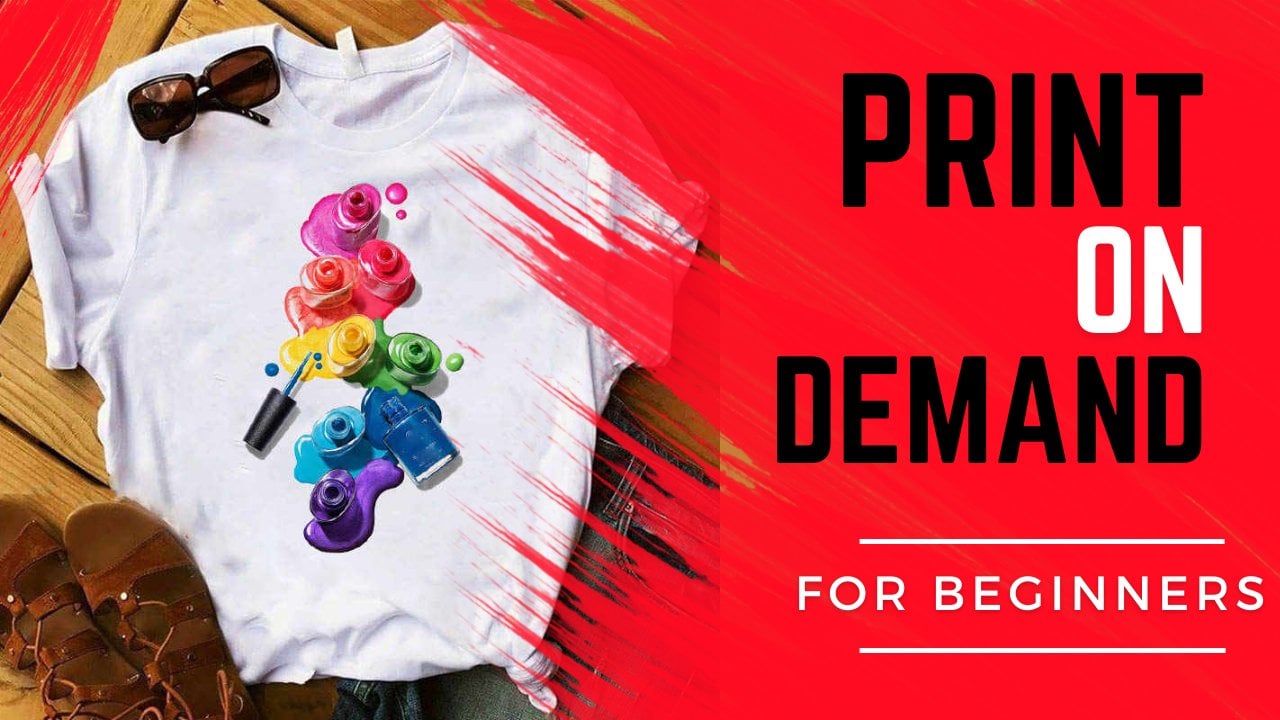
2. Canva Homepage Overview: Hi guys. Let's talk about Canva. Let's see the homepage and how it looks like to enable us to start designing the best projects in the world. So I'm Canva homepage. You can see Kanban home design so dearly change that you can design on combat. So in otherwise, these are the 10 DAI can use comma four to create social media posts and videos for marketing. Like glucose pulls tasks, menus. Colloquially use it for office in the sense that like walking can be in the office, like presentation, resume planners, letterhead, calendars. And kappa is well known for making customizable prompt, like T-Shirt, canvas prints, tick marks, and just like that. And invitations come back to make cars and reputation. But most people can't buy, usually use it to design for social media like Instagram, Facebook, Twitter, YouTube video editor. So when disaster more distance as we go along through discussed also kava of different templates that are available that you can use to start design. And you can browse them by different category. Ada for post outs, for Lucas, orientation, for videos, for fly, as you can see them here. These are the available templates that are free for you to use. And Kanban, they are already there. So once you click on them, is the starting point way to design what you would like to design an ice pick a Lambda or posttest. It will dilutive della, keep up ditching and come back. At the same time, we have futures and combat that you can explore. Like design type sprints, reduce Teams, apps are putting glitter, charged and graph will look at some of these. Guangdong and you can download campaign for Mac, for your will lose your full combos equally courses, but you can pick on hydrostat design, like this, graphic design and branding of business. And available for free. We call it awesome tutorials on camera. But you can use to get started. And if you have questions, some of these tutorials already have answers to your question. We'll call it our blocks, that they're right on design. Brandon, a non-profit to predict what teacher sums to data. Finally, we are plants at a free plan, a problem. The proof is represented with the symbol, this clamp symbol. We have enterprise-wide educational rap non-profits are using couch. Boy, you can start with the free account. You don't actually have to target the proc and obesity free account for several months before I switched to program them or me, the metabolism I switched because of the background removal. So you cannot use a debugger and muda or ended up pre-functional doesn't only for it to go to proportion, you can continue using the free option depression it like 8.33 pounds For a year by constitutive proof free trial for 30 days. So I said you really need the proof features. I would suggest that you go with the free option, which can't do a written that the pro can do. Shiny Pro has more features. So we have at the price of a large business or an application or non-profit, they have plans for you here. Now here it is searched by wakeup, search for energy, we want to see try a plantation logo, t-shirt, anything. If you search for YouTube, dominate, just tap on it. See, she's already a video presentation with buck-boost posters, Tilda. As such. You don't get the template for them. So let's click on one. Let's be concrete book cover. You see when I click on Facebook cover in proximity to the speech. So this is where you can make a Facebook cover, is the template already. You can go to the top. This rigor cost of mice where you want. You can upload your own images here and you can share or downloaded. Tea will go through this in a moment, but I'll just show you that you can search for different genes here. So you can vouch for you too. As you type you to, for example, is already showing you the options that are available to you that they offer when it comes to YouTube. So does attribute search feature, just click on any one you want. And you are good to come. Free offers you a template of what you buy are searching for. We equally have the Help Center. This is where you use AKS for help. If you're looking for help on inefficient, just click on it and you can ask for help on any topic at our prints upload, resize, edit, repellent. When you need help about about payment uprising kills ungroup, that topic already covered here for you. So you've got to report an issue is also available. We're still young pinna here you can sign in at the end of the k2t homepage. I will bless other items WE polygon pitch. So what we did design, we've already, these are templates that are here completely on the design. We do design mock-ups and design office. Let's click on social media. As an example, you can see change that I can design, build social media. Instagram posts, Facebook posts, Instagram story. And it tells you can't design bees on social media and bad templates for each social media ADA for YouTube or Facebook or Instagram barrier available for you here. So if we go down, they just them telling you about Canva. What does that lead foremost in FM, an equally easy to use Kanban is easy and it's free to use, so we use it and doesn't make it discussed for you, for you to start designing our Canva. So this is free disprove about spin a distance here. And it will go down. Because such hormone logos, posters on electron to discover, going to explore more. You can lend some of distance, covered it at our top pitch. And this affiliate program, if you're interested in the affiliate program of Kanban, is available epithelium. So not only are true which this homepage will assign pin, you can use your e-mail or you can use any wonder feature-based. Yeah. So now I guess I M and the homepage on religion so much, Kasey, my picture here that I use and the different between this one and the euro homepage is here. We have sentence. So you have your constituents. So this better be Account section here has your rewards. If have any reward. Refining of French, I hear you can't reach your design. Critique, design. It. We pop D such pitch with several suggested options for me, similar to asha. So brass suggested option for me. So it depends on the route you want to take. Now here, we are recommended for you to this homepage way already have a homepages for you. These plantation social media, I've explained before, but the major difference between the pharma companies are currently signed in. You can have your own design popping up on the beach. You can see all the designs you've made. Better designs are made. And I will take you to some of them as you go through this course. So you can see all your designs. You made a mess your designs, several appraisal, Cavafy wine. So I've used it for similar designs. These are Xander, shall we mean for now, lonely shed? We mean Adar, my brand, GTEx. If I have it, I can create a folder for each bracket. I added this one done, but it's not an aside. So you just click here to have a brand kits if you want a plan for your projects on when to post it. So Azure ML data and to create a project onto post on the 10th of October, I can click to postage. So once you click Plus here to ask you what you want to create slider to post for you. And that you can do like SKU posting to Instagram, to Facebook, to YouTube from combat Iraqis schedule posting. So you can create the design kanban and on the dates that you pick, it will post automatically. We also have, we're creating a team. If these noisy for you, you want to have a team, you can invite other team members to use Kanban. But it comes out as an implement of cspan. Professor dislike a dollar to $10 per person per month. So if I want the output to what we used a business and you have a rapid working with you. I don't want to be simultaneously from combat. This way you invite them to study email address. I'll send the invitation to them. So they're already put us, you have our current bank and create more four dots here. If you want easy access to your poodles, concrete folder, just click on create new folder. Create a new folder, and you're good to go. And finally, you have deleted items with the contrast, if you use ANOVA Canva, it does not delete automatically. It goes to the trash folder so that I can always go back to each. I'd like to bring it back out to deleted permanently. You can add our storage or deleted permanently was IVF center here. If you want to use the app Santa. Now, I've explained to you the homepage when assignment, but the surgeon, especially here, which is this Custom Size, take note of it. Custom size, I'm clicking. So if you don't want to use the already designed templates for you, you want to input your own templates for these way in which the template see at this point, I'm taking, you typed in which you target the highest that you want is always better to use the template of each abscissa me that I have posted two. But if there's no templates or you want to create your own unique design, you're not put social media or any of the available templates here. All these ones are templates for you seen it before we do that template y equals individuate to that templates are ready for you. Mccutchen, that template already for you. So we encourage you to use it or search for the templates here. See our salad template to YouTube dominate. For example, YouTube. Don't name it. I can click on this template. You took Tom nice E1 to E2 by 720 pixels. But if I have my own unique template, I can go here to tack the size I want. Let's say 400 by phone. If that's what I want. For any different I want to address type meta, click on create new design. It would click the Design for me 400 by 400. So if I search for YouTube dominate for example, data, I search for alien. You took Tony, you can see it gives me a blank. You took Tom, the ACA used amount of stuff from scratch. You see this implant one that I can't use or I can't use any of these ones available and customize it to myself. If I click on this one here, you see a car customize it to what I want. And I will show you an example of how I customize this particular 12, what I want. So this is a template they already have. And I customize it to what I want these t-shirts for secrets. And this, this is the nominee for one of my classes. Are changing from satellite is that they already have to these print on demand for beginners. So a digital camera and I will show you how I did or distance for you to Cafe as parent compound to create whatever you want to create a new homepage. When you do a case edge, it shows you different turbid available. For this one we have 103 says it can also be done them based on YouTube, based on color, based on style that you want. You can always fit either based on the color that you want, which is what I did here. So they just split the one pitch to you and how to navigate through the entire homepage. And you can't see is not difficult to use, is quite simple. To start with. Channel. Now, now we've explained the homepage to you. We'll move to class two.
3. Understanding the Editor's Page: Welcome to class to really exploit the homepage in class one. So in class to now where it's flawed implemented term. So let's start by creating a design. We want to create a design. Some of you already like mine, fitness design. So let us create a YouTube thumbnail and see how you can do something like that. The way doing the similar to what you do for Instagram post Facebook post, logo flyer is all the same style. All of them are similar. You just an example but same. Patton walks all of them. The only difference is the template. It is size and dimension by evidence and research for you to dominate youtube. So again, See you to dominate. I click on it. So let's upon blank. So here we have a blank YouTube Domini foster create. Let me give you an overview of the Home Depot. So if you click it, it goes back to homepage, which is this pitch that were coming from. If I click on File, it, we should meet the name and magnify, which are countless edit. And let me call it example. Click on it to call it example. If auto create a new design, I can click on it upon the design. So let's be clicking on it after you go through each of these items. New design we designed want to create it. You actually, now let's click on Facebook post to create a new design for me or Facebook post, you are seen it. So if you click on phi again, cantos, rulers and guides. So you see these are the rulers. If I want to be sure that I don't pass a certain size or dimension. Can you to realize here, just click on the side and track it. So I can type something Yan and shot. What I type here is now here. So this is the ruler. Just click and drag. Click and drag. If I want to remove the rules and guidelines are just click it. Click it, it will move the guides. Even if this rule and gij here, if I download this one, eternal should rulers and guides these just for you not to pass excited dimension. We are going to have written here one by one less than what we get back clicking on relaxant Guards. Now, if you want to show matches in OVOC for example, the lucky letterhead, you can click on margin to show you the imagines in your work. If you don't want your baggage taking it remotely magic. Now here in Cache, go print bleach. If you want to use that. What's the cost will not be using this term by a tick, you treat lifo to switch your brand kit away you want to encounter. It saves your work automatically. Does not benefit of using Kanban board if you want to see by yourself because you're not sure your Internet connection, you can click Save to save, or to suit the particular Fudan. What do we walks in combat? It says for you automatically, if the comments that you need to resolve, the history of Russia, not make a copy of this work. Does a copy if the 3D design here, it just Communism, I put it here for me. So remember osteon, fine. And you want to download your walk. You can download it. If you need. Help is available. So this is what we have on our file. Now also have re-size. Now this is the typical YouTube custom size because our user YouTube dominate. But if I want to change this side, let me see. I want to turn it upside down. We want to 800 by 720. I can resize it to what I want. Less capacity to 72212. It's 0 nafta, the size I want. And there are nice to me. You can walk in pixel in H, in millimeters, oils that emitter. So dependent on the side that you want multiple Gu which Paxos bodies options are available if it's in millimeters and centimeters. So here you can click on precise. You see it does resized the work for me automatically attained its options available for proof. I'm not shapes available for free options. You will need to resize. These are resizing. Just go to Home. Click Custom Size here to type the size that you want instead of using the resize oxygen sensitive production. So here you can take him back to what it was, binary typing it again, 720. So it will resize it for us. See, is resized to S3 first. Now if all don't do what I've done, I can't do, click on Undo here or use Command Z or Control Z to redo is available. We are, our changes are saved automatically, does what is right here. This point to our scene and this an example. You can change them Augustine to wherever you want. Click on it to change the name. Academy example, I appellate my best example. And let's say you want you can give it a name. If you want to share it. You can click on the email address you want to shade too. And the asset that you have, whether they can only view, only I can shade at the template. I'm not sharing it, but if you are sharing that Anybody type their name or their email address. And if you want to download your walk, click on Download. It's recommended you read aloud in PNG. It gives the best quality. I can't tell you anything because it's not on here. So let us put an image so that we have something to download, for example. So our spend how to put images. We are going through it step-by-step. So here we have the engine. You can download it as a JPEG, PDF, PDF, print, SVG. And before we do GIFs, these are the options that are available. Photo dilute on Canva. Here, the trail dot symbol for mom. You can download it as you do it is by KM presented or game. We shared this as a link to your friend. So if you download it and send it to them, you can shade as a link. Can equally present are recorded. If you want to present it, left click on it. You see present, you see is six representation. So you can shade by Copy to Clipboard, to Instagram, to Facebook, and equally shade as a print. Print on tissue, lab left-click on tissue, we see it. We resize and become like Santana and T-Shirts, less use white so that to make it easy for people to succeed. If you want it in form of T-Shirt. How did they get the ethmoid bone? Remember, we are here exploring the print options. T-shirt, ACIP, changed, I can print on it. These are available as printing options. Let's go back to where we were. So I've explained to you what happens here. So let's click on Templates, this one, for example, but explore more on the homepage. So here you can make notes about the design. This is my pet design. This is a narrow, this is whatever you want to type. Once you are done to save automatically click on not again to remove the design. If you click up, you can have more space to add images. You can zoom in and zoom out by dragging this causal, defeated by wooden and dragging, hold it and drag it to where you want. If you are confused, click on Fit to give you the exact size that's requested. Now if you have several pages, dissipate 1.5 pages, I can click on this bomb webpages as much as I want an act page duplicate or delete pitch. Click on it again to take you back to where you were. If I wanted to cover the full screen to see the full view, full-screen viewing. And if I'm an equation, this is the law. Still on this page. You can select the column of this homepage by clicking on color. Don't worry. Just click on the template ICN. In the template I have just shown you an example of good to eat and create our own design. Do just a little bit the hub. So this is colleague agenda column to blue. This potential column. We are not a good editor speech giving you a review if you want, like an animation, can click on any of these animations are valuable. And you will see how to pop up on the screen. Different animations. My them are free seminar approved. So it depends if you want to use it or not. And you can change the timing of the animation to why you want. Most people leave it as default, which is five seconds. So we have t on the homepage. And if want to remove the animation, click on non than mentioned, we'll be out to here. We have the copies tie photocopy this time. Click on Copy star and be repeating the same style over and over again. You do for one and you want to keep repeating this time for different designs. So you copy this guy here so you can lock the adapt each or LOT RDD design our blog this pitch. Now as well. You can unlock it by clicking on it again. You can equally lock each of the features that are C-H of the item that's here. Let's lock this one. For example, LOC you see if I can move it again? It cannot be moved. Does EPA to blocking this on a hammock, this one doesn't lock option. You can lock the entropy chia by clicking Lock. You can look each of the atoms here and elsewhere. You can delete the entire page by clicking on Delete. Did Lydia therapy. You can also add more peaches. Can click here to add pH at pH, at pH, adding pages. And on top of each one, you can duplicate a page. It will replicate is duplicating. You can delete a pitch it or deleted, or you can add a new page. So you can add an idyllic bit by clicking here or by going down and clicking on Add pitch, it to be a peach. So this is how the editor homepage looks like. Let me take it to the left-hand corner for us to explore other options to explore in the left-hand corner. And as we go there, I will be taking you through how you can manipulate each of the items at the top to give you the item that you want. For example, if I copy this Control C Control V or Command C, command V and copy paste. You see it quickly. Have an image, for example, TSP to you, how the editorial it works. You can delete this image. You can crop it, you can flip it, cannot emit it. You can change the position. You can lock it and searches, you can do with it. So whenever you have something on the template, you can use the top of the editor pitch to design it the way you want. Who are exploiting it in productivity. When we learn about photos, test, a test like that. I'm just a kid through the entire webpage of what is visible and you can edit it, can crop, it, won't pick an image who play with our distance. But for now, let's go to the left-hand corner to explore.
4. Choose Your Template: So welcome to the left-hand corner of our editor. So let's explore what the CN and how we can maximize each of them further for wherever template. Remember we are still on our YouTube Tom MNI template. Just an example, and they already suggested templates for you. You can see all of them by clicking on All, click on Templates, going to go back. I can click on any of this item. If I click on it, it would jump on determining, for example, click you see it. Click on this one. Click on this one. So for each one and I click on it to jump it, to move to the one we just click on it, drag, just click on it. It'll automatically can go back by you normally do now, you're even lighting it's redo and undo. We can go back by using around to bottom to go back. So these are the templates that are already available for you. You can use this template and customize it to what you want. So just southern on here, we can click on any of these templates. So let's click on this one as our template. So here, once you've already pick a template, want to use adequate Facebook, YouTube, Instagram already predesigned templates that you can use and change it to what you want. I'll show you at the IDT toy you want. But now as T exploiting the homepage, now if you have it in him in mind, you can search for it. Lets us control like plants. So you see these are blank templates that you can use. Just click on any one I would like. Here. You can fit into the plants such based on their color applying. So you see we can't fit tab is on column. Click on the one that you want. It will change automatically, can apply both beaches if you want to switch to create two pages. Thus, if you want to, we're still on templates. How to use such templates, and how to import icons on templates to your editor. The last option that we have is element. We'll go through these one by one in our last class we explore elements. Upload will be less text and more. So under mom, I will show you what you can do with mom on combat. But for now, we're just explored the template in this class.
5. Lines & Shapes Designs: Now let's go the next one which is elements, had we use elements and count been, karma has different elements. You can search for the element. We can go through each of them to click on one you want. Do you want the background? The background, you can have a company and as before, just click on any one you want. Another point for you to use it. We have photos as background, graphics, videos, or do auditions are under background. If you want to go back to our inoculation, you can use this Delete button to remove such item. I keep going, flowers, flowers, we are nature. So these are the items that you can use for your background. Now, these are the one that I recently used. I've used this one and I will show you how I use that. We are now on elements and under limits we are online and sheep click on any line or shape you want. So these are the lines and shapes now available in Kanban. Let's click on this line. It will show up here automatically. Click condition here. Click on this shape. Now to move it, click and drag to move. Click and drag to move. So let's look at another one again. This one here. So we are here on line and shape and you can change the color to why you want. Just click on the item you want. You go to the top right-hand corner. So 20 column, click on it. Pick the color you want. Click on this one. Pick the color you want to click on this one. Click the color you want, and you can always resize it by Hold and drag, hold and drag. C, go to the edges. Who did it and track. But at the edge, hold and drag. If you want to move it, just click on it to move. Click on Move, click and move. If you want to zoom in or out equal to the edge, you click and drag to increase it, to decrease it. It's intuitive to use even change the color. Let's put this one down. Clip to bring down, change the color by clicking on column. Remember this was before column. Change any color you want. When you want, click, when you click it, you can drag it. Now to reduce it, to be kin is the echo to the edge. To reduce it. Click it and bring it back. Click and drag, click and drag, click and drag both to zoom in and out, you have to click on the edge, has to be the edge. Then you drag it as such an S. You have to learn here about editing lines and shapes. You see the edge is going to zoom in and out to increase it or decrease it. Does the edge for that is white. Columbus one. Boy, if I go to the cheap puppets, this point you are cilia and clicking on, if I click it and drag it, it will squash it. Three-digit C2 is making a look. See, I repeated again. Here you hold it, click it and drag it. See. It turns out it will try to squash it or extended. See here, click on track to what you want. You want to take it back to the original ship. Remember we have undo here. You can take it back to the original shape by using on to the way you want. Photos, you can use underlies and shape graphics you can use. Let's click on this graphic. Click on it just like before. Go to the edge, combines very easy to use. Just click, hold and drag. I repeat, click, hold and drag. While you would just click here, you can move it. If you click on the image, become moody image by if you want to resize it, you go to the edge, to the magic. Now, there are videos you can use on their life and ship date equaling. You can use on their license ship who have spatial distance one by one. So daddy, how to use lies on ship and Kanban. In our next class, we'll explore doctors you can't do on the elements and compounds.
6. Design with Graphics: Welcome to this class. In this class, we will discuss graphics, how to use graphics, and come back. We have done banana-shaped. Just click Yeah, Back Beach. To explore graphics here, which is our next item. And in graphics you can click here to see all graphics available on compound. You can search for them based on what you've used, business tickets, based on design for a cost, based on coronavirus. Symbols. Just go to them for any particular graphic that you want, select group of gap power, like this gap power. So let's go, can click here to see all the available options under k power based on Column color you want. Let's go for a pink horizontal and emitted. At our free approved free apply features. We have none here. So which means sort the items we pick here, do not like. So let's click on gap power. Click on this layer, even know how to redesign on compound is simple. Click on it on the image to move. The line is to tie you wait, position where I here is aligned. Horizontal bar here is outlined by the callee Kipling keynote. He told them aligns balmy, sunny Santa Ana. This image is at the center of the pitch. If I want to increase the size member, go to the edge, click, hold and drag. Click hold and drag can extend one of these click hold and drag, you see it. So this the graphic on compound and you can change the scholarly graphic by going to the top. To change the color you want. I can change the color. You want catching the grain. To read. The content is our column to this particle. So you can keep changing it to where you want. The colors are here and here you can crop, crop. We just did. We have residual size of the sides can crop it. Just click, hold and drag, click, hold and drag, click, hold and drag, click, hold and drag. So you just click, you hold it and drag it. So it's just to crop it ammonia. Once you are done, you click on done is we've cropped it, we can crop it further. See done. We've copied for them. So if you wanted to go back, you use the undo button to go back. You can flip it, flip it horizontally and vertical. See, we flipped it. So this is just the flipping option. We can equally animated. See, click on any of these ones for the animation I want and change the timing of the animation. Click on non term by the mission. If you feel about this, you can click your mind for adequate folder here at baseband emission. So you only have the position of the item. Click on the item plays a position if I want to align it to the left or to the center or to the right. We want to align it. This alignment, if the copy, the style of puppet, the transparency, how transparent you want it to be less, decrease it. Wait to see. If you increase the transparency. It become more obvious. Here is for you to make a link for each. Do you want a link for these are the first one I have done and I'm going to go back which Control Z or Command Z, or use this button here. Here you can lock it if I'm lucky that come with it again. Can you see it is locked. I can't be moved after John Locke's about the movie it Nihon to duplicate each applicant duplicate and our vision is for duplication and how to delete it and the literature. So we'll explore how to use graphics and Kanban in an S goes to explore photos and Kanban.
7. Canva Photo Design: Welcome to this new cost. While we explore photos on Kanban, had we play with photos on camera? Remember, I was, I would have to play with lines and shapes on the elements. We've explored how to use graphics in Canada. And now the next item we have is PO2s. So let's click on C or to see all the photos on Kanban and how to manipulate them. So these are the photos are used. Can click on training photos. So let's click on this flower. What I see on China photos, and this is a lovely flower. So how do we play this flower by now written out and do some of the basic tests on Canva. You can edit this image, fall into a ditch, any photo driven by USFDA, you go to the top right-hand corner to edit it. So yeah, a good image. So this is the photo we have. A lovely photo. Unless repeat what we have now before. You click hold and drag. Click, hold and drag. That's what you did at the edges while we did at the center of the agents like Yeah, I'm hooking. You, increase it or decrease it here and see here, click hold and drag. I can increase it or decrease it, increase it or decrease it. So let's explore different items with this image. We are now an edited image. On the illegitimate, you can use a background removal. This is a pro feature just to show you what she come to and is mostly why is gaba propagate the background removal? So let's see our weight walk. On this image. You see, if you click on Apply, the background will be changed, automatically applied. So you see, remember this was our image. This was the image and not the background has been removed to this still image, you can adjust the brightness or decrease the brightness. Hold and drag, hold and drag, hold and drag. So it depends on how you want to adjust the brightness. You can see there are several things you can do. We are adjusting the brightness C and thus give some magic Ian, adjusting the brightness of the image. But now the legacy method, the walk I can click on Reset to take me back to what it was. Initially, they already made fetus epic. You can use, you can use all of them to change how the image looks. Instead of using the brightness saturation, does R&B credit amount for you? So let's use with the CAFO example. See this was a cool effect. Click at the center with these three arrows, district dot TRC, click on the center. I can adjust the intensity of the feta, or I can type on the number to adjust the intensity of the Pieta. If I don't like this potassium, as always, I can click on known to take me to the original image, we have photogenic. Click on C to C, D pathogenic, obese image. If you like, one like this Luna, boiling point density, click on the center and drag it to increase intensity or decreased intensity. As optimised can always reset it to the usual. If I worked at 0.5, I can touch row 15 here and click Apply. So I need to be applied to my image. Now, if I want this image to show on Smartmockups. Remember as of now, we are still working on the photo editor, how to use the images and photos already here, I will show you how to bring your own image and manipulated or Smartmockups. We can see how loud loop on different mockups, like phone, you see it, how it looks like on a laptop, on carbs. So you can see how it would look like on different mock-ups. Just click on the NACADA you want. And it will take place automatically for you. It will not walk frames. This is very good for people that are walking, selling printables. You want to see how it look like on warfarin, see how it looks. And people's warfarin. If we made the design on wireframes. So it's this out to look like on wireframes. You see it does out with printed on wireframes. But let's go back to non Westerners kernel Guassian. Now, you can easily use the duotone, you own case mouth to connect it before you just due to the different duo tone, you can change for anyone you want. If this is why you like octagon, apply for it to take effect, then it's already there for you. You can always take it to the beginning by using the undo button or amount is, I'll just delete it and click on the image again. Here I'll show you how to edit image or Canva. You may own eyes closed some of these items and out to see a photo of it. Pick any image that you want clean, which this optional CIA and should be put off it at the end Dao Biao assignment for this cost, pick any major you like. And I did it before Columbus B2B, the beach, opposed the protocol to see out to look like. So if you actually text on images, now, we call it shadows. If I click on shadow, shadow of this image. Now I don't know dr. Np for you to bus. They are likely convinced Sherman blue. And that will increase the size of the glue. Photo half h less than the edge to column blue. You see, you can increase the size to be very obvious. You see color blue, cannibalistic decrease the blurriness of the image the way you want to see. And remember, this was our image before, and now we've made it have an edge using the shadow bottom. But to edit image shadows. And there's also drop that's unknown. Does several of them that you can explore your own free time to see how it looks like. See this one. This is for page link. Once you click on the item, you want to click on the center of it to adjust the offset because the transparency and the blurriness of the image most importantly change the color to what you want. So here we're just playing with images. How to play with images on camera. If you want, your pitch ought to have shadows. You snap a photo of your shoe. You wanted to have shadows. Just click on Build Image to compound and use these shadows to play with it until you get the desired item you are looking for. So now that's how you play which photos on camera. So yeah, it wouldn't last one. I'd image which is page 4, still photos. Let's click on this photo here. You see an econ, profit like before, hold and drag, or you can flip it the way you want this animation to where you want, how you can use it.
8. Video & Audio Design: Welcome to this class. In this new class, we'll be talking about V2. And then bam ticky, true everything or Kanban step-by-step. So we discuss Heller obtain sofa like lines and shapes, graphics, photos. So we're on the last 100 videos and I will combine these we do with audio. So you simply click on CO2 cod available videos on camera. Some of them are free and some of them are pro. And it is free. It, You Britain data, it is free. And if it is proved it to have that symbol, dacron, symbol dy, dx probe, which means you have to have a subscription in order to assess it. But I saw that before while using the free ones. So let's click on this one to see how you completely videos on carbon. So I just clicked on it. And he can sell based on C, Bs on programs Sunrise take unified, the different kind of P2 that you want. It would as food does clicked on Sina, US industry and you can scale it before otherwise spent to you, you didn't know by now how to escape, increase it or decrease it? Just simple. Catholic contributor to what degree do I see? I see. Towards the end of this session I will show you another way of doing V2s. But for now we're still and be done. So this epidemic doesn't have audio. So it will go back to elements in it. Item we have is or do you see the Adrienne happy popping epic piano ledgers go with instrumental. This one is free. So let's click on the first one. So if we want to bring it to a video to just drag and traffic jam. Now this audio is playing on his own. So is if I click on two of them would not be sync together. One to go, click complete for them to sit together. Not assay together, which means out alluded together with the audio. Because expanded to control the volume. Like if we had our data you want. And just like that campus. And now let's close it. So if I click on 100, none as I downloaded this V2 to download it together with the audio. So amplify Toyota Permian. So let's click on Download and we'll play it pops up the name of my dissonance change. And the one diode is open, a new one, just I spin this audio too. You can always click on here to give it a name that you want. My example to download. Now less bleach. You see it. The video comes together with the audio. Now, you can post it to any platform that you desire to postage. So yeah, that's our top limit. Video and audio is simple. You can control the audio, yeah. Drag and move it. But essentially you want to click on delete it yet if you want to delete it. So that's how you play with videos and audios. You can choose any order that you want. In that event, already available for you just based on what you want. If you click on element, it took us back to where we are. So we are true it artist patch. So in the next session, we'll talk about charts and frames.
9. Charts, Frames & Grids: Welcome to this new class. In this class we'll be talking about Jack and frames. So let's start with chat. Just go to element. Remember we're turning everything on the element and Kanban. We are charged Cn, Let's see different checks that are available. So if you want to represent your information in the palm of chat, you can use this one as you can see. So click on any of each other and tries to you. But the one you want to use based on what you want. So let's go with this. I like this one is in Italy of item listed for you. The way they are, its genome or guide them based on what you want to. Instead of having this item one, double-click on it and type what you want. Apple. So Apple, we can change the number the way you want 20. The second one, I can type man Guan. Now for mango, I can type. So you can adjust it based on what you want. And if you click on the last one, is producing the table pharmacy. Whenever I click on the last item, the last rule to automatically create in the book for me. Click on the last room to create an integer for me so you can change Justinian's based on what you want. And also you can connect with wish it becomes a player, the data, yeah, and type your own. So as you play with it, you can use to attempt ICN and for the color can change the color. Yeah. This I don't know, chart. We can change it to blue column, yellow column, the different kinds of colors that you want. I wanted to discuss more about the front when we talk of text. So bold or distance not to play with test 1. Conduct tests happen unless limit to combat the test. And I'll show you how to play with item does here when it comes to text or less. Another example, unchecked way to get exposed on different charts and Kanban. So let's be this chat for example. So these are our chat is you can change each of the colors here. Change a particular column the way you want. And what you click on it to be catching the item name in the series, just like what we did before. So they're easy to manipulate. When you are working on Canva, it makes us chattel look beautiful and economic. Scale it up and down by click, hold and drag. Remember to use Wagoner to squash it to expanded. This was question expansion. So now we've discussed about chat, the different chat to me, I run Kanban. Let's go to the next one, which is Prim's. The different frames that are available on carbohydrates framework listed as Apple phone. Wait to see how Premack cities a phone size that you click on it discrete to use. Let me just expand it. So we already have a full imputation. So if you have an image, you can put your image, however, it would take the shape of a form. So now we'll go back to our photos and which for today I'm going to copy this image. See that if I'm Patricia and let us pick any random one, Let's pick this one is proved, but let's pick it. If I click on it, it'll come to the editor speech. So what you do is click on it, hold it, and target so that it will enter inside the phone. So more like you're putting it aside, you can see it has enter inside the phone. If you double-click it, it will expand way to position it the way you want. Once you are done, click on Done, and you push on an exchange, if emitter you want. Let's look for a motion from images. If we can see here, or even graphics videos, you can play with it yet. Let's look coil. Now we can attach a video. If I click on this video, it is, yeah. I think what you do is click and drag it into the phone. So it will play inside the phone and you've seen it. It's this black guideline Schumann posit, double-click on it to expand it and drag it to wherever you want to drag it to. Once you're done, click on Done, plate it, replay inside the frame. If I want to delete it, click on delete it, we get deleted. So let's open it up for him. Can use on Kanban different frames that you can explore your own. But let's go from frame them. Most people use, which is phone, can put RPC, so it is a PC, as you can see here. So we don't look away if we do an image, click on photos, or if you have your own photos, I will show you that in a moment. If you have your own photos, photos, let's click on this image and click on it and drag it inside. Is it a Zoom n? Although Matt, insight, as you want, can track and courage as you want you see, it's very easy to play. We teach depending on where you can carry all of them to get out. Once. If we double-click, you are playing with the image inside, where if we just click on current, you are playing with our Denmark, manipulating or temporary or carrying all of them. So there's autoplay with frames in Kanban, the default from CIA, like an explore, even numbers, alphabet available are so evenly paradigm photos here. I can put this one here and paste it here, see if you take the place of r. So by our own free time, explode with the scrim to Seaway can how to play with frames just to add to it, you want to include Greeks. When you click on Groups, you see how different groups are beyond compound. Because just like partitioning, you want optimum partitions for different things. So let's click on this one. So you see the way it is. We want to have different photos for each of them. So let us play with the photocell now this free, when you click on it, it to our PM on the editor speech, you have to hold it and drag it to enough green dye you want, want to detox it is at the top. You click and drag it to the middle you want. So let's click on this one term I wanted here. So these are your play with it. And come back can include any erupt into you want. So as we've seen, we've already put photos in this grid. So we can drag videos to any degree that you wanted to less because we don't be dumb and drag it to this breach. So why do we do this photon? And all of them are on the same page. So this I will play with grep. Dash can exploit him on the different groups. Yeah. Different kinds of grids are available for you here. So they decide to use Greek and Kanban.
10. Bringing the Elements Together: Thank you so much for taking this course to this point, we've explored all the different elements and Kanban for you to understand how to play with each of them. And just as a final point, you can add all the different elements in one page. So gestalt, which lines and shapes? We have our shape here. Got art graphic, photos, all on one page. You can add. All of them can be on one page or do, can be done. Chart can be done. And there are mice me, you can also play with chat, can increase the percentage that you want. It can reduce the length of the line. Percentage labelling can put it the way you want and you can't read it because on ships. So this is possible on Canvas. And you can change the different chat that you want based on what is possible. Yeah. So if you go back to our chat here, there are different kind of checked and you can easily manipulate any of them based on what you want, what cyclicality to show you the options thus possible for you to use. And can also add frames to our chat and agreed to our chat so our distance are possible and Kanban. And if you want to have more space to work with, and I think this part is covering a session mature editing beach. You can click this one to close it so that you have more space to work, which you see, I have no more space to walk me to find it in each of them. Based on what I want. We're going to need each of them all on the same page depending on what you desire. Just as I've explained to you, alien, face it, the walk and come back is not difficult, is actually using, or sometimes you do need to do one. You need to do multiples company written earlier one. Towards the last session, actually an example of how to mix different things and combine bondage of the shoulder. You can do each of them separately. You can also do all of them as one and up to direct to hide the speech so that you have more peach for it to work, which just click on elements to be at. So these are you walk on combat with elements.
11. How to Upload Media?: Welcome to this class. In this class we'll be picking up at upload. It means tissue or Pluto Kanban. Another click on it to wisdom split on comma eta your blue to what is already on your system or you record it and upload. So click on this Upload Media to occlude what is already existing my computer. So you see it can click on any of these item in order to upload it. So once you click on any of them, it will get uploaded to your computer. It's as simple as that. Click Open, it automatically be transferred to come back. I'm looking for the one I shot to shot. So yes, open. So you see it should be uploaded on Canvas. You automatically uploaded to Canvas. And what is obligate to Canva. You can walk with THE Canada where you can upload to Canvas is barricading ourself. Click on record yourself, you to use your HD camera to record your, you as a person can equally record the audio. You'll see me here now. If I click on Record it to sorry, accordingly. And you can see me. Yeah, I see me. So collagen myself and once I'm done, I would then upload it to Canva. Thank you. But they can discuss. Please remember to read everybody's cost, of course is a timestamp costs. So please don't forget to read, discussed and reviewed, discuss it mean a lot. I mean, it had been to groom the audience for this course. Thank you so much. Thank you. So you can do the retinal review now. You'd have to wait to the end of the course before you read or review. So you see a record myself, and I'll click on Stop Recording, click save and finish Vc t. So the image back, Erica, Did you have seen it? So uncombined now I can play with it, I can crop it, reduced the timing, flip it, and emit it up. I spent on distance already to you guys how to play with each of the items here. So I can add music to eat. And the background are just different genes. Can increase it to what I want to meet my classification. The time money and the way I distributed normally you can digitally and it does what you can do on Kanban, massive action, if that's possible. Yeah. So we're on the opposite. So for most time was of course will be uploading our image so the image is uploaded before. So you can upload an image. Once you put an image. Here, you click on this image and start working with THE kinds of increase it or decrease it depending on where you want it vis-a-vis day to behave as an audio. It will begin to design it to, then you can do it and carbon once you upload. So to add the session of this course, are we upload one of these images yen? And now we'll show you how to manipulate it better. Also, you can flip the image so you can rotate the image. Rotation is allowed to see this rotation symbol. Click on it and drag it. You wanted to be packet can use the angle 90 degrees to know the angle at which it is n, and you can delete it if you want to. So there are different chassis and that you can do so these are you upload your median.
12. Understanding Text in Canva: Well, we've been exploring different tests on compound with a link to the homepage. And from there, I should do the homepage. I can manipulate the homepage. We went to the home editor speech, which is Yeah, and I explained to you different things you can do on the home page. From there we'll discuss elements in Canada. And I take you through each of the elements and compounds and how they work so that you become an aspect dealing with compound. In our last class, we discuss upload, how you can upload content to combat. In this MOOC class, we'll be talking about test, which is the next item, text, how to manipulate test and Kanban. So just click on Test already done. And there are different ways you can add text. You add a heading and change it to what you want, or you can add on this template of tests. So in most times, I use this heading ahead and viability at one rate and reviewed. So you see the way you type normal and it tests, it's tempting you to one. So if I click on Add a subheading or ADD to beat up body texts, anything you want is possible unless add a little bit about texture. So here we can add five star rating. So you see, it could be that, if not analytic studies, is it a delete? Just click the Delete on your keyboard to delete. If you want to add this onto him, double-click on it. It'll highlight your return. You want to just added only a part of it highlighted and you can edit it. And pettiness gender you want before to make a capital letter, you can highlight this part and make a calculator by using the caps lock on your keyboard trays as simple as a default font. You can change it to a do coppa, which heavy aileron to whatever you want. Actually click on it to show you what you can do with the test. So if he has a cross symbol, means is pro. So you can assess it. If you are a pro account. If you have a free account, you can only access the ones that are pro. Welcome to just play with each of them and find the one that you like and keep using dharma. Well, I can't buy as the one you keep using it. We put it at the front of the test Mamiya most times I use Atom. This one I mostly use to design my YouTube Dani. And if not to increase the text size, doubling goes to the next item on the editor speech, the font size. So you can use the plus sign to increase it. Keep clicking on it or click on hood to keep expanding or use the minus sign. To decrease it. You can click and hold to decrease it. Also, it can type the number you want. Let's say 100. You compare the number that you want to click on it to highlight your total number that you want. You can also choose are these templates or font size to 10 matches what you're looking for. And the gluten is that gel-like images we'll play with images you can also play which tests the same way. In order to increase or decrease it. You click on the edge, hold it, and drag it to increase or to decrease it. To increase or decrease it to develop limit images. Text. So you see it combines easy-to-use the way you play with images we play, we test, also come to this center points, the HUS see where I'm clicking or not. To reduce the size that you do it through deep left hand side or to the right-hand side. You see this right hand side is simple. Just click on it, hold it and drag it, drag it smaller. By dragging began, leftist writings began. So it's simple to use, it's intuitive pointer using the last one is the column. What if I don't like this black color and I'm scene? You can highlight everything and go and click on this column, this ASE Test color. So which color do you want to click on the color you want? As you click on the column, it will change the way you want. You can use your brand column. I can add another color pellet if you have none. Amusing atom here. If I'm using lessee lacto, I can make him boot by clicking on the menu items. You need to highlight it and click boat, awesome. You can highlight everything and use a towel x. If you click on it again, the Italians would be gone by if you want to go live session the big deluxe lessee reviewed the big talus. You highlight our pattern, click in italics, enthalpy written NumPy, it the lightest. So you see the rich. Norma, body review. Is it tallies? So if you want to underline, you can the line I've written by clicking on the line, click on it again, it to be gone. So come by simple to use you click to apply an effect. You click again to remove the effect on the line. Removal is simple. So here is review. If I click on a package, a package so it won't work. Less oxygen is not an uppercase. When I type it is not enough packets written review out to make it an uppercase is simple, highlighted and click on Bacchus. Example. If I click on it again, it goes back up to lowercase. Now, it's distinct is how well is the aligned? If our line is, this is left alignment is Santana, depend on where you want to align it. If you want to add bullet as a list, an addict bullet point, if you want to. You can add on Canada. And also here is for spacing. How would you want to space the lightness by DTMC that we waste space for bringing back. They are being squeezed together. So anyway, do you want to specify it must have a limit at 0, the line spacing. I can increase it or decrease it. Most isolated and when it isn't to increase or decrease the line spacing. Alcott takes boss, did we want it or you wanted like this or like this? And you want to be anchored on the text from data top of bizarre descended from down to up. So the next item we have and the effects, that different effect you can apply to the shadow, the cast shadow non-detects. If I change the color, the Schroedinger, by clicking on column, it will be immobile. Seat, Cindy shadow. I can increase the transparency, the blurriness of the shadow, or play with the oxidation and it will bleed with iteration. The shadow was relieved. I'm going to click on hold. We can increase the thickness or reduce it. Was a Click on each of the effects. For this typology. Show you chief complaint which Byzantine effects like thickness, upset, duration, keep adjusting it you get we're looking for, we call it a coup. Bleach is mostly used, particularly from the sun. You see it. I will change it to tiktok colors. Click on the color for adjusted the way you want. Complete with color based on what you want. Tick tock is blue now, is it not? Yes, But remember, is an effect, there's also an increase it or decrease it. Does Cove so the different chief complaint, which is a way you want unequally we have an emission, we can animate it. So let's admit to see how each of them we appeal. And the peach. And some of them are free, some approved. So these are the different animations that are visible and possible. So this is feet. If you don't want an animation, can click on long term, the animation that we have position which push, and you wanted to be Amazon, the middle, or the bottom, or the left, or the right? Depends on what you want. You can use this traditional can simply drag it to where you want it to be. Equally have transparency. You can decrease and increase transparency. Of course, once you lose the electron a 100 meters, you see original form. And this is going to make a link. And the link, if you want to lock it so that you can move it, you see it's a movie. You have to unlock it if you want to move it or edited my iPhone to duplicate it, click on duplicate. You see a duplicate and drag it to where you want. Duplicate, drag it away you want. And finally, law can be continuity to delete each of them. Delete that comment before. This is an example. You commented this an example. So simple and you can only delete comments if you want to delete the comments, public comments will click in and delete comments. Duplicate Beach is a pitch. Click here to the Piketty pitch to duplicative returns ID pitch. You can delete it, delete your pitch if we duplicate it. Now don't even between publication a beach and attorney pH, if you add a pitch, it comes empty, blank page, but if you duplicate a page, it will copy everything this peach and put it here. So that's how you play with chest tubes are also some primitive that you can use. This text, you can use any of them. Sparkle. Click on it. Rhodium chairs in of this test that you like. What you click on it, you can edit it or you want I want you guys to discuss maybe doesn't repeating this rate. So you see this region. I can delete this one for the background. And are dysuria. And just like before, you can decrease the size. Or easy, we click on this font size and pathway you want. Using Zoom n, play with it. Just click hold and drag, click, hold and drag, click, hold and drag. And can use the edges to increase it or decrease it, increase and decrease. So it's simple for you to use text and Kanban. So now let's add an image test. We've discussed an image that I have uploaded this image of Warren Buffett. I can increase the size of this image of Warren Buffett to what I want. I can increase more than this and track it down. So this Warren Buffett and waste my test, click on Tessa at the headline and type. Warren. Buffett is black. Highlight it, or use Control or Command a to change the font size or the font type, change the column for white. So you see this is an application of it. Is you click on it and drag it does how you play with texts and camera. It's simple and easy to use. If you double-click on it. You can adjust in a distance based on what you want. All caps underline. So these are adaptive application of whatever has been to you on text. And if you don't like it, you can delete it. If you want to have text on your page, simple pet text and I can edit that. The shortcuts protest. Thank you for taking this course so far. This is the end of this part of the class.
13. Handwriting Fonts in Canva: As Calvin release more features, I will be updating you guys with each of the futures. And if you think definetly, I miss in this class, feel free to send me a message and I'll maybe do a battle just to add for them up ex-post test to you how to walk in combat. So there's something that I missed that I want to bring to your knowledge, which is handwriting tests, have explained to you about test in Canberra. That's easy way to get depth. You just click on add a header and you can edit this heading to where you want, Command a and type whatever you want. Let us type yes. For an example, I can expand it or decrease it by using the edges. If I want those quotient, you use the edge at the center here and here, the edge at the same time. We want to increase or decrease, zoom in and out. You use these edges here. 234, we have a texture. Now, if I want to use a 100 tilde tastes, so good to Dispatch, I'm showing you where we have different types of test. Click on it. You will see the different tests you can use. Well here I want to use an untreated test. So our type hand reaching a 100 and you see all kinds of unwritten test. You see it. They'll go to Leona and you see how it appears and written text. Css. So deliberate kind of a handwritten tests that you can use in Kanban. You just keep me so it doesn't sell to bring it to you, just park and reaching. And you can use all kinds of handwritten tests and Kanban. So I just remembered it now and I taught it to be wise for you to know Apache two. So that's why I brought you here to show you that you cannot alright, and have a handwritten tests and Kanban. And also just to add to eat, please read this class and repeat this class in mythological me when you read. And if it is class in brand most attention to our class. We want to grow this class. And easiest way to grow it is by your written it across, five-star rating and politically view. Thank you so much. I deeply and highly appreciated. So if there's any t We think that I missed, please free to send me a message and I'll maybe do a budget until then. Bye.
14. Apps & Integrations: The Magic: Welcome to this class and this nucleus or Taka. But remember we are reviewing everything on the homepage. Editor speech of combat. And the last part is simply missing work on Canva, assess even more content to create amazing designs. To if you're someone I use photos regularly, applicant photos for easy Assets. Click on it. It will come here. If you use audience very well, click on audio it to become a part of your editors homepage. By clicking the x sine x can click it to remove it. So whatever you use regularly, you can click on it yeah. To have it permanently on your homepage by Marco does which product do you want to have permanently? See red item. You can remove it. So once you click on any of these items, it to be or your editors homepage. For easy access, we will have absolute secretion. The apps that you can easily integrate, which is the assets equal example it is Pegasus lasers photo Davida don't know is a stock footage website, which means it has free photos and videos you can use for your project. I can use this image now for my project or this image map, map project free of charge, I don't need to pay or give attribution to the creator is a free stock footage website in our image there you would like you can use it. You can also search for an image, food, Thai food for us to eat. And economics increase the size to where you went to a, decrease it to anyone caught it, C. C. So if you want to increase or decrease the UT edges, boy, if you use the center point of the sites, this point, this point, this point, this point Salma string. You can use it to trim it. See here. Trim it down. Yeah. Trim it up. Yeah. Trim it to where you want. Comes up with Amanda image. We do to size and put it wherever you want to put it. Compresses easy and simple to use. So this is another one you can have is exam is similar to the pixel 600 free stock with a website. Url is you start with four different tests. So you can increase it or decrease it. If you want access to free photos and videos. But I think what I have here is we leave for put to a half or reduce such visa before pre image. Lion less at rely on sea lion, can use any of these image A1 to co-create with animal reference integrate on. And if you want more such poor lion, maybe like this particular line that I pick, this one, click on this trip dot to find Anwar batted. Rely on predator dangerous main big cutscene. And it was made by Alex us. Photos from Pixabay. Can add two lights. You can remove from the likes are to put down our carnivore a pottage. Are these options are available for you who are still. So other apps and integrations that we are exploring. Cm, which is if you want to use m, which is already available for you, which I'm going to do you want to use? Let's search for smiling fix smile. Yeah. So unless you see it, yeah, this unimodular kindness and the gluten, I can change the color of the emoji by going to the top and pick a different color. It looks way to see it in blue. So this is just showing I can change the color of the sandwich. And by the emojis you can use tsunami and see different images that are valuable for you to use. You can create a new page to keep adding on. So we have campaigns. Facebook can discuss all of them bodies as trade item. Connect, combat to Facebook, to YouTube. Let's click on You Tube. See videos on YouTube they can add to your page, which we do. Can we act now, Mr. B. Is popular. Establish. You see, Mr. this we can add is freedom. This is Mr. Big Speedo fact. Click on it again. Watch Mister Beak. Sweden can watch Mr. pigs video on YouTube Prime account. So what you need to be may have to connect it here. Language beginning like histogram is eager to connect before you connect it to Instagram. Connected, connected to histogram, icon and point the foot the term histogram here. Now connected to work on Maps, Facebook, GFP, Google Drive, Dropbox. These electives, you can connect it to our distance available for you to connect it to any one that you use. The available for you to connect it. We are among. And you see it does feed my editors pitch shot lengths, so I want to remove each of them. Click on it, click on it, click on it. Click on Remove. So these are you play with Martin's Kanban, agile glucose. If you have companies, glucagon so far has been to you how to play with different images and ships on Canvas.
15. Demos: Design with Canva: Welcome to this class. In this class we will be ending the OSA shank button integrated together. So let's give an example which way you can't do on campus. And an example, I particularly true how do magnitude dominate? Just one example. So what I do is take a photo with my camera and upload it. Subtle ideas you have seen it. We take to becoming you took dominate for me. So it depends on what you want to design is just an example. What applicant it out, click on edit image for me to do background and add these dual reason why he has come up. Just remove background if you don't need to remove background image. So you see it, remove the background and I click on Apply and highlight using the size to match what I want. So you've seen now, steel and editing media can increase the brightness to make it a little bit brighter and more saturated there, make it pop. Now it's looking like this. I can increase it. For my YouTube thumbnail. You see my city showing here, but I like Macs, it's showing. So I will include this image proto ultimate structuring, so easily seen my face now showing you my phone. But I like to show my upon it polities. So I will go to print and dye element frames. You see frames. Now look for a font frame. C is a point frame. I will drag it to the top of my phone, decrease it until it matches my phone Exactly. So take a minute to play with one, once or twice. You get when you're looking for Madison does taking the shape of my phone. So you see how good it looks. Now, it depends on what I want to put at the front of this image. Our, the, whatever I want to put all our search for each, let's say from Plato's, our search bone, trading or trading. There are different trading here. Let's attach chart out or put a charge on it. So Petros have different chat. It depends on the chat and you want to use. So let's say I want to use this chart for example, you see it. You can reduce the size of the image to what you want. Just reduce it to where you want. Click, drag our courage to the photos. You see it to appear automatically. If you want to adjust, it. Can adjust it for them to whatever you want. You can also have joined by going for trade. If I don't like this one, I can't move it deleted, um, type trait and see what will pop out. Or I can't go out such a new image that I have cargo to go and browse, see these images in it. Recorded this one. I'll drop it here. Then just enter expanded to take the full size of the image. Does cover the full size of the image. As I wanted to ask, I like it. Just work on it in order to get what you want exactly. To complete the image. I imported a magnifying glass by removing the background in another, Give me the major I want. So you see it a click applying that to make it more obvious, I said to edit it further by adding blue and the shadows to eat. So what I did is to click on this blue, increase the size, change the color to white to make it more obvious. And clearly transparency. Decrease the blurry size. Yeah. So now it's more of yours. Then you can always rotate your image to where you want, then drop it. Yeah. It's really big. You can reduce the size. By two. You get we are looking for. So open it now, D is a dominant, dotted. Look wonderful. This is a common one. See how it looks. So this I complain. We did dominate. Here we are looking for so there are my adjustments you can do to the size. I can click this one. Instead of having an image I can't put, let us pick stocks. Stars, control a drive letter written change the color to what to be obvious, less in black or blue. That control again to a letter written. Change the font, increase the size to 100. And who decides? You see these two what I want. So if I want to have most patriotic activities, to have more space and see how it look like. Now, we will do this is good, is occupying space. Can put this one back. I let every highlight this one, correct? This one back here. So you just keep playing with it until you get to we're looking for exactly. This way. You get we are looking for or you can stop. Pick stocks, a complaint with the effect, make it whole loom at shadows to make it black or MCI yellow. Let's make it black to make it more viewers and increase the size. A different chance you can do here. To give you a circular looking for an eye-catching background. Click on the background and change it to yellow, blue, yellow. And again, you can also search by color here. If you type on combat color. We have to colonial combat depend on where they came from. So we really are blue. So blue matches well with this column. Click the Copy, then coherent that the color. You click on the color here. So you see for this also another option of what I can't do, an account, click full-screen view, wave done whether you like it or not. And if you don't like it, you can always adjust it. The way you want less click on the image to adjust it, can click on the color palette. To increase it. Mickey more bright, make it darker. The defect to the current. Do we teach by prefer yellow if I want to expand this term? And this covering most of what I'm writing. Serious example. It seems the note is covering what I'm writing. Electrons are covering my peaches. So what I usually do is I can click on the picture, control X. Contrast contribute will make the image to be at the front two that have been added back. Then I can put my text at the pack as I want. So the test method, the back, if I want the test to be at the back, if I do Control X, Control V to be at the top. And most times I got deleted tests. So you see the screen. So the different ways you can play with the image, depending on where you're looking for. I can make it the color Graeme. Brighter, you discolored are just the brightness of the grant. So feel free to play with Teach as much as you like. And it's only interested in. So this example of making a hominin, changing the color, changing the shape or the whatever you want to add. To add shadow, just click on edit image. Then under editing, which you can't go down to shadows, you click on blue. When you click on blue, you can edit it for them to increase the transparency of the shadow. Change the color the way you want to write. Employee, it can increase the size. Remember, it's under shadows. Shadows isn't ideal. Image edited image. Shadows blue. So do some YouTubers do that. And I used to usually see front to make it more obvious, I click the background, change the background to yellow. Cassie, the red is very obvious here. Might become obvious if you want to do like a bluish. So these are you doing this for your white shadow? This is where a red shadow. Time-step. So it's not difficult. You can use any letter you like. You can add more food item that you want to eat. Here. I will not be a full Tn. Just decrease the size and put it here. So there are different designs you can do if you want to add text or any other templates. So just play with it in order to get these results they are looking for. So it is generally hard to play with images and come back. Finally, I've been doing for a video the walkway. We do arginine. We want to work on a tick tock of you don't. So I'm using the two dominant. So this is redacted copy down. They are, we look what Tiktok keep searching here on Ciroc template. What tiktok video? This is pictorially, you click here, create a blank template so that different videos here. You can pick on anyone disputed, I interest you. So let's click on this one. You see, she's dancing less, get outbred. So we all came to be a warm freedom. And you can act test to eat by editing it. Does. And click here, Let's dance. You seen it. Go to element. Good to graphics. The graphic would be if you search 2D graphics TRC here. So these are Chicago, if this is your own videos and does not let the Linux one another. So we can go to element that lies on a ship. You pick an issue that you want. We should do like, so let's pick this shape you see free and we can increase the size of the shape and add our test now we like. So what do we got test. Let's call it example. Example. To track each entropy. You can change the color, the shape, and the color to right. And it details click on the test and change the color of the text to whatever you like, less in blue or green depending on what you want to do. Just an example and where did you can add my mission to this box. You can also group these two bosses, like come one group. If you group. So anytime they become y kind of moody example again, from the background, they become one. If you want to remove it, you have to ungroup it, Found group it can carry that anywhere. But if I put it aside and I highlight two of them, click again, just highlighted two of them. Click Group, they become one. So now that I won, I can apply an effect to demand mission effect. You can apply any of these admission effect to eat. I like this one. So let's click on this one. Touches the Udacity example, the popping out. So yeah, you see it. This an example. And she's dancing data, which also moving. And in order to make it more beautiful, I can add audio cameras, audio, click on audio or music here. Click on any one of them. Roughly. You can target on top. Remember that free or do that pro audio. So use the one that you have. You want to use. We are designed. So this idea that if we do what Tiktok on camera. So it seems at the end of the music was mainly become magnet is some better. So after this 10 to slide it to win, it will sound better. You get edema. So you can play with it by adenoma. Template photos, graphics to eat does have a graphics here. So click on this graphic. Diverse candidate, decisive. Let's put it here. This is a graphical identity, is graphics to pronounce. So there are several ways you kind of feel come back to get where you are looking for. And if I downloaded it to dilute what is normally permitted downloaded sense I'm not post-mitotic talking old case. Click on download to download it, wave out to see how it look like. Can just click on display to see how to look like on people's phones and laptop. So it is the analog. So we are done. Similarities among beautiful, amazing what don't you like it? So there are different effects you can apply. You can apply. But it's just to show you an example of the effect you can apply. Remember, if you are the owner individual, not dangle protozoan as we do boosting own video, we are adding more colors to it to make it look more beautiful. You can trim it, you decrease the size. You can add more videos here by adding pitch. But as men need to assess who are interested this, to decide whom edited video for Tiktok, as simple as this. So have been done on this one. Let me give you an assignment that you would do. The project for this course.
16. T-Shirt Designs: At the beginning of this class, I 2D down at the end, you can do the design by yourself. So look at the design. I'll put a screenshot of it on the scrambled to see better. So try and do this project. Just create a design. Can be pasted on a T-shaped. It is I like this. I will leave you a screenshot of each on the screen, an empty project. Or it wasn't really dislike for our project. If you really want to be taking a client walk. So tell me now as your client and I'm requested for the service for you to create a design like this for me, start by going to describe combat way, I'll come back and since it's a T-shaped or making a template, just come in and practice shape comparators, a T-Shirt templates for you. You click on T-Shirt templates. Templates here. You click on Create blank Tisha template, you see it. So when you look at the design of this T-Shirt, what do we have? We have square, triangle, circle, and a cross, which means the elements here holiday for you. So what you can do nice to be playing with this element. You have seen license shape here where they have we already IBM is we have a circle here. We have a circle here. One last one, where our triangle, we can use this triangle and adjusted to what we want. And the last one is a cross. If I cannot see across, then I can use this line as a cross. I will just increase the dimension of the line. The width of the line, again, increase the width of the line, then our mid tones across each other. So even provides a search days across. Can't see because he across. So the design, you see the triangle and a square are the same branch. So you have seen it. The colors are blue. The color to blue. Blue. Blue. Blue. Routine is balloon. The same color? Blue. This one has a different blue. Yeah. So change the color to blue. Posting photos for you to see, for it to make a design idea. So this are you, you start. So you keep playing with each of them until you get to design that we are looking for. You place them and not the beginning of this class, some of you are wondering how you can create satellite is you just involve somebody to walk for you to get. We're looking for even the triangle. If they said better triangle, if I click on this triangle, click on the smaller triangle, are the same side. Our language it by two p smaller, change the color of the smaller one to white. So CD, so, so an innovation you see improvise, if I don't want to use this triangle to enable me walk with this crossing, silly. I can group it. I can increase the shape of this one or the size or dimension of this one to whatever I want. Or do I made a triangle iconically mimic the shape of this one, says I cannot increase it here. So just for me to create is a blue square, square. This one will be smaller. Your own case, you need to be mindful of the sides and keep the other one a white-collar. You see concrete a second and critics smaller one. Keep this one is smaller circle. Now, if I don't want to use this cross, I can adjust the shape. I use ordinary online. Let's say 50. So this is 15. Delete this one 15, which is the signs, is each copy it. Control C, control V. Check the ankle determine is split up at five degree. Then this other one, the angle needs to be opposite each other to make it easier for me so that I can find it easy to carry each of them so I can decrease the size to what I want. Cdn, our shape is already taking place. So you see that there's the design matter we have seen. So you just follow sticky doing this, the last part of it. So yeah, and for the PlayStation icon, I can go to Google to download PlayStation icon. Icon. So on Google, see the different designs Dan Ariely available. Yeah, you can add this plus and minus sign as an example. See how I did it. So once I've confirmed that the size is right, I can click print t-shirt, CDT shade is on black t-shirt, but I don't have practice sheet. I want you to know white tissue so you see how it's really looking. When a white t-shirt mount case, I'm going to reduce the size of this one. Let's see how it looks on a man. Where partitioning is to see how you can print your design T-shaped. You can print it on equality shared, even on both sides. To see, I will look on both sides, both. The most important part of Bulgaria is we want to download this image. Click on transparent background. So that gives y to now show you want to download it on a transparent background. Select it to be easy for you to use. An asset is seen it if you want to. Thank you for that. Thank you for that by doing this other part of the diagram that's left are these crosses. You are seeing cross, cross, cross, cross crash, Crash Course. I'll put the foot on the screen before they give a number does give you an example of a circuit IDs was created as an example of how our distance was actually made. And are they eat for yourself that this is very easy to print an example of cosecant and come back. So you can go for a to be adding the plus sign in order to extend it and make it more beautiful. This is the kitchen here of how to make a design like this is most agenda you and I cannot do. Is that simple? So thank you for taking this course.
17. Class Project: So I've shown you different things you can do. We come back, so here we have come to the assignment and the project for this course is a very simple assignment and project. So usually you took Tom Lee dimension, Mongolian new urban me to terminate Amazon search for it on Canvas. The YouTube dummy dimension may campus the design on creativity is life. Creativity is like just making design and creativity is like there are no rules apply. You can express it in terms of text, color, shape, great free stock. We teach your own photos, videos, audios or frames, anything like create a design that creativity is life. You can use desk. You can join our distance, yeah, you can use only one. Just create your own design. Someone can choose to go with what graphics to demonstrate that creativity is life. Play with this graphic and add more shapes or more lines. And that person can choose to type life in order to Few. World is like so that different tertiary can add, it must not be 100. Doing what I'm doing is not a computable. So make your own mobility partners giving you an example of what is possible, you can go to places to search for creativity or creative. Gas starts from here and play with it. Post a screenshot of a design that shows that creativity is life. Do a design that fits where you wanted that fit your brand, our pH, you digest the assignment for this course has no roots attached. Just use a YouTube thumbnail production you and make a design that depict creativity is life, and post a screenshot of it for me to review. So does the project for this course, I've explained to you the how of combat, the why of Kanban. And also there are giving shown you mount designs. Please DO N'T part for me by reaching and reviewing this class. Of course, it's already a five-star. And if there's any reason why shouldn't the five-star cost, please feel free to reach out to me before you review a comment. Well, apart from that, it's already a five-star course, please briefly, to reach our review each even before doing the assignments so that it will have to grow this community and bring more students to take this course. I really appreciated by Eurasian Arabian this class. And we discussed that is why you should use combining simple is free to use. He asked countless template, yes, parks and integration and nice, beautiful social media. So if you are posting online, these are the fish that are important for you to know about carbon while we use Kanban. Now at designs. And I've covered ADI stands for you and I'm sure by now you are not a pro and con. Bye. Thank you for taking this course. Itp, appreciated and show that you literally be discussed until the assignment. Thank you. See, you might ask cross our acacias filter demand for picking US. Stock market had to pick stocks and Sumatra cosx. Kindly check them out. Let's keep going. Thank you. Bye.
 Dan Dan, Analyst + YouTuber