Transcripts
1. Why You Need To Shoot In Manual Mode!: In this class, we're going to learn how to master your camera. That means getting off auto mode and moving into manual mode. Using manual mode means that you have more creative control over your shot, and start using your camera more intentionally. I'm Sian, and I'm a photographer from Manchester in the UK. I bought my first camera at the age of 13, and ever since then, I've worked with a range of companies from a range of different industries, and I've also traveled the world taking photos as I go. I also worked within a creative studio for a number of years, leading photography shoots for all of their clients. Photography for me is a way of self-expression, and to be able to master the camera and be able to take the image that you're envisioning in your mind is the best feeling ever. Within the next hour, you will fully understand how your camera works, and how to use manual mode. Why use manual mode? Manual mode allows you to have more creative control over what you're shooting. Manual mode also allows you to shoot in a range of different environments, provided that you know exactly what you're doing. By using your camera more intentionally, not only are you going to develop a better relationship with photography itself, but also become more creative in the shots that you're taking. In this class, you're going to be learning about the three core fundamentals in taking photos in manual mode. We'll be going through shutter speed, how you can get blurry, and also really sharp photos if something is going fast, aperture, so you can have really nice blurry backgrounds, or really unblurred backgrounds, and ISO, how you can change an image from being too under exposed to the perfect exposure. By the end of this class, you will know how to apply these three core fundamentals to get the best photo in different situations. During the project of this class, you'll be taking your own landscape photo using composition guides that we go through, and also a portrait photo using your best aperture knowledge to get a lovely blurred background. Come on, most photos are either people or places. This class is the people who are frustrated with their cameras, the people who aren't quite able to express their vision in their work. By the end of this class, you will only have two fantastic photos that you've taken, but the confidence and the understanding you need to capture your vision in a photo. So, if this sounds like a perfect match for you, let's get started.
2. Shutter Speed Fundamentals: In this video, we're going to be going over shutter speed basics. One of the three most important settings in photography is shutter speed. The others being ISO and aperture. We'll cover these in a later video. Shutter speed is responsible for changing two variables in the photo, that being brightness, exposure, and creating dramatic effects such as blurriness and a freeze-frame. When we change the shutter speed on a camera, it changes the shutter. What the shutter is, is essentially a curtain that opens and shuts in front of the camera sensor. When we talk about having a low shutter speed, it means that the shutter opens and closes at a slower rate. When we say a higher shutter speed, the shutter open and closes at a higher rate or faster rate. Let's look at your camera. To identify what the shutter speed is in front of you, have a look at the number that basically looks like a fraction, one over a certain number, say, for example, 50. A shutter speed ranges from being opened for a few seconds, if not 30 or a minute, all the way up to a few thousand times a second. Let's grab your camera. Stick your camera into manual mode. We're going to be using manual mode throughout this whole class. As I said at the start of this video, shutter speed, aperture, and ISO are these three variables which we're going to be talking about in this class, and manual mode allows you to change those individually. If your camera's in some auto mode, the camera will decide for itself what settings to use. Once you're in manual mode and you found your shutter speed, usually on most cameras, you can adjust your shutter speed using a little scroll. Luckily on my camera, I'm able to adjust the aperture and shutter speed through two different scrollers that I have on the camera. Shutter speeds are usually measured in fractions of a second. For example, 1/4, a quarter, is a quarter of a second. How long that shutter is open for, while 1/250 is a 250th of a second that shutter is open for, which equates to about four milliseconds. What does a low shutter speed do compared to a high shutter speed? If you're shooting something high-paced and you use a low shutter speed, you'll get a lot of motion blur and blurriness. It won't be as sharp. If that's the look that you're going for, use a lower shutter. However, if you want to capture something fast-paced, as if people are mid-motion, and want to capture the exact second, you're best off using a higher shutter. Now, let's talk exposure. You may have to change your shutter speed in order to expose your image correctly. If you overexpose an image, it tends to be quite bright and sometimes blurry, because the camera can't focus on the subject. You'll need to bring your shutter speed up. If your image is underexposed, you'll have to bring your shutter speed down. It's important that you know this because when it comes to using your camera practically, you'll need to know how to adjust your settings in order to get the right image. The best way to know what your camera is capable of shooting is to actually take your camera, take the shots all the way down, you'll hit a point where it hits zero, and then the numbers will start climbing again. Once you hit zero and started going into the negatives, that is when it becomes seconds rather than a fraction of a second. It's good to know what your camera is capable of shooting and then take it all the way up to the higher shutter. What is it capable of shooting there? Is it 1/4,000 of a second? Is it 1/8,000 of a second? The best way of learning how to achieve certain looks is actually just pick up the camera and go and experiment. This is what we're going to be doing throughout this class. Using everything that we've learned in this lesson, grab your camera, put it into manual mode, and let's see if you can change your shutter. If you're unsure of how to change the shutter in your camera, simply just put your camera model into Google, and Google will give you the answer. Key takeaways from this lesson include, what shutter speed changes, whether that's brightness or creative effects, how a shutter speed is measured and presented on your camera, what a slow shutter speed does versus a higher shutter speed. Join me in the next video, where we're going to talk about aperture, and how aperture affects an image, and how your camera responds to a high and low aperture.
3. Aperture / F-Stop Basics: Hey, welcome back. In this video we're going to talk about aperture. Grab your camera. Let's jump into it. Think of aperture just like your own eyes. Now, when it is dark, your pupils open in order to let more light in. This is the same as what happens with aperture. Aperture is actually the hole that is on a lens. Lens either opens or closes. This allows light to come through. Why does aperture exist? Aperture essentially adds dimension to your photos. When there's a large aperture, when the lens is opened right hold, more light comes in through the lens and to the camera sensor. When the aperture is closed on our camera lens, the amount of light that comes through is very limited. Where is aperture on your camera? You see aperture as a decimal. For example, the lower the decimal, let's say 1.8, the more open the lens is. The higher the aperture, let's say F22, the more closed the camera is, and the amount of light that comes in. Why does aperture exist? What does it do to a photo? Aperture essentially changes the depth of field of a photo. This is where you see the really blurry background compared to a not very blurry background, if that makes sense. Say you wanted to create a really blurry background, how would you achieve it? You'll bring your aperture all the way down. This essentially opens the lens off and allows more light to come in. However, it also creates a better depth of field. It's more blurry in the background and really nice to see. But if you're shooting something like a landscape, you probably want a bigger aperture, because you want everything to be in focus. Just like in a group photo, if you have a really low aperture, you take a group photo, you'll often find that the camera will just focus on someone's face and nobody else's. To find a subject and focus on it, your whole picture is ruined. When you have a really blurry background, this is called bokeh. Now, that we understand what aperture is, let's take a few seconds to find how to change it on your camera in manual mode. As we've been using manual through this whole course, I recommend that you change it in manual. However, cameras do come with different settings such as shutter priority and aperture priority. With some cameras, there are multiple scrollers, so you can easily scroll to change the aperture, and some cameras you have to go into the settings and change it using the keypad. You are still unsure on how to change your aperture, you can easily google your camera and then how to change aperture in manual. People may also describe aperture as f-stop. How shutter speed is measured as a fraction of a second. F- stop, is basically the way that they describe the size of the aperture. The smaller the f-stop, the higher the aperture, the more the lens is open to bring light into the sensor. The higher the f-stop, the smaller the aperture, less amount of light is coming into the camera and hitting the sensor. Aperture also directly affects exposure of an image. As we've established, the lower the f-stop, the more light that is getting into the camera. The higher the f-stop, the least amount of light that is getting into the camera. If you shoot in darker conditions, you might have to bring your aperture down a little bit, in order to open up the lens and bring more light in so your image isn't under exposed. This is where the fun starts. Every lens allows a different aperture. For example, the lens that I'm using now, the largest aperture that there is, is F1.8. Some lenses allow you to get down lower for example, F1.4. Some only go down to about F2.8, if not a little bit higher than that. If you want to achieve that rarely bokeh blurry background, you might have to change lenses in order to do that. There are a lot of different variables that you need to consider in order to achieve the right look that you want. For example, if you want to shoot a large area or a landscape, you need to have a higher f-stop. Because you're not focusing on a subject right in front of you, you probably won't see the difference between a high aperture, and low aperture when it comes to this. However, in post-production, you will zoom in to the photo, and if you have a open and larger aperture, you'll often find that the edges of the photo are quite fuzzy and blurry. However, if you go to a lower aperture, you're less likely to have fuzzy edges to your image. With all the knowledge that we've gained from this class, grab your camera now, and let's see if you can do what we've just learned. Make sure that your camera is in manual. Can you change the aperture? In this video, we have covered; what aperture is, how aperture changes an image, what f-stop is, basically what aperture is measured in, and also how lenses vary with aperture. Join me in the next video, where we're going to be discussing ISO and how you can use it in order to take better photos.
4. Using ISO Correctly: In this class, and we'll be showing you how to access ISO in your camera and how to use it effectively, to take better photos. What is ISO? ISO is a setting in your camera that you change to get a brighter and darker photo. ISO ranges from 100 all the way up into the thousands. Unlike aperture, a low ISO actually means a dark photo. A higher ISO means that the photo has been brightened, however ISO does come with a few issues. Too many people rely on using ISO to expose that image correctly. ISO should really essentially be the last thing that you do in order to expose an image correctly. That is because if you have too high of an ISO, you get this thing called noise. It's little dots all over your image. It can be different colors such as red, or it can just be fractural noise. Most cameras you can access ISO in the settings using the little scrolly wheel or settings on the side of the camera. Many people actually just leave ISO in auto, if they know that their camera can handle higher ISO settings. However, I don't like doing this because for the look that I go for most of the time, I don't want any noise on my image. If I do want noise on, however, I can add that in the post editing phase. When do you use higher ISOs and lower ISOs? Your baseline should always be the lowest ISO. If you change your shutter speed and aperture to the settings that you need them to be, or the minimum requirement in order to get the exposure right, then you need to look at ISO. A lot of Older cameras don't have the ISO function. That's mainly because it is actually a generated exposure change within your camera. There's nothing that the camera does differently in order to take the photo, it digitally brightens the image. This is why you can end up with a lot of noise if you use a higher ISO. Let's go with the flow of how I choose what camera settings to use. First of all, what I'm I shooting? If I'm shooting a potrait then I know that I can actually bring the shutter speed down in order to expose the portrait correctly. I know that I can bring the shutter speed down because people are usually still when you are taking a potrait. There won't be a lot of motion blur there. I can use a high aperture as well. A low f-stop to get a nice blurry background. You can differentiate your subject from the background really easily. Then go on to ISO and assess the situation accordingly. Is the photo exposed right? Do I need a higher shutter speed in order to bring the ISO upper a little? Using everything that we've learned in this lesson, grab your camera and let's see if you can change the ISO on it. In this video, we went through what ISO is, how ISO works, what's a low ISO does to an image compared to a higher ISO and why we use ISO. We also went through the different stages that you go through in order to take a photo. What calculated decisions do you need to make in order to take the best photo possible? Join me in the next video where we're going to be taking our cameras and using everything that we've learned in the past few classes and put it into play. See what photos we can get.
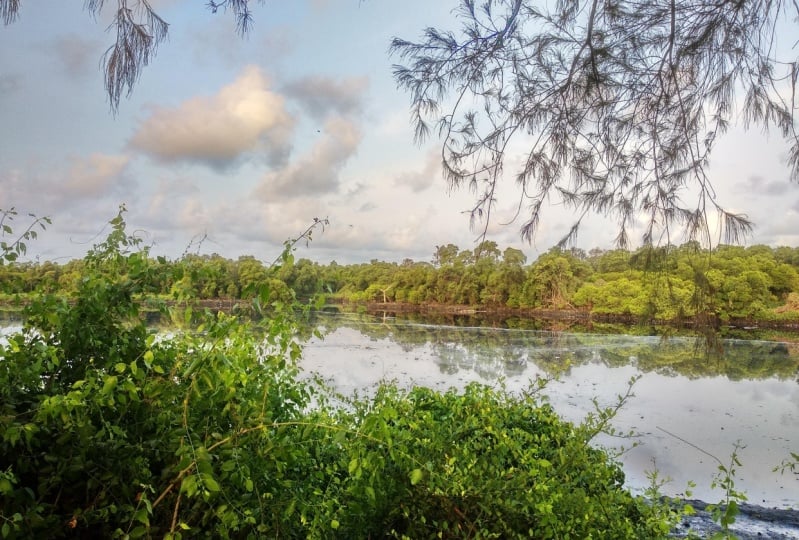
5. Master Landscape Photography: In this video, I'm going to be going through how you can capture stunning landscape photos and few tricks that I use. The first tip I can give you is location. Location is very much the key to landscape photography. By plotting your exact location, you'll be able to maximize your time here. Be patient. It's amazing the number of times that things happened in your picture frame that ruin a really good photo. Let's just wait for that white cloud to disperse, and let's get the shot. Don't be lazy. They always say that the view is better from the top of the mountain than the bottom. Let's climb that mountain, and get the shot. My next tip is also to use the best light. You might need to do a little research into what time today is the best light view. I love shooting at time of day, which is called golden hour, and that's when the sun is setting, and it's not as strong and dominant in the sky. That also casts some lovely, lovely colors across the sky, and just makes it very pastely, really nice. One must-have when you go and shoot in landscapes is a tripod. Let's just say issue in early morning, and under light isn't exactly prime, as we've discussed in the earlier classes, this might mean that you need to substitute your shutter speed and open up the aperture. As we've discussed in a previous class, you want your photos to be rarely sharp. Therefore, we're going to have to be used in a higher f-stop. You can either use manual or aperture priority mode. Starts at around an f-stop of eight and work up to about an f-stop of 11 and higher until you get your desired effect. Let's talk about composition. We haven't really gone through this year in a class. See you might have heard of the rule of thirds, and the rule of thirds is basically a compositional guideline that breaks and image down into thirds, both horizontally and vertically. You have nine pieces and full grid lines. The rule basically says that by positioning key elements along the grid lines, you'll end up with a better composition. Say we're shooting the sunrise, you would place the horizon line along the top or bottom horizontal grid lines. The next thing I would really recommend is ensuring that you turn on the histogram, and I know this is a lot to take in right now and talk about composition. But histograms are basically there to see what parts of your image are underexposed and what parts are overexposed. If you found that your graph extends beyond the left or right edge of this histogram, this shows that you have parts of the photo we've lost detail. What happens if part your photo is under or overexposed? I'm going to recommend that you shoot in a mode, called raw mode, and it basically takes a raw image. What this means is that when you get into the post editing phase, you will have a lot more control over what details you can pull out of an image. A JPEG, you have quite limited control. Whereas a raw image once said that you have total control but say if you had an area that was slightly overexposed or slightly underexposed, you can actually save this in the post-editing phase. If you are unsure of how to enable any of these features on your camera and you can't find them within their settings, hop onto Google. Google usually holds all the answers. All the techniques and rules that I've just gone through, I have literally been a product of an experiment. Things that have worked and seemed to work pretty much every time somebody takes a landscape photo. Here's the debate about having a camera strap or not. I prefer not to have the camera strap even though the camera strap does make life easier sometimes. Mainly because it had a camera strap on and it's around your neck. You only have limited movement with it on. I prefer to have my camera in my hands and then I can take whatever shot I need to. However, when I'm walking around is a bit of a pain, so I've put it back in my camera bag. But here the shot, right when you're actually taking the photo, it makes it a lot easier in the post editing phase to get a great image. Because I put up style and you want in post-production as well. This is why it's really important to shoot in raw mode on your camera. Even if he did slightly overexposed an image, you can bring it back down in post without worrying about losing any of the details. Let's just do a quick key takeaways of this lesson. In this lesson, we went through key tips of how to get a good image, image composition tools to ensure you get the right shot. Camera settings, and photography mindset. Join me in the next video when we are going to be going through how to successfully shoot a portray.
6. Master Portrait Photography: Welcome, in this video we're going to be going through the tips and tricks that I have, the shooting portrait photos. Let's jump into it. My first step is actually focus on the subject, and the subject in this matter is the person. Usually when somebody is put in front of a camera lens or is not used to be in front of a camera and isn't used to you, this can show up in photography. The ways to get around this is to actually establish a relationship with the person that you're shooting. Whether they sees me enough for a coffee before the shoot or even just before you start shooting, take time to even get to know the person. As soon as the stranger wall is broken down from in front of them, they will be a lot easier to photograph on camera. You also want to discuss your plan for the shoot, so it's nice to have an idea in your head of what you're shooting by the way. They can actually say what they're comfortable with, what they're not comfortable with, or any preferences that they might have our creative direction they might have themselves. My second tip, finding the right location. The location you choose to shoot a portray actually affects the photo so much. Some people might choose to shoot outside, some people inside. Although shooting outside poses a few problems, whether that's whether lighting or even the natural elements like the wind. One thing I do have to say though if you are going to shoot outside, please avoid natural sunlight, because natural sunlight does not do wonders for somebody's angles. By having a direct light source on one side of the person's face, it does cast some really harsh shadows across the face. Hey, but if that's the creative look you're looking for, go for it. I do recommend actually shooting indoors if you can mainly because you can control the lighting, for example. But also if the air is a little bit too cold, this might stop your model from expressing themselves in the way that you might like. By getting the right location, this can save you a lot of time trying to fix it in the post-editing process. Number 3, getting the pose right. Figuring out the right photography poses is always a journey. No two poses look the same on the same person. You need to find the right poses that not only complement the subjects themselves, but the lighting that you may have, the environment around them, and even the camera angle. Once you have the correct poses for your subjects, you can make minor adjustments just to get the right photo. A little tip I have here is to have a gallery of poses on your phone to show your model or your subjects for them to try, it's easier than trying to act out or even trying to mold them into a shape. My fourth tip is to take candid photos. Sometimes getting people to pose actually looks really unnatural. As long as you've established that relationship at the start of the shoot, this should be a lot easier because you can talk to him in between shots obviously, it's photo that no audio here. You can even talk to him once you have the camera, tell them a joke or talk about current politics, controversial, maybe not, but do somethings. You can capture different expressions on their faces, by taking candid photos you end up getting a more natural photo at the end. One little tip I have here is that if you choose to use a longer lens, ie you can zoom in a little bit, you can actually take a few steps back from the model just so they have a bit more personal space. This often helps people open up and losing their shyness and stiffness when they're having their photo taken. My eighth tip is the background, and yeah, you can master the pose, you can master the look on the subject's face, but if you tried to portray a certain look, the background does 50 percent of the work. Even though we're going to be discussing blurry background bokeh later on in the video and your background is going to be blurred, it does makeup for love the photo. Finding the correct background and the right background for the mood you're trying to capture helps a lot. My tenth tip is to find a color palette that actually matches what you're shooting. Using complementing colors, whether that's clothing, props, background, and even hair color sometimes can add to the overall impact of the photo that you're taking. You should also keep in mind your subjects' skin color and hair color when choosing clothing. For example, if I was to ware yellow now, no, yellow does not look nice on me. Number 11, lighting. We've already touched upon this in an earlier tip. However, lighting does makeup and create enlarge portion of the portray that you're going to be taking. For example, if I had all my lights turned off now, you wouldn't be able to see a thing. That is one of the lights out and well but already, I feel like I've lost a lot of light from the scene. Overall, figuring out your light source is probably the best thing that you can do as you get onto shooting. For example, now I have a light hair, so I have a direct line on this part of my face, I have a little bit of a shadow and then I'm also back-lit so you can see from the side of my neck and also shoulders. If you're using natural light sources like the sun, it is actually good to fully face onwards. As we said before, we don't want any harsh shadows on the sides of their face. You can also add a few pounds to the person as well. A useful tool for lighting is actually a reflector. Let me just grab one. A reflector basically says what it isn't its name, it reflects the light. For example, if I wanted to reflect some of the light from behind me, I could possibly set by reflector down here to have a bit more of a light underneath my chin, which I was really going for without or with, you see? Reflectors and also diffuse. The diffuser is in here and the diffuser basically disperses the light, breaks it up and it makes it not as harsh. For example, if you are shooting outside and the sun is directly beaming down and there's no way you've taken a really cool photo because you've got these really harsh shadows underneath the eyes, the nose, you can actually get someone to stand up really high out the shot and just place the diffuser a little bit above the person's head. Now obviously you probably want a bigger diffuser for that, depending on how high the diffuser is away from the subject. These diffusers you can pick up pretty cheap online as well, whether that's Amazon, eBay, or even if you can find a secondhand shelf, always recommend buying secondhand. My next tip is to use burst mode, and this is mainly used to shoot series of portrait photos. As we said before, candid photos are great. If your subject is moving, you probably want to put your camera on a bare that burst. Maybe even crank up the shutter speed a little if there's going to be a bit of movement, so I recommend a shutter speed of over 150 if not 200, so you don't get any blurriness and if you want your shots to be a little blurry, I go about a shooting speed of 100. Let's talk composition. Now, we've gone through the rule of thirds in the previous video, but let's just quickly go over this again, just in case you haven't seen the previous video and the rule of thirds is four lines consisting as a grid. By positioning your subjects either on the line or where the lines meet basically means that you get a better photo. However, you can break this in portrayed photography. Landscape photography tends to work out best if you sticks to the rule of thirds. However, in portrait photography, you can play with it a lot more. One of my favorite things to do is to shoot through something, for example, railings or fence by having something in the foreground that you shot through. This is going to be blurred. It creates a frame for your subject. For example, I think it was Alfred Hitchcock's Vertigo. Alfred used framing quite literally throughout this whole film and there's one scene where the subjects are framed multiple times. By using these frames, essentially created more of the focus on the subject. This is just one of so many different creative things that you can do to get a really good shot. Another example is reflections. A lot of people like to use crystals, so they hold the crystal lopes to the camera near the lens and sort through the crystal and then it creates lovely flairs and also distorts the image a little bit. Let's talk technical now. We went through the shutter speed that I would recommend before and that was one over 50 at least if you wanted to get a crisp picture, but obviously if your model is moving quite a lot, you probably want to go higher than this. Again, if you wanted a creative effect such as blurriness, go for about 100 or even below that. You've also got a countering for the fact that you're also going to be moving yourself. Basically the higher the shutter, the crisper the image you're going to get. I like to have lovely blurry backgrounds, which is referred to as bokeh, where the lights seem all nice and blurry and fluffy as search. I tend to go for an F-Stop of 1.8. Mainly because the lens that I've got can go down to that low, and some lenses can go down even lower, as we've discussed in the aperture video. If you wanted the background also in focus, you probably want to go a little bit higher then maybe go for an F-Stop of five. But remember, the higher you go the F-Stop range in terms of number, that is, even though it's the opposite way around, the more underexposed that your image is going to appear. If you're in a dark situation, a lower F-Stop might be needed. ISO, I tend not to go mad with ISO. I like very clean, crisp images and I know some people for creative effects like the noise. If you go too high on your particular camera, it can come up quite noisy on clean image. If I wanted a noisy image, I use it at the same and post. Oh yeah, and finally please shoot in raw. Raw makes it a lot easier than if you didn't set your white balance, because this can just be easily changed through the color, temperature, and tint. Let's wrap this class up now. In this class, we went through contributing factors such as environment, intended tone, and even photography model. We've also discussed that framing rules don't always apply, so remember to break the rules and get creative with your shot. Talking about being creative, use creative effects to your advantage such as motion blur and bokeh to take your portrait photography skills to the next level.
 Sian Morton, Videographer