Transcripts
1. Intro: I have zero doubts that
you have the skills and the knowledge to get started with creating
user-generated content. What's got you stuck
is all the details. And that's exactly
what I'm gonna be teaching in this course. From creating your portfolio to sending out your first
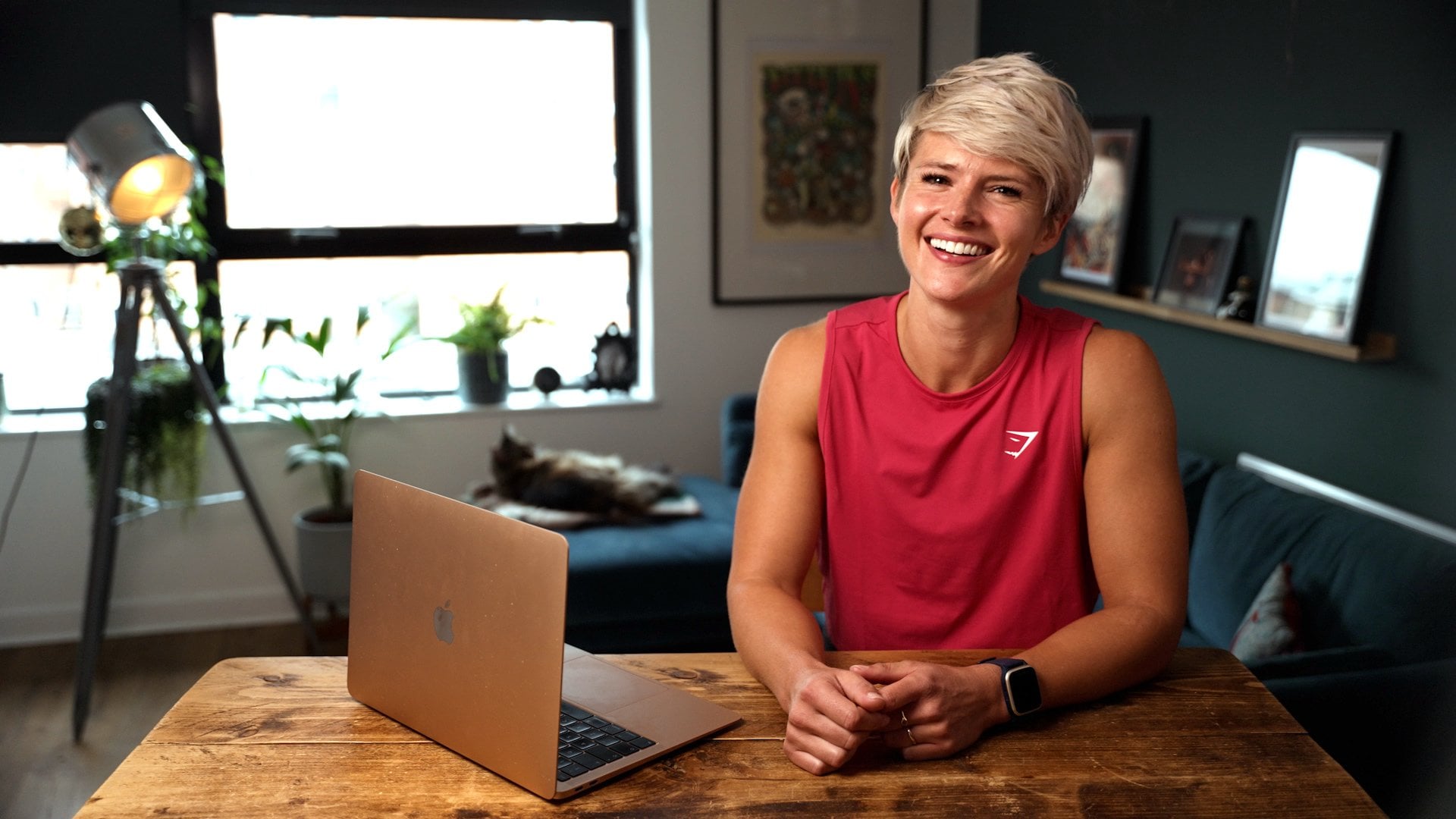
pitch, negotiating pricing, and delivering that first video, I've got you covered, Hey, I'm Casey, I'm a content
creator and a UGC creator. I have so much fun creating
content for other brands. But I also get how confusing
and overwhelming it can be to get started
as a UGC creator. So I'm here to break it down
to the basics and show you everything I've learned along
the way to get started.
2. Project: Your project for
this course is to pick one of your favorite
things from around the house. Then you're going to use
that product to plan, film, edit, and create
your first UGC video. This could be anything
from skincare too close to that afternoon
caffeine picked me up that you can't live
without and don't worry, there's going to be a worksheet with all of the details that you can download to help walk you
through this whole process. It's also in one of the
lessons we're going to cover. Not only is this a great
project to get you started on your UGC journey? This video is going
to be the first of the videos you create to
build your portfolio. That portfolio is going to be essential for pitching
yourself to break them.
3. What you need to start in UGC: Alright, let's start off with what all exactly do you even need to get started creating
UGC and pitching brands? First up, you'll need some
sort of website or portfolio. This doesn't have to be complicated and
we're going to talk about this in its entirety
in a separate lesson. Next, you need an email address. I strongly recommend
that email address that is separate from your personal regular email and pick something that is
professional sounding. It's not uncommon for people
to get something like Casey ugc@gmail.com and use that specifically for
your UGC creation. If you already have a
more professional email like hello Casey jordan.com, That's a great place to I do recommend trying to stay away from e-mail addresses
like skater girl 8725. Again, we want to establish
you as a professional. You'll need a way to invoice and collect payment from
the brands after you've completed the work and you get paid and you're going to need a smartphone and somewhere
to create your content. Now you might
notice I didn't say anything about needing a
social media platform. This one, some people
will say you need, some people say you don't. The key element of
UGC content is you're often not posting it
to your own platforms. That's why anybody
can get into it anytime it's one of
the beauties of UGC, I will argue there's
some benefit to having UGC dedicated platforms because you can use that as an ongoing
part of your portfolio. But if that feels overwhelming,
don't worry about it yet. Again, to get started, you need a portfolio, a professional sounding
e-mail address, a way to send invoices
and collect payment and a smartphone and
somewhere to record.
4. Key terms & phrases: Let's talk about some key
terms and phrases that it's really helpful to know,
not only for this course, but as you start
having conversations with brand first up, let's talk about the
CTA or call to action. This is a quick phrase
often at the end of a video reminding the
viewer what they can do. Now that the videos done, this might be a call
for them to go buy, a call for them
to click the link or call for them
to drop a comment. It's not uncommon
for brands to have specific CTAs that they're going to ask you to use
in your videos. Also, having multiple
CTAs is something we're going to talk about
when it comes to packaging and pricing. Next up is the hook. This is the first two
to 3 s of the video, the first sentence
out of your mouth. This is what it's going
to hook in the viewer and keep them watching for
the duration of the video. Next up, you'll occasionally
hear brands talk about the thumb stop rate or
even just the stop rate. This is essentially
a metric that measures how effective
your hook was. How many people stop
in that first 3 s and watch past the first 3 s. Another one you'll
hear talked about, especially when it
comes to paid ads, is the CTR or the
click-through rate. This is the measurement of how many people
watched the video and clicked through to what's on
the other side of the video. Especially in ads where
you can literally click on the video and it will take you to
an outside link. That's that click-through rate. What are the number of
people that clicked versus the number of
people that watched? And last up for the
sake of this course, we're going to talk about
inbound versus outbound leads. Oftentimes starting
out, you're going to rely heavily on outbound leaves. These are pitches
that are coming from you outward to the brands
in order to find work. So the inverse of that, one of our big goals is to get inbound leads when
brands reach out to us, that's inbound and that
is ideal because it takes less work from us
because we aren't having to pitch and chase them. Alright, now that we've
got some language, we've got some
foundation of what we need to create our UGC, let's dive into
building our portfolio.
5. Creating a portfolio: Now we're getting into
the meat of this. Let's talk about
creating your portfolio. I'm going to talk
real quick about what you need in your portfolio, a few common mistakes to avoid. And then I'm going to show
you one quick overview of one way to create
your portfolio. So first up, what do you
even need in your portfolio? Definitely need your name
and headshot of yourself, preferably a newer photo, a few sentences about yourself and your area of expertise. If you have additional
experience in content, content marketing,
content strategy, be sure to include that here. Your portfolio is also going to include several
samples of your work, both in video format
and photo format. And don't worry if
you haven't had any UGC jobs yet because we can still create
those portfolios, videos and photos with
products around your house. And to round out our portfolio, we're going to talk
a little bit about packaging and pricing. So what are a few
common mistakes that I see people making
on their portfolios? One of the number one
mistakes I see is while some portfolios are absolutely beautiful and
aesthetically pleasing, they take way too long to get to the details and the important
information about you. There's no need to explain
what UGC is two brands, or to give them statistics
about the value of UGC. If they've found you
aren't interested in hiring you for UGC, they already know this stuff. Dive right into
telling us who you are and why you're the
right creator for the job. Ideally, we want
brands to be able to start seeing your portfolio, the examples of your work
in a scroll or less, one of the quickest and most
cost-effective E free ways to get started with
building a portfolio is actually using canva.com. All you need is
the free account. And you can use Canvas templates to build and host a website. Once you've got
your account setup, you're going to
click that create, Design button, select website. This will open the
Canvas website builder Interface kinda already has
a wide variety of templates, including a couple of
portfolio specific templates. Select a template that fits your needs and a
suture aesthetics. I highly recommend something
that is not to clutter. Colors are great. Clutters to be
avoided from there, customize it, add in those
things we talked about. Get us that headshot, your bio, what you specialize in, and dive right into our
portfolio, videos and photos. And on the bottom
of the website, put in your packages
and your base pricing. Once you're satisfied
with that website, click Publish, and
you're good to go. This will generate
that URL that you can now share whenever you need
to share your portfolio. Again, this does not need to be big or fancy or complicated. We're looking for
a few scrolls on the screen that tell
us who you are. Show us what you can do. Tell us how much you cost and tell us how we can read you. That's it, That's
all we really need. If you already have a website, I would recommend adding a
portfolio page and again, keeping all of this information on a single page
within your website. If you're feeling
really stuck about what to create or how
to make it look good. You can check out Etsy. There are a lot of pre-made Canva templates
ready for UGC creators. So you can buy the template
and all you need to do is plug and play your
personal info, add your personal
videos and photos. But really it's not that much harder to do it on your own. Now that we've got your
portfolio, I'll set up, let's head over to
the next lesson and start talking about pricing.
6. Pricing & packages: Welcome to lesson four. Let's talk about
pricing packages and a few tips
about getting paid. Pricing ultimately is a really individual
process and decision. That said, I think
the market standard right now at the
time of recording this course is about $150
per one-minute video. A lot of new UGC
creators want to market themselves
a lot below that. But you're undercutting
the market and you're doing
yourself a disservice because there's a
lot of work that can go into creating a 62nd video. So make sure you are
charging for the time it takes to script and film and edit and build out
that video is not just a 62nd video that
you're charging for. It typically takes
me about 2 h start to finish to create
a 30-second video. When I'm pressing my packages, I need to keep that
in mind and make sure that I'm compensating
myself fairly. Also, if you're going to list your pricing on your website, which I think is a great idea. I would label it starting
at the dollar amount. This gives you room to negotiate if and when you're
ready to negotiate. When it comes to
packaging videos, It's very common to have a
set price for a single video, a discounted price for having three or more
videos in a package, I use a set 20% off if
it's three videos or more. So whatever that total
would be for three videos, I take 20% off that. And that's the package price. Same if they were doing a
package of phi of videos, what is the total
price for five videos? Take 20% off that and
that's their final price. And then you can also look at mix-and-match packages where you have videos and product photos. Pricing those a little
bit higher than you would for a package
with just video, because you've got to take
time to take those photos. Another way to package
content that is growing in popularity looks
something like this. You're going to provide the
brand for different hooks, recording each hook
and cutting that video off two different
bodies of content. This is gonna be the bulk of the video and then two
different calls to action. Now the brand can use this to
mix and match those hooks, bodies, and calls to
action so they can create a whole bunch of different
videos for themselves. I see this package
style growing in popularity because
it also gives brands the flexibility to
be able to test and see what's converting
better for them. Now I would pick
one package styles starting out whether it's three videos for x amount
or a package of hooks, videos and calls to action, just one package
style and stick with that for your pricing
structure to start out. One more really important
thing about pricing. As you get more experienced and your quality improves,
increase your prices. So you've got your prices. Let's talk real
quick about getting paid when it comes to sending
out your invoiced brands, there are a couple of options. Some creators prefer to charge 50% upfront and 50% upon
delivery of the video. And some craters just
at 100% upfront. There's not really a
right or wrong answer. There are pros and cons to both. So do which one feels right to you when it comes to actually
collecting the money. A couple of your best
options are Zell, which has no transaction fees, but not all companies
will use it. Another great option is stripe, but they do take a
small transaction fee, but it's much more
widely accepted. I personally have stripe ends l, So I can have an option
for the business. A third option is using a
service like honey books, which is a complete client
management process. This software would be amazing for tracking
everything from the invoiced and the contract all the way through
collecting the payment. But this is a full software
that requires a monthly fee. And so I'd hold off on
using honey books until, you know, you've got
some money coming in. But once you're ready to manage multiple projects at a time, this is a great way to go. So you finally have
some money coming in from your UGC creation. Let's talk a couple of things about getting your finances in order so you don't get surprised when tax
season rolls around.
7. Financial tips: My biggest tip when it
comes to finances for UGC creators is treat this
like the business that it is. Keep everything separate
from your personal finance. Ideally even set up a
separate bank account for everything that is business
slash UGC related. I also have my UDC
creation setup as a LLC sole proprietor
business so that I have some legal protection for me separating me
from the UGC work. Again, I'm not an
expert in this, so I'm going to refer you
to other people to learn more about setting up an
LLC and why that matters. Keep in mind that
this money that you get paid for UGC creation, you're going to have
to pay taxes on it. So think about setting aside 30% from every check you get. But that number could
vary state to state. So again, I would check with
a tax professional to see what kind of percentage
you should be saving for tax purposes. Also know that gifted products
for UGC can be taxed. So keep a running record
of all of the products and the value of that product that you are being gifted for videos. Next big tip is to save
all of your receipts for anything related to
creating UGC videos. In another video,
we're going to talk a little bit about backgrounds. Save the receipts when
you buy those materials, anything you bind specifically
to help you with filming, editing, delivering your videos. Save those receipts
for tax time. When tax season comes up, be sure to hire a CPA in your
area to help you do this. Running your own business is slightly more complicated than just punching in some numbers
on something like TurboTax. And so I think at least
for you're starting out, it is absolutely
worth every penny to hire a professional to
make sure you do it right. Now that we have everything in your business and your
portfolio all laid out. In our next lesson,
we're going to start pitching to brands.
8. Pitching brands: Finally perfected
your portfolio and now it's time to start
finding some brands. Where do we find brands? There are a ton of ways and places to find
brands to pitch to. So let's talk through
wrong idea number one, when you're scrolling
through TikTok or Instagram, when you see one of
those add videos for a brand you
want to work with, save it because you know that
brand already works with UGC creators reach out
to marketing agencies. Some of them don't actually
have in-house UGC gigs yet. It might be able to help
connect you with work. There's quite a growing
UGC culture on Twitter, but be sure to really
vet those jobs because there's also some scammers
that are figuring out Twitter when you're
scrolling Instagram or TikTok and you see one of your favorite brands
and you know, you can help them
out with a video from the user's perspective. Write it down, be
sure to pitch them. A great option that a lot of people are missing out
on is local companies. Local companies need
UGC content too. So think about the companies in your area or local
manufacturers that you'd love to work with
and get to know other UGC creators on TikTok, Instagram and Twitter because
often they're passing on jobs that don't fit them or that they don't
have time for. So you could make
connections and find other jobs
through other graders using freelancing apps like fiber can be a
great way to start. Fiber is actually one of
my main sources of jobs. You just list yourself, your portfolio and
your pricing there, and brands come to you. And there is also a
growing number of absence services like below, B-roll, brand meet creator that are helping connect
brands and creators. So be sure to get signed
up with those apps and services to most of
them are free to join. I recommend that you keep a notes app or a notion
board where you keep a running list of these
brands that you are finding all over the place and these opportunities
that you're seeing. So you can make note of them so you don't forget for later. So now sit down
with your list of brands and let's
talk about pitching. The number one
thing to pitching. Please. Do not use copy and paste
email template scripts. Brands can tell from a mile away and they're going to
digit as soon as they open it. One of the best ways
to go about pitching brands is to do a little bit
market research on them, See what they've got out there, see what the competitors
are putting out, and see if you can see a gap in the brand's social
media presence that you could help
alleviate for them. You're going to come up
with a little strategy, maybe the ideas for a
couple of videos for them. You're going to
pitch that to that. And this might feel
like a lot of work. These steps can take
maybe 15, 20 min. It doesn't have
to be super deep. But getting custom and getting personalized to that
brand and setting out better quality pitches
is going to get you more yeses and save you tons
of time of sending out, copy and paste super
cold gross pitches. So let's take a quick look at an example of what
this can look like. Ideally, market research
also find the name of somebody who is in charge
of marketing if you can, because that really helps
if you can send the email directly to a person and not just to a general info
at kind of email address. So it's going to look like this. Hi Rebecca and Casey
from Instagram. And I have been noticing in your comments that a lot
of your customers are asking for more tutorials on
how to use your products. I'd love to do a series
of rules about how to properly use your product
for the best results. I'm UDC creator and
I specialize in organic content for
non-toxic companies, I'd love to send over
some examples of the style of work that I'd
love to do for your brand. If you have some specific
results about thumb stop rate or click-through
rates from previous work. This is a great place
to include them. Don't worry if you don't
have these numbers yet, wrap up the e-mail
with would you like me to send
over my portfolio? A lot of times it's advisable to hold off on sending the link
to the portfolio right away. Because sometimes
e-mails with links in them are the ones that
get marked for spam. And this also gets a little
buy-in from the person receiving the e-mail before we just dump our stuff on now, so you've been
sending out pitches and starting to get yeses. Head over the next lesson
and we'll talk about what to do next
after you get a yes.
9. Starting a UGC job: You've got a brand that's
interested in working with you. Now, what do you do before
you start creating anything? Let's gather some
more information. This is a great place
to go ahead and create a form list of questions you can send to brands to
make sure you cover all of these points
and you don't miss any important information. Some of the things you
want to be sure to ask about our brand guidelines. Are there any things you
want to make sure you do say or don't say, ask about any colors or logos that they want
to have included. If they don't provide
you any information about the target audience, you may need to do a little
bit of research on your own, but know who the
video is aimed at and also be sure to
get a creative brief and be clear about what style or objective that they're trying
to reach with that video. Are they looking for an
unboxing testimonial, a product demonstration,
a how-to video. These are things you're
going to need to know. Also ask about details like
if they want captions, background music, text on the
screen, things like that. And then last up, one of the
most important details is you need to make sure you know what kind of ratio
they want this in. If this is going to be
for Instagram or TikTok, they're probably going to
want to in nine by 16. But on the off chance they want it for something like YouTube, they might want to
buy 16 by nine. So be sure to ask, You can avoid a lot of revisions and miscommunication
by making sure you get all of these details upfront before you start
creating anything. If they're not going to give you these details and they tell you, just do what you want. I get that in writing. Just to make sure
we'll talk about contracts and negotiating
in the next lesson.
10. Negotiations & contracts: Welcome to lesson eight. Let's talk about
negotiations and contracts. I'm going to start
this out by saying if negotiating with
brands freaks you out, don't worry about in the start. Negotiation is very
common in this industry, but it is not a requirement. And as you get more
comfortable with how this whole creation
process works, getting creative briefs
and asking questions, you'll become more
comfortable with the idea of negotiating. This is why it's also
really important on your portfolio to say
that your prices start at instead of what the price
is because you have no room to negotiate if you just flat out told them their price, a great starting point
when negotiations is actually to ask the brand
what their budget is for this project
and then tell them how much work you can
do within that budget. That way, if their
budget for that scope of work is just too low for you, you have the ability to
come back and tell them how much work you could
do for that price. There will be times in
negotiation that brands are going to say no pass on your
price and walk away. It is not a personal reflection
on you or your skills. It is just part of business. Regardless the outcome,
try not to internalize it too much because you
know what your worth, you know what it takes to create this content for
them after you've negotiated your price and all the details about what's
going into this project, get a contract signed. Now I'm gonna put
a disclaimer here. This again is not legal advice. I am not a legal professional. This is a high-level view of a couple of things
to keep in mind. If you want to get a contract template or you
need help with contracts, be sure to contact
a professional, but having a solid
contract in place can make or break you should something go wrong
with a project. There are lawyers out there
that specifically write contracts for UGC
creators if you can, and you need to
find one of them to get your base contract from. So here's a few
things to keep in mind as you're building
that contract, start date and end date. This will vary a lot with your business and your schedule, but a good timeframe is 14 days from the time you
received the product. Let them know that they're
going to be getting watermarked content until
they have paid in full. Let them know how
they're going to pay in full and when that
payment is due by also include what that amount is that you agreed upon
in the negotiation. A good practice is 50% upfront and 50% before the
final delivery. Included within this price is how many rounds of revisions? Most common is only one
round of revisions. And what the rate is, should they want
more revisions than that one given round also
makes sure that you, the creator, are not liable for any damages that are
incurred from the content. Once you've got your
contract written up, you can send it over
as a plane PDF, but ideally send it in a
way that's really easy for them to sign using a
service like DocuSign. Or if you're using
the honey books app, it's built right into the app. The easier it is for the
brand to work with you, the happier they're going to
be the contract is signed. Let's head over to Lesson Nine to talk about
scripting and filming.
11. Scripting & filming: Alright, before we
dive into lesson nine and talk about
scripting and filming, I want to clarify that
this lesson can be an entire course of its own. It can also vary widely
depending on your skills, your equipment, and the software
that you choose to use. Today, I'm going to
cover the basics, assuming you have
a smartphone to record and a place
to do the recording, I actually do the majority of my UGC creation in the native
camera app on my phone. I used cap cut for my editing. I use the TikTok
pre-approved music library if I'm putting music
with the video, and sometimes I'll use
Canva if I need an additional graphic
or sticker that I want to overlay on the video. It doesn't have to
be fancy at all. Again, I'm going to walk
through all of this on the PDF worksheet that comes with your project for
creating your first video. So don't panic those details. Are there walking you
through this again. Now I personally
highly recommend with storyboarding your videos before you start recording anything. This does not have to be fancy. Here's what some of
mine looks like. Here's another example. This helps you get really clear on how many clips you need, what you need clips of, and how your video is going to pace and make sure
that your videos the right length of time per
whatever the brand agreed to. Another bonus to storyboarding your videos if you're working on a really big project or
if a brand You gave you complete creative
freedom and you're feeling a little
anxious about that. You can always send
the storyboard back to the brand and
ask for a little bit of pre-approval and feedback with the project in the way
you are envisioning it. Now once you've got it
scripted and storyboarded, it's time to start filming. Here's a few tips for filming how a well-lit area with minimal distractions
in the background. If you're doing close-up
video or photos of a product, you can actually
create backgrounds. These can be created with
items from the dollar store, craft stores, Home
Depot and Lowe's, the backgrounds and this picture actually came from
the dollar store. Whatever video and
photos you're taking, be sure that there are no other branded
products in the picture. Brands want their stuff and their stuff
alone highlighted, make sure every other
brand and brand label is off screen. I recommend always filming in for K and 60 frames per second. Even if the brand wants
the final product in 1080, this is going to give that 1080 just a little
higher-quality feel and flow when you're filming. I highly recommend doing
each take a couple of times and maybe even from a couple
of different angles. It is much easier
to set everything up once and do a bunch of takes than it is to do one
take and have to bounce between editing and refilling because things aren't
working out quite right. I did a video for a
brand with my dog Mika, in which it was crucial for
her to give me a high five. I swear we did 100
high fives that day. But it was so helpful
when I sat down to start editing to
have so many options of high fives and angles
of high fives to pick through and grab the perfect
clips to fit the video. If you're doing a video where
you are onscreen and make sure that the clothes
you're wearing our clean, the wrinkle-free, and make sure they don't have
any distracting text images or other brands on them that
take away from your video. Now that you've got a
pile of raw footage, Let's get that script recorded. Any scripting that wasn't
already part of a video. You're gonna do a voiceover
for doing your voice-overs, if possible, use an
external microphone. You can get a cheap one on
Amazon for like 20 bucks. You can even use those
corded headphones that came with your phone. The microphone on
that is actually pretty decent once you've got all your raw footage and any voiceover
that you needed, it's time to head into
your editing app. Like I mentioned, I use cap cut. There are tons of options. My personal recommendation
is edit your audio first, I find it much easier to edit the audio and the voice-over
and get that all laid out. And then I can easily match
the raw footage into fit with the various clips
throughout the script as I want, I find it much easier to edit and add the raw footage in and get things trimmed
where I want to match the script if all the
audio is already done, as opposed to trying to edit the audio to match the video. That's harder for me, but you do what
feels right to you. In the last step before
you consider a video done, go back to your
creative brief or your contract and double-check
all of the details. Did they want captions or not? Do you have non
copyrighted music in the background if
you're adding music, did you mention any
key phrases that they specifically
wanted in that video? Whatever the details are, make sure you've held up
your end of the deal. Once I finished the video, I always add a watermark. I created a PNG image in
Canva. It was super easy. I keep that on hand
and I can just add it as overlay layer in the
video really quick, I export this version
with the watermark, and that's what I send
off for final approval. Once the final video
has been approved and I have received
payment in full, then it's really easy to jump
back into my editing app, delete that watermark,
re-export it, and send them their final
version of the video. Again, this is a very
fast simplified look at scripting and
filming your videos. But I hope it gives
you a good sense of the workflow and some of the process in order in planning and creating
your content. Now that your video is finished, Let's head to the last lesson to talk about delivering that
video to your client.
12. Delivering your final product: It's our final lesson, y'all, once you have finished
creating your amazing content, it's time to deliver
it to the client. Again, as I mentioned
in the previous lesson, do not send them the
final video until you have been paid in
full and everybody agrees that the contract
has been fulfilled once you've been paid and it's time to send that final video. I recommend Google Drive. You can also do
this with Dropbox. This is a great way to
create a folder for that client with
the client's name and the date of delivery on it. But all of the videos
and photos that this client has purchased into that single folder and
share it with them. Also give the brand the
heads-up that they have 30 days to grab that
content out of the folder. That way you can
delete it and keep the space freed up on
your Google Drive. Like I said, you can
do the same thing on Dropbox. Either way. Just make sure that
the settings are set so that the
brands can access that folder and
download their products unless it's otherwise
stated in the contract, images should always be
delivered as jpegs or PNGs. And videos should
always be delivered as 1080 and the dot MOV file
type. And that's it. The deals done payments in the bank and you
are a UGC creator.
13. Conclusion: Congratulations on
taking your first steps towards becoming a UGC creator. Now, you've got the skills and knowledge to build
your portfolio. Start finding brands, start
pitching those brands. Make sure your negotiations
and contracts are on-point. Scripting and filming
amazing videos and getting them into the
hands of your brands. If you haven't
already, be sure to head over to the project tab, download your
worksheet and create your first video
for your portfolio. Thank you for trusting
me to teach you and getting you
started on this path. The best of luck in all of
your UGC creation to come.
 Casey Jourdan, Multi-passionate Content Creator