Transcripts
1. CameraIntro: Hey, everybody. My name is Nick Nebelski and I am the
writer and director of Blink, the baby blue elephant
with pink ears. And it is a movie
that I have just submitted to two film festivals, and I wanted to share some more educational content for you that may help
you make a better film. And what this one is
is from my course, how to create an AI animation short from prompt to premiere. This one is all
about camera angles and shots and movements. And it's a short video, but I think I wanted to
present it to you separately from
the class because I wanted you to get
immediate benefit from it. And so what we're going
to be doing is for the next 15 or 20 minutes or so, we're going to be talking about all the different camera angles and shots that are available
to you on Google VEO, and we're also going
to be showcasing the 13 that they have to offer, we're going to be
showcasing ten of them. And so it's a fun class. I show you exactly how it
looks on camera so you can get a better idea of
the way the cameras will add extreme
value to your films. And in addition, for the class project,
I just want you to use, at least three camera angles in your videos and upload those so we can see
what that looks like. By sharing, we all
learn from each other, and it's a great way to see
what other people are doing and to support each
other. So that's it. It's a fast class, but it's also something you will get tremendous
amounts of benefits, and there'll also be some
handouts available to you that explain in more detail
not only the shots that we talk about
in this video, but there'll be some extra shots that I've included as well. So I hope you enjoy the class. Let me know if there's
anything that I can do for you in the comments, and I'll be seeing
you in the video.
2. UpdatedCamera: Hey, everybody.
Welcome to the class. This is under the subheading
of camera movements. And we're going to
really focus on making your movie as
interesting as possible with different camera
movements that are available in Google VO. But also, there are some
additional ones as a bonus. Hopefully, we'll have time
to get to those as well, and we'll talk a little bit more about that a
little bit later. So when you first
have your screen or your Google VO open, you have choices down here. You can go text to
video, frames to video. Ingredients to video
is only available in the ultra subscriber package, and we won't be
talking about that. We will though be talking
about frames to video. And if you notice
you're at the bottom, there are three buttons. The first button is to populate a starting image for where
your video would start, and you don't have to have an ending video or
an ending image, but it gives you the option. Let's say you wanted to have one person sitting in
a chair, standing up, walking over to another chair, you'd have those two shots, and then it would
build a video for you. But without using those, we go to the third button, and this is a place where you can show all of the
camera movements. Now, if you write your prompt, once you're in frames to video, write your prompt and
click one of these, it will enable that
movement into your prompt. I've had hit or
miss results with this by using this button. What I tend to do is I
just write the prompt. I write the camera angle or
movement right in the prompt, and that's what I've
been doing this for these videos that I'll be
showing you momentarily. So what I've done is I've
created some videos that highlight these
camera movements. And the first one is Dolly In. And this is an image or video, should I say of my
character Blink, the blue elephant
with pink ears. It's a This particular
shot is not in my movie, but it could be in
a future movie. And I really like the way
Google does the Dolly In. If you think about
what the camera is, if you think if I
just grab this, I'm just going to grab this box to say this is the camera. Dolly In is the whole
physical camera is moving in towards you. That's Dolly in, Dolly out. In fact, let's do this. I'm going to show
you real quickly. So Dlli in, right? Goes in, comes out, Dolly out, comes out. Jib is the whole
camera is moving up or moving down. All right? Now, typically, the camera is on some kind of a tripod or, you know, with a fulcrum, and it's moving on its own with
a platform underneath. We'll get into that
in another video. And then jib up goes up. Orbit left is unique, but it's very subtle. It's only going to move just a little bit. I'm moving that. I'm losing my picture, but
it's only going to go to the left or to the right,
very, very subtly. But what I did is I
kind of hacked it. I actually added additional
verbiage to try 180 degrees because I wanted more movement and we got some funny renditions
of what happened there. But orbit left, very subtle Orbit right, very subtle hand. Think of it just as your
camera and you're panning. So you're just moving like this, or you're moving
this left or right. Static doesn't do
very much anything. It just it's fixated, so we won't be showing you that. Til down, camera is
is anchored here. So tilt is just down like this and like this, the
camera's not moving. The physical cameras not moving. Truck left, the whole camera moves to the right
or to the left. And so I'm going to
show I think I'm showing you ten of these images. I had a little problems
at the end with jib. Jib up wasn't I tried
it like four times. I couldn't get Jib
up to work for me. So we're going to show you
ten movements out of the 13. The stagnant one doesn't make
any sense to show you that. Let's start with Dalian. So, half of the
eight second video is just him, a close up of him. But if you look at
the first part, he is turning, but
the movement of the camera is going in
towards him or her. And that's your dolly. So that's your Dolly's almost think
of it like a Zoom in a way, but where the camera
actually moves in. So that's Dolly in. Dolly O is a little bit this particular
one is really cool. In fact, I just love
this video to death. What this is doing
is, think of it, have you ever seen
the making of, like, Raiders of the Lost Stark, where they show the scenes
when they're in Egypt, and they show the
actual rails that the cameras are on these rails and the cameras actually
moving way back here. You can really get that nuance here with this
clip. I love this to death. And it just shows the
vastness of this cave. It just shows the
vastness of this cave. So it's really giving a great
view of the surroundings. This is kind of like a hidden. You wouldn't even
expect this, right? When you first see this image, you're not even expecting
that he's in this giant cave. And I think it does
wonders for the video. So that's a really cool angle, and that's called Dolly Out. So we've hit two now so far. Next, we have truck
left. Truck left. Although this one, I'm
going to show it to you. I love the video on this. I love the angle. Technically,
it's not a truck left, but what it's doing
it's almost giving me a multi or a dual angle. It's giving me a side view, and then it's almost swiveling. And watch this. This
is a really cool shot. Then it follows him into
the scene. So I love that. And these prompts
are super simple. I don't know how I was so
successful with these. But these prompts
are super simple. And I think once you get that element of the
movement in there, it just changes your
whole video altogether. So that was truck left, which really technically
wasn't truck left. Truck left here is right here. And so it's going to think
about the cameras moving. And you're seeing this this very rich scene
there, truck left. This one is truck
right, and I really love it because not only
is it trucking right, but the character itself is
moving with the camera angle. So it came out
really, really well. Again, I love this to death. I got really lucky with
all these camera angles. Again, look at these prompts. Super, super simple. But once you add
the camera angle, it's going to change
everything for you. So let's take a
look at this one. I am. And there's the payoff. So if we just were to go through this kind of
backwards in slow motion, there's the movement,
right there, right? There's the trucking. But
what I love about this is it gives you a little bit extra I love this I love
Google about this. I said turn on the switch. I wish I said flip
on the switch. It's the same thing, but I think flip would have
been a little bit better. And then you got him turning,
which is just amazing. It's like an added bonus on this little prompt that really makes this shot
super, super cool. So we've covered four
movements so far. Now we get into the
strange world of orbit. Orbit is kind of think of
orbit as unfortunately, it's a very subtle movement. And I don't want to lose
my but here's the camera. Orbit is only a
slight movement to the right or a slight
movement to the left. And so when I first saw this, I was a little bit
taken back by that. I thought, I want
more to it than this. So this is the very first
orbit I've done. I did. But you can see one
character is looking at the sunset and his best friend is looking towards the camera. It was kind of weird. And
a lot of these renders, you'll see the
cameras or I'm sorry, the characters are actually
moving more than the camera. Light movement. At the very end, he will turn
and look at the sun, right? No. So he doesn't move at all. He looks at the camera
the entire way. I've done five renditions of this trying to get it perfectly. Here's another one, same thing. Now, here I try to make it so the orbit would
move 180 degrees. And here, they swivel, which is kind of odd,
but they swivel. Camera stays the same. Did the camera move? It dollies out a little bit and
does not orbit at all. So, am I gonna say
it's hit or miss? Probably, but for the most part, most of my renditions
have been pretty good. I just want to
show you one more. Unfortunately, this one,
the entire Earth moved. But I went around 360 degrees. Still pretty cute, but it's
just not what I wanted. So I would just be a little
bit trepid for orbit. Next one I want to
show you is tilt up. And I really love this. I mean, the idea was hit exactly the way
I wanted to happen. The only thing is, I made
a little prompt error. I said here, I wanted to be inside of the library,
unfortunately. It's the first
part of the video. He's outside. But the way it came
out was really nice. So remember, tilt is
just the camera is fixed here or anchored here
at the base right here. And the cameras just tilting
like this up or down. And really, the payoff
is just wonderful. And then it just keeps
going and going and going and going. It's awesome. It's awesome. And I
did it one more time. This time, I was
able to get inside. The only thing with this one I didn't like is that his
head came back down. I wish he'd followed through
and kept looking up. It didn't really matter
because the camera did its job and
actually kept on going. Um, And that just keeps on
going and going and going. So I really like
that one a lot, too. So we've done six now so far. I'm sorry, we've
done five so far. This is six, seven. This is, this is the
eighth one, I believe. This is tilt down,
real simple animation. And for this shot, you can use it in so
many different ways. Obviously, you're showing
something that's very, you know, by itself,
very simple shot. And then you go down
all of a sudden, everything is down there, and it really is a great
reveal, actually. So we've done dolly
in, dolly out, truck left, truck right, orbit, and then this
is tilt up until down. And the next one I want
to show you is now, this is jib up, which essentially jib up. The jib is where
the camera is on, and actually the jib would be bringing the whole camera up, but it would be on some kind
of a platform connected to a tripod, and it would
go up like this. This kind of does it, but it's more like a
dolly out in a way. I tried this so many times. I
just couldn't get it right. It's subtle. It's not great, but
it gives you an idea. I tried it again. This
is a great shot again. I got really lucky
with all these shots. But again, this is
more like a dolly in. Is it hit or miss? It seems
to be hit or miss for me. Let's show you this one. It's a great shot. This is
a great shot altogether. I mean, I've got so much
content here for another video. The other ones I want to
talk about a little bit. I didn't do a pan left.
I did a pan right. Again, pan right.
It's a fixated anchor or base panning,
panning, handing. Truck, remember, truck is
the whole thing is moving. So that's why you're able to follow it through the jungle, whereas this one is just
going left or right. I didn't do the left. I only did the right. Kind of
get an idea here. And that's the payoff. Do this one more time. I'm not going to show it to you.
It just didn't work. I tried it so many times. I could not get for
whatever reason, I could not get Jib
up to work for me. So while I have you
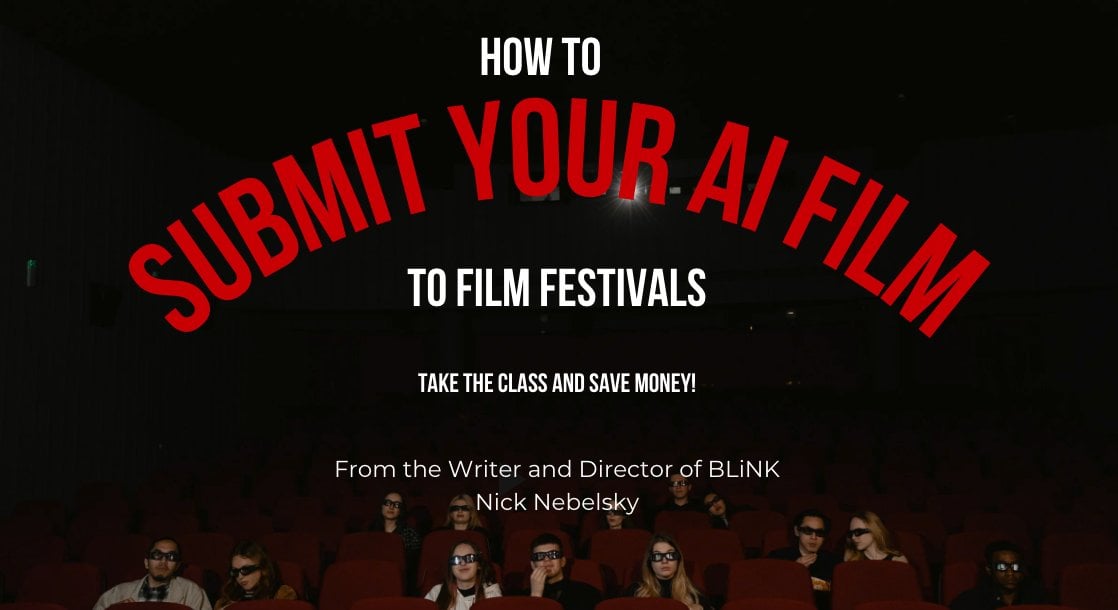
on screen here, I do have a Facebook group. It's a brand new Facebook
group, I just started it. And for all of you
aspiring creatives, animators, filmmakers, doesn't
have to be AI, either. Just helping. I want to help people to do
what I've been able to do. And I've submitted my film Link, and I'm in consideration
at two film festivals, and the process I don't
want to say it's tricky, but there are some
things where I can save you a lot of money. And so I have a Facebook group, and I'm going to
post the image here while we're talking.
Look that up. There'll be a link in the
description of this video, as well as I also have
a Skillshare class that goes more into detail. And so I'm going to leave
those links down below. So let's take a look.
This is going to be Oh, they even have a
blink word here. So let's take a look.
Let's see if this works. Jib Very, very subtle, but it is doing its job. It is if you look at
the camera angle, it is rising, and that's exactly what
it's supposed to do. I don't know, and I'll just have to experiment a little bit more as to the speed of things because it seems
like orbit is the worst. Orbit is so subtle. It's so slow. We're just going to have to
wait and see what happens, and I hope you've
enjoyed the video. Again, join the Facebook group. Look for the other
links on how to save some money on Skillshare,
and thanks for watching. And don't forget to
subscribe and follow me. Hit the notification button. I'll be posting so many more
videos. Thank you very much.
 Nick Nebelsky, Writer/Director/Author/Illustrator/AI Enthusiast