Transcripts
1. Introduction: Hi folks and welcome to the
Drum Programming Masterclass point in Ross Geldart, number DJ producer based in L1 and then offer Scotland
are being produced. And for almost ten years now, I've been a DJ for
about 25 years maybe, and teaching about
five years ago. Most of our label owner of my progress approach
label, we're kick records, me Production Board
such as double duty as you enroll and Lexicon
often you are music. It's been supported
by the likes of animal trainer James Abuja,
john pigweed, donate, and Aguiar Sasha, Nick Warren, arthropoda, Steve party,
just to name a few. So as your instructor
for the course, my goal is to equip you
with essential tools and techniques that will not only elevate your music
production skills, also empower you to express
your unique musical version. The course is split up
into various sections. Restore or very basic
bulb in the Kick, the co-op, and the heart. Just keeping it very
beginner friendly. Then we'll move on to more
advanced techniques and intermediate techniques
like extracting grooves from percussion loops. We do some mixing techniques
like EQ saturation. We also arts-based your sounds
by means of using rebar, March to the BPM of your truck. As the other bonus at the end
with a few more sections, the feature and over 80 min of content that I show you how
to analyze pool tracks and create a Map and also your
own version of the idea using your own sounds and marching
Levels With Voxengo Span. And finally with, with the
creative drum block section. Share with you tipsy techniques. Just a creative way. Take drum racks on, find sounds like processed them and build your own Sample
Library within Ableton Live. So the course is very
beginner friendly. You can start off at
the very bottom if you're a beginner, Marcia, the techniques are not flush three videos and then
just walk your way up. The more intermediate
techniques and the advanced techniques also
going to advance producer. And you want a large sum war. What full Hawks for
your own workflow. Then there's plane in here. Pat Crowe, by the
end of the course, will have a solid
understanding of how adult Grooves
Process Grooves mark Levels of your
grooves today, professional tracks, I get
your overall goose and the more and more like
professional tracks as you progress
through the course. So I hope you take
something from it. What was enhance, help
fire me a message. If you've got any questions, I'll be my best to help you engage in the right direction. You can either view.
It'd be much appreciate books that can help me
grow in the platform. Okay, Take care. And I'll see you in a video.
2. The Kick : Hi folks, Welcome with
the drums master class. And in this tutorial,
we're just going to start off keeping it simple. We're going to start
off with the Keck. You'll have your sharp
ballpark available. Check here. So if you haven't already, if you insert a midi track, let's right-click and
insert midi track. You'll get MOD truck up
and we'll just rename it Command R to kick. Color it black. You throw up on just click
and drag drop of oil or you can double-click it and automatically rolled up
into the muddy truck. So we're going to
keep it simple. Start with just do a nice easy for the
floor kick pattern. So all ungrouped. I was just my default
sampler here. It loads up, so you've just got your sharper here on its own. You could talk decay,
sustain, release. If you listen to the sound. You can hear about
like high-end. At the end of the Keq, should we just dial
back on there, Elise? Just tweak the taste. Keep a sustainable Asian decay. Easy for the full part. Doesn't have to be
the fourth floor. You might be doing something
completely different. You might have something like a torte with different partners. So it was worth experiment
and we're at or whatever sound that you, that you don't need to just
play around with the Kecks. Just a basic form,
the floor KEQ. If we double-click and it
will duplicate it out. And we'll just do a couple
of variations here. So I like that or like a ghost. Ghost note, if you
double-click on the note Buddha and divorce it pulled the
velocity right down. You can always mess
around with that. We all over the notes.
Try that as well. Cool, nice little groove. But what we can do for
the gospel rows of V, right-click, duplicate it. I recommend this one. Just delete the goals, kicks the original Keck, this one, and then delete the original kicks this
lever and the gauche notes. And we'll just rename ghost. Higher weight than both
Command G to group them. We'll just reshape
their Kayexalate where we take the half dark, just rolls off. So what thrown at the start? This gives us our corn
thrashed between the two. Because just your basic EQ, just like a pulsing, pulsing
can a compliment to groove. So we don't really have that. You don't have to use an EQ. You can always use this. The frequency here
should review current and controls the frequency. Here. We're going to use for
the purpose of this one, we're just going to keep our open and we're going
to use the EQ. Just avoid some of
that frequencies and the lower Shelby part here. Lots of basic kicked
down, easy stuff. We'll just focus on
getting the patterns down and getting the
same zone for now. And then we'll focus on the process and later
on the tutorial. So what we'll see in
the next lesson folks about will be the clubs
3. The Claps : Hi folks, Welcome box
or nested Turiel, we're going to
focus on the Claps. The first thing
you're going to do is grab our midi track. Right-click, insert midi track. And then it'll be just command, rename the co-op and
just make it a color, whatever color you like. You still Claps and
the sharp ballpark. So we grab our drum rack dropper on and get one to highlight
them both for them, the Shift key, Rococo one. Although the Shift key
click in the other, or high weights on both,
just throw up Amen. So question RP, clop, clop to name of
gridlock our body. So rename, body will
rename to snap. So we just throw in a midi clip, give you just double-click
in the box here, I'll brings up my midi clip. And it'd be committed midi clip here you
can see we've got the to the few stones
on the drum rack. So we just double-click
on every second here, on one point, 2.1 point
for playing the co-op. Nice. So then next, higher
weight than both. Hold down the Option key and
then just pull up the Power. Rule, the volume down a few dB. Nice, sure, awake
there, how it's shown. Overall, if we click on the
white button here on board, EB just hit the zero button
or deactivates it to clip. So let's heat up
without the board, the Claps sounds okay, but without extra, extra
co-op in top of it. Just showing zwar fruher. Sounds great week with
just the body co-op. There's not much high-energy. And it saw with the high-energy
on that startup co-op, I wouldn't have just move
it slightly in order, but a variation here, so I just want to move it
slightly off the grid. So it just comes before the
before the Kick on the air, the body Claps review
washing tuples, turnip, bark on snot, Bach on the goat first. And then if you just
our joy, pool across, so long as you get the
ball from highway, you don't move them both
with receiving both move on. So we just hit play just slightly off grid. So then the next
one, we put that across and we'll maybe take the body and move
it over straightway. Just gives us a variation. You could just listen
to how it's shown, just how it changes
with each hat. So when have you
duplicate it again? Then we're coming to these ones. Make slight changes. People Up bought,
maybe have the snap on their board, the own. Snap. It will take up about slate with Ghoul. I'm happy with it. So if we duplicate it out one more time, now we've got to take over
for sure it one more time. And I know we've
got it out over a, but let's make an odd number. Let's loop it over 7 bar. Then that way it's not
gonna be buying on the grid every time
it resets 8 bar, like more sounds or
reset a date bars are 16 bar or whatever. View a have it looping
over an odd amount. An odd number will happen. Zeta is the variation
on the clock will change all the way through. It will just show a little
bit more humanized with a, with a different Hetch on
the different settings here through just a
little tap there for you. There are the variation. It's fairly old, but
it's, it's there. And I can really
alter your groove when you start throwing
in the other elements. So one more thing I'll do
is we take the snap clap. If we hold down
the Option key to raga across on a D1 and then rename it here, rename. And if you right-click on the Simpler is his
Simpler assault bar, change it the sharper,
the reverse button. Now, we're just going to
put in and mess around with a start marker here is C.
What can I sounds are best. It gives off the best effect of a local co-op or hover
on the, this one. Go for just at the
end of the second, the second bar so it can hear it because two quick
pull it back out there. So we just take and
duplicate it out. Then I was because it's
an odd an odd number is going to reset on
a different position, but we'll make it more
violation effect, which you Sound group CEO is strange with it. We might not keep
it there. We might do something with the
reverse co-op like extract that from the rock and we'll just about looping over there the 2 bar, but we'll see you. It sounds when we get the
other elements and the hearts and their percussion and
in Groove, etcetera. So folks, that's a
clap, super simple. Our next we'll go
into the hearts. So I'll see you in
the next lesson.
4. The Hats : Welcome back folks. Short,
initially tutorial. We're going to take a
look at the hatch now. The offbeat hearts, the odd. So may I just add two more
energy there, the loop. So let's insert a midi track and rename the heart command R, then renamed Hot color, whichever color you like. Shorthand here. I've got a gray. I think we'll use that one
for the offbeat rename. We'd just throw on
basic of Bihar power. Grab the heart. I'll just ungroup bar. So remember the
last and the club. So I had them in a drum rack and this one just straight on ER, straightened it
like an instrument. Rocks are simpler, shorter. And then note here, remember S3 is your root note
for all the instruments. So make sure to turn the C3
naught. I just hit play. We just assume it.
As you can see here, slightly off, make sure
the start marker zone. We will keep him beat mode. Switch pelvis is
staying right down. And then the k button
here we saw the heart, the heart sustained way up. You can see that the
k does it do nothing. This is deans right up. So we just write down, just gives you control over
the tightness of the heart. Some people like to work
in one shot more than usually where the feed
and feed out by prefer. This here just gives
you a bit more control over the classic model. It gives you more control
over the shapes are the recent, about 1.83, the K, 762 milliseconds only the k. We'll just do our little
change up the velocity here. I think you can randomize
at the pool at write down. It's just going to do like so
if you take it down as C2, you hit randomize, it just
makes a little subtle changes. Again. She is not drastic
changes, they are. So we put it up to like eight. If you put it right up
to 127, hit randomize. You can see it makes
a really big changes, big leaps and a
velocity of which we don't want for our
hearts just shuttle. Subtle changes is
ideal. What the reset. Let's drag them all. And he said, bark
the A6, they are. And then just hit randomize. And it's just going to do like a very subtle change should be duplicated. Now quick, I'll do for now. Just putting in more to
do with when it comes to revive an odd and
space, et cetera. But that'll do for
now. And next one, if you right-click
or midi track, and we'll just rename this
degree for our double-click. The sharp border with
the short hot here. Here we'll just experiment
and come up with for du over 2 bar one. We want here and just
pull the water it going. Copy about one. They are there. They're obsolete. In week nine. We get that torque on it away. It's quite a sharp transient. So 4.99 to 7.31. We go up this pubic decay
down and be harsh, right? We just know it 300 million
more seconds. Here we go. I'll show it in a bit
of a more groove to the overall loop through
multiple of b in our group. And that's pretty
much the main core, a core elements to your drum. Your drums. The next
part is all about, are the more groove. Like taking look
percussion, et cetera. So I'll see you in the
next lesson, folks
5. Stealing A Groove : Hi folks, welcome back. In this tutorial, I want
to demonstrate how you can extract a Groove from
outlooks are percussion loop. I'll call this
percussion loop here. Doesn't have to be this loop. If you're using your own loops, you can use the same technique. And they just come up
your own different, different air groove
patterns that you can use in your tracks or just keep in mind and just experiment with
it and how farmer that and try and come
up with your own, your own unique color groove
patterns to implement. So I'll just grab this
park loop proper Own here. So if you right-click
and you've got the extract grew function, it would just hit
extract groove. You can see the groove
file comes up over here, percussion loop
and a Groove file. So what we do that as
you drag it over here, hold that down, drag it and
throw up our ownership, come up with a midi track. And then now you've got your whole your
groove pattern here. If you just scroll up, we get the velocity up, you'll see is called the
velocity changes as well. And say the Claps. So if you hit the legato
button and I'll just extends their than
all the week come up to S3 over the C3 root note for when it comes
to their use and legs are different
sounds, etcetera. So if you just drag it onto
the groove part for now, the goal, you've got
your own little Groove. To experiment with an
ultrasound. On the Claps. Put it down. He goes out at are really
handy tool inside of Ableton. I mean, it'd be good. Even on the clock, there will be good for lakes near rules and stuff if you want la keep, you've got like a snail rule. Sound for example, you
don't like the sound, but your white coat, the part or the groove of the
velocity, etcetera. Just their drug on extract the groove and use your
own scenario sound on it. And then you've got your
own little snail row. And it seems you're going
through all the settings of getting the
velocity is right, or getting an old
tray, etcetera. So it's just a harder to
Harvard just followed quickly, show you how you can experiment with your own loops on
what we're gonna do. The next lesson is usually grew firewall. Show
you how to use it. Use a different
notes to just play around a mess around
with different sounds that LTR, your groove
that you have. Okay folks, I'll see
you in the next lesson.
6. Percussion Part 1: Hey folks. So if you remember, the last day in
the last tutorial, we went through how to convert, extract a Groove from
percussion loops or just went through a couple, a couple of loops here,
which we're going to work on over the next
couple of videos. We're going to take the groove
and we're just going a, we're going to use some of
the percussive element, elements that we've
got an apartment, of course, you can use your own. I hope you've canal
went through and find some percussion loops
yourself that you can, but you can progress from here. So let's just get stuck
in these two loops. You wish drag them across
one another audio track. This one here. I quite
like this first part here. So if we right-click on Tom
before extract the groove. So always good going through. Like I said before,
if when you put, I showed you that in the last
video, It's always good. Spend in like a good 30
min or Shogun three are sharper Library and finding
loops. You just play a loop. And all I did was just my sample parks and went
through all the percussion and just played them in the side
here as a loop is playing, deceiver can hear anything that can have worked with there. What are harder, which
can add sounded good. So I'm honestly grab
these two here. So let's take a group
of just extracted. We're going to throw up
our own new midi track. And what we'll do
is with Dragan out. One thing I'd like to do
is I like the lineup. The first and the third. Always lighten them up. Just the March to the grid. Fine. Fine. They are just March
March name up the rest. Just keep them off and settings at their own just so we can just mess
around with it. When we get the
other shown zone. Pop up the C3 sample park. I've got these awful Drums. So when a command here, we're going to get drum rack, drop it, drum rack on here. Then the commitment,
the sharp ballpark it off with Drums. We're just going to copy lot. When I cross hold down
the Option key dropper N, I will just rename one to one, or solely the second one. In classic mode, which
makes your snaps on, then it's Snopes and the grid. There's that little
part before it. You might like it, but
I'm not keen to click. Keep out there. Now affect the power
one, classic mode. Who thrown gene? Pool, the end marker, and two there. So let's go to the
drum rack and lets you can do with
this pattern here. So we just hit Play
the volume diode. Let's prove them all down. Straight away are awake,
they're agree with that. But I wanted to do is measured over the
different Hetch or it's blew up in a bit. Up maybe for wash it up. Take it down again, this one up. We were in a bit. We're just going to
delete or shake impart. And how about looping over
a bar, duplicate it out. Command D, high weight them all, intersect command D. Make sure the whole bar
sections highlighted. And hotkey command D
and G sub two bar loop. Let's try changing one at
ashamed that the shown a bit to swung there. Maybe let's try bringing it in a bit over and have
to be the exact same. One. Maybe take hold
down the Shift key. And the ones that are
on the kicker there be who the wall shut it
down are quite wide. Perfect. I'm happy with that. She watched the
first percussion. Let's rename it. One bongo effect. I'm happy with Archaean.
The next tutorial we'll get through the other
part, percussion, a Groove, all extract
dot and then go through some higher can have
percussive elements. The next question, folks
7. Percussion Part 2: Hi folks, welcome back. In this tutorial we're
going to take a look at just extract a Groove
from another park, park loop I have here. And we're going to ultimately
higher percussion. Say, in the groove that
we already have shown. Let's drag this across here. Just keep that share button
and we'll focus on this. I've got this shown here. I like the first
part, the other one, but the second part or this one. So let's listen to it. The with the Groove
enamel extract that. So let's right-click,
extract the groove. Now let's drag it on a new
midi track and see him again. We'll just open it up. Let's just poor
and they're very, very well Schwann, but let's
just pull them out slightly. Just flashed are important. I can just tweak it as we go. Let's move up. Pull out
one and I bet not one. Let's bump it up. S3. Let's grab. Let's start off with Kobe. Let's take a drum
rack report on. We'll get the sample
collaborate on their classic pool
that start marker on. The second part sounds like the right. So let's just take the pond slightly left. You much. Sustain down the key up. Just drop it in. Just the
Hats and super the son. Great Wake. Not
part here the hall. So we CVD L Bupa. Let's see, these velocity
is telling them up. Let's try to stack. Let's families all for now. Classic One percussion sound, I'm happy with that. So to really throw a ball, tribal kinda groove, we've got going on progress one over here. We'll just rename. Don't need them,
switch them off. One final thing we'll do
just a quick clean-up, quick EQ row or for any
unwanted frequencies, and we can just label this
low-end information here. So you see brother hectare that you pull it right up. Just a basic EQ for now, we're gonna do some war
and the mixing stage of B. So you've got information,
don't hear it, but don't need to get
rid a lot. Around 1.3. Woke up. The Groove. Again, you get
this information here. It's just going to muddy
up there the whole way until ruler or a friend
of it, the same. Ango. Around 75, we require hard cap. 62. Discussion lists. You can see all that information here that takes distortion. They are hear a lot sounds now. We go so nice. They solve a Groove
progressional got a lot of work to do
yet with processed and EQ and saturation
and stuff like that and cleaning up some more. Sure. We'll do that now, wait a point and
they're in the course. But next up we're going to pick this blueprint
arrangement and then we're gonna go through some
arrangement techniques for when it comes to
managing your tracks. I'll see you in the next
lesson. Folk secure
8. Turnarounds : Welcome back folks.
So in this tutorial, we're going to just take a look at some arrangement techniques. We'll just drag and arrangement
view and just start going through some techniques
that are then thrash them. You can evolve a certain
loop progress over time, just to give you some ideas
about first a warrant you, I'm going to keep,
Let's shown here. Keep that in the loop
are quite white. Get will delete this one. Keep this one up, PR
rename Part torn. Give it a green car. And this is the,
the shaker loop. Rename shaker across will take these two here, drag these over here. I just like they
keep them in order. Just this far to the
second part, you're awake, but our heads, we get recommended per gotten
mixture are quite good. Again, a B button. And then just delete. Let me just make
like an envelope. White cow, like, like
the tail of it as well. So we might have
to do a bit of EQ and we are all but for now. So let's garb arrangement. You just hold. So we'll come back and they are just so
you know, I was doing there. So we click over
here on the scene. We click on there and
just click down and hold that and then just
Dragan arrangement. You'll get all the all
the sounds from there, from the actual scene itself
and then just throw up around 8 bar. Yeah. Kick. Let's 8 bar. Now if you hit this
little red button here, basically activates the loop. You wish to play here. Seen. Stop. Over here. Nothing's playing, but if
you hit this button here, I'll just basic way activate
just like arrangement, the clips and arrangement view. So let's go through
a couple of tracks. I think in the first video
here we'll start turnarounds. So what I mean by
turnarounds amine, the end of every like every 8 bar or sometimes
in every for 4 bar, you've got a little
change up there. The elements of the Groove are cubital AVR using
below the Kelvins, it could be melodic elements, but obviously for this tutorial
we're doing the groove. So we're gonna do a few subtle changes at the end to take an,
another section. And we'll just show you a
couple of techniques for our handy for transition
walk exert or so. I think if we duplicate this out highway at all,
hit Command D. Then E is open up the sounds be anything will take us shaken off here
because it seems to works well when you've
got a sound out, then you do a transition
effect like a turnaround. And I definitely, another
element comes in. Lots of the air,
that's your effects. Or without being said, we could always try taking
this back loop highway. Like half a bar. Hold down the Option key, drag across Command J, R console with the insert. And then if you hit that are
but unharmed of vouchers, snow will get less We come up to the Keq. A couple of kilowatts sounds. Yeah. So we can always try if
you take all across here, only be committed to this
button here at the time, stew by zero axons. Shake it again, bark and equip. Change it the complex mode. But this use half of it
from the Kick comes out. Girl. And also it
could maybe do a lot, will change up this part here, Command E. We've got
this little part here, Command J. I'll just console
data again, 16th notes. And let's try changing
the note here, which they've up maybe just
plays out double-click. We sounds like the ban was out. You go just a little parallel
lines across the age, sometimes shadow. So remember we've got this
reverse co-op uterus. Well, she can always do
something like this. We've got that sound there. Let's insert, insert
a new audio track. Take that. Copy. Copy it down. Command J, or just reverse. It's up. Sounds layered up. One of the reverse. Our button saw the reverse part. The co-op, played just at the end of 4 bar. You can always do something like just a subtle change your
work and maybe invert these. Play opposite newborn
girls as well. Let's try. They'll
do their one Z. Sorry, whenever we Command D, you just click undergrad
they are highway. That's like half
or two 16th notes. So just highlight that for you, right quick, 16th
highway to 16th notes. You should up a command J. They're not just
console there too, so you don't affect
the rest of the Claps. I'm just flips it. Assuming that Bongo is, let's take these two
Command J, right? Quick 16th notes to 16th notes, and we'll just punch them up. Maybe take the velocity up and this one velocity
down a little bit up, shop in different
block the normal. Remember take what Barker. You go just while also changes like that can
make a difference. If we take out a
Welsh there as well, command Option key and
just copy across reverb. Such as turnarounds, such kinda like how
they are TO turnarounds work just at the
end of maybe a bit too much in this part here. And, but you get the idea, just make subtle changes to
the Drums, the endeavor. Every part doesn't have to be there when it's not
artist, not a real. Terminal organs are
usually happening at the end of the eighth bar, where like another element
comes in or another, like another drum elements or
just experiment with that. This change up the midi
clips you've all looked. You can always look,
it's right here. Right? So we take all these out. I think about the goals Kick can maybe take a lot
tonal thing again, right at the end part and
come in here, Command E. And we'll just line these crops up there and just duplicate, duplicate, duplicate.
About sounds. We put. You get the idea of things
that go up the Claps, you can mess around
with the velocities. But that's the Nazi
idea of turnarounds. So experiment folks
will be kicks up. And from that, I'm
just, like I said, experiment with it and just try different partners,
different techniques. You can invert things, you could reverse things, you could do so much,
you can do with that. So it's just worth mentioning alone for a good session or two. Just so we get the hang
of it and get there, get a feel for it and see
what sounds, what best. Okay, I'll see you
in the next lesson.
9. Percussive FX: Hi folks, welcome back. In this tutorial, we're
going to take a look at like using a
percussion to create like percussive effect just
for more like ear candy and just add like maybe
tension in some areas, maybe some embark touch as well. Just to can I use with your
half-year on the truck? So let's start by
let's take the co-op, Let's duplicate the co-op. And we'll just call
it Co-op effects. Let's highway it blue.
Just delete that. Delete. But let's
just delete them all. We'll just start the story
here. Try something. We use the snap Turnitin
authority to use something like, Let's try dividing
it by two again. Then take about three
and duplicate it out. Let's try divided by two once
war and then duplicate it. And we'll get one
more. Throughout, will get an audio track. We'll just say it, re-sample the co-op,
an arm, the truck. This one exceeds receiving the audio, will just hit record. Do us switch off for now? I've got this one here. We can just mess
around with us and play it in different
areas of the truck. So I was thinking, let's take the Claps. Create this almost
like an integral part. Let's take we have like maybe keep it as well. And we'll just treat
it like almost like an integral
part of the rock. Know we've got this
processor about, Let's get rebar the K up. Some the way. We get the echo. Feedback up 498, ball with dry, where don't duplicate it across. On the second, the
fourth borrowers, this one, which it down
to 12. What sounds? With too much narrower
to Puritan minus 57. Keep it 12 times it by two. We can maybe have bought
one at the start. And then it just right. Aggressors So we take this whole section. And if you double-click
in the brace at the top nine, your right-click. Double-click the British
right-click and duplicate time. We've got two parts. Then, this one, this one here, times, this times that again. This one, the first
one places much. Not one will be less than this one more time
is way too as well. So let's start start off
slow and I get shorter. The second part, one more thing I think we'll do
is take the Bihar. Duplicate that down. Let's
commit to the square root. We drag it across. Who can copy it out? Let's take this off
Bihar off here. Groove artist was alone with us off Bihar has gone
up over 8 bar. So let's make it 8 bar. I want to do healers. Duplicate, duplicate it out. Here. This one, we're going
to make it more. And then in this part, if you divide by two
and press Command B, just goes like it's
almost like a bell, like a snail row, except
we've got the heart. So now this part, this part here, which complex
mode times that we're two. And again, a Fourier.
Certainly longer. Let's take this here, frequency and let's open up. So let's just slow heartbeat
arrangement techniques just for taking the percussion stuff that you have and
just kinda thinking, looking yourself right
walk and I do with us, use what I have here and
just create like what will affect all kind of ear condi me, that's perfect for an intro. So then you cannot
comes in here. Cool. So there you go, folks have FUN with that. Experiment with different zones. Re-sample other sounds as well, whether percussion hits and just awesome your
candy or trucks, or seen an acceleration folks
10. Adding Energy: Welcome back folks.
In this tutorial, I want to talk about energy
or the energy your Drums. You're probably thinking, what way can you add
energy your Drums. I want you to think
about it in terms of Dell versus bright
blue versus loud. Also in terms of pet, she could have lower octave, higher octave, up
and down as well. So I think just getting your
head around the difference between low and high energy and how it affects the listener, how that affects a truck
can make a huge difference. Arrangements and
controlling the Drums and your arrangements and how
your throat flows over time. I'll go through a couple of
demonstrations of other, a couple of things in
here in a way to do so I can show you what I mean by
air, by all that energy. So let's pull up bark. The first part I want to
show you here, the shakeout. So if you wish and a shaker
and look more, switch it off, then wasn't how it
affects overall energy of the truck as progressives
or play from here. You've got that little
transition there. I quite like an octet, but if you are then
the shaker there just wasn't feel how
it changes the energy. Now of two things
are committed player there with the shaker, It's the brightness orbit, the absolute energy, plus
it's the actual pattern. It's the note
addition to the part. And over time, It's
like the same pattern looping over half a bar. So that makes it
more like rushed, it makes it more energetic. So also Claps the crowd more energy by just an introducing them in
our section as well. So we've got the pia, remember we've got the Schnupp
in the body now the body's a bit more dollar and then the CHNOPS I can write earlier. So we'll switch to shake it off or switch these hearts off. Perk. Just listen. And then how it changes
in this part here. This is where the
layer comes in. The back. So we're o'clock just gives out
a bit more excitement, gives it a bit more where it
gives you a bit more energy. There's a lot of times
who you probably got a loop in your thinking
over here and you'll be thinking in terms of another part on another shown
if you in the gaps but, and if you think about it, when it comes to arrange
and you can actually layer up sounds over
the same pattern. I mean, you can have a club
for 16 bar than other, another club in the next 2 bar. Like something a bit brighter. And I'll up for Energy. And it will just keep it
going again over time, over another 16 bar or show. So it's always worth
remembering as well. Your offbeat hearts there
somewhere at the Shakers, they also other bit of energy
as they, when they come in. There, we'll distribute
this part here. Turn their hearts are
going to clap off. And just wasn't the Hats. Again, bright or
heart upset energy, then you could actually
mean you could go ahead and way or another of Bihar and top or is it progressive like an open heart or something a little bit more, a more brighter or
with a longer tail. And again, not go
something different. And again, it's just all the
more energy at the truck. So that's where the
offbeats shake, the offbeat the Shakers. You get the Claps. Also, I'd like to
talk about this. I've got a percussion
bongo here. So again, you can have your truck maybe you think
is missing something. Quite possibly it's something like a percussive element is going to drive drive the
truck on a bit more. It's always good, just
professional tracks. If he Dragan and analyze
approved rock and just take note of what they're doing,
what they're wearing. What are they? The truck to make it for? Also Lake Washington,
the patterns, how long and the patterns
playing over time. It's always worth
keeping in mind as well. If you've got something
running apart and running over half a bar, then it's gonna be more
energetic if you've got apart and run it over a bar. Or 2 bar is going to be
a bit more laid back. So it's always good
to keep in mind. Shaw, show you what I mean
with a percussive bongo here. Bongo. First thing I think we'll do is we'll take
out that second. We Part flushed will loop
over a bomb or take out that shaking them,
lots second freezer. Again, it's an energy, it's odd and something else. You wanted to mix
it up even more. We'll switch this one off. I'm just command. Command been split this one and commend their section here, and just Aardvark section. And I'll give it another, another set of legs
for another 8 bar over here and listen
to how the energy up. It's just given up a
little bit more Energy, absolute energy
because the patterns now we've been over a
shorter period of time. So again, naught
placement is a big thing. Sometimes you'll have
you'll have a Groove gone and then you'll be Washington or something
not quite right. Try shift in the
notes because if you take these ban was right, What's ship them back? Here, it's shown
zero when it comes in as opposed to less. All right. They're showing good
at all, doesn't it? Just starting off with just getting your note
placements right? Right in here as well with
higher weight them all which shifted over their work. You go folks, I just wanted to get through that
with your Energy. Keep in mind. Just keep in mind when you're
writing drum grooves. Like I said, the length of
time apart and is playing. Think about in terms
of Lovasz is bright. Wo versus high,
fast versus slow. Just think about that when
you're writing your thorax, especially with the percussion percussive elements
that can play a big part and
getting your grooves rate and get your energy
or energy levels, right? But it comes to arranging
and just add them. That extra layer on top of
patterns are already there. That's another big
thing, just layering up different Sounds like bright or sounds in top Adela sounds, a big impact as well when it comes to
arrange your throat. So we took something
from it as always, folks aren't all see in
the next lesson. Cheers
11. The Power Of Filters: Welcome back folks.
In this tutorial, we're going to talk about the
power of using autofill in your tracks along the same
lines as the previous, the previous lesson
about energy and how you can automate their felt are open and certain
sounds open and close. Which again both
tension builds energy. It can really stretch a
section of our throat. So when you're building your drums and you're building
something up and Kroc. Hey, you can use the
autofill or to blend sounds and over time, etc. So we'll go through a few
demonstrations of how I like to use autofill on ****
percussive elements. So what I've done is
I've just grouped. I've got the kit
group. I've got that percussion of grouped all
the percussion in one group. And I've grouped all the highs. So we can just show you
how it affects the sound. So the first thing I think will do as if we hit play farce. Let's see what we've got. Okay, here, which if you grab another color and just drop on in the
actual group itself, so affects all the
sounds and the group. Then if you click
on the frequency, and then you could just stick
a node and the start here, pull it down, pull it down around, say one k. Then what we're gonna do is we're just going to
put another node here. Then just open it up to command after the
transition here. But if you hold down the Option key and what we want to do, we don't want it
to open up soon. So quick. So if you hold
down the option key, you get the whole curve. Just click on it
and drag it down to IGA curve on the show
and they will do you go, That's it fully
opened up after the 8 bar. So again, not just
bold, bold attention. You can always do
Vout over 16 bar and have it open like
a way over here. But just for the, just for showing you
the example we'll just do over the eight. So another thing I like
to do all my percussion, especially the Kecks,
as same again, if you get an auto fuller, throw up her own, will
just delete that one, will throw up on the grip. This time, use a high-pass. So if you just click
this button here and pull it back and
listen to the kick. Short view will just close it. 183. So we just hold it there
just for the opening part. And if you hit the power button, makes sure that first
part is set to on, and then it's off
for this part here. This whole first section, the first 8 bar, are gonna be all in the Keq. So the whole point
behind this is, again, think about in
terms of the people on the dance floor
that they want not lowering the energy. This is a good way of building. Tension with the cake. Builds over time. The drop here, just washing them, parked. Cars were not lowering
is reintroduced. Super lush interior. I
should play them all. See, it's quite a cool trick
to using your enrolls, et cetera, just Farsi, eight, 16 bar sometimes more. Another section that works well, and if you've got k
with 2k out the cakes, they are taught about attention. But if you see this Keq here, then we've just got
that little pull that up without little
off-beat heartbeat. So for that two sections there, if you highway it, then off, just push it up. That means that will come
on for this part here. So wasn't how that sounds, we'll just start from bark here To see the effect that gives off just odd about attention, kicks out and then
buying it comes back and then you reintroduce
your, your other percussion. So again, that's just
giving it more legs. Will do the same
at this part here. What will make that
one a bit longer? Let's do over 2 bar, so lift it up. Girl, swatch. Another technique,
I wait one more, I think are sure yet
we'll do it in the highs. That heroes, I've just created a new section to
go all the highs. We've kept in the
likes of the park. Maybe keep the co-op in there. Maybe take one. All right. Take note when it's muted for
now, shear is showing. But the high group,
again just go, oh, I know you're
gonna do as robot. We do another own and the Kecks, we've got that kick with
the edible when tuk, tuk. And so not whole section there
with the cake comes out. Just create like a drop. Prove bark on the autofill for the hatch, getting taken away. Before the next
section comes in. Let's hear that. Cool. I'm gonna throw
something in here. Let's grab this. You get down here. It needs some kind of
some kinda transition. They are a bit more
transition weren't needed to have that effect on also. You can add some, but
we'll throw a lot now. We'll just add a
little bit of reverb. Just want the TLA
into their hearts. They are, by the way, just all about space. See a lot. So you go just the opposite effect of this effect here you're
opening up this one. You're just taking
out the height. Experiment on different effects with the highest
would be slower. Let's go right up there. Way more feedback. This page, I get the idea. It's just brushed,
move the note sounds, then you can always
reintroduce them over time. We wish to take
that formula again, comes down and then we can
always open it back up. For this section, we will
introduce new sounds. So let's try something
here we are with that. Then duplicate it. I hear you suspects
will take what? I want to keep this groove here, storyboard. We'll open it up. You go, It's just another way. Control energy and your truck. Another way to stretch your
drums out in your truck, you can you can mess around
there before are shared, are taking stones in and out. Over time, you'd
be surprised how far you can push your
throat by just using this shear from like an
intro starting point here. And just see how far
you can push it up to 65 without having enable
all the Kelvins at all. Maybe just the old
blush from melodic. You can really stretch it out. So I hope that makes sense. Folks have fun with that. As always. I'll see you
in the next lesson. Okay, Cheers.
12. The Clean Up Process Part 1: Welcome back folks. So
we're going to move on. Elixir, the mixin and mixin stage of a hair-like
the Process, my Drums. And we'll do some EQ
and in this tutorial and I'll try and explain
like not just how I do it, but why, why I like to do it. So the first thing we'll do
just so far for AB reference, for down the line
for one once we've done all the process
and they can listen to their two different versions
that unprocessed and the process will just
group this whole section. So we would just highway taught one the Kick hold
down the Shift key. And then all of them are high Wade and just hit
Command G or groups, or maybe click on a
group and duplicate it. We've now got two versions. This one or just rename, unprocessed, will close the switch off and this one will rename processed. So for the EQ part, it's about, it's gets
a bit repetitive. So I'll just show you, I'll give you a
demonstration of what they do with the EQ on the different sounds that already grouped in
a likes the Kick. And then you'll be
percussive elements that you'll get a higher elements
so that all radian, like in terms of
spectrum regions. You've got your
other effects here, they would come under four, we'll just drop them in the PRC. Not three separate
separate parts. So I'll do the cat could be
one of the parks and I'll do the highest just to give
you an idea of what they do, then you can go on and do they the same technique to all your sounds
in the project. Rather than spend like a six-minute video explaining like going through every sound. Just so you get the idea. So let's just show the Keq. We're going to weep a
section of the truck where all the drums are
playing, which is here, Command L. Let's just have play. So if you grab an EQ, short punchy kick before you're looking for in the
Kick frequencies. But you don't like frequent resonant frequencies that are, once it comes down to
the mastering stage from the labels are pushed, you might get these nasty
frequencies coming through. So you want a cut them out. The best way to go about this, as if you sue a selected
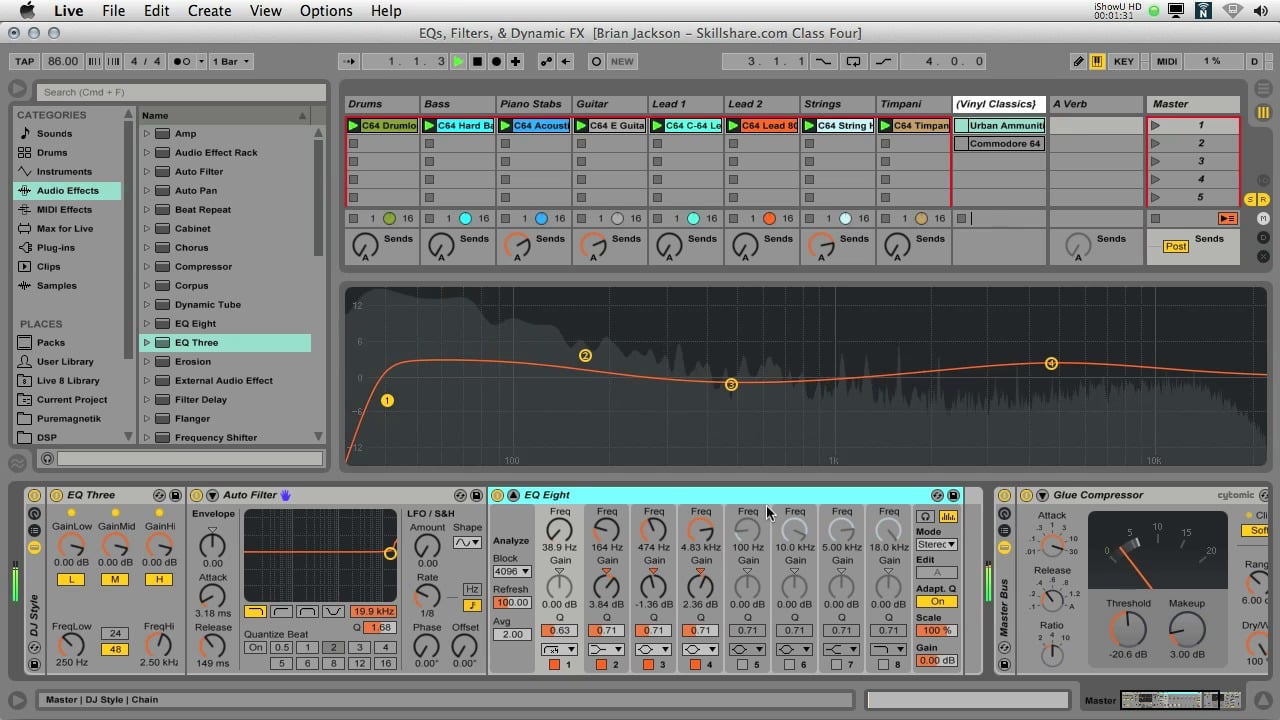
number two view, select a bell, bell curve. And then if you just sweep
through the frequency ranges to listen to the sounds. Now, remember, this doesn't
have to be perfect. I just tried to limit myself. You can have many EQs
and here going through every single little
peak and every, every detail, don't worry
about that just now, if you're a beginner
intermediate or you don't have much
experience in EQ, just limit yourself to what you have here
and this one AQ. And you'll be able hear the difference makes to the sound. So let's hit play and the Kick and we'll
just sweep through. She, you're hearing these kind of nasty frequencies
coming through. Training your ear distortion of the frequencies that
you don't like. The taste at the end of the day. Random read the 252
for MR. culture with your boxy region here. So 2481. Have you
committed the EQ it, and you press this button
here, the headphone mode. So if you hold down and here
is just going to play it off frequency circuit where threatening your ear on the EQ for you could just hold that
down by clicking on it. You'll just get out
frequencies through. So then when you Raisa, you're here at coming
through the Kick, you pull the gain down. She can hear it
coming through there. Because you've had
about shoreward. Then if you just do it down three dB and just
wait in the Q over C, my game, just keep going through Right there, right there. So you get the idea. Just
go through and motion. Motion is a science. I was just sweep through
it and listen for any nasty frequencies
that can throw your pop out you think I don't wait and if
you don't like it, just don't be afraid
to pull it back. And then what you
do that as abs. Now to my ear, I can hear
the difference here. I can hear the stupid box. And so we just starting to
a bit more like a scarf, but more crispy in a bit
more a bit more punchy me. Without yeah. So that's pretty much what
you do with the EQ or char. I like to do it
or want the park. Let's go on to and
let's get there. Let's get the mean
Solo button here. Get it up again. Obviously, if you've got an EQ in here and you see all this
information here, you don't need that and aware
and you're always roll off. And same again, just sweep through again down
13. The Clean Up Process (Continued): Again down. You out when they're in down. Well, it down. 527. Sounds great. Nasty. Who bought? Hear about when they're when they're 33 dB. What NICU? Same again,
I should do it a bit. Hear her cleaner the
shoulders, the Kick. Take their procession of the hear how much better at shifts in New
Mexico you've got there. The EQ on it should be listened
to it without and with. So let's move on to be the
heart, which saw there. Let's do the shaker,
which is quite busy. Command Z. This all the sugar. A lot going on in this loop. Again, open it up.
Gonna be some nasty, a lot of distortion unless
if you pull it right, open. All this information here. Lots duty distortion. Usually. Let's get all these opened up. The first thing I'd like to
do as well on the highs, if you go to the 5k5k, we get the Q right up. And then if we hit 5,005 K and then just
pull out right box. This is a real tenacity, tenacity region for your
high school up what? You got five K and then just
pull the gain write down. Just cut that whole section. I would just cleans
up the high section Concerned about when he got one more idea. You can hear about war
and when you have an EQ or try out with their bongo, the Kick, all the protests and all this Bongo. And the Kick. Fact. Let's midi map it. So Command M, midi map, sorry, chemo Up key, the key button up here. Click on this button here. We'll just make that.
We'll do the way our or for off and come down. Click on it or
shaker, click on it. Then I'm going to hit
the, hit the button. Should come on. Maybe. Make sure the piano rolls and
all of their bongo, or just handy for AB and when it comes to AB
and you're doing this kind. So without go, That's not the basics of EQ. I mean, roll-off any
unwanted frequencies in sound that you've got. Example, just an
awkward example. This one here. See all
this information here. You don't need that
to just roll off. It just cleans up queens up your low end that you'll hear the difference when we
A-B it between the two. Don't know why embed
it just cleans up the low end and
leaves off Space. And therefore,
obviously when you come out base exact also, just hang the enroll off everything you don't
need always push the sound is far too much. What was good too much
and they just fail bark. Their display all
bark and Korea, you feel that the sound sounds exactly like you
want it too much and you're just going to
lose too much this way. Now you're gonna get
all that information. You don't need to
just need to find the sweet spot. Like so. So a whole part,
make sense folks go through your own projects, go through every sound and
just repeat that process. And what you'll find
is the more you do this at the end of every truck where you just
want to clean things up, just pluck this practice
and then your ear, your ear accustomed to what
works and what doesn't work. So what sounds you like?
What sounds you don't like? Doing. The mistake I
used to make was Our, he's, he's cutting
the sound here. Say two hearts are a must do that and this sound
or I must do that. Don't show much out there telling you that
you have to do that. So you have to do that.
Don't get caught in the throat where you have
to go by what they say. I'm just giving you
the technique over the peaks and just
dial it back a few dB. And then just a
bit, Like I said, with the on-off button in
the EQ and just say right, how does Art so now and
over time your ear, you got accustomed to it. I was always as
well get feedback, get feedback from other people. We've got discord channel jumping the discord
and just say right, I've got this truck here. I'm doing some EQ practice
in can you listen to these sounds and a B and then get everyone else to jump
on and say right, okay, I feel like it's lost power
or I feel like, yeah, it's good or I feel like you've been
through it too much UV, too much offer, etcetera. So it's always good to get
feedback from someone else. So, folks, I'll see you
in the next lesson.
14. Adding Bite : Hi folks or welcome back. In this tutorial, we're
going to focus on using saturation on our sound. So what saturation? Well, basically saturation, algae, warmth and recognition
conduct archaea sound. When you push this
archery or basically all the overtones and harmonics
to the original sound. And it basically it
just makes a sound, sound a lot more fuller. Just Artist depth and
intensity to the sound. And it gives off like
a more analog type feel to the sound, which can be a much more
pleasant experience for the washing up when they've been listening to your tracks. So we're gonna be using
this saturation knob here. It's a three. A three VSD is by soft tube. I'll leave a link in the description for
you to pick it up. It's a super, super
handy saturation tool. Just start off with the
users are Beginner. I find it's really, really
straightforward to use. So we'll open it up. I'll just start oldish. Give you a brief demonstration on a couple of sounds
or what you're, what you're aiming to achieve. The week Robin AQA as well. After as well. I'll tell you what will
get a spectrum just to show you what their
sorcery or does to the shown up on their open that up spectrum and its
own this Bongo here. So we switch it off. So we switch to saturate
or on the shelf tube, you've got less severe that
drive. You can boost that up. If saturation types,
you've got high neutral, keep losses for saturation. Obviously it's via
higher IR sound, med sounds and then
your lower sounds. It's always good. Just use,
using the different prompt, the different
settings to see what can I character you
get on your shown, but can I call it gives off so we'll keep it
neutral for now. If you just watched it the shown them your crank up the drive. Now if you look, if you
look at this EQ here, you could probably
get a better view. And then the spectrum, we become the look at the EQ and look at the harmonics
are odds that they're just, they're just look at the
shape of the waveform and how it changes. So pull
it down again. See how all these harmonics and overtones have been
ordered to the sound. So obviously you don't want
a cracker up that far, but there's little
red button here. But it basically tells you
that it starting a clip. So booster, Just until the read bytes wash and then just Dale apart slightly effect. So I'm happy with that. Then. Supersaturation. Obviously you've got the set, you've got to do the
gain difference. You've got the reset
wherever much. Volumes are the to the sound. You've got hit Reset button
and set the levels so that it brings it back down to the
same, to the same label. So that's the beauty of their, say, the saturation to here. You've got the gain difference
and all you do, Pradesh, it's just hit the Share button, takes it back down and do
the reduction for you. So let's quickly jump
over assertion veto. Show you something else
in terms of loudness. So this obviously will
just double-click and not, and if you wish that the
bongo vertical saturation of picking a -4.7. We switched his archery
around. Almost three dB. Quieter. Yeah. If you switch
your own and off you can hear it still sounds the
same in terms of volume. So it's giving you more headroom for when it comes to mixed one your truck off on beriberi. Little different savings sound. But is it tells me they
meet LME or doesn't lie. You've got like an
extra three, 3M. You can extra three dB of
headroom on the sound. So obviously as well,
you all saturation. You've got more EQN to do because of ARDS or
not other harmonics. So you just drag by N perfect square. That's all I do if in
terms of saturation, when it comes to structure
it in your sounds. And same again, go
with this one here. The plugin solitary around. Try the different types. Why can you know? And again, just set the share
button and grab your EQ. She's other guests harmonics. And here, again, I'm just going to cause issues when it
comes to mixing Daniela. Obviously the wind, etcetera. Difference in the Clark gives a bit more
bite in a dispute. Just punches through
their punches through the Maxwell lot better when
yard your saturation to promote saturation on the percussion here,
the main percussion. So there you go. That's
really easy to connotes. A good starting point for our, for someone who's just
beginning, beginning saturation. So really good starting point just by using this tool here. You just set that drive, make sure it's not clip and just take Up until you just
see the clipping and Dialog Box Gateway cloud the different sounds here and
give off different tones. And once you're happy
with the sound, just hit Reset button, reset it, and then you just add an EQ after
it till roll-off. Any unwanted frequencies be in the high or low story
or even in the high. We'd just get
through your sounds. Folks do that and then we'll
see in the next lesson. Okay, Cheers
15. Pink Noise Levelling: Hi folks and welcome box or this tutorial we're
going to talk about level and our sounds using pink noise and pink
noise techniques. Or you haven't heard of
the pink noise technique, then I'll just give you just
a quick, quick rundown. I don't want to complicate
things too much. I think the best way is
just to kinda give you a visual on how the
pink noise will affect the levels or your sound and how you use it to
balance out your max. So the first thing we'll do is just take a look
at the pink noise. It's not very
pleasing to the ear, but what I want you to do is just take a look at
EQ Eight and look at the shape of all the
labels of the pink noise. You see how it comes down. As you go higher
up the spectrum, it gets, it gets worse. So the way you think about
it, those of you listening, like I mastered this is just a rough Marston about
croc. I've got here. But you'll understand what I mean when I show
you the labels are shown in a spectrum here. So pursue the stroke here. You see the levels come down as you go farther
up the spectrum. So basically all you're doing is web on each sound coming, starting from the laws, coming all the way
up to the highest using the pink noise. So now you're probably
thinking, Okay, how do I use the pink noise? So use the pink noise. Let's just go through what
we're gonna do first. The first thing
you have to do as we drop it down minus ten dB. Lots of pink noise set. So that's a level set
for the pink noise. Now, if we come into the
kicks and the ghost town, I'm right down to
zero. The percussion. Now. The percussion
higher weight them all, open them up and pull them right down to zero
as well and makes sure that all turned
down infinity. Same with the highs. Click and hold down, Shift, open them up, and then just pull
them all down to zero. So now when we play the pink noise, just perfect. So we've got our
noise said minus ten dB on what you
have to do as well. Start with a keck. You've just got a washing
for the poking through. Noisy graduate, open up the show and then just open
up to heat it. Just slightly coming through. You can just heat it
and top of the noise, power and not sound. So let's start with a keck. I can just hear it
coming through there. Now remember the pink
noise at minus ten, which you can DB offer to
them what you want to do. All ten dB on the Keck, sorts of -12.1minus 21. And same with the
course kick kick off. She would keep the Ghost Kit. Xerox is not coming
through much. You can adjust that later.
When it comes down. Once you've got
everything labeled, it just wasn't the Gorski. You can just adjust
thought the ear. So we'll just come
on to the next one. Affects seem again. Let's turn off the kicks. Turn them off. Which take
this park effects here. Let's just boost the levels. To keep that at time 0.3, awake, sepia effects and stuff you can, you can adjust thought the ear. What you really want
to focus on is like the main elements of the truck. So we'll keep this one as well. Then we can adjust
them later on. So switch them off for school. Just hear about coming there
or spirit to minus five, just taking the ten dB or
show off your phone, go here. -6.5. And then this part
here, this little part? Minus points -7.5 to two, or this one is another effect. So let's just keep it at -10 ". Now you cannot just, by
washing over the croc, switch off the percussion part. Me you can just hear
about coming through. So we just set that to zero because it's
under the ten dB, so just set it to zero. And again, you can adjust
that when it comes to when it comes to Washington -3.5. And let's go to the high school minus seven. So it's -13.8, -3.5. It doesn't have to be boring
old. It's rowing a boat. It's just giving you a
ballpark to play with when it comes to washing broccoli. The show has called for the last one to minus two. This one was quite
heavily processes, as you can tell that
the volume levels are quite high in the file already. So -2.5, makeup -12. You just switch pink noise off. Let's turn off his own. Highlight them all. Done them on, kick, kick all. See how that sounds.
Motion through it. Without repercussions.
A bit too white for me, so I'm just pulling it down. Co-op, I've just pulled
up dying. I bet. Why it's assumed the loop where we'll go to the
unprocessed show the, and then we'll show the process and let's just watching
how it sounds. The difference, washing away this percussion here, the Bongo, has swung lesson one on the
Keck in the unprocessed, a bit to load and
then you can hear it. You can just see that
balance out just when you switch between the two. So the unprocessed
and machinery, They, like I said, the
cake and the bongo. And also wasn't at the higher, the higher bond or
this bond goes away. The energy boat out
as one motion that as well on how that pokes
through the kidney. The percussion here pounds.
So let's do it again. For me. The process shown
to just send a lot more glued together note with a
short duration the EQ done. And they're just
bouncing things or using the pink noise, pink
noise technique. The pink noise is just a
great handy, handy technique. Can I get your, get your
head around and just use it as our starting point
to balance things out. And then just play
through the loop and then just adjust the
levels to taste. I mean, at the end the day
elsewhere It's all about, It's all about the taste. All about how you, how you like the sounds to
kinda set in the mix. So like I said, keep repeating this
then over time, you'll get you'll get to
understand the levels of each shoulder where they sit
in the set and the spectrum. So hope that makes sense. Folks could three-year shows, volunteer out the best she can. And like I said, a B
and just say right, does it sound better
or does it not? Then just go back and adjust. It may have to do
a bit more EQ and, or you might have a bit more
saturation helps Sounds going to poke through the Mexico will part make sense folks. And I'll see you in
the next lesson.
16. Midi Edits/M4L Distance: Welcome back folks. So now
I want to focus on just getting the overall feel of the groove sound and
write it may be awesome, grew from the Groove file. And we're gonna do
some midi editing, can maybe take out a couple
of notes and just see how things are working together
or the agreement together. We're going to use the marks are Live device called Distance, which is basically it's
a coupon and tool, which is quite handy
little tool we can push things back and you've got a nice little control system where you can control
where the shown sets by patient embark on left or right above Ashoka
through that as well. First up, let's, let's
turn the highs off. I mean the highs are fine. In terms of note placement, etc. up towns a Groove from hobby
with them the Claps is well, let's delete this
and Claps are fine. It's more apart. Thorns fine. May have to move it, but it's more or less. And the Bongo, the willpower, as well as bring this one up. Let's take a look at this. Let's couldn't 16th notes. See these two heterozygous ones? Well swan, Let's command to, they're pretty much the same. It's just this note here. I think this is thrown
or so of course Rabbet. We pull over N. It's much better athletes
here at before. Keep it there. This one, Let's bring this one N. That's in the offbeat.
Let's bring it right. Yeah. Swan, bring up my own. Let's bring the Kick. This one as well. Owns in the offbeat.
Much better. Happier with that command here. Which bongo? We all don't bongo. Hold down the Shift key and
click wish one. Not just adjust these two here. Now let's shift these off-grid. They can see how it
affects are rhythm. You much. Now affect sure. Seemed divorce. It was pulled the
velocity down and then now for it to slightly, slight change in velocity, 73. Copied out when I cross, now that we've got
adjusted copula, we bars. They are this one here and this one. Perfect. This one over there. I'm also adjusted. These are strong, right? You see with us this shown here. Hi. I'm showing you a bit more Let more locked in there. That was just a couple of
hits that were bothering. Maybe they're like I said, but the bone go in there. Sorry, the width
Park and the main the main percussion that was just a couple of hedge there. It was just slightly off. It just caught my ear buds. Effect. I'm happy with that. So wet scoring, their
marks are alive. They would take all these down. We'll start with these two here. We'll start without, will
start with a bongo MOF that. So let's get marks
for life Distance. Here. It goes. Just throw up on the Bongo. Sure that Bongo,
who's each follow. So this is the boxer is destined
to Version at the sound. I'm over here. Here. Let's copy it. And Piero on the PRC, let's take over the other side. For the percussion
sounds, right? To keep it down,
ponder about sex. Vertebrate for sex, sometimes
a bit more just depends. It's all bone a taste again. We just wasn't a sounds in just Lesson how
please in it feels, think, how does it sound? I mean, you have to ask
ourselves these questions, find out the overthink it, thinking it has to set a
certain point of view. If you just sit back,
close your eyes and listen to the groove
and just listen how it sets in the mix and sets in there the frequency
spec spectrum. You've got your own taste. You understand your own taste. Mean obviously you're not going
to have it away over here because we're not that stupid, but we just listened
to it and just get comfortable trusting
your own intuition where the sounds actually set. Probably not to
overthink. Try not to overthink the process. Midi out Sounds,
sounds really nice, just where they're sitting
there to six right on the stacks and a bongo SX squared distance to a five per cent buck
boost, which slate way? Db is a 25% there. So I like or sets. Try bringing them
forward slightly better. In the next, declare forward 15% of Australia's Pangu here. Let's copy this one,
the parent Bango. Now, you think about in
terms of frequency ranges. Hi, up the spectrum that you go, the wider you can put like. So you just think about in terms of our pyramid versus
the upside down pyramid. This is the center. This is
where you have your cake. You can have your hearts,
adenosine or two. But some people like Japan, like so shakers and other
high, like high elements. So it's just, again, I can't stress this enough. It's all don't taste and er, when you mess around
with their ****, you get accustomed to
it, you get used to it Sound me, we're
thinking about Israel, your peer shows up. So you put one life one to the left slightly
wanted the right. We'd parking there. We'll work on the right and then maybe this one on the left. So this one on the left must
be this one on the right. Just evens things out. On the part tone. Let's
go over the right. One. Marshmallow gay is Jim. I'm going to say it to the
Kick actual caricature. One final thing I'm gonna
do here is I'm just going, we're just going to hire
away all the sounds. Maybe coming down here. Corner. Groove. Be spiffy for what
she robots orange. It's my hope is just
the global amount portrayed. The global amount
and the groove. So I'm happy with that part
makes change books are, and I'll see you in
the next lesson. Two
17. Parallel Compression: Fork. So now we're going to take a look at parallel Compression. We're just going Igloo are who we are drum sounds together, getting, sounding
a bit more tight. I've just put
everything in there, one percussion group,
and we're just going to do a return track. If you right-click, insert
return truck, more Grob. If you go able ends, Audio Effects and get
the fuel Part oil drum. Now it's a good starting point. Let's put the dry weight 100%. Now let's quickly go
through the settings and how they'll affect
the shown to flush. We've got and I talk key
that's shared three, it's a slower shutter dark, so I'm not sure preserve
the crowd gene. So the sounds coming through like the Keck and
especially the Kick and the co-op will preserve withdrawal genes
and they don't get squashed and we have it down or quickly here
how it's sound. And then we'll put
the Compression on our end of the Shui. What I mean by that
dark under pressure up over here, sorry. But they are your holiday. The carpenter kick, start to get squashed with a fast attack. So we just pay all
up bark, right? You don't want more than
five dB gain reduction should always aim for 3-5. The release determines how long it'll take for the compressor
is shut off shore. Faster East means
are open and close. Quite sharp. Longer effect. The longer the longer sounds. So you wish you
there the bone goes. I'm not a shorter release, just keeps a bong
was nice and tight. It takes away all get used there to here and
the differences. But it's always good practice national road with the
settings and the compliance or just to get an understanding of what the chair each section
is actually due to. A one-to-one ratio will
keep the ratio of one. Let's keep the threshold where the edge, Let's turn it off. We're going to
fear, but a makeup there is pure with down. Sounds a lot more tighter. So look, Compression. You could go on and on about how you can use it, what
you can do with it. People tend to over-complicate. I over-complicate
it for so long, but for now it
comes to lakes are drum Compression,
parallel Compression. What you're basically
doing is you're mixing the dry signal
with a wet signal. And all you really need to worry about is the attack.
Think about that. Talk. If you've got fast,
it's squashing. It. Kick an inch straight away. So it's Koch and loose threads into the Kick in the co-op. And just listen how it
affects the sound over time. So we saw the Kick. It's quite a short calculus one, so we might not hear
much difference. Just loses some
of that presents. So Let's keep it at three. But they are taught button. So just think about it in terms of how fast that comes in, how fast it kicks them,
then you release. That's how long it's going
to wash over the sound. Shorter Elis being
shot or punchier, punchy are tight, tight, shown state or Grooves. Longer release, we are more laid back or keep the sounds
through law for a longer. Makes sense. It's quite
hard concept to get round. I mean, I'm still getting
my head around Compression, but this is a good
starting point for our Lord and the
Compression controls and just listen to what
it does to the sounds, especially in Drums and how
it glues Drums together. And obviously you get
your threshold procedure. I do want to get more than
too much. If you go too high. Just lose the
character of a sound. Excuse me, the bark at 13.3, your makeup when you
switch it on and off a week or over factor, we got the master. Be quick. They are clapping. So let's just pull the
process down a bit. Vdb 1.311, 0.31 to be committed
to the compressor. On the screen, 1.516, 0.20. Peek in there somewhere.
Further, 1.16. So it's close enough. Doesn't have to be perfect. This pale Bok, Choy Norwalk pay our nice groove. What we're gonna do now if finish things off
is we're going to add reverb or the bash
space to the whole loop. Maybe do some automation tracks just to finish things off. And then we'll do a final ab between the two just
to heat at all. But it's all been
processed as opposed to unprocessed part make sense
folks just keep it simple. Drum feel Part oil, get there the presets I
starting point mess around with their talk and release
and just keep it simple. The sounds listening,
your kick the habit, the heavy transients and
how and how that talk facts then plus the release
affects certain Hats, solo certain Hats and just
listen to how that affects it. And they shouldn't get trained. And they understand what each parameter is due to the sound. So I'll see you in the
next lesson, folks
18. Adding Space: Folks, welcome to
the final lesson in this section, the course. We're going to awesome re-bar. What about a space
to the sounds? Fresh then we're gonna do is
just insert a return track. And we're going to duplicate
it out three times. Plus one will rename short. Second one, medium. The third one, rename long. The short medium. Let's call it the medium fast. I think the medium, that's
going to be the one more. We're going to use the
most your shot if you grab rubber reverb
dropper on the medium, 100 per cent, we've
got a decay time here. So the tracks and one-twenty
BPM Own up the BPM. Actually, I want
to go up the 121, 2,121 BPM. And we've got this
mixin sheet here. We double-click on
the mixin sheet. And tempo 121. You've got a starting
point for your 16th notes, 1242, 48c doubles every time, so 1,624 and eighth note
doubles the one to 42248, quarter-note doubles
248249 section. So all you can just
keep going up and up. So let's start off. We'll start off at
an eighth note, hundred and 21 BPM at 248 s decay time 204 as
our starting point. The company medium, the K for a. Let's start on the
Claps squashed. D medium, a, B, C, D, medium. Tone it right up for
now. Let's show the way. We bet. Without
much double-back, 2482496. Doublet a game score, do 800, 900 and it to do for the co-op, probably
about the weird part. How is it Sound in
the boot Burke, which switch everything else off so we can hear
what we're doing. Let's go for the Park
Pool. Same again video. We'll do a longer one and
nurses try a longer one. Club or rhubarb dropper
or what was 99 to school to 18 189,848,100.19 841498. We want the other ones. Bongo medium on. Let's go the Bongo here. I just want Don't like the height,
the higher frequencies, not Wheatstone's have just
dropped the EQ donor, but it's gotten the heart. We're gonna do a short one
for these sorts, Harper. Let's go with the medium. 9924496. Sure. We were born
496. Here we go. Hearts crank up. Groove. Or nine as perfect kick off beat down a bit five. So one final thing is
we'll just get a lemma. Arthropod. They're going to Process Drums and we'll
just crank it up. Maybe go for that, and then we'll just
listen to them, the process and the unprocessed or switch between the two, then you can really
hear the difference between the two them as your ab. So we'll just start off
with the processed, unprocessed. You go folks, you can really hear the difference whatsoever. Processing is done on the Drums. I mean, by a times
I've went through your drum groove and I thought I starting to Sounds pretty good. But then even then offered in the process
and live in your IBI, the two of them
you think, My God, what was I think and just
shown absolute rubbish. Know if when you
listen to it, you can hear the
processing has worked well and gel and the
sounds together. And just giving it a bit more, a bit more Bite, but more glue. And I have just a bit more. It just feels a lot payer. So hope you learned
something from folks. I've enjoyed this
part of the course, just Pokemon us up from scratch, just to give you an idea on
how the different processing, processing techniques,
as always, I hope it kick something from it and I hope it's
helped your air your own work for in terms of
processing for your Drums. We'll move on to the next part. The next part is all about
reference improved tracks. I'm going to show you
a few techniques like steal and understand
how pro tracks work, how they're working, groove, how different elements are used. And I'll just show you a
few techniques and how you can steal ideas from a
proof, tracks, etcetera. I'll see you then
folks are seeing lots section any questions on this and this part
of the course and just do not hesitate
to get in touch, let me know and
I'll do my best to help you out, okay?
Alright, Cheers.
19. Intro/Creating A Map: Hi folks and welcome hope the analyze professional tracks. I'm going to show you some a, some pretty cool
techniques for just forgetting to understand how
professional tracks Tech. And I'm going to show
you a few demonstrations on how to gather ideas, how it start your own tracks based on what you're here and up professional truck on there, we're can build something
out, something up from there. So the first bite I want
assure you is I want to make like a Map using this
whole this whole truck. And then we're going
to gather out, we're going to do some critical that ear
listening and listening, the different
elements it's used, how often they're
used over time, etc. and we'll just pull a quick
eight to 16 bar Part loop with the different
elements that we can hear them or can guanine
like Boulder Own trucks or marshalling you're
going to do is you're gonna get the BPM of the truck because you want
it to line up in a grid. Now if we zoom in and what you need to do is what I do is I'll look at the Kick. Can see it's running off. Each. Just come up the BPM.
Pressure Up, up again. Now you can see the kicks
locked in the first beat. Right through. Come up here. You see in the breakdown
there at large vein. And then if you come
into this part here, you can see it's
lined up in a grid. That's perfect. So
you're just going to watch the name and we're going
to listen with the sounds. We're just going
to scan through it and listening to
sounds that come on. So kick. Like a shake heart. You've got an offbeat harbors
got shuffled through. It's almost like a shake, shake or for the first part, your right-click up here, I'll tell you get
your locate an inch or odd locate or
not, how you do. So then what I'll do
here is I'll just go each Like every 8 bar and
just see what's an reduced. So you got kicking your shape cartilage called a bar name. Large collection of out there. You've got a much more
sharper brighter off Bihar. So let's just put off
beware of the heart layer. You've caught like
percussion. Part two, A5. Almost like a park effects.
Just come in here. So we'll just have OKR affects. You've got an open
heart and a co-op. Come in here. Open heart. Rename open heart. We're watching closely. You'll hear there's like a tome right under era's sit
and write bark and MX. Just Washington the low end
you hear like a one-shot. They are right
there as part here. Right in here. We'll
rename open heart. Comma. Comma will form some energy. There are bouquet, we've
got like a shaker or 16. Pretty much it for the Drums. So we've got a kick
or cigar-shaped car, another of p-hat
and top of that, like a sharp like a
really sharp closed heart will be some perk affects almost like congas or to a Congress with the
way open heart. And we've got a clap and a little tome and
then have 16 shake. I've shown not sure Groove
elements right there. So of course we can
go in and mop it. Oh wait, we could just say here at the break, our bouquet. Let's see. All your
Drums are out there. So Drums out and then put
it pretty much does is here as your clock or you oh, elements apart from
Shaker, command shot, so that come in there and then it builds
and then you'll have your shakeout and bell so you can go in and mark that as well. But there you go on
me, nuts, you go up. Basically, I'm up for
all your drum elements. So what we're going to
do is we're going to come at this part here. We're going to loop back.
And then we're gonna odd. So we'll get Kick
Shaker, it's 1234567. We're going to put 88
midi tracks, 12345678. And then just rename, Kick, rename Kick, shake. Park effects. And open-hearted. Then our shaker. You go, then you just cover it. I like the cola,
black or yellow? Yellow color, ACLU
star, brighter yellow, parallel effects and the
greens, open-hearted open, a little bright yellow
club, peach dorm. They are shaker and I
can a yellow color. There are peer effects. Club never go higher elements
down here should be. You're not sure Map,
basically mapped out. In the next video,
we're gonna do is we're going to go
through all the sounds and we're just going
to wash them and we're going to describe
what they're doing, the tone of them and their
purpose white, wider. They are in the Terracotta
compliment into the groove. How long the loop over a certain amount apart and etcetera. And I will just
find, start finding, finding our own son so that saucy you the next lesson, folks
20. Steal Like An Artist: Welcome back folks. So
now we're going to move on and start mapping out, listen at the sounds and
just kinda figured them with type of sounds that we're
gonna be gathering. What effects are used on them,
what we're thanks on them. Basically the purpose of them, the groove, you're
probably thinking, you might be thinking as well, steal like an artist, what?
Steal like an artist. I'll leave it like in the
description of a big fan of a book called steal
Like An Artist Share. If you haven't read it
already, go check out. Also, there's a
few, a few videos. Click on a boat
and YouTube about the history of resorb
bone and how we like our S of 2k like wax from the past and implemented
their own thyroxin. It's quite an eye-opener
for your watch it especially the
way of Zeplin one. I was quite shocked
when I watch that part. And then today folks were all just a
byproduct of the past. And we're all just putting
their own spin on things. So that's the way I
can think about it. Before when I used to do
their skin out you stay. I used to procrastinate
and think on us. I'm still and I can't do that. We're not stealing or stealing
their shown were actually stealing the idea and
putting our own spin on it, just like everyone else
has been doing this. I mean, you're basically
doing it already anyway. But this is just getting more analytical with it and more like getting a more learning
mindset and just figuring out how things
tech and how things work. So Let's just glaucoma that. And we're just going to
start off with the CAC. And the first thing
you're gonna do is just throw on a midi clip, hold down Shift,
Command Shift and M. And we're just
going to scroll one. We're gonna find a
partner crop for the kicks quite quiet. And just Command L. So nice short, Shortcake could be warp and then
just the distance. Here. You're talking. When as 184 milliseconds and Shortcake,
short punchy kick. It's not that much about Taiwan. So why we'd write in
here those are short. Punchy. Kick on. We come in at the end
again. Let's zoom in. What's going to have
an EQ, Audio Effects. Aqa, throw up our own,
will, just figure it out. We have about certain C1, C1 Keck. Look at the EQ again. Drone base and like D-sharp
but the key the truck. I think the kicks may be in B. It's quick withdrawn.
I'm ill-equipped. Pretty sure. Command
Shift. The scale. Got a D sharp, E sharp minor scale. You get the BC 12345. You could be here, B's and the scale
of D-sharp minor, D-sharp major, D-sharp minor, the tracks and the CAC. So B is basically the
key of the scale. So understand how
that's how that works. So we'll just say
short punchy CAC. Just put in a key B. Now let's come back
over here, watching it, the term goes there. Let's get the volume down. Just see which okay, So your tom, toms get the B in it as
well as got the cost sharp. It's almost like a shrub layer. You've got this information here Medlock distorted area maybe
so let's just say Sabi, Sabi Tom sub layer
with distortion. Another midi track
and Command Shift M rename sub layer p1
distortion. And there as well. Let's go the park effects. So let's see, the park effects
are still playing here. Let's come back over here, frankly, paragraph
excrement here. This part here goes, great deal. C-sharp four. And it's almost like a
conga paper effects. So again, here, midi clip, C-sharp for command and
rename C-sharp Oct4. Maybe pick conga, got some kinda delay on
it with some felt. So maybe the way we could throw some
green the way as well. And so come on back in here. Spark, club, short snappy co-op,
maybe two layers. Shape cart. So we're just going to sneak it much. Our throats are shaker anyway. So midi clip,
shuffle, slow attack, shaker, sound, a closed
heart comes in here. Just get more of a gene on it. So I'll do them caused a
sharp around Zn distortion. And then the open
heart comes in. It's almost like an
eight or nine niche with a short tail, can hear the openness on it, but you'd be a gate on it. Mildly name open heart, niche. Shaker 16. Shaker heart comes in.
Here. Is just a 16th. Short heart won't
rename 60. Short heart. Pound, slightly left.
Yeah. There you go. I've just got pretty much it. So it's like it's
a guide for you. I mean, it's
basically boundaries. We've put in place to start a truck instead of going right, what can I add next
walk in the Ardennes? And this is all we're going to add in terms of drum elements. Do not need to add
anything else. Do it. Because in this truck
it works basically. So it's always good to have
boundaries in your session. So this is set up. What we're gonna do
now is I'm going to go and look for sounds, and then we're just going to
drop them in becoming a CAC. Now, you're just call
you're gonna do is get Simpler up in the Simpler. Then we're going to go
through our shames. Sounds fine designs were like
and then just drop it in, the drop in Simpler. So if you do not know,
and then the next lesson, we'll go about bulb not
on track and we'll just question how he's
placed the notes, but then we'll maybe
do some shuffling, shuffle about a bit and just kinda come up with their own groove with
a sounds at work, work well together here. So I might even know that base
groove as well just there, just to fill it
up a bit and show you how you can come about, how you can take an idea from approved truck and just
totally make it your own. So I'll see you in the
next lesson, folks
21. Creating Our Own Version: Welcome back folks, short, but have covered our
Sounds oven three peptide, all the sounds that
I'd like to use. Start building the groove. We'll just go through
each one and we'll just start getting creative with it thrown apart or an
awesome effects on them. We can just EB between you and stroke and there are
truck at the end. Let's start off with the
Keck, basic Keck S3. Bucket it out. Nice
short, punchy kick us. We've got here on the
description sub layer, it was like a tall. I've got this shown here. So we're just quick withdrawn
apart and it was like a one a couple of
bars. But let's see. I might go for double
acquit wave or go for that percussion. S3. It was more in a
second, but let's try. Let's get some delay
in here. We're scared. Let's get the green delayers
toilet flushed away. Throw up on throwaway. Want to put the patch to -12. When you hear that
the way come on, it's shown shows different
from the original hurt. Now let's try overdrive. Wish to push those frequencies. There's Pluto in here. Are three. Scared, Rouge and white noise. A co-op duplicate school. They are Haraway and bore for cooler velocity down a shaker. Which tribe or for this one, Let's try some delay on it. Let's go all the affects. The way dropper all
alone. We park. Now for the course, start. Aqa. As always, roll-off. One appointment there. Straightforward, open, heartless derogate down. Copy that on there Then the shaker. It's just straightforward. Let's do like a ramp-up
and the velocity. Bring it down. They are duplicate. You who know what's good? Compression. No pressure drop on the Kick. Parnas pathway. We go, we've got a Groove,
Groove going straight away. I'm going to stick with that. I'm not album Elephant else. The idea, wish Tacoma. What groove. Quick way Version. A UN was part here. Maybe. It's just a totally different
you don't recognize. So then obviously from
there you could build on that like about chablis.com. You can get like a
med base and it could compliment compliment the term. It could bounce
off of the storm, hit hear what was shot with, add something more
at the groove. Maybe do that, and then
I'll do that in-between, In-between the next lesson.
So I'll just take too long. I'll get, I'll show you are done like in the next
lesson with a base, just the RTD groove. Now you can see how it with an idea from huge truck and just turned it
in our own idea. So then forbear, I would
take the Kick bark of Bihar. They are okay. Effects. They are co-op. And shake cars, bucket store, open heart, we come in
there and the shaker store. Now you just do we owe them
Drums, Drums out here. It looks like we've got there. The cacao kick out
there as well. As well. Here. That's it. And then there you
go up your Map. Might be a Drums
out are that are midi tracks and just start on the Sounds underneath this
belt on it from the Auschwitz. A good starting point for you. You've got an ice
cube Groove going. You've got them up in order
to school and you've got the breakdown section even started working in
the breakdown fascia. Just an idea for you folks.
So I hope that helps. And the next lesson
I'll show you how to match up labels
like for maximum, using our up a free plug-in
called Voxengo Span. That's a handy tool, so I'll see you in the next lesson,
folks. Okay, Cheers.
22. Analysing Levels With Voxengo Span: Folks. So here's a way to
reference your own thruks and get your own level
sound and right against professional trucks
using 23 plug ins called the Ulan loudness meter
and the Vixengle spar. I'll leave a link in the description for
you to pick them up. So it's good practice
to reference your own trucks against
professional thrucks, professional ready trucks
made by bigger artists, made by artists
who've got a lot of music out there and who are
killing it on the scene. These guys make trucks at work, so there's no better
way to train your ear. And over time you'll pick up where your heart
should be sitting, where your kicks should
be sitting, et cetera. So we'll just get
straight into it. Let's just say you've
got your idea and you want to reference
the levels. You want to march them
up to the pro thruck. The first thing
we're going to do is just as an AB reference, we're going to group all the
sounds and we're just going to rename Original Idea. We'll just duplicate it out. We'll reference Idea, we're going to switch
the original offer. Now a stick it up the top. We'll just work with this
here and the reference truck. Now it's a Thr by
Demetri Malos Potter Flies Analog Jugs remix. It sounds like this really
tight sounding drums and then I've got my own idea. You can hear it
sounds quite loose. It doesn't sound tight.
The levels are off. I want to level up the same levels as the
Analog Junks remix here, We'll close this for now. I've got this rock
here, I've made up referencing rock and
I've got the utility, the ling loudness
set and Xanglespan. The first thing you want
to do in the reference, if you come here,
it says Master. We don't want the sound of the reference truck running
through the master because we're going to have
another rock on the master, referencing our own idea
against the reference truck. We come in to master
and go to extension out that way it's not
running through the master. The first thing you want
to do is if you come in, if we go to our idea,
we go to the master. What you want to do first
is if you go to ingle span, you click side
chain and you want to side chain the reference
truck. This one here. Then if we open up spar, what you're seeing
here is our own idea. Well, we want to see also the
reference truck inside Sp. How do we do that? We just come up here at underlay.
Click on it. You're going to pick one of
these three here, 23 or four. Just anyone, it doesn't matter. Just whatever color you like. Let's go for the
red. If you come up the routing and in input three, you click in there
to number three. Put in number three there. Then you've got two here which is the red which
we've picked there. Keep that set to two. Or it might be G,
Three Harbor Four. If you click on it, you can
change it to three or four, but keep it a two, close up. Now what you'll see
is you'll see in red the reference truck
coming through in span. See, our levels are well off, especially in the kick,
the reference truck is slightly louder in the hearts. What we want to do now is get the overall loudness of the loop using the
uline loudness meter. So if we come to the
reference truck, just solo it and then put
on the loudness meter. Now what we want is the
average average lops, which is this minus ten LUFS. Now we want to match that to what we have in our own idea. We come in our own
idea. Let's solo it. Let's open up the
loudest meter on the Master. It's reset. Hit play, it's at -16.4 We want to get the reference track
to -16.4 Now to do that, I've got a utility on the rock. We want to turn it
down at minus ten. So we want to turn it down 6.4 -6.4 in that way should now level up to the
same level as our own idea. Now it doesn't
have to be bar on, Remember you can have a
0.1 or two away from it. It doesn't really
matter too much, but the idea is just to get as close to the reference
truck as you can, then you can just
level things out and just sculpt the sound Sound a lot more like the
reference truck. We've now balanced
the levels out, if we come into the
master then look at the spar on the master now. A big difference in the kick. The weapon strikes,
hitting us just over. -42 Just over -48
Let's add 60 on. Let's go to minus six kicks. Marching up much better.
Now let's go to the hearts. Now let's group them all. Group all the hearts. Let's pull it down. Say minus three. Minus three db. Ours are
still slightly lower. Let's go down minus six. Collapse about right? You
can see the cap here. Just 1-2 k can maybe come down slightly. Let's pull it down
minus minus two, then if we've got this sustained
sound in here as well, let's go the reference
struck here. There's a sound in
here, gets louder. What we could actually do here, we come out of the sound,
let's pull it down. Let's go to -12 So
come down a bit more, but let's use our
utility for that. Let's get utility, proper
utility on it's time. Let me just a couple of DB. Now, with this one, we
can actually automate the gain to come
up like it does on the reference truck -0.33 Let's go up to zero.
I'll just rise. I listen to the sounds, I listen to our one, the
cops sound a lot tighter, is coming out in the
cops. Sustaining down. What more tighter? Let's
listen to the click. It's almost like a click. Noise I've got a
click cart here. If I listen to the
open heart again, hours as much flu sir much. We'll just tighten
that up for the decay. No, wasn't, wasn't
the original idea here. How much more tighter
and balanced it sounds? That's leveling
things up. Go span. Like I said, it's a great
tool for just getting your ear to understand more about where things
sit in the mix. The levels are certain
sounds when it comes to doing your drum
grooves, your drum beats. And when you're writing tracks, it's always good to des, grab a reference tracks similar to the style
that you've created. In your own creations, just level things out as
a starting point. And of course, from
there you can go on to shape the sounds
by tightening things up, et cetera, using
the ADSR functions. Okay, folks, hope that
makes sense to you, and I'll see in the next one.
23. Random Grooves: Folks, welcome at the final
section of the course, which has all by drum racks
and using them and I creative way at the come up with ideas and also to
like bold your own, devote their own
Sample Library for when we're going to
inspiration strikes. You need that go-to sounds. So I've got this drum
groove here I've just drawn are apart and
here use an eight-week CAK, which startup cap,
which just hit play. Just a basic beat, basic groove. So why like to do is
just duplicate it out, come up with drum
groove and we're going to show the Kick and this one in this pattern here, we're going to mute the Kick. Don't get any tax from another
ketchup we're going to throw on and we're just
going to grab random. Just random sound. Let's get something,
Let's go and get up. Indian drum beat box. Sounds like play shown here. So keep that much. Duplicate it again. Show off, then get another one.
Let's grab this one. Caravel quite like that one. See him again,
duplicate it out here. And so what we're
gonna, you know, nine, Let's keep the heart. Let's get back. Unless we Version up the
clothes. Bought one out. Like the symbols and that one, Let's duplicate it again. Let's do it. Lost one. This one. Which saw the open
heart along with the closed up you hold
down the Command key. And I increment the last one. We're just going to
grab random one proper on quite like that. Let's duplicate it. Again.
We won't show NFA more, keep everything and not one will just drop somewhere else on one. Promise. There you go. Straight away. We've got all
these different shown here, all these different
cats as criminally show the it rename Kick. Then this one Kick where almost like a connectome
type work very well. Nobel. And this one, I thought with this one, percussive loop as one top loop. Percussive loop.
So what we'll do, so we've now got
these ideas here. What do you know
those of you just go through. I got done. They are set up your drum
block, create your groove, and then just pick out
different racks throughout the main ones I've shown clicks in your white,
get duplicate it. Would you like three
Pitot sex I've got here CBD like four or five. This is much as you want really. And then the next video, and I'll show you how to
extract the different sounds out in their own rocks. So I'll see you in the
next lesson, folks
24. Extract Chains: Ok, so now you've got your sounds like
you've dropped them, some random rocks and
Pacto Sounds like you saw them in
the Rocky Mountain or just be one, it could be two, but get us are important
for you think, Okay, right, of this sounds here. You've
got this whole rocky. Don't want the whole
rock to be there. You just commend
the rock itself. Kick here. If you want the Keck,
you just right-click, extract the chain.
Just rename it. Kick Macondo either up
but don't leave it. This is like the term man. Here, right-click Extract Jane. We name. We can do it that way. The cowbell. This one extract
Jane, rename Cabell. And we can do eat that.
And the top loop. We've got the top because we've called
more than one sound in there that were like, we are going and keep
them as they are. Not whole three, so we'll
get the single ones here. What happens when you
extract the changes? You can see here, just
extract a single kick itself. So now you've now got all
these sounds to worry about. You can just process the
ones sound that makes it much easier when it comes to Process and down here as well. So that's basically
Up for extracting the change super easy technique. Just go through all
your sounds when you might want extract all
these separate as well. If you do, just go
ahead and do it. But we'll do it for the heart. The clothes top,
right-click, Stroke Chain. Closed or open heart. Here. Spark Jane, command,
rename, open-hearted. Go. Not so we can
get rid of that one. So we've got percussion
loop or just recolor these. I like to keep them top loop, but there's more
of the car symbol. We Claps, Kick Tom. Purple bell. Cool star here we'll yellow. Yellow. Yellow. Play up here. Now affection, I ever thumbs up nicely for us to go ahead
and start processing Sounds. There we go. Perfect. So I'll turn it folks, just extract, change the
code as much as you awake. Hope that makes sense. And I'll see you
in the next video.
25. ADSR: Welcome back folks.
In this tutorial, we're going to take
a look at the ADSR, shaping the sounds
with your attack, decay, sustain, release, ADSR. So I think mainly it will
be on the percussion loops, top loop just to
tighten up the sounds. So what we're
through each sound, especially for beginners, I'm just going to go
through each one and just let you hear how
it affects the sound. So be commended the Kick. Let's start playing
with the sections here. Shreve will talk nervously that talk rolls off the
start or the sound. Let's jump to our sustain. The pool at bark. Sustained. Does as it controls the volume of the shown over
Title VII title at bark. All your wife with
K of the sound, which is how long it stays
on before it tails off. So what I'll put whether I mean, if you pull it right bark. Just wait for that
clicking noise because the sound hits it, the K and it ought
mark with shuts off. Up should decay up. Because you can hear, oh please, the fuel showed sustain up. What's keeping sustain up and the decay where the
edge know that Elise. So pay the table the shown lot, boomy, boomy, eat away. Shown. So this is all bone. It tastes like macaques
to be short and punchy. We'll go without
now we've got the term plate with a let's play the closed or open her. Again, it's just
all don't details just go by what you hear. What you think sounds right? Right. Like it there.
Swatches, Drums, pretty much. I'm happy with how they
are. They are shaped. So we currently this top group over the snare sugars come
onto the snare first. Now you've got your
parameters here for their, for the snail, look up the front or the tone of time, the comp. Let's mess around
with the issue. We can add different syringe. Saw the snare flushed. I'm happy with that. Hold down the Command key, and go to the high cost, high heart, open heart. Some random sounds, healers
washing the brush one I grew up as cool for zip one. Groove. Let's pick
all so we don't need, delete these ones.
We don't need. We believe that cool. Now they call the
show was off much. I'm ready for a procession and the next video is
called the last Part group. It's coming
into the snare. Very narrow. Girl, missionary. Tom's, Tom. Decay down. So that's where ADSR, attack, decay, sustain release, just mess around with it,
the shape, your show, and then also in the rocks when you get
the fuel racks here, mess around with the
different parameters and say that he or just get
off different tones, just fine sound alike
or take a step farther. In the next lesson,
we're going to Process a certain sum or
maybe autism affects, maybe are two more saturation. There may be some effects agree. Barbecue at ASU will see you there in
folks. Okay. Cheers.
26. Processing Sounds: I've OK, so now we're
going to take a look at Process and some sounds. So rather than going
through all the different of a single sounds, hear what you're open heart
caused, Kick, etcetera. It just got a bit repetitive. So what will pick out
this top loop here? And we'll just do
some processing on this one just to show
you what you can do with then the drama rock
itself. So what's solo it? So what you can do
here as you can click on each individual drum rack. If you look at the bottom here. As opposed to this view is to throw effect on this part here that would affect
the whole rock. But you can pick
them out single way, like but start with the snare. What we'll do is we're going to the Audio Effects, reverb, reverb, special,
room, Drums Room, dropper on Biola bar, 25%, 7%. Almost got an EQ. Always
inflammation here, you don't need to roll off. What's going to copy that? Let's go raise our freezer. Fonda. Saw the heart itself. Nice facade, some subtle
movement on the heart. Again, as usual EQ, it was nothing there but
always just scoot to be safe. What's called an open heart. The keydown and the
snare off 97517, right back in the open heart. Now let's get our
soft to plug-in. Will turn up the high. Again. Audio Effects EQ, it will get a rhubarb. Let's get the hybrid zap. Wrong one on here. Let's change it to shimmer. Nice. The k973, a bit more
on the Blend patch -12. Now let's go there. Random
soluble gotten those up again, disappeared again. Okay, That's according to their random gradient or felt or delay. Let's try one of the
presets. Complex. I was talking about one girl. Subtle movement to the sound, scary and EQ Rabban around. Eq on zip one. Nice, thick random brown
rocks aren't managed. Record apart here
from the top we just mashed around
with a different site and drum racks etc. and came up with like
Our Own Version. Now we're ready to record. We're going to
record the syringe. I'll show you how to set up
audio tracks, the audit, the rocks, the audio and recording audio on their
create our own loop. So I'll show out in the next
lesson, folks, that gap
27. Recording Sounds To Audio: Welcome back folks.
We're going to record all the midi tracks to a
separate audio tracks. So we can start building
our Sample Library. Gets 677 midi tracks here. So we're going to right-click, Insert Audio Track
and duplicate it. 1234567. The first one, we're going
to do Audio from kick. And all you from Tom. Audio from cowbell. Audio from audio
from open-hearted, Audio from top lip, and then Audio from paperclip. There we go over, can rename
that the seamless one, rename the name, open. Closed, rename, rename. Last one, command R, Kick. Know that all set up,
they're all named, they're all getting Audio From. Should we click on the Kick
holding the Shift key, click and then switch them all highlighted and then
just hit this button here. Now, arms all the throat. Then what happens if
you switch them off? You've got a square
button here for stopping by Highway them all. An arm, the thorax,
you've now got the charcoal for
recording loops. So let's start off with the Keck just to show you how it works. All you do as kicks, arm to play, kicks,
ready to play. Everything else has
stopped your snow. And then we'll just hit record this, press this button here. There we go. Let's
pull up backend and just make it 1
bar, like click Crop. We've got that same the term. Stop, the Keq will hit record. We go keep a two-bar loop. Cowbell, he stopped
and the term cowbell. Press Play Store, I don't know, off the snow record. Go. That should be here. And hit Crop. So
for the next four, we hit play it and hit Stop, Stop, Stop, Stop, Stop. Now we've got that
for plain seam with here we hit Record, Stop, Record, Stop, Record,
Stop, record, stop. Soon open. We hit play. All these four here are going
to record the shown here. Just hit play. We've got 4 bar or
bars while loop. We've got a four-bar
loop there as well. So let's get rid of
these midi tracks. We harvest the week them. We've got these
here for hit play. Now we've got
everything and Audio. Ready. The board are
sharper Library. So we go ahead and do that, folks just record but
you're like even on the drum racks if
you want a recorded, Like for example, I've
recorded this one's here. I want to keep that as
like our percussive loop. I could have easily extracted
the change or Sherwood them and recorded the make
sure you eat alike there, but you know how to set them up. Just make sure you've
got Audio from Kick, Audio from Tom,
Audio from cowbell. And you just armed with
rocks and hit record. So if you go ahead and
record your sounds folks, and I'll see you in the next
lesson where I'll show you how to save your samples and start building your
own Sample Library.
28. Building Your Sample Library: Hi folks and welcome back. Then the final video
in the course. This video we're going to
take all are sounds that were recorded and just create aroma or Sample Library over
here in the folder section. And the idea, the reason we
do there says because it's always good practice
to record sounds. When you're creating
tracks in the future. You think all need a
high heart or need. I'm looking for a top
looper percussion loop. You can just jump in
your own shop ballparks in over they are
sitting there ready. You can just drag them in
per-click inspiration. So we'll just jump
into the Kick first. It's really easy how
you go about this. So we're set at is cropped on all you do as
if you click on this, but this bit here and equip should be
double-clicking the loop. Come to this part here, clicking that and that
shows it in the side here. She just rename, will just
rename it, kick it away. Just hit enter and
become down here, we'll say Add folder. Wherever you want, all
your folder Desktop. We might have a hard drive,
just say New Folder. And we'll just say Our, just say my Sample Library. You to open. Then now it will
come up PMI Sample Library. So we click on that and then you'd right-click
in here. New folder. Let's just say Kick butt, come back and a current
project we've got to check here and all we do
is drag it across. Sample Library. Kicks. You hover, effect, your tom, see him again. Same process. Commodity name, poem one, dog across
my Sample Library. And here right-click new folder. Percussion. Slope on
the percussion loop. Nobel. Be on the Sample
Library and the percussion. Who start. Remember you can name these anyway
you want oh sure, Yeah. I've got shot. We've got like our
Sample Library on Bolden to hold our hearts. And open heart. Open heart. On top loop, percussion loop. The car and percussion
photoperiod, more than one. We came up here,
drum loops, groups. This one. You go down, you've got your own
your own parks. You started your
own SOPA Library. Sounds that you like.
You're just ready. Ready for inspiration
strikes and you need, you need to jump on
your lip style of color or should we
might Park here. Base loops. Moods are different Sounds. Good drum loop,
Sqoop, hot, tech, clubs, hearts, eclipse, groups. One short of it, Claps, kicks, percussion and FX. Else, if I go pods, these different sounds
will have just recorded. But I've been re-sampling
because for example, I've got all these sounds here. No a record these resample Audio and or
command record that. So we'll just loop bisection. Get some sense sound yet
I could record them, I would duplicate it out, duplicate it,
right-click, crop it, and maybe get your Simpson. And I would say 1.1
here, they are. Just crop it again. So you can even take
a step further. You could record a
pitch it down 12, which they're getting complex. You've got other
songs. You could throw the different algorithms,
you can add effects, do it, then record the effects. So that's how I built my
own sample libraries. So hope that made sense, folks. It's easy enough to say up. It's always good to
create your own samples, but I finish a project. What we'll do is old,
more step the project. I'll just keep the best bets. Record a console with everything in like four to eight
bar loops and then just drop them in a different
sample, sample libraries. These are all sounds that have 2k from a previous projects are released just for you, but I'll keep them because you can do
something else with them. I might also be released in the short ballpark
anyway as well. So over time or just
keep building it up. So thanks again folks
for taking part in the course if you've made it
this far. Well been there. Thanks for sticking
by the content. Take care folks, and
I'll see you soon.
 Ross Geldart, Inspired by sound