A Guide to Photoshop Elements: The Beginner-Friendly Photo Editing Tool
Discover what Photoshop Elements is, how it differs from Photoshop and how you can use it to enhance your photos.



Photoshop Elements is a powerful and approachable photo editing tool that's specially designed for beginners and hobbyists. As a streamlined version of Adobe Photoshop, it offers an intuitive interface and simplified features while still delivering impressive editing capabilities.
Whether you're looking to touch up family photos, create artistic edits or learn the basics of photo editing, you can use Photoshop Elements to enhance, organize and transform your photos, no steep learning curve required. Here's what you need to know about Photoshop Elements, and how to tell if it's right for you.
What Is Photoshop Elements?
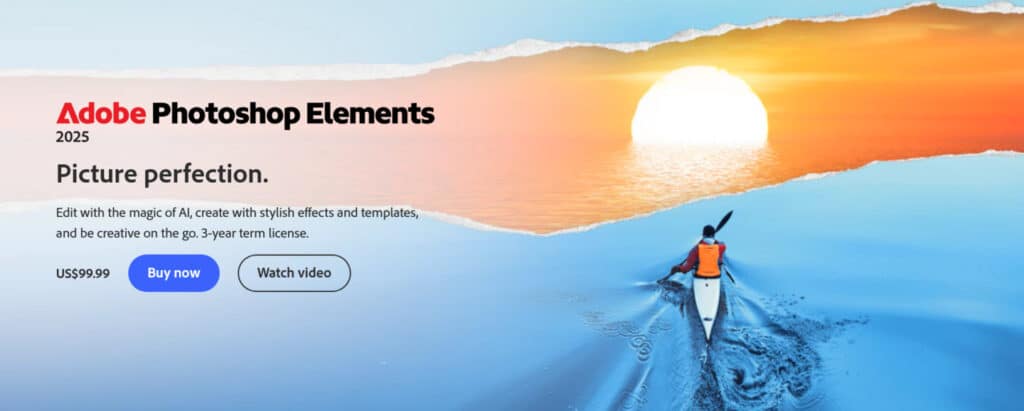
Photoshop Elements is a simplified photo editing software created by Adobe that's designed to make editing accessible to everyone. Unlike its more advanced counterpart, Adobe Photoshop, Elements focuses on delivering essential tools for enhancing, organizing and sharing photos, all without overwhelming users.
The software is perfect for beginners and casual editors who want to improve their photos or get creative with minimal effort. For touching up vacation pictures, organizing a growing photo collection or creating fun designs, Photoshop Elements provides an easy-to-use platform that's tailored to meet the needs of non-professionals. And with its guided edits and straightforward interface, even users who are completely new to photo editing can achieve great results fast.
Key Features of Photoshop Elements
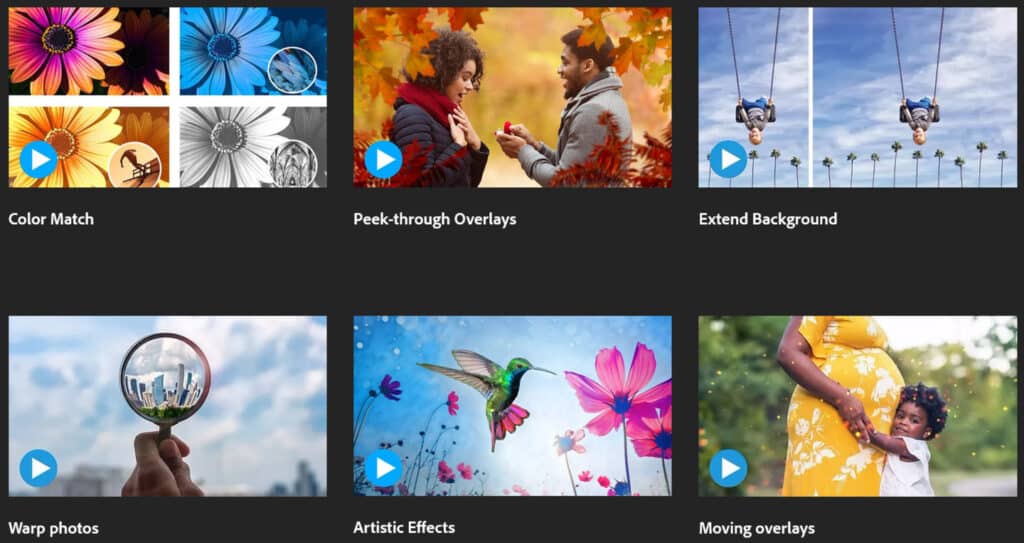
Photoshop Elements offers a range of features that make editing photos easy and enjoyable for beginners and casual users. Here’s a closer look at some of its most noteworthy tools:
Quick Facial Feature Touch-Ups
With AI-powered tools specifically designed for portraits, Photoshop Elements lets you enhance facial features effortlessly. You can brighten smiles, smooth skin, adjust head tilt and even open closed eyes with just a few clicks. The result? Polished portraits that look exactly how you want them to.
Guided Edits for Learning Basic Techniques
Guided edits are one of the standout features of Photoshop Elements. They provide a wizard-like interface to guide you through a variety of edits, from basic fixes like cropping photos, resizing images, inserting text and adjusting contrast to fun effects like adding motion blur, creating a peek-through overlay or turning a photo into a painting.
Fun Filters and Effects
Photoshop Elements includes a library of practical and creative filters that let you transform your photos with a single click. With their help, you can instantly add film grain, blur, brush strokes and distortions, as well as create artistic effects with filters inspired by watercolor paints, pastel chalk and neon lights.
One-Click Subject Selection
The one-click subject selection tool makes selecting objects or people in your photos effortless. Using Adobe’s Sensei AI technology, Photoshop Elements can automatically identify and isolate your subject, saving you time and effort when editing. And if you'd prefer for it to select the image's background or sky, it can do that, too.
Automatic Object Removal
Easily remove unwanted objects from your photos with Photoshop Elements' AI-based object removal tool. Whether it’s a distracting passerby or an unwanted item in the background, this feature helps you achieve cleaner and more professional-looking images in seconds.
Simple Color Changing
Want to change the color of a shirt, building or background object? In Photoshop Elements, you just need to open the Change Object Color menu. From there, you can quickly select and tweak the color of any object you'd like.
Photo Organization and Tagging
Managing your photo library is a breeze with Photoshop Elements’ organization features. You can sort photos by date, location, event or subject, and use the automated Smart Tag system to effortlessly categorize images based on people, places or objects. With those tools, you can find the photos you're looking for quickly and easily without the need to manually label each one.
Easy-to-Use Templates
Photoshop Elements includes a variety of customizable templates for creating collages, slideshows and graphics tailored for social media. Whether you’re preparing an Instagram post, creating a collage or designing a digital photo album, you'll be able to do so in minutes.
How Much Does Photoshop Elements Cost?
Depending on who you ask, one of Photoshop Elements's most appealing aspects is its straightforward pricing structure.
Unlike Adobe Photoshop, which requires a monthly or annual subscription as part of the Adobe Creative Cloud, Photoshop Elements is available for a flat price. Once you pay for it, you'll have a three-year term license, which means you'll be able to use the software for three years with no additional subscription fees.
Adobe typically releases a new version of Photoshop Elements each year, and existing users can upgrade to the latest version for an additional fee, but it’s not mandatory.
This makes Photoshop Elements an affordable and accessible option for beginners and casual users who want professional-quality photo editing tools without the commitment of a subscription.
And even for more advanced users who simply don't want to pay ongoing subscription fees, Photoshop Elements' clear and simple pricing structure may be a compelling selling point.
Photoshop Elements vs. Adobe Photoshop
Photoshop Elements and Adobe Photoshop are both powerful photo editing tools created by the same software company, but they cater to different audiences and offer distinct features.
Here’s a comparison you can use to understand their key differences:
Complexity and Learning Curve
Photoshop Elements is designed for simplicity and ease of use, which makes it ideal for beginners and casual users. Its intuitive interface prevents confusion, and the built-in guided edits can walk you through common editing tasks step-by-step so you can learn as you go.
Adobe Photoshop, on the other hand, is a professional-grade program with a much steeper learning curve. It offers a downright array of features that cater to advanced users, graphic designers and photographers. However, its intricate web of features and tools can be overwhelming for those who are new to photo editing and users without complex needs. As a result, it can be much more intimidating to learn the Photoshop essentials.
Feature Set and Use Cases
Photoshop Elements focuses on essential editing features like quick touch-ups, fun effects, simple color adjustments and one-click edits. It’s perfect for everyday photo enhancement, creative edits and organizing personal photo collections.
Adobe Photoshop offers a far more comprehensive feature set, and includes advanced tools for detailed retouching, compositing, 3D design and digital painting. Enthusiasts and professionals rely on Photoshop for complex projects such as making advertisements, manipulating images, digitizing fine art and designing for print and web.
Pricing and Subscription Model
Photoshop Elements is available as a one-time purchase for a term license, which means that you pay once and own the software for a predetermined amount of time (in this case, three years). This makes it a cost-effective option that won't contribute to your list of ongoing subscriptions.
Adobe Photoshop, however, is available only through a subscription to Adobe Creative Cloud. This subscription provides access to regular updates and additional tools, but the recurring cost can add up over time. So while an Adobe Photoshop subscription is necessary for many creative professionals, it might not be worth it for casual users.
System Requirements and Ease of Installation
Photoshop Elements is designed to work smoothly on most modern computers, and has relatively modest system requirements. Its installation process is straightforward, and only requires you to sign in with your Adobe ID. Once you've downloaded and installed the program, you can start editing photos within minutes.
As a more resource-intensive application, Adobe Photoshop has higher system requirements and may not perform well on older or less powerful machines. It also requires users to have a dedicated graphics card (GPU), which Photoshop Elements does not. Installation and setup is still fairly simple, though—you'll just need to take the additional step of installing the Creative Cloud app and using it to verify your subscription status.
Pros and Cons of Photoshop Elements
Photoshop Elements has a lot to offer for beginners and casual photo editors, but it also comes with a few limitations. Here’s a breakdown of its advantages and drawbacks:
Advantages of Photoshop Elements
- Beginner-friendly interface: Photoshop Elements is designed with simplicity as a top priority, which makes it extremely accessible to users with little or no previous photo editing experience.
- Guided edits: Step-by-step instructions for common edits help users learn techniques and complete tasks with ease, and without the hassle of leaving the program to consult a YouTube tutorial.
- Affordable pricing: With its flat purchase price, Photoshop Elements is a budget-friendly alternative to subscription-based alternatives.
- Creative features: With its many filters, effects and templates for collages, slideshows and social media posts, the software offers plenty of ways to have fun with your photo edits.
- Photo organization tools: Photoshop Elements includes ultra-simple tools for sorting, tagging and managing a large photo library with little to no effort.
- Quick edits: Tools like one-click subject selection, automatic object removal and simple color changing can save you a great deal of time and effort.
- Modest system requirements: If you have a computer from the last decade, chances are that Photoshop Elements can run on it. As such, it's much more accessible than resource-intensive software.
Limitations of Photoshop Elements
- Limited advanced features: Photoshop Elements lacks the advanced editing and graphic design tools that are available in Adobe Photoshop, such as 3D modeling, advanced compositing and full RAW editing capabilities.
- Annual upgrades: While the software doesn’t require a subscription, Adobe releases new versions yearly, and some users may feel compelled to purchase upgrades in order to access new features.
- Limited-term license: Although the license you get for purchasing Photoshop Elements lasts for multiple years, it’s not indefinite.
- Not for professionals: Photoshop Elements isn’t designed for high-end professional work, which makes it less suitable for photographers, graphic designers or artists with complex image editing and photo retouching needs.
- Fewer customization options: Compared to Adobe Photoshop, there are fewer ways to control and customize your photos and settings.
- Limited included storage: Photoshop Elements comes with 2GB of free cloud storage, which, for some people, may not be enough to store their entire photo collection.
Who Should Use Photoshop Elements?
Photoshop Elements is tailored for individuals who want to enhance their photos without the headache of learning how to use professional-grade software.
Here are some of the types of users who would most benefit from using it:
- Photo editing beginners: If you’re new to photo editing and want an easy-to-use tool to get started, Photoshop Elements provides an intuitive interface and guided edits to help you learn the basics one step at a time.
- Casual hobbyists: For those who enjoy improving and organizing personal photos or experimenting with creative effects, Photoshop Elements offers an array of essential tools without overwhelming features or complex menu systems.
- Social media enthusiasts: If you frequently post on platforms like Instagram, Facebook or Pinterest, Photoshop Elements' fun templates and tools will help you create eye-catching collages, slideshows and social media graphics.
- Families and everyday users: From fixing pesky red eyes in family photos to organizing your digital photo library, Photoshop Elements is ideal for everyday editing tasks.
- Budget-conscious users: If you’re looking for a powerful photo editing tool but don’t want to commit to a recurring subscription fee or sky-high upfront cost, Photoshop Elements’ flat fee model is an affordable option.
- Non-professionals: If you don’t need the advanced features of Adobe Photoshop but still want high-quality editing capabilities, you'll find that Photoshop Elements is right up your alley.
Learn Photoshop with Skillshare
Photoshop Elements is an excellent starting point for anyone who's new to photo editing. With its beginner-friendly interface, helpful guided edits and versatile AI-powered tools, it offers an accessible and enjoyable way to enhance, organize and creatively transform all types of photos. So if you’re looking to fix small imperfections, create eye-catching designs, manage your photo library or all of the above, Photoshop Elements has everything you need in an affordable, easy-to-use package.
And when you're ready to explore the possibilities of photo editing further, Skillshare is the only resource you need. From quick tutorials to in-depth, hours-long classes, our expert teachers will teach you what you need to know to perform professional-level edits and create stunning photos.
Related Reading
Carrie Buchholz
Carrie Buchholz is a freelance writer who lives in Northern Colorado with her husband and dog.
Learn Photoshop with Skillshare – Start Your Free 7-Day Trial Now!
Get Started- Unlimited access to all classes
- Hands-on learning with Photoshop pros
- Supportive online creative community