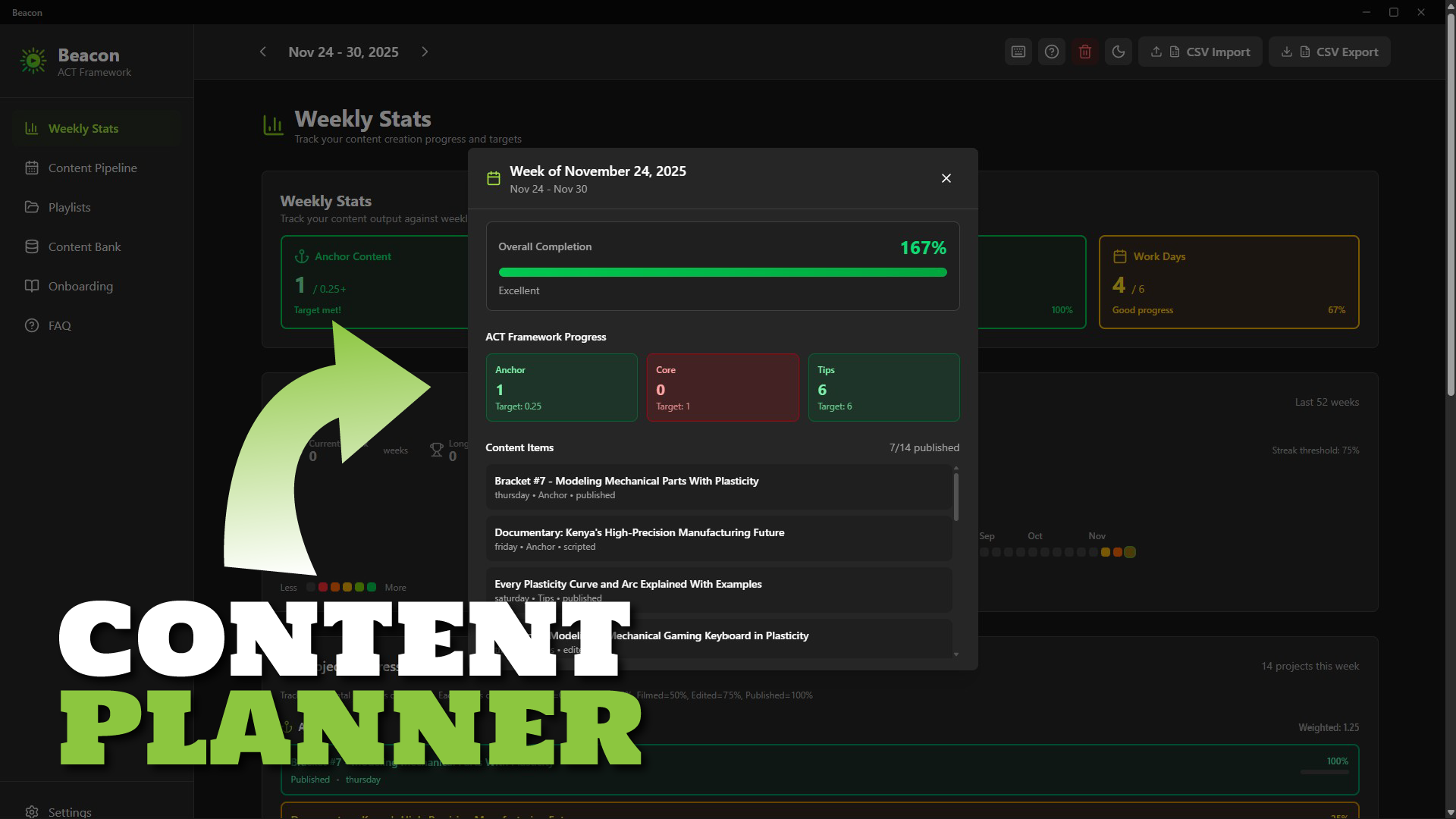
Beacon: Content Planner Software for Creators
1 Monat Skillshare
Mit einem Kauf erhältlichKostenlos
Alle Mitgliedschaften werden automatisch und fortlaufend abgerechnet, bis sie gekündigt werden. Solltest du eine kostenlose Probemitgliedschaft erhalten und Skillshare nach Ablauf dieser nicht mehr nutzen wollen, ist eine Kündigung vor Ablauf der Probezeit erforderlich. Das Angebot gilt nur für neue, zahlende Mitglieder. Siehe vollständige Nutzungsbedingungen hier
Über dieses Produkt

Ken Mbesa
Web Designer | 3D Artist
Transform Content Chaos into Consistent Creation
Beacon is a simple, fast desktop content planning app built specifically for YouTube creators, course creators, and content entrepreneurs who want to stay consistent without using complicated project managers.
If your ideas are scattered, your publishing rhythm is shaky, or planning feels overwhelming, Beacon gives you the structure and clarity to create consistently - without feeling overloaded.
Why Creators Struggle
You have great ideas… but they end up everywhere: Notion, notes, docs, your brain.
You know consistency drives growth, but traditional tools are either too complex or too generic.
- Spreadsheets? Too manual.
- Asana/Trello? Too heavy. Best for teams.
- Project managers? Too broad.
You don’t need enterprise software - you need a weekly workflow that fits how creators work.
The Beacon Solution
A beautifully simple desktop app that helps you:
- Capture ideas instantly
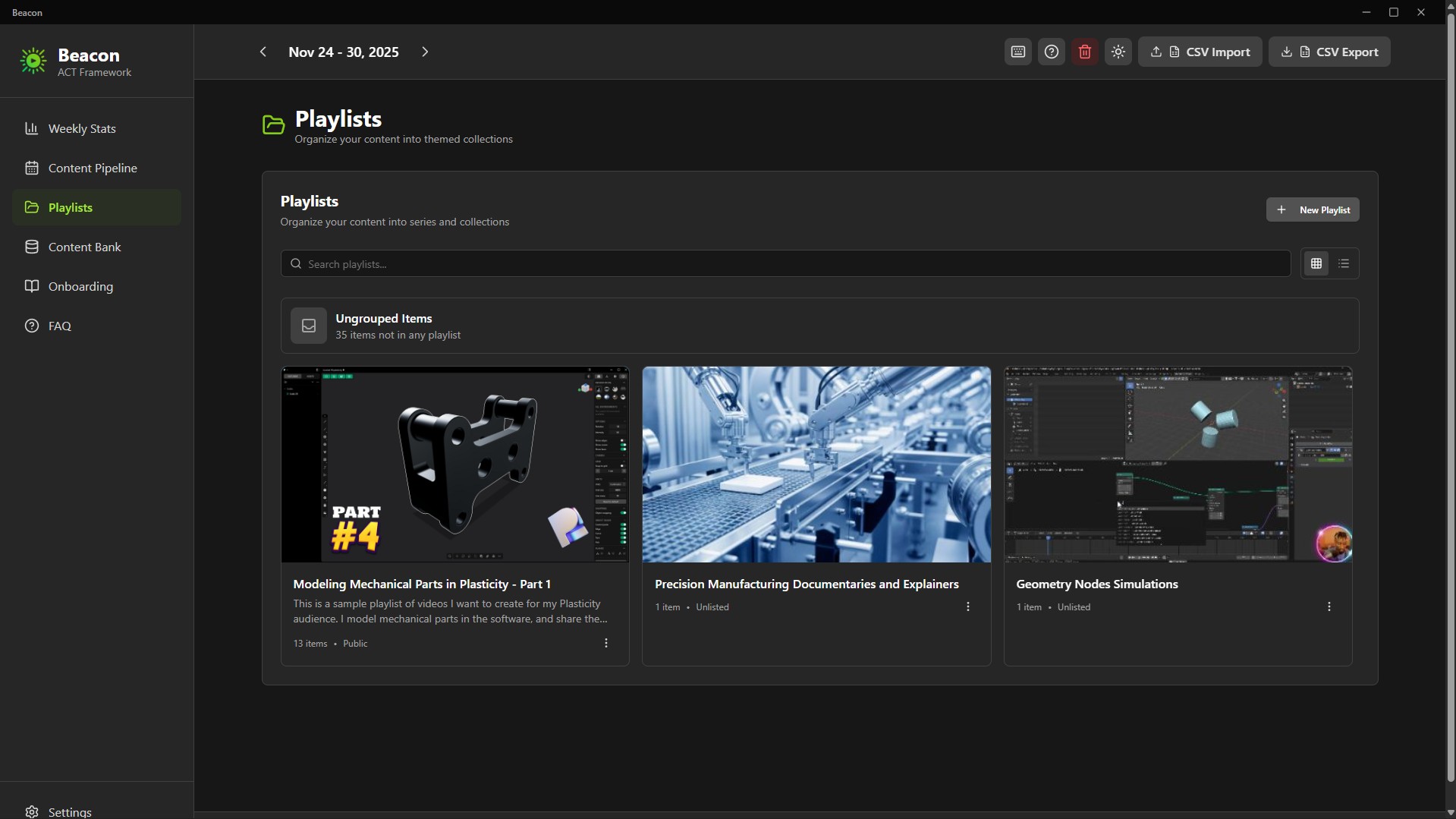
- Organize content into series/playlists
- Plan your entire week at a glance
- Track your progress (idea → published)
- Maintain consistency with zero overwhelm
Everything is stored locally on your computer - privately, securely, and forever under your control.
The ACT Framework (Built-In)
Beacon uses a strategic content rhythm called ACT:
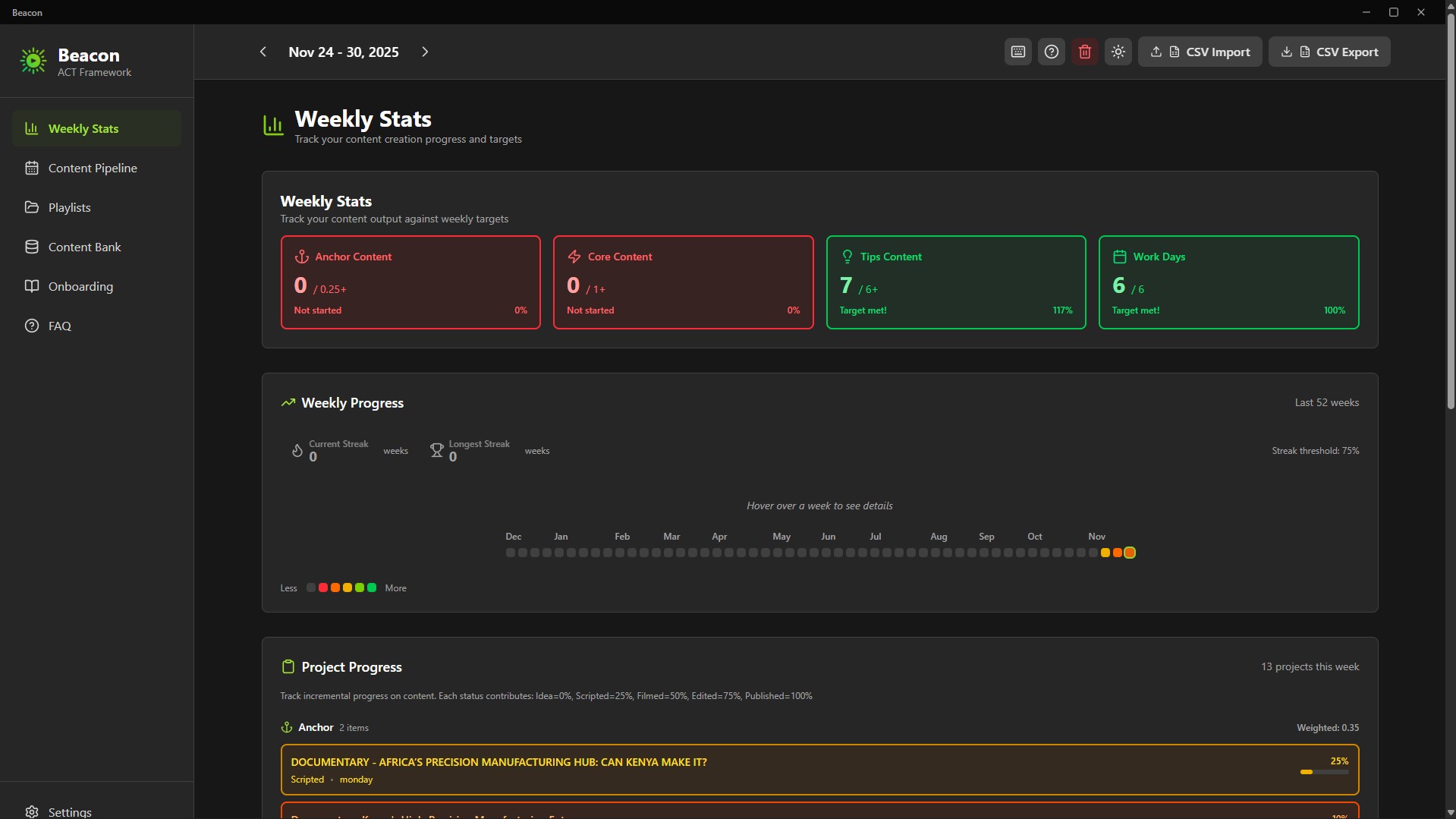
- Anchor (At least 1/month): Big, authority-building pieces
- Core (At least 1/week): Series content your audience relies on
- Tips (At least 6/week): Fast, useful pieces to stay top-of-mind
This framework maintains visibility without burnout. Designed for creators who juggle multiple platforms and responsibilities.
Key Features
Content Bank - Your Idea Hub
Capture every idea and keep them organized until you’re ready to schedule.
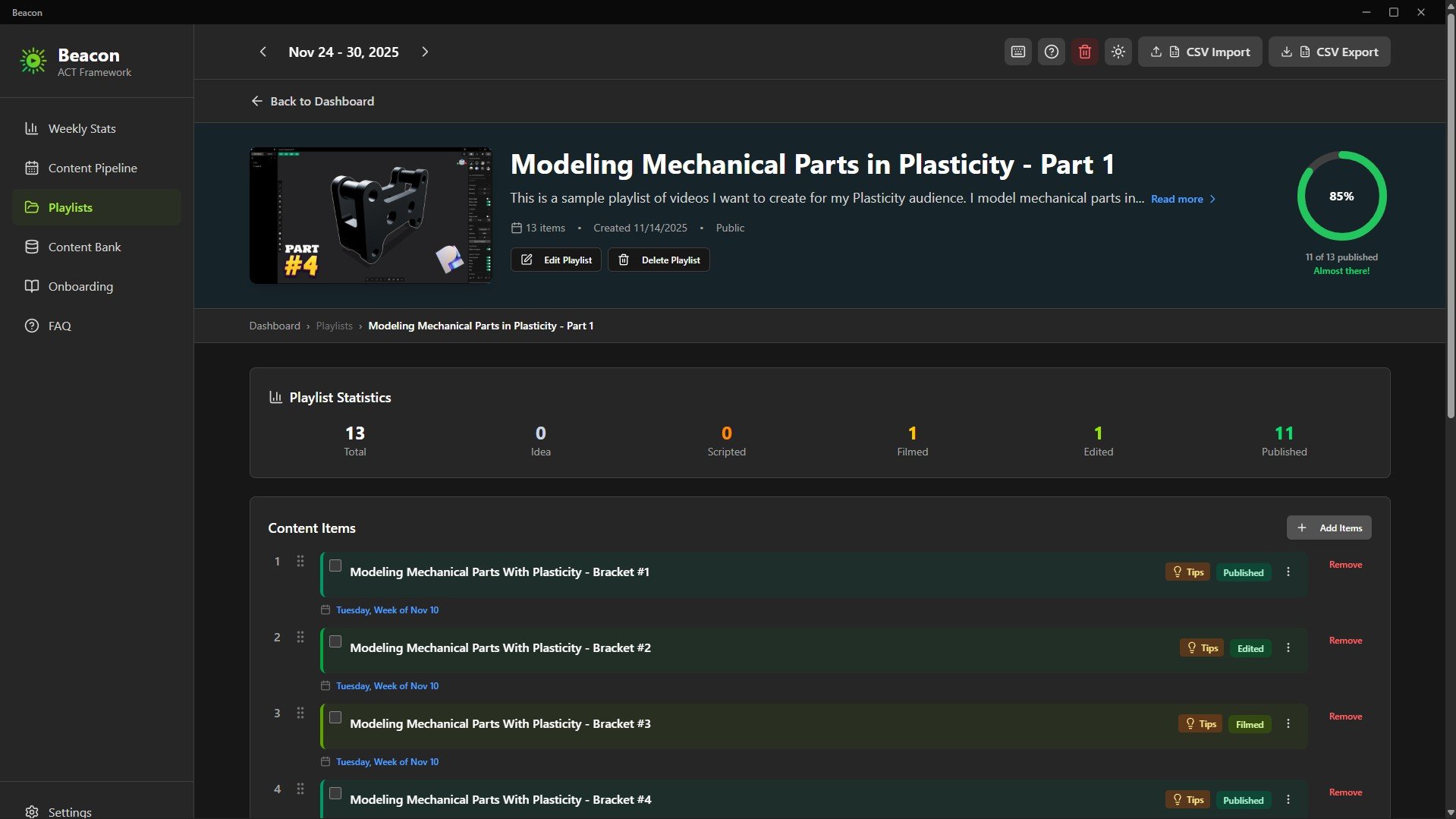
Playlists for Series & Modules
Group related content into playlists: course modules, video series, themes, or multi-part lessons.
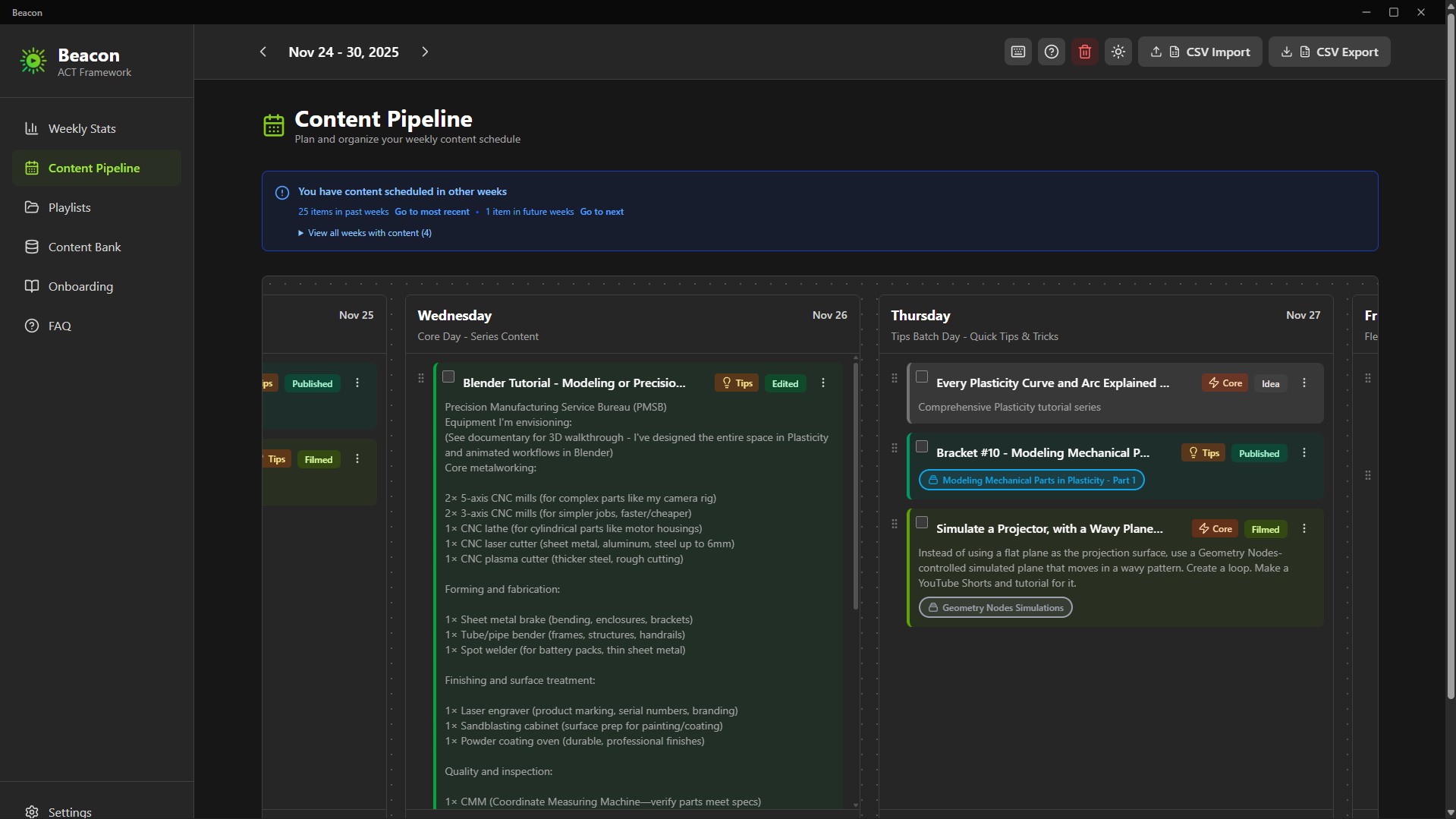
7-Day Weekly Pipeline
Drag-and-drop your week from Monday to Sunday. Know exactly what you’re publishing and when.
Progress Tracker
Track your progress through:
Idea → In Progress → Scripted → Filmed → Edited → Published
Color-coded states give you instant clarity.
52-Week Consistency Graph
A GitHub-style yearly tracker visualizes your consistency, streaks, and ACT completion. Your creative momentum becomes visible.
Unscheduling Flexibility
Changed your mind? One click unschedules content and returns it to the Content Bank - no clutter, no lost work or ideas.
Interactive Product Tour
A guided onboarding that teaches you the workflow in minutes. Replayable anytime.
Privacy & Ownership
100% Local, Zero Cloud
Your ideas stay on your machine.
Beacon is created for privacy-focused creators.
Pay once. Own it forever.
Native Desktop App
Fast, smooth performance.
What’s Included
- Beacon 2.0 Installer (.exe)
- Beacon 2.0 Portable Build (no installation required)
- Quick Start Guide
- ACT Framework Documentation
How to Plan Your Content with Beacon (Setup + Tutorial + Demo): https://youtu.be/2rkO6-mFXcE
Technical Details
- Platform: Windows 10/11
- Storage: Fully local
- Installer Size: ~94MB
- Installed Size: ~200MB
- Data Export: CSV + JSON (Supporter Tier)
- Installation: 1-minute setup
- No account required
Who should use Beacon?
- YouTube creators managing multiple series
- Online course instructors planning modules
- Content entrepreneurs publishing across platforms
- Coaches, consultants & educators building weekly content
- Anyone tired of spreadsheets or overbuilt project managers
The Philosophy Behind Beacon
Most productivity tools chase complexity.
Creators don’t need that.
Creators need clarity, rhythm, and momentum.
Beacon focuses on one essential weekly question:
“What am I creating, and when?”
Just a focused, creator-first tool that respects your time, workflow, and ownership.
You stay in control, forever.
If consistency is your challenge - Beacon is your tool.
Häufig gestellte Fragen
Was sind digitale Produkte?
Bei den digitalen Produkten von Skillshare handelt es sich um fachmännisch gestaltete Tools, Ressourcen und Vorlagen, die von den besten Kreativen entwickelt wurden und die dir zum Kauf zur Verfügung stehen. Mit einer breiten Palette an Ressourcen für jeden kreativen Bedarf sind sie einfach umsetzbar und machen deine Lernerfahrung real und unvergesslich.
Wie kann ich ein digitales Produkt kaufen?
Jeder kann ein digitales Produkt auf Skillshare kaufen — klicke auf Jetzt kaufen, um deine Zahlungsinformationen einzugeben und den Kauf abzuschließen. Sobald die Zahlung abgeschlossen ist, können alle Dateien sofort von dieser Seite heruntergeladen werden. Du erhältst außerdem eine E-Mail mit einem Link zum Herunterladen deines digitalen Produkts nach dem Kauf.
Gibt es ein Limit, wie oft ich ein digitales Produkt herunterladen kann?
Nein, es gibt keine Begrenzung, wie oft du ein digitales Produkt herunterladen kannst. Selbst wenn ein Produkt vom Ersteller entfernt wird, kannst du in den meisten Fällen immer noch auf die Download-Seite zugreifen, indem du dich in dein Skillshare-Konto einloggst.
Kann ich eine Rückerstattung erhalten oder den Kauf eines digitalen Produkts stornieren?
Digitale Produkte sind nicht erstattungsfähig und können nicht zurückgegeben oder storniert werden. Weitere Informationen findest du in unserer -Rückerstattungsrichtlinie im Skillshare Hilfebereich.
Kann ich meine eigenen digitalen Produkte herstellen und verkaufen?
Unbedingt! Besuche Wie kann ich ein digitales Produkt auf Skillshare verkaufen?, um zu erfahren, wie du deine eigenen digitalen Produkte auf Skillshare erstellen, anbieten und verkaufen kannst.