.png)
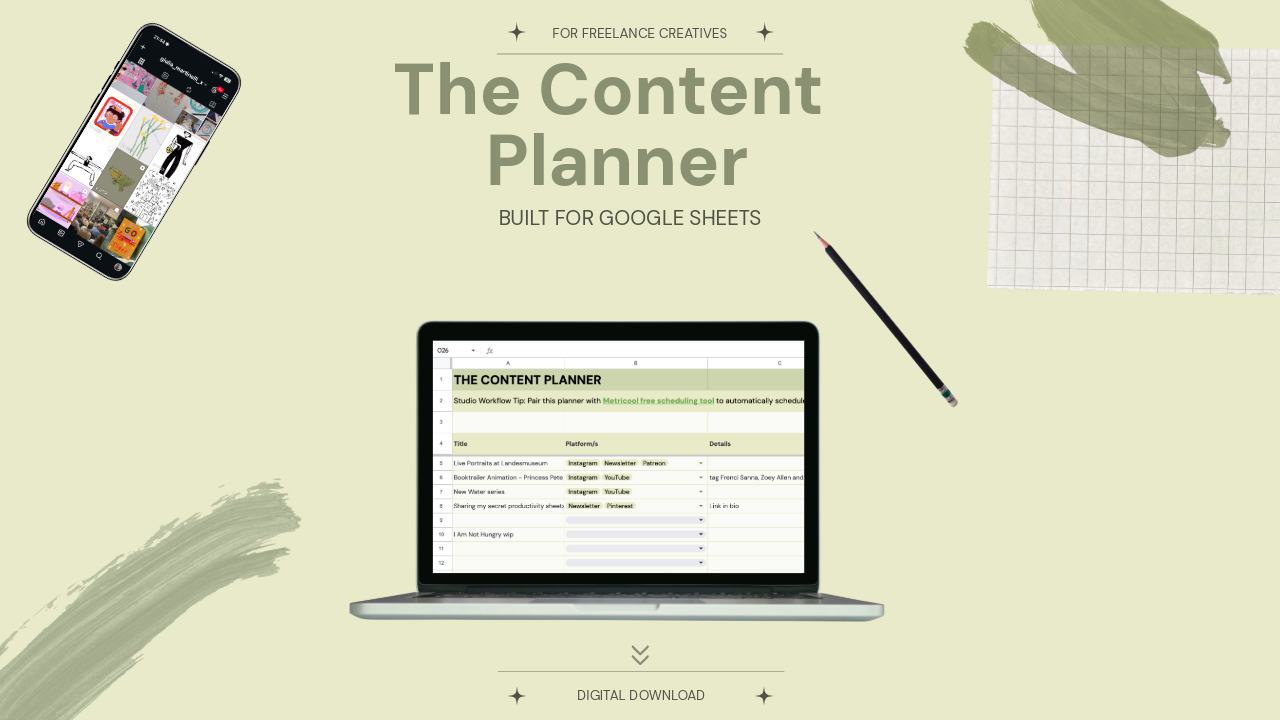
The Content Planner
1 Monat Skillshare
Mit einem Kauf erhältlichKostenlos
Alle Mitgliedschaften werden automatisch und fortlaufend abgerechnet, bis sie gekündigt werden. Solltest du eine kostenlose Probemitgliedschaft erhalten und Skillshare nach Ablauf dieser nicht mehr nutzen wollen, ist eine Kündigung vor Ablauf der Probezeit erforderlich. Das Angebot gilt nur für neue, zahlende Mitglieder. Siehe vollständige Nutzungsbedingungen hier
Über dieses Produkt

Giulia Martinelli
Animation Director / Illustrator
You know that sudden wave of anxiety or pressure when you open your computer and think, “What on earth do I post today?” I completely solved that creative burnout using a system of calm planning and scheduling in advance, and today, I am sharing the exact personal spreadsheet I use to run my studio’s content engine.
A Minimalist Production & Editorial Planner for Creative Freelancers
After 10 years of navigating the creative industry as a solo, one-woman animation band, I learned that consistency isn't about hustle; it’s about having a clean visual infrastructure. If your planning system feels cluttered, your creative energy drains before you even hit record or draft your first line of copy.
The Content Planner is a pristine, zero-anxiety spreadsheet workspace built specifically for visual artists, designers, animators, and filmmakers. It is designed to take your ideas from a vague spark to a published asset across YouTube, Instagram, LinkedIn, and Pinterest, without the posting anxiety.
What’s Inside:
Tab 1: The Master Pipeline | A bird’s-eye, single-screen overview of your entire content calendar. Sort your ideas by Platform, Format (Long-form, Reels, Carousels, Text), Production Status, and Target Dates with zero horizontal scrolling.
Tab 2: The Scripting & Asset Hub | Your dedicated deep-work sandbox. A structured space with text-wrapped text fields for your scripts and social copy, dedicated SEO/hashtag slots, and tracking cells to link your heavy Google Drive/Dropbox raw media files.
How it Works:
- Download this template
- Open the enclosed A4 Welcome PDF.
- Click the secure access link to clone the template directly into your private Google Drive.
- Turn off your corporate notifications, open the sheet, and start building.
Looking for the Complete Studio Infrastructure?
If you are looking to manage your actual business finances and client pipelines with this exact same aesthetic clarity, upgrade to the master Job & Client Tracker for Freelance Creatives. It acts as the quiet, low-anxiety backend infrastructure for your entire independent creative studio.
Technical Requirements:
Google Account Required: This template is optimized exclusively for Google Sheets (Desktop use highly recommended). Excel formatting will break the custom web typography and advanced visual styles. To securely duplicate this template into your private drive, you will need a standard, free Google account.
Keep your workspace clean. Keep your focus sharp. Created by Giulia Martinelli | Zürich, Switzerland
Häufig gestellte Fragen
Was sind digitale Produkte?
Bei den digitalen Produkten von Skillshare handelt es sich um fachmännisch gestaltete Tools, Ressourcen und Vorlagen, die von den besten Kreativen entwickelt wurden und die dir zum Kauf zur Verfügung stehen. Mit einer breiten Palette an Ressourcen für jeden kreativen Bedarf sind sie einfach umsetzbar und machen deine Lernerfahrung real und unvergesslich.
Wie kann ich ein digitales Produkt kaufen?
Jeder kann ein digitales Produkt auf Skillshare kaufen — klicke auf Jetzt kaufen, um deine Zahlungsinformationen einzugeben und den Kauf abzuschließen. Sobald die Zahlung abgeschlossen ist, können alle Dateien sofort von dieser Seite heruntergeladen werden. Du erhältst außerdem eine E-Mail mit einem Link zum Herunterladen deines digitalen Produkts nach dem Kauf.
Gibt es ein Limit, wie oft ich ein digitales Produkt herunterladen kann?
Nein, es gibt keine Begrenzung, wie oft du ein digitales Produkt herunterladen kannst. Selbst wenn ein Produkt vom Ersteller entfernt wird, kannst du in den meisten Fällen immer noch auf die Download-Seite zugreifen, indem du dich in dein Skillshare-Konto einloggst.
Kann ich eine Rückerstattung erhalten oder den Kauf eines digitalen Produkts stornieren?
Digitale Produkte sind nicht erstattungsfähig und können nicht zurückgegeben oder storniert werden. Weitere Informationen findest du in unserer -Rückerstattungsrichtlinie im Skillshare Hilfebereich.
Kann ich meine eigenen digitalen Produkte herstellen und verkaufen?
Unbedingt! Besuche Wie kann ich ein digitales Produkt auf Skillshare verkaufen?, um zu erfahren, wie du deine eigenen digitalen Produkte auf Skillshare erstellen, anbieten und verkaufen kannst.