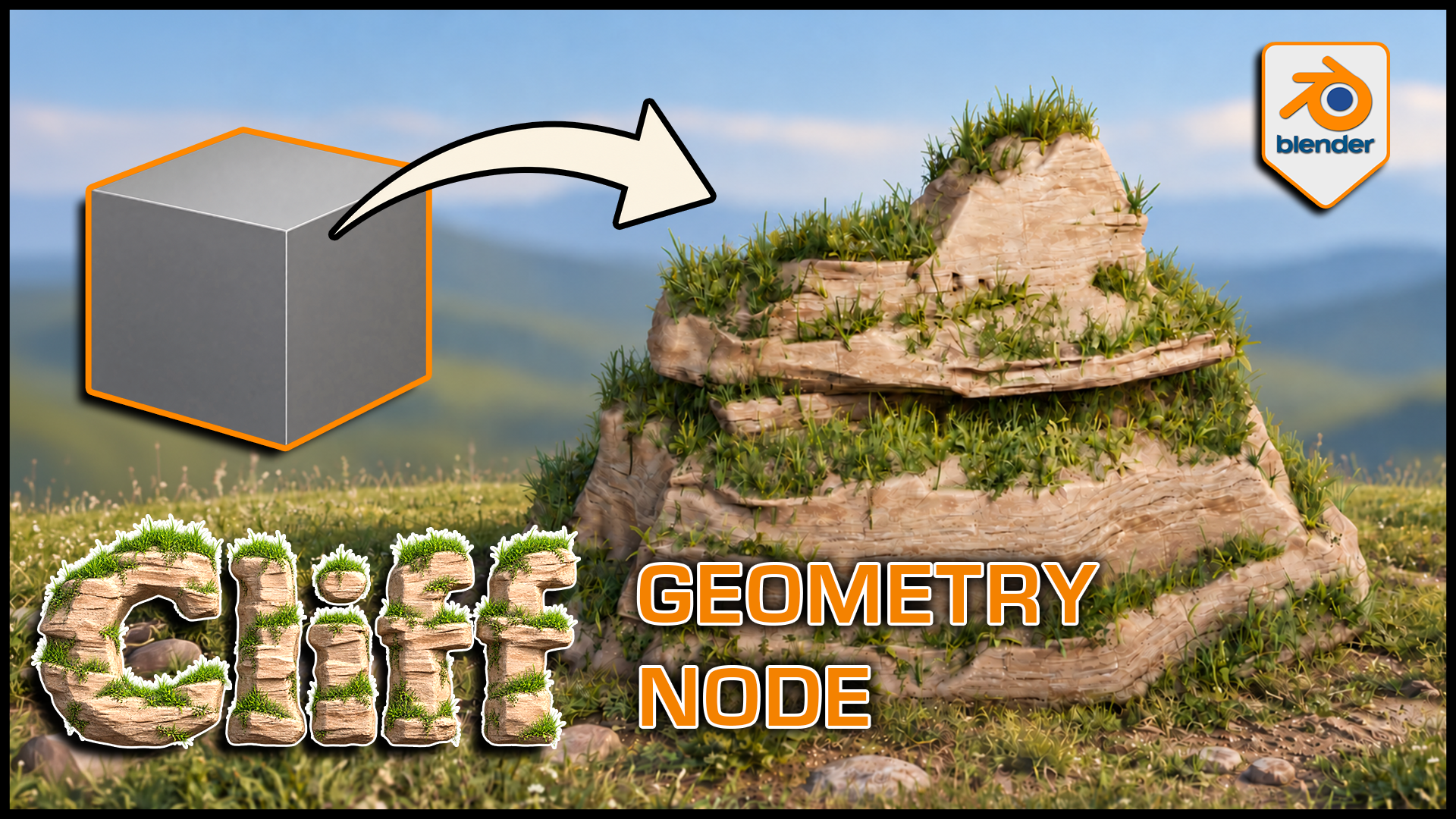
Stylized Cliff Generator for Blender
1 Monat Skillshare
Mit einem Kauf erhältlichKostenlos
Alle Mitgliedschaften werden automatisch und fortlaufend abgerechnet, bis sie gekündigt werden. Solltest du eine kostenlose Probemitgliedschaft erhalten und Skillshare nach Ablauf dieser nicht mehr nutzen wollen, ist eine Kündigung vor Ablauf der Probezeit erforderlich. Das Angebot gilt nur für neue, zahlende Mitglieder. Siehe vollständige Nutzungsbedingungen hier
Über dieses Produkt

3D Tudor
Bestselling Blender Author & 3D Educator
Watch the Stylized Cliff Generator in action: 3D Tudor’s Blender generator video overview on YouTube.
Build a cliff around the composition you have in mind. This 3D Tudor Blender Geometry Nodes product creates stylized rock formations with editable terraces, layered grass and soil surfaces, and separate three-dimensional meadow plants.
 Procedural cliff terraces give the grass distinct ledges to follow, while exposed rock keeps the stepped silhouette readable.
Work in three clear passes
Shape: adjust rock width, formation size, bulge, ledges, terraces and layering. Compare a broad shelf with a narrower column while keeping the main silhouette editable.
Surface: refine the supplied rock, grass and soil material with texture, shading, coverage, slope and mask controls.
Plants: enable meadow grass, then tune density, size, variation, angle and seed separately from the grass-coloured surface. Viewport and render density have their own controls.
 Blender cliff controls bring shape, rock shading and grass surface settings into one modifier panel in the 3D Tudor generator.
What you receive
- A Blender project with Custom Settings and Default Settings examples, each exposing 42 controls.
- Nine separate 2048 × 2048 PNG maps: Base Color, Normal and Roughness for cliff, grass and soil.
- Packed project images and the meadow vegetation dependencies.
- A getting-started guide in HTML and Markdown.
- Three silent control demonstrations covering shape, textures/grass and material swapping, plus a rendered turntable.
 Three-dimensional grass remains visible in solid shading, separating the plant geometry from the cliff material beneath it.
Getting started
Unzip the generator package and open the project in Blender 5.1.2. The source scene uses Cycles. Custom Settings is visible in the Example collection; enable the excluded Geometry Node collection in the Outliner to see Default Settings.
Follow the guide when appending the setup into another scene so its node groups, materials and meadow objects come with it. Download the separate demonstration ZIP for the complete local videos.
Useful to know
The grass surface and 3D plants are separate. Material replacement is supported through Cliff Material, but a replacement shader uses its own controls. Other materials shown in that demo illustrate the workflow.
This is a downloadable Blender tool, not a Skillshare class. Earlier Blender compatibility, game-engine integration, LODs and collision setups are not supplied or established.
Use it for stylized landscape studies, fantasy or adventure environments, and individual cliff landmarks.
Gallery videos are short previews of shape, grass and texture, and material controls. The separate demonstration ZIP contains the complete silent videos.
Häufig gestellte Fragen
Was sind digitale Produkte?
Bei den digitalen Produkten von Skillshare handelt es sich um fachmännisch gestaltete Tools, Ressourcen und Vorlagen, die von den besten Kreativen entwickelt wurden und die dir zum Kauf zur Verfügung stehen. Mit einer breiten Palette an Ressourcen für jeden kreativen Bedarf sind sie einfach umsetzbar und machen deine Lernerfahrung real und unvergesslich.
Wie kann ich ein digitales Produkt kaufen?
Jeder kann ein digitales Produkt auf Skillshare kaufen — klicke auf Jetzt kaufen, um deine Zahlungsinformationen einzugeben und den Kauf abzuschließen. Sobald die Zahlung abgeschlossen ist, können alle Dateien sofort von dieser Seite heruntergeladen werden. Du erhältst außerdem eine E-Mail mit einem Link zum Herunterladen deines digitalen Produkts nach dem Kauf.
Gibt es ein Limit, wie oft ich ein digitales Produkt herunterladen kann?
Nein, es gibt keine Begrenzung, wie oft du ein digitales Produkt herunterladen kannst. Selbst wenn ein Produkt vom Ersteller entfernt wird, kannst du in den meisten Fällen immer noch auf die Download-Seite zugreifen, indem du dich in dein Skillshare-Konto einloggst.
Kann ich eine Rückerstattung erhalten oder den Kauf eines digitalen Produkts stornieren?
Digitale Produkte sind nicht erstattungsfähig und können nicht zurückgegeben oder storniert werden. Weitere Informationen findest du in unserer -Rückerstattungsrichtlinie im Skillshare Hilfebereich.
Kann ich meine eigenen digitalen Produkte herstellen und verkaufen?
Unbedingt! Besuche Wie kann ich ein digitales Produkt auf Skillshare verkaufen?, um zu erfahren, wie du deine eigenen digitalen Produkte auf Skillshare erstellen, anbieten und verkaufen kannst.