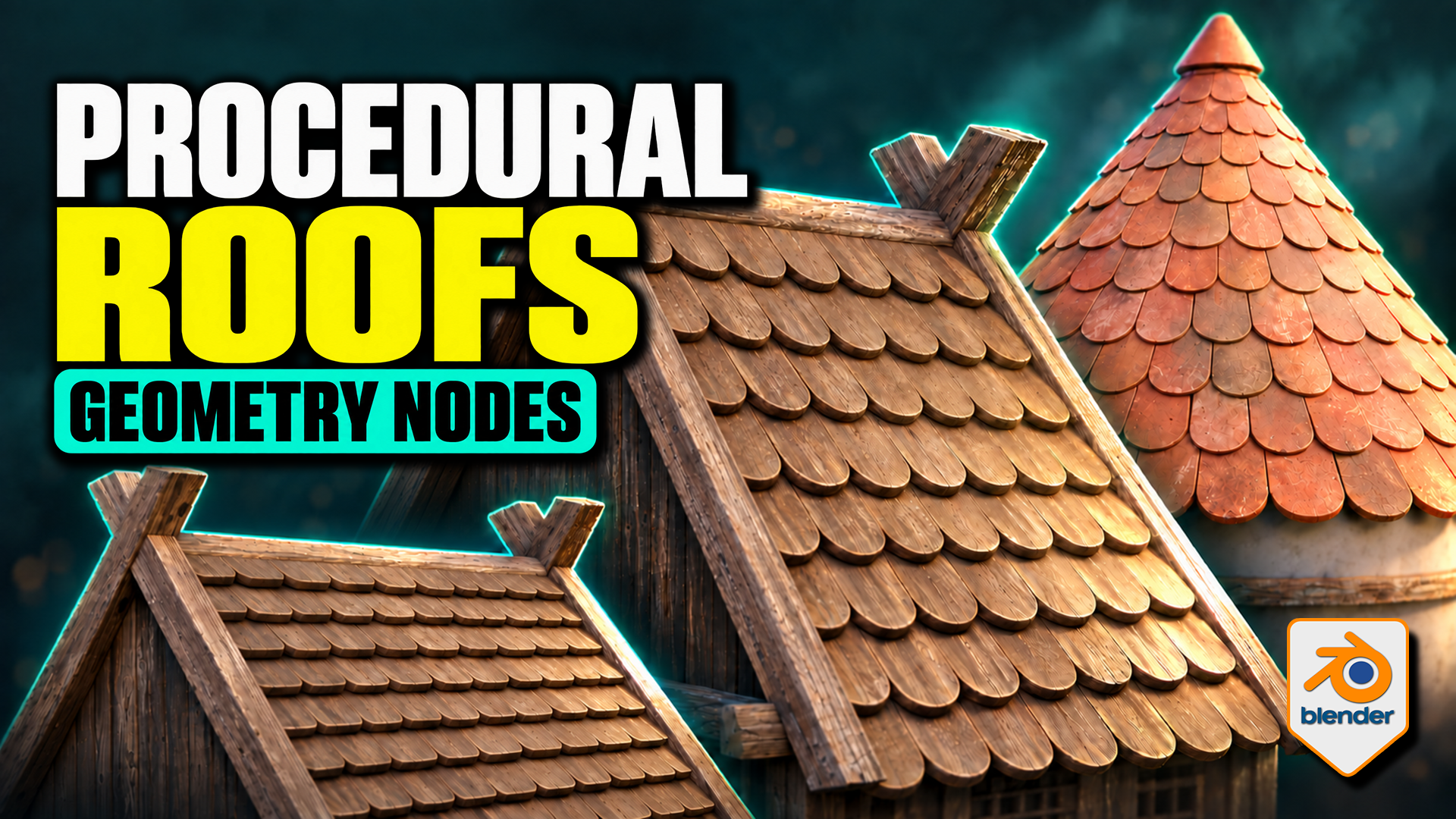
Roof Tiles Generator for Blender
1 Monat Skillshare
Mit einem Kauf erhältlichKostenlos
Alle Mitgliedschaften werden automatisch und fortlaufend abgerechnet, bis sie gekündigt werden. Solltest du eine kostenlose Probemitgliedschaft erhalten und Skillshare nach Ablauf dieser nicht mehr nutzen wollen, ist eine Kündigung vor Ablauf der Probezeit erforderlich. Das Angebot gilt nur für neue, zahlende Mitglieder. Siehe vollständige Nutzungsbedingungen hier
Über dieses Produkt

3D Tudor
Bestselling Blender Author & 3D Educator
Turn a tile design into an editable roof pattern. This 3D Tudor Geometry Nodes product lets you use a single tile object or a collection of tile meshes across flat and pitched roofs, domes and spires. Bring your own prepared tile designs or start with the included Wood, Stone and Ceramic sources.
Overlapping tiles follow the pitched roof on this timber building example made with the 3D Tudor roof-tile setup.
Choose the workflow for your roof
Flat and Pitched: adjust tile amount, overlap, row offset, surface clearance and seating. Refine the bottom, side and top overhangs, then introduce rotation or size variation where it suits the building.
Terracotta-coloured tiles narrow towards the top of the conical roof, with a separate cap finishing the crown.
Shape a dome or spire
Radius, height and midpoint width define the curved roof. Switch Spire on for a straight-sided cone. Refine the upper rows with Top Tile Size, use Dome Crown Fit for the dome crown, and finish with a separate cap object.
Use your own tile meshes
Both generators provide Tile Object and Tile Collection inputs. For Flat and Pitched, local X is width, local Y points uphill and local Z is thickness. Collection members should have matching local origins, orientations and approximate sizes. The supplied meshes provide useful references; custom tiles may need preparation.
Wood, stone and ceramic tile sources provide references for preparing your own objects and matching collection variants.
What is in the download?
- Two native Blender files: seven prepared roof setups and three building compositions.
- Twelve clean source tiles: Wood, Stone and Ceramic in four shapes each, plus an eleven-object Ceramic Damage Mix.
- Packed 1024 × 1024 base-colour, normal and roughness textures for the three tile materials.
- A Getting Started guide for the files, custom tile inputs and layout controls.
- Six silent videos: three building turntables and full flat/pitched, dome/spire and material demonstrations.
Surface appearance and requirements
The supplied compatible shaders expose tint, contrast, per-tile colour variation, roughness, normals, edge wear, AO colour, moss and UV controls. Custom materials need their own setup; edge wear is intended for Cycles.
Checked in Blender 5.1.2 with Cycles. No add-on installation is required. Earlier versions and other render engines have not been verified. The buildings are supplied example meshes; the procedural tools arrange the roof tiles.
Extract the Blender Files and Guide ZIP, open START HERE, then begin with a roof in the Setups file. Download the separate Silent Demonstrations ZIP to follow the controls at your own pace.
Häufig gestellte Fragen
Was sind digitale Produkte?
Bei den digitalen Produkten von Skillshare handelt es sich um fachmännisch gestaltete Tools, Ressourcen und Vorlagen, die von den besten Kreativen entwickelt wurden und die dir zum Kauf zur Verfügung stehen. Mit einer breiten Palette an Ressourcen für jeden kreativen Bedarf sind sie einfach umsetzbar und machen deine Lernerfahrung real und unvergesslich.
Wie kann ich ein digitales Produkt kaufen?
Jeder kann ein digitales Produkt auf Skillshare kaufen — klicke auf Jetzt kaufen, um deine Zahlungsinformationen einzugeben und den Kauf abzuschließen. Sobald die Zahlung abgeschlossen ist, können alle Dateien sofort von dieser Seite heruntergeladen werden. Du erhältst außerdem eine E-Mail mit einem Link zum Herunterladen deines digitalen Produkts nach dem Kauf.
Gibt es ein Limit, wie oft ich ein digitales Produkt herunterladen kann?
Nein, es gibt keine Begrenzung, wie oft du ein digitales Produkt herunterladen kannst. Selbst wenn ein Produkt vom Ersteller entfernt wird, kannst du in den meisten Fällen immer noch auf die Download-Seite zugreifen, indem du dich in dein Skillshare-Konto einloggst.
Kann ich eine Rückerstattung erhalten oder den Kauf eines digitalen Produkts stornieren?
Digitale Produkte sind nicht erstattungsfähig und können nicht zurückgegeben oder storniert werden. Weitere Informationen findest du in unserer -Rückerstattungsrichtlinie im Skillshare Hilfebereich.
Kann ich meine eigenen digitalen Produkte herstellen und verkaufen?
Unbedingt! Besuche Wie kann ich ein digitales Produkt auf Skillshare verkaufen?, um zu erfahren, wie du deine eigenen digitalen Produkte auf Skillshare erstellen, anbieten und verkaufen kannst.