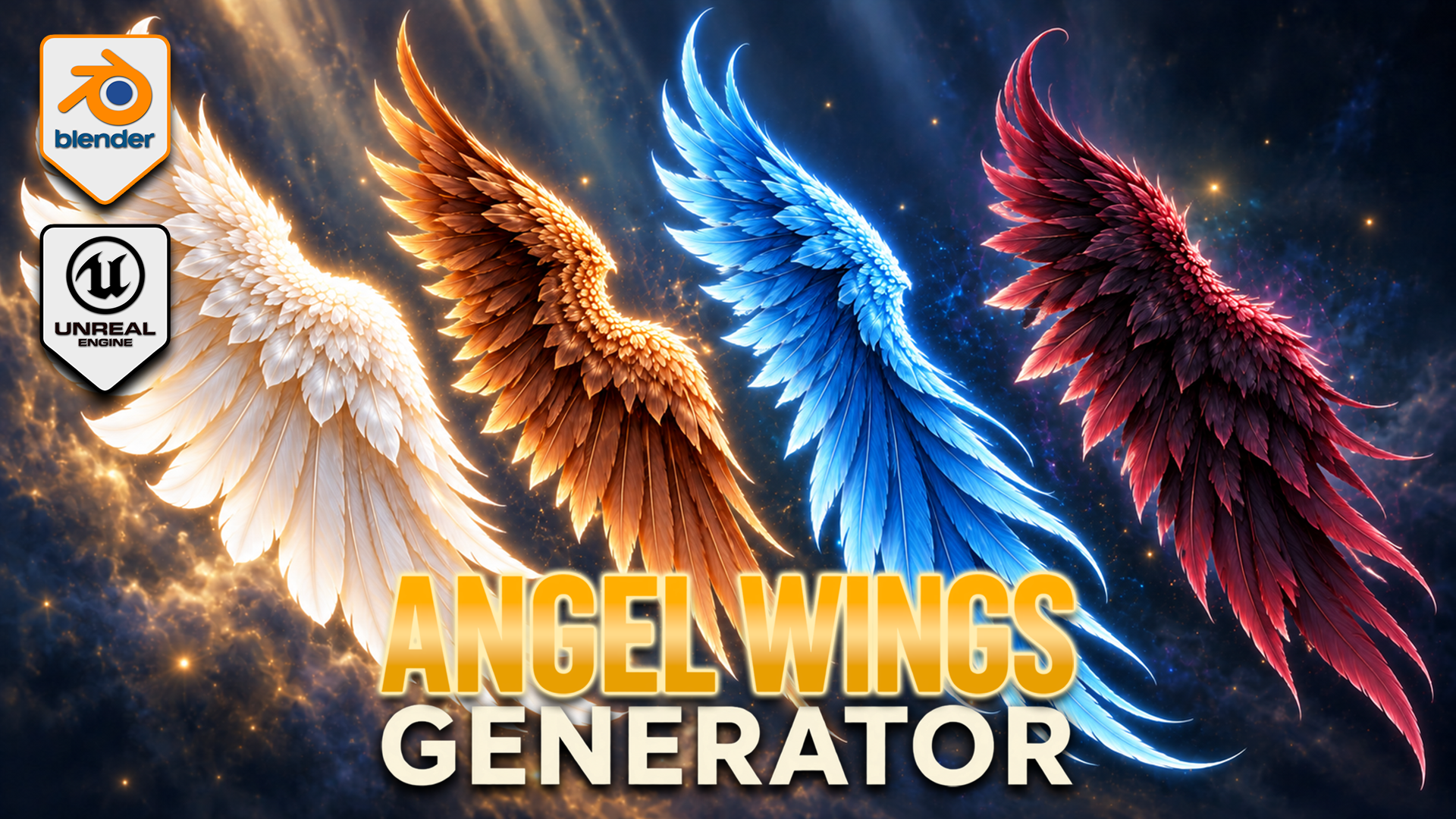
Angel Wings Generator for Blender
1 Monat Skillshare
Mit einem Kauf erhältlichKostenlos
Alle Mitgliedschaften werden automatisch und fortlaufend abgerechnet, bis sie gekündigt werden. Solltest du eine kostenlose Probemitgliedschaft erhalten und Skillshare nach Ablauf dieser nicht mehr nutzen wollen, ist eine Kündigung vor Ablauf der Probezeit erforderlich. Das Angebot gilt nur für neue, zahlende Mitglieder. Siehe vollständige Nutzungsbedingungen hier
Über dieses Produkt

3D Tudor
Bestselling Blender Author & 3D Educator
Build feathered wings around your fantasy character with an editable Blender Geometry Nodes generator. Shape the outline, develop the overlapping feather layers and pose each wing independently, then explore colour and procedural movement within the same setup.
SHAPE FIRST, DETAIL SECOND
Adjust span, height, depth, cupping and sweep to establish the silhouette. Shoulder shape and root placement help fit the wings around your reference. Independent left and right controls support asymmetric poses, with raise, elbow bend, wrist bend, twist and fold settings for the gesture.
DEVELOP THE FEATHER LAYERS
Flight, cover and upper feather layers have controls for length, width, density, fan and roll. Refine curl, camber, taper and tip twist, then use seeded variation to break up repetition. Attachment, fluff and top-wrap sections help develop the root and upper edge.
The twelve feather texture styles are starting forms inside the generator, not twelve fixed finished wing models. Combine the layers and shape controls to develop your own design. Feather colour, variation colour, root tint and vertical tint support pale, dark or vivid fantasy palettes.
POSE AND ANIMATE
Procedural flapping controls include speed and strength, independent timing, wave delay, elbow and wrist follow, recovery fold and feather follow-through. This is a creative wing-motion system, not flight physics or a complete character rig. Draft, Standard and Full settings let you choose the feather-card geometry level for your scene.
YOUR DOWNLOADS
• Blender archive: native wing-generator file, optional exporter v0.13.0 and installation notes.
• Texture archive: twelve feather textures, three scene textures and one environment image.
• Start Here text file: opening instructions.
The native Blender file contains five wing control objects and packed image resources. The main generator has 153 exposed inputs covering shape, pose, feathers, animation and shading. It was inspected in Blender 5.2.2 LTS.
GETTING STARTED
Read Start Here, extract the Blender archive and open the native project. Select a wing control object and establish the broad outline before refining the feather layers. Develop the pose, then colour and motion. Follow the separate installation notes if you want to use the optional exporter.
This is a downloadable tool package, not a Skillshare class. Presentation characters and atmospheric promotional backgrounds illustrate the theme; a separately licensed character asset and those background scenes are not included.
Happy modelling everyone!
Neil – 3D Tudor
Häufig gestellte Fragen
Was sind digitale Produkte?
Bei den digitalen Produkten von Skillshare handelt es sich um fachmännisch gestaltete Tools, Ressourcen und Vorlagen, die von den besten Kreativen entwickelt wurden und die dir zum Kauf zur Verfügung stehen. Mit einer breiten Palette an Ressourcen für jeden kreativen Bedarf sind sie einfach umsetzbar und machen deine Lernerfahrung real und unvergesslich.
Wie kann ich ein digitales Produkt kaufen?
Jeder kann ein digitales Produkt auf Skillshare kaufen — klicke auf Jetzt kaufen, um deine Zahlungsinformationen einzugeben und den Kauf abzuschließen. Sobald die Zahlung abgeschlossen ist, können alle Dateien sofort von dieser Seite heruntergeladen werden. Du erhältst außerdem eine E-Mail mit einem Link zum Herunterladen deines digitalen Produkts nach dem Kauf.
Gibt es ein Limit, wie oft ich ein digitales Produkt herunterladen kann?
Nein, es gibt keine Begrenzung, wie oft du ein digitales Produkt herunterladen kannst. Selbst wenn ein Produkt vom Ersteller entfernt wird, kannst du in den meisten Fällen immer noch auf die Download-Seite zugreifen, indem du dich in dein Skillshare-Konto einloggst.
Kann ich eine Rückerstattung erhalten oder den Kauf eines digitalen Produkts stornieren?
Digitale Produkte sind nicht erstattungsfähig und können nicht zurückgegeben oder storniert werden. Weitere Informationen findest du in unserer -Rückerstattungsrichtlinie im Skillshare Hilfebereich.
Kann ich meine eigenen digitalen Produkte herstellen und verkaufen?
Unbedingt! Besuche Wie kann ich ein digitales Produkt auf Skillshare verkaufen?, um zu erfahren, wie du deine eigenen digitalen Produkte auf Skillshare erstellen, anbieten und verkaufen kannst.