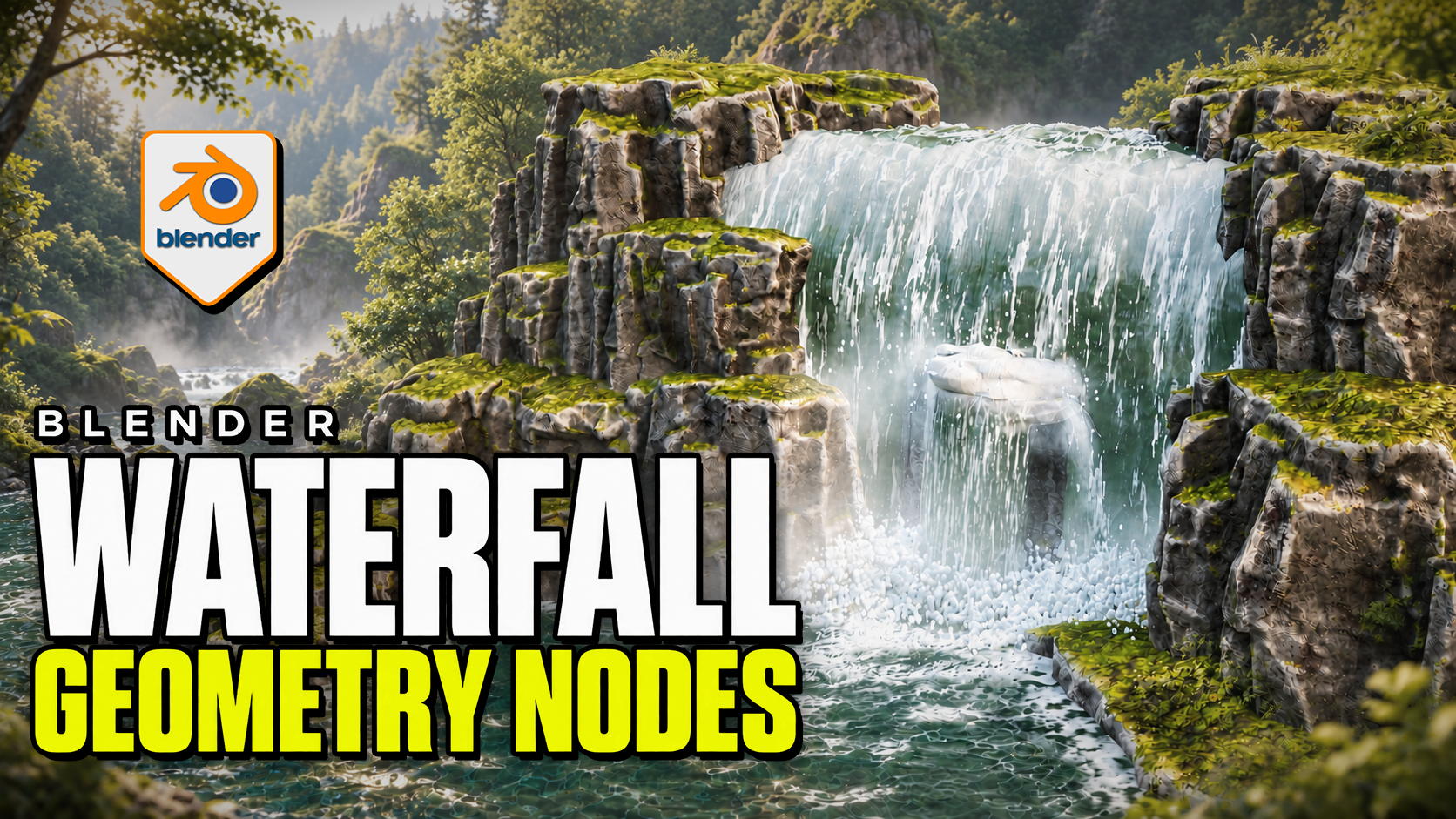
Advanced Waterfall Geometry Nodes for Blender
1 Monat Skillshare
Mit einem Kauf erhältlichKostenlos
Alle Mitgliedschaften werden automatisch und fortlaufend abgerechnet, bis sie gekündigt werden. Solltest du eine kostenlose Probemitgliedschaft erhalten und Skillshare nach Ablauf dieser nicht mehr nutzen wollen, ist eine Kündigung vor Ablauf der Probezeit erforderlich. Das Angebot gilt nur für neue, zahlende Mitglieder. Siehe vollständige Nutzungsbedingungen hier
Über dieses Produkt

3D Tudor
Bestselling Blender Author & 3D Educator
Make the waterfall, pool and impact effects work together. Advanced Waterfall by 3D Tudor is a Blender Geometry Nodes product for directing falling water along a curve, building the receiving surface and placing foam, splash rings and mist. Begin with the supplied scene, then adapt the standalone objects to your own environment.
 Water streaks, impact spray and low mist bring the falling water into contact with the pool in this 3D Tudor waterfall scene.
Shape the route and width
Edit the curve to establish the fall. Overall Width controls the broad shape, while curve-point radius allows local narrowing and widening. Refine the lip, direction, waviness, surface noise and edge fading. Interaction collections let selected objects influence surface-following, spills and cutouts.
 The wider composition connects the waterfall to a receiving pool, with surface patterns and foam around the rocks.
Connect the fall to the pool
The separate Water Surface system provides layered animated normal waves, shallow/deep colour and opacity controls, and contact or shoreline foam. Standalone Splash Rings and Splash and Fog objects let you place additional impact detail independently.
Mist uses flat cards with contact and waterline fading. The surface caustic patterns are artistic shading, not physically projected caustics.
 The closer viewport view makes the impact foam, mist and patterned pool surface easier to inspect.
Included files and demonstrations
- Native Blender project with the example scene, reusable standalone objects and packed image resources.
- Four main systems: Waterfall, Water Surface, Splash Rings, and Splash and Fog.
- Written getting-started guide.
- Four silent control demonstrations, approximately 21 minutes 46 seconds in total, plus two short animated previews.
Download Blender and Guide first. The long Waterfall controls recording is supplied in two consecutive parts to fit the download limit; the other controls and previews are in their own ZIP. Both parts retain the original video without re-encoding.
Start in your own Blender scene
Use Blender 5.2.2 LTS. Open the project and save a working copy. To import clean templates, make Standalone Waterfall Items available in the Outliner, then copy or append the object you need. No product addon installation is required.
Match Loop Frames where a shared animation cycle is needed. The documented default loop is 240 frames, while the example timeline ends at 120; set your intended output range and review the full sequence before rendering.
Is it right for your project?
Best for: environment artists shaping a waterfall composition, its receiving water and nearby impact effects in Blender.
Is it a fluid simulator? No. It uses procedural geometry and shaders. Physically simulated liquid needs a separate simulation workflow.
Can I export the whole effect to a game engine? Not as a complete working system. Static mesh formats do not preserve the Blender animation, shading and editable controls.
Is it a class? This is a downloadable digital product with silent demonstrations and a guide, not a narrated course. Earlier Blender versions have not been verified.
Häufig gestellte Fragen
Was sind digitale Produkte?
Bei den digitalen Produkten von Skillshare handelt es sich um fachmännisch gestaltete Tools, Ressourcen und Vorlagen, die von den besten Kreativen entwickelt wurden und die dir zum Kauf zur Verfügung stehen. Mit einer breiten Palette an Ressourcen für jeden kreativen Bedarf sind sie einfach umsetzbar und machen deine Lernerfahrung real und unvergesslich.
Wie kann ich ein digitales Produkt kaufen?
Jeder kann ein digitales Produkt auf Skillshare kaufen — klicke auf Jetzt kaufen, um deine Zahlungsinformationen einzugeben und den Kauf abzuschließen. Sobald die Zahlung abgeschlossen ist, können alle Dateien sofort von dieser Seite heruntergeladen werden. Du erhältst außerdem eine E-Mail mit einem Link zum Herunterladen deines digitalen Produkts nach dem Kauf.
Gibt es ein Limit, wie oft ich ein digitales Produkt herunterladen kann?
Nein, es gibt keine Begrenzung, wie oft du ein digitales Produkt herunterladen kannst. Selbst wenn ein Produkt vom Ersteller entfernt wird, kannst du in den meisten Fällen immer noch auf die Download-Seite zugreifen, indem du dich in dein Skillshare-Konto einloggst.
Kann ich eine Rückerstattung erhalten oder den Kauf eines digitalen Produkts stornieren?
Digitale Produkte sind nicht erstattungsfähig und können nicht zurückgegeben oder storniert werden. Weitere Informationen findest du in unserer -Rückerstattungsrichtlinie im Skillshare Hilfebereich.
Kann ich meine eigenen digitalen Produkte herstellen und verkaufen?
Unbedingt! Besuche Wie kann ich ein digitales Produkt auf Skillshare verkaufen?, um zu erfahren, wie du deine eigenen digitalen Produkte auf Skillshare erstellen, anbieten und verkaufen kannst.