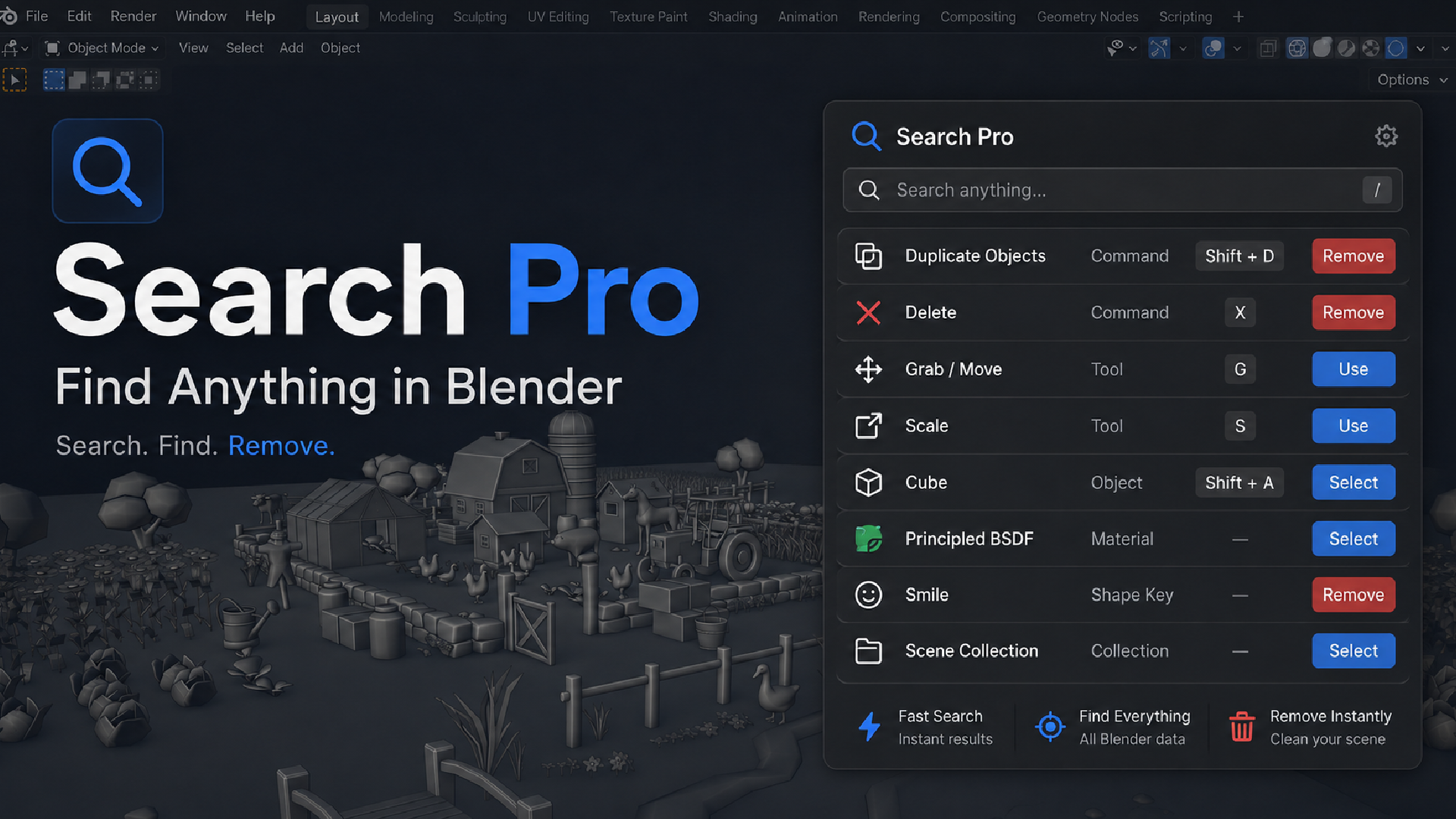
Universal Search for Blender - Spotlight-Style
1 Monat Skillshare
Mit einem Kauf erhältlichKostenlos
Alle Mitgliedschaften werden automatisch und fortlaufend abgerechnet, bis sie gekündigt werden. Solltest du eine kostenlose Probemitgliedschaft erhalten und Skillshare nach Ablauf dieser nicht mehr nutzen wollen, ist eine Kündigung vor Ablauf der Probezeit erforderlich. Das Angebot gilt nur für neue, zahlende Mitglieder. Siehe vollständige Nutzungsbedingungen hier
Über dieses Produkt

Junaid Alam
3D Artist
Stop hunting through menus. Just press F3.
Blender has thousands of operators, settings, and data types spread across editors, panels, and preferences. If you don't remember the exact menu path, you either dig through nested submenus or give up and use the mouse. Blender's built-in menu search (F3) only searches operator names, so it misses your objects, modifiers, materials, nodes, and most settings entirely.
Universal Search replaces that F3 search with one search box that covers almost everything in Blender: commands, tools, shortcuts, current-file data, and interface settings. Type a few letters, see a ranked list, hit Enter, done.
What it actually searches
Universal Search indexes four kinds of content and ranks all of them together:
Commands — operators, tools, menu actions, and keyboard shortcuts
Current-file data — objects, collections, meshes, curves, grease pencil, modifiers, constraints, vertex groups, shape keys, UV maps, materials, images, textures, actions, armatures, bones, drivers, F-curves, NLA tracks, particle systems, physics, and more
Nodes — geometry nodes, shader nodes, compositor nodes, and node groups, sorted by which node family they belong to
Blender interface — preferences, editors, workspaces, themes, keymaps, add-ons, extensions, and asset libraries
If it exists in your current file or in Blender's interface, Universal Search can find it. That is not marketing shorthand — the add-on ships a taxonomy of over 90 distinct search categories, grouped into 11 sections you can filter by (Commands, Objects, Object Data, Materials & Media, Animation & Rigging, Nodes, Scene, Physics & Effects, Interface, Add-ons & Assets, File Data).

Search that understands typos and abbreviations
Universal Search does not just check if your text appears somewhere in a name. It ranks results the way a good search engine would:
Exact match
Prefix match (what you typed starts the result name)
Substring match anywhere in the name
Token match (each word you typed matches the start of a word in the result)
Fuzzy subsequence match, for abbreviations and typos — type "sbdv" and still land on "Subdivision Surface"
Results also weigh in metadata (description, operator ID, shortcut, menu location) when the name alone isn't a strong match, so a search for a shortcut key or an operator ID still finds the right result. The whole ranking pipeline is written to stay fast on repeated keystrokes: the searchable text is normalized once and cached, so typing the second and third letter of a query does not re-scan your whole file.

See exactly how to reach it manually
Every result that has a keyboard shortcut shows the actual key from your current keymap, not a hardcoded default, so if you have remapped your shortcuts, Universal Search reflects that. For results without a direct shortcut, it shows the manual path instead, for example mesh.primitive_cube_add resolves to Add > Mesh > Cube, using a semantic access-path map that fills in the gaps Blender's own keymap data does not expose. You get either "press this key" or "here's where it lives," never a dead end.
Act on results directly
Search results are not just links to menus. Selecting an object result selects and frames it in the viewport. Data-block results that represent real file content, such as modifiers, materials, node groups, or vertex groups, get a remove action with a confirmation prompt, so you can clean up unused data without leaving the search box. Static commands, settings, and menu items intentionally do not get a delete button, since removing those would not make sense.
Two ways to search
F3, anywhere — Universal Search takes over Blender's F3 shortcut while the add-on is enabled, so your existing muscle memory keeps working. Disable the add-on and F3 goes back to Blender's default menu search, no side effects left behind.
3D View Sidebar (N-panel) → Search tab — a dedicated panel with quick-search buttons for common categories (Shape Keys, Modifiers, Objects, Materials, Actions, Nodes) plus a full list of category filters and a manual index rebuild button, for when you want to browse by category instead of typing.
Built for speed, not just breadth
Searching everything in a Blender file could easily mean lag on every keystroke. Universal Search avoids that by preparing its search corpus once (name, compact name, and tokenized text) and caching it, so the first character you type is cheap and repeated typing does not re-normalize text from scratch. Heavy caches also warm up shortly after the add-on registers, not during your first F3 press, so opening search for the first time in a session still feels instant.


Häufig gestellte Fragen
Was sind digitale Produkte?
Bei den digitalen Produkten von Skillshare handelt es sich um fachmännisch gestaltete Tools, Ressourcen und Vorlagen, die von den besten Kreativen entwickelt wurden und die dir zum Kauf zur Verfügung stehen. Mit einer breiten Palette an Ressourcen für jeden kreativen Bedarf sind sie einfach umsetzbar und machen deine Lernerfahrung real und unvergesslich.
Wie kann ich ein digitales Produkt kaufen?
Jeder kann ein digitales Produkt auf Skillshare kaufen — klicke auf Jetzt kaufen, um deine Zahlungsinformationen einzugeben und den Kauf abzuschließen. Sobald die Zahlung abgeschlossen ist, können alle Dateien sofort von dieser Seite heruntergeladen werden. Du erhältst außerdem eine E-Mail mit einem Link zum Herunterladen deines digitalen Produkts nach dem Kauf.
Gibt es ein Limit, wie oft ich ein digitales Produkt herunterladen kann?
Nein, es gibt keine Begrenzung, wie oft du ein digitales Produkt herunterladen kannst. Selbst wenn ein Produkt vom Ersteller entfernt wird, kannst du in den meisten Fällen immer noch auf die Download-Seite zugreifen, indem du dich in dein Skillshare-Konto einloggst.
Kann ich eine Rückerstattung erhalten oder den Kauf eines digitalen Produkts stornieren?
Digitale Produkte sind nicht erstattungsfähig und können nicht zurückgegeben oder storniert werden. Weitere Informationen findest du in unserer -Rückerstattungsrichtlinie im Skillshare Hilfebereich.
Kann ich meine eigenen digitalen Produkte herstellen und verkaufen?
Unbedingt! Besuche Wie kann ich ein digitales Produkt auf Skillshare verkaufen?, um zu erfahren, wie du deine eigenen digitalen Produkte auf Skillshare erstellen, anbieten und verkaufen kannst.