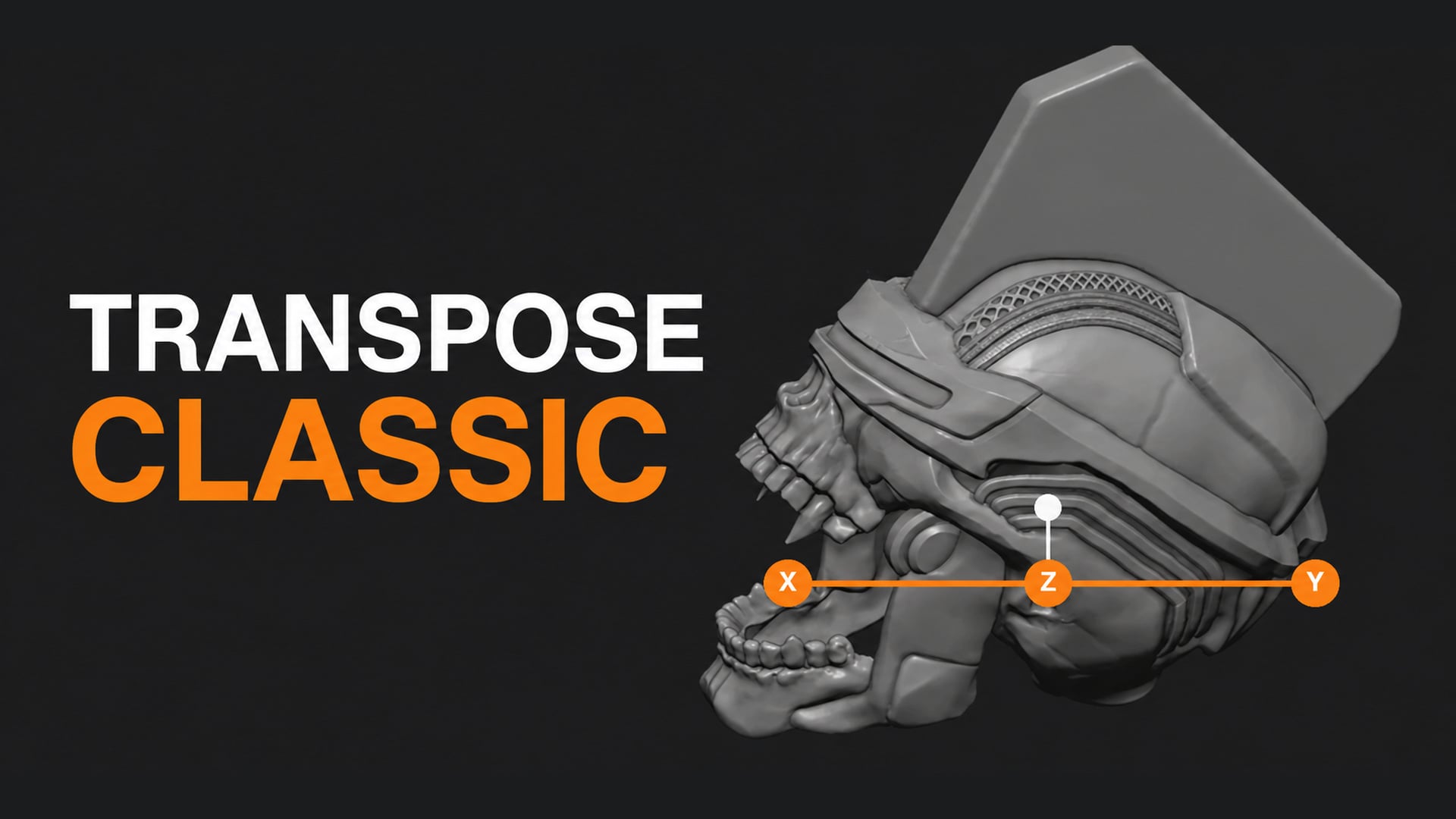
Transpose Classic : ZBrush Style Action Line
1 Monat Skillshare
Mit einem Kauf erhältlichKostenlos
Alle Mitgliedschaften werden automatisch und fortlaufend abgerechnet, bis sie gekündigt werden. Solltest du eine kostenlose Probemitgliedschaft erhalten und Skillshare nach Ablauf dieser nicht mehr nutzen wollen, ist eine Kündigung vor Ablauf der Probezeit erforderlich. Das Angebot gilt nur für neue, zahlende Mitglieder. Siehe vollständige Nutzungsbedingungen hier
Über dieses Produkt

Junaid Alam
3D Artist
Pose and reshape sculpts the way ZBrush users already know
If you came to Blender from ZBrush, you probably miss one tool more than any other: Transpose. Mask a finger, draw a line from the knuckle to the tip, and bend it. No armature, no pivot hunting, no switching between three different tools.
Transpose Classic gives you that action line inside Blender. Press U, drag across your model, and you get a line with three handles. Press G, R or S and drag a handle to move, rotate or scale everything that is not masked. Masked areas stay put.
Why Blender's built-in tools are not quite enough
Blender's Sculpt Mode has Move, Rotate and Scale tools that respect the mask, and they work well. The problem is the pivot. You have to place it, check it, and place it again every time you pose a new part. On a character with ten fingers, two arms and a head, that adds up fast.
The action line solves this by turning the pivot into something you draw. The ends of the line snap to the surface of your mesh. Drag the end handle and the part rotates around the other end, like a joint. You see the axis, you see the pivot, and you place both in one stroke.
Built for blocking, posing and quick proportion changes
Bend an arm at the elbow without rigging it
Tilt a head, open a jaw, or curl a tail from a masked base mesh
Stretch a limb or a horn along one axis to fix proportions
Nudge a whole masked section into place before detailing
Works with the mask you already painted
Transpose Classic reads Blender's real Sculpt mask. Fully masked vertices never move. Partly masked vertices move partly, so a soft mask edge gives you a soft bend instead of a hard crease. You do not need vertex groups or extra setup.
Simple to learn, fast to leave
Everything is on the keyboard. U starts the tool. G, R, S switch mode. Right-click cancels a drag. Esc exits. Press U again and you drop straight into Blender's native Move, Rotate or Scale gizmo, matching the mode you were in. A short cheat sheet sits in the 3D View sidebar under Transpose in case you forget a key.


Free to download and use
Transpose Classic is free and open source under GPL-3.0. Download it, use it in personal and commercial projects, and share it with your team.
Pose with Transpose Classic, refine with Sculpt Layers, then paint with Texture Paint Layers, all without leaving Blender.
Workflow Benefits
Fewer tool switches. One line does the work of placing a pivot, picking an axis and choosing a transform tool. You stay in a single tool from mask to pose.
Posing without rigging. For a concept sculpt or a turnaround, building an armature just to bend an arm is overkill. Mask, draw, rotate, done.
Faster iteration on proportions. Try a longer neck or a wider chest in seconds. Right-click if you do not like it. The original shape comes back instantly.
Familiar muscle memory for ZBrush users. If you learned Transpose in ZBrush, the idea carries over: mask, draw a line, drag a handle. You spend less time relearning and more time sculpting.
Clean, constrained moves. The orange handles lock to world axes, so you can push a part straight along X, Y or Z without it sliding off in a random screen direction.
Soft deformation for free. Blur your mask edge and the transform blends into the rest of the mesh. No separate smoothing pass to hide a hard seam.


Häufig gestellte Fragen
Was sind digitale Produkte?
Bei den digitalen Produkten von Skillshare handelt es sich um fachmännisch gestaltete Tools, Ressourcen und Vorlagen, die von den besten Kreativen entwickelt wurden und die dir zum Kauf zur Verfügung stehen. Mit einer breiten Palette an Ressourcen für jeden kreativen Bedarf sind sie einfach umsetzbar und machen deine Lernerfahrung real und unvergesslich.
Wie kann ich ein digitales Produkt kaufen?
Jeder kann ein digitales Produkt auf Skillshare kaufen — klicke auf Jetzt kaufen, um deine Zahlungsinformationen einzugeben und den Kauf abzuschließen. Sobald die Zahlung abgeschlossen ist, können alle Dateien sofort von dieser Seite heruntergeladen werden. Du erhältst außerdem eine E-Mail mit einem Link zum Herunterladen deines digitalen Produkts nach dem Kauf.
Gibt es ein Limit, wie oft ich ein digitales Produkt herunterladen kann?
Nein, es gibt keine Begrenzung, wie oft du ein digitales Produkt herunterladen kannst. Selbst wenn ein Produkt vom Ersteller entfernt wird, kannst du in den meisten Fällen immer noch auf die Download-Seite zugreifen, indem du dich in dein Skillshare-Konto einloggst.
Kann ich eine Rückerstattung erhalten oder den Kauf eines digitalen Produkts stornieren?
Digitale Produkte sind nicht erstattungsfähig und können nicht zurückgegeben oder storniert werden. Weitere Informationen findest du in unserer -Rückerstattungsrichtlinie im Skillshare Hilfebereich.
Kann ich meine eigenen digitalen Produkte herstellen und verkaufen?
Unbedingt! Besuche Wie kann ich ein digitales Produkt auf Skillshare verkaufen?, um zu erfahren, wie du deine eigenen digitalen Produkte auf Skillshare erstellen, anbieten und verkaufen kannst.