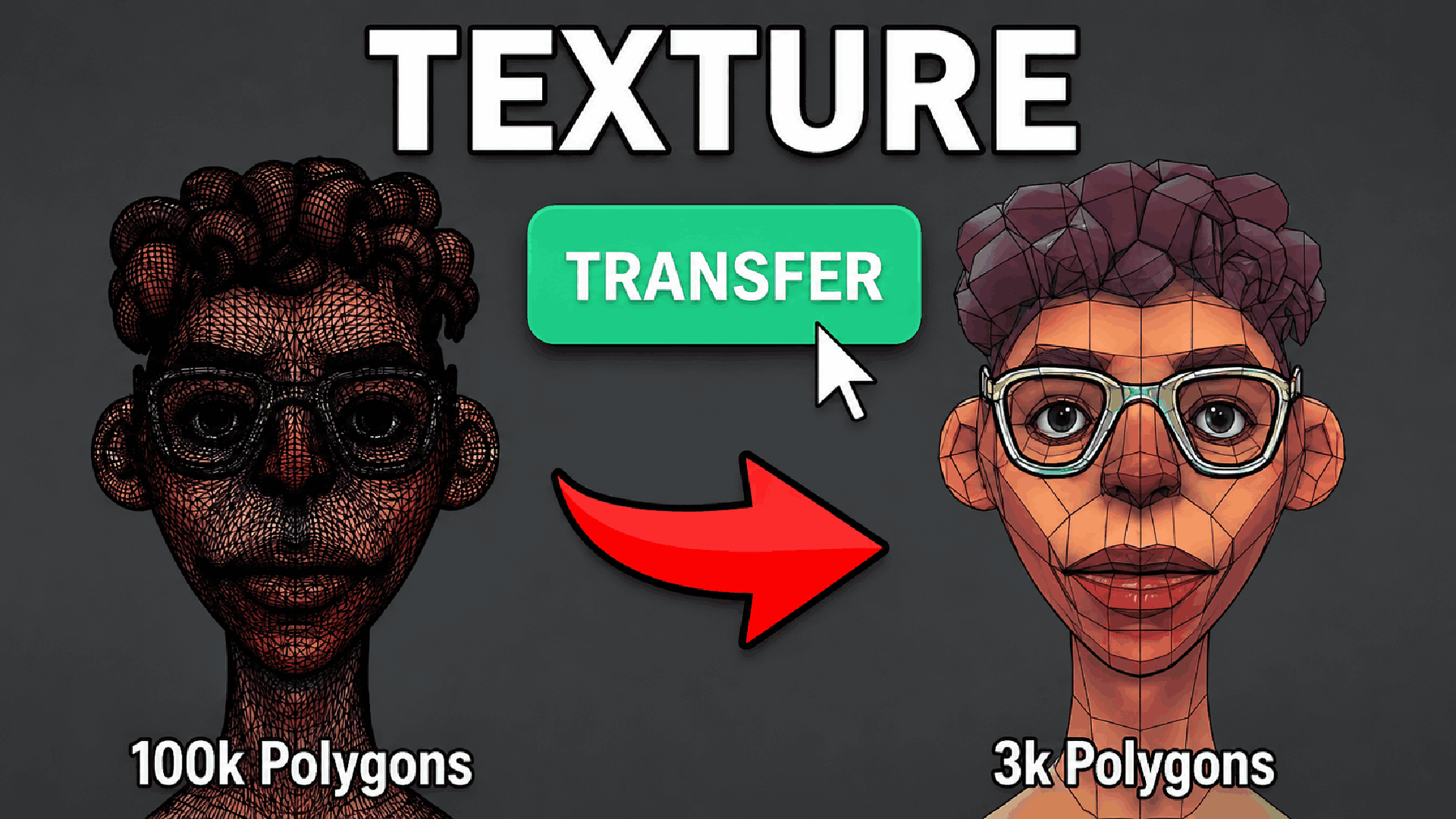
Texture Transfer - High-Poly to Low-Poly Texture
1 Monat Skillshare
Mit einem Kauf erhältlichKostenlos
Alle Mitgliedschaften werden automatisch und fortlaufend abgerechnet, bis sie gekündigt werden. Solltest du eine kostenlose Probemitgliedschaft erhalten und Skillshare nach Ablauf dieser nicht mehr nutzen wollen, ist eine Kündigung vor Ablauf der Probezeit erforderlich. Das Angebot gilt nur für neue, zahlende Mitglieder. Siehe vollständige Nutzungsbedingungen hier
Über dieses Produkt

Junaid Alam
3D Artist
Stop Wasting Hours on Texture Baking. Do It in One Click.
Every professional 3D artist knows the bottleneck: you've sculpted or modeled a stunning high-poly asset, but getting those surface details every pore, every scratch, every micro-surface imperfection transferred cleanly onto your optimized, game-ready or render-ready low-poly mesh is tedious, error-prone, and eats time you don't have.
Texture Transfer eliminates that bottleneck entirely.
This precision-built Blender 4.2+ addon automates the full selected-to-active baking pipeline directly inside the 3D Viewport. No jumping between render settings, no manually creating image nodes, no re-assigning materials after the bake. Just pick your source, pick your target, choose your maps, and hit Transfer.
What It Does
Texture Transfer bakes up to five industry-standard PBR texture maps from a high-detail source mesh onto your target mesh's existing UV layout and optionally wires the results into a complete, production-ready Principled BSDF material automatically.
Supported Map Types:
Normal Map captures surface curvature and micro-detail from the high-poly without adding geometry
Height / Displacement bakes true positional data for real mesh displacement in renders
Ambient Occlusion (AO) bakes contact shadows and crevice darkening for grounded, realistic shading
Color / Diffuse transfers base color information with accurate color-only pass filtering
Roughness bakes surface microsurface variation for physically correct specular response
All maps are saved as clean PNG files with proper color space assignments, sRGB for color and Non-Color for data maps, ready to drop straight into any PBR pipeline, game engine, or renderer.
Built for Real Production Workflows
Designed by artists who understand how professional asset pipelines actually work:
Resolution control up to 8K choose 1K, 2K, 4K, or 8K per bake session depending on asset importance and budget
Adjustable margin and ray distance 16 px default margin for clean UV island padding, with full manual control for tight or exploded bakes
Smart UV selection automatically targets the correct UV layer by name, with manual override for multi-UV setups
Auto-Apply material after baking, optionally builds a fully wired Principled BSDF node tree on the target mesh, including AO multiplied over color, Normal Map node, Displacement output, and Roughness, production-ready in seconds
Custom output folder and filename prefix organize bake outputs exactly the way your pipeline expects


Zero scene disruption captures your full scene state before baking and restores selection, active object, visibility, render engine, and materials perfectly after every run
Cycles activated automatically no manual engine switching, the addon handles it and restores your original engine when done
Who Needs This Addon
Game artists retopologizing sculpts for real-time engines, bake your ZBrush or Blender sculpt detail onto an optimized game mesh in seconds
Character artists transferring skin pore detail, wrinkles, and fabric weave from a dense simulation mesh to a clean deforming rig-ready mesh
Hard-surface artists capturing mold lines, panel details, and surface variation from a beveled high-poly onto a subdiv-free low-poly
Archviz and product artists baking lighting information and AO into textures for fast, non-rendered previews and real-time walkthroughs
Technical artists and pipeline TDs who need a reliable, repeatable, one-click baking solution that respects scene state and produces predictable outputs
Why Blender's Built-in Baking Is Not Enough
Blender's native baking workflow requires you to switch to Cycles manually, create image texture nodes on every material, set them active, manage selected-to-active settings, save images manually, reassign original materials, and then build the output material yourself. That is 15 to 20 manual steps every single time, and one wrong setting ruins the entire bake.
Texture Transfer compresses all of that into a single button press. Every parameter is exposed clearly in the N-panel sidebar. Every bake run is safe and reversible. Every output is organized, labeled, and immediately usable.
Häufig gestellte Fragen
Was sind digitale Produkte?
Bei den digitalen Produkten von Skillshare handelt es sich um fachmännisch gestaltete Tools, Ressourcen und Vorlagen, die von den besten Kreativen entwickelt wurden und die dir zum Kauf zur Verfügung stehen. Mit einer breiten Palette an Ressourcen für jeden kreativen Bedarf sind sie einfach umsetzbar und machen deine Lernerfahrung real und unvergesslich.
Wie kann ich ein digitales Produkt kaufen?
Jeder kann ein digitales Produkt auf Skillshare kaufen — klicke auf Jetzt kaufen, um deine Zahlungsinformationen einzugeben und den Kauf abzuschließen. Sobald die Zahlung abgeschlossen ist, können alle Dateien sofort von dieser Seite heruntergeladen werden. Du erhältst außerdem eine E-Mail mit einem Link zum Herunterladen deines digitalen Produkts nach dem Kauf.
Gibt es ein Limit, wie oft ich ein digitales Produkt herunterladen kann?
Nein, es gibt keine Begrenzung, wie oft du ein digitales Produkt herunterladen kannst. Selbst wenn ein Produkt vom Ersteller entfernt wird, kannst du in den meisten Fällen immer noch auf die Download-Seite zugreifen, indem du dich in dein Skillshare-Konto einloggst.
Kann ich eine Rückerstattung erhalten oder den Kauf eines digitalen Produkts stornieren?
Digitale Produkte sind nicht erstattungsfähig und können nicht zurückgegeben oder storniert werden. Weitere Informationen findest du in unserer -Rückerstattungsrichtlinie im Skillshare Hilfebereich.
Kann ich meine eigenen digitalen Produkte herstellen und verkaufen?
Unbedingt! Besuche Wie kann ich ein digitales Produkt auf Skillshare verkaufen?, um zu erfahren, wie du deine eigenen digitalen Produkte auf Skillshare erstellen, anbieten und verkaufen kannst.