Shape Key Fixer - Manage All Scene ShapeKeys
1 Monat Skillshare
Mit einem Kauf erhältlichKostenlos
Alle Mitgliedschaften werden automatisch und fortlaufend abgerechnet, bis sie gekündigt werden. Solltest du eine kostenlose Probemitgliedschaft erhalten und Skillshare nach Ablauf dieser nicht mehr nutzen wollen, ist eine Kündigung vor Ablauf der Probezeit erforderlich. Das Angebot gilt nur für neue, zahlende Mitglieder. Siehe vollständige Nutzungsbedingungen hier
Über dieses Produkt

Junaid Alam
3D Artist
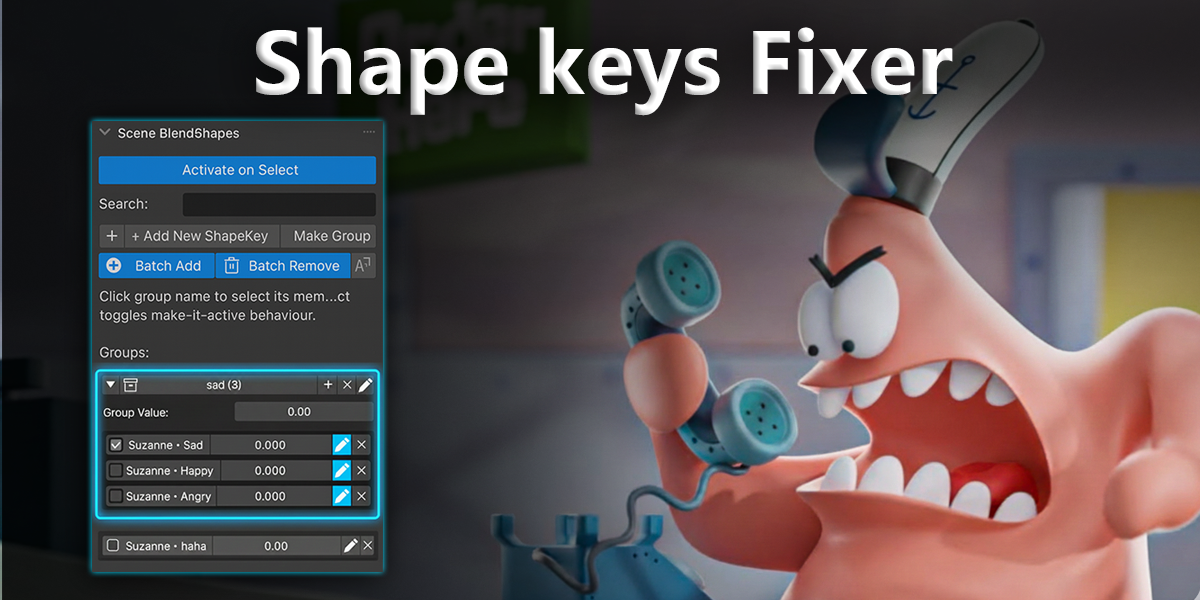
Shape Key Fixer is the professional solution for managing blend shapes across multiple objects in Blender. If you work with facial expressions, body morphs, or multi-object character rigs, this addon will save you hours of tedious work.
The Problem We Solve
Working with shape keys in Blender becomes a nightmare when you have:
Characters split across multiple objects (head, body, clothing, accessories)
50+ facial expression shape keys scattered everywhere
Corrective blend shapes that need to stay synchronized
Animation rigs where finding the right shape key takes forever
Without Shape Key Fixer:
Click through 30+ objects → Open Properties → Find the right shape key → Adjust → Repeat for every single key.
With Shape Key Fixer:
See EVERYTHING in one panel. Organize. Control. Done.
What You Get
Scene-Wide Shape Key Browser
See every shape key from every object in your entire scene, all in one organized panel. No more hunting through the Outliner. No more opening Properties 50 times. Everything is right there.
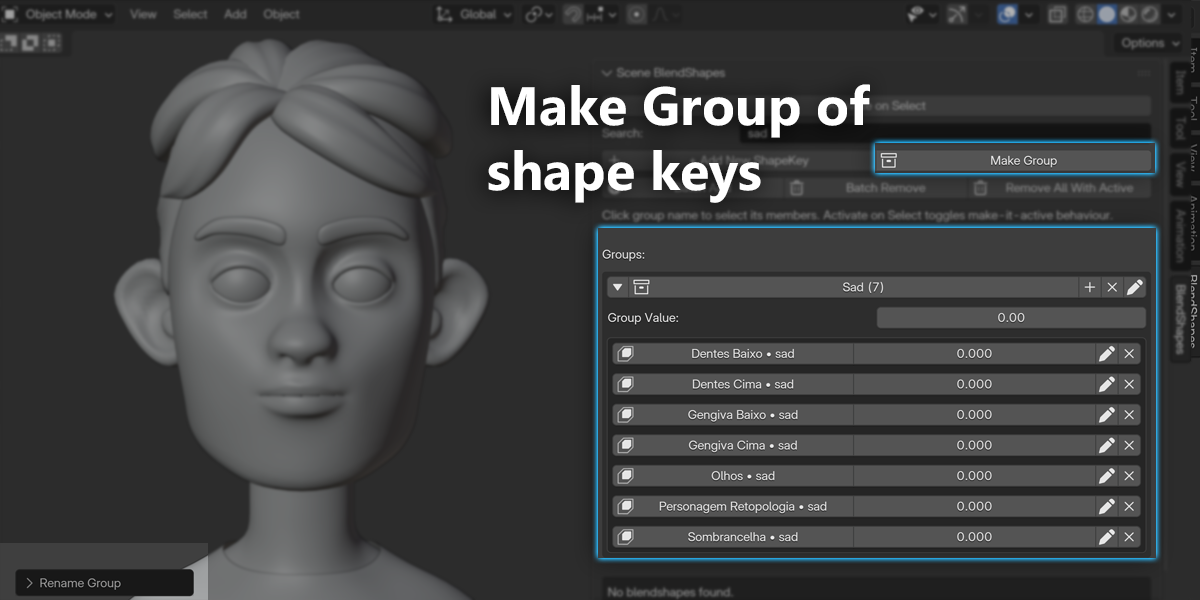
Smart Grouping System
Organize shape keys by function, not by object:
Create groups like "Smile", "Eyes_Left", "Phonemes", "Correctives"
Add keys from different objects to the same group
Perfect for facial animation, body morphs, and character rigs

Expandable/collapsible groups keep your workspace clean
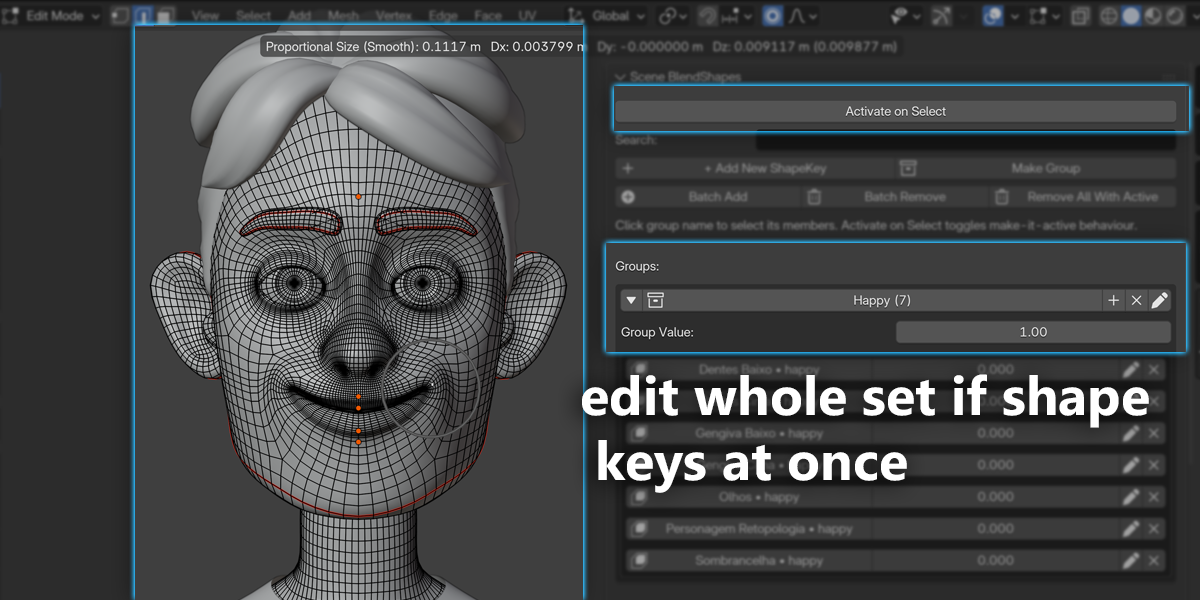
Real-Time Group Sliders
Control multiple shape keys with a single slider. Set all smile-related keys to 0.5 with one movement. Test facial expressions instantly. Animate faster. This feature alone is worth the price.
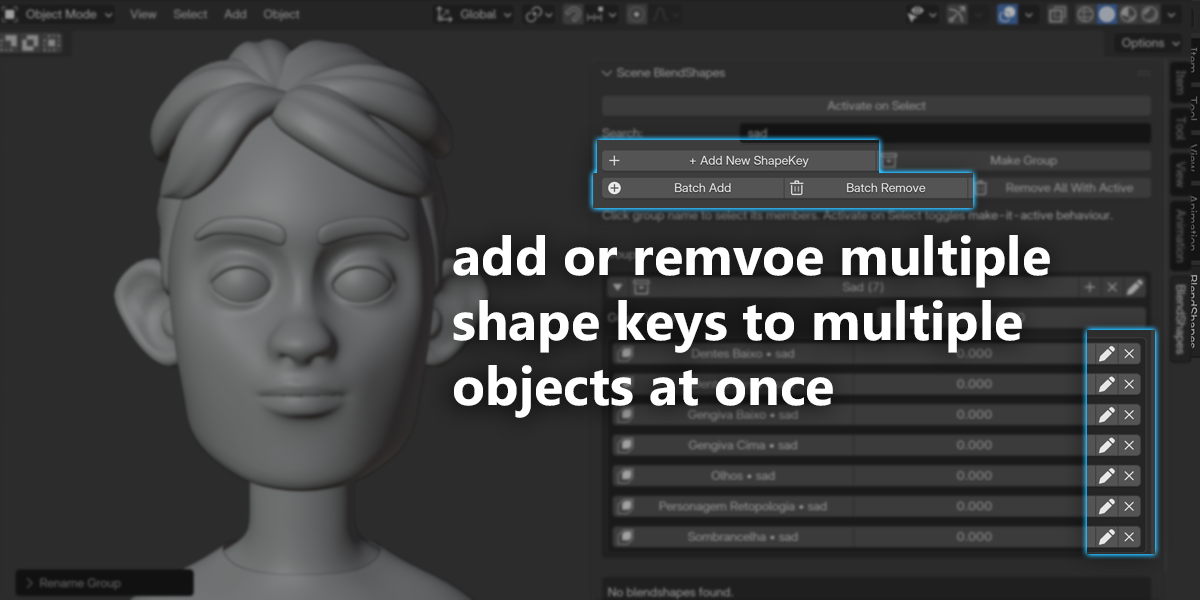
Batch Operations That Save Hours
Batch Add: Add the same shape key to 20 objects in 3 seconds
Select all clothing objects
Enter key name once
Done! All objects now have the key
Batch Remove: Delete shape keys across multiple objects instantly
Choose the key name
Select which objects
Click OK
Remove All With Active: Found a test shape key on 15 objects? Remove all instances with one click.
Quick Selection and Navigation
Click any shape key name to:
Select the object
Make it active
Set the shape key as active
Jump to it in the viewport
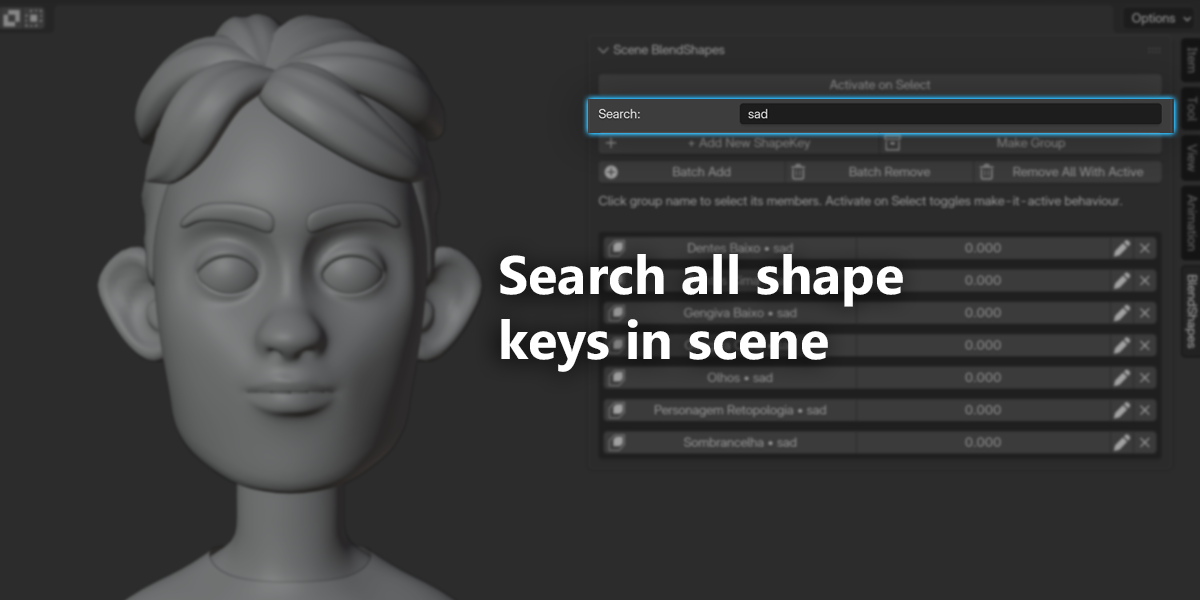
Search and Filter
Type to filter - finds shape keys by name across all objects. Case-insensitive, instant results.
Activate on Select Mode
For animators: enable this toggle and clicking a group name sets all its shape keys to 1.0. Perfect for pose-to-pose animation workflows.
Production-Safe Features
Safe Removal: proper operators, never breaks your rig
Undo/Redo: full support
Non-Destructive: never modifies meshes
Cross-Version Compatible: Blender 2.80 to 5.0+

Perfect For
Character Artists
Facial Riggers
Game Developers
Animators
Multi-Object Character setups
Real-World Workflows
Character Artist
Model your character
Add facial expressions using Batch Add
Organize into groups
Test combinations with sliders
Hand off clean, organized rig
Facial Rigger
Multiple face objects
Batch Add 52 phonemes
Group by phoneme
Test blends
Quickly remove unused keys
Animator
Enable Activate on Select
Click phoneme group
Keyframe
Switch instantly
Continue animating
Why Choose Shape Key Fixer?
Time Savings
Before: hours of manual work
After: minutes
Save 10+ hours per week


Organization
Professional grouping system keeps your rig clean.
Efficiency
Batch operations turn 30-minute tasks into seconds.
Quality of Life
Less clicking, more creating.
Technical Details
Compatibility: Blender 2.80–5.0+
Installation: via ZIP
Location: 3D Viewport Sidebar (N → BlendShapes tab)
Performance: handles 100+ shape keys
Storage: uses native scene properties
Memory: under 1MB
Häufig gestellte Fragen
Was sind digitale Produkte?
Bei den digitalen Produkten von Skillshare handelt es sich um fachmännisch gestaltete Tools, Ressourcen und Vorlagen, die von den besten Kreativen entwickelt wurden und die dir zum Kauf zur Verfügung stehen. Mit einer breiten Palette an Ressourcen für jeden kreativen Bedarf sind sie einfach umsetzbar und machen deine Lernerfahrung real und unvergesslich.
Wie kann ich ein digitales Produkt kaufen?
Jeder kann ein digitales Produkt auf Skillshare kaufen — klicke auf Jetzt kaufen, um deine Zahlungsinformationen einzugeben und den Kauf abzuschließen. Sobald die Zahlung abgeschlossen ist, können alle Dateien sofort von dieser Seite heruntergeladen werden. Du erhältst außerdem eine E-Mail mit einem Link zum Herunterladen deines digitalen Produkts nach dem Kauf.
Gibt es ein Limit, wie oft ich ein digitales Produkt herunterladen kann?
Nein, es gibt keine Begrenzung, wie oft du ein digitales Produkt herunterladen kannst. Selbst wenn ein Produkt vom Ersteller entfernt wird, kannst du in den meisten Fällen immer noch auf die Download-Seite zugreifen, indem du dich in dein Skillshare-Konto einloggst.
Kann ich eine Rückerstattung erhalten oder den Kauf eines digitalen Produkts stornieren?
Digitale Produkte sind nicht erstattungsfähig und können nicht zurückgegeben oder storniert werden. Weitere Informationen findest du in unserer -Rückerstattungsrichtlinie im Skillshare Hilfebereich.
Kann ich meine eigenen digitalen Produkte herstellen und verkaufen?
Unbedingt! Besuche Wie kann ich ein digitales Produkt auf Skillshare verkaufen?, um zu erfahren, wie du deine eigenen digitalen Produkte auf Skillshare erstellen, anbieten und verkaufen kannst.