Arabian Shader Pack for Blender: 31 Stylized Mater
1 Monat Skillshare
Mit einem Kauf erhältlichKostenlos
Alle Mitgliedschaften werden automatisch und fortlaufend abgerechnet, bis sie gekündigt werden. Solltest du eine kostenlose Probemitgliedschaft erhalten und Skillshare nach Ablauf dieser nicht mehr nutzen wollen, ist eine Kündigung vor Ablauf der Probezeit erforderlich. Das Angebot gilt nur für neue, zahlende Mitglieder. Siehe vollständige Nutzungsbedingungen hier
Über dieses Produkt

3D Tudor
Bestselling Blender Author & 3D Educator
Build stronger Arabian-inspired Blender scenes with one shader library designed to work as a coherent visual system.
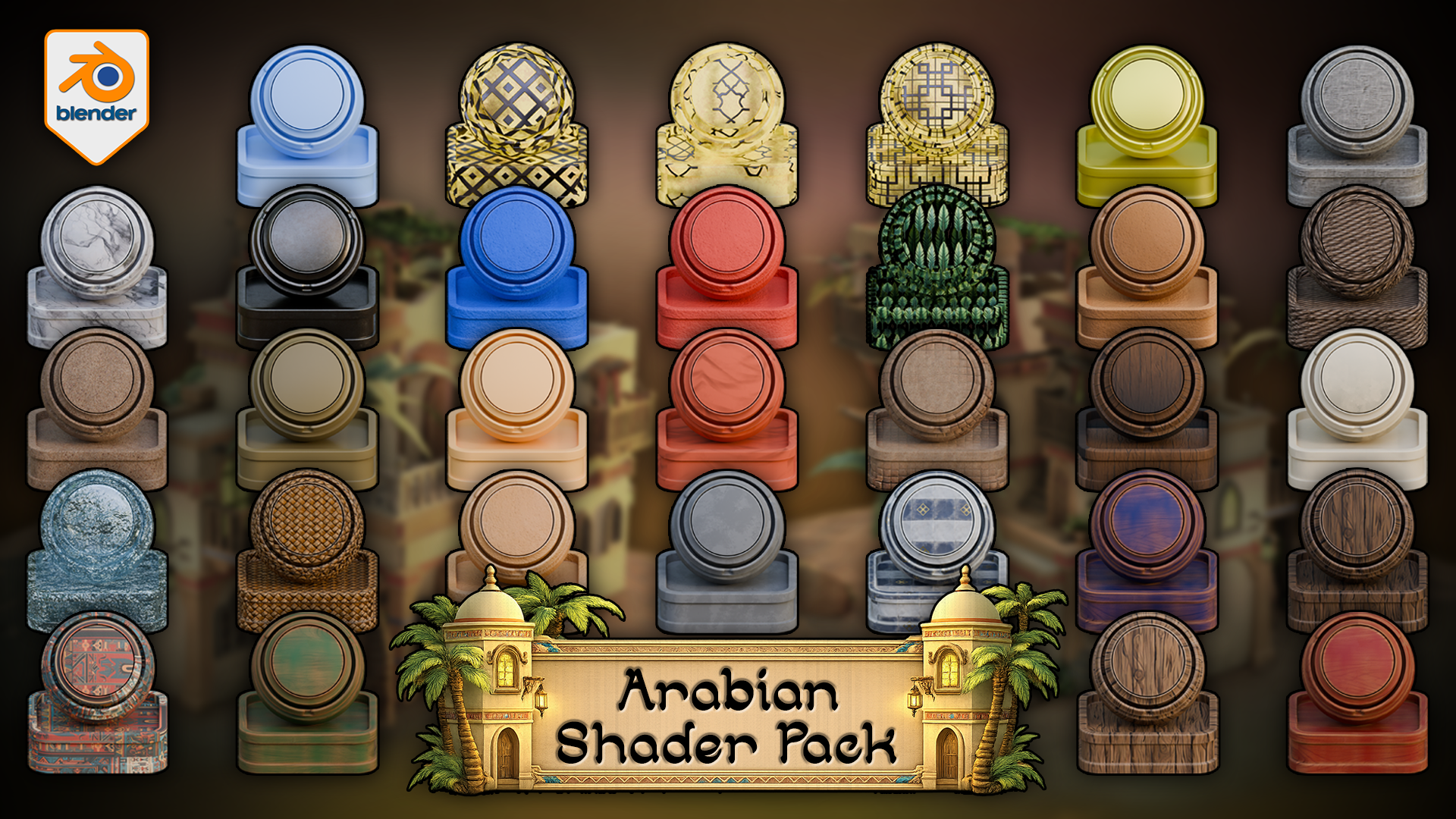
 Arabian Shader Pack for Blender hero image showing a stylized material library with plaster, stone, wood, marble, woven detail, foliage, ornamental panels, tiled surfaces, and scene-building accents.
The Arabian Shader Pack for Blender includes 31 verified materials built for stylized architecture, props, courtyards, trims, foliage, glowing windows, terrain blending, and water. Rather than patching a scene together from unrelated shaders, this pack gives you a controlled material library designed for hierarchy, contrast, and practical reuse inside Blender.
 Rendered Blender 5 viewport demo of the vertex-paint floor shader, where Red reveals stylized stone tiles through sand, Blue controls visibility, and Green plus Alpha stay free for custom extensions.
Inside the pack, you get 24 texture-based materials, 1 fully procedural water shader, 4 simple solid-colour materials, 13 materials with automatic edge wear, 4 displacement-enabled materials, 1 alpha-cutout foliage material, and 3 emissive window shaders. All textured materials include adjustable tiling, which makes the library easier to scale across different asset sizes and scene roles.
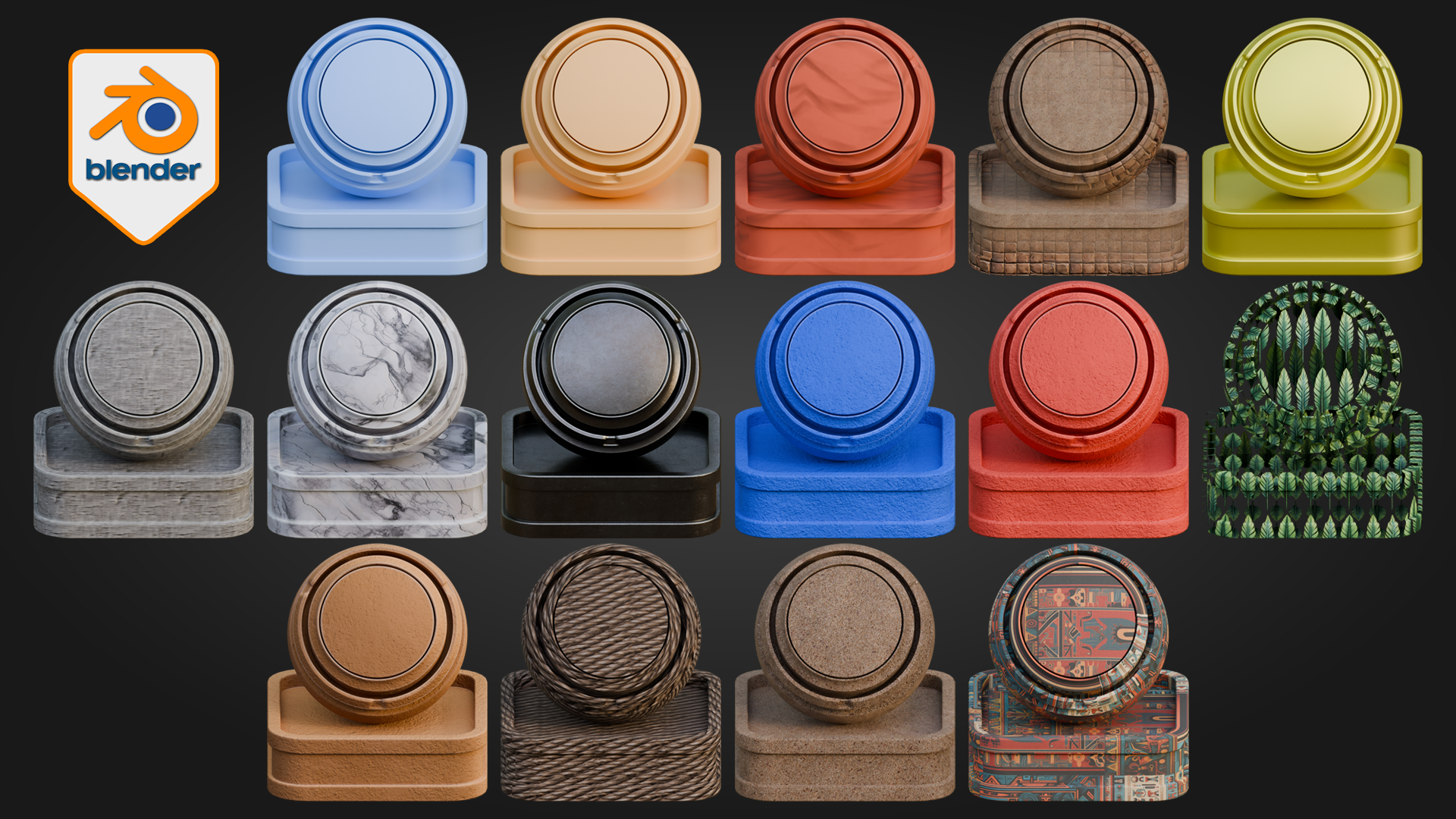
 Blender material contact sheet previewing stylized plaster, marble, woven fibres, painted surfaces, foliage-card shading, and ornamental Arabian patterns from the pack.
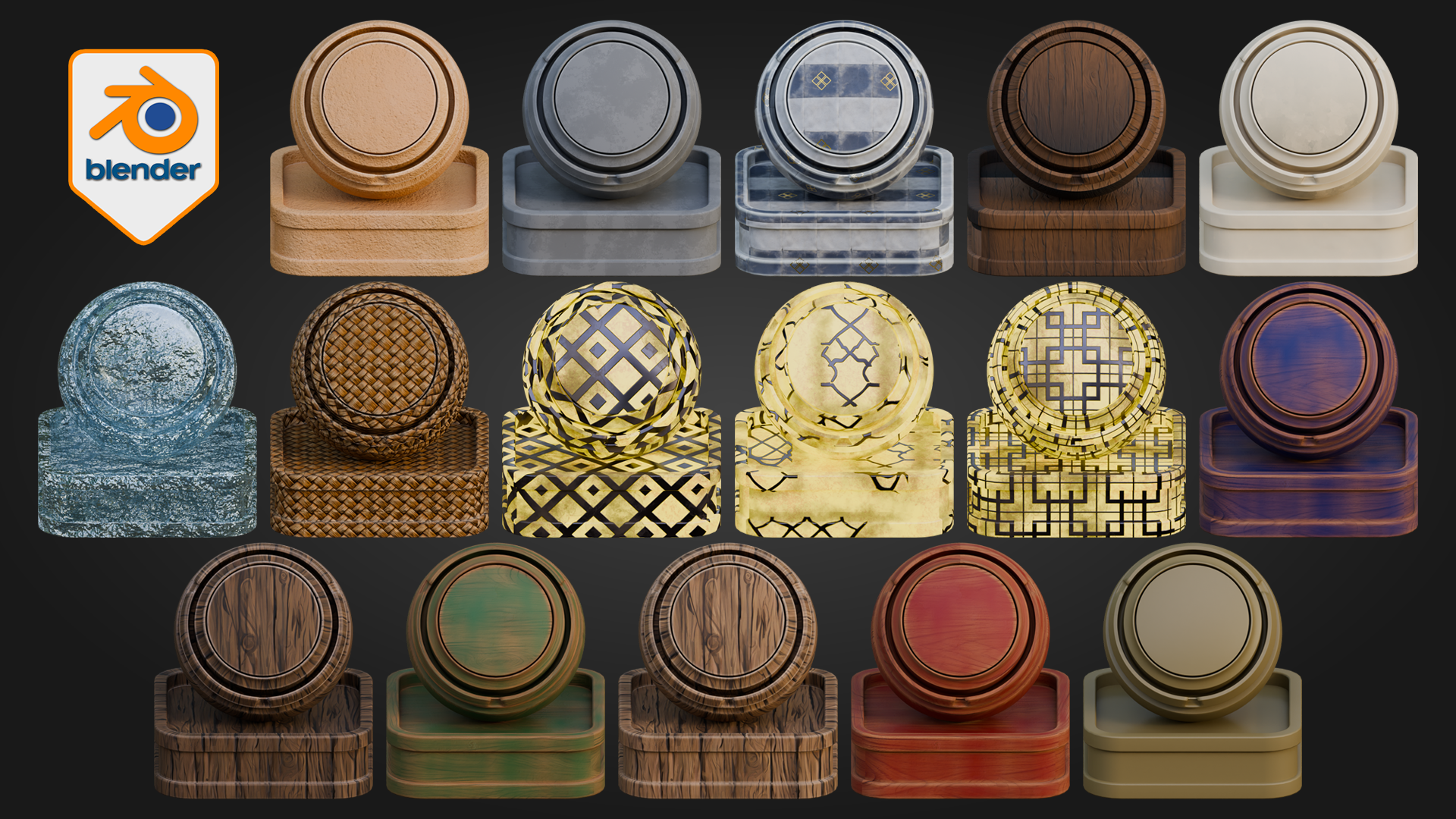
 Second Blender material contact sheet showing wood variants, tiled ceramic surfaces, translucent blue specialty shading, woven fibres, and cream-and-gold ornamental finishes.
The material coverage is built for real scene work: painted woods, natural woods, stone, marble, wall finishes, rope, weave, sand, decorative patterned surfaces, metallic accents, palm leaves, lit window shaders, and procedural water. Some materials are deliberately simple for quieter support areas and blocking. Others are more layered and are designed to carry visual weight on doors, trims, beams, courtyards, hero props, and decorative architecture. That balance is what helps a scene feel controlled rather than noisy.
Node & Control Highlights
Floor shader
Red reveals stylized stone tiles through sand
Blue controls visibility
Green and Alpha remain free for custom use
Tiling, displacement, and normal strength can be adjusted for stronger or softer ground depth
Water shader
Adjust water colour
Control wave scale
Tune transparency and refraction
Adjust glow and displacement for calmer or more active water surfaces
Edge-wear materials
Wear amount, tiling, and surface breakup can be pushed or softened depending on whether the material is being used on cleaner props or more weathered architectural surfaces.
One of the standout features is the floor shader. It uses an interactive vertex-paint workflow directly inside Blender, where Red reveals stylized stone tiles through sand, Blue controls visibility, and Green plus Alpha remain free for custom use. That makes it especially useful for courtyards, thresholds, walkways, and larger ground areas where a single flat surface quickly becomes dull.
To use it, apply the material to a mesh with enough geometry to paint on, make sure the mesh is unwrapped, switch to Vertex Paint mode, paint Blue across the surface to make it visible, then paint Red where you want the stylized stone tiles to emerge through the sand. The result updates directly in the Blender viewport as you work, which makes the material much faster to use than building a separate masking workflow around the same job.
 Applied Blender environment render showing the Arabian Shader Pack in use across plaster walls, trim, rooftops, ground surfaces, doors, balconies, and palm-framed architectural details.
The pack also extends beyond isolated object surfacing. Emissive windows, alpha foliage, adjustable tiling, displacement on key materials, and fully procedural water help the shader library support full Blender environments rather than single props alone. The result is a stronger starting point for artists who want scene cohesion, material hierarchy, and practical reuse in stylized Arabian-inspired work.
In larger scenes, the pack is strongest when displacement is used deliberately rather than pushed across every surface by default. The simpler materials keep support areas lighter and quieter, while the more layered shaders and deeper displacement are better reserved for focal surfaces where the extra depth actually pays off.
This pack is built for Blender 5 and for Cycles. It is designed for artists building and surfacing scenes directly inside Blender. For artists who later adapt their work into broader pipelines, the strongest fit still begins with Blender scene-building and surfacing first rather than expecting one-click parity outside that workflow.
Happy modelling everyone!
Neil
Häufig gestellte Fragen
Was sind digitale Produkte?
Bei den digitalen Produkten von Skillshare handelt es sich um fachmännisch gestaltete Tools, Ressourcen und Vorlagen, die von den besten Kreativen entwickelt wurden und die dir zum Kauf zur Verfügung stehen. Mit einer breiten Palette an Ressourcen für jeden kreativen Bedarf sind sie einfach umsetzbar und machen deine Lernerfahrung real und unvergesslich.
Wie kann ich ein digitales Produkt kaufen?
Jeder kann ein digitales Produkt auf Skillshare kaufen — klicke auf Jetzt kaufen, um deine Zahlungsinformationen einzugeben und den Kauf abzuschließen. Sobald die Zahlung abgeschlossen ist, können alle Dateien sofort von dieser Seite heruntergeladen werden. Du erhältst außerdem eine E-Mail mit einem Link zum Herunterladen deines digitalen Produkts nach dem Kauf.
Gibt es ein Limit, wie oft ich ein digitales Produkt herunterladen kann?
Nein, es gibt keine Begrenzung, wie oft du ein digitales Produkt herunterladen kannst. Selbst wenn ein Produkt vom Ersteller entfernt wird, kannst du in den meisten Fällen immer noch auf die Download-Seite zugreifen, indem du dich in dein Skillshare-Konto einloggst.
Kann ich eine Rückerstattung erhalten oder den Kauf eines digitalen Produkts stornieren?
Digitale Produkte sind nicht erstattungsfähig und können nicht zurückgegeben oder storniert werden. Weitere Informationen findest du in unserer -Rückerstattungsrichtlinie im Skillshare Hilfebereich.
Kann ich meine eigenen digitalen Produkte herstellen und verkaufen?
Unbedingt! Besuche Wie kann ich ein digitales Produkt auf Skillshare verkaufen?, um zu erfahren, wie du deine eigenen digitalen Produkte auf Skillshare erstellen, anbieten und verkaufen kannst.