Sky Miner
It took a lot longer than I anticipated, but I'm so proud of myself for sticking with it and doing something so wildly outside my comfort zone. I'm usually on the game narrative side of game dev, and the only coding experience I have is from the Myspace days.
My next steps are to take this finished game and tweak it to learn more skills within Unity, like recovering health by letting players catch hearts (similar to collecting gems) and finding a way to create a "shield" like a force field around the player to block against robots, just to stretch myself and go beyond the scope of the class.
So grateful you put this class together for us and gave us a solid foundation to gain confidence to keep learning!
Edit: I put the game on Itch and started a devlog to track all the upgrades I make.
Edit 2: I gave myself 24 hours to speed run through as many game upgrades as I could. I had 9, and I got through 5. Not bad.
- I figured out how to properly add .exe files to Itch (MacOS was the most difficult. Don't zip the .app file. It won't work.) Oh, and you need to download each module in Unity Hub. You probably only have the one you that works for your device.
- I created cross-platform versions for Windows, MacOS, Linux, and WebGL for browser play.
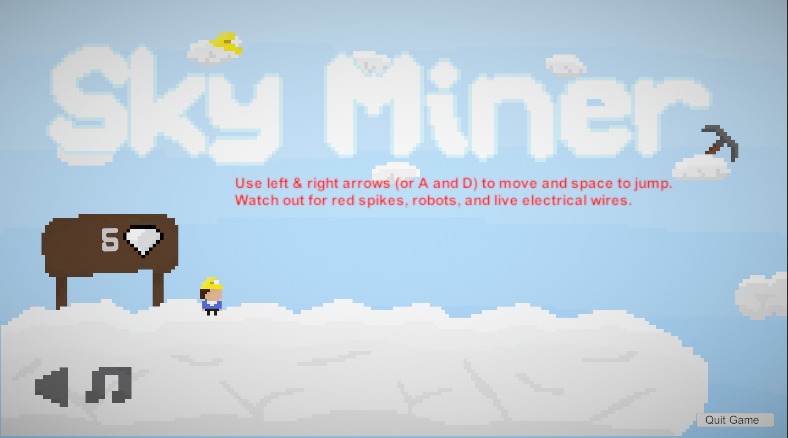
- I created text instructions (on UI 2 in the Starting Hub) to tell people how to play.
- I created a Quit Game button (that I had to piece together the coding & implementation for from YouTube videos, articles, and bits of what we covered in the class), and I put this under UI 1 (since that travels during the game).
- And I cleaned up the design of some prefabs, thanks to a friend's suggestion.
The game looks and plays much better (especially now since there's a way to exit).
Here's what my starting instructions look like. It's not fancy, but it works. (You can also see the button in the lower right corner too.)
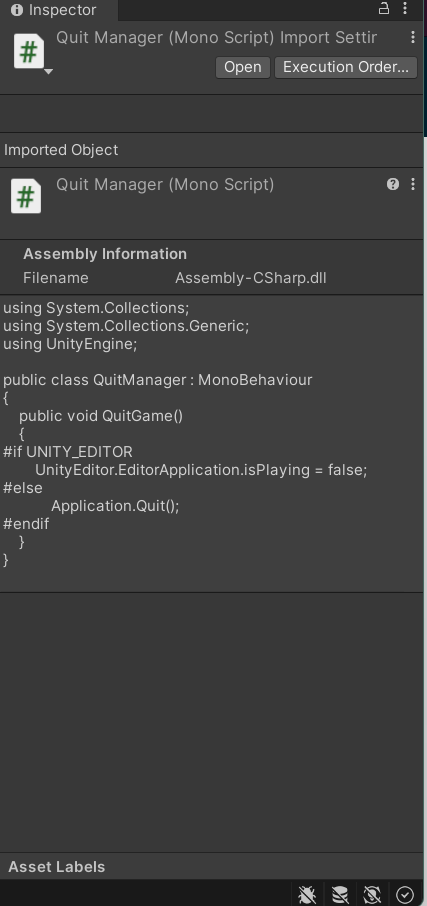
Here's the code & my process if you want to also create a "quit game" button so you/players don't have to force close the application every time. Especially helpful if you're uploading it to Itch or similar.
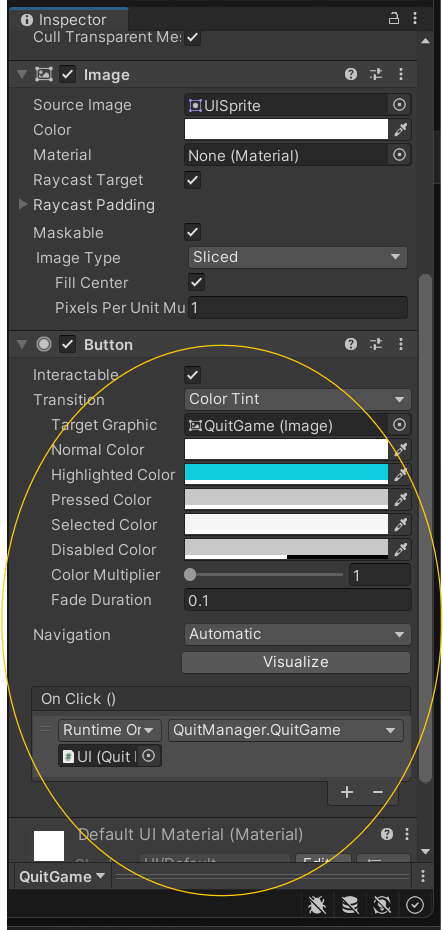
To create the actual button, go to your UI (not in the Starting Hub), right click -> UI -> Legacy -> Button. Fix your button settings (I like a little razzle dazzle so I made it highlight when hovering) & put it where you want on the scene. Write your C# script (below). Add the script as a component like normal to the UI (where the button is). In the On Click component of the button game object, add your UI (or wherever you put your script), make sure it's on Runtime Only, and select your button function.
Easy peasy!