2024 Events Calendar
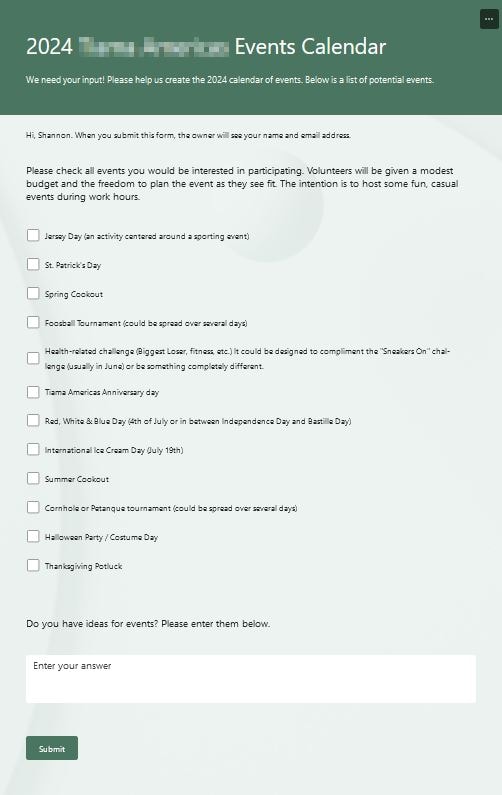
My project was to create a survey to gather employee interest in various social events for the 2024 calendar year. I confess to creating the form before taking spotting this class.
After completing the class, here are the revisions I would have made before launching the survey:
- Add a graphic to the header.
- Enable the feature to shuffle the events so that order is not influencing the responses.
- Since the survey was still open, I was able to add the response deadline to the settings.
I look forward to using additional feature I learned during this class!
While the default summaries in Forms are nice, I exported the data and did further analysis with techniques I learned from BizTech Matters' Microsoft Excel: Learn Power Query Basics! Keep the survey short and use Power Query to combine it with the data you already have. Examples: you already have the HR records containing contractor vs. direct employee, department, etc.