Transcription
1. 01 Introduction Vidéo: Salut, mon nom est Dan, et dans
ce cours, ce que nous allons faire est nous allons créer une vidéo, puis nous allons construire un site Web, et ajouter une vidéo comme arrière-plan. Ça a l'air vraiment fantaisie, mais c'est assez facile à faire. J' ai construit ce cours pour les débutants. Il n'y a pas besoin de savoir comment coder ou travailler avec la vidéo avant, je vais commencer par les super bases. Cela pourrait totalement être votre tout premier site web jamais. Il ferait un premier site assez génial. Nous allons passer par le processus complet. Je vais vous montrer comment trouver des vidéos, nous allons voir comment les modifier dans Premiere Pro. Nous allons faire des effets vidéo cool comme des flous, des teintes
et des transitions. Je vais vous montrer comment exporter la vidéo afin que vous puissiez obtenir la taille du fichier super petite. Une fois que nous avons créé notre vidéo, nous allons parcourir et construire un site Web de base ensemble, et rendre notre vidéo cool et plein écran. Nous allons également créer une deuxième option avec les
picks vidéo à travers une petite boîte spécifique sur les développeurs. Je suis aussi heureux de vous aider. Je suis assez pratique pour répondre aux commentaires qui sont sur les différentes pages. Attendez, je vais vous donner un coup de main. Il y a aussi une feuille de triche que vous pouvez imprimer, continuer, et si vous êtes enseignant, il y a aussi quelques ressources pédagogiques disponibles. La meilleure chose à ce sujet ? Est-il en fait pas si difficile, mais le résultat final est assez impressionnant. Alors, que diriez-vous ? Moi, toi, et quelques vidéos et on va faire de la magie sur Internet ensemble. Ouais, mais je pense que j'ai dit cool et génial une
centaine de fois dans cette intro, ça a un nouveau record.
2. 02 Ressources et ce abordés dans le cours: Salut, là. Parlons de ce que nous faisons et des ressources que j'ai. Tout d'abord, c'est ce que nous faisons, c'est que ce sera un fond vidéo avec du texte et des images, essentiellement un site web entier au-dessus du dessus. Ce ne sera pas comme ces petites vidéos intégrées comme YouTube ou Udemy avec des boutons de lecture et ce genre de choses dans le cadre d'un site Web, c'est certainement comme un fond abstrait, comme un gros effet en arrière-plan et le site sur le dessus. Nous allons également faire la vidéo réelle plutôt que de simplement passer à la création du site Web, nous allons vous montrer comment obtenir vraiment cette vidéo belle et petite édition, correctif, tout ça, et Premiere Pro. Les mêmes techniques fonctionnent dans After Effects, mais nous allons utiliser Premiere Pro dans celui-ci Nous allons
donc le faire et je vais simplement passer à la fin du site Web. Maintenant, il y a des fichiers d'exercice, de sorte que vous pouvez jouer le long. Il y aura un lien sur cette page, vous pouvez les télécharger et jouer avec les vidéos. Il y a aussi quelque chose qui s'appelle les fichiers terminés. Cela signifie juste que quand j'arrive à la fin de chaque vidéo, il y en a environ 15 dans cette série, mais à la fin de la vidéo, ce que je vais faire est, je vais enregistrer mon projet, je vais coder que je suis prêt à écrire, sorte que si vous avez des problèmes à essayer de suivre le rythme ou quelque chose ne fonctionne pas tout à fait comme le mien, vous pouvez télécharger ce fichier terminé et vérifier le vôtre par rapport au mien, et voyons où vous avez peut-être mal tourné, donc il y aura un sur cette page également. Quand vous aurez terminé, pourriez-vous poster votre projet ? Juste sur un lien quelque part sur la page, moyen d'entrer en contact avec moi, ou des captures d'écran. Ce n'est pas nécessairement un site de travail complet. Je veux juste voir ce que tu as fait. J' ai dit que tu en serais vraiment fier, parce que quand tu en es nouveau,
c' est beaucoup plus dur, mais j'aime le voir en tant que professeur. J' aime voir ce que vous avez fait et c'est juste que d' autres personnes voient comment vous l'avez fait et s'adaptent au cours, alors publiez vos projets. L' autre chose que j'aimerais vraiment que vous fassiez, c'est de me donner un avis. Il est un peu tôt dans la vidéo pour me dire, me donner un avis, mais selon les différents sites, ils apparaîtront tôt, parfois tard à la fin, sur l'offre d'un avis. Juste pour que vous sachiez, ces commentaires sont comment ils mesurent le succès d'un cours, vous pourriez arriver à la fin, beaucoup de gens arrivent à la fin et plutôt [inaudible] je préfère revoir, et c'est très bien aussi. Mais si vous publiez un avis, honnêtement, je ne veux rien sur l'honnêteté, mais ce genre de choses a aidé mon classement et mon cours pourrait faire un peu plus et m'apporter un peu plus de revenus pour moi en tant que professeur. Ce cours, j'ai aussi fait une feuille de triche. Il y aura une version vidéo et une version PDF imprimable. Il y aura aussi un lien sur la page, ces feuilles de triche. Ainsi, vous pouvez les imprimer et les coller à côté de votre ordinateur, juste pour que vous puissiez, lorsque vous êtes nouveau, vous habituer aux choses, partager ces choses et les faire partager. Alors postez-les et partagez-les si vous les aimez. Enfin, si vous êtes professeur, regardant ça pour l'enseigner, vous avez une classe demain et vous devez enseigner des arrière-plans vidéo, j'ai une page de ressources pour enseignants où vous pouvez obtenir des notes imprimées, regarder ces cours, faire les notes imprimées, vérifiez cela aussi, il y aura un lien sur la page, il y a beaucoup de liens sur cette page. C' est tout pour les ressources et les choses que nous allons faire dans ce cours.
3. 03 des plans vidéo de plein écran sur des sites Web: Salut, là. Dans cette vidéo, nous allons regarder des endroits sympas pour obtenir
des exemples de vidéos d'arrière-plan en plein écran et c'est probablement le meilleur site que j'utilise. Ça s'appelle Awwwards, mais c'est dub-dub-dub, donc c'est les prix dub-dub-dub. Il y a plein de choses ici et l'inspiration de KenTen. Le plus simple est de voir cette recherche en haut à gauche ? Vous pouvez simplement taper la vidéo, mettre en arrière-plan et il va chercher à travers ses coffres-forts pour tous ceux. Alors ce que tu fais c'est que tu ouvres un tas d'entre eux, un
coup d'oeil. Pour les ouvrir. Si vous passez la souris au-dessus, pouvez-vous voir cette petite flèche ici ? Ça ouvrira ce site ? Ok, je sais. Ce que vous pouvez faire, c'est que vous pouvez cliquer dessus et il saute à cette page. [ inaudible] Si vous maintenez enfoncée la touche de commande d'un Mac ou la touche de contrôle d'un PC, avant de cliquer dessus avec votre souris, regardez ceci. Pouvez-vous voir qu'ils s'ouvrent dans un onglet séparé. J' aime faire ça, j'aime juste passer par, aller et cliquer, cliquer. J' ouvre juste un tas d'entre eux. Ok. Ouais, juste passer par et voir ce que vous aimez et utilisez en cherchant, je suppose, vidéos
inspirantes, des styles, comment ils les ont éliminés ou différents effets. Ouais, juste pour faire couler ton jus créatif. Maintenant attention à voir ce type ici, voir le petit truc qui parle ici. Il joue de la musique, Northy. Ne fais jamais ça. D'accord. Il n'y a pas de son par défaut. D' accord. Parce que vous êtes puni en étant éteint et non surveillé. Oui. Donc tu le cherches maintenant. Le fait est que certains d'entre eux sont un peu vieux. Vous pouvez voir que cela ne semble plus avoir la vidéo en lecture. Ok, alors payez, ce n'est pas le cas. Oh, un autre avec du son. Va-t'en. Très bien, alors fermez ces ceux-là, c'est tout. Voilà comment trouver des vidéos de fond vraiment cool. Maintenant, le site ici, ne fait pas seulement évidemment des sites vidéo. J' adore le site, il a juste des trucs vraiment cool et il obtient des sites de la journée et juste beau design web finit sur cet endroit. Donc, vous n'avez pas à l'utiliser pour nos trucs vidéo. Je l'utilise pour toutes sortes de choses. D' accord. Je te vois dans la prochaine vidéo.
4. 04 où obtenir de vidéo pour votre arrière-plan: Maintenant, nous allons commencer à faire les vidéos avant de commencer à les coder. Si vous voulez entrer directement dans le codage, vous pouvez ignorer cette section. Maintenant, si vous obtenez vos vidéos de, évidemment, vous pouvez tirer vous-même. Ça arrive de plus en plus facile. Je tire beaucoup de mes affaires. Mais je fais aussi ce qui est devant nous ici et j'
utilise des choses comme Stock Library des images pré-faites. C' est celui que je vais utiliser pour ce tutoriel. C' est une vidéo qui a été faite par quelqu'un d'autre et on peut l'acheter. Les coûts sont en fait assez bons, comme obtenir une vidéo d'ici, soit ce site, Adobe Stock ou d'iStock. Ils semblent être l'un des plus populaires. Ils vont vous coûter entre 50$ et 200$, selon la vidéo. Ce que j'ai fait, c'est que j'en ai choisi un chez Adobe Stock. C' est comme un design, c'est plus une photographie, mais j'aime beaucoup les anciennes unités de conception à ce sujet. Une fois que vous l'avez choisi, vous pouvez cliquer avec le bouton droit de la souris et l'enregistrer. Ou si vous utilisez les bibliothèques Adobe, qui sont géniales, vous pouvez cliquer dessus et télécharger dans votre bibliothèque ou la télécharger sur votre ordinateur. Il y a quelques options si vous savez comment utiliser les bibliothèques, sinon, appuyez simplement sur télécharger et enregistrez-le sur votre bureau. C' est la vidéo que nous allons utiliser. Maintenant, si vous n'avez jamais utilisé Adobe Stock
et que vous voulez, et que vous allez essayer, je vais mettre un lien sur l'écran ici. Il est là. Je vais mettre un lien dans les notes en bas. Ce n'est rien d'autre que, si vous allez sur le site en utilisant mon lien, je reçois une petite commission pour vous envoyer vers eux. Vous pouvez aller directement sur le site, c'est stock.adobe.com. Mais si vous voulez m'aider, cliquez dessus avant de partir. Ça ne vous coûte plus. Super. Maintenant que nous avons des vidéos à utiliser, nous allons faire un montage de base et la préparer pour notre site Web. Nous allons utiliser Adobe Premier. Alors allons charger celui-là.
5. 05 Réglage de votre Setting et le montage de base dans Premiere Pro: D' accord. Salut tout le monde. Dans cette vidéo, ce que nous allons faire, c'est faire du montage de base dans Premiere Pro. On va faire ça. Au début de ma chronologie, appuyez sur « Barre d'espace ». Ça va s'estomper. Je vais retourner ça à l'envers. Cette chose joue, ça dure environ 15 secondes. Il joue, et il plonge au noir. Allons faire ça. Bon, maintenant il est temps de faire notre vidéo. Ce que nous avons fait, c'est que nous avons ouvert Premiere Pro. Maintenant, vous pouvez faire votre montage vidéo et tout ce que vous voulez. Surtout pour les arrière-plans vidéo, nous ne faisons pas beaucoup de choses. Dans notre cas, nous allons simplement obtenir quelque chose de boucle, donc nous allons utiliser Premiere Pro. Si vous êtes plus chez vous avec After Effects, il fera exactement le même travail pour ce dont nous avons besoin pour l'instant. Ce que nous allons faire, c'est créer un nouveau projet. Cette fenêtre s'ouvre, on va lui donner un nom. En haut, je vais appeler mes Designers Background. Emplacement, donnons-lui un endroit où vivre. Je vais mettre le mien sur mon bureau. Je vais le mettre dans un nouveau dossier. Je vais appeler le mien, Premiere Pro- Designer Background. Super. Cliquez sur « Choisir » et ne vous inquiétez pas de ces autres choses. Cliquez simplement sur « OK ». Super. Nous sommes au Premier Pro. Maintenant, pour que vous puissiez suivre, assurez-vous
que vous êtes sous Fenêtre, Espaces de travail, que vous êtes sur Édition. Si le vôtre semble toujours différent du mien, passez à celui qui indique Réinitialiser Enregistrer l'espace de travail, et il va rejeter et ressembler au mien. Maintenant, Premiere a l'air intimidant. Quand tu l'ouvres, les gens ont peur. Ce n'est pas si dur en fait. On dirait que ça devrait l'être, mais ce n'est pas le cas. Nous allons importer notre vidéo. Allons à Importation de fichiers. Importer. Maintenant, ce ne sera pas un tutoriel complet sur la façon de tout faire dans Premiere Pro. J' ai un autre cours pour ça. C' est comme un montage vidéo d'entreprise, alors allez regarder celui-ci si vous voulez en faire un ensemble complet. Ce sera juste la version rapide pour faire nos vidéos, les
obtenir petites et petites, puis les mettre sur notre site. Importez des fichiers et récupérez les fichiers d'exercice si vous ne les avez pas encore téléchargés. Je les ai téléchargés. Il s'agit des fichiers Exercice. Alors ici, ce que je cherche, c'est la vidéo, et on va utiliser celle-ci ici. Je vais l'importer dans. C'est celui qu'on a obtenu d'Adobe Stock. Cliquez sur « Importer ». Super, donc nous avons importé notre vidéo. La première chose que nous devons faire est de créer quelque chose appelé une séquence. Une séquence ressemble à la page du document. Tu ne peux pas juste avoir une vidéo. Il doit aller sur quelque chose ou quelque chose, un conteneur, et ça s'appelle une séquence. Comme une page dans un document, nous avons besoin de cette page pour coller nos mots. Vous ma vidéo sont les mots, en quelque sorte. Pour faire une séquence, Fichier, Nouveau, et vous pouvez aller à la séquence, mais c'est beaucoup facile car alors vous devez essayer de deviner ce que devrait être la séquence. Tu as une séquence et tu dis : « Holy Moly, lequel de ces réglages dois-je utiliser pour ma séquence ? Cela devient un peu déroutant. » Le moyen le plus simple est de cliquer avec le bouton droit de la souris et de dire, pouvez-vous voir ici ? Il est écrit Nouvelle séquence du clip. La chose cool à ce sujet est, il va utiliser tous les paramètres qui sont venus de cette vidéo et créer la séquence, et le vider sur ma timeline. Cette petite icône ici, tu vois celle-là ? C' est ma séquence. C' est la vidéo que j'ai importée. Ce qui se passe, c'est qu'ils ont le même nom qui peut être un peu déroutant quand on commence, c'est le support, et c'est la vidéo qui est coincée sur la chronologie. Il y a ma séquence, et c'est la vidéo qui est là. Je peux maintenant avoir une séquence, et je peux continuer à importer beaucoup de vidéos et continuer à les ajouter à cette chronologie. Je pourrais avoir 10 vidéos en une seule séquence. Souviens-toi, c'est les bases. Appuyez sur « Barre d'espace », il va commencer à jouer. Vous pouvez voir mon petit guide là-bas. Vous remarquerez que le mien a le stock Adobe au milieu ici, c'est parce que je n'ai pas encore payé pour cela, principalement parce que si je l'achète et que je le vois avec ces fichiers de classe, je suis à peu près sûr que je enfreins plein de lois et je vais obtenir dans des ennuis. Je vais juste utiliser l'espace réservé, et c'est facile à partir et évidemment payer pour ça, et vous pourriez travailler de la même façon. Vous travaillez peut-être avec un client, vous pouvez parcourir et simuler peut-être trois arrière-plans différents en utilisant cette version moquée avec Adobe Stock, et quand un client en choisit un, alors vous pouvez aller et payer pour cela. Il est très facile de mettre à jour ici dans Premiere par la suite. Voilà ma vidéo. Ça dure à peu près combien de temps ? Ça dure environ 15 secondes. Maintenant, disons que je veux le couper, c'est assez facile, soit au début ou à la fin, tout ce que vous faites est de passer au-dessus de votre souris. Vous pouvez voir que je peux glisser ça dedans, et ça le coupe. Il ne l'a pas supprimé. C' est juste qu'il l'a coupé. Il est toujours là, regarde. Bonjour. Mais je peux juste couper les extrémités ici, et je pourrais couper au début, et déplacer ça jusqu'au début. Ce que j'ai fait, c'est que je l'ai réduit de quelques secondes. C' est à vous et à votre clip. Maintenant, combien de temps ça devrait durer ? C' est totalement à vous de décider, mais plus il est long, la taille du fichier devient plus grande. Peut-être que vous pourriez faire un tour rapide et juste voir à quel point les tailles de fichier sont plus grandes. Les tailles de fichiers deviennent grosses lorsqu'elles atteignent près de 10 mégaoctets. Ils sont petits quand ils sont d'un mégaoctet. Si vous avez quelque chose qui dure 30 secondes, il va arriver là-haut en termes de taille du fichier. Je vais utiliser ce joli petit petit petit. Le truc cool à propos de celui-ci est, je vais cliquer sur « Annuler » quelques fois, c'est que, annuler un peu plus, pas trop, c'
est qu'il a une belle sorte de boucle. Je n'ai pas besoin de toutes ces dernières secondes, parce que ses mains s'éteignent. Ce morceau ici, je pourrais couper juste parce que je ne peux plus voir la main, donc ça n'a pas vraiment d'importance. La position tourne autour, boucles. Super. Dis que tu veux te débarrasser de l'endroit où il a commencé à écrire. Je veux juste en arriver là où il commence à déménager. Je vais trancher ce mordu. Ce que je peux faire, c'est que vous allez utiliser cet outil ici. Votre barre d'outils est dans ce morceau du milieu ici, et celui que vous allez utiliser est cette chose appelée l'outil Rasoir. Son boulot, c'est de regarder ça. Ma tête de jeu là-bas, je l'ai cliqué, et je l'ai en quelque sorte coupé en deux morceaux. Je vais revenir à mon outil de sélection, et vous pouvez voir que c'est deux morceaux. Je n'ai pas vraiment tranché à la vidéo. Tout est toujours là, regarde. Bonjour. Je viens de faire un peu de montage. Je vais retourner à mon outil de rasoir ici, et je vais glisser jusqu'à ce qu'il finisse d'écrire. Juste là, je vais couper ce morceau. Puis j'ai attrapé mon outil de sélection. Je peux cliquer dessus, appuyez sur « Supprimer ». Je peux soit le faire glisser à travers ou une belle astuce dans Premiere, est-ce que je peux cliquer dessus. Vous voyez qu'il devient blanc et j'ai juste appuyé sur « Supprimer » sur mon clavier et ça le coupe. Maintenant, j'ai ce truc, ça passe. Commence à écrire, mais en fait, il saute au point où il a fini d'écrire. C' est un peu bizarre en fait, alors je vais annuler ça. C' était plus un exemple. Je vais annuler, défaire, jusqu'à ce que je reçoive ce joli morceau ici. Rappelez-vous, en le taillant, il suffit de tirer ces teneurs et l'outil Rasoir pour couper des morceaux. Si vous avez une deuxième vidéo, regardez ça. Je vais aller à Importation de fichiers. Cette vidéo, je vais importer. Vous pouvez voir ici, j'ai une autre vidéo. Vous pouvez voir la différence entre ces deux icônes ? Celui-ci a les deux, nous allons zoomer un peu ici, est-ce que celui-ci a de la vidéo, mais pas d'audio, celui-ci a de la vidéo et de l'audio. Vous pouvez y voir les deux petites icônes. Ça n'a pas vraiment d'importance, mais ce que je vais faire, c'est que je vais traîner celui-là. Maintenant, j'ai celui-là et ça va se fondre dans celui-ci. Si vous avez plus d'une vidéo, vous voulez
les chaîner ensemble car il y a beaucoup de coupes différentes, vous continuez à les importer et à les faire glisser dans cette chronologie. Je ne vois pas la fin, donc je vais zoomer un peu. Appuyez sur « Minus » sur votre clavier. Maintenant, vous pouvez voir cette ligne bleue autour de l'extérieur ici ? Cela signifie juste que c'est le bit qui est actif, et si je vais appuyer sur « Moins », vous pouvez voir qu'il zoome. Si je clique ici, je peux vous voir que la ligne bleue est autour de ça, ça s'appelle votre fenêtre de programme. C' est juste ce qui va exporter. Si j'appuie sur « Moins » ici, je peux zoomer sur la chronologie de celui-ci. Tu dois juste t'assurer quand tu es ici, plus et moins de travail. Quand vous êtes ici, plus et moins zoomez sur celui-ci. Maintenant que je peux en voir plus, je peux continuer à ajouter des vidéos. Maintenant, en ce qui concerne le montage, nous allons simplement couvrir une ou deux choses de plus. La suivante est les transitions. Pour le moment, ce n'est qu'un saut. Il va juste et saute dans l'autre. C' est bien, juste une vieille coupe. Ce que nous voulons faire est de regarder peut-être faire une croix dissoudre ou se fondre à travers. Ce que vous allez faire, c'est que vous allez trouver votre fenêtre Effets. Allez à Fenêtre, allez à Effets. Il s'ouvre en bas ici, et vous êtes à la recherche de transitions vidéo. Sautez en bas, et il y en a quelques-uns. Pour être honnête, si vous utilisez Page Peel, je vous trouverai, vous
traquerai et je vous retirerai votre Première. Wow, c'est un peu dur. Vous pouvez voir ici, il y a un tas de transitions différentes. Pour être honnête, ils sont tous un peu assez. Cross dissoudre est un bon ou un plongeon au noir est un bon. En termes de dissout, celui-ci ici Cross Dissolve va bien fonctionner. Je vais cliquer, maintenir et faire glisser et regarder ceci. Pouvez-vous voir entre ces deux lignes ici, ce petit écart ici ? Je vais zoomer un peu, rappelez-vous plus, et voici Cross Dissolution,
c'est ce petit truc de bébé entre les deux. Ne vous inquiétez pas si le vôtre finit
d'un côté ou de l'autre ou au milieu, peu importe. L' effet, la fin finit par la même chose. Je vais frapper « Space Bar » ici. Vous pouvez voir une belle croix se dissoudre. Dites que vous voulez que ce soit un peu plus [inaudible], vous pouvez étendre toutes ces transitions, n'importe laquelle d'entre elles par, vous pouvez le voir, je tiens mon icône à travers cela et je la fais glisser. Ça va être deux fois plus long maintenant, donc ça va être un peu plus de jours de notre vie. Il y en a un tas d'autres ici. Page Peel, j'ai dit que je ne le ferais jamais. On y va. Prêt Page Peel. D'accord pour Pages Peel. D' autres transitions, vous pouvez passer par eux tous. Ce que je vais faire, c'est, je vais vraiment zoomer un peu, je vais supprimer celui-ci parce qu'en fait, ma petite boucle va juste être ce morceau ici, et je vais entrer dans cette boucle pour toujours. Mais maintenant, au lieu d'un saut,
pouvez-vous voir que le début commence avec ce bloc-notes par ici ? Je souhaitais que sa main soit éteinte parce qu'alors ce qui se passerait, il irait à la fin et serait également éteint. Non, ce ne serait pas le cas. Quoi qu'il en soit, ce que je veux faire, c'est que je veux le faire boucler un peu plus gentil plutôt que d'entrer dans la fin et de sauter en arrière. Je veux ajouter un peu d'un fondu au début et à la fin, et cela masquera un peu la transition. Pour le faire, c'est sous Dissoudre. Celle-là est Dip to Black, signifie
juste fondu au noir. Si je planque sur cette extrémité, attrape-le à cette extrémité aussi, vous pouvez voir juste une sorte de verrous sur les extrémités ici. Regardez ça maintenant, la barre d'espace, commence en noir, s'estompe, et ça va passer par tout. Je vais sauter, Barre d'espace, et ça va s'estomper à nouveau. Parce que je vais forcer ça à boucler sur mon site, ça va peut-être un peu moins évident. Vous préférez peut-être la coupe de saut. C'est bon. Tout comme les autres transitions, si je fais un zoom avant, je peux étendre ces plongées aux noirs, juste pour les rendre un peu plus longtemps. Vous trouverez cela très difficile à travailler à moins que vous ne zoomez. Ok, un peu plus longtemps. Le dernier montage que nous allons faire pour ce dernier avant de
commencer à faire davantage de points de style pour Premiere Pro est, je veux retourner le mien à l'envers. Pourquoi ? Parce que cela en haut ici interagit avec mon menu, donc je veux que ça soit en quelque sorte en bas. Je vais retourner ça à l'envers. Ce que vous faites, c'est que vous cliquez dessus. Donc je l'ai sélectionné dans ma chronologie et ici, il y a quelque chose appelé Effects Controls. Si vous ne trouvez pas cela, ces petits onglets sont vraiment difficiles à utiliser. Si vous ne pouvez pas le trouver, vous le perdez, il est parti pour toujours, allez à Fenêtre, allez ici, et allez à Effets Controls, et il sera un peu comme sauter à nouveau. Tu verras, si je fais tout ça, j'ai Motion, Opacité, trucs ici qui peuvent être très utiles pour toi. Ce qu'on va faire, c'est sous Motion, je vais l'utiliser. Il y en a un ici appelé Rotation, et je vais retourner le mien 180. Ça veut juste dire que ça va courir au fond de mon truc et ça va avoir l'air un peu plus cool, et au moins je pense. Vous pouvez voir certains des éléments de base comme la mise à l'échelle, disons que vous voulez couper des bits. Je peux augmenter cette échelle en cliquant, en maintenant et en faisant glisser vers la droite. Je trouve qu'il est plus facile d'utiliser ceux-ci, que c'est en fait sur la fenêtre du programme, saisissant les images. Je ne sais pas pourquoi. C' est juste que le programme fonctionne, mais maladroitement de cette façon en essayant de travailler sur la vidéo, il est plus facile de le faire ici avec les chiffres. Très bien, fermons ça. Ouvrons cette sauvegarde et ramenons la balance à 100. Appuyez sur « Enregistrer ». Passons maintenant à l'ajout de textures et
d'arrière-plan cool, de couleurs et de choses.
6. 06 Ajouter une opacité de couleur textures à votre vidéo de fond dans Premiere: Salut là. Dans cette vidéo, nous allons regarder ajouter des arrière-plans texturés, des boîtes colorées, des flous à nos vidéos, et nous allons créer deux versions. Un avec un plein écran et l'autre une de plus d' une forme de boîte aux lettres où cela va être mis à l'intérieur d'un div. Tenez vos chapeaux, allons-y et rendons nos vidéos super géniales. Alors pourquoi ajoutons-nous tous ces détails ? Pourquoi on va le colorer et ajouter des arrière-plans délavés, flous ? Pourquoi on va faire ça ? Pour deux ou trois raisons. La première est que ça a l'air cool. L' autre raison est que nous le faisons pour que nous puissions cacher une partie de la mauvaise qualité et qu'il garde la taille du fichier à la baisse. Vous abaissez la quantité de couleurs utilisées, comme celle-ci ici, il ira et abaisser la taille du fichier. Il y a un lien direct là-bas, et en fait c'est assez important. Le flou est sympa quand on passe à travers, c'est juste pour se cacher. Voyez quand vous voulez utiliser une image vraiment basse résolution et que vous avez besoin de le flouter un peu comme celle-ci, vous pouvez le flouter. C' est vraiment difficile de voir la pixélisation et ce genre de choses. Maintenant, vous pouvez ou ne pas savoir que vous pouvez faire beaucoup de cela avec CSS, mais vous ne devriez pas faire avec CSS. Pourquoi ? Il y a une fonctionnalité de flou, elle n'est pas vraiment bien prise en charge, mais c'est à côté du point. Ce qui se passe est, si j'ai utilisé dire l'échelle de gris, mais un CSS, et j'ai utilisé la fonctionnalité de flou sur cela et je le fais dans le code. Ce qui va se passer, c'est que je dois apporter cette taille de fichier vraiment grande en termes de vidéo, puis j'appliquerai le CSS sur le dessus. Alors que si je le fais maintenant dans Premiere ou After Effects, cela signifie que je peux le faire à l'avance
et que la suppression de toutes les couleurs réduit la taille du fichier. Le floue, réduit la taille du fichier. Peut-être floue pas tellement. Mais le faire plus tard, en particulier des choses comme le muting et ces choses, cela peut être fait dans le code, mais ne le faites pas parce que si nous le faisons maintenant dans la vidéo, la vidéo sera plus petite et se chargera plus vite et tout le monde sera heureux. Regardons ceux-ci dans Premiere. Sur Premiere, ce que je vais faire, c'est que je vais faire glisser mes hits
de jeu au milieu pour que je puisse voir les choses qui se passent. Je vais ouvrir mon panneau fixe, si vous ne pouvez pas le voir,
c' est sous Fenêtre, sautez à Effets. Ceux que je vais utiliser seront sous Effets Vidéo. On va commencer par le flou. Sous flou ici, il y en a plusieurs. On va utiliser le flou gaussien. Pourquoi ? Parce que tout le monde l'utilise. Vous verrez ici, il a été ajouté, flou gaussien. Ce que je vais faire juste pour le rendre un peu moins confus car je
vais faire tourner le mouvement et voir juste le flou gaussien. Tout ce que nous allons faire est de cliquer sur Hold et de faire glisser ceci vers la droite. Ce qui se passe dans Premiere est que beaucoup de choses sont scrubbables, donc vous cliquez sur Maintenir et faites-le glisser vers la droite. Tu verras ma vidéo devenir floue. Super flou, un peu flou. Vous décidez, et ensuite vous allez l'exporter. Tu as un fond cool. Maintenant, le flou est utilisé pour masquer les pixels défectueux. Si vous avez une image vraiment basse résolution où vous obtenez la compression vers le bas très bas, flou est moins susceptible de montrer ces artefacts. L' autre raison est, disons que vous pourriez avoir des gens dedans, disons que c'est un café disant que vous ne voulez pas voir Bob et Ginny et Norm, Norm est, mais si vous voyez ces gens qui sont en fait des gens reconnaissables, si vous le brouillez, ils deviennent comme dans les nouvelles quand on parle de gens génériques. Ils brouillent l'arrière-plan ou filment juste leurs pieds, juste pour se débarrasser de cette sensation personnelle pour elle. Ça devient juste le peuple. C'est floue. Je vais cliquer sur le mot flou gaussien et le supprimer. Une autre chose à faire en termes de cacher les pixels est d'utiliser un peu de grain de film. Juste ce bruit qui dépasse le dessus. Vous trouverez qu'ici il y a une option qui dit bruit et grain. Je vais faire défiler vers le bas et je vais utiliser celui qui dit bruit et je vais modifier en cliquant, en maintenant et en le faisant glisser ici vers la timeline. Vous pouvez voir là, il y a du bruit. Quantité de bruit, manivelle comme flou. C' est à vous de décider jusqu'où vous allez. Vous utilisez du bruit de couleur, j'ai éteint ça, je l'aime un peu plus noir et blanc. Je vais zoomer ici. Pour le moment, c'est en forme, de sorte que vous pouvez zoomer. Apprenez juste un sens à ça, c'est beaucoup trop. Cela dépendra de votre film, mais si vous ajoutez ce bruit,
cela vous donne la qualité du grain du film et aussi qui cache une partie de la mauvaise pixélisation qui peut se produire si vous
utilisez une vidéo vraiment basse résolution, comme nous est arrivé ici. Ça ajoute du bruit, donc je vais me débarrasser du bruit, au revoir. La prochaine chose que nous allons regarder est de le rendre noir et blanc et de jouer avec certains d'entre eux, peut-être la colorisation, les filtres Instagram que vous pouvez faire pour le rendre cool. Je vais retourner en forme et je vais ouvrir quelque chose appelé couleur Lumetri. Maintenant, vous pouvez le trouver ici, mais il y a une meilleure façon d'utiliser cette chose appelée couleur Lumetri, et c'est sous la fenêtre. Il y a celui-là appelé couleur Lumetri. Ils sont les mêmes sauf que vous avez ce beau grand panneau ici. Plutôt que d'essayer de se battre avec elle dans ce petit panneau d'effets, vous obtenez ce joli grand ici. Ce que nous allons faire, c'est la correction de base, c'est que si vous avez besoin de corriger votre vidéo, nous ne passerons pas à l'étalonnage scolaire lorsque vous fixez la vidéo. Nous n'allons pas passer par cela dans ce cas, mais c'est assez facile si vous avez fait n'importe quel design de photographie, ce ne sera pas trop difficile à faire, mais ce que nous voulons faire est fait ici en saturation. Vous pouvez voir que je peux le manier en bas, je peux devenir noir et blanc. Ou je peux le garder pour qu'il soit un peu comme s'est délavé. Maintenant, ce que je veux faire, c'est que je veux rendre deux versions ou rendre cette version entièrement saturée. C' est sursaturé de temps en temps je vais en faire un noir et blanc. Je vais passer à ce morceau et juste vous montrer le résultat final. Nous ferons le rendu dans sa propre vidéo. Je ne veux pas que cette vidéo soit trop longue. De la magie. J'ai rendu ces deux-là et vous pouvez voir qu'il y a une version grise et une version non grise. Vous pouvez voir ici, il s'agit d'une différence significative de taille de fichier. Maintenant, vous pourriez être genre, « Ce n'est que deux mégaoctets en un peu. » Quand il s'agit de la vidéo de fond, le temps
faible est notre ennemi. Si vous allez en niveaux de gris, évidemment vous n'allez pas en niveaux de gris simplement à cause de la taille du fichier, mais sachez qu'il y a une ramification. Si vous abaissez les couleurs, la taille du fichier devient inférieure. Super. Retour à Premiere, je vais remettre ma saturation à 100 et je vais fermer la correction de base. C' est un qu'on appelle créatif, et cela pourrait être intéressant. Pouvez-vous voir créatif ? Voyez cette petite flèche ici. Je peux cliquer sur ceci et il va passer par et
me donner une petite idée de ce que cela va faire. Ce que je peux faire, c'est que je peux simplement cliquer dessus. Vous verrez ça s'appliquer à ma vidéo. Cela vous donne ce look d'été solarisé. Il ressemble à des choses de style Instagram, ou en fait simplement mentionné des profils de caméra. Il y a des trucs cool ici. Je vais retourner en arrière et éteindre mon regard. On ne va pas tout traverser ici. Si vous voulez passer par beaucoup plus de vidéo de fixation, j'ai une vidéo sur les effets après et Premiere pour le calibrage. Mais dans ce cas, la dernière chose que je veux vous montrer qui est assez cool, tout le monde aime, c'est un peu une vignette. Vignette est le truc glacial autour de l'extérieur, bien
sûr ça. On doit l'abaisser. Si tu l'élève, tu auras une vignette blanche et personne ne veut une vignette blanche. Je vais baisser ça et vous pouvez voir ce glaçage à l'extérieur. Ça donne juste l'air d'un film spécial ici. Vous pouvez jouer avec un tas de choses différentes pour le rendre plus ou moins apparent, mais les vignettes sont assez cool. Ouais, c'est bon. Allumez et éteignez la coche ici, vous pouvez voir ce qu'il a fait ? Cool. C'est une vignette. La dernière chose intéressante que nous pouvons faire est que nous voulons regarder ça parce que si j'ai tapé dessus, vous pouvez imaginer comme, regardons quelques-unes de ces autres vidéos. Celle-ci ici, Barrel fonctionne assez. Vous pouvez voir qu'il se perd un peu en arrière-plan, mais pas assez. Je dirais que c'est bien, mais vous commencez à regarder celui-là. Cela semble bien seulement parce que l'image d'arrière-plan, où la vidéo d'arrière-plan dans ce cas a été émoussé en arrière, les blancs ont été supprimés. même chose avec celle-là est un peu différente. Il est toujours émoussé, mais pas une énorme quantité, mais ce type ici est un peu illisible, vous pourriez argumenter. Celle-ci a définitivement été émoussée. Allons dans celui-là. même chose ici, mais ils l'ont fait, au lieu de noir, ils l'ont fait avec du jaune. Allons-y et faisons-ça. Ce que je vais faire, c'est que je vais fermer, je vais cliquer avec le bouton droit sur Lumetri et dire fermer le panneau. Au revoir. Ce que j'aimerais faire, c'est que je vais traîner ça. En fait, je ne sais pas pourquoi c'est coincé là-bas. La façon la plus simple de le faire est de créer quelque chose appelé un fichier, nouveau et nous allons utiliser cette chose appelée un mat de couleur. Maintenant, un mat de couleur est juste une grande boîte de couleur. Il va correspondre aux paramètres vidéo. Dans notre cas, c'est 1080 en 1920. Il devinera exactement la taille de votre vidéo, donc vous ne devriez pas avoir à la changer. Cliquons bien. Peu importe si les vôtres sont différents. Nous allons changer la taille des fichiers plus tard. Cliquez sur OK. Choisissez une police de couleur. Dans notre cas, nous ferons la version noire. Cliquez sur OK. Je vais lui donner un nom. La couleur mate n'a pas beaucoup de sens. On va appeler ça une couverture noire. Couvercle. Cliquez sur « OK », et rien ne se passe. Il finit dans votre projet. En ce moment, nous sommes sur les effets. Vous pouvez passer à travers ces choses. C' est un peu difficile à obtenir, à propos de ce projet. Si vous ne pouvez pas vous y rendre facilement, sautez la fenêtre. Il y a ce projet qui va s'allumer et s'éteindre. Ce sont mes vidéos. Vous pouvez voir ici, il y a ma couverture noire, et ce que vous faites c'est les traîner dehors. Je vais les coller au début. En ce moment, ça couvre tout, et je vais les étendre. Il couvre tout le truc, puis réduit juste l'opacité, et c'est ainsi que nous lavons l'arrière-plan. Sélectionnez dessus dans votre chronologie ici sous Opacité, en bas. Alors tu dois juste décider à quel point il doit être sombre. Cela dépendra de votre image et de ce qui se passe au-dessus, que vous utilisiez des ombres portées sur le texte et le HTML. Vous devrez peut-être revenir et expérimenter un peu avec cela, mais c'est comme ça que vous obtenez la couleur comme ça. Si vous voulez qu'il soit jaune comme celui-ci ici, nous faisons la même chose. Mais au lieu d'être noir, vous voyez le globe oculaire ici ? Ça l'éteint de la couche noire. Je pourrais le supprimer, mais je vais
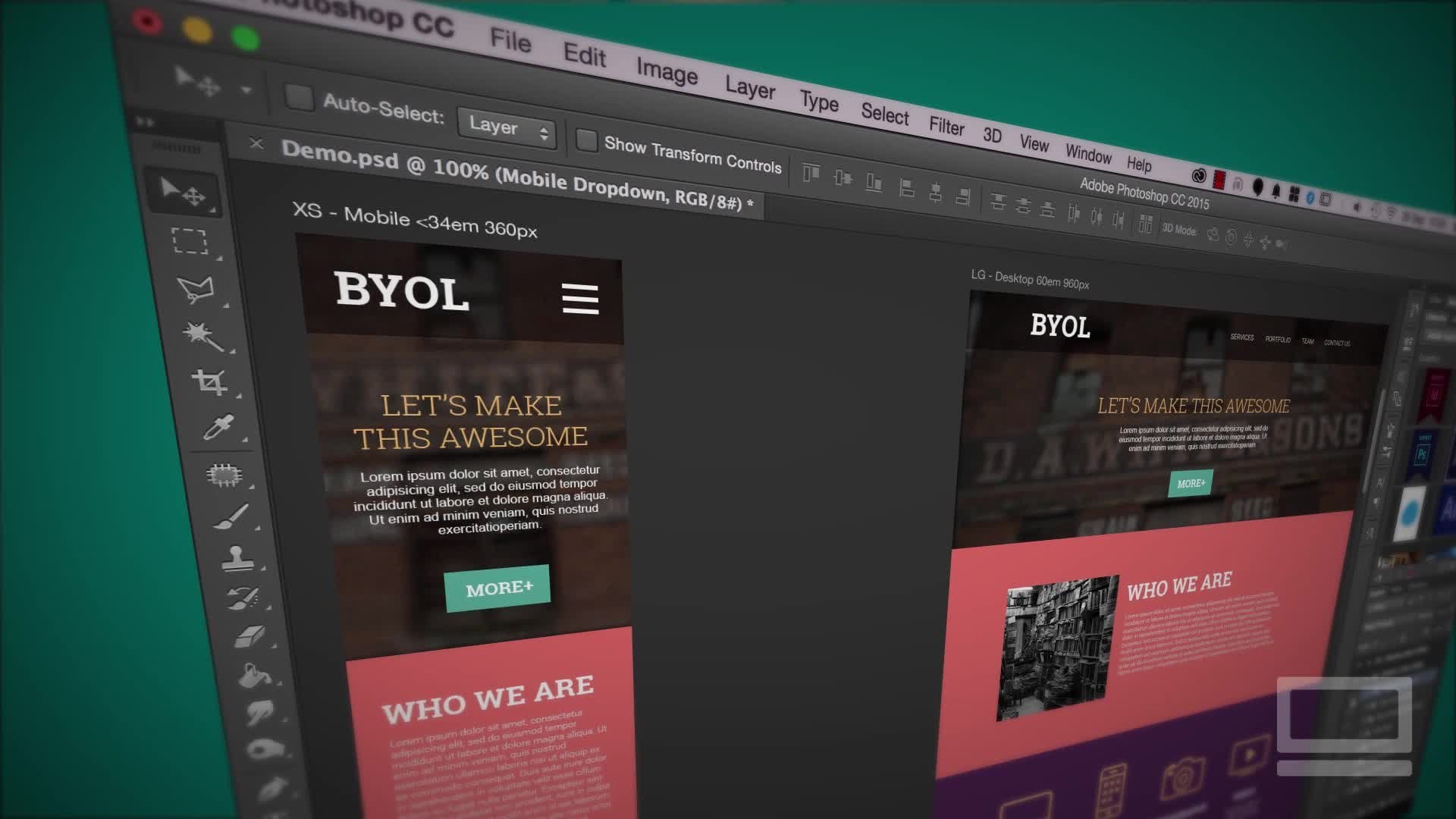
en fait l'utiliser dans une seconde donc je vais le laisser là. Donc, ce que nous voulons faire est en faire un autre, Fichier, Nouveau, et nous allons aller à Commentaire, de même taille. Maintenant, vous pouvez évidemment les deviner. J' ai une couleur spécifique que j'utilise pour mon site Web. Laissez-moi vous montrer un petit tour. Ce que j'ai c'est que j'ai mon photoshop Mockup que j'ai utilisé pour créer le design pour cela et regarder ceci. Je peux déplacer Premiere dans l'autre sens et regarder ça. Tu vois cette pipette ? C' est l'un des échantillons que j'ai utilisés, ou je pourrais le déplacer à travers. En fait, je peux utiliser la pipette ici et
passer par et dire choisir le rouge et choisir toutes ces couleurs. C' est l'échantillon que je veux utiliser. Cliquez sur « OK », astuce sournois. Je vais l'appeler la couverture verte, et je peux la ramener. Vous pouvez avoir le logo en arrière-plan ou quelque chose comme ça, ou vous pouvez connaître le nombre hexadécimal, vous venez de le taper. Souviens-toi, c'est par ici, couverture verte. Je vais les coller sur le dessus, et je vais les étirer. Ça va le couvrir complètement, puis je vais baisser l'opacité. Maintenant ce que vous remarquerez, c'est que c'est bien et ça ressemble à ce que je veux, et c'est probablement ce que j'ai fait ici, juste le jeter par dessus. Mais pour le rendre un peu plus riche et plus tonale, je veux faire deux choses. Je veux utiliser le noir et le vert, et je trouve ça plus beau. Vous n'êtes peut-être pas d'accord, mais je vais allumer celui-ci. Pouvez-vous voir sur et hors ? C' est toujours aussi vert, mais il est un peu plus
aplati, donc vous pourriez juste utiliser l'un d'eux. J' aime utiliser deux d'entre eux. À quel point devrait-il être sombre ? Encore une fois, cela dépend de ce que vous voulez faire. Super. Commencez par le début, joue à travers, puis arrive finalement à la fin. Vous pouvez voir au lieu de plonger au noir, il plonge dans ce vert. Si je voulais qu'il trempe noir, je peux attraper ces gars, les copier et les coller, et les coller sur ce dessus là, et ensuite on va tremper en noir réel, mais je suis heureux qu'il plonge dans ce vert. Je pense que le noir pourrait être un grand changement évident. Super. Donc, ce sera tout en termes de colorisation et de texturation. Ce que je vais faire dans ce tutoriel, c'est je vais faire un fond complet comme celui-ci, mais je vais aussi faire plus d'un style de boîte aux lettres où c'est juste une tranche, qui va juste être pour une boîte de héros ou juste l'un des div. Je te montrerai vite. C'est ça ici. Vous pouvez voir que j'utilise cette boîte de héros d'un tutoriel précédent, et je l'ai mis ici. J' ai besoin de faire des choses un peu différemment. L' un d'eux est que je vais utiliser ce noir au lieu du vert. Il va plonger jusqu'aux extrémités, et il va aussi être un peu flou en arrière-plan pour que je puisse mettre le type sur le dessus. Si vous voulez juste faire l'arrière-plan complet, vous pouvez passer le reste de ce tutoriel. Pour le reste d'entre nous, revenons à Premiere. Pour le faire, ce que nous allons faire, c'est que vous pouvez voir que ce sont mes couvertures, c'est la vidéo dans laquelle nous sommes. C' est l'exemple de vidéo que j'ai apporté pour vous, je vais supprimer celui-là. Ce que je vais faire pour le rendre un peu plus clair, c'est que je vais renommer celui-ci. Ils ont le même nom, donc je vais double-cliquer dessus, et je vais appeler celui-ci ma séquence complète. En fait, lorsque vous nommez ceux-ci, nous allons les nommer correctement ici car quand il exporte, va utiliser ce nom de la séquence pour lui donner le nom de fichier. Parce que nous utilisons des trucs sur le site Web, nous allons devoir utiliser des trucs spéciaux. Donc, nous allons appeler ça un concepteur-plein fond. Charmant. Ce qu'on va faire, c'est encore une vidéo qui va à l'intérieur. Donc, je vais le dupliquer, vous pouvez cliquer dessus avec le bouton droit de la souris, et descendre à Dupliquer. J'en ai deux maintenant. Le second ici, je vais renommer. Celui-ci va être appelé encore designer, et celui-ci va être boîte aux lettres. Appelons ça la boîte hero-box. boîte aux lettres juste parce que ce sera une chose longue et mince. [ inaudible] laisse passer, tu l'as probablement eu. En ce qui concerne la boîte de héros, pour le
moment, ils sont exactement les mêmes. Regarde ça, c'est mon designer plein. Juste avant d'aller sur le nom, j'ai mis des traits d'union ici. Si vous insérez des espaces, vous allez causer des problèmes lorsque vous essayez de créer un lien vers celui-ci sur votre site. Alors restez loin des espaces. Utilisez des traits de soulignement ou des traits d'union. J'ai tous les antécédents. Vous pouvez voir que c'est ma séquence ici appelée fond complet. Si je double-clique sur celui-ci, vous verrez que j'ai une boîte de héros. Il y a ce type, il y a ce gars, et il y a ce gars, et il y a ce gars. Ils sont exactement les mêmes en ce moment, mais je peux y apporter des changements. Je vais travailler sur cette boîte de héros maintenant, et en particulier, je vais réduire la taille. Tout d'abord, je vais supprimer cette couverture verte. Maintenant, ce sera plus facile de savoir que c'est celle-là, et c'est celle-là. Donc, ce qui se passe dans Premiere, c'est si vous travaillez sur beaucoup de fichiers, disons que vous avez besoin de trois ou quatre versions différentes, c'est que vous pouvez continuer à dupliquer la séquence et à la fin, vous pouvez dire exporter toutes mes séquences pour moi et cela rendra tous en même temps. Mais ils sont comme des petits emplois séparés maintenant. Je veux qu'il soit noir, je veux qu'il soit flou, donc je vais sélectionner sur ma vidéo. Je vais trouver Lumetri Color. Ça suffit de Lumetri Color. Je ne les ai pas vraiment utilisés. Je vais voir mes Effects. Où sont les Effets ? On a les effets de fenêtre. Je vais trouver du flou, rappelez-vous que nous utilisons le flou gaussien. Le manivelle, combien ? Pas sûr. Il y a une couverture noire ici, je vais la rendre un peu plus sombre. Cool. Maintenant, je veux découper ça, et tu le fais ici, à
ton panneau de projet. Il est là sur le projet de fenêtre, et je peux cliquer avec le bouton droit sur ce gars, boîte de héros. Allez ici et en bas ici, Réglages de séquence. Maintenant, ignorez celui-ci ici. Il a l'air évident. Ne le touchez pas. C'est celui-là, la taille du cadre. Ne vous inquiétez pas de votre sortie finale maintenant nous allons le faire plus tard, c'est juste à peu près le ratio maintenant. Vous regardez juste la hauteur par rapport à la largeur. Nous pouvons évoluer vers le haut et vers le bas et jouer avec les tailles de fichiers lors du processus d'exportation. Donc, gardez le taux aussi élevé que possible pour le moment et nous le rendrons physiquement plus petit plus tard, sauf pour le recadrage. Donc horizontal est 1080 à travers le haut ici. Si nous avons affaire à la vidéo, vous ne pouvez pas l'appeler 1 080 pour une raison quelconque, il doit être 1080 juste parce que c'est cool. À quelle hauteur ça va être, 500 ? On va expérimenter. J' ai une idée de ce que ça va ressembler, rappelez-vous, dans ce truc ici. Mais ce que vous voulez faire est de ne pas le rendre parfait, ne prenez pas une capture d'écran et essayer de calculer le ratio parce que, regardez ceci, il va être réactif. Cela va changer en fonction de beaucoup de choses, donc vous allez juste obtenir cela à peu près de ce que vous voulez. Je vais cliquer sur « OK » sur 500. Ça va supprimer tous mes fichiers d'aperçu, c'est bon. Vous pouvez voir ici maintenant c'est un peu un monstre, mais c'est beaucoup plus mon genre de style. Vous pouvez voir que j'ai découpé toutes les bonnes images. Donc ce que j'aimerais faire, c'est que j'aimerais descendre ici et le sélectionner, et le faire glisser dans la fenêtre, étonnamment difficile. C' est plus facile de le faire ici en position de mouvement à celui-ci ici. Vous pouvez voir que je peux continuer à le faire glisser jusqu'à ce que je puisse voir le fond de ça. Maintenant, l'une des choses avec le flou gaussien, que je n'ai pas mentionné plus tôt, vous pouvez voir qu'il le fait sur les bords et qu'ils deviennent tous gelés, juste se met comme un goop autour des bords et du gel et le brouille dedans. Il y en a un ici sous le flou gaussien, il dit les pixels de bord répétés, et il sera droit sur le bord là-bas et c'est plus ce que je veux. Alors je vais les abaisser. Là, tu l'as, il s'est cogné. Maintenant, quand je joue, vous pouvez voir que je peux passer à travers. Attendez un instant. Tu vois ça ? Vous remarquerez que la mienne monte et descend et que vous avez
pu vérifier cela avant et le voir, je ne l'ai pas remarqué jusqu'à maintenant, c' est que sous mon opacité, si je fais tourner ça, il y a en fait ce petit chronomètre, a été démarré. Alors maintenant, quand je bouge ma tête de lecture, ça veut dire que je peux l'élever. Vous pouvez voir qu'on a commencé là-bas, venir et ensuite peut-être le rendre complètement noir là-bas. Ces petites images clés, ce n'est pas ce que je veux faire. Cela signifie juste un temps, mais maintenant, c'est que vous venez d'avoir l'introduction la plus merdique à l'image-clé. Nous ne ferons pas ça dans ce cours parce qu'il y a beaucoup à faire. Je vais supprimer ces gars et juste l'éteindre par défaut. Maintenant, ce que cela signifie, c'est quand je sélectionne sur la couverture noire, je peux juste le sélectionner et dire que vous êtes cette couleur là. Les images clés sont confuses et non pas ce dont nous avons besoin pour le moment. Super. Il joue le long, flou, noir, et c'est la bonne forme. Pourquoi découper le haut et le bas ? Quelques raisons sont que cela va rendre plus facile de positionner dans cette balise div. L' autre raison est que souvent ce haut et ce bas il ne sera jamais vu dans la vidéo. Il gaspille juste beaucoup de bonne taille de fichier, donc vous voulez les couper. Nous avons deux versions, nous avons le fond du designer, et nous avons celui-là. Passons à la vidéo suivante et probablement la partie la plus importante de ce montage vidéo, est d'obtenir la taille du fichier aussi bonne que possible pour certaines tailles de fichiers super petites.
7. 07 comment rendre votre vidéo de fond de en grande taille de fichier de grande taille: Salut là. Dans cette vidéo, il s'agit de choisir le bon format pour notre vidéo et d'obtenir la taille de fichier super-duper petite. Ce que nous allons faire dans cette vidéo, c'est que nous allons faire un groupe de vidéos comme celle-ci, beaucoup de versions différentes pour que nous puissions voir les différences dans la taille des fichiers, et nous allons regarder celle-ci. Celui-ci, 10 mégaoctets, et puis il descend d'une falaise à 1,7 et semble toujours bien, je te le promets. Allons-y et faisons-le maintenant. Quelle est la taille ? Un mégaoctet est vraiment petit et bon, et 10 mégaoctets devient assez gros. Quoi qu'il en soit, tu devrais avoir une assez bonne explication pour
me convaincre que tu avais besoin d'une vidéo de fond aussi longue. À moins que ce soit votre produit réel et qu'il fait des choses principalement ces vidéos de fond sont des graphiques de soutien et une taille de fichier vraiment grande va faire que le site Web charge vraiment lentement et que, en termes d'expérience utilisateur est mauvaise. Essayez de l'obtenir aussi petit que vous le pouvez. J' essaie de le garder autour du niveau des deux mégaoctets. J' ai vu des choses comme si vous sautez sur le site PayPal, comme ici, vous pouvez voir leur arrière-plan un est, ils utilisent une grande taille de fichier et c'est vraiment long et si vous choisissez leur site Web, vous pouvez voir qu'il est environ 10 mégaoctets. Ils ont décidé que cette page en particulier vaut 10 mégaoctets pour eux. Ici, dans Premiere, nous allons commencer à exporter cette chose maintenant, et nous devons exporter quelques formats de fichiers différents. Les principaux sont ou le grand est un MP4, c'est le plus utilisable, facilement partagé. Les autres que vous allez devoir faire est un WebM. C' est W-E-B et un M, donc WebM. Google l'a fait, et pour le moment c'est le format vidéo de secours le plus courant. Il y en a d'autres comme l'Ogg, O-G-G ou OGV. Maintenant c'était censé être la norme, mais pour le moment, personne ne l'utilise. Tout le monde utilise WebM à la place. Mon conseil pour le moment en 2017 est que les MP4s suivis d'un WebM, les deux formats dont nous allons avoir besoin. Ce que nous allons faire, c'est que nous allons exporter cette version d'arrière-plan complète et nous allons le faire aussi, mais nous allons nous concentrer sur cette vidéo pour faire la version d'arrière-plan. Les mêmes règles s'appliquent à tous les deux. Lorsque nous exportons une vidéo, nous devons aller à son ControlM ou CommandM sur un Mac. C' est File, où est-il ? Exporter et ses médias. Cela va l'exporter à partir de ce document. Maintenant, s'il est grisé et que vous ne pouvez pas voir, c'est délavé comme ceux-ci, cela signifie que vous en auriez sélectionné
un parce que nous ne pouvons pas avoir des séquences différentes. Si vous avez quelque chose sélectionné ici, il ne sait pas lequel vous voulez dire. Vous allez dans Fichier, Exporter et vous allez, parce qu'il ne sait pas lequel vous voulez dire, donc vous allez cliquer ici et vous pouvez dire que vous avez cliqué dessus, voir la ligne bleue autour de l'extérieur qui indique, je veux dire ce gars ou vous pouvez également les sélectionner dans la fenêtre du projet. Dans le CommandM, cela s'ouvrira. Maintenant, vous pouvez utiliser cette fenêtre ici, c'est bon. Ce que nous allons faire, c'est que nous allons cliquer sur « Q », et nous pouvons accéder exactement au même écran dans Adobe Media Encoder. Si je clique sur « Exporter », ce petit bouton là, il va s'éteindre et l'exporter et j'aurai un MP4 quand j'aurai terminé, mais ce que j'aime faire est passer sur la file d'attente et cela fait juste la file d'attente dans quelque chose appelé Adobe Media Encoder. Il va avoir la même chose, ce qui est que si je clique sur la source WebM, je suis de retour au même écran. Peu importe si vous l'ajustez directement Premiere ou si vous le faites ici dans Media Encoder, mais vous verrez quelques photos pour celle-ci, elle va annuler. Ce qui se passe est qu'Adobe Media Encoder ressemble ceci et l'ajoute à cette file d'attente ici et que ce qui se passe est, c'est que je peux mettre en file d'attente beaucoup de versions différentes. Ma version de litière, et j'ai 10 tailles différentes que je veux faire, est qu'ils peuvent les mettre en file d'attente ici et que vous pouvez continuer à travailler dans Premiere. C' est la bonne chose à propos de Media Encoder, c'est que si vous appuyez sur « Exporter directement depuis Premiere », Premiere ne peut pas être utilisé tant qu'il n'est pas terminé. Celui-ci ici, cela fonctionne en arrière-plan agréable. Ce que nous allons faire, c'est commencer à examiner la taille des fichiers par rapport aux comparaisons. Ce que nous allons faire, c'est d'abord examiner les formats. Vous voulez un MP4, et naturellement vous voulez aller à celui-ci MPEG4. Si vous cliquez dessus, ce que vous trouverez est, se compose d'un 3gp. Je suppose que comme un vieux téléphone et des formats de fichiers. Ce n'est pas celui qu'on veut. Tu veux celle-là appelé H.264. Vous voyez ça ici ? Il vous donne un MP4 et c'est le codec que nous devons utiliser lorsque nous mettons des choses en ligne. Maintenant, la grande chose que nous devons changer est cette source de correspondance va être exactement la façon dont vous l'avez téléchargé, et cela va nous donner une taille de fichier vraiment grande, mais nous allons l'utiliser en termes de comparaison. Si vous avez téléchargé quelque chose à partir d'Adobe stock et de son 4K, qui est juste quatre fois la HD standard, 4K
égal est, il doit être énorme. Nous devons faire quelques changements. Maintenant, si vous regardez cette vidéo parce que vous avez un travail à faire et qu'il est dû dans environ 10 minutes, sautez cette vidéo, cliquez sur « Correspondre à la source », allez à l'endroit où il est dit presets, et allez à celui-ci qui indique import preset, et puis allez trouver celles que j'ai faites pour vous. Dans vos fichiers d'exercice et il y en a un ici appelé préréglages d'encodage. Le premier que vous devez apporter est dans ce cas, il va être MP4, cliquez dessus, cliquez sur « Ouvrir », j'en ai déjà un, donc je vais cliquer sur « Annuler » et il apparaîtra, pouvez-vous voir que c'est prédéfini ? Il apparaîtra dans cette petite liste ici, cliquez dessus, cliquez sur « OK », cliquez sur « Jouer », et vous
obtiendrez quelque chose de assez petit et cela fonctionnera pour votre travail. C' est mon préréglage de tricherie, mais pour le reste d'entre
nous, nous devons en apprendre un peu à ce sujet juste pour que nous
puissions ajuster nos tailles de fichiers par notre vidéo. On va laisser celui-ci comme principal. Débit binaire élevé. Ce que nous allons faire est de le sélectionner et vous voyez que c'est une option qui dit double, c'est un bon moyen. Cela va exporter la même vidéo mais dans des paramètres différents. Ce que je vais faire est de cliquer où il est écrit « Match Source » et obtenir cette grande fenêtre ici, et ce que je vais vous montrer maintenant est comment obtenir la taille du fichier super petite. Le premier et le plus facile est l'audio. Si j'éteins l'audio, il réduira la taille du fichier et cela nous arrêtera d'avoir à faire plus tard quand il s'agit de notre codage,
nous allons devoir appuyer sur le bouton Muet, il y a une option Muet dans le code pour le rendre muet, mais nous n'aurons pas à le faire parce qu'il n'y aurait pas d'exportation audio. Pour être honnête, vous ne voulez pas vraiment lire de l'audio en arrière-plan. Je déteste quand un site Web démarre avec l'audio qui joue automatiquement en arrière-plan. Je cherche le bouton pause. S' il n'y a pas de bouton de pause, c'est le site d'adieu. Ce que nous allons faire, c'est juste faire quelques exemples. On va l'appeler, c'est le même nom. Où vais-je le mettre ? Je vais le mettre sur mon bureau, sous mes exemples de vidéos, et celui-ci va être designer-full background et celui-ci va être appelé, pas d'audio. Juste à titre de comparaison, et je vais cliquer sur « Ok », puis je vais les sélectionner, les
dupliquer, et nous allons faire d'autres bits. Cliquez sur « Personnalisé ». On n'a pas d'audio. Regardons le grand. Le plus grand pour réduire la taille du fichier est ici sous l'onglet vidéo, faites défiler vers le bas, faites défiler vers le bas. Ce petit gars ici, les paramètres de
débit va dévaster la taille des fichiers. Pour le moment, c'est tout ce qu'on appelle de haute qualité. Il est réglé à 10 et 12. Plus vous allez bas, plus la qualité est faible, mais plus la taille du fichier est faible, et ce que vous trouverez est, c'
est qu'il est vraiment difficile de faire la différence entre disons 10 et bas à quelque chose comme un. Ce n'est pas HD full K, qualité
incroyable plus mais un peu spectacle. Sur l'écran de votre ordinateur portable, vous ne remarquerez pas la différence. La taille du fichier est de 15 mégaoctets. C' est une estimation. Parfois, il peut être sauvage, alors n'utilisez pas ceci comme votre jauge absolue, mais regardons cela. La première chose que nous devons faire est de définir un débit binaire variable de 1 passe. Cela signifie juste que le débit binaire constant signifie que tout va être réglé sur 10. Ne vérifie pas, ne monte pas et descend. Vous cliquez sur Custom Bitrate et vous venez de le définir sur un et cela ne s'en soucie pas, il va être un tout le long, mais si vous passez à bitrate variable, il va passer par et dire, il est par défaut à avant de se rappeler qu'il était à 10 et 12. Ça veut dire que ça va monter et descendre en fonction de ce qui est sur l'écran. Des morceaux de vidéo très détaillés. Je vais utiliser le débit plus élevé, de haute qualité, et les choses qui ne bougent pas obtiennent juste le débit inférieur parce qu'il n'en a pas besoin et cela peut considérablement réduire la taille de votre fichier. En termes de cet encodage, 1 passe signifie simplement qu'il passe une fois et vérifie tout et dit : « Oui, vous êtes haut, vous êtes bas. » Cette chose ici, il dit 2 passe, fait une fois, il revient, et le fait à nouveau, et ce que vous finissez avec est des tailles de fichiers plus petites et une meilleure qualité. Je ne sais pas pourquoi vous avez par défaut 1 passe. Ça prend plus de temps, c'est la grande chose. Si vous brûlez ce truc très rapidement, vous pouvez le mettre sur 1 passe, mais il n'y a pas de raison vraiment. Maintenant, le débit cible, que devrait-il être ? C' est aussi bas que vous pouvez aller et vous pouvez faire quelques tests avec votre vidéo. Si vous avez une vidéo super génial à partir d'un site de bibliothèque de
stock, il va probablement devenir vraiment bas et avoir l'air vraiment bon encore. Si vous l'avez tiré vous-même sur votre téléphone merdique, plus vous
le faites,
ça va avoir l'air plutôt mauvais. Dans notre cas, je tape à peu près toujours un et 1.5. Il en ciblera un, mais s'il en a besoin, il montera à 1,5. Les hauteurs vertigineuses. Ça lui donne juste un peu de marge de manœuvre. Vous pouvez voir en bas ici un mégaoctet, c'est des nombres magiques, et tout est à voir avec ce débit. Cliquez, donnez-lui un nom. Il n'y a pas d'audio et cela ne va pas être audio et qu'est-ce que celui-ci ? Faible débit binaire. Super. Cliquez sur « OK ». La plupart de ce travail se fait dans le débit binaire. Ce que je vais faire, c'est te montrer d'autres petites choses juste pour le faire descendre encore plus loin. Vous avez peut-être affaire à cette très grande vidéo de deux minutes et vous allez devoir essayer d'en tirer autant que vous pouvez,
donc je vais la dupliquer à nouveau. Vous cliquez sur « Personnalisé ». Dans ce cas, l'audio est éteint, mon débit est déjà faible, je vais faire quelques choses. L' un est la fréquence d'images. Qu'est-ce que la fréquence d'images ? Votre vidéo est en fait juste un tas d' images
statiques et si elles clignotent en face de vous assez vite, l'œil humain et le cerveau humain croient qu'ils sont une action en direct, mais ce n'est pas le cas. Ce ne sont pas des trucs du monde réel, c'est juste un tas d'images comme un flip book. Vingt-cinq images à la seconde, nous sommes tous accrochés et [inaudible] convaincus que c'est des images en mouvement, mais c'est juste beaucoup de clignotements de cadres séparés. vous allez bas, plus il est sauté. Plus vous allez haut, plus il devient lisse. Dites, ma GoPro tire, je pense, à 50 ou 60 images par seconde, et vous pouvez obtenir 1 000 images par seconde matrice à puce regardant les choses hors de la portée de celui-ci,
évidemment, mais 25 images par seconde est ce que cela a été fixé à. Tu peux aller plus bas. Maintenant, si vous descendez à 10, c'est raisonnablement perceptible. Je trouve un bon compromis à 15 ans. Dans mon cas, notre vidéo est assez basique. Comme grand et vert, regardez ça. J' aurais dû avoir ça il y a longtemps. Vous pouvez voir que j'ai glissé cela parce que cela me
donne en fait un petit aperçu de l'endroit où je suis dans ma vidéo. Ce qui se passe, c'est quand je change les choses dans, disons, mes paramètres de débit, cela va se mettre à jour. C' est une explication assez bonne. Je vais mettre ça en forme pour que je puisse tout voir. Quinze images par seconde, je doute que vous le remarquerez autant, surtout si c'est de l'arrière-plan et qu'il est floue, c'est bon. Tu peux descendre à 10, faire un chèque. Je vais cliquer sur celui-ci. Celui-ci ne sera pas audio, faible débit, ce sera un nom de fichier très long. Celle-ci sera cadence 15. Super. Cliquez sur « OK ». Que pouvons-nous faire d'autre ? Cliquons sur celui-ci, donc les dupliquer, cliquez sur ce gars. La prochaine que nous allons faire est que nous allons jouer avec notre hauteur et notre largeur. On va peut-être changer la hauteur de celui-ci. Nous allons faire 500 pixels de haut. Ce que je veux dire c'est sous l'onglet Vidéo, en haut ici, c'est en fait l'exportation de qualité HD, et ce n'est pas ce dont nous avons besoin dans ce cas. Vous pourriez, il n'y a rien de vraiment mal à cela, le seul problème avec cela est que la façon dont nous allons le faire dans le code,
il y a quelque chose que nous allons utiliser appelé la hauteur minimale et la largeur minimale, et c'est juste signifie que ça ne va pas être aussi réactif, ça va sembler un peu étrange. Il doit être un peu plus petit. Mon conseil ici serait ne pas aller Full HD. Pourquoi ? Parce que vous allez avoir des gens regardant cela sur différents appareils et qu'ils ne vont pas être en mesure de voir ce HD donc il est gaspillé taille de fichier, page va prendre beaucoup de temps à charger. Le plus élevé que vous voulez probablement aller est 720, qui est la haute définition originale, plus comme la définition standard. Sept vingt haut et c'est la largeur. Ce que nous allons faire, c'est que nous allons descendre encore plus bas, et vous pouvez voir que ça va s'adapter. Allons à 100 pour cent, vous donne une idée de la taille. Vous pouvez toujours voir, à 720 haut, c'est encore une grosse vidéo. Donc je vais avoir ça ici et je vais changer ça à 500. Maintenant, c'est à une petite taille, mais il va être capable de s'étirer et de s'étendre pour s'adapter à l'arrière-plan, et je trouve que pour l'arrière-plan complet fonctionne pour moi. La taille des fichiers, c'est assez vague ici, c'est toujours un mégaoctet. Combien avons-nous perdu ? On verra quand on ira exporter celui-ci. Changer la taille ici n'est pas seulement de rendre la taille du fichier plus petite, c'est juste la technique que nous devons utiliser en ce moment dans le code. Hauteurs et largeurs minimales jusqu'à 100 %. Nous le regarderons plus tard, mais vous devez le rendre assez petit pour pouvoir être utilisé. Maintenant, il y a d'autres choses que vous pouvez commencer à faire ici. Vous pouvez commencer à jouer avec le cadrage des clés et il y a quelques autres choses, et elles deviennent assez nerdy, et vous pouvez les jouer autour des profils et des niveaux et de l'ordre des champs. Maintenant, cela va être en termes de comment obtenir la taille du fichier plus petite. Il y a d'autres choses là-bas, comme la fréquence d'images, le chargement progressif. C' est entrer dans cette minutia super nerdy, et on ne va pas le faire dans
ce cours parce que tu ne verras pas beaucoup de différence. Il y aurait des vidéocassistes qui me racontaient comment j'ose, mais pour moi, j'ai trouvé que ce sont les grands, ce sont les bons. Cliquez sur « OK ». Maintenant, nous avons toutes ces différentes vidéos. Ce que vous allez probablement faire, c'est juste sauter à ce dernier. C' est ce que mon préréglage l'a défini. Donc, si vous voulez utiliser mon préréglage, il va sauter dans ce 500, 15 images, faible débit. Travail fait. J' ai mis tous ces derniers en file d'attente juste pour nous montrer la la taille des
fichiers et la comparaison de la qualité. C' est pour ça que j'aime être plus dur. Appuyez sur le bouton « Jouer » et il suffit de choisir à travers tous. En fait, il essaie de les rendre tous en même temps. Si je faisais cela en prime et que j'appuie sur le bouton « Exporter », je dois les faire tous un à la fois ce qui n'est pas une grosse affaire, ils ne sont pas super longs, mais vous pouvez voir cet avantage. Si vous travaillez sur une très longue vidéo, j'adore [inaudible] vous pouvez partir, prendre un café, revenir. Si c'est super long et que vous avez un ordinateur vraiment merdique,
vous devrez peut-être y retourner, vous devrez peut-être aller au lit et vous réveiller le matin et l'évaluateur pourrait
encore travailler. Ça m'est arrivé des charges. Par la puissance d'Internet, faisons ce zoom vers le haut. Prêt ? Un, deux, trois, allez, zoomez. Ça a probablement pris environ deux minutes de mon côté. Maintenant, allons regarder quels fichiers ont été créés. Oublions ces deux-là en bas, je vais les ouvrir. Ce sont les choses qui ont été faites. Commandez-les dans la taille du fichier. En fait, je vais les ramener parce que c'était l'original. C' est moi qui le rend gris. C'est un bon petit test. Oui, c'est la vidéo originale. 18 mégaoctets, ce qui le rend gris, on enlève une partie de la couleur, 16. Ensuite, nous l'avons fait sans audio. Maintenant, l'audio ne fait pas ce grand saut. Une autre chose que nous avons fait est que nous l'avons fait vert foncé. C' était l'une des choses que nous avons faites, alors nous avons perdu un peu de taille de fichier là-bas. C' est quelques choses en plus. Mais ensuite, nous sommes allés à faible débit et c'est le grand changement. Tu vois ici ? Vous pouvez gâcher avec des fréquences d'images et d'autres choses, mais
vraiment, tout est au sujet de ce débit allant de 10 et 12 à 1 et 1,5. Vous pouvez voir une taille de fichier super gérable maintenant. Maintenant, en termes de qualité, regardons un peu. En fait, ce qu'on va faire c'est ouvrir les deux, je vais les coller côte à côte. Ce n'est pas un exemple super scientifique, mais vous aurez une idée de ces deux-là. Par ici, mettons-la celle-là en haut. Il s'agit de la haute qualité sans audio. Regardons un peu. Je sais que nous avons zoomé un peu et ce n'est pas un bon exemple, mais vous devrez me faire confiance, ils ont l'air bien, surtout pour une image de fond et surtout parce que nous ne sommes pas à la recherche de super haute définition, nous cherchons pour le temps de chargement de la page. Hey, il doit avoir l'air bien, pas terrible mais tout est sur la taille du fichier et vous pouvez voir le débit binaire est bon. Fréquence d'images, on l'a descendu un peu plus loin. Donc, la fréquence d'images jusqu'à 15 secondes. Jetons un coup d'oeil entre ces deux-là. Jetez un oeil. Vous pouvez dire que c'est un peu plus rapide, mais mon cas, parce que ma vidéo, il n'y a pas beaucoup de choses, la fille écrit juste un peu sur le bloc-notes. Donc il est 15, c'est bon pour moi. Aussi, parfois, ce regard peut être assez cool. Vous pouvez descendre à 10 images, et il y a cette chose flou de film volumineux, donc vous obtenez des économies de taille de fichier et il a l'air cool. Vous pouvez voir ici, les pixels réels rendant les pixels beaucoup plus petits, n'ont pas fait grand-chose pour la taille du fichier non plus. Alors pourquoi allons-nous être si petit ? C' est pour que nous puissions le rendre réactif plus tard. Plus tard, dans quelques années, il y a un nouveau morceau de tag qui sort et j'en parlerai plus tard,
qui le rendra pleinement réactif mais pour le moment, nous sommes coincés avec min-height, min-width, donc nous avons besoin de pour le rendre un peu plus petit que nous pourrions vraiment le vouloir. Cool. On a presque fini. Nous avons fait nos MP4, ce que nous allons faire est de couper cette vidéo ici et de sauter dans la prochaine en utilisant le format WebM. Pas si longtemps, mais je vais couper ça ici pour que cette vidéo ne soit pas longue. Très bien, à la prochaine.
8. 08 comment créer un fichier vidéo WebM dans Adobe Media Encoder et Premiere Pro et After Effects: Hé les gars. Dans cette vidéo, ce que nous allons faire, c'est que nous allons chercher à vous montrer comment installer ce format WebM. Vous remarquerez probablement qu'il n'est pas réellement installé par défaut, donc nous allons installer un plugin et nous allons le faire, passer par les paramètres pour le rendre vraiment petit et l'exploiter, et nous allons finir avec ce charmant gars ; .webm et regardez comme il est petit. Allons faire ça. Pourquoi avons-nous besoin d'un format WebM ? MP4 couvrent à peu près tous les navigateurs sauf quelques cas d'utilisation,
et ces cas d'utilisation peuvent être remplis par le format WebM. Si vous m'aviez demandé il y a quelques années, quel format vidéo nous devrions utiliser ? Il aurait été OGG ; le format OGG. Maintenant, ça a changé. Maintenant, le WebM est le format à utiliser, donc si vous regardez cette vidéo, c'est 2017 maintenant. Si c'est 2024, évidemment il va y avoir un format vidéo différent, mais alors allez vérifier ce qui est commun, mais maintenant le format WebM est le bon pour le dos. Google le fait ou au moins sponsorise le développement de celui-ci. C' est un format open source, donc nous devons aller et le faire, mais Adobe a rendu les choses un peu difficile à faire. J' ai rendu ça un peu plus facile pour toi, alors allons-y et faisons-le. Pourquoi c'est dur ? C' est parce que le format réel n'est pas
intégré dans Adobe Media Encoder, Dreamweaver ou After Effects, que nous ne l'avons pas installé. Le truc cool à ce sujet, c'est qu'il y a un plugin gratuit. Il y aura un lien sur l'écran ici. Ici, c'est. Aller aux liens est encore plus facile. C' est cet endroit ici au Fnord et puis j'ai un WebM. Vous téléchargez la version Mac ou Windows. Maintenant, j'ai inclus le plugin. Vous pouvez le voir ici, c'est dans vos fichiers d'exercices, c'est le plugin WebM. Ça pourrait devenir un peu vieux. Vous voudrez peut-être aller sur le site Web et le télécharger cas il y a une version plus récente, mais j'ai inclus juste pour le rendre utile pour vous. Ce que vous devez faire est de le télécharger ou de cliquer ici, et vous venez de l'exécuter. Vous pouvez voir ici est ma version DMG, et vous exécutez ça, c'est mon Mac. Cette version MSI est pour votre PC. Double-cliquez dessus et ils vont installer. Ce qui se passera par magie, c'est que vous devrez redémarrer Premiere, ou After Effects ou Media Encoder ou quoi que vous utilisiez, redémarrer. Ce qui va se passer, c'est maintenant si je vais à Fichier, Exporter, et que je vais à Media, sous Format, il y en a maintenant un qui s'appelle WebM qui n'était pas là avant. Cliquez sur « WebM ». La chose cool à ce sujet est que c'est juste un format de fichier différent. Il utilise beaucoup des mêmes choses. Il a la hauteur et la largeur, et il a une variable légèrement différente, mais juste en bas ici, mais essentiellement les mêmes choses. Maintenant, si vous voulez puce, j'ai un préréglage, vous pouvez installer. Rappelez-vous à partir d'ici, vous allez à celui-ci dire Importer Preset et il y en a un qui s'appelle Dans Web Video WebM Preset, alors amenez celui-ci. Au lieu de passer par tout et de tout expliquer à nouveau, c'est exactement la même chose dans la vidéo précédente. Si vous n'avez pas fait la vidéo précédente, c'est la version MP4 de cette vidéo. C'est exactement la même chose. On ne va pas tout revivre parce que c'était une vidéo plus longue. Ce que nous allons faire, c'est que le vôtre commencera probablement par défaut. Il y aura des audio, vous l'éteignez, vous changez la hauteur et la largeur. Modifiez la fréquence d'images sur 15 et définissez l'encodage. C' est la seule chose qui est un peu différente, c'est le codec. C' est le nouveau, c'est l'ancien. Je pense que le nouveau est assez bon sur la plupart des navigateurs. Je vais utiliser l'ancien parce que cela fonctionne sur plus de navigateurs et la taille du fichier semble très similaire, et la qualité semble tout aussi bonne. Maintenant, en termes de débit, mettez ceci à un millier. C' est ce que j'ai trouvé bon. Vous pouvez aller plus bas, vous pouvez aller plus haut, mais il augmente ou diminue la taille des fichiers en conséquence. Ici, 2-Pass Encoding très similaire au MP4, et c'est tout. Nous allons ajouter la file d'attente, nous allons changer le nom du fichier ici. Je vais mettre celui-là dedans. Ça va aller dans mes vidéos. Ça me donne exactement la même chose sauf qu'il a l'extension WebM. Cliquez sur « Enregistrer », appuyez sur « Jouer ». Vous pouvez voir que ceux-ci sont finis, puis je vais courir à nouveau. Celui-ci ici joue maintenant, il passe par et l'encode. Maintenant WebM prend une éternité pour encoder. Il a fallu le même temps pour encoder comme cinq versions du MP4 comme un WebM, donc nous allons accélérer à nouveau. Prêt, prêt, allez. C' est fait. Allons vérifier le dossier. Vous pouvez le voir ici. Il est encore plus petit que notre version MP4. Souvent, vous pouvez jouer avec les paramètres dans MP4 et WebM. Ce n'est pas comme si c'était un format de fichier plus petit, c'est juste les paramètres que j'ai pris fini par devenir une petite vidéo. Ce que j'ai trouvé, c'est que je peux jouer avec le MP4 et l'obtenir aussi petit qu'un WebM, et tout aussi bonne qualité. Ces gens qui affirmeraient ce point cependant, mais savent que ce n'est pas seulement la moitié de la taille en utilisant WebM, c'est parce que mes paramètres étaient différents de ceux qui étaient comme parallèles. Maintenant, installer le plugin est une douleur dans les fesses, car il se sent comme Adobe Media Encoder ou Premiere ou After Effects, ils devraient tous avoir cette fonctionnalité. Ce que vous pouvez faire, c'est vous pouvez sauter ici et m'aider. Allez à celui-ci appelé produits Adobe.com, allez ici et ce que vous pouvez faire est de choisir votre produit,
choisissez Premiere et vous écrivez une petite liste et dites, s'il vous plaît mettre dans WebM. Ce qui se passe, c'est que les développeurs obtiennent ces listes et celui qui crie
le plus, le haut de la liste obtient ces fonctionnalités et c'est une fonctionnalité que je veux, alors allons à l'équipe. La dernière chose que nous allons faire est que je vais vous donner, parce que c'est une vidéo légèrement plus courte que les autres de cette série, je vais le remplir avec un peu de génial. Dans Adobe Media Encoder, juste une petite chose que je trouve très utile est de dire que je veux ce WebM et je vais le télécharger sur mon site Web. Ce qui se passe, c'est que je vais le dupliquer. Quand je vais dans Custom, nous l'avons fait avant, nous avons joué ici, mais voyez cette option ici qui dit Publier. Cela peut être très pratique. Vous pouvez le publier sur votre compte Creative Cloud si vous l'utilisez. Vous pouvez simplement le vider sur votre disque partagé avec des
personnes et il est instantanément là dès qu'il sort. C' est très pratique lorsque vous dites que vous allez au lit, vous restiez tous ces éléments, puis qu'ils passent des heures à rendre, mais quand ils auront fini, ils vont commencer à télécharger sur Creative Cloud. Vous pouvez voir qu'il peut télécharger sur votre compte Behance, il peut aller sur Facebook. Il y en a tellement et c'est celui que j'utilise. FTP va à mon serveur Web où j'héberge mon site Web, et je viens de les jeter dans un dossier vidéo là-bas. Mettez-les dans le chemin distant, la vidéo. Joyeux jours, Vimeo, YouTube, que je veux utiliser un peu aussi. Si je télécharge directement sur YouTube, apportez cela directement sur YouTube, happy days. D'accord, c'est tout. Maintenant, nous allons aller et commencer à construire un site Web réel, et en fait ajouter ces trucs vidéo à lui. Allons faire ça.
9. 09 Obtenir notre configuration de site Web Dreamweaver: Salut tout le monde. Dans cette vidéo, nous allons passer en revue et configurer nos paramètres Dreamweaver afin que nous puissions commencer à construire notre site. Donc, la première chose que nous devons faire est de faire de nos espaces de travail les mêmes, afin que vous puissiez suivre. Vous pouvez travailler en standard, c'est bon. Je vais travailler dans ce nouveau développeur. Je vais juste cliquer dessus. C'est juste une version plus propre. Nous allons travailler plus dans le code dans cette vidéo, dans les tutoriels précédents, je travaille beaucoup plus en standard et c'est bien, mais celui-ci, passons au développeur et travaillons dans celui-ci. Maintenant, avant de commencer un projet, nous devions trouver notre site. Alors allez sur le site, allez sur un nouveau site. Tout cela est de dire à Dreamweaver où vous allez garder les fichiers pour ce projet. Ok, donc mon nom de site, ok, je vais lui donner un nom. Celui-ci s'appellera « Bring Your Laptop Design Agency ». Où vais-je le garder ? C'est là que se trouve le site local. Cliquez sur Parcourir. Je vais mettre le mien sur mon bureau. Je vais faire un nouveau dossier et je vais appeler celui-ci BYOL. Celui-ci va être un site web. Cliquez sur Créer. Cliquez sur Choisir. Une chose que vous pouvez faire lorsque vous définissez un site, c'est vraiment pratique, vous allez dans les paramètres avancés, puis où il est dit dossier images
par défaut, cliquez sur Parcourir. Vous pouvez voir qu'il est par défaut à l'intérieur du dossier que nous venons de créer, et à l'intérieur, nous allons mettre des images. Cela signifie juste que si je clique sur choisir, cela signifie que chaque fois que je prends une image, disons dans les fichiers d'exercice de cette classe, il va l'attraper hors de l'air et la mettre dans le bon dossier et ne pas avoir à me demander à chaque fois. Il le sait juste en faisant ça. Maintenant, nous ne allons pas passer par des serveurs assis maintenant et se connecter au réseau. nous le ferons sur la vidéo finale lorsque nous publierons. Mais pour l'instant, c'est tout ce qu'il faut faire pour s'installer. Cliquez sur Enregistrer. Sur mon bureau ici, si j'ai un coup d'oeil, il y a mon bureau, il y a le dossier que j'ai fait. À l'intérieur, il n'y a rien d'autre qu'un dossier vide pour les images. Super.
10. 10 Ajouter une vidéo d'arrière-plan à un site Web à l'aide de Dreamweaver: Salut tout le monde. Dans cette vidéo, nous allons mettre une vidéo et le faire faire faire ça. Regardez-le. C'est le but de cette vidéo. Allons sauter dans Dreamweaver et commençons. La première chose à faire est de créer une page. Allons à Fichier, allons à Nouveau, et cliquez sur « HTML. Nous n'allons pas utiliser Bootstrap dans ce cas, nous allons le définir sur None. Donnons un titre à notre document. Ce sera l'agence Bring Your Own Laptop Design Agency. HTML5. Cliquez sur « Créer ». La prochaine chose à faire est d'enregistrer le fichier, alors allons dans le fichier et enregistrez. Il est par défaut dans le bon dossier. Ce dossier mon site Web BYOL et cela va être la page d'accueil, donc il doit être appelé index, i
minuscule, pas d'espaces. Rappelez-vous, notre page d'accueil doit être appelée index et c'est la page qui est chargée premier sur n'importe quel site Web ou les pages suivantes peuvent être appelées tout ce que vous voulez, tant qu'il n'y a pas d'espaces, vous devez utiliser des traits d'union ou des traits de soulignement. Cliquez sur « Enregistrer ». Vous verrez ici, c'est ma structure de dossiers. Si vous ne l'avez pas, vous devrez peut-être labourer ça. Il y a mes images et il y a mon document HTML. Un coup d'oeil sur le bureau, il est là, mon dossier d'images avec rien dedans,
et il y a ma page d'index. Super. Actuellement, notre page d'index n'a pas beaucoup. Allons y ajouter notre vidéo. Pour ajouter une balise vidéo, nous devons le faire au corps et non à la tête. Tout ce que les utilisateurs ne voient pas, mais c'est ce que Google utilise et le navigateur utilise. Comme ce titre le long du haut ici, nous ne voyons pas, il est juste utilisé dans l'onglet supérieur du navigateur et Google l'utilise également pour lister votre site Web. Cela indique juste ce que le clavier et les caractères que vous utilisez, nous utilisons des lettres latines. Le corps est tout ce que l'utilisateur voit, au moment où il n'y a rien. Ce qu'on va faire, c'est mettre un retour entre les deux. On va l'emboîter. Aucune raison pour l'onglet autre que cela le rend agréable et l'équilibre et le rend un peu facile à travailler avec. On va mettre une étiquette vidéo. Ma balise vidéo est des crochets à angle ouvert, tapez la vidéo. Vous pouvez voir qu'il a beaucoup de peinture. Tu peux voir Dreamweaver va, j'ai tapé un vid, et c'est parti, tu veux dire ça ? Souvent, vous pouvez simplement appuyer sur Retour sur votre clavier et il le remplira. Ici, nous allons le fermer avec des crochets d'angle. Ensuite, chaque étiquette a besoin d'une ouverture et d'une fermeture. Le corps a une ouverture, puis il a une barre oblique vers l'avant. La tête a une ouverture et une fermeture. Le HTML a une ouverture, puis vers le bas il y a une fermeture. Donc, la vidéo est la même. Pour le fermer, nous avons besoin d'un angle de parenthèses, puis de cette barre oblique. Vous pouvez le voir sur ces gars ici. Vous voulez parler barre oblique avant, Dreamweaver est intelligent, il dit, vous voulez probablement fermer l'étiquette et il se termine juste là pour vous. C' est ainsi que vous ajoutez une balise vidéo. Maintenant, vous devez dire à la balise vidéo quelle vidéo jouer. Vous le faites en ajoutant une source. Juste après le mot vidéo ici, nous avons mis en src. Vous pouvez voir par défaut. Si vous appuyez sur Retour, il remplit le reste des égaux et les signes de guillemets. Impressionnant. Vous voyez également que vous obtenez cette navigation. Je vais cliquer sur Parcourir. Pour le moment, je n'ai que mon dossier d'images et j'ai cet index. Ignorez ça, c'est un truc de marque. Ce qu'on va faire, c'est aller le trouver dans les fichiers d'exercices. C' est sur mon bureau. Il y a les fichiers d'exercices d'arrière-plan vidéo. Il y en a un ici appelé vidéo, et c'est celui que j'utilise pour l'arrière-plan complet. Il y a celui-là, fond complet, et puis il y a la petite version de la boîte de données. Je vais utiliser celui-ci, c'est l'original. Cliquons sur « OK ». Cela va dire que ce fichier n'est pas dans mon site local actuel. Cela signifie simplement, rappelez-vous que nous n'avons que des images et de l'index et Dreamweaver sait que pour qu'un site Web fonctionne, tous les fichiers doivent être dans le même dossier. Je vais passer par là, voulez-vous que je le copie maintenant ? Vous dites oui, s'il vous plaît. Impressionnant. Vous pouvez simplement le vider ici avec votre fichier d'index, mais il serait vraiment commun d'aller dans Nouveau dossier, de
mettre des vidéos, de cliquer sur « Créer », et je vais le mettre là. Maintenant, votre format de fichier est fait dans les vidéos précédentes. Une chose que nous n'avons pas couverte est juste de s'assurer que vous ne pouviez pas avoir ça. Vous ne pouviez pas avoir des concepteurs plein fond d'espace. Vous finirez avec des erreurs et le navigateur ne peut pas le trouver. Vous devez utiliser des traits d'union ou des traits de soulignement, peu importe lequel. Les supérieurs et les bas sont bien, mais juste une syntaxe de base là-bas. Super. On a édité une vidéo et on va la vérifier. Ce que nous allons faire est de prévisualiser dans le navigateur. Nous allons utiliser l'aperçu du navigateur en temps réel dans le bas ici. C' est ainsi que vous y arrivez, et vous pouvez prévisualiser dans tous les différents navigateurs, Google Chrome est de loin le plus commun. Si vous ne l'avez pas installé sur votre machine, allez l'installer et il apparaîtra dans cette liste. Si vous êtes sur un Mac, Safari, si vous êtes sur un PC, vous avez probablement Edge ou Internet Explorer. Mais certainement tester Chrome qui sera votre base parce que tant de gens ont Chrome par rapport à tous les autres d'entre eux. Gardez ceci s'il vous plaît. Ce qui se passe, c'est que sur mon autre écran, il s'est ouvert sur mon autre écran. Je travaille sur deux écrans ici au bureau. Avant de regarder la vidéo, et ce qui finit par se passer est, voir cette vidéo ici. Nous allons basculer dans cette classe entre ceci, retour entre la vidéo, retour entre ça, et avant en arrière, juste parce que nous sommes collés sur un écran pour cette vidéo. Mais quand je travaille, ce que je fais c'est que j'ai cette application sur un autre écran, et je suis en train de tester à la fin. Il se met à jour en direct, donc cela signifie que je n'ai pas à basculer entre les deux bords. Je viens de mettre à jour le code et il se met à jour sur cet autre écran là. Mais ça vous donne une bonne excuse pour sortir acheter un nouveau moniteur. Vous avez l'air génial avec deux écrans en haut. C' est notre vidéo, elle est là, je peux la voir. Mais rien ne se passe. Il y a un peu de syntaxe que nous devons ajouter à cette vidéo pour qu'elle fasse des choses. Il y a un tas de choses différentes que vous pouvez faire, nous ne les couvrirons pas toutes. Allez jeter un coup d'oeil et voir ce que vous pouvez faire d'autres choses avec la vidéo. Mais la base que nous voulons est, pouvez-vous voir si je mets un espace juste après la vidéo ? Dreamweaver est vraiment pratique, il vous donne toutes les choses qui peuvent potentiellement être appliquées à la vidéo. Certains d'entre eux ont du sens. Il y a des choses comme la lecture automatique, c'est celle que je veux ensuite. Mais il y a aussi des choses ici comme des contrôles. Si je l'allume, puis je l'enregistre et je vérifie dans mon navigateur. J' ai mis ces contrôles, et ce ne sont que des contrôles HTML5 standard. Va-t'en. Les contrôles n'est pas ce que je veux parce que je ne veux pas cela pour la vidéo d'arrière-plan. Je veux l'autoplay. Retournez à, mettez un O, mettez dans un espace, et ça me donne ça, autoplay. Charmant. Maintenant, si j'enregistre, prévisualisez mon navigateur, regardez-le. Il joue automatiquement. Cool. La vidéo HTML5 est assez facile. n'y a pas de plug-ins, il fonctionne juste avec presque tous les navigateurs modernes. Vous pouvez voir dans ce cas, il arrive à ici et puis s'arrête et attend pour toujours. C' est peut-être ce que vous voulez, alors vous n'avez pas besoin d'ajouter d'autre syntaxe. Vous voudrez peut-être qu'il joue une fois et que vous vous asseyez là pour le reste de la vidéo. Ce n'est que le cadre de fin. est peut-être un appel à l'action ou tu es juste content que ça le fasse. Ça ne me dérangera pas de boucler. Tu vas probablement le deviner. Tu dis le mot « boucle ». Trop facile. Maintenant, cette chose va se boucler pour toujours. Tu dois juste me faire confiance, on ne le regardera plus. Cette chose va continuer à boucler. Quelque chose d'autre utile là-dedans ? Il y a muet. Si vous avez le son sur le vôtre en sourdine, mon conseil est d'aller re-rendre la vidéo, encoder à nouveau avec l'audio éteint, cela vous permettra d'économiser un peu de taille de fichier. Si vous êtes paresseux ou que vous ne voulez pas le faire ou que vous avez juste sauté dans ce tutoriel juste pour faire des vidéos et que vous voulez le couper en sourdine, il suffit de frapper Muet, c'est bon. Nous n'en avons pas besoin parce que nous n'avons pas d'audio dans notre piste ou dans notre vidéo, donc nous n'en avons pas besoin. Jetez un oeil à l'autre chose. Ce sont les principaux que nous voulons. Il y a quelques autres choses que nous allons faire plus tard, mais c'est les bases pour l'intégrer dans le HTML. Maintenant, nous devons le faire en plein écran. Cela se fait pas ici dans le HTML, mais dans un CSS. Je vais frapper « Sauver ». Nous allons créer un autre document CSS. Maintenant, nous ne allons pas couvrir une énorme quantité de CSS dans ce cours. Si vous êtes tout nouveau et que vous êtes comme, « Man, je ne sais même pas ce qu'est un CSS », allez à l'un de mes autres cours, il y a beaucoup de détails dans CSS. Mais nous allons être rapides dans celui-là. Tout d'abord, créer un document CSS. Allons à Nouveau, et HTML, CSS. HTML ils obtiennent les choses, les concepts de base sur la page, ils tapent les images, les vidéos. Le CSS est ce que vous faites pour les styliser, leur dire quoi faire. Nous allons dire au CSS de l'étirer. Eh bien, nous allons utiliser CSS pour dire à une vidéo ce qu'il faut faire. On va dire qu'il est plein écran. Cliquez sur « CSS », cliquez sur « Créer ». Avec un fichier zip ici, je vais le sauvegarder. Ça va aller dans mon même dossier. Certaines personnes ont mis dans un dossier appelé CSS, je ne le fais pas. Colle-le ici. Appelez-le tout ce que vous voulez, mais à peu près tout le monde l'appelle styles.css. C' est à quoi ressemble un document CSS tout neuf. Je vais le fermer parce que ce qu'on va faire, c'est quand on le ferme,
rappelez-vous qu'il s'agit de deux fichiers séparés. Vous pouvez les voir là-bas, ce type et ce gars, ils ne savent pas l'un l'autre existe. Ce que nous devons faire est de connecter les deux et nous le faisons par dans ce HTML, dans la tête. Rappelez-vous que la tête est l'endroit où vont les instructions pour la page et le corps est les choses qui apparaissent réellement sur la page. Ici, dans le titre, nous
disons, nous allons ajouter le lien vers le CSS. C'est un long. Ce qu'on va faire, c'est utiliser un petit truc. Au lieu de mettre toute la syntaxe pour lier un document CSS, nous allons utiliser un petit raccourci dans Dreamweaver,
et si vous appuyez sur Retour, il ne fait rien, mais si vous appuyez sur Tab à la place, regardez ceci, génial. Au lieu d'avoir à taper des crochets d'angle lien rel égal feuille de style, href égal, tout cela peut simplement être fait avec onglet, même avec cette balise vidéo. Nous l'avons fait plus tôt, où nous avons tapé au début et à la fin. Je vais en mettre un autre juste en dessous, juste pour vous donner un exemple, je ne taperais jamais la source vidéo égale, je tape la vidéo, appuyez sur Tab et vous voyez qu'il met tout là pour vous. Je vais annuler ça. Apprenez quelques raccourcis, génial. Où est-ce que ça va relier ? C' est dans cette référence h, c'est la référence du lien hypertexte, et où va-t-il aller ? On va commencer à taper. Si je supprime cela et que je le remets, pour certaines raisons, parfois quand vous utilisez ce petit truc, il ne charge pas ces petits préchargeurs. Parfois, ce que je fais c'est que je supprime la première citation, remets, et puis ça revient à la vie. Je suis sûr que c'est un insecte, je suis sûr qu'il disparaîtra. Ce que je vais faire, c'est, je vais taper styles.css. C' est le fichier qui était lié à. Vous pouvez voir en haut ici, cela a changé. Il s'agit de la barre des documents associés. Au lieu d'avoir deux onglets ouverts, vous avez comme deux onglets différents ici et est lié à elle. Maintenant, HTML et CSS sont mariés, ils sont connectés. Cool, c'est ce que nous devions faire, pour les connecter au moins, maintenant nous devons aller et ajouter du CSS pour styliser cette vidéo. Allons-y et stylez-le dans notre CSS, cliquez sur styles.css en haut. Maintenant, nous allons mettre dans notre premier bit de CSS. Ce qu'on pourrait faire, c'est aller ici et coiffer le tag vidéo, c'était le nom
qui lui a été donné ici donc c'est exactement la même vidéo et ici je pourrais commencer à le coiffer et mettre mes accolades, puis je commence à coiffer c'est très bien tant que vous n'avez qu'une seule vidéo par site Web entier,
ce qui est peu probable, eh bien ce n'est peut-être pas le cas. Comme pour mes sites de tutoriels vidéo, il y a des millions de vidéos, donc le style de ce tag va les affecter tous. Toutes les vidéos sur chaque page doivent être ce truc plein écran et ce n'est pas ce que je veux, donc ce que je vais faire, c'est que je vais être un peu plus spécifique. Ce que je veux dire par là, c'est que je vais ajouter une classe, et une classe est quelque chose que je peux créer et je peux modifier les choses auxquelles je veux qu'elle s'applique. Un cours est quelque chose que je peux écrire, j'ai juste besoin de m'assurer qu'il a une période au début ou un arrêt complet. Je vais appeler le mien plein écran, vous pouvez l'appeler tout ce que vous voulez, juste pas d'espace. Je vais copier les mots parce que mon orthographe est terrible, et ensuite je dois y aller et l'impliquer. Je mettrai ça et mettrai mes accolades. Juste pour commencer, toutes les propriétés pour CSS doivent aller à l'intérieur de ces accolades. Pour connecter ces deux-là, je dois aller à la source parce que pour le moment c'est juste appeler la vidéo et il n'a aucune connexion avec ce truc plein écran que je viens de faire. Ce que vous faites, juste après le mot vidéo, mettre dans l'espace, vous commencez à taper cl pour la classe, appuyez sur Retour, met un peu de syntaxe pour vous. Rappelez-vous que les égaux et les guillemets doivent être là et vous pouvez voir même utile de Dreamweaver dit, « Est-ce que vous voulez dire plein écran ? » J' ai dit : « Oui, s'il vous plaît. » Vous remarquerez que vous ne mettez pas la période ici. Même si j'ai copié le mien pour entrer et le coller, je n'avais pas besoin de le faire parce que Dreamweaver était super utile aujourd'hui. Ça relie les deux, donc ils font des trucs ensemble. Maintenant, je dois lui dire quoi faire, et pour que ce truc fonctionne, nous devons faire quelques choses. Les principaux sont la hauteur minimale et la largeur minimale. J' ai tapé en min, puis tiret, vous pouvez voir qu'il me donne toutes les choses dans mon internet. Je vais faire une hauteur minimale et le côlon entre automatiquement et nous mettons à 100%, pas surprenant. Nous terminons toujours nos propriétés CSS avec un point-virgule. Nous ferons aussi la largeur minimale. Je tape juste et utilise mes touches fléchées pour descendre, appuyer sur Retour, 100%, point-virgule. Allons voir où ça nous mène, n'
est pas encore fini, mais jetons un coup d'oeil. Cool. C'est une vidéo extensible. Une des choses avec une largeur minimale est que, pouvez-vous voir, il atteint un minimum. C' est les 500 pixels originaux que j'ai, et c'est juste
l'une des choses dont nous avons besoin pour vivre avec le truc de fond extensible. Si c'est l'avenir, ce que vous voulez faire est, disons que c'est un an ou deux à partir de maintenant, vous voulez aller vérifier quelque chose appelé l'ajustement de l'objet et la chose est appelée couverture et ça fait un vraiment cool, chose facile où il s'étend à l'arrière-plan, vous n'avez pas à faire cette chose de largeur minimale. Le problème est qu'il n'est pas utilisé par des tas de navigateurs pour le moment, donc ce n'est pas si pratique. Ce sera dans quelques années alors allez vérifier que, vous pourriez trouver quelque chose comme l'ajustement de l'objet par rapport à la largeur minimale et vérifiez simplement si cela fonctionne. Agréable et extensible, génial. Mais il y a quelques choses comme ces barres de défilement ici et il y a des espaces blancs sur les bords. Allons réparer ça à Dreamweaver. Une chose que je n'ai pas expliquée, juste en pensant, est que dans la largeur minimale, c'est si j'ai fait ça comme un film de soins complets, ça va être énorme. Le minimum va être 100% et probablement au-delà l'écran donc il ne va jamais se redimensionner, il va juste être là en plein écran et c'est bien, si vous voulez cela, vous pourriez finir avec seulement le coin supérieur gauche, parce que son image est si grande, elle est hors de l'écran et elle ne sera pas plus petite que son minimum. Dans notre cas, j'ai fait le mien 500 pixels, donc c'est un peu de donner, et il garde une taille de fichier plus petite. Espérons que cela explique mieux. En termes de largeur minimale, il y a d'autres choses que je dois faire. Le premier est, je vais faire la largeur et la hauteur auto. Pourquoi ? juste parce que. Il y a des cas où cela ne fera aucune différence. Dans notre cas, la vidéo va être exactement la même, mais il y a des cas où cela est nécessaire, alors ajoutez-la, elle ne cause aucun dommage et vous aidera dans certaines circonstances. D' autres choses que nous pouvons faire, c'est que nous voulons nous débarrasser de ces barres de défilement, voir ces barres de défilement de côté ici ? On a fini. Regardons quelque chose qui s'appelle la position. Vous pouvez voir les options ici. On va les regarder deux. Nous allons regarder absolu et fixe. Nous allons regarder fixe d'abord et ce que je vais faire, c'est que je vais vous montrer quelques exemples que j'ai. Je viens de faire. C' est le site fini. Évidemment, nous ne sommes pas encore là, mais celui-ci est réglé. Nous avons parlé de fixe et l'autre va être absolu. Corrigé nous permet de le faire. J' ai ajouté beaucoup de copies ici, juste une copie vierge. Vous pouvez voir que la vidéo est fixée à l'arrière-plan, elle ne va nulle part. Où est absolu ? Y at-il, mais regardez ceci, quand je fais défiler vers le bas, pouvez-vous voir qu'il reste là où il est et il y a des utilisations pour les deux cas, donc il est facile de basculer. Dans ce cas avec nous, si je vais à corrigé et je prévisualise dans le navigateur, et je vais fermer ces deux que j'ai faits comme exemples, cela n'a pas vraiment d'importance parce que je n'ai pas de contenu sur ma page, donc j'ai compris à vous montrer comme ça. Nous allons laisser le nôtre tel qu'il est fixé. La prochaine chose que nous allons faire est que nous allons mettre en position supérieure de zéro pixels et une position de gauche de zéro pixels. Il donne un point de référence pour plus tard quand nous avons besoin de mettre le type et les images au-dessus de celui-ci. Si vous ne l'avez pas, ça ne marchera pas, il ne remarquera aucun changement maintenant. Il suffit de le coller parce que je l'ai dit. Jetons un coup d'oeil. Sauvez, allons-y et regardons un peu. Quand j'ai dit, cela n'a pas fait de différence, c'est en fait, vous pouvez voir dans le haut ici, il y a un peu de défaut qui vient avec la balise body, ce qui le pousse du haut et un peu hors de la gauche pour qu'il soit dégagé la petite bordure blanche qui était là. On ne l'a pas dit avant, je l'ai probablement fait, mais je veux juste que ça soit clair. Tu vois une bordure blanche ? Vous ne l'avez peut-être pas remarqué. Mais il est là. Cela le force dans le coin supérieur gauche. Charmant. Cela, mes amis est une chose de fond vidéo raclette qui est vraiment petite et taille volaille. Ça te sépare du chemin. Nous allons laisser cette vidéo ici, prochaine vidéo, nous allons regarder ajouter du type sur le dessus,
parce que c' est une autre chose. C' est assez facile, mais allons-y et faisons-le ensemble dans la prochaine vidéo.
11. 11 de texte de base et images en haut de notre arrière-plan vidéo: Dans cette vidéo, nous allons finir avec quelque chose comme ça, où nous avons des trucs sur le dessus. J' ai un peu de navigation et un logo sur le dessus. Ça n'a pas l'air de beaucoup. Si vous regardez combien de temps cette vidéo va durer, mais ne vous inquiétez pas, si vous regardez juste dans les choses épaisses au-dessus du dessus, ce sera les 10 premières secondes et le reste
du temps nous entrons dans un code HTML de base, et nous sommes va construire notre site, que vous pourriez sauter si vous le souhaitez. Commençons. Pour ajouter du texte à un document, c'est évidemment très facile, juste en dessous de la vidéo, ajoutons notre logo. Je veux coller le logo sur le dessus. Voici mon exemple fini que je veux faire. C'est ce que je veux. Je veux que vous apportiez votre ordinateur portable par dessus et cette navigation, et ce texte et ce bouton. Commençons. Donc, ce que je veux faire, c'est le mettre dans une image. Maintenant, mettre une image peut prendre une éternité. C' est img space src alors vous devez mettre en texte alt, il y a beaucoup à faire. Mais rappelez-vous notre truc, img puis appuyez sur onglet. Hey, le remplit, et merci Dreamweaver. La source, d'où je veux obtenir mon logo, je vais taper i, pour les images. Pouvez-vous voir qu'il va aux images, grand, cliquez sur cela. Maintenant, il n'y a rien dans mon dossier d'images. On vient juste de trouver le navigateur, donc je vais l'utiliser. Je vais trouver les fichiers d'exercices qu'on a téléchargés. Si vous ne trouvez pas les fichiers d'exercice, vous l'avez probablement déjà, mais il y aura un lien quelque part, sur cette page. Allons à l'arrière-plan vidéo et passons à sous les images, et j'ai un SVG ici, pourrait être png, jpeg. Utilisez SVG si vous savez comment les faire, de Photoshop et Illustrator les faire. Ce sont des graphiques vectoriels évolutifs et ils sont géniaux pour le redimensionnement. Agréable et croustillant. Ce n'est pas dans mon site pour le moment. Ça dit avertissement. Voulez-vous que j'y copie ? Vous dites : « Oui, s'il vous plaît. » Où veux-tu que je le mette ? Les images, s'il vous plaît. Idem avec les fichiers image. Ils ont besoin d'avoir des traits d'union, pas d'espaces. Appuyez sur « Enregistrer », voilà. Le texte alt doit entrer chaque fois que vous mettez dans une image. Ceci est utilisé par les lecteurs d'écran pour les malvoyants, et il est également utilisé pour, Google l'utilise. Vous avez déjà fait une recherche d'images Google, c'est ainsi qu'il sait de quoi vous parlez. Cela va m'amener où j'apporte notre logo haut. Super, vérifions dans le navigateur. ce n'est pas là. Où est-il ? C' est en fait là, c'est en dessous. Ce qui se passe, c'est quand vous mettez des choses quand la position est fixe, elles sont toutes désynchronisées et elles ne savent pas qui est au sommet, et elles sont toutes là pour se battre. Parfois les logos sur le dessus et parfois les vidéos sur le dessus. C' est à peu près celui qui est le premier dans cette petite liste ici. Ce que nous devons faire est d'aller dans notre CSS et dire à notre plein écran, notre vidéo pour faire quelque chose appelé un index Z. Z, et par défaut tout est zéro. Vous savez que cette image sera nulle alors tout ce qui est sous zéro va glisser en dessous. Certaines personnes en ont fait 100 et d'autres en ont 999. Ça n'a pas vraiment d'importance, quel que soit le flash. Maintenant, allons vérifier dans le navigateur. C' est là. Bonjour, voilà, mon logo en haut. Essentiellement, c'est tout. Si vous savez déjà comment entrer et positionner les choses, faites des sites Web réactifs et mettez un en-tête et le logo dans. Vous pouvez passer à la prochaine vidéo maintenant, parce que dans cette vidéo ce que nous allons faire est que nous allons couvrir des choses comme des choses mobiles et réactives. Mais dans cette vidéo, je vais labourer, nous allons construire notre site. C' est assez basique. Si vous êtes nouveau ou que vous venez de commencer, suivez, construisons-le, développez vos compétences. Donc, dans Dreamweaver, ce que nous allons faire est d'aller au code
source et nous allons le construire maintenant. Ce logo ici, en fait, je veux que la vidéo soit en bas. Juste parce que je
le voulais, peu importe où ça va. Assez de ce plein écran, au moins. Donc, je vais le couper et le mettre sous ce gars et surtout, parce que je veux que mon site Web charge au-dessus et la vidéo soit la dernière chose à charger, juste pour que cela coche sur l'écran d'abord et puis cette chose peut charger à la fin. Si vous avez une vidéo vraiment longue, peut prendre beaucoup de temps et alors il va attendre que cela se charge avant que les choses en dessous. Super. Donc, ce que nous allons faire est de construire une structure HTML5 rugueuse. A l'intérieur de notre corps, la première chose dont nous avons besoin est un en-tête. Donc, je mets dans l'onglet en-tête, et c'est tout ce qui va en haut de ma page. Dans ce cas, ça va être, appelons ça ma maquette. Ce sera juste que le logo va à l'intérieur et ma navigation. Si vous voulez l'appeler BYOL en haut ici, cela serait considéré comme votre en-tête. A l'intérieur, en-tête, je vais mettre mon logo, on l'a, voilà, et à l'intérieur de toi. Vous pouvez voir qu'il indente les choses bien pour voir où vous êtes. Je vais faire quelques retours. Les retours ne font rien dans le code. Continuez de vérifier, je l'ai cassé ? Non, ça a toujours l'air bien. Je vais mettre ma navigation dedans. Donc, la navigation va dans une balise appelée nav, appuyez sur l'onglet. Maintenant, nous allons mettre ces trois mots que j'avais dans mon exemple ici. Vous pouvez les voir là-bas, ils vont à l'intérieur. Construire un nav, vous le construisez comme ça. Vous mettez dans l'ul, qui est une liste non ordonnée. C' est comme une liste à puces et nous allons supprimer les listes à puces qui s'installaient dans une seconde. Ne le mets pas, appuyez sur la languette. Mettez un ul, et à l'intérieur de cela, parce que l'ul est juste comme l'emballage, à l'intérieur il y a des li. Ce sont les différents points de balle ici, et j'en ai besoin deux. Donc je pourrais le faire, et donc j'ai besoin de quelques éléments de liste. À l'intérieur de cet élément de liste, nous avons besoin d'un lien cliquable. C' est ce qu'on appelle une balise. Si un entrée à, un href est ce qui lui donne un lien hypertexte. Où va-t-il aller ? J' ai mis un hachage parce que je n'ai aucun moyen pour qu'il aille encore. Ce serait, nous pourrions écrire notre contact page.html, mais nous n'avons pas cela, donc nous allons le laisser comme hachage. Vous avez mis, je ne me souviens pas quelle est notre phase 1, quelle était cette phase 1 ? Portfolio. Portefeuille, économisez. Vérifions-le dans le navigateur. Vous pouvez voir qu'il y a mon premier petit nav. C' est un peu laide, mais c'est ainsi que les navigations sont construites. Ils sont construits avec des URL. Mais nous avons supprimé les points de balle et le bleu, et le sous-jacent et les rend cliquables. Ça fait un bon nav. Retournez dans Dreamweaver. Ce que vous pouvez faire est, vous pouvez avoir vos clés à l'intérieur de ceci, un duplicata, qui est Commande-D sur un Mac ou Control D sur un PC, ou vous pouvez copier et coller, c'est à vous de choisir. Tu peux continuer à faire ça. Je vais te montrer une façon super cool, je vais essayer de t'impressionner avec mes super compétences. Regarde ça. Nous avons utilisé cela, et en appuyant sur « Tab », et je suis genre, « c'est plutôt cool, ça vous fait gagner un peu de temps », surtout pour un NAV. Ce que je veux, c'est un ul. A l'intérieur de cet ul, donc je vais utiliser le symbole plus grand que, et à l'intérieur de cela, ul, à l'intérieur de cela sur un li. Combien de Li voudrais-je ? J' en aimerais cinq, s'il vous plaît. A l'intérieur de la li, je voudrais un, tag. Je sais que ça semble un peu bizarre. Si vous êtes nouveau, ne le faites pas de cette façon, vous le faites juste sur le long chemin. Mais si vous êtes certain maintenant, vous avez fait quelques tutoriels, et vous commencez à devenir assez cool, vous pouvez faire cette chose. Ça s'appelle l'image. Donc, c'est comme faire allusion au code et signifie juste peut-être un onglet de frappe. Il construit tout ce système pour nous. Il construit un li avec un tas d'entre eux. J' ai dit cinq, je n'en voulais que trois. Il le jette et ils sont plutôt cool. J' adore quand tu peux gagner du temps comme ça. L' autre chose, c'est que nous pouvons faire,
et c'est cool pour Dreamweaver, c'est plusieurs curseurs. Je veux mettre un hachage, pour tout ça. Souviens-toi quand on n'a pas le moyen de s'en aller, on met le signe de hachage ou de livre, mais ce n'est pas si dur. Je pourrais mettre du hash vers le bas. Ok, c'est bon. Mais ce que je peux faire, c'est que je peux maintenir la commande sur mon clavier et cliquer quelques fois et vous obtenez ce curseur multiple. Voyez un curseur géant. Ça veut juste dire que quand je fais un onglet, je peux le faire. Ça va aller un à la fois. Vous pouvez avoir ces curseurs partout, qui peuvent être des curseurs que je peux avoir. Jusqu'à ce que tu t'enfuies. Ce n'est pas particulièrement utile, mais c'est génial lorsque vous ajoutez des classes pour différentes balises. Quoi qu'il en soit, trucs et astuces. Donc celui-ci doit aller à l'intérieur de l'étiquette a. Rappelez-vous, celui-ci est PORTEFEUILLE. Quels étaient les autres ? Tarifs et Contactez-nous. Donc PRIX et CONTACTEZ NOUS Vérification du navigateur. Ils sont là, grands et moches. Maintenant, ce qu'on veut faire, c'est les mettre au sommet. Eh bien, nous allons les mettre côte à côte et nous débarrasser de tout ce formatage laid. C' est fait toujours CSS. Donc on va laisser ce type ici. Nous allons sauter dans notre styles.css. La première chose que nous faisons est de les pousser en haut à droite. Donc, nous allons styler le nav. Rappelez-vous les tags qui ne le font pas, rappelez-vous que ce sont ceux que nous nommons, ceux-là les préfabriqués. Donc pas d'arrêt complet à l'avant. Nous mettons dans nos accolades et pour les amener à aller en haut à droite, est quelque chose appelé flotteur. Nous allons dire, « Float à droite, mon ami », point-virgule. Enregistrez, enregistrez dans le navigateur. Boom, regarde-le. Tout le chemin par ici. Il a flotté à droite. Regardons nous ce que nous devons faire. Ensuite, je veux coiffer mes ul. Donc, ce que nous faisons, c'est que nous disons, pas seulement tous les ul's sur la page. Je veux faire ceux qui se trouvent à l'intérieur de ce nav. Parce que si je fais tous les ul, j'ai peut-être une liste sur une autre page et ça va faire des trucs bizarres que je n'en veux pas. Donc juste les ul qui sont à l'intérieur du NAV, s'il vous plaît. J' aimerais que tu te débarrasses des points de balle. C' est la première chose la plus laide. J' ai donc tapé dans la liste et il y en a un ici, appelé list-style-type. Maintenant, si vous n'êtes pas sûr de ce que certains d'entre eux font, pouvez-vous voir ici, Dreamweaver est très utile. Ça me dit ce que fait cette chose. Je vais cliquer sur vous. Ensuite, il me donne quelques exemples de ce qu'il peut faire. Dans notre cas, vous pouvez mettre un point décimal, vous pouvez mettre dans un disque. Je vais mettre, aucun. Ok, et puis point-virgule, sauvez-le. Alors regarde, cool, les points de balle ont disparu. Qui va continuer à passer par cela et continuer à enlever une partie du style. Donc, la prochaine chose que je veux faire est que je veux le faire sur les éléments de la liste. Donc, je veux le faire à ces alliés, mais je voulais seulement faire aux alliés qui se trouvaient à l'intérieur des URL qui sont à l'intérieur du n-av. D' accord ? Donc, vous les gars, je veux que vous ayez une taille de police ? Taille de police de 0,8 em-es. Ok, si vous n'avez jamais utilisé em-es avant, vous pouvez utiliser des pixels.Ce n'est pas, ce n'est pas une bonne pratique. EM-es est responsive et bit error et beaucoup de façons, tout ce que cela signifie est, et par défaut, un site Web est défini 16 em-es et l'utilisateur peut changer cette valeur par défaut s'il le faut. Donc, si vous masquez les pixels de code, qui leur permettra de le faire.Donc, nous devons les laisser choisir la police, personne ne le change. Nous ne sommes pas beaucoup de gens au moins, mais nous devons respecter les règles
pour les personnes qui ont besoin d'un peu plus d'aide à l'aide d'un navigateur. Donc, si je mets un em-e, ok, j'aurais 16 pixels. Donc, je veux 14 em-es, qui est d'environ 14 pixels, ce qui est d'environ 0,8 em-es, ok, donc utilisez 16 base utilisateur et nous obtenons quelques cas rugueux à partir de là, souvent vous devez aller tester et vérifier. Donc, ce sera la taille de la police. Que devrions-nous faire d'autre ? J' ai joué avec un espacement des lettres, juste pour les séparer entre les lettres. Donc, je vais utiliser des em-es à point zéro. Sauvez-le. Jetons un coup d'oeil. Vous pouvez voir qu'il est espacé les lettres. Et qu'ai-je fait d'autre à la taille de la police ou légèrement plus petite que la normale, mais je veux souligner dessus, donc je peux faire une ligne et je veux aller à ticks la ligne. Coche la ligne et va à droite. point-virgule, puis l'alignement de cette façon, vous pourriez aimer votre style de cette façon. Ce que je veux faire, c'est les mettre côte à côte, et c'est quelque chose qu'on appelle « affichage ». Et il y a quelques options. Bloc en ligne. En ce moment, ils sont, nous utilisons inhérents, sauver travail en main. Vous pouvez voir « inline-block », cela signifie qu'ils vont être dans une ligne. Et je veux mettre un peu d'espacement entre eux. Je vais mettre un peu de rembourrage et j'ai mis un peu de rembourrage sur la gauche. Si je le mets à droite, ça va avoir l'air un peu bizarre. Je vais te montrer ce que je veux dire au milieu. J' ai décidé que 50 pixels ont l'air bien. Je l'ai mis sur le côté gauche. Donc, ça a eu, ça a donc contactez-moi à gauche. Analyse sur la gauche. Celle-ci sur la gauche, vous ne remarquez pas. Vous le mettez sur la droite, il va pousser le contact
loin du bord. Vous pourriez vouloir ça. Allons-y. Allons déplacer les couleurs et les soulignements. Maintenant, nous ne pouvons pas aller enlever la couleur et les soulignements de ce petit groupe ici, tout simplement ne fonctionne pas. L' élément de liste est le type de liste, mais pas les polices proprement dites. On doit descendre un peu plus bas. Et dans notre cas, c'est l'étiquette a. Et si vous n'êtes pas sûr des balises à coiffer souvent, cela peut être très pratique, si je clique à l'intérieur d'ici, vous pouvez voir qu'il y a mon tag qui est à l'intérieur d'un allié,
qui est à l'intérieur d'une URL, qui est à l'intérieur d'ajouter widgets à l'intérieur de ma tête, qui est à l'intérieur de mon corps. Tu pourrais écrire tout ça. Donc on a fait l'allié. Vous pourriez écrire tout ça, mais il n'y a pas de raison. Et c'est assez unique que la navigation, donc ça s'arrête là. Et donc je veux commencer mon tag, qui est à l'intérieur de ceci et à l'intérieur de ceci. Alors allons-y et faisons-le. Donc, je voudrais styliser, mon ami, les choses qu'un balises, qui sont à l'intérieur des alliés, que l'intérieur des URL, qui sont à l'intérieur d'un n-av, et accolades bouclés. Je veux faire une décoration de texte comme le premier, et vous pouvez voir que vous pouvez mettre un sur-ligne, souligner, ligne à travers. Je veux aller à zéro car par défaut a un soulignement. Personne n'aime ça. Et le prochain va être la couleur, colorée juste par elle-même, est-ce que la police ? Vous pouvez utiliser votre sélecteur de couleurs. Choisissez n'importe quelle couleur que vous souhaitez. Si vous connaissez le nombre hexadécimal. J' utilise RGB ici, Parce que vous pouvez utiliser la transparence et c'est nouveau et c'est génial et cela fonctionne sur
les petits navigateurs. Vous pouvez simplement utiliser Hicks si vous êtes habitué à utiliser ces petits hashtags. Rien de mal à ça. Ce n'est pas trop vieille école. Vous pouvez même le faire quand vraiment, vous pouvez écrire blanc.Cela fonctionne aussi. Très bien, donc, maintenant j'ai quelques liens qui sont cliquables, ne vont nulle part parce que j'ai ces petits hachages à l'intérieur.Il n'y a pas d'erreur comme si non plus, peu d'espacement parce que c'est l'espacement des lignes. Regardons la police. Maintenant, on peut bloquer la police ici. Donc je pourrais aller ici et dire famille de polices, et je peux dire quoi être. Maintenant, le seul problème avec cela est que la prochaine chose que je fais, qui va être ce morceau de texte de bloc ici, sera la même police. Donc je devrais le répéter. Ensuite, cette balise p disant « bouton de police, même police ». L' ensemble du site va utiliser Aerial. Donc, ce que nous faisons, c'est que nous disons, au lieu de coiffer chaque étiquette individuelle, est en haut ici. Et on a une étiquette de corps. Nous vous disons mon corps, j'aime tout ce qui est à l'intérieur de ce body tag, qui est tout sur ma page. Souviens-toi, je vais avoir une famille de polices, et qu'est-ce qu'on va choisir, il y a un tas de groupes ici. Je n'aime pas ces petits groupes. Je préfère juste avoir Aerial, mettre une virgule et ensuite je vais avoir un dos plein de Sans Serif, point-virgule, gentil. Maintenant, si vous voulez utiliser d'autres polices, Mao Open Sans, Soil Sands, comme le New Aerial. Vous pouvez utiliser les polices de Doby ou vous pouvez désactiver et utiliser les polices Google. Et on ne va pas le couvrir dans celui-ci parce que ça doit être assez long apicalement de toute façon. Mais regardez n'importe lequel de mes autres cours, en particulier celui Bootstrap pour Dream-Weaver, qui couvrira les polices et beaucoup plus de détails. Donc, c'est comme ça que les polices ont fait. Pour tout ce qui apparaît sur le document. Donc la prochaine chose que nous allons faire est que j'
aimerais que mon exemple de Cs l'ait caché du pouce. enfants un peu comme une largeur fixe et le milieu et l'
extérieur.Voilà ce que je veux faire en ce moment. Mon exemple ici est, il a une sorte de déguisement tirant tout le chemin vers la droite et tout le chemin vers la gauche. Ce n'est pas tout à fait ce que je veux. Donc, je veux mettre un peu comme de fausses frontières ici. Alors allons-y et faisons-le. C' est assez facile. On peut le faire juste le corps. Le corps est au milieu de tout. Nous disons « votre corps, je voudrais avoir une largeur maximale de », c'est à vous ce que vous mettez dans, et je vais le mettre en 1024 pixels. C' est ça ou 1200 de ça, comme vraiment, des tailles communes. Ainsi, 1024 est la largeur maximale que la boîte peut être. Et jetons un coup d'oeil. Ça va être une sorte de travail. Donc, il est fixé à ce genre de taille, mais comme défaut à gauche, donc nous voulons le coller donc c'est strictement au milieu. Donc, il est toujours peut voir la largeur maximale est vraiment agréable pour les sites réactifs. Donc, ne le mettez pas dans la largeur parce que cela dira physiquement jusqu'à toujours être 1024, alors que max-width dit être quelque chose jusqu'à ce qu'une largeur maximale obtienne 1024. Réactivité. Donc, et pour qu'il soit centré, c'est quelque chose appelé « ordre de marge ». Donc, vous pouvez mettre en marge à gauche et mettre de l'ordre, et vous mettez en marge à droite, mettre de l'ordre, et cela signifie juste que je vais être centré. Ok, alors ce qu'on va faire, c'est laisser ça ici. Je sais que nous n'avons pas encore fini, mais ce que je
vais faire, c'est que je vais casser ça en deux pots, donc ce n'est pas si long. Donc ce sera nous pour le moment où nous allons passer, et faire le reste du site. Si vous vous sentez comme « Je ne sais pas ce que je fais maintenant », passez à la suivante à nouveau, et un après, et vous pouvez regarder les trucs mobiles réactifs de la vidéo. Parce que maintenant, nous entrons dans la conception Web de base, ce qui est cool, et nous faisons monter nos échelles. Mais tu peux sauter si tu veux. Très bien, à la prochaine.
12. 12 Vidéo de production Créer le reste de notre site Web: Salut tout le monde. Dans cette vidéo, nous allons terminer la construction de notre site, juste ajouter quelques textes, quelques lignes horizontales, faire un petit bouton, et tout va être réactif et vidéo-ey. Allons-y et faisons ça maintenant. La première chose que nous allons faire est que nous avons notre en-tête, nous avons notre NAV là-dedans, et il y a notre logo image. Ce que nous allons faire maintenant est d'ajouter la partie principale du site Web. Heureusement, la balise HTML est appelée main. C' est là que vont tous vos trucs principaux. Maintenant, notre section principale, si vous regardez notre maquette ici dans Photoshop, c'est assez basique. Ce site est probablement un peu irréaliste. Vous allez avoir un peu plus de contenu ici. Souvent, vous divisez votre principal en différentes sections. Notre section principale, nous y allons, va être ceci. Ensuite, vous pouvez avoir deux sections. Vous pouvez avoir la section pour l'image du héros et dessous peut être quelques vignettes et il pourrait y avoir des témoignages. Ils peuvent tous être dans différentes sections. Vous pouvez également simplement les appeler tags div. Nous utilisons juste un langage HTML plus standardisé ici, mais div est très bien aussi. A l'intérieur de ça va être mon gros cap. Où est le grand cap ? Cette chose ici, « la créativité est un esprit sauvage et un œil discipliné. » Ce que je vais faire est de taper h1. Ajouter des onglets. Donc notre h1 est notre rubrique 1, notre rubrique la plus importante de la page. Tu dois avoir un h1. Il est là. Allons le vérifier dans le navigateur. Il y en a. C'est à quoi ressemble un h1 non stylé. Normalement, c'est Times New Roman. Mais il est Arial parce que rappelez-vous que nous avons mis Arial sur le corps, donc tout à l'intérieur est Arial, mais il y a un bon style que nous devons faire. Il doit être majuscule et blanc. Il doit être poussé par le haut. Poussons le par le haut d'abord. Regardons ça. Dans Dreamweaver, ce que nous voulons faire est que nous pourrions mettre un peu de rembourrage en haut de h1, le seul problème avec cela est que chaque page a besoin d'un h1 et pas toutes, encore une fois, besoin de ce rembourrage. Ce que nous pouvons faire est en fait nous pouvons dire la section, nous pouvons lui donner un peu de classe et dire à cette section d'avoir un rembourrage, juste pour pousser le h1 vers le bas. Allons faire ça. Je pourrais styler une section, mais rappelez-vous probablement que les pages vont avoir plus d'une section, donc nous voulons lui donner un peu de spécificité. Peu importe si vous créez la classe ici, puis la construisez dans le CSS
par la suite ou la construisez dans ce CSS et l'appliquez ici deuxième. Je vais donner un cours à ça, peut-être qu'on pourra les nommer nous-mêmes. Je vais l'appeler ma boîte de héros. Ok, je vais juste mettre héros en fait. Il y a un nom de classe ici, et j'ai mes styles. Je vais faire un cours en bas. Qu' est-ce qui se passe devant un cours ? C' est vrai, un arrêt complet ou une période. Je vais l'appeler héros, accolades. Poussez retenir, les sépare. Ce que j'aimerais faire, c'est faire du rembourrage sur le dessus. Combien ? Je l'ai déjà travaillé en jouant un peu, et cela va avoir un rembourrage de 80 pixels. Sauver. Jetons un coup d'oeil. On y va. Poussez-les par le haut. Allons-y et style h1 maintenant. Puis mon CSS en bas ici, et mettre dans mon h1. Parce qu'un h1 est une balise existante, ce n'est pas une classe que nous avons créée, nous n'avons pas de point à l'avant. Nous allons ajouter des trucs au h1. Ce que nous allons faire, c'est aller à la taille de la police ,
les polices, il est là, taille de 4.6em point-virgule. Super. Quoi d'autre ? On va lui donner une couleur blanche, c'est #FFF. On peut utiliser le sélecteur de couleurs là-bas, on tapera en blanc. Je vais le faire en majuscules. Donc c'est la transformation de texte est celle que je veux. Vous pouvez le voir, je peux le faire en minuscules. Je vais forcer tout ça à être majuscules. Joli. Dans mon cas, je veux la marge juste en dessous. Une petite marge en dessous pour être un peu plus grand de 20 pixels. Cela me permettra, ce que je pourrais faire. Il y a un peu d'espace en dessous, je veux le pousser vers le bas là où cette règle horizontale entre. Entrez dans le navigateur. Cool. On est en quelque sorte là. C' est grand, c'est audacieux, c'est exactement ce que je voulais faire. La seule chose, c'est que je veux me taper sur ce côté gauche. Regardons Photoshop. Je voulais m'aligner sur ça. Je vais ajouter un peu de rembourrage à la boîte. Nous l'avons fait avant de l'ajouter au sommet de notre boîte de héros pour le pousser vers le bas. Nous pouvons faire la même chose pour le rembourrage sur le côté droit pour le pousser dessus. Dreamweaver. On l'a fait ici dans ma boîte de héros. Je vais juste ajouter un peu de rembourrage à droite, et ce sera 250 pixels. Je vais également ajouter un peu de rembourrage au fond juste pour le pousser en bas, parce que sinon tout le texte qu'il a ébranlé en bas là-bas. Je veux le faire enlever un peu. Jetons un coup d'oeil. Génial. Un tour de 50 pixels là-bas, et qu'est-ce que c'était ? 80 le long du haut là-bas, et il y a un peu en bas juste pour garder tout hors du fond. Retournez dans Dreamweaver. La prochaine chose est la règle horizontale. Je veux mettre une ligne juste en dessous. Il y a deux façons de le faire. Le moyen facile est juste en dessous de ce h1. Mettez quelque chose appelé un onglet hr. Le truc bizarre à propos d'une heure, c'est que tout le reste a une ouverture et une fermeture, le hr ne le fait pas. C'est tout seul. Vérifions-le dans le navigateur. Il est là. Voilà ma règle horizontale. Il s'étend tout le long. Ce qu'on peut faire, c'est le style un peu. Maintenant, nous allons utiliser un nouveau petit truc de dandy pratique. On a sauté entre ça, et ça, et ça, et ça. Dreamweaver 2017 a au moins cette nouvelle fonctionnalité. Si je lui fais un clic droit et que je vais à cette chose appelée « Édition rapide », c'est génial. Ce qu'il fait, c'est qu'il ouvre ce petit coup de caprice à votre CSS. Ce qu'il fait, c'est qu'il dit : « Pour le moment, il n'y a pas de style pour cette heure. Voulez-vous en faire un ? » Vous dites : « Oui, s'il vous plaît Nouvelle Règle. » Vous pouvez voir que je suis en fait dans ma feuille CSS sur la ligne 55. Il est en fait mis dans la syntaxe dont j'ai besoin dans les accolades prêtes à aller. Cool, hein ? Je vais en mettre une hauteur. Pour le moment, ce n'était qu'un pixel, je vais mettre en 10 pixels, c'est un peu plus épais. Sauvons ça et voyons à quoi ça ressemble. Vous voyez que c'est à quoi ressemble notre horizontal avec une hauteur. Il y a quelques choses que nous devons faire pour que ça paraisse bien. Nous devons mettre dans une couleur de fond. Couleur de fond blanc ou FFF avec un hachage, point-virgule. Le seul problème, c'est que vous ne pourrez peut-être pas le voir même si nous zoomons. Vous voyez qu'il y a une frontière bizarre autour de l'extérieur. C' est juste par défaut sur une règle horizontale. Ce que nous allons faire est de définir la bordure à zéro pixels. Ça n'a peut-être pas l'air très différent, mais ça me dérange. Quoi qu'il en soit, c'est tout. Vous pouvez lui donner une largeur aussi bien si vous le vouliez. En ce moment, nous lui avons donné une hauteur mais pas de largeur, je le laisse aller à ce rembourrage qui a disparu sur le côté ici, vous pouvez le mettre en petit si vous voulez, en lui donnant juste une largeur, je vais quitter la mienne. Ensuite, c'est le texte qui passe en dessous. Allons ajouter ça. En fait, avant de faire ça, fermons ça. Vérifions les styles et vous pouvez voir le bas ici est ma règle horizontale. Ça vous évite juste d'y aller pour le changer. Nous allons le créer au moins, revenons au code source et mettons dans notre bit de texte. Maintenant, le texte, Jimly, est contenu dans une balise p. C' est le corps du texte d'une page. décapitations de H1 et à peu près tout le reste, mais ce n'est pas un H1, 2, ou 3, des titres importants, c'est un tag p. Ce que nous allons faire est à l'intérieur de cette balise p, nous allons mettre un tas de texte. Tu pourrais écraser le clavier et mettre du faux texte, ça marcherait. Mais il y a une meilleure façon de le faire en utilisant Lorem ipsum. Si tu es designer et que tu es génial, je vais y aller, c'est sur lipsum.com et aller chercher ce texto à partir de là. Ce n'est pas une excellente façon de le faire parce que le copier-coller à partir de ce site peut apporter code que nous ne voulons pas sur notre site Web. Ce que nous allons faire, c'est qu'il est intégré à Dreamweaver. Si je tape Lorem et appuie sur l'onglet, regardez cela, c'est un ipsum Lorem intégré. Cool. Je sais combien de mots, disons que vous travaillez avec un droit d'auteur et le droit d'auteur écrit à un calendrier d'écriture, donc il écrit 200 mots pour la page d'accueil et ces nombreux mots pour cette page. Donc vous avez une idée approximative quand vous concevez, eh bien, combien de mots ça va être. Disons que je sais que mes mots sont 52. Je ne sais pas. C'est assez précis. Tu ne seras jamais aussi précis. Mais le truc cool à propos de ce petit raccourci dans Dreamweaver est Lorem et vous mettez en 52, appuyez sur l'onglet, c'est exactement 52 mots, vraiment pratique. Sauvegardez-le, vérifiez dans le navigateur, voilà, il y a mon tag p. Par défaut, il est noir, 16 pixels, ou un em. Allons réparer ça maintenant. Nous allons utiliser notre astuce sournois. Cliquez avec le bouton droit de la souris, éditer rapidement, il n'y a pas de règle, créez-la avec une balise p, et je vais faire de la couleur. La couleur par elle-même, rappelez-vous, est ce blanc, fff fait. La seule chose que je veux changer est probablement la hauteur de la ligne et ça va être de 1,5 em, donc un espacement de ligne et demi. La valeur par défaut est un em et je suis heureux avec cela avec la copie du corps, c'est une bonne taille, mais je mets la hauteur de la ligne dans, l'espace entre les lignes, tous les [inaudibles], vérifions-le. Joli. Maintenant, une chose que je viens de remarquer en haut est ceci, c'est la syntaxe de ceci, je n'ai aucune idée de pourquoi c'est là. Allons vérifier. Tout d'abord, je vais rafraîchir cette page. Disparu. C'est bien. Donc mon petit aperçu ici avait un petit bug, je crois. Aucune idée de comment ça est arrivé. Je vais le fermer. Génial. Je pense que c'est ce truc de montage rapide, qu'il y a peut-être un petit bug avec ça, mais tout s'est bien passé maintenant. Charmant, alors mettons un bouton de hibou en dessous. On dirait ça dans ma maquette. C' est juste un texte avec quelques trucs autour, mais c'est cliquable, et comment vous construisez un bouton comme ça. Tout ce qui est est un tag, comme nous l'avons fait pour un hyperlien, ce que nous avons fait ici. Rappelez-vous notre balise, donc un, et appuyez sur « Tab ». Où va-t-il aller ? Nous allons mettre dans notre panneau de livre réservé. Quel est le texte ? Il est dit de vérifier notre portefeuille. Ça va nous donner des trucs, jetons un coup d'oeil. Grand et bleu. Nous allons faire la même chose que nous avons fait ici et juste enlever le style, plus nous allons ajouter quelques bordures autour. Pour que cela se produise, j'ai besoin d'ajouter une classe, parce que si je démarre toutes les balises a, chaque balise sur chaque page va être bloquée et je ne veux pas cela. Rappelez-vous que nous allons ajouter une classe. Super. Je vais lui donner un nom, je vais appeler celui-ci ma classe de bouton. Parfois, appeler un bouton n'est pas une bonne idée si vous utilisez, disons, bootstrap parce qu'ils utilisent cette syntaxe. Tu pourrais appeler ça quelque chose d'autre, tu pourrais appeler ça mon appel à l'action. C'est un peu long nom. C' est ma classe. Je vais aller ici dans mes styles, bas, faire un cours, et puis les cours ont un arrêt complet devant lui. Ensuite, mettez maintenant des accolades. Ce que je vais faire, c'est, tout d'
abord, la couleur de fond, la couleur de fond. C' est que nous faisons ça à un lien, mais ce que cela va nous permettre de faire, c'est d'ajouter cette bordure rouge. Vous pourriez faire une boîte et mettre le texte à l'intérieur, mais il est facile d'utiliser le texte et de faire une bordure autour, si vous voyez ce que je veux dire. Je sais que j'utilise f1474c, point-virgule, cette couleur rouge. Une chose cool dans CSS maintenant dans Dreamweaver, si vous passez la souris au-dessus, il, devrait vous donner une petite icône. Pratique. D'autres choses que je veux faire, en fait, vérifions dans le navigateur, vous pouvez voir, il y a cette couleur rouge, mais, pour le rendre plus comme un bouton, nous devons ajouter un peu de rembourrage autour d'elle. Vous pouvez passer par et dire rembourrage haut, rembourrage à gauche, rembourrage à droite, rembourrage en bas. J' ai eu ces mélangés, mais vous pouvez éditer ces quatre propriétés, mais maintenant en CSS, ce que vous pouvez faire est juste d'ajouter du remplissage, et ce qui se passe est, cela suppose, vous pouvez les mettre en ordre, je vais montrer vous, donc je veux que le haut soit 18 pixels. Vous pouvez voir cette petite popup ici. Vous pouvez voir si je laisse ça comme
ça, ça va s'appliquer à tous les quatre, donc je vais avoir du rembourrage tout autour. Je mets mon point-virgule,
sauve, jette un coup d'oeil. Vous pouvez voir ce 18 tout le chemin, plutôt que d'avoir à les définir tous les quatre. Vous pouvez en fait devenir un peu plus intelligent parce que je veux la taille soit donc le top est 18, mais je veux que le droit soit 30, presque le double. Vous pouvez voir ici, maintenant il dit en haut à droite est 30, en bas est 18 et 30 il duplique ceux-ci. Essentiellement, il va dans le sens des aiguilles d'une montre, commence en haut, va à droite, va de gauche en bas. Ce que je pourrais faire maintenant, c'est aller 18 pixels et 30 pixels, juste pour le rendre peut-être plus clair pour vous, au lieu d'écrire haut, gauche, bas. Quoi qu'il en soit, allons le sauver. Allons vérifier. Génial. Je veux mettre un peu d'espacement entre ces lignes, donc ce que je vais faire est que je vais mettre une hauteur de ligne,
Parfois, vous pouvez mettre un rembourrage au-dessus, mais dans ce cas, la hauteur de la ligne va mieux fonctionner pour nous. Quatre EMS, sauvez-le. Joli. Poussez-le loin de là. Nous allons changer la couleur de celui-ci, à fff, et se débarrasser de la souligné, et nous avons fait tôt, rappelez-vous. Décoration de texte et on n'y va pas, s'il vous plaît. Débarrassez-vous de ce soulignement. Jetons un coup d'oeil. J'ai l'air bien. Cliquez, c'est cliquable. C'est un joli petit bouton. Assez simple à faire, un peu de CSS sur votre code HTML, joli et propre. Tu viens juste d'avoir une étiquette avec la classe autour d'elle. Joli. D'accord, mes amis. Nous avons fait un petit site cool. C' est la fin de cela, car à peu près tout le reste si vous voulez ajouter plus, vous pouvez ajouter une autre section. Nous n'allons pas entrer dans les moindres détails sur celui-ci, juste un peu d'exercice pour construire ce site. Donc nous l'avons fait maintenant. La prochaine étape consiste à regarder des trucs réactifs. Qu'avons-nous fait ? On a fait ce site. C' est une vieille police ennuyeuse, Arial, je sais, mais on a une belle vidéo cool en arrière-plan. Si je redimensionne, il va en arrière-plan, a obtenu un lien cliquable. C' est plutôt cool. Une chose avant que je parte, je ne peux m'empêcher, tu vois du rembourrage sur le dessus, c'est trop près. Ce que nous pouvons faire est d'ajouter un peu de rembourrage à l'en-tête. Ici, mon styles.css,
je vais en bas et je vais créer un en-tête,
et à l'intérieur d'ici, je vais dire padding. Je vais juste faire le haut dans ce cas et je veux ajouter 30 pixels s'il vous plaît. C' est hors du haut. Charmant. D'accord. Ça va être nous. Oui, nous allons dans la prochaine vidéo.
13. 13 en de l'ensemble de vidéos de plein écran de manière mobile et réactive: Salut tout le monde. Dans cette vidéo, nous allons essayer de préparer notre vidéo d'arrière-plan pour mobile. Ce que nous allons faire est, vous pouvez voir la vidéo est en cours de lecture en arrière-plan ici, mais quand je la réduit à la simulation mobile ou mobile, alors vous pouvez voir la vidéo réelle s'éteint juste avec le fond coloré là-bas. Pourquoi faisons-nous une vidéo prête pour mobile ? Principalement parce que les fabricants de téléphones mobiles ou du
moins leurs systèmes d'exploitation ne laissent pas les vidéos jouer. Ils ne les laissent pas jouer automatiquement, vous pouvez toujours avoir des vidéos sur votre site, et avec votre hôte et vous-même ou YouTube. Ils sont toujours très bien parce que ceux-ci permettent aux utilisateurs d'appuyer sur « Play » et de dire, « Oui, je vais utiliser cette lecture de cette vidéo. » Alors que les vidéos d'arrière-plan automatiques, ils commencent à jouer sans aucun contrôle. Donc ils ne veulent pas pour quelques raisons, l'une est des données. Vous êtes peut-être en voyage et ne réalisez pas que vous mastiquez beaucoup de données
vidéo parce que ce site est en train de lire cette grande vidéo longue en arrière-plan, donc c'est l'une des raisons. L' autre raison est l'utilisation du processeur. Si vous avez déjà regardé un tas de vidéos sur un ordinateur portable moyen, il peut brûler à travers la puissance de traitement et la batterie assez rapide d'un ordinateur portable, et sur un téléphone évidemment, c'est beaucoup plus d'une affaire. Il est vraiment facile de faire versions
mobiles ou réactives de cet arrière-plan vidéo, parce que nous sommes juste de l'éteindre vraiment, et de le remplacer par une couleur d'arrière-plan. Allons-y et faisons ça maintenant. Sautons dans Dreamweaver. Ce que nous devons faire est de passer à notre styles.css et nous allons mettre dans notre première requête média pour ce travail. Maintenant, si vous n'êtes pas familier avec les requêtes des médias, nous allons vraiment les couvrir essentiellement ici. Si vous voulez accéder directement à un site web réactif, c'est le travail d'un autre tutoriel. Pour obtenir mon codage pour les concepteurs avec Dreamweaver 2017, nous couvrons entièrement [inaudible] versions de bureau de tablette mobile, mais la version mince est, comme vous l'avez mis dans quelque chose appelé @media, et c'est une requête immédiate. Nous mettons quelque chose qu'on appelle une largeur maximale, et dans notre cas nous allons choisir 400 pixels. Maintenant, ils vont mettre mes accolades. Ce qu'une requête multimédia fait est que le navigateur vérifiera pour voir la largeur du navigateur, et si ce navigateur est de 400 pixels ou moins, il va activer le code qui est ici. Pour nous, ça veut dire nous allons dire à une vidéo pour éteindre cette chose. C' est toutes les requêtes de médias sont et c'est la conception web réactive re-quart, est que vous avez une très rigide requêtes immédiates qui disent les choses à activer et désactiver en fonction de la taille de l'écran. Donc, ce que je voudrais faire est que je vais ajouter cette balise vidéo, donc je suis de retour ici dans le code source. Il y a là, cette étiquette vidéo ici. Ce que j'aimerais que vous fassiez, c'est éteindre quand il arrive sur mobile. Si vous le faites de cette façon, si nous éteignons toute la balise vidéo, cela signifie simplement que chaque vidéo sur notre site Web, il va éteindre un mobile et cela peut ne pas être nécessaire à ce que nous voulons, donc nous allons inhiber cette classe que nous éditons plus tôt appelé plein écran, nous allons l'ajouter aussi pour le rendre un peu plus spécifique. Vidéo, puis mettre dans un arrêt complet et mettre en plein écran, accolades
plus bouclés, et ce que nous allons dire est afficher mon ami de ? Aucun, point-virgule. Maintenant, ce qui devrait arriver est que, quand il atteint une largeur d'écran de 400 pixels ou moins, il va activer ce bit de code seulement à ce moment-là et il va tourner l'affichage à zéro pour cette petite chose spécifique ici, ce video.fullscreen. Allons vérifier. Donc voici le bureau, qui descend, et qui va être un écran mobile par jour, il a disparu. Eh bien, ça marche. Mon texte est blanc mais sur un fond blanc. Vous pouvez voir le texte qu'il est un peu foiré ici, donc nous devrions passer par un site entièrement réactif, mais nous allons garder cela plus concentré sur les arrière-plans vidéo. Si vous voulez un site complet, il y a un tas de tutoriels que j'ai pour faire des sites complets, mais allons-y et essayons de changer cela pour avoir une couleur. Si gentil et facilement. Ce que nous allons faire, c'est le corps ici, nous dirons que vous avez une couleur de fond. De quelle couleur ? J' en ai un ici dans mes bibliothèques CC. Nous n'utilisons pas de bibliothèques CC. Tu n'as pas à le faire, ils sont géniaux, mais c'est la couleur que je veux. Si je passe au-dessus, vous pouvez voir que c'est la couleur, alors vérifions-la dans le navigateur. Donc, ici pour la vidéo, nous allons entrer dans mobile, un beau fond de couleur rapide chargement rapide. Ignorez le texte, tout ça, j'ai foiré un peu. C' est ainsi que vous traitez les vidéos qui sont sur mobile. Il pourrait s'agir d'une couleur d'arrière-plan, vous pourriez le rechercher sur une image d'arrière-plan si vous le souhaitez, à vous. Donc, ce sont nous les gens de design web adorables, nous avons notre vidéo va en arrière-plan, et il passe à un fond coloré quand il descend à l'écran mobile.
14. 14 Ajoutez une vidéo de fond à une boîte de tag div spécifiques sur votre site Web: Salut là. Dans cette vidéo, nous allons faire un arrière-plan vidéo mais dans la balise div contenant ici. Vous pouvez voir celui-ci ici au lieu d'être entièrement arrière-plan, c'est à l'intérieur de cette belle petite litière légère en forme ici. Ce que vous pouvez voir ici, c'est quand je le redimensionne, vous pouvez voir la vidéo devient plus petite et change. Maintenant, cette vidéo existante provient d'un tutoriel précédent où nous avons construit un site dans Dreamweaver en utilisant Bootstrap. On va juste sauter à la fin de celle-ci et brouiller cette vidéo en arrière-plan. La chose cool à ce sujet est que si vous avez fait les tutoriels précédents, c'est à peu près exactement la même chose, mais quelques petits changements. C' est beaucoup plus important où ça va. On doit trouver dans quel tag div il va entrer, et on a regardé ça, ils sont comme une boîte de héros. Ce site que je regarde ici vient de sauter dans un ancien tutoriel que j'ai fait, si vous avez fait mon tutoriel Dreamweaver Bootstrap, c'est là que nous avons fini. Donc ce qu'on veut faire, c'est que je veux trouver la boîte du héros, et c'est là que je veux rester dans cette vidéo. Où est-ce que ça va ? Vous devrez peut-être jouer avec cela,
cela dépend de la façon dont vous avez formaté votre site. Si vous m'avez suivi exactement, il va entre la rangée et cette colonne grande ici 12. Mais si vous avez fait quelque chose de différent avec votre design, ce que vous avez probablement, vous devrez peut-être copier et coller ceci autour. Il se peut qu'il aille dans le conteneur, juste sous le conteneur, ou juste sous la rangée, ou à l'intérieur de la colonne, ou dans une autre section div que vous avez, donc juste jouer avec. C' est comme avant. Nous allons mettre en vidéo même et ensuite SRC pour la source. Nous allons obtenir cette vidéo d'ici et cliquer sur « Parcourir ». Je n'en ai pas sur le site, mais j'ai mes fichiers d'exercices, mon bureau sous vidéo, et c'est celui que j'ai fait plus tôt dans premiere pro. Concevez une boîte de héros, cliquez sur « Ouvrir ». Ce n'est pas sur mon site actuel. Voulez-vous le copier ? Oui, s'il vous plaît, où je voudrais le mettre ? Je vais faire un dossier appelé vidéos. Super. Sauvez, cool presque fait. Nous voulons comme avant, nous voulons que celui-ci joue automatiquement et nous aimerions qu'il bouclette, s'il vous plaît. Ok, et nous fermerons cette étiquette vidéo. Vérifions à quoi cela ressemble dans un navigateur. Hé, ça marche. C' est juste une coupe ajouter une vidéo à une page. Pas en arrière-plan, alors faisons-le ensuite, mais avec un meilleur fond. Maintenant, pour que cela se produise, jetons dans Dreamweaver, ce que nous devons faire est de le définir comme arrière-plan et nous devons le donner, nous pourrions utiliser la balise vidéo. Mais encore une fois, si nous utilisons la balise vidéo dans d'autres endroits de mon site, nous pourrions finir par définir chaque vidéo de
ce site en arrière-plan et nous ne voulons pas le faire. Donc, ce que vous allez faire est de lui donner une classe, rappelez-vous nos classes, quelque chose que nous pouvons ajouter et nommer que nous pouvons choisir. On peut appeler ça tout ce qu'on veut. Arrière-plan extensible. Jamais une chronique aussi longue, il n'y a rien de mal à ça sauf comme moi, j'ai développé un ami qui finit par ouvrir mon site web et soit rire ou pleurer de combien de temps sont mes cours. Je suis dans main.css. Ce que je vais faire, c'est mettre la mienne près de ma boîte de héros ici. Donc juste en dessous, nous avons une période au début, puis collez-le dans une classe, calibrez. A l'intérieur d'ici, c'est là que nous allons ajouter certaines choses. Cela doit être réglé en premier lieu. Donc, la position va être où nous avons utilisé fixé jusqu'à maintenant et les autres exercices. Alors regardons corrigé. Ça veut dire qu'il sera toujours là, ce qui est un peu bizarre pour ce qu'on veut. Nous voulons rester à l'intérieur de cette div ici, donc nous allons utiliser l'autre appelé absolu. Maintenant, si nous faisons défiler, il ira de haut en bas avec la page. Vous pouvez voir en positionnant absolu, il est effectivement caché déjà derrière cela. Ce n'est pas tout à fait dans les coins et encore extensible, alors faisons-le. C' est comme si nous avons fait la vidéo d'arrière-plan complète, nous avons mis dans une largeur min de 100 pour cent point-virgule, et une hauteur min de 100 pour cent point-virgule, puis nous avons mis dans la largeur et la hauteur rappelez-vous juste à cause de l'auto. Ça ne va pas nous causer de problèmes dans celui-ci, mais il y a des moments où c'est le cas, alors il suffit de le coller. Donc, la hauteur et la largeur, sont auto, auto. Regardons un peu et ça marche, on y arrive. Il étire toute la hauteur. Il y a quelques choses qu'on doit faire. Tout d'abord, on aura besoin qu'il soit coincé dans ce coin, parce qu'il manque. Il utilise ce rembourrage dans cette boîte ici, donc nous avons besoin d'une installation complète dans le coin. Tu n'auras peut-être pas à le faire pour le tien. C' est donc facultatif. Le mien en a vraiment besoin. Donc à gauche, je voudrais que vous soyez zéro pixels, donc ça va être tout le chemin dans la gauche. Ensuite, nous allons définir le dessus, sur le même, zéro pixels. Il y a bord finit sur le dessus. Ce qu'on doit faire, c'est le chercher, il fait tout ce qu'on veut, il redimensionne, il est réactif, mais il doit être coincé et savoir ce que le tag div dans lequel il est à l'intérieur fait. Nous devons le faire par le conteneur div. Le conteneur div est ce groupe de héros. Si je regarde ici, le tien pourrait être différent. C' est celui dont je suis comme le mettre à l'intérieur. Ce que je veux faire, c'est que je veux dire ici
: « Vous, mon ami, avez besoin d'un poste de parent. » On lui dit d'être parent, ce type utilise ça comme base. On a un truc de fond réactif. C' est tout, si vous voulez juste passer d' un fond complet à un seul à l'intérieur d'ici. Maintenant, pour nous, une chose que nous n'avions pas à faire, et beaucoup d'exemples que vous allez, c'est que vous devez jouer avec l'index C. Vous devrez peut-être définir cela, dépend
vraiment de la façon dont vous voulez le travailler, mais disons que le fond extensible pourrait devoir être réglé sur l'index Z de peut-être moins un ou moins 100 n'a pas d'importance
tant qu'il est inférieur à zéro et vous pourriez avoir besoin de le faire. Ce qui se passe dans mon cas, c'est qu'il est assis derrière le gars ici, le héros du groupe est maintenant à zéro, donc ce gars est derrière. Le groupe ici a une image dessus donc on ne peut pas voir la vidéo. Donc, ce que nous devons faire dans notre cas, c'est que je supprime probablement juste l'index Z parce qu'il ne semble pas que j'en ai besoin. Mais je pourrais faire moins deux. Ensuite, derrière cela, si la vidéo ne se charge pas sur les écrans mobiles, elle chargera l'image d'arrière-plan. C' est plutôt cool et assez simple. Vous, mon ami, êtes expert en vidéo de fond. C' est là que nous laisserons cette vidéo, en direction.
15. 15 fiches de Cheat: Astuce numéro 1 pour ajouter des vidéos d'arrière-plan plein écran au site Web, vous ne pouvez pas le faire à partir du mobile. Il craint, mais les fabricants mobiles n'aiment pas vous ayez la lecture automatique des vidéos à cause des données, il va gaspiller cela, et il brûle à travers la durée de vie de la batterie. Le processeur devient fou quand il essaie de lire des vidéos. Fondamentalement, nous éteignons la vidéo quand nous descendons sur mobile, commuter avec une image, et vivre avec elle. C' est le pourboire numéro 1. Astuce numéro 2 pour faire des vidéos d'arrière-plan plein écran est la taille du fichier, et comment l'obtenir super duper petit. La seule chose que vous devez vraiment faire est de saisir votre vidéo, mettre dans Adobe Media Encoder. Allez dans Personnalisé, faites défiler vers le bas et la chose que vous voulez jouer avec est quelque chose appelé le débit binaire. Collez-le à débit variable 2, et il y a des options, il y a deux petits curseurs qui connectent 1 et 1.51, et exportent. Vous passerez d'un fichier de 20 mégaoctet à un fichier d'un mégaoctet. C' est vraiment bon, et la qualité est plutôt bonne. C' est le conseil numéro 2 pour faire des vidéos d'arrière-plan en plein écran. Astuce numéro 3 pour faire des vidéos en arrière-plan sur un site Web. C' est pour utiliser spécifiquement la version petite boîte aux lettres, où vous avez une petite boîte, et vous mettez la vidéo en arrière-plan. Lorsque vous modifiez votre vidéo dans Adobe Premiere Pro ou Media Encoder, vous devez couper les hauts et les bas. Il ne sert à rien de l'étirer, donc ça couvre juste. Vous aurez tous ces groupes qu'un gaspillage et qui est la taille du fichier, et c'est notre nemesis quand il s'agit de vidéos de fond. Coupez-les à l'aide de la fonction de recadrage, ou dans Premier Pro, accédez aux paramètres de composition, même aux paramètres de
séquence, et modifiez simplement la hauteur à quelque chose de plus petit. Vous pouvez le faire dans Media Encoder à la fin aussi, donc c'est le conseil numéro 3 de je pense que nous avons probablement huit. Astuce numéro 4 tous les huit pour faire des arrière-plans vidéo plein écran sur un site Web. Celui-ci est quels formats sont utilisés. peu près, vous avez besoin de MP4, qui est le plus utilisable là-bas, et vous avez besoin d'un secours. Oubliez les OGG maintenant. Il s'agit de WebM avec un M, c'est le prochain repli. Vous avez juste besoin de deux fichiers vidéo. Ce sont les deux dont vous avez besoin. Astuce numéro 5 pour ajouter vidéos d'arrière-plan en
plein écran à un site Web est d'ajouter tout ce grain frais, ou flou, ou de le laver un peu. Nous le faisons vraiment pour deux raisons. L' un est qu'il a l'air assez cool, et nous pouvons obtenir des tiques au sommet de celui-ci si vous l'assombrir. Mais l'autre raison est que nous devons utiliser des tailles de fichiers assez petites, et il est un peu pixélisé. Ce que nous faisons, c'est de le flouter, ou d'ajouter les points, ou le grain de film sur le dessus pour le cacher. Cela rend moins évident que nous avons délibérément
agressé au lieu de ce qui est juste un peu mauvais parce que nous avons dû utiliser de mauvaise qualité. Nous avons deux raisons : cool et de cacher les mauvais pixels. Donc c'est le pourboire numéro 5 de 8, je pense. Faisons le suivant. Astuce numéro 6 pour ajouter des vidéos d'arrière-plan à un site Web, les vidéos en plein écran, est que toutes les vidéos ne sont pas les mêmes. Si vous avez une vidéo avec beaucoup de choses différentes qui se passent, son action, et il y a des choses qui volent autour, beaucoup de couleurs, beaucoup de animations graphiques, qui va avoir des tailles de fichiers plus grandes. C' est juste plus de couleurs, plus de choses. Les couleurs sont en mouvement, plus de données, plus de fichiers. Ce que j'avais fait dans cet exercice de classe, c'est qu'il y a un peu de main qui bouge, et donc ça devient très, très petit. Toutes les vidéos ne sont pas créées égales en ce qui concerne la taille du fichier. On est à 5, 6, 7. J' ai compté mes mains avant que le film commence à courir parce que je ne suis jamais sûr de ce que je fais, et il semble que j'ai sauté le pourboire numéro 6, donc nous allons juste à 7. Cette astuce est facile. Vous prenez votre vidéo, et vous rendez l'arrière-plan un peu plus sombre. Il semble assez cool et de mauvaise humeur, il abaisse également la taille du fichier. Cela signifie que vous pouvez mettre le type sur le dessus. Un peu de blanc prend le dessus si vous l'avez abaissé d'une couleur foncée. C' est le conseil numéro 7 pour mettre des vidéos d'arrière-plan en plein écran sur un site Web. On est au pourboire numéro 8, je l'ai déjà compté. Astuce numéro 8, c'est le dernier de la façon d'ajouter une vidéo à un arrière-plan de site Web. C' est que vous pouvez faire des choses en CSS, des choses comme le flou, vous pouvez couper la vidéo. Ne faites rien de cela en CSS. Pourquoi ? Parce que certains d'entre eux ne sont pas pris en charge dans tous les navigateurs, c'est comment [inaudible] de notre vie. Mais aussi la grande raison est que si vous avez une vidéo et qu'elle a de l'audio, cette taille de fichier va se charger. Le fait que vous le mettiez en sourdine plus tard, cela ne change pas la taille du fichier. Il le met en sourdine et cela fonctionnera, rien de mal à cela. Mais la taille du fichier, tout ce son est inclus dans votre taille de fichier. La même chose avec des choses comme le flou. Vous le floue, qui abaisse réellement la taille du fichier parce que vous obtenez moins de détails à moins de mélanger avec des pixels. Faites tout ce genre de choses dans la vidéo d'abord et quelque chose comme Premiere,
After Effects ou Media Encoder avant d'accéder à CSS.
 Daniel Scott, Designer & Teacher