Create your model using Revit 2020 (Part 2)
 Joanna Nseir, PhD, University Instructor
Regardez ce cours et des milliers d'autres
Regardez ce cours et des milliers d'autres
Leçons de ce cours
-
-
1.
Introduction
1:09
-
2.
Généralités
18:04
-
3.
Généralités (suite 1)
2:06
-
4.
Généralités (suite 2)
5:37
-
5.
Généralités (suite 3)
9:56
-
6.
Poteau
10:34
-
7.
Dalles
17:09
-
8.
Connecteurs
2:44
-
9.
Poteau et fondation isolée
11:19
-
10.
BIM poteau
13:22
-
11.
Annotations
17:29
-
12.
Annotations (suite 1)
8:31
-
13.
Annotations (suite 2)
9:13
-
14.
Poutres
12:18
-
15.
Annotations Poutres
20:55
-
16.
Escaliers
16:34
-
17.
Onglet Steel
9:56
-
18.
Onglet Steel (suite)
7:44
-
19.
Assemblage (suite)
12:25
-
20.
Structure béton
18:27
-
21.
Structure acier
16:05
-
22.
Importer un fichier autocad
10:06
-
-
- --
- Niveau débutant
- Niveau intermédiaire
- Niveau avancé
- Tous niveaux
Généré par la communauté
Le niveau est déterminé par l'opinion majoritaire des apprenants qui ont évalué ce cours. La recommandation de l'enseignant est affichée jusqu'à ce qu'au moins 5 réponses d'apprenants soient collectées.
256
apprenants
4
projets
À propos de ce cours
In this class, we will be focusing on Revit Structural. This course has around 20 videos lessons which will help understand and use Revit Structural with ease and will get you to a level where you can start working on your own, with Revit. With hands-on practice, you will be able to become very efficient and learn everything you need to know in order to create professional BIM projects using this course.

Projet de cours pratique
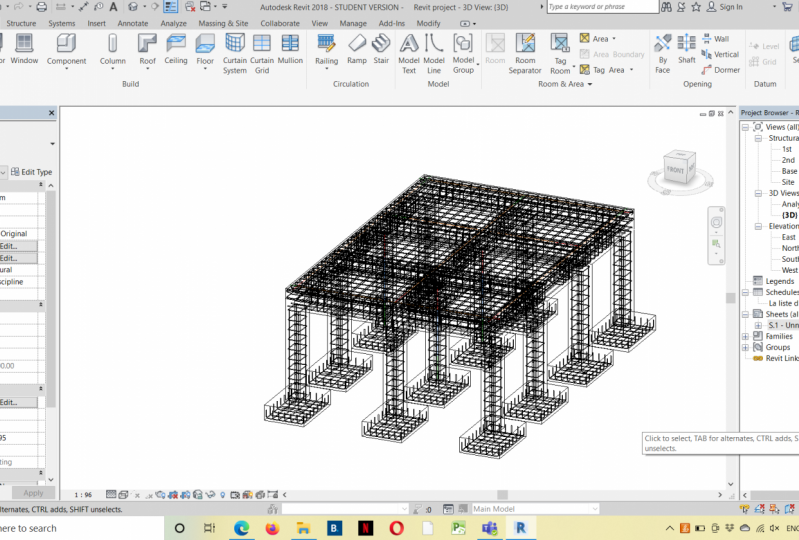
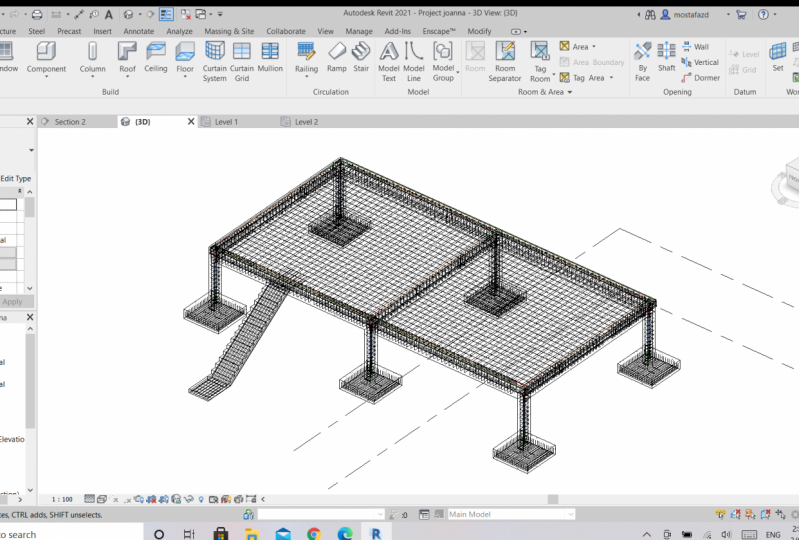
For this class project, you should be able to create your own model using Autodesk Revit 2020 by focusing this time on the structural part of your model. This comprehensive course can teach you what is needed in order to create your model. So, I strongly recommend each one of you to follow the lessons step by step in order to develop and create your model which should contain most of structural elements you've seen in this course. The model should contain the following customized elements created by you:
1- Foundations (any type of foundation)
2- Columns
3- Beams
4- Sheets
5- BIM quantities
Please feel free to contact me for any question so we can discuss it and share your project in the 'project section' so everyone can see it. Enjoy your course!

Notes attribuées au cours
Pourquoi s'inscrire à Skillshare ?
Suivez des cours Skillshare Original primés
Chaque cours comprend de courtes leçons et des travaux pratiques
Votre abonnement soutient les enseignants Skillshare
Apprenez, où que vous soyez
Suivez des cours où que vous soyez avec l'application Skillshare. Suivez-les en streaming ou téléchargez-les pour les regarder dans l'avion, dans le métro ou tout autre endroit où vous aimez apprendre.


Cours apparentés