Transcripts
1. Trailer (Spoiler Alert!): Sketches are kind of the
hipster way of taking notes. Instead of writing
wells of texts, you just mix short phrases with doodles and simple diagrams. Now, the catch is it looks
amazing and works even better. But classic sketch
notes usually take time and kind of need
to know how to draw. And let's be honest, not everyone is good at drawing and especially at
drawing tooth doodles. And I'm definitely
not, unfortunately. That's why I have to
share this with you. Here is the good news. Modern tech actually makes
this stuff ridiculously easy. So today, I will show you
how to use Google Gemini to create solid sketch notes without needing any
drawing skills. You can tweak them,
customize them, and adapt them to whatever
you are working on. And yes, I will show you
everything step by step. I will also explain why
I personally prefer gemini over tools like notebook
m for this kind of thing. And I will walk you
through a bunch of practical real life ways you can use these sketch
notes for learning, for teaching,
presentations, all of it. Isn't that exciting? I hope it is because as you
can easily read from my face, I'm truly excited to show you
this and my best prompts. You will get 50 plus of
advanced prompts that you won't find anywhere
else. Let's go.
2. Our Class Project: Plus project. Like
always in my courses, I really don't want you
to just watch my version, watch me talking, not along, and then close the
course and call it a e. I want you I need you
to actually do this stuff. You can do it while
you are watching or just after
finishing the course and see how fun it is to test new things and
practice right away. Not just start them on a screen. Okay. So yeah, of course, you've got a little homework. The main assignment is to
create a sketch note you are genuinely proud of on a topic you care
about right now. And then share it right here in the class project section. On top of that, some chapters end with a small quick exercise, just a step from the process. Nothing scary, nothing
very big or complicated. Just something to log in,
what you just learned. That way, the important
stuff actually sticks and your sketch notes end up
being as good as they can be. Let's do this and promise
me one thing, one thing. When you are done
with the course, I want to see you in the
class project section. Deal?
3. Important Things to Start With + What Gemini Is (and Is Not) for Sketchnotes: In things to start with what Gemini is and isn't
for sketch notes. Okay, like with any AI
tool and Gemini too, it can't read our minds. If technology work like that, honestly, that would
be kind of scary. So we have to be very
clear about what we want. And the better we explain it, the better the
results we get back. The good news, I will share all my best prompts
and methods with you, so don't worry. You're coverage. But before we jump into that, I want to make sure we are
on the same page about why sketch notes what we're
doing in the first place. Why not just take regular
notes? What's the point? Fair question. So here
is my point of view. Visual thinking beats text
only notes in a bunch of ways. First of all, our brains process images way faster than text, and sketch notes
help you understand things better and
remember them longer. That's why they are so powerful
for learning, teaching, explaining your point of view to other people and wrapping your
head around complex ideas. And listen, this isn't just about work or
learning new things. I found sketch notes just as useful for creative projects, personal goals or even figuring stuff out
in your own life. It's also a great way
to capture meetings or presentations because
you end up with something that's easy
to scan with eyes, easy to remember, and
kind of fun to look at, like a comic book
version of your notes. You might be thinking, Okay, but aren't regular
notes good enough? And dia, sometimes
they are short, but take a look at this. When you visualize your
thinking like this, you can turn a world of
text into something that's actually clear and
much easier to read. Dance text usually leads
to information overload. But once you add
visual structure, it immediately becomes
way more brain friendly. One good sketch note can replace
multiple pages of notes, and when sketch notes
are done right, someone can understand the
main message almost instantly. You can quickly recall the important stuff without
reading a wall of text. That's the power of sketch
notes in a nutshell. So let's discuss the process.
4. Step 1: Activating Thinking Mode and Analyzing Our Needs: First step, activating
thinking mode and analyzing our needs. So first, we need to prepare the things we want to
transform into sketch notes. And honestly, this step makes or breaks
everything because this is where we focus on the content that we will turn into
is in the next step. So let's head over to Gemini, and here we have to choose
and activate thinking mode as it's the best one for solving complex problems and
explaining complex things. And thanks to this
thinking mode, Gemini will be able to explain
our topic the way we need. Now we need to tell Gemini
to explain the thing, the concept we want to visualize
unless you already have your own text or your own digital notes on
that topic, of course. Because, yes, AI can also create sketch notes from your
own PDS or even videos, and that's a great idea, and I will also show
you my examples and how to do that
exactly step by step. But a little bit later, let's do everything step by step so you don't
get confused, okay? But for now, let's say you know what topic you want to
visualize in your sketch notes, but you don't have
any notes on it. So at this stage, we are not
generating any visuals yet. We will use a completely
different gemini mode for generating visuals later. Now, it's really important to remember about choosing
thinking mode. So that's the first thing
choose thinking mode. We need Gemini to explain the
topic the way we need it. Let's say we want to visualize something like
What is marketing? Yeah, that's a good
example, I think. Maybe you want to remember
it better yourself or maybe you want to
explain it to someone else. And here's the key thing we
need to think about first. At what level do we
want this explained? Because the explanation
will look totally different if it's
for a 9-year-old, a high school student, an adult who already
works in marketing, and someone who doesn't
work in the field at all or like a PhD in marketing. Look, it will be the same topic, the same task, but
completely different output. So this part really matters. We need to be specific
about the level we want. I'll show you the difference in a moment because
it's actually super interesting to see the difference
in a level of complex, level of the level
we want in practice. But first, let's say we want an explanation what
marketing is that even a 9-year-old would
understand because well, most textbooks says that
the real mastery is being able to explain
something simply and clearly. And if you can't explain
it in simple terms, it usually means the explanation is still too complicated. So our goal for
now is very clear. We want notes explaining
what marketing is in a way a 9-year-old
can understand. So how do we ask
Gemini for that? Luckily, this spot
is very simple. We need just a clear prompt, and we should also tell Gemini to keep the explanation
factual and, of course, fluff free. You know how AI tools
love to ramble, and we are not here for that. No fluff just the good stuff. So I'm using this
prompt for that. So explain what marketing
is and how it works. The audience is
9-year-old students. Be very specific and fluffy. Explain everything step by step. Use everyday examples my
audience can relate to. Remember about show sections
with clear headings. Think like a person who
wants to explain this in an interesting
way on one big page. And voila, as you can see, we've got a really nice,
clean explanation here. So let's take a quick
look and ask ourselves, would an average 9-year-old
actually understand this? Because that was our
main requirement. And honestly, I think this
is explained really well. Like, yeah, this part is great. This part is really creative and very straight to
the point. I like that. Now, just to show you how big
of a difference this makes, I will show you what would the same explanation look
like for other audiences. So, look, that way, you
can see it for yourself how important it is to
define the level up front. All right, so here is the deal. First, I will show
you the difference in results when we ask you to
explain what marketing is. We already have the
explanation for 9-year-old. So now I'm going to ask
Gemini to explain it for an adult who actually works
in the field in marketing. Like I said, we are
using the same prompt. You will be able to
copy it from the doc. And in the next part
of today's course, I will drop the exact link to where you can
access all of this. So we copy the prompt, paste it into Gemini. And the only thing we
change is the audience. Instead of a 9-year-old, we write any adult who
works in marketing. Make sure thinking
mode is on always, and let's run it. Now look at this. Right away, we are not getting super basic universal
examples anymore. The examples are
totally different. They are tailored to someone who actually works in the field. There is more industry language, more depth, and way more nuance. It's just a completely
different level of explanation. Do you see that? And do you want to see what this looks like as a sketch
note? Let's do this. That step where we turn the explanation into
a visual sketch note, we are actually going to break down properly in
the next chapter. But let's do a little
spoiler right now. So I will show you
the difference in the outputs using
these examples. Yeah, let's do a little
spoiler right now. I will show you
the difference in the outputs using these
examples so you can already see what's possible when you change the audience
in the and of course, don't stress about the prompt to turn explanation into
sketch node either. You will get them all in the secret doc I've
already told you about. We will walk through
it together a bit later because we can't
do everything at once. It's all we have to do
everything step by step. So I want to make sure
we are on the same page. So now a little spoiler
in how it works. We paste the prompt. We click CED Images, and we wait for nanobnanaP
to generate the sketch node. Okay, Gemini already gave
us already sketch node. And as you can see, the examples are completely different. If you zoom in on the details, it's clearly a different
level of explanation. Okay, now let's prep
the next prompt. This time for an
adult who doesn't work in marketing
at all, so again, we copy the first prompt from AI Doc and the only thing we
change is the audience line. Just this line,
that one sentence. And voila let's compare
the results now. As you can see, the opening
is actually very similar. You can see here, marketing
isn't about making things look pretty by tricking
people into buying junk. And in the other version, we had something close
to that too here. But then it shifts. You get way fewer
specialist terms and way more plain
language explanations. As you can see, it's simplified, yes, but still for an adult. So now let's turn that into a sketch note so we
can visually compare. Okay, look at this result. The language is
way more advanced. You are seeing terms like segmentation,
positioning, retention. This one assumes a much
deeper baseline knowledge. It's not over explaining, but the difference is huge. Now the next audience, a PhD in marketing. So someone at very high
level of expertise. So let's plug that in. Okay, let's remove
nano Banana again and just look at the raw output
for the PHD audience. I'm actually really
curious about this one, and, yeah, you can
clearly see it. The level of expertise assumed
here is totally different. The examples are way
more sophisticated. The framing is more academic. It's just on another level. So now let's generate this sketch node so we can
compare everything visually. Okay. And this is
what it looks like for someone with a
PhD in marketing. As you can see, yes, again, it's completely different
level of depth. If you are not in the field, this would be way too advanced. So here is the takeaway by changing just one
line in the prompt, this audience line,
we are able to get dramatically
different results. Totally different explanations,
different examples, different levels of complexity. And honestly, this is
super useful when you want to make sure your audience actually understands
what you are saying. You have to specify
who is it for. So let's take one last look at all the output side by side. Pay attention to the
explanations and examples, and you will see what I see that the difference is massive. That one sentence in the prompt
makes all the difference. It ensures the level of
depth and expertise is perfectly matched to the person who are explaining it too. And as a result, even the sketch note becomes
extremely more useful. Okay, and a little hands on
exercise for you right now. Choose one topic a
concept you teach or the topic you want to explain to someone or something you
want to learn yourself. Here are my examples
just to inspire you. Then run the explanation prompt
and don't rush this step. This is a very
important question. Take a second and think about
your prompt for Gemini. What level you actually
want your explanation at. And honestly, you can totally play with this as
well and have fun. So try a few different
levels and see what happens and see the difference for yourself on your example. Like what would the
explanation look like for a total
nerd who's deep in the topic already versus an explanation that even your
neighbor could understand, you know, the one who has
zero clue about the topic. And now let's go back to
our marketing explanation, a vision for the
9-year-old and move on to the moment we've
all been waiting for creating this sketch note.
5. My Best Prompt That Transforms the Notes into Visuals: Prom that transformed
the notes into visuals. Okay, so in the
same conversation, we are going to enter
another prompt. To be honest, this is my secret magic prompt
that turns the knowledge from the first step from plain knowledge into a clean,
beautiful sketch note. If you don't feel like rewriting
it yourself, I got it. Don't worry. I will tell you where you can download
it in a moment. But first, I need to
show you how this works. So our goal now is to
turn this text into an impressive and more
importantly useful sketch note. One super important thing
before we hit Enter, we need to switch Gemini
to create images. It's not really a mode. It's more like a different tool. The one with the banana
Emoji nano banana. The latest version of nano Banana is
actually really smart. So let's see what
it comes up with. Okay. Voila. Alright. So this cache note right here is
honestly really good. This is the version that even a 9-year-old would fully get
and actually find useful. As you can see, everything
is super clearly visualized. The drawings and
little illustrations make the message way
easier to understand. Right away, for example, in 0.4, catch the eye, there is this really
nice visual showing how attractive
packaging and turn the most basic juice into the star of the
grocery store shelf. I love that. Those
visuals just make the whole thing way more friendly and easier
to understand. It's easier on the eyes, easier on the brain, and I'm really sure it
just clicks faster. So the result is amazing. And hands on exercise for you
because now it's your turn. So paste your explanation from the first prom,
the one you got. Activate, create Image
stool nano banana and try to generate
your sketch note. And now it's time
for reflection. Does it look good? Does
it feel too crowded? Look at the layout, clarity. And if you already know
you don't like something, we need to change it.
6. What if I Want to Change Something in My Sketchnote? The Sketchnote Transformation : What if you want to change
something in your sketch note? The sketch node transformation. Because now at this point, there are basically two
possible scenarios. First one, you love the result. In that case, you can just
download it right away. Click the button here, choose download full
size, and boom. This sketch note is yours to
use whenever you want it. You can use it at work
during a meeting, drop it into your presentation, post it on your
blog or Substack, send it to a friend who's struggling to
understand the topic, or just keep it for yourself
and look at it whenever you want to remember or
understand the context. And subject better. But now the second scenario,
something feels off. Maybe one section
is too big for you. Maybe there's
something you think you'd remove and it
will looks better, or maybe the layout just
doesn't feel right. Do you have to start from scratch or go back
to an earlier step? Absolutely not.
All you need to do now is tell Jimini what
you want to change. For example, you can
say something like. I don't like this secret
saucepot. Remove it. Make the remaining sections
better balanced and easier to read and move the what is marketing
section to the center. Also, super important,
we need to tell Gemini not to change the doodles or redraw
the whole thing. Otherwise, you
accidentally might get a totally new sketch note. Gemini sometimes fixes
more than you asked for. So we need to add a line
like this to the prompt. Make only the changes I request, keep everything else
exactly the same. Same doodles, same icons, same style, same layout, unless I explicitly
ask to move something, and don't redraw or replace elements that
I didn't mention. You can also add this version
of a prompt modifier. Treat this like an edit
request, not a regeneration, preserve all existing visuals and text unless I
specifically name them. And now Gemini will update this sketch note for us just
like that. And that's it. As you can see, transforming your sketch notes is
really very easy, but you have to remember
about the things I mentioned and also observe the
importance of headings, spatial layout, and
visual metaphors. Does everything
look good for you or maybe do you need
to change something? Sometimes small changes
have such a big impact. Just take a look
at this example. And if you think there
is too much text, ask Jim andi to simplify it. If there are some
confusing icons, tell it to clarify it. If you think the structure is
weak and you don't like it, then we need to
reorganize the layout. And also, I will share some powerful
improvements prom that I love to use when
something feels off, and I know I have to edit it. For example, when I
find that there is too much text and it's
not very, you know, brain friendly for last
minute, for example, revisions, I use this prompt, reduce text by 40%. Use stronger visual metaphors. Make it more playful
and see what happens. You can also experiment
with the versions and just observe which
version you like the most. Make it more classroom friendly. These ones can be
really powerful. So let me show you really quick more examples of how these
proms can change the result. All right. Now check this out. Let's look at some actual
side by side examples. On the left, we've got
a regular version. The first one on the right, I ask Gemini stronger
visual metaphors. And you can immediately
see the difference. The visuals on the right are way more polished,
more exaggerated. Everything's dialed up, so
the message hits harder. You don't really have to guess what it's trying
to say is obvious. Like, take the money
example when it's strong, it's literally draw
like a superhero when it's we the contrast
is super dramatic. The visual clues are amplified, the hippie ball is stronger, and it's just more
intense overall. Then I asked it to make
this sketch more playful. And compared to the
original version, you can see the
shift right away. Brighter colors, little
details like stars everywhere, confetti, smiling dollar bill. The whole thing feels more
alive, more energetic. And after that, I told it to make it more
classroom friendly. So what did we get? It's turned into more
of a poster format. It feels even more handcrafted, almost like something made on a real sheet of paper
for a classroom well. Do you see the difference? This is why small prompt
twigs matter so much. Tiny changes can lead to subtle shifts or completely
different vibes. You can really
shape and fine tune the output to match
exactly what you need. And that's, honestly,
the most powerful part, one of the most powerful parts. You are not stuck
with one version. You can model it, adjust it, play with it, and land
exactly where you want.
7. Advanced Use Cases: Turn Your PDFs into Visual Sketchnote: As these cases, let's turn your PDF into
visual sketch note. Like I mentioned
at the beginning, with the sketch notes, honestly sky is the limit. You can sketch note pretty much anything you want
articles, PDFs, YouTube videos, meeting notes, lecture transcripts,
yes, you name it. And now I will show you
how well this works with PDFs because you
know how it works. At work, someone will eventually dump a
super long PDF on you. Or maybe you are creating a
summary of a long period of work and everything lives
in one massive document. And then the question is, how do you actually
summarize it? How do you remember any of it? Or maybe you already
have your own notes saved as a PDF and you just know you
know what's in there, but it's just not readable or useful for
anyone else anymore. That's why I love
this work los so much from long content
to sketch note. Because one visual can replace dozens of pages
from your PDF and help you actually understand and remember what
matters in this PDF. So this process is so
helpful because instead of rereading the same PDF over
and over and over again, you end up with one visual
you can come back to anytime and everything
clicks more easily. So let's go. Now I will show
you how you can effectively transform your long PDF
into handy sketch node. So this is my long PDF. As you can see, yeah,
it's pretty long. These are notes from
a business meeting, and this is a totally
different type of content compared to something like explaining what
marketing is, right? There is no single
definition here. It's more like cows, bullet point
decisions, side notes, random thoughts, and things
to come back to later. So yeah, let's see how
Gemini handles this. Do you remember the process? First, we ask Gemini
to prepare a summary. Because if we jump straight
into the visualization, the result can get way more chaotic and much less polished, and that's not what we want. So I always break the
process down into two steps. So this is the prompt
I will use for that. As you can see, now the prompt is a little
bit longer because when I ask Jim and I to
summarize my own PDF, I prefer this prom. So you can use that one as well if your PDF is similar
to mine, for example. And now I will show
you how well it works. And we will use this prom because it really
gives solid results. And of course, we also
need to attach our PDF. As you can see, now we've
got a nice summary. In my case, this is a good summary of this
specific PDF I'm working with. But if it's different for you and the result isn't as good, remember, feel free to tell
Gemini what to change. Gemini works for you, okay? Don't be shy about saying what's off and what
you need instead. And now it's time to turn
this into a sketch note. Okay. It looks really good, and I think it's a good
visual representation of the things we were
discussing during the meeting. So I really like the result. And now let's jump
into another use case. I've been really
excited to show you.
8. Summarize Youtube Videos and Turn Them into Sketchnotes: Is YouTube videos and
turn it into sketch note. YouTube is honestly a
gold mine of knowledge. I don't know about
you, but I really, really love learning
from YouTube videos, especially about
topics that would probably bore me
in another format. Like, for example,
I love when someone talks passionately about
classic literature. I can't really read
those long analysis. They just don't
hold my attention. But when someone explains
the same thing with passion, I need to I don't know. It's kind of hypnotizing. Suddenly, I'm really interested. The problem is, those
videos often contain so much information that
with my TikTok brain, with our TikTok brains, it's hard to
remember everything. And I think that's where Gemini comes to
the rescue again. I will obviously show
you this in practice using this great
video as an example. And honestly, I highly
recommend it if you also enjoy listening to this
kind of content on YouTube. Okay. And yeah, we
are using this prom. Okay, you can see Gemini is actually really good at
summarizing this stuff. And right now, if we want, we can even ask it to go through the whole video and pull
out even more details. And now we ask
Gemini to turn this into a sketch note
with this front. And before we do that, yep, time to switch to nano
Banana and create images. And vala as you can
see, with this method, you can pull a clear summary out of pretty much
anything a video, meeting notes, an article, a PDF, or even a book. In my humble opinion, this makes learning and remembering things
so much easier. It's good for our brains. At least that's what I'm hoping.
9. More Advanced and Creative Sketchnote Styles - Part I: Advanced sketchnotes styles. Okay, I prepared a ton of
really interesting topics. I hope they are interesting
for you as well. Take a look at
them and using it. These examples, I will
show you in practice 13 of my favorite very
different sketchnotes styles. I will also share my
best prompts with you. So these sketchnotes have the most interesting
visual form possible. In my humble opinion, of course, they will differ quite
a lot from each other. Thanks to these
advanced prompts, you will be able to generate really professional
looking sketch notes. So let's start with
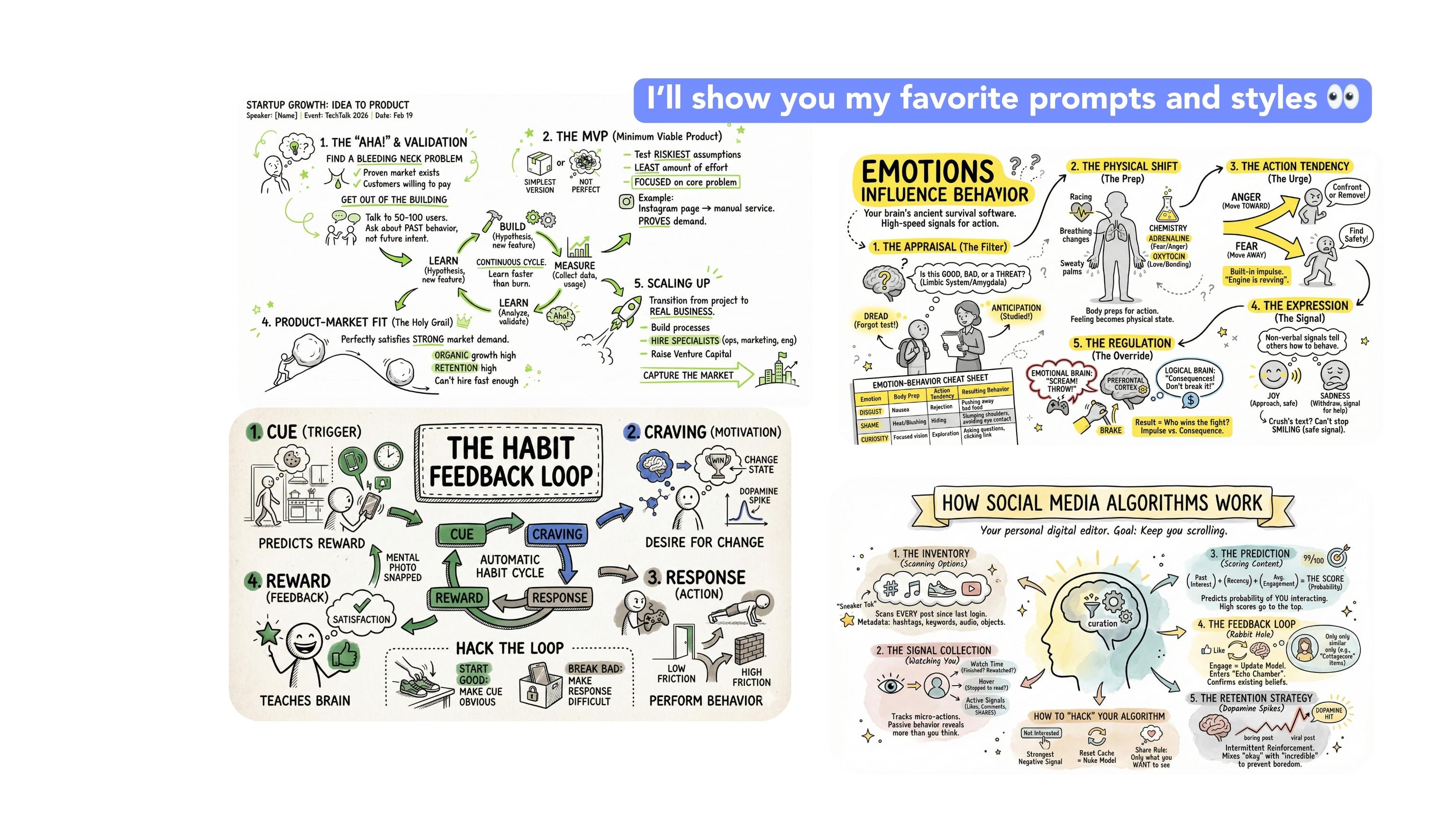
the first topic, how habit is formed. So we will repeat the
same step every time. We copy this prompt right here, switch to thinking mode in
Gemini and paste in our topic. So for this time,
how habit is formed. Now we have to
specify the audience. Let's say our audience
is 30 near students, and now, right, let's run it. And now I will show you I'm not using the second step
here anymore like we did before because the
second step from the top of our dog is one of the most universal
aesthetic examples. And now I want to show you other even more complex
styles of sketchnotes. So this is the first style. Look at it. Everything's
kind of minty, beautiful. Illustrations, and
here is the prompt you need to copy to get
this exact style. It works, in my opinion, really well for
social media posts. And presentations.
As you can see, the prompt is broken down into multiple subcategories to
achieve this specific effect. Style aesthetic, minimalistic
handraw sketchnote style. Everything here is
clearly listed. It's a very refined detailed
prompt as you can see. So we copy the whole prom
to get exactly this effect. And like you remember, we have to turn on nano Banana
and let it do its thing. It structures everything
nicely to give us the best possible
sketchnote in a second. So let's see what it creates. In the meantime, let's look
at the prompt once again. Do you see the
prompt is so precise that if you look at the
examples I generated earlier, everything is very,
very similar. Because the prompt
is that detail and everything is described
very carefully. We get very consistent results. And because of that, we are
not leaving it up to chance. We know what to expect. And, yeah, I really love this
style. I have to tell you. It's super easy to read
all the information, so it works great
in most use cases. Are you ready for the next one? Yes, I will show
you another style. Okay, as you can
see, for example, my boyfriend said
he would totally believe this was handwritten. So it's honestly such a
great way to get that. I mean, in my opinion, this is one of my
favorite styles. It really looks handwritten. Let's do this one
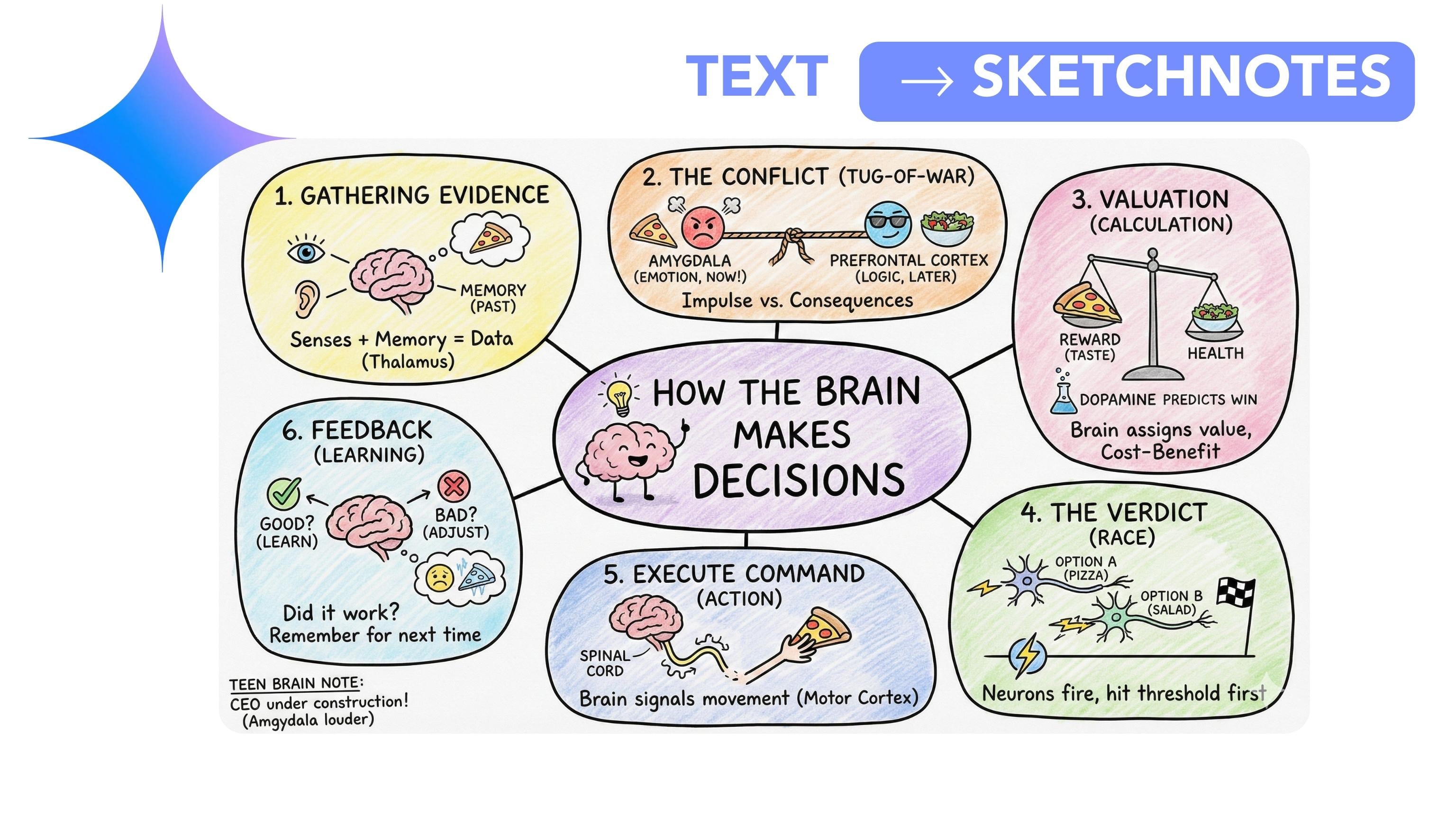
with the topic, how the brain makes decisions. Again, the same process. We copy the first step. We turn off nano
banana for a second. We enter our topic, explain how the brain
makes decisions. And this time, the audience
is, let's say, 15-years-old. Now we copy the prompt. I will also copy the step so I have it handy for
the next examples. And under each example and
the make it easy for you. You will find the fully
written and refined prompt I created. You just copy it. There are a lot of details in these prompts,
as you can see. We define the
illustration style, colors, even the thickness
of the lines in most cases. Okay, now we turn nano banana
back on and let it work. Let's see if it generates the same beautiful
handmade style sketchnote that I get earlier using this. Oh, of course. Look at this. Everything is drawn so nicely. I love that crayon
style shading. It looks amazing, I think. It's really well structured. Of course, we could ask for
more examples, more texts. We could use all the
prompt modifiers from the previous chapter. But honestly, I think this already looks
really, really good. So what do you think
about this style? Is it your favorite
so far, as well? Let me know. And now let's
move on to the next style. Okay. Spoiler of what
this one looks like. Oh, yeah. This one is more busy. There is more going on, but it still looks
like a poster. And I will show you this style with the topic of how
procrastination works. Again, do you
remember the process? We copy my base prompt the first step and turn off
nano banana for a second. Okay, so explain how
procrastination works. And we have to
specify the audience. The audience is 20-year-old
students this time. Okay. And we'll generate the explanation with
all the information, and then we copy the
prompt and prepared for you to get this
specific visual style. As you can see, it's
very long again. Okay. We click Create images to switch nanobnana
on and let it work. All right. This takes
a moment, obviously. There are a lot of elements it needs to create and process. And Wala, it actually turned out even better than in
my earlier examples. So let's quickly look at the
examples I generated before. It feels like there's even
more information here probably because we
set the audience as 20-year-old and super, it looks really good. The illustrations are
very well matched. I love how it turned out. Let me know in the comments if this is your favorite
style so far, or maybe one of
the previous ones, but we still have
a lot more styles to So let's move on
to the next one, which is very minimalistic
and very clean, but we still have
a ton of styles. Yeah, so not everyone will be minimalistic
and very clean. Look, I love these colors
and this minimalistic vibe. So what do we do? Yes, same as always. We copy the first step and
just change the topic. This time, this topic is how a startup grows from
idea to product. So we are switching
up the theme a bit, and the audience is, let's say, 25 year off. Actually, let's just keep students across the
board for this course. Alright, let's let it run. Okay. And let's quickly look
at the examples again so you can see what kind of results we are expecting
from this prompt. And take another look
at the prompt itself. You will notice I even specified the exact colors because I personally love that
green highlight. There is a lot of precision
here about the style we want. Like I already told you, the more specific we
are about what we want, the better and more
predictable the outcome. Okay, now we have
the explanation. So now we copy our
visual prompt once we have the explanation
ready, which we do. We need all of these elements
to get that exact and okay, let's look at the
explanation it gave us for how a sorta grows
from idea to product. Yeah, I like that. Nice, simple, clear.
It's really good. And as you can
see, the result is very close to the LA examples. It's shown really nicely,
especially this part. Arrows make it
super practical for visualizing different
ideas and concepts. It looks great in
presentation and meetings. Yeah, it's really clean. And if you are not that
much into that green, don't worry, change the
color in the instructions. Okay, now the next style
is for yellow lovers. Yellow isn't as minimalistic
as that light green one, but the layout is
slightly different, too. So let's test the
style with the topic. How emotions influence behavior. So again, we copy the
first step prompt, drop in the new topic. Let's say 15-year-old
students again, and we let it generate a clear explanation that will then turn
into a sketchnote. So the first step
goes really fast. Now we copy the visual
prompt for our fifth style, the one for yellow thus. As usual, there are
tons of details. I like the details. They help me control the result. And we turn on nano Banana
and let it work its magic. The quick reminder this
time we are aiming for a simple sketchnote with yellow accents only.
No other colors. Little stick figures
illustrating everything. I have to tell you it's not
in my top three styles, but it's very practical
and works great in presentations because it
grabs attention very easily. Okay, voila. Okay, I might actually like
this one even more than the examples I generated
with this prompt earlier. It's laid out really nice sleep. The little characters,
the facial expressions. Honestly, I think this is one of my favorite results we've
created in this chapter so far. So a little plot twist. Let me know if you agree.
It's really well done. Yeah, I'm definitely
saving this one to my favorite sketchnotes
folder. And now, Let's move on to the next style. Are you ready for a
next visual surprise? So, this one looks like this. Super minimalistic. I often see sketch notes
like this in books. And let's try it with the topic, how Branding shapes perception. Okay, this topic is close
to my professional will. So we copy the step one prompt. We past the topic, explain how Branding shapes perception, and the audience is, let's say, 20-year-old student. So we let it generate a solid explanation that we will turn into a
sketchnote in a second. Meanwhile, we copy the
visual prom that transfers it into that beautiful
example I generated Elga. Oh, yes, we copy
all the elements, lots of white space, no symmetry, no great
natural flow of thinking. As you can see, a
lot of instructions, a lot of guidance for our
Gemini and A nano banana. And yes, as always, we activate nano banana
and paste in the prompt. Now we are waiting
and waiting Okay, I'm pretty sure the
result will be beautiful. Okay, I know I keep saying
that about honors every style, but this one is really
one of my favorites. Okay, do you see that? It didn't fully listen to us. It added a subtle
color. You see that. But honestly, we could easily
tell it to remove that. Oh, maybe there's something interesting about it.
What do you think? It almost looks like
printed ink running out, like the printer started
fading mid page, but it's explained
really nicely. I think it looks great.
Sometimes little artifacts happen like it doesn't
follow instruction in 100%. In that case, we just reminded what it
was supposed to do. But to be fair, that
barely happens with Gemini and when it does
behave, we praise it. Let me know what do you
think about this style? This was style number six out of all the ones
I prepared for you. Are you ready for the next one? This one is for fans of
pretty simple layouts. Let's see what examples
we will use here. Watch topic, how creativity
moves from case to clarity. And of course, we help
you my base prompt. So prompt, step one. Then we paste in the topic. And what audience do
we want this time? 6-years-old. Let's see what it does with such
a young audience. Because as you already know, I really like
examples like this. Like I told you before, if you can't explain
something in a way that even a six or 7-year-old
would understand, we are usually overcomplicated. And those kinds of simple explanations usually look really nice when visualized. So right away, to illustrate it, we turn on nano Banana and
copy my seventh prompt. And as you can see, these
prompts take up a lot of space. So we are already on
page 30 of my dog. So, so we copy everything. We need all of this. Let's see what it comes up with.
Are you curious? Because, well, I am. This style isn't the
one I use most often. Honestly, it's probably
one of my least favorites. But I know that's super objective because everyone has different tastes, right? But, well, I actually
like this one. We could tell it to remove the random date and
location it added here. But anyway, I yes,
nice explanation. We could also ask it
to expand it a bit, but I think as one of several sketchnotes in a
blog post or presentation, this works really well. Now we are moving to a
style I really love. Look at these pastel colors like they are painted
with a brush. What can I say? I really
adore this style. And I'm especially excited because it's paired with a
really cool topic this time. So I'm super curious how
it will explain this one. So no more waiting. We are copying the first step. Let's say our audience is
17-year-old this time, just to slightly shift the tone. And the topic is explain how social media
algorithms work. Okay, let's give it some room to shine
with the explanation. Okay, I already like the
explanation style here. Now let's see what it shows us. As always, we turn on nano
banana, not what it says, but what it shows, and we copy my prom to get that
beautiful pastel style. Let me know if you
love this one as much as I do. And we let it run. It takes a second. Alright, we can see
it's the final stage. It's about to show
us what it created. Will it be the best
sketchnote so far? I'm guessing it might
be one of the best. I've worked with this
prompt quite a bit, so there might be more detail
than in the previous ones. And just as a reminder, this is style number eight. Yeah, we are already
on the eighth style. Look at that. Look at us. But, okay, yeah, it
really delivered. This is honestly
beautiful, seriously. I think this might be one of my favorite ones
created for this video. Super clear explanation
looks amazing. Those pastels, yeah, so good. Let me know if this is
your number as well. And in a second, we'll also revisit what the previous ones look
like. Just as a reminder. But listen, we still have a
bunch more to go through. So watch. Let's keep going. Actually, let's just stay
at this one for one more second because it's
genuinely stunning. And now it's time
for the next one, and I'm seriously excited to
show you this one. Let's go.
10. More Advanced and Creative Sketchnote Styles - Part II : Advanced catch new styles and most secret proms. Part two. Okay, we still have a bunch of beautiful and unique styles
to go through together. But for now, like I promise, let's go through all these
styles with fret so far. Now you can really see how different they are from
each other and how cool it will be to use them in different contexts,
different presentation, blogposts, websites, meetings, to understand
something better yourself, to help someone else
understand something better, to explain something
very clearly. Look at how different
they all are. That's why, as you already know, I'm such a fan of the
prompts I developed. They really let you create amazing advanced visual results. But like I said, this is absolutely not the end. I still have a lot
more to show you. So as promised, let's move on
to another beautiful style. What do you think
about this one? I think it's pretty simple, but it works great when you
want to memorize something yourself because there
aren't so many distractions. So what topic do we
have for this one? How confidence is
built over time. Free topic, mob
psychological. So let's go. And as always thinking mode on. This time, the audience,
maybe 12-years-old? I don't think we've done
12 yet, so let's see. Yes, we copy the topic, I'd explain, paste it in, and let it do its thing. Okay, I already like
this explanation a lot. I think it's really solid. And now to get this sketch note, we copy my visual prompt. As you can see, there is a lot here about typography style, things it should do, and the things it should avoid and how
sections should look. Okay, we copy everything. Won't lie. It's a long prompt. Yeah, it's very long,
and we let it work. As you can see in the prompt, overall aesthetic looks like a real sketch note page
photographed from above. And if you look at the example, it really does look like a white desk with
a notebook on it. Okay. Go, Gemini. Go. Go nano banana. We believe what you create will be useful and beautiful, right? Okay. Here we are. And yes, it turned
out really nice. Just take a look at the details. How confidence is built. Side effects of action system. Awkward zone, starting. Everything, everyone
is bet at first. Goal, survive, not be perfect. Action, do it anyway,
even if cringy. Yeah, small wins, microsxes, master tiny pieces,
breaking things down. Is it proof I can handle
being bad. You didn't die. I think it's
explained really well from a psychological
perspective. So I have to tell you I
really like this example. I'm glad this topic
landed on this style. Let me know if this one makes it into your favorites or
not. And let's keep going. Now we have this notebook
style, muted yellow vibe. And what topic do we
how Brno develops. Okay, it's a serious one. So we copy our Step one prompt. Let's say our audience is
20 old students this time. Okay, we paste the topic. Turn on create images, wait. No, not yet. Not yet. Do you see even I
sometimes forget to switch it off or that we don't switch on nano banana
in the first step. So we can cancel it, turn it off because we don't need nano banana to
generate the explanation. Okay, now we have
the explanation, and now now we can turn down the banana on and
copy a visual prompt. So let's look at what's
inside this prompt. We define the aesthetic, then the color palette. What colors to use?
What to avoid? Then layout structure, then
typography instructions, which are very important. Then visual elements,
the composition. Everything is clearly specified. It's working now.
This takes a moment. It's a fairly complex process, even for an advanced model. And here is the result. Nice, nice. There
is a lot going on. But there was also
a lot to explain, and I think it's
really well explained. From a psychological
perspective, it's honestly very solid. Let's look at it step by step. The progression is really clear, and I love the little advice Cy to beautifully structured. Beautifully structured. Yeah. Alright. So let's
move on to the next style. This one is also one of
my favorites. I love it. If I didn't know how to create this style and sew
it somewhere else, I'd assume it took a ton of work because it looks complicated,
very professional. Let's see what
topic we get here. How storytelling
captures attention. Perfect. This topic fits
this style really well. So as always we copy my base
prompt and paste it in. The audience is, let's say, psychology students, no
specific age this time. Okay, here we are getting into much more industry
specific language and some neuropsychological
details. And right. Now we
copy the prompt. As you can see, this
one is shorter. At some point, I was also testing shorter
prompts like this, and sometimes they actually work really well. Like in this case. So let's take another
look at the examples. So you know what we
are expecting here. I love these examples so much that I even used one
of them as the cover. So I'm not just
throwing words around. I'm genuinely a huge
fan of this style. Let's hope we get something
just as beautiful now. Okay, it's working. Let's let it shine. So what do you think? Will this be the favorite of
the whole series? Actually, maybe we
could rated them. I'd say zero to ten, and you could drop your
rating in the commons. Yeah, I should definitely
introduce that idea next time. But for now, tell
me your favorite, your top three favorite
sketch note style. And just a reminder, this is style number 11. Candidate number 11
for miss sketch node. Mr. Sketch Node. I slightly prefer the
earlier examples, but this one is
still really good. Maybe because here we have more repeated elements
like the free brains, and also the topic
was more technical. So maybe it couldn't go as wild visually, but
it looks great. Perfect for
presentations, meetings, or just for remembering how
something works yourself. Really, really good.
I really like it. Alright. Now a similar
style, do you see? Slightly different
layout, though. And let's see what
topic we get this time. How money grows for
compound interest. Okay, complex topic.
It's interesting. So let's see how
it handles this. So we copy the step one prompt. Make sure Nano banana is off. This is not the step for it
yet. We paste the topic. The audience is
maybe our students. So someone who's not deeply
into finance or omics. I think that could lead to a really interesting
explanation. Let's see what it comes up with. Any art references? Yes. Okay. Nice. Nice.
Yeah. Now to visualize it. We turn on nano banana
and copy my prompt. This one is show a too but
packed with instructions. So let's look at the example
again. Pretty cool, right? I'm curious how this will turn out because even with
a detailed prompt, the result will still vary
slightly depending on the topic and the illustrations it chooses to match the topic. Sometimes that can surprise
you mostly in the best way. Okay, it's loading,
defining content flow. What will it create this time? Will this be the
favorite a ten out of ten sketch note that replaces my cover,
your favorite style. This is the moment,
the deciding moment. Okay. Oh, nice. It actually incorporated
the fact that the audience is art
students. That's great. It really adjusted the visuals
to match the audience, and that is so cool. This is exactly what I
was telling you about. You can tailor the
sketch note to the person you are trying to
help understand something, and that's really powerful. And now let's move to
the final example. Number 13. And I really like this style. It's pretty clean but also great for explaining
more complex things. The arrows dissection
is very practical. It's somewhat similar
to the previous two, but it has its own personality. Let's see what topic it gets. We could choose, but I think
I will go with this one. And actually, let's make the very last topic
your assignment deal. You can use the last topic and your favorite
sketch note style, your favorite sketch
note style prompt and show me the result. That way, you will show me which sketchne style
is your favorite. I think that's the best idea. Alright. Let's do
the last one now. It still has a chance
to become a favorite. Will let's pull it
off? Let's see. The audience is, let's say,
13-years-old students. I think that will work nicely. Okay, we have the explanation. Now we copy my final prom, the last one I created, and we activate nano banana. And now the moment of truth. Will it be the best one? It's taking a while, which might actually
be a good sign, still loading, still
working? Okay. Okay. I definitely went
more minimal here. There is not a ton of text, but everything is laid out
really clearly and in order. And honestly, I think
this works great for presentation because you don't want a wall of text. On a slide. You just want to visually
support what you are saying. I think this is a
really strong example. And now, right, let's quickly recap all the styles we created and discussed
in the last minutes. All we created, all we
went through together. Yeah, there are
quite a lot of them, and honestly, I think it will be very hard for you
to choose the best one. Of course, it all
depends on the context, the topic, your audience, whether you are trying to understand something
better yourself, explain something
to someone else. Use it in the work presentation
of something personal. There are so many variables, but I'm really curious. Which style is your
favorite right now? And like I said earlier, we still have that
one topic left. So use it. Your favorite style, create your version and show me. Okay. Do we have the deal?
11. Why Gemini is Better for Sketchnotes than NotebookLM : Gemini is better for sketch
notes than notebook alum. Notebook alum is
amazing at research. But Gemini is better
at turning stuff into a sketch note you actually
want to use and look at. And I think the reason
is pretty simple. Gemini is built to generate
and edit images directly, while notebook LM is built
to work with sources, citations, and study workflow. So it's just a
different type of tool. So what we are comparing, so we have a oh, yes. No Do Aalam can
generate si words like my favorite sketch notes and infographics in
its studio panel. You can even tweak things like detail level orientation and
also add a custom prompt. Gemini, on the other hand, lets you create images and
also edit generated visuals or upload images through nano
banana or nano Banana P. So yes, both tools
can output visuals. But for sketch nodes, the workflow and control are widely different,
as you can see. The first reason Geminis visuals workflow is literally
made for sketch nodes. Because sketch notes
aren't just visuals. They are very specific format. One page layout QR, icons and arrows, minimal words, we can't use many
long sentences. Structure, we need structure that's easy to scan with eyes. And the Gemini lets
you do that as a direct create image
step with a prompt, and then keep editing with natural language edits
as you saw a moment ago. And Notebook alms
infographics feature is closer to here is a
polished visual summary, not necessarily here is a hand
wrawn schedule note vibe. The second reason iteration
is easier in Gemini. Because sketch notes are very rarely perfect on the
first generation. You wouldn't want to say things like the proms I've
shown you before, make it less crowded, reduce text by 30 or 40%. Move the box to the center, keep all the duals unchanged, only change that one section. And Gemini supports
image creation and editing in the
same environment. Including, you know, the
visuals you just generated. And for now, nano
Banana P is explicitly positioned around control
and precise edits. So it's very good at that. And notebook alms, and for graphics also
can be customized, but it's more like generate a new version than live
edit is like a designer. The first reason sketch
notes often need creative visual translation,
not only summarizing. So Notebook alum shines when you want answers grounded
in your sources, and you care most about
accuracy and traceability. That's the Notebook alum
superpower, for sure, but sketch notes often work
best when you add metaphors, playful icons, more
visual storytelling, comic page energy. And Gemini is just better that creative
translation step because it's designed to generate images from prompts and
iterate visually. Our workflow in Gemini
is very simple. It's basically thinking mode, explain clearly for
a specific audience, and then the second
step create image, turn it into a sketch node, and Gemini is built for exactly that conversation to visual conversation
to image flow. And notebook alum is more
like import sources, organized notebook use studio outputs
infographic slide deck, which is great, but just
different, just heavier. But if your number one priority is citation grounded summaries, research accuracy with sources, working across lots of
sources in one notebook, building, study
materials or briefings. Notebook alarm can be
better first step. I don't deny it. So my personal recommendation
would be this. If that's your case,
use notebook alum to digest and ground
a giant pile of sources and then use Gemini to turn the final summary
into a sketch note. If your case is more
complex and more academic, that's the dream combo for complex topics or more
complex research. Oh, yeah, a notebook alm can be the better
research brain for you, but Gemini is still the
better sketch note artist. And if you want something
that looks like this, like an actual
sketch note, clean, visual, editable, one page, easy to scan, Gemini is just
the smoother tool folded up.
12. Final Words & My Question (to You!): Words and my question to you. So I really hope our time together showed you that sketch notes don't
have to be hard. Time consuming or reserved only for people who
can draw very well. Because with Gemini, as you saw, it's really about
using good prompts, asking the right questions, and then letting the
visuals do their thing. And now I'm really curious,
really, really curious. What are you going
to use this for? Is it learning something new, taking better notes
from meetings, and remembering what
the meeting was about, explaining ideas to clients, or maybe your team teaching, organizing your own thoughts, or maybe turning
overwhelming content into something your brain
can actually handle. I'd love to hear how you
are planning to use this and what surprised you the
most watching my examples. So please share your fuss in the discussion
or review section. I actually read all the
comments, alli fuss, all the reviews, and they help me shape what
I create next. And one more thing. As
you probably know by now, I love creating content. I love creating courses that
are actually useful for you. So if there is something you'd
like to learn next a tool, a workflow, a problem you
are stuck with, tell me. Seriously, don't be
shy and tell me. And if you enjoy this course, I'll be forever grateful
for a short review. So I hope to see you there.
 Kasia Pilch, Online Strategist & Marketing Specialist