Transcripts
1. Introduction: Hi Menace Jo Jo and basing San Francisco. I have been doing UX design for over 12 years. This is a beginner level class and I will teach you a high level overview of efficient you XT isn't process. I will teach you how to design and create weight Page from scratch will be extinct and will point out some very important best processes. And I will show you how to leverage the free made you like it to save time. This course is for people who are new to be extinct or you extra friend process for a graphic designers or for beginners who want to learn you X design. In this class, you will learn an overview of good UX design process. How to use basic useful tools in Adobe XY. How to create an information, architecture and user for how to create low and high fidelity y friends in Adobe X'd how to share and shift your designed to developers, thick holders and users or critique and feedback. So if I already they're sticking to an efficient you excellent process And don't forget to follow me and steal share
2. Understand Design (High Level): UX design in design in general is about problem solving critical thinking, creating experiences and making visually appealing and tasteful or even memorable when the user experience these lines. Don't well, people shouldn't really notice at all while using the product issue. Just work us. It's supposed to and be very intuitive. Good design. It's creating ways to make information and messaging easy to understand and digest each element used in these. I has been chosen for a reason, and it's not there by accident. Step one. Understand the most important aspect of high quality desire is to truly understand the user . This can be done quite easily with some techniques and questions. We need to ask and answer this star with the user. Once the problems the user is facing are known, we can start thinking about the solution. But before we truly design the solution, we need to work on other aspect of design that will shape our solution. Step two. Research First, we should start understanding the brand. How is the project? I'm working on aligning with the brand to understand the mission and goals before I move on to next step. We want to identify the users problems and the court of the brain and see how they align before we go into designing the solution. A good design process requires us to ensure we truly understand our users well observing user in their natural environment for existing product and try to get inside their head by ask as many questions as possible, understand what they are trying to achieve, what they like and don't like. What do the users ni want and expect? What are the pain points? And we can use this information to form user persona. Next step user testing in early stage. We don't need to survey millions of users. The effective way for testing in early stage is test three to fight targeted users with low fidelity prototype. He will save time, and it gets us enough data to move forward with the project. Step three on the lice. Once you have all the research, take all the data you have and laid out visually into yusor personas. This will be useful any time you need to go back and understand uses as well. You said personas will be very useful guide during future steps of design. If we would work on the existing website or an app. We will start to analyze recorded data. It's anything us. They go to you and it's anything that come up over and over from potential users and find out how can we meet? This is needs stakeholder needs and use. It needs step for start to build actual design star by creating the information architecture to define the content, hierarchy and way finding. Start the finding a use of flow, which is how the use of to go from point A to point B within the app and how the app interacts with the user. Lo Fidelity wife friend is like a blueprint of the design star. These I low for the only wire friend to get the idea across, and it can be shared and get feedback. Start testing out with the users in prototype. Observe how they use it. Do they get confused? Is the year several enough? Is it easy to fund the information together Feedback eatery and refined and make sure it's still needs business goal and user needs. After designing, critique, feedback and redesign and redesigning some more, wish you constantly share our low fidelity wife friend, prototype for testing and gather feedback with the ting. He only gets better with collaborations before we. These are high fidelity wire frame with your brainstorm, the boob or and they look and feel for the overall visual design. These I'm pattern color, topography, button icons, images and more. Finalized the high Fidelity wife rent and working with the development ing to cover that these aren't into a real product. This requires the love collaboration with the developers, continuous discussion T back and review sections. Several check ings reviews and it orations will lead to the final design, which will work well for all users. Step five. Lunch After the Prada has launched, its more to be done, it is the time for Rio user analysis. We should ask ourselves questions such as. How are the users responding? Where do we struggle? Do we solve their issues in pinpoints rial? User feedback will help us understand our mistakes and get ideas for improvements. We can go and we find the design for the next version of the product. You can follow all the steps as sure for the next version of the product. With some reflection of the user feedback, you will gain valuable knowledge that you can use to make sure future projects and design wrong for more smoothly
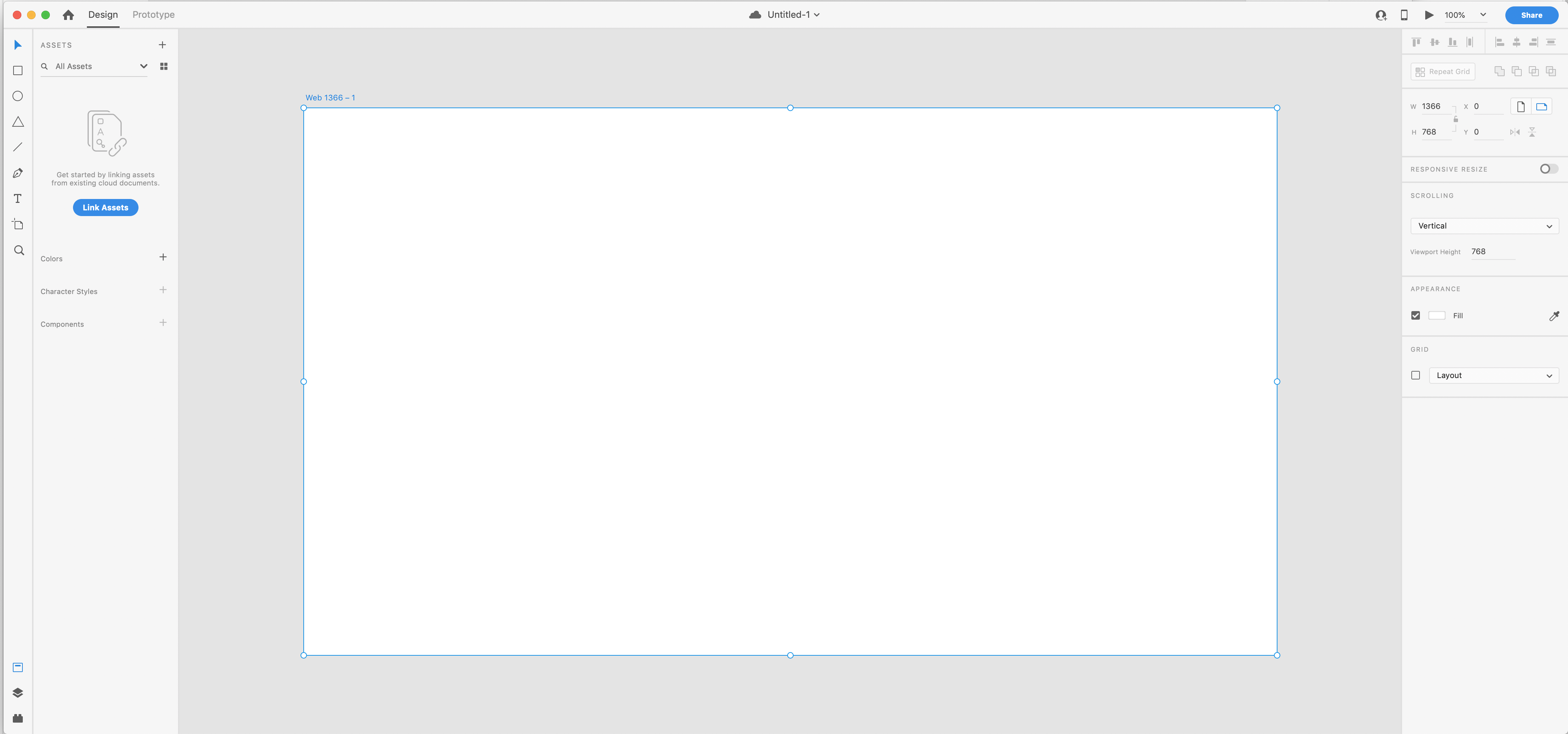
3. Adobe XD basic tools: when you lunch will be XY. The welcome screen provides a starting point for your desire, and it includes helpful resource is to get you started. When you are ready to create new design, click below each preset for unless of the additional sizes. Once I created a new file, the first thing I will do is save the file and read them it. You have options to save it on the cloth or on your computer. SS The meaningful Mac at the top. They are three modes in Adobe X'd design prototype in share. Use these. I'm old. To design the screens, use prototype moto wire interactions that will simulate the flow off the potter you are designing. Use your vote when your project is ready to be reviewed. You're strong tour to draw. Object on your are poor By holding on to shift key, you can draw a perfect square through a goal. In triangle, you changes pencil like the shift key. Draw some curvy lines with Penta war. He's a tech school. I simply highlighting them and you can go to the property panel here on your right hand side. Just so let your favorite fonds that you want to use and change the size of the fund and the fun. Wait if you like. Use SS panel to manage colors, character cells and seeing bulls so like an object can apply the collar LA Kings panel allows you to add apply and manager of Hawkings.
4. Information architecture: information architecture. Name the file and safe uh, that straw or circle and color it. Adding a label. Cole Home and Union Cane. Change of Fun style to your liking. Stock draw Some lines tingles. Two pages are connected under home page. Have first level page in second level page as examples for this class. You can make about more pages in details for your project. It's it . Here is our information architecture. Now you can clearly see how the Web size structured.
5. Persona: persona go through with this stuff. Open up the personal file that WAAS in the provided border first import the personal image to the R four. If you're fluent in, here's the content in design layout to a temple, it press common shift and I two important The image. Hold the shift key when we size the image to avoid distortion. Now I would like to beautify. Lay out a little bit by adding colors in new stiffened phone sizes to improve the visual hierarchy, adjusting the phone size to make the layout look more balanced and easy to re go on board. To get that repairs panel here, you can turn on and off the grid in this panel line. Envy. Aligning some more a few feet. Teoh Moose This personal file us your base for the future project.
6. User flow: you, sir. Flow open, Have a brand new file, first name and save the file. I will call a yusor flow. And this did the same for the outboard Knicks, and we use ticks toward too quickly. In my phone, you said information I protector that we created earlier us the guide to lay out the flow We're creating home page on that page part of that page. Now there's queer that tingle for the home page, a text logo for the page on the home page. I want to have a three coat of action icons goto that many press coming shift I to import the icons. I will use the same for them yourself. Flow. I'm going to create at the car. Go to college selection here. Not just any cover you prefer in the same size Lisa alignment tool to align selected objects. Adding cocoa Action page. - Now this top of the page logo and these two icons to the bottom age for the pot a page. I want to only show images of beautiful products. Everyone wants a solid by tingle to me present the product images. I would use the lighter blue for the placeholder images holding down the option key to duplicate the images for the pot of detail page, I will have a large size image and some description for the products we were. Right angle indicates the text descriptions. You can also resize the graphic by entering the size in component Panel A line and realigning the layout until you're happy with it. It's draws on errors to provide the direction and interaction. The circle indicates a link. Use pin to ward to drama. Why this may clamping color met the stroke size, too. This create another link from product image to product, he told Paige. - I'm going to duplicate the indicator inflicted so I don't need to draw again like that. Call to action on the home page to product detail. Page this at another kowtow action to a product until page this. Copy the button on the home page to make. This isn't look consistent for me. Took me the details for the many items if you like, but I am going to skip the list for this demo last night. In decay, the baton is linked to the shopping cart. Uh, that's it hits a high level example of use of flow
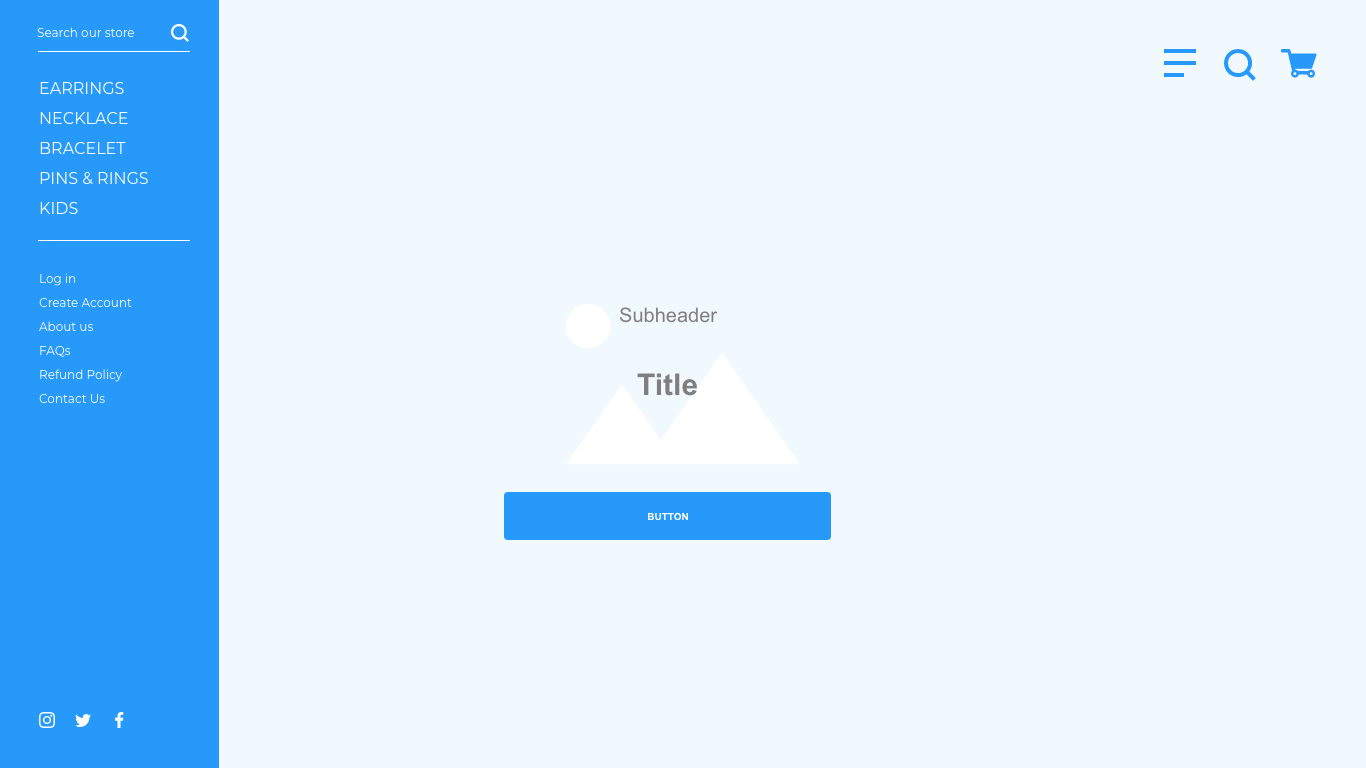
7. Low Fidelity Wireframe: Lofa Daily wire. Friends Open Pre mate Low Fidelity Wife friend that WAAS provided in the class water. This chews wires for website particular time to browse through this reusable elements. Open a new file and save it to the desktop. And remember to them the art board. Use information architectures that we created as a guide to layout your website. Hold the option key to duplicate the outboard. First thing I would put on the website it's a logo. So this star putting a logo into our wife. Friends import the icons that was provided in a cross border. Or you can create a new one from scratch that fit your brand. We have menu icon shopping courts in search, and we are going to use these three icons throughout the site. This made the whole thing blue like the wire friend kit. Turn on the grid. 10. Help positioning the objects. It's also helpful for creating responsive website at short and see copies to describe the product. Let's get back to wife Frank it and copied elements that for our project, every home page is a big your image. So music and see the currently promoted items when they lend to the sites. A permanent call to action is important for this Thomas website. Hold space came to grab in the window. That's add Carousel, complaining to the home page to promote the bottom. I would just use circles for Carousel for these projects. Our homepage sport now copy everything from home, page our board and paste it onto home page with expended cleaning use tinkle toe that start at it. First, I was at a search warrant. Place water tests to remind you what to do in the text field. Let's add many items hugely. The detail links can be added to information architecture. For this short version, we don't need it now. I want to add a divider line to differentiate thes different sections for a better visual hierarchy. Um, I will put the local again on the menu. This'll ash Social media icons fund the pre May wife friend. This move on to part a page again. This reduce that element that we have already created. Logo on cons and image placeholder recites the image to represent the Plata at a product name and styled the fonts. What we do here is go back, back back, back, back. Once I'm happy with look and feel and position, I will start implicated. Keep the image in product, go through property and click on Creepy. I like to show 12 products for this page at the hater toward the page. Last screen is our party's HelpAge. I would like to make the image bigger to showcase the products. Add hater sub hater in description. Use the rum. It some for our placeholder description. - Copy icons e from the cremate wire friend Last add a call to Action Button one Last Loaf, Adelie wife, France Born.
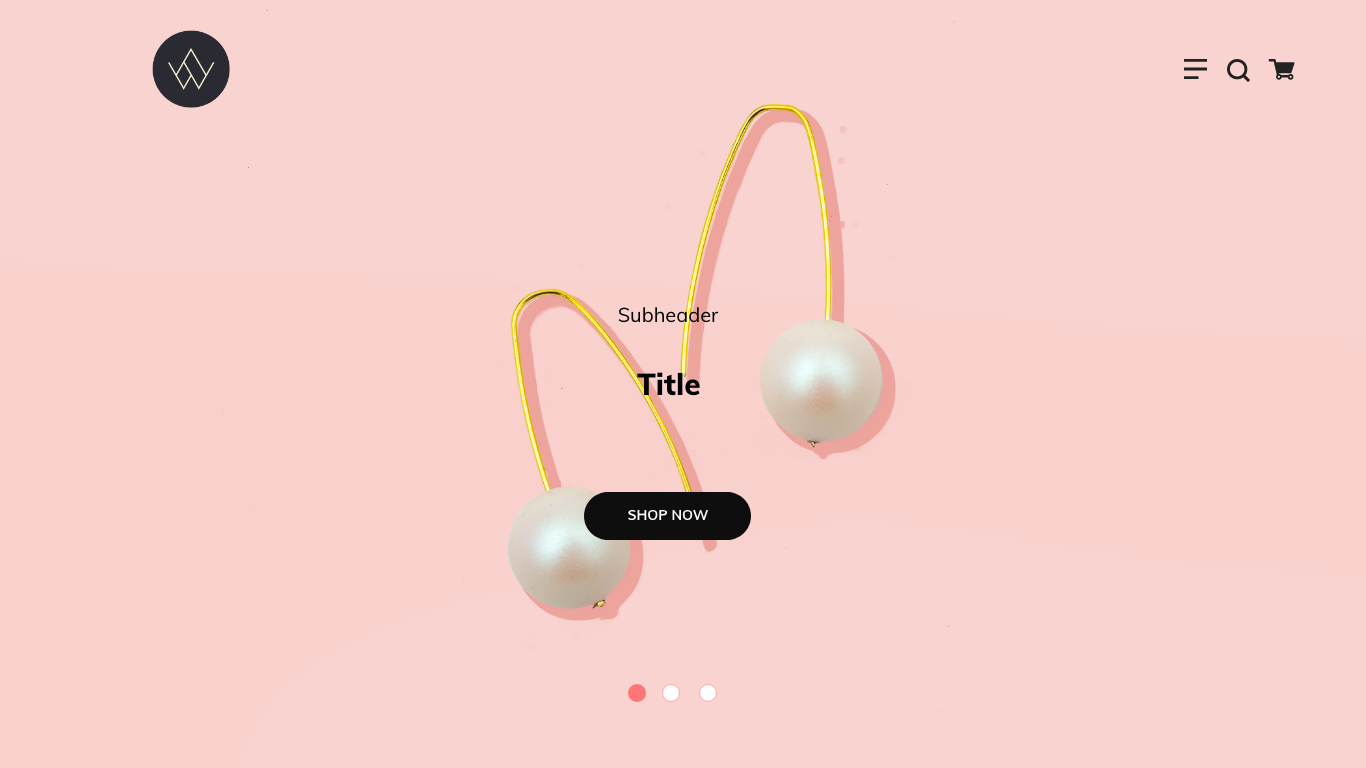
8. High Fidelity Wireframe: Hi, fagili wire friend. Just take the loaf a daily wire front and re save it a saw high fidelity away from I'm just gonna use a short each eye for high and this dig with same for all the upwards and read Name it Click on the image Place quarter include idiot than imports and your image from the provided class. For order this. Pick the Pearl Earring image from the Image quarter. Next skill Edo. Send the image to the back. Now this to another grid usually used 24 columns for the grave so we can measure the position off the objects. Is replaced the logo with the rial logo that's provided in the Class four order, then change elements color to bring collar. For this I use, um, has color. 33333 as the bringing collar and this ad that cover into the Assets panel on the left hand side. And now there's changed the button in this DUI. For all the buttons and the carousel icons. Also the icons for the menu, shopping cart and magnifying glass. - Let's move on to a second airport. First, this renamed the Our Boards, who high for Delhi wire friend, and then this move back to the first are poor and then copy the Al Amends. Thus far, the first our board and D the Loaf Adelie elements on Second are poor. Then pace a new elements onto the sick and outboard. Now this. Replace that logo and then this. Like the elements that's in the menu section. England tried to and tried Teoh and change the Element Qala to your liking in this at Grey College. Just watch. And then this made the horizontal I into the pink. And lastly, it's changed the back on color off the menu. And now it's style walking home, perfecting the look and feel off the many items. The new elements adjust elements to the perfect position in size, and once you're satisfied with the look and feel, it's that we can move on to the third outboards the product detail Page Sam T. First this replace local and icons and second this match test collar to the brain, open the image border. And so, like Bata images and now the magic. It's going to happen by drag and drop that image that we just select it into the repeated grid, and this do the same for the Tex and one. And lastly, the last page the product detail page. Replace the logo and icons and match. This has carpeted the brain and change buttoning icon colors. Now it's called the Call to Action and two carts and this perfect positioned for the icon that's click clicking, drug clicking drug to the 2nd 1 I want.
9. Interactive Prototype: interactive portal type Click Thea Pores that you want to said as the home screen click on the great Icon in the upper left corner. Blue indicates that are poor is successfully sent us the home screen. Click the object that you want to leave select shop now, then drag you to the page. You like to link Teoh. Let's go back to the home page in select and not a call to action and link to the page. This makes the local going back to the home page is click the Year in Button and Naked, linked to the Fatah page. En does make the menu, but him going back to the home page. Now there's Make the shop now button link to the parody video page and low go back to the home page. Another low Golding Back to the home page. This link. Hearing three image to product. Ito Page. Now he played Icon on the top right corner and check the work by scrolling up and down. Make sure every links were properly. After we passed the review of the links, we can start sharing. I will work to the team for P back the, uh, pours the highlight in blue ally Ah, the ones will be shared. There are five building presets, design review, development presentation, yusor testing and custom. This choose development for this project by default. Down Global assets is selected. ID only require password for this project. Let's click on Create Link to upload the project after his uploaded click on the Total Generated Your L click on the Bubble Icon. Truly comments and use pin to pin the area, you lie to lead comment. Here's a way you can see the common that user made the mix icon. It's in development icon in here. Viewer developer can see the design specs. They can copy CSS Coal or Donald assets. It's very handy.
10. Ending: thank you so much for creating your project with ability. XY I hope you have fun learning with me. I truly believe he is a powerful application to get your idea cross whether you have the first timer, A graphic designer, I do hope he helps you to bring your ideas to life. And I will love to see it. You can follow me on still share off your free to send me a message on social media through instagram or at me on lengthen And thanks so much for watching.
 Jill Chu, Product Designer